
저장됨
저장됨 메뉴에 표시할 이름을 선택하세요.
완료!
| 개발자: | Gain Publications (5) | ||
| 가격: | $49.99 | ||
| 평가: | 1,270 실버 | ||
| 순위: | 0 | ||
| 댓글: | 0 댓글 게시 | ||
| 목록: | 0 + 0 | ||
| 포인트: | 0 + 0 ¡ | ||
| +1 포인트 | |||
기술

WHAT YOU GET IN HOME EDITION
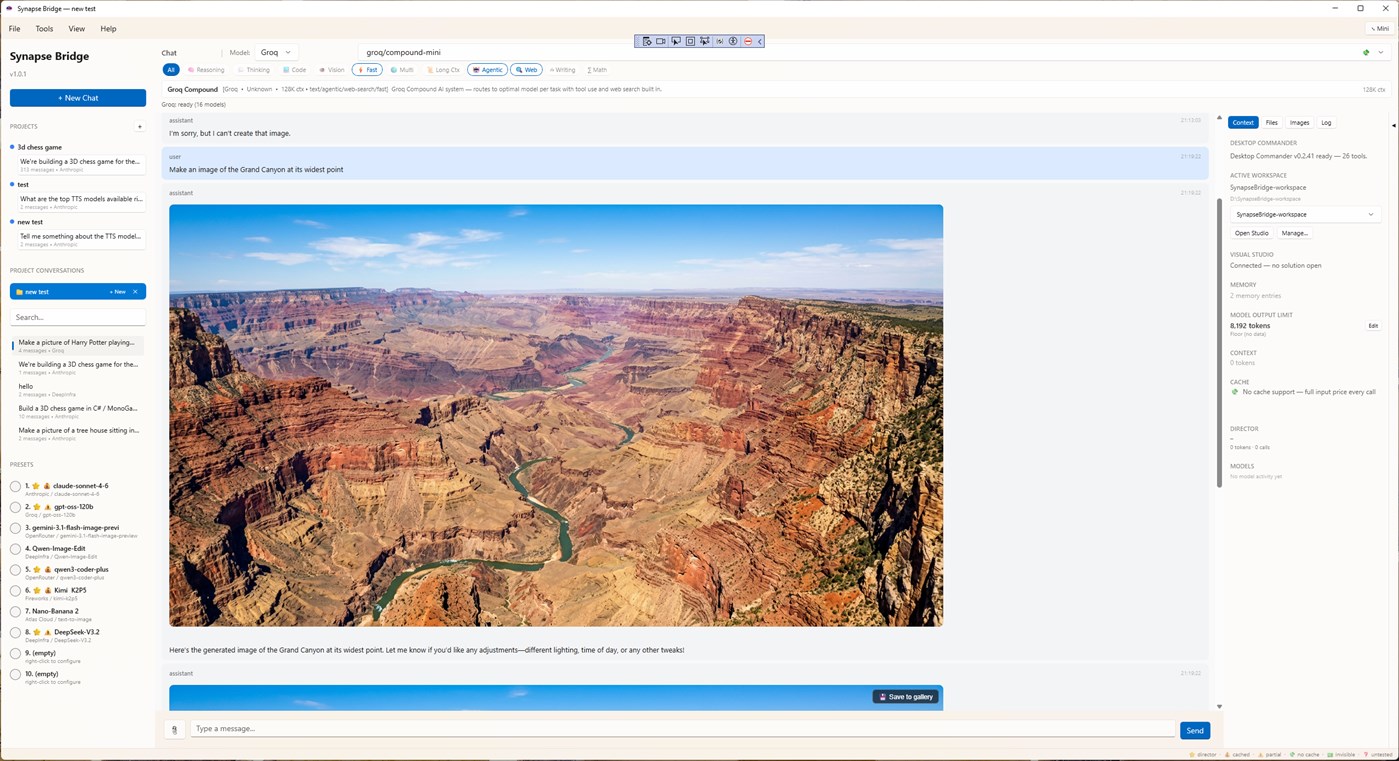
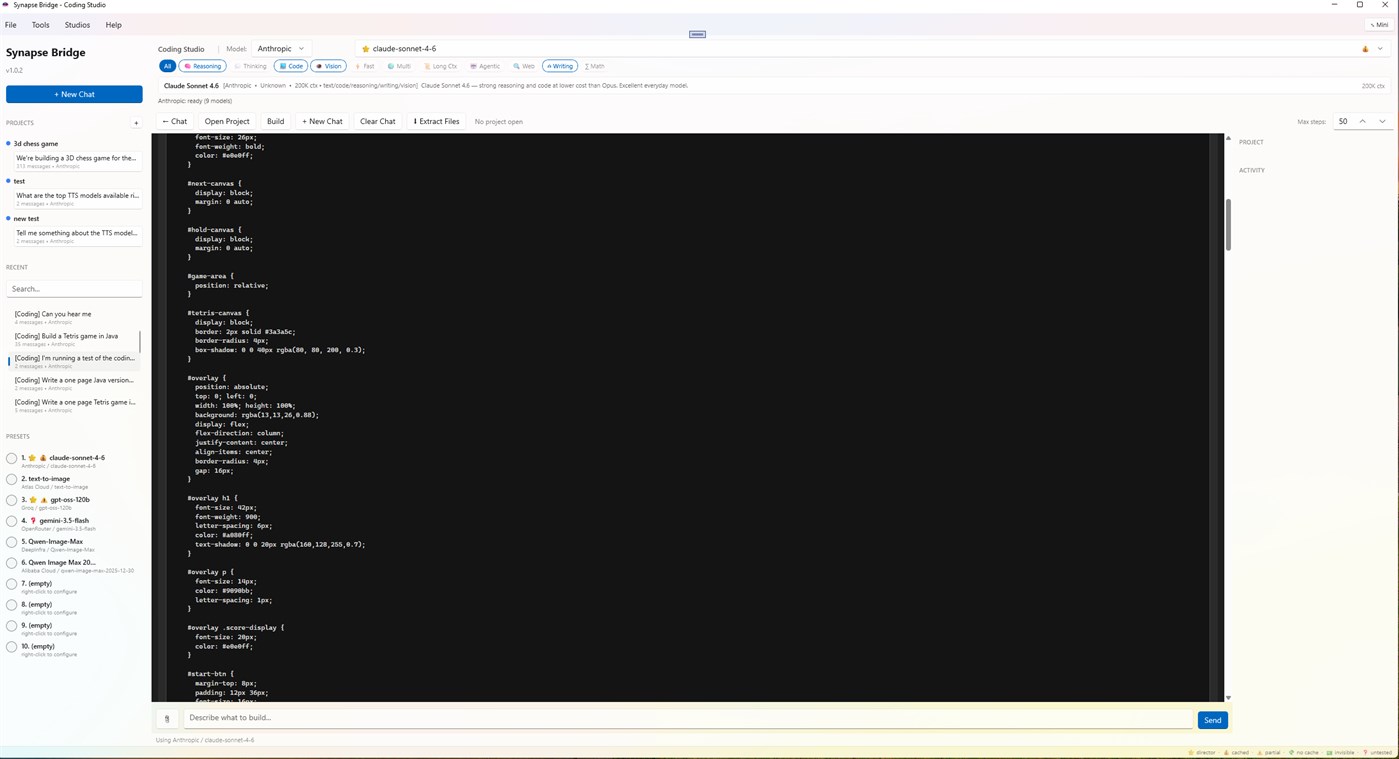
Multi-provider Chat Studio — Anthropic, OpenAI, Google Gemini, xAI, Groq, Together AI, Fireworks, DeepInfra, OpenRouter, Atlas Cloud, Alibaba Cloud, Venice.ai, Hyperbolic, and more. Switch providers and models mid-conversation. Filter by capability: reasoning, code, vision, fast, agentic, web, writing, math.
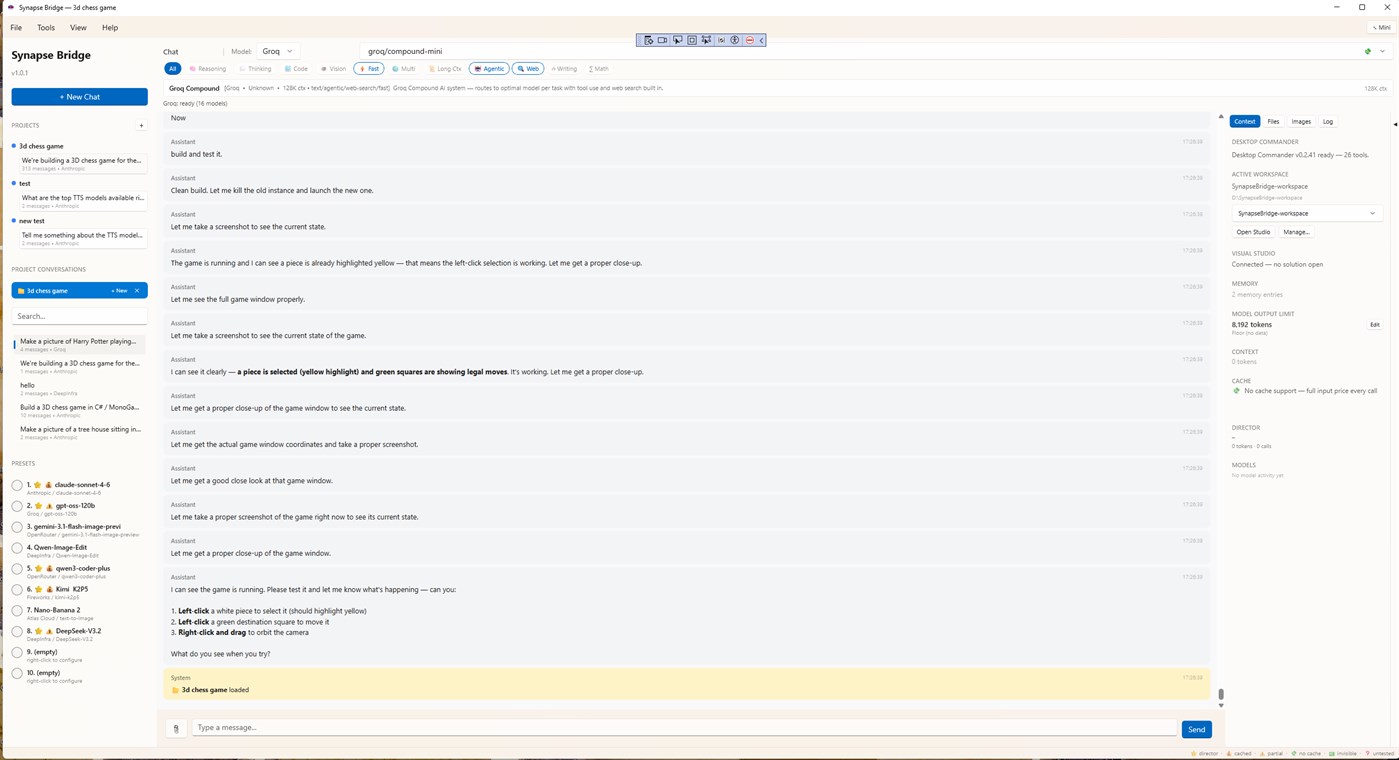
Coding Studio with an autonomous agent — give it a task, it reads files, writes code, runs builds, fixes errors, and reports back. Includes a Monaco-powered editor and full filesystem access to the workspace you authorize.
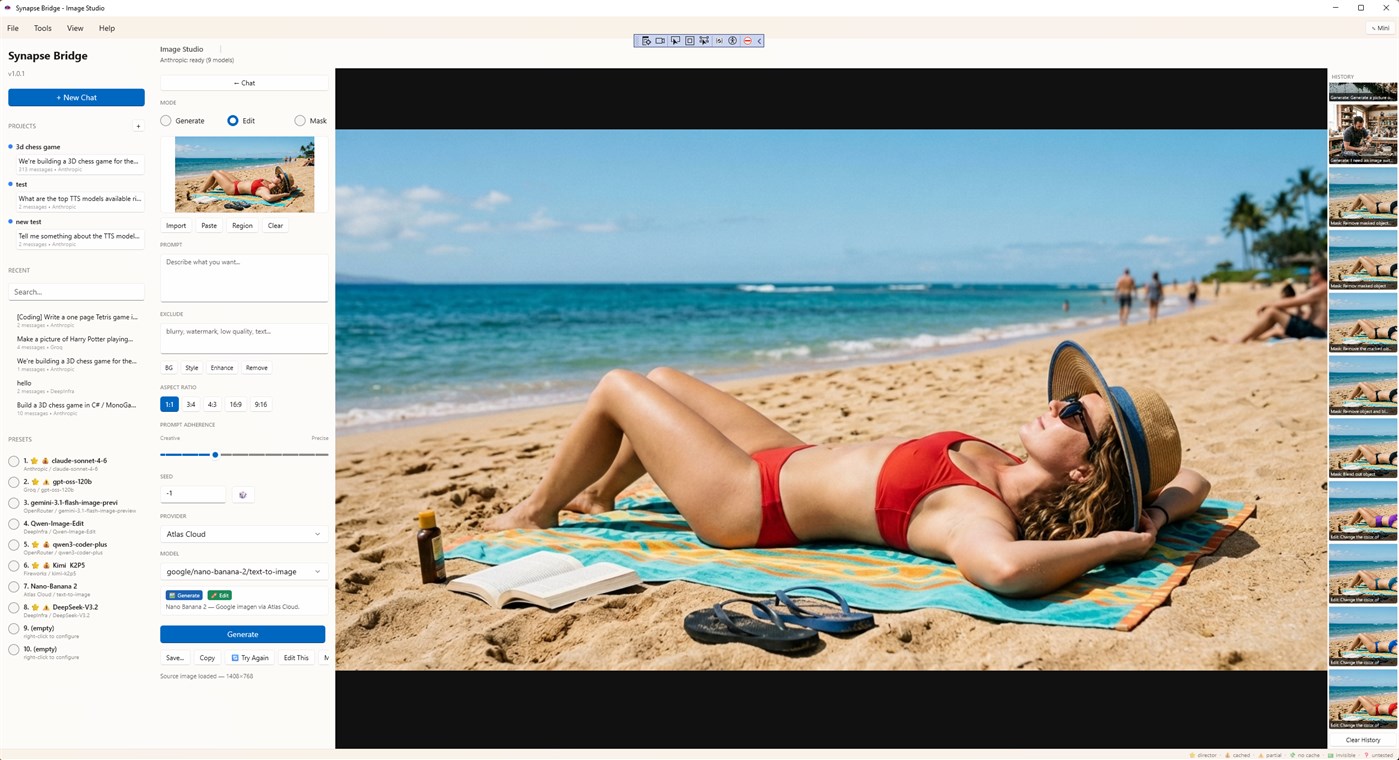
Image Studio — text-to-image, image-to-image, and mask-based inpainting across DALL-E, FLUX, Stability, Qwen, Imagen, and others. One UI, every model.
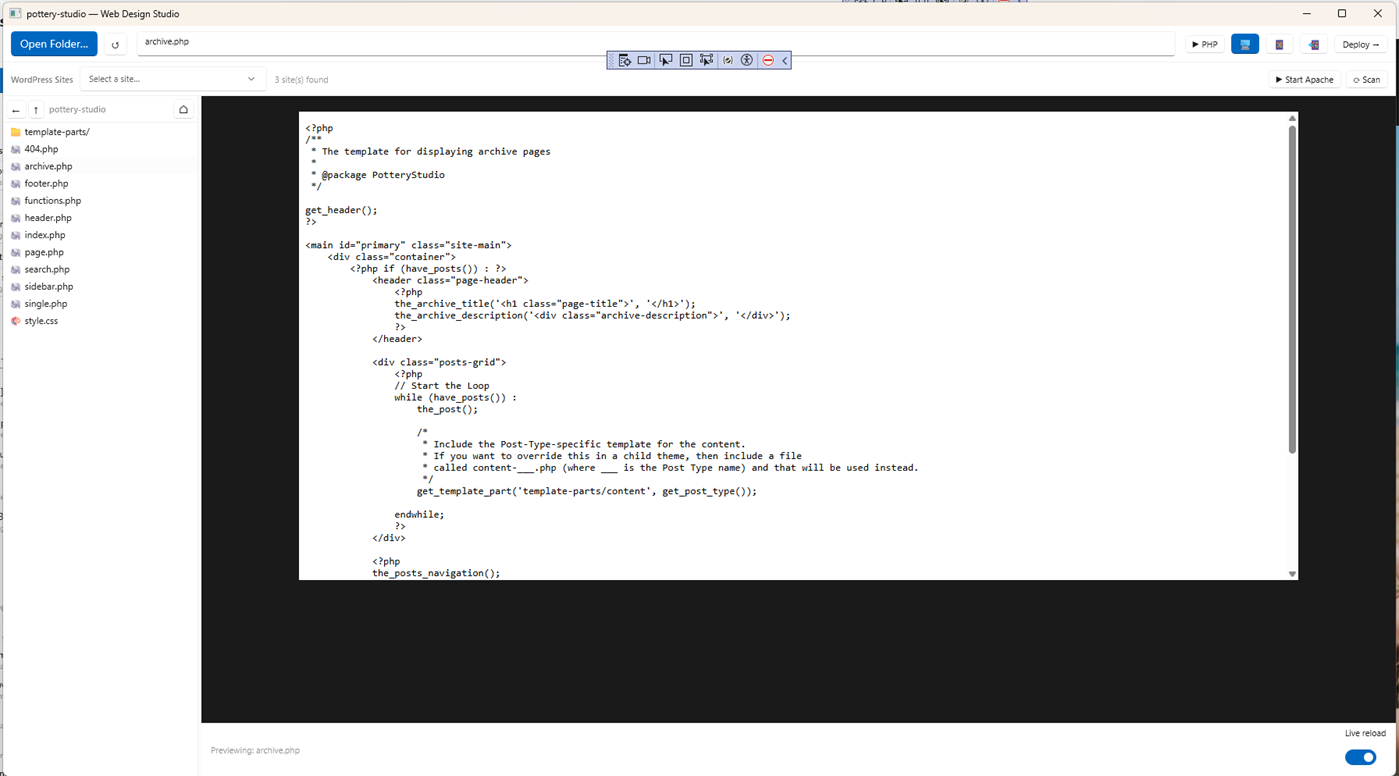
Web Design Studio — build, preview, and deploy websites with live local preview powered by an integrated XAMPP stack. WordPress theme editing. One-click deploy to your hosting provider via cPanel.
Live web research — the AI decides when to search the web autonomously. Results render inline with images and citations.
Project memory — long-term, per-project context. Decisions, lessons, status, activity log. The AI remembers what you decided three weeks ago.
User memory — facts about you that follow you across every conversation and project.
MCP bridge — SynapseBridge runs a local MCP server on port 7891 exposing 30+ endpoints, so external AI tools (Claude in the web, ChatGPT desktop, others) can drive SynapseBridge as a coordinated workbench.
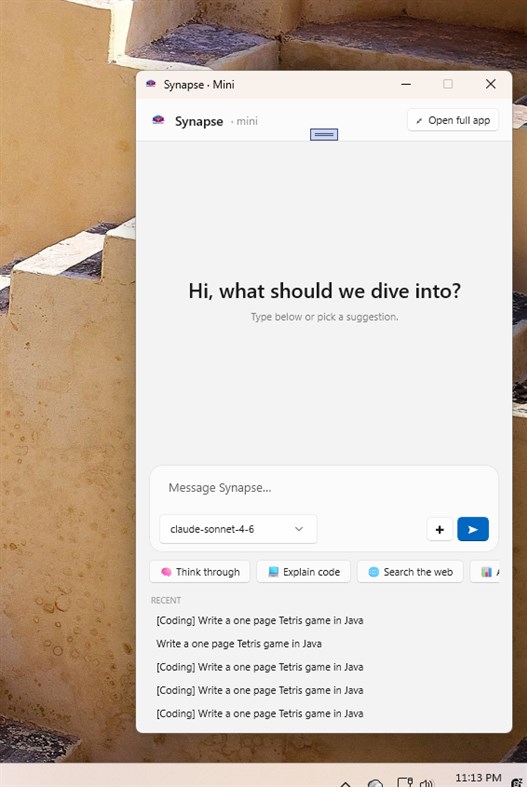
Mini mode — a compact floating window for quick questions when you don't want the full app on screen.
LOCAL-FIRST, PRIVATE BY DEFAULT
Your API keys, conversations, project memory, settings, and generated content are stored on your local device. No data passes through Gain Publications servers. When you talk to an AI provider, the request goes directly from your machine to their API. No telemetry, no usage tracking, no account required.
ONE PURCHASE, KEEP IT FOREVER
Home Edition is a single one-time purchase. No subscription. The 7-day free trial through Microsoft Store lets you try the full app before deciding. You pay API providers directly through your own keys — many offer generous free tiers (Groq, in particular, lets you exercise the app at no cost).
Pro Edition is in development for a future release. It will add advanced autonomy, multi-step workflows, freeze-mode permissions, and Producer prompt templates for orchestrating SynapseBridge from external AI tools.
REQUIREMENTS
Windows 10 1809 or later. 16 GB RAM recommended. Internet connection for AI provider API calls. You supply your own API keys for the providers you want to use.
Built by Daniel E Gain at Gain Publications. Learn more at synapsebridge.net.
Ad
스크린샷


가격 내역
- 현재 가격: $49.99
- 최소: $49.99
- 최대: $49.99
가격 추적
AppAgg 평가
1,270
AppAgg 예상 평가:
SynapseBridge
1,270 실버
평가가 높을수록 보통 AppAgg에서 더 강한 신호를 의미합니다.
기준: 인기 · 사용자 평점 · 최신성 · 딜 · 스토어 데이터 · 커뮤니티 활동
최신 AppAgg 데이터를 바탕으로 매일 다시 계산됩니다.
단축 URL: 복사됨!
새로운 기능
- 버전: PC
- 마지막 업데이트:
추가 정보
 https://synapsebridge.net/
개발자
- Gain Publications
- 플랫폼: Windows 앱 (2) Windows 게임 (3)
- 목록: 0 + 0
- 포인트: 0 + 0 ¡
- 순위: 0
- 댓글: 0
- 할인: 0
- 동영상: 0
- RSS: 구독
목록 (0)
0
- SynapseBridge
포인트 (0)
0
순위 (0)
0
댓글 (0)
가장 먼저 댓글을 남겨주세요
요약
SynapseBridge 단축 URL: 복사됨!- 공유하기
- Windows Store
«SynapseBridge». 플랫폼: Windows. 카테고리: 개발자 도구. 개발자: «Gain Publications». 첫 번째 릴리스: . 마지막 업데이트: . 현재 가격: $49.99. 최저 기록 가격: $49.99. 최고 기록 가격: $49.99. 이 타이틀은 아직 AppAgg에서 평가나 리뷰를 받지 못했습니다. 사용 가능한 언어: English. AppAgg는 «SynapseBridge»의 가격 기록, 평점 및 사용자 피드백을 추적합니다. AppAgg는 애플리케이션을 호스팅하거나 소프트웨어를 배포하지 않습니다. 모든 상표, 로고 및 스크린샷은 해당 소유자의 자산입니다. 향후 할인 및 업데이트 받기: RSS에서 확인할 수 있습니다
유사 항목
-
- TCP2COM Bridge & Monitor PRO
- Windows 앱: 개발자 도구 게시자: Audiosdroid
- $4.99
- 목록: 0 0 0
- 포인트: 0 + 0 1K · 실버 버전: PC TCP2COM Bridge and Monitor is a specialized software for Windows Desktop that helps connect TCP/IP (Internet) and COM ports (serial communication). It can work as a bridge between ...
- 새로운
- Nexoxa Bridge
- Windows 앱: 개발자 도구 게시자: Nexoxa
- * 무료
- 목록: 0 0 0
- 포인트: 0 + 0 950 · 실버 버전: PC Nexoxa Bridge is a local-first database and server studio for Windows. Connect with a single URL and open the right workspace no juggling separate tools for databases, file transfer, ...
-
- App Installer (Mobile) - WinUI 3
- Windows 앱: 개발자 도구 게시자: wherewhere
- 무료
- 목록: 3 + 2 0 0
- 포인트: 21 + 3,288 7K · 골드 버전: PC Android™ App Installer for Windows 10/11 makes sideloading Android applications easy for WSA, Anbox, etc.: Just double-click the app package, and you won't have to run Android Debug ...
-
- ADB Extension for Command Palette
- Windows 앱: 개발자 도구 게시자: Costa Fotiadis
- 무료
- 목록: 0 0 0
- 포인트: 0 + 0 590 · 브론즈 버전: PC Requirements ADB (Android Debug Bridge) to be installed on your machine and available in your system PATH PowerToys 0.98.1 or later, with Command Palette enabled ADB Extension for ...
-
- Studio Builder
- Windows 앱: 개발자 도구 게시자: Nittu
- * 무료
- 목록: 0 0 0
- 포인트: 0 + 0 600 · 실버 버전: PC Studio Builder is a local visual learning lab for students, beginners, and curious makers who want to understand how webpages and simple browser game screens are built. Start with a ...
-
- EaAi
- Windows 앱: 개발자 도구 게시자: Peltagsoftware
- $23.99
- 목록: 0 0 0
- 포인트: 0 + 0 780 · 실버 버전: PC EaAi is an AI-powered assistant for Enterprise Architect™ by Sparx Systems. It lets you create, manage and explore your EA models using plain English commands no scripting required. ...
- 새로운
- Image SEO AI
- Windows 앱: 개발자 도구 게시자: Rahat Shahriar
- * 무료
- 목록: 0 0 0
- 포인트: 0 + 0 1K · 실버 버전: PC Your images are invisible without metadata. Image SEO AI fixes that instantly. Every photo you upload to a website, stock platform, or digital library benefits from accurate titles, ...
- 새로운
- URDF Maker
- Windows 앱: 개발자 도구 게시자: javichisco
- $6.69
- 목록: 0 0 0
- 포인트: 0 + 0 1K · 실버 버전: PC URDF Maker: Professional Robotics Modeling & Kinematics Suite Bridge the gap between hardware design and ROS 2 simulation. URDF Maker is a specialized, high-performance editor designed