
Bookmarks
| Developer: | FUNMAKERZ (3) | ||
| Price: | Free | ||
| Score: | 1,080 Silver | ||
| Rankings: | 0 | ||
| Comments: | 0 Add a comment | ||
| Lists: | 0 0 | ||
| Points: | 0 | ||
| +1 Point | |||
Summary
SysMain Pro is an app by FUNMAKERZ in the Developer tools category.
Released , still pretty fresh.
Free, no ads, no in-app purchases. Just you and the app.
The Microsoft Store is built into Windows, so it installs in a couple of clicks.
Its AppAgg Score is 1,080. Silver, and that’s not bad at all.
Just 24 megabytes, it’ll fit even on a full drive.
Rated “EVERYONE”, so it’s fine for kids too.
Only one language, and it’s English.
Used it? Your review would be the first one here.
The developer has 2 more apps on AppAgg. Worth a look.
Want to hear about updates and new apps first? Follow the developer or subscribe to the RSS feed. Push alerts come through the AppAgg Alerts app for Android and iOS.
Other platforms 0
Price History 0
- Current price: Free
- Minimum: Free
- Maximum: Free
Your own feed on the home page
Screenshots 10
Description

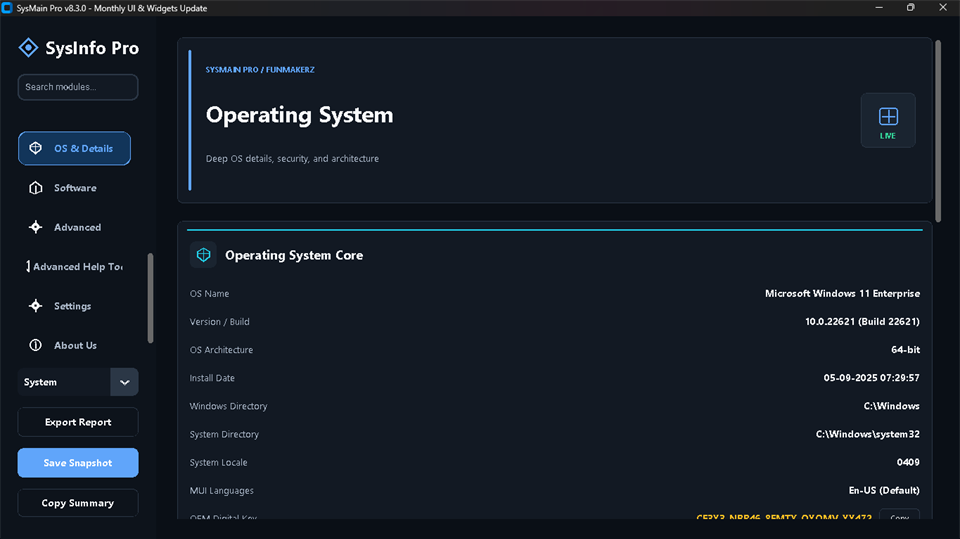
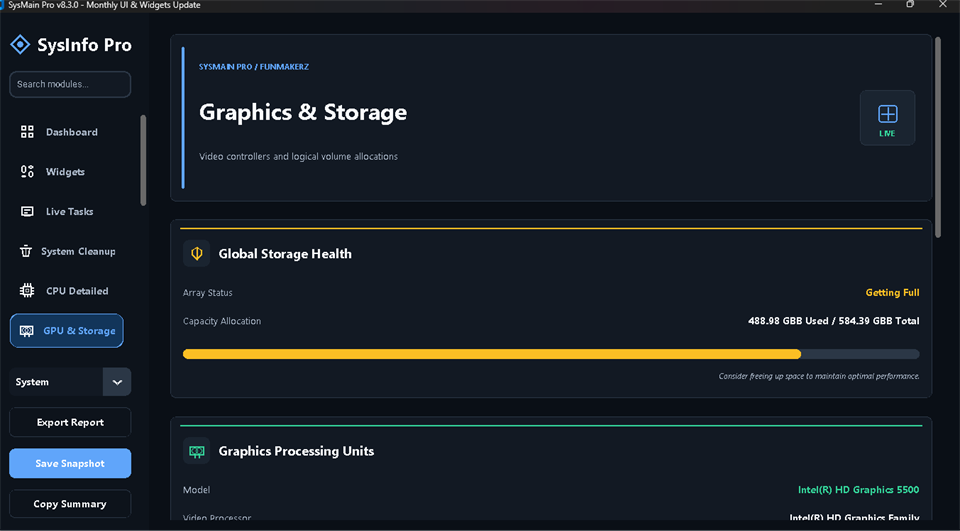
SysMain Pro V8.3 is a powerful, modern, lightweight Windows system information, monitoring, diagnostics, repair, and configuration platform developed by Funmakerz.
Built with performance, simplicity, privacy, and reliability in mind, SysMain Pro gives detailed insights into your hardware, operating system, performance, network activity, storage, battery, software, and overall system health through a clean and user-friendly interface.
━━━━━━━━━━━━━━━━━━━━
🔍 SYSTEM INFORMATION
━━━━━━━━━━━━━━━━━━━━
• Detailed CPU Information
• RAM and Memory Analysis
• GPU Information
• Motherboard Details
• Storage & Disk Information
• Operating System Information
• Battery Information
• Installed Software Information
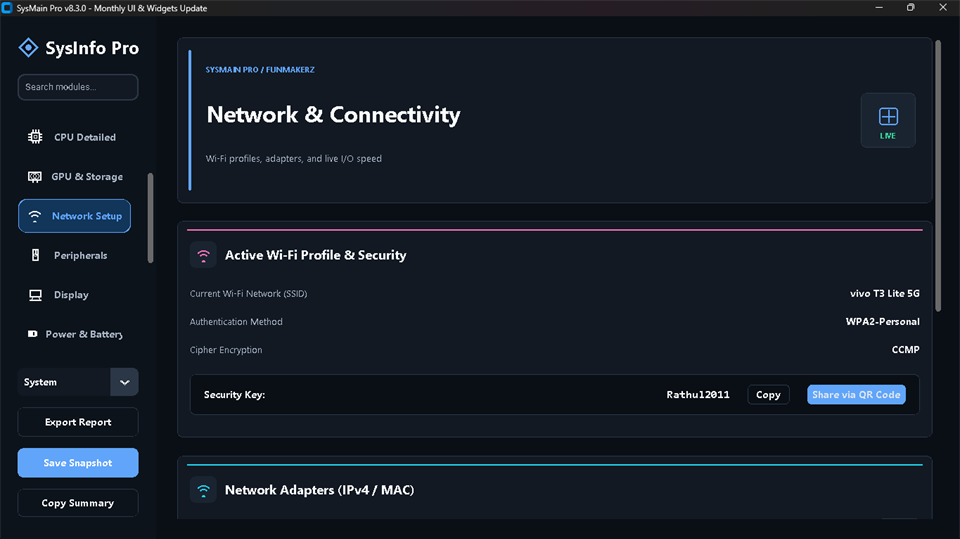
• Network Configuration Details
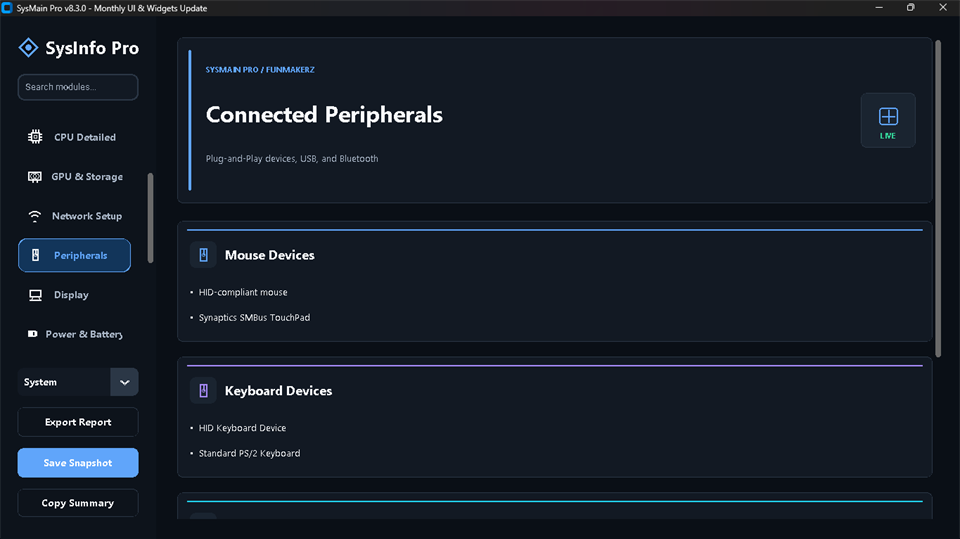
• Display and Peripheral Details
━━━━━━━━━━━━━━━━━━━━
⚡ REAL-TIME MONITORING
━━━━━━━━━━━━━━━━━━━━
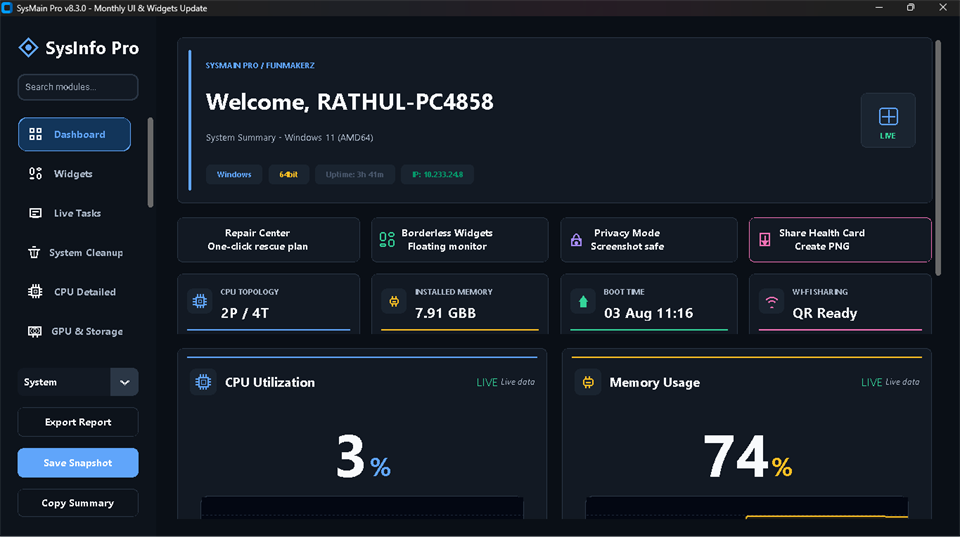
Monitor your computer in real time with live system statistics including:
• CPU Usage
• Memory Usage
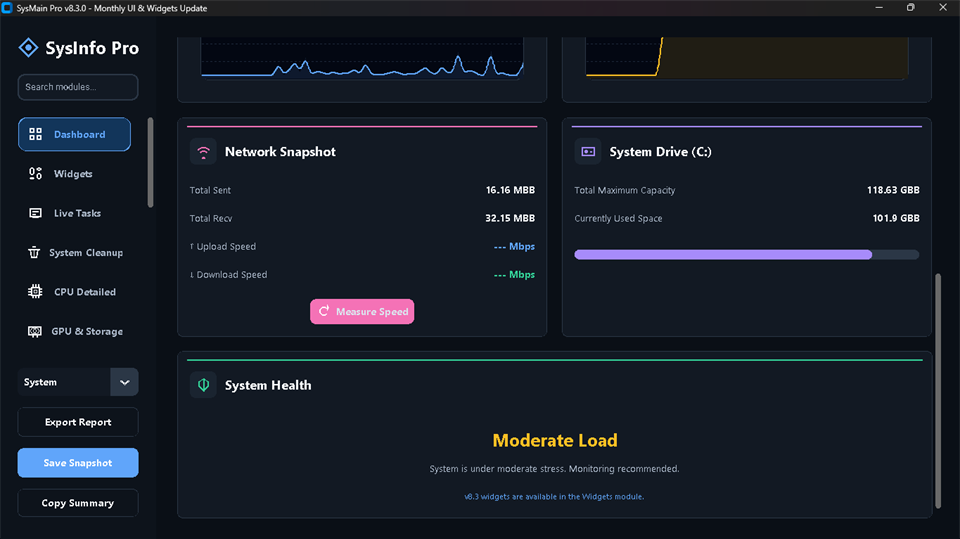
• Disk Usage
• Network Speed
• Total Data Sent
• Total Data Received
• System Performance Metrics
• Live Health Status
━━━━━━━━━━━━━━━━━━━━
🧩 WIDGETS
━━━━━━━━━━━━━━━━━━━━
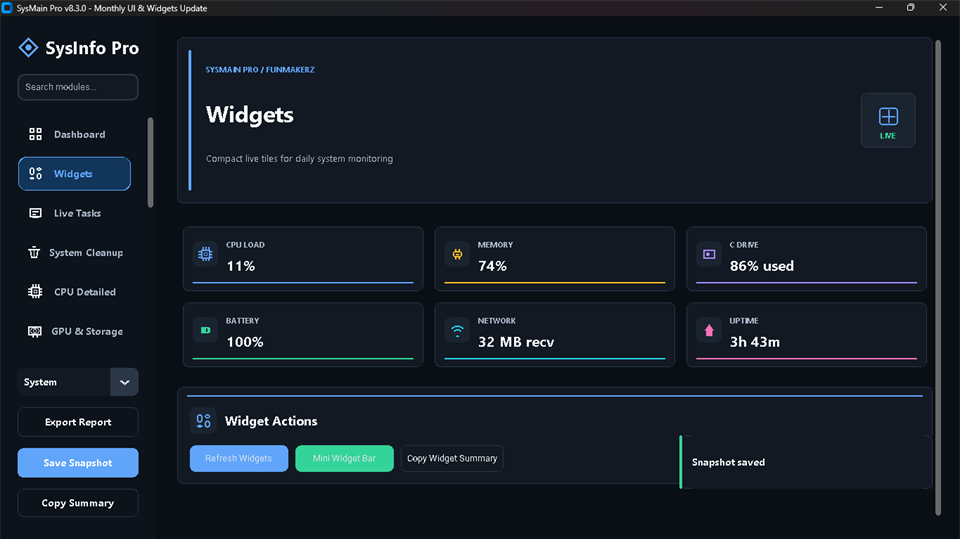
SysMain Pro V8.3 adds live widgets for quick monitoring:
• CPU Widget
• RAM Widget
• C Drive Usage Widget
• Battery Widget
• Network Widget
• Uptime Widget
• Borderless Floating Widgets
The borderless widget panel can run separately from the main app, allowing users to monitor system stats while working.
━━━━━━━━━━━━━━━━━━━━
🛠️ SYSTEM HEALTH & DIAGNOSTICS
━━━━━━━━━━━━━━━━━━━━
SysMain Pro V8.3 helps users better understand and improve their system with:
• Hardware Health Information
• Performance Analysis
• Configuration Insights
• Diagnostic Tools
• Advanced System Data
• Hidden Windows Information
• SMART Disk Health Tools
• Driver Information
• Startup App Tools
━━━━━━━━━━━━━━━━━━━━
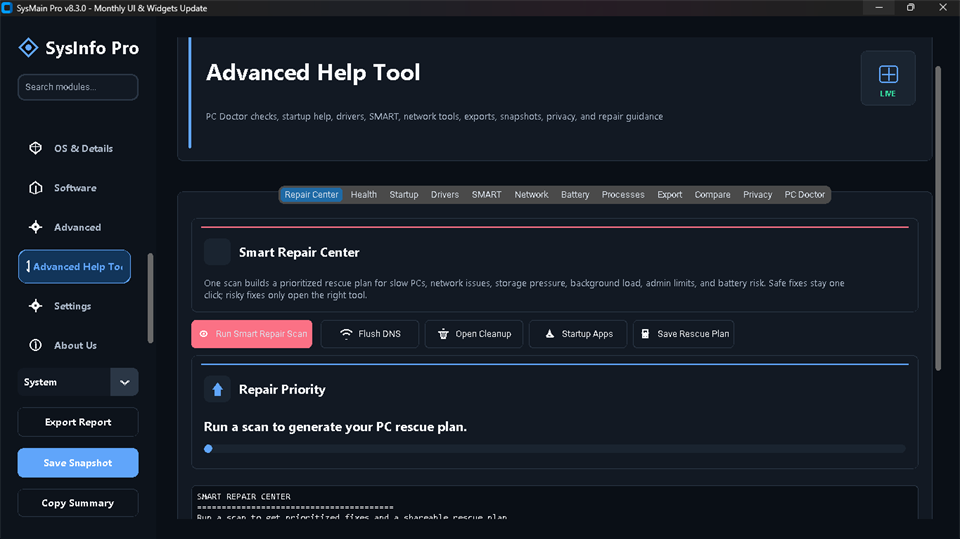
🧠 SMART REPAIR CENTER
━━━━━━━━━━━━━━━━━━━━
The new Smart Repair Center scans common PC issues and creates a simple rescue plan.
It checks:
• CPU Pressure
• RAM Pressure
• Disk Space
• Startup Load
• DNS / Network Status
• Battery Risk
• System Uptime
• Admin Mode
It generates:
• Repair Score
• Priority Fix Plan
• Safe Repair Suggestions
• Saveable Rescue Plan
━━━━━━━━━━━━━━━━━━━━
🤖 PC DOCTOR
━━━━━━━━━━━━━━━━━━━━
PC Doctor provides live system suggestions based on real metrics.
• Detects high CPU usage
• Detects high RAM pressure
• Detects low disk space
• Checks battery and uptime
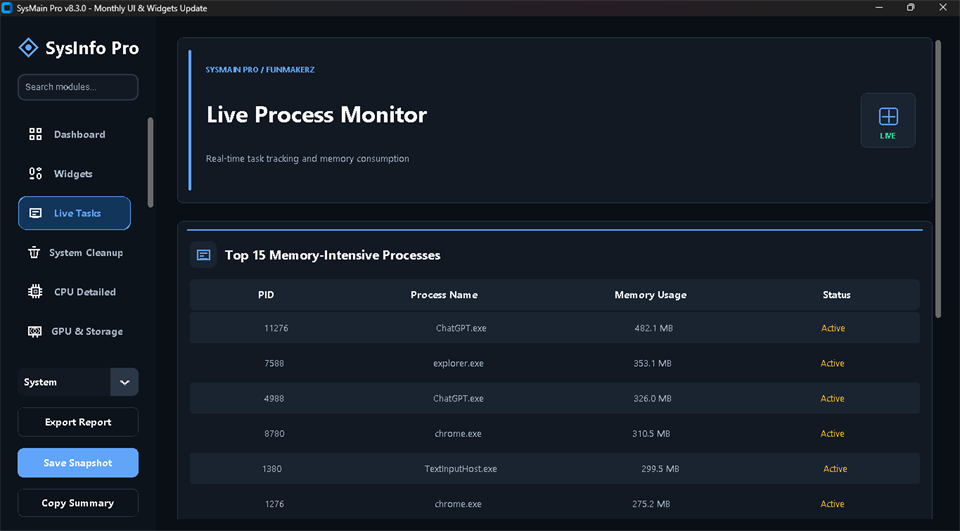
• Shows top memory processes
• Recommends useful next actions
━━━━━━━━━━━━━━━━━━━━
🌐 NETWORK TOOLS
━━━━━━━━━━━━━━━━━━━━
Built-in network utilities include:
• Ping Test
• DNS Lookup
• Traceroute
• Local IP Scan
• Adapter Information
• Network Speed Measurement
━━━━━━━━━━━━━━━━━━━━
📤 EXPORT & REPORTS
━━━━━━━━━━━━━━━━━━━━
SysMain Pro V8.3 supports multiple export and report options:
• HTML Report
• JSON Snapshot
• TXT Export
• CSV Export
• PDF-ready HTML Export
• Snapshot Comparison
━━━━━━━━━━━━━━━━━━━━
🌍 MULTILANGUAGE SUPPORT
━━━━━━━━━━━━━━━━━━━━
SysMain Pro V8.3 adds community language support:
• English
• Hindi
• Kannada
• Malayalam
• Tamil
The About page also changes based on the selected language.
━━━━━━━━━━━━━━━━━━━━
🎨 MODERN EXPERIENCE
━━━━━━━━━━━━━━━━━━━━
• Redesigned User Interface
• Fast and Responsive Startup
• Lazy-loaded Heavy Tools
• Loading Spinners for Slow Features
• Improved Icons
• Smooth Navigation
• Clean Dashboard Actions
• Modern Windows Design
• Easy for Beginners and Professionals
━━━━━━━━━━━━━━━━━━━━
🔒 PRIVACY & SECURITY
━━━━━━━━━━━━━━━━━━━━
Privacy is a core principle of Funmakerz.
• No Personal Data Collection
• No Tracking
• No Advertising
• No Telemetry
• No Selling of User Information
• Privacy Mode for Screenshots and Exports
System information is processed locally on your device.
━━━━━━━━━━━━━━━━━━━━
👨💻 WHO IS SYSMAIN FOR?
━━━━━━━━━━━━━━━━━━━━
• PC Enthusiasts
• Students
• Developers
• IT Professionals
• Technicians
• Everyday Windows Users
• Laptop Users
• Windows Troubleshooting Users
━━━━━━━━━━━━━━━━━━━━
🏢 ABOUT FUNMAKERZ
━━━━━━━━━━━━━━━━━━━━
SysMain Pro V8.3 is proudly developed by Funmakerz, an independent software studio focused on creating innovative applications, utilities, and digital solutions.
🇮🇳 Designed and Developed in Mangalore, Karnataka, India
Website:
https://sysmainpro.funmakerz.online/
━━━━━━━━━━━━━━━━━━━━
🚀 SYSMAIN PRO V8.3
━━━━━━━━━━━━━━━━━━━━
Understand your computer.
Monitor your system.
Repair common issues.
Stay informed.
Stay in control.
From the developer
Lists 0
-
 SysMain Pro
Points 0
-

- +1 Point

Rankings 0
-
- Your rating
Developer 3
- FUNMAKERZ
- Followers: 0
- Platforms: Windows Apps (3)
- Deals: 0
- Lists: 0 0
- Points: 0
- Rankings: 0
- Comments: 0
- Videos: 0
- RSS: Subscribe
What's new
- Version: PC
- Last Updated:
- What’s New in SysMain Pro v8.3
Added a redesigned UI with cleaner dashboard cards, smoother navigation, improved icons, better spacing, and loading spinners for tools that take time.
Added Widgets with live CPU, RAM, C Drive, battery, network, and uptime monitoring.
Added Borderless Widgets, a floating widget panel that can run separately from the main app.
Added Advanced Help Tool with Repair Center, PC Doctor, startup tools, driver tools, SMART disk health, network tools, exports, snapshot compare, and privacy controls.
Added Smart Repair Center to scan CPU, RAM, disk space, startup load, DNS/network, battery, uptime, and admin mode. It creates a repair score and a step-by-step rescue plan.
Added PC Doctor for live system suggestions and top memory process checks.
Added multilingual support for Hindi, Kannada, Malayalam, and Tamil, including a translated About page.
Added better cleanup tools for User Temp, Recycle Bin, Downloads, Prefetch, and junk scan.
Added export options: HTML, JSON snapshot, TXT, CSV, PDF-ready HTML, and snapshot comparison.
Added Privacy Mode to hide sensitive details like usernames, serial numbers, MAC addresses, and keys.
Added network tools: ping, DNS lookup, traceroute, local IP scan, adapter info, and speed measurement.
Updated About page with Funmakerz story, mission, highlights, version notes, contact, and official website:
https://sysmainpro.funmakerz.online/
Additional Information
- Release Date:
- Category:
Windows Apps›Developer tools - OS:
PC - Size:
24 Mb - Supported Languages:
English - Content Rating:
EVERYONE - Windows Store Rating: ¡
0 - Website:
 https://sysmainpro.funmakerz.online
AppAgg Score
Estimated AppAgg Score for
SysMain Pro
Developer: FUNMAKERZ
Higher scores usually reflect better results across AppAgg’s indicators.
Based on: popularity · ratings · freshness · deals · store data · community signals
Recalculated daily using fresh AppAgg data.
Comments 0 ¡
Share
SysMain Pro Short URL: Copied!- Windows Store
You may also like
Recent discussionsMore →
 AppGame4Class Game4Class makes lesson review fun and interactive. I like how easily students can join from their o...
 Mehdi Gateway62
 AppAniMate Waifu - AI Anime Desktop Pet This is the best anime desktop pets I have ever had, The dancing feature is amazing.
 shaw chaney34
 AppSpark Motion Create 26 The graphics are amazing! Now I can design my ball layouts and watch then spin in 3D animation.
 Jim Kirker40
 AppLocalDub – Real-Time Game Dubbing Hello Kırtay Interactive, I am using LocalDub - Real-Time Game Dubbing. I would like to know if Hind...
 rashid game53
 AppNauticPlayer This app is absolute cinema. Honestly, it’s one of the best media players I’ve ever tried, and I’m s...
 Manuel92
 AppScreen Beings - Interactive Accessibility Companion This is my app so I’m a little bias but as someone from the ADHD community that teaches ADHD and neu...
 Tarelle Irwin54
 AppAadi vault good it ia a encrypter and good you my work on office
 Aditya Rai50
 AppTyping 365 | Daily Typing Trainer The best typing app ever. With Typing 365 you don’t have to force yourself for couple minutes traini...
 Ahmad Mozaffar50
 AppZefir Calendar — Calendar in the Taskbar excelente app! Superando todas as espectativas!
 Diógenes Magnus50
 AppBlazin IPTV Player This compact IPTV player is amazing. I threw multiple playlists at it and it handles it with no issu...
 Mike Anderson40

