
Lesezeichen
| Entwickler: | VRAM Check (1) | ||
| Preis: | Kostenlos | ||
| Score: | 720 Silber | ||
| Ranglisten: | 0 | ||
| Kommentare: | 0 Kommentar posten | ||
| Listen: | 0 0 | ||
| Punkte: | 0 | ||
| +1 Punkt | |||
Kurzinfo
Vorhang auf für VRAM Check CLI, eine App von VRAM Check aus der Kategorie „Entwicklungstools“.
Erst erschienen, also noch ziemlich frisch.
Gratis, keine Werbung, keine In-App-Käufe. Nur du und die App.
Der Microsoft Store ist in Windows eingebaut, die Installation ist also in ein paar Klicks erledigt.
Der AppAgg-Score liegt bei 720. Silber, und das ist gar nicht übel.
Nur 43 Megabyte, passt sogar auf eine volle Festplatte.
Altersfreigabe „EVERYONE“, also auch für Kinder geeignet.
Spricht nur eine Sprache, und das ist nicht Deutsch.
Auf AppAgg hat die App noch niemand bewertet. Jetzt ist deine Chance, den Anfang zu machen.
Das ist die einzige App des Entwicklers auf AppAgg. Noch.
Willst du als Erstes von Updates und neuen Apps erfahren? Folge dem Entwickler oder abonniere den RSS-Feed. Push-Nachrichten kommen über die App AppAgg Alerts für Android und iOS.
Andere Plattformen 0
Preisentwicklung 0
- Aktueller Preis: Kostenlos
- Minimum: Kostenlos
- Maximum: Kostenlos
Dein eigener Feed auf der Startseite
Screenshots 5
Beschreibung

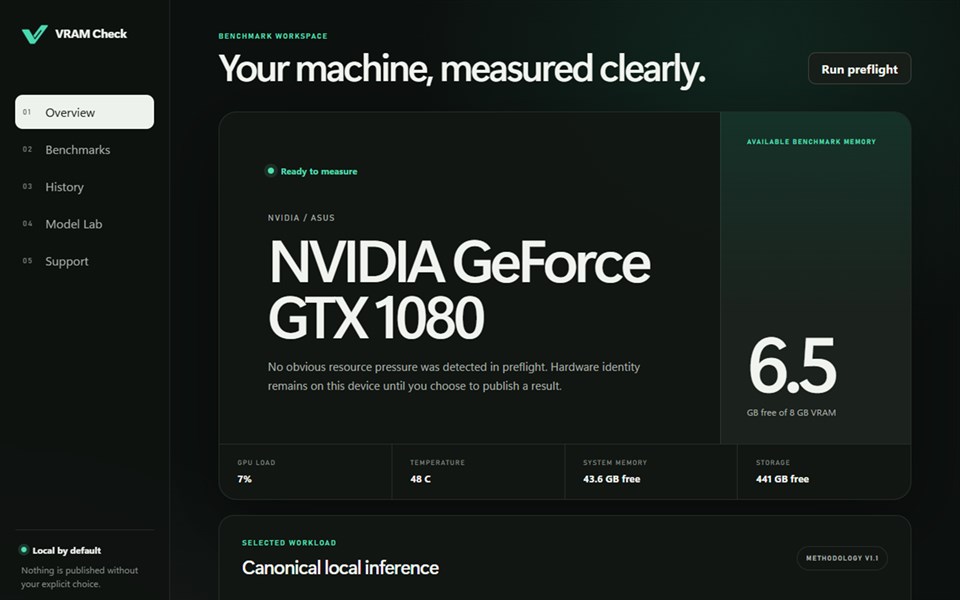
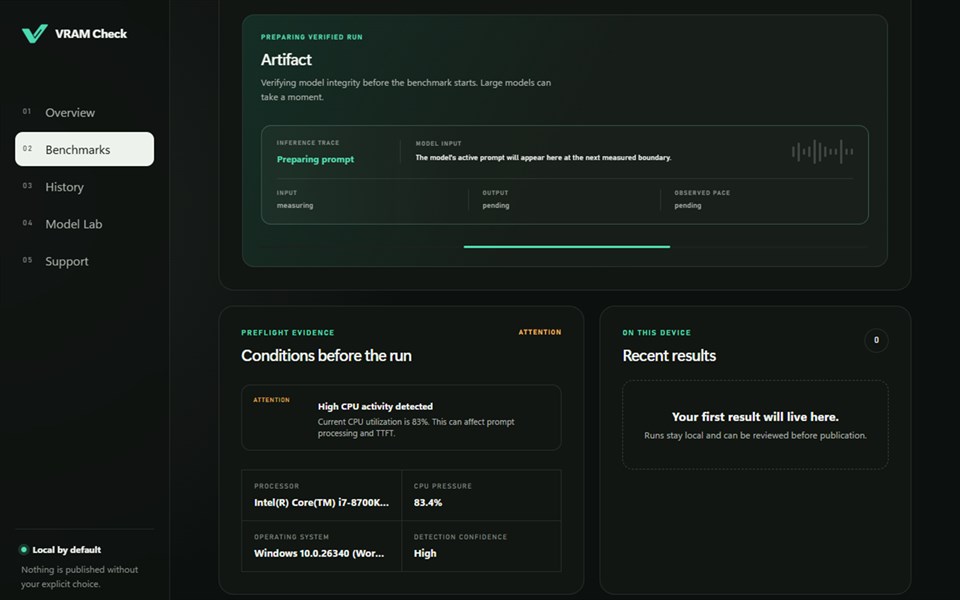
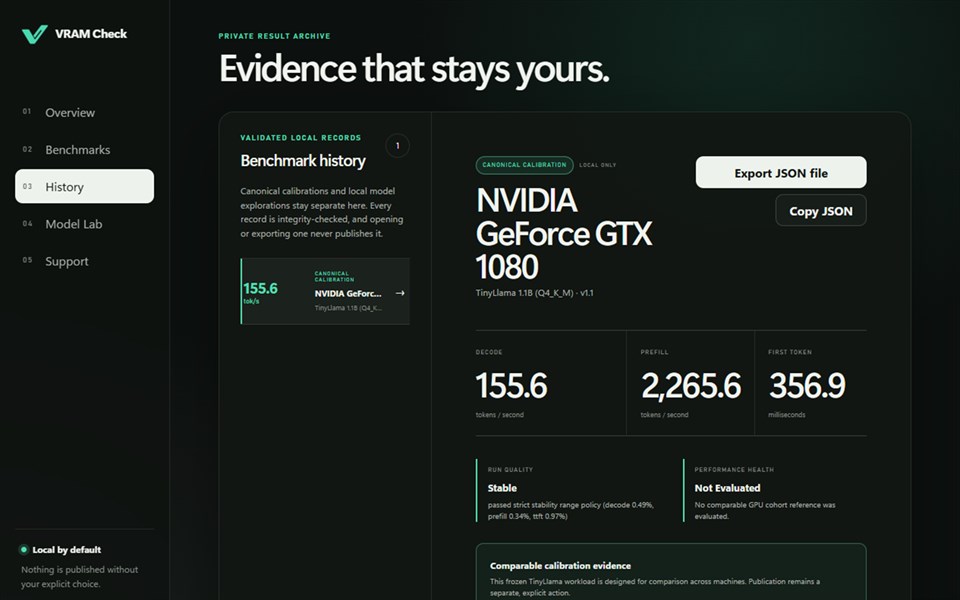
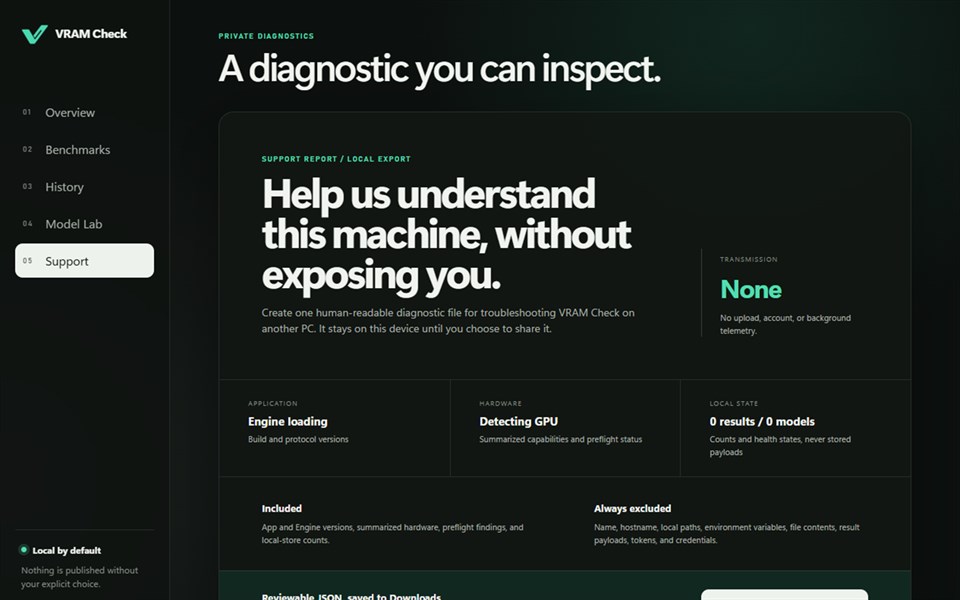
Start with a guided hardware preflight that checks the inference runtime, GPU, VRAM, system memory, storage, temperature, and competing GPU load. The canonical benchmark then runs real TinyLlama 1.1B inference through llama.cpp and Vulkan using three measured passes. The result explains decode speed, prompt-processing speed, time to first token, repeatability, available benchmark memory, and the practical limits of the machine.
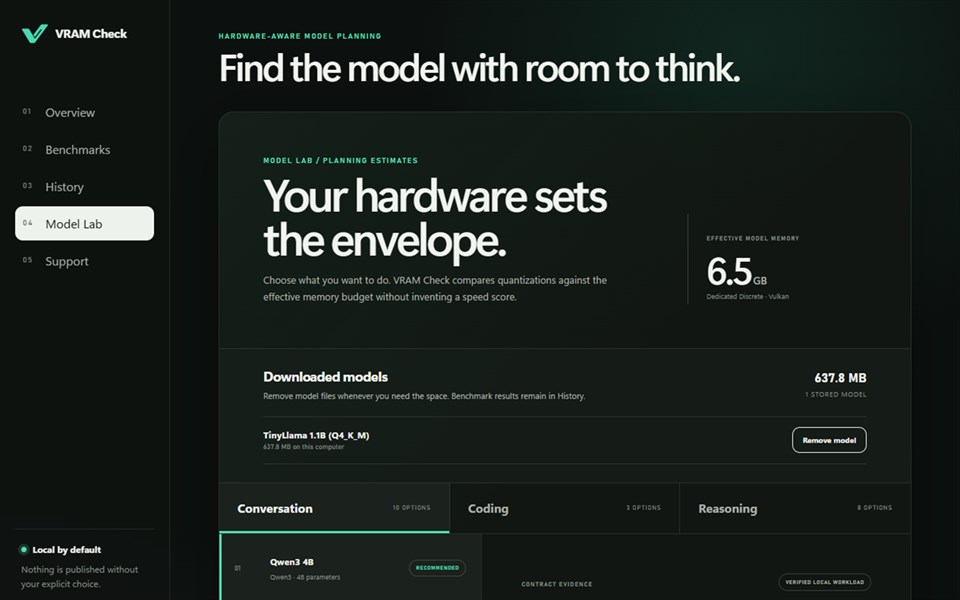
Model Lab compares detected hardware with additional model and quantization profiles. It shows requirements before downloading a model, identifies options that fit the current machine, and keeps measured results separate from compatibility estimates. Downloaded benchmark models remain visible in local storage controls and can be removed without deleting benchmark history.
Results are saved locally first. Publishing is optional and always requires an explicit user action. Optional telemetry is disabled by default. Benchmark submissions exclude the hostname, local username, file contents, credentials, and local filesystem paths. A privacy-safe support report can be reviewed and exported locally without transmitting it.
The first canonical benchmark may download approximately 670 MB. Internet access is required for model acquisition, release verification, and optional result publication. No account is required.
Vom Entwickler
Listen 0
-
 VRAM Check CLI
Punkte 0
-

- +1 Punkt

Ranglisten 0
-
- Deine Bewertung
Entwickler 1
- VRAM Check
- Follower: 0
- Plattformen: Windows Apps (1)
- Angebote: 0
- Listen: 0 0
- Punkte: 0
- Ranglisten: 0
- Kommentare: 0
- Videos: 0
- RSS: Abonnieren
Neue Funktionen
- Version: PC
- Zuletzt aktualisiert:
- New experimental Model Lab measurement: run a local model response over four passes (one preparation pass and three resident passes). Inspect preparation time, time to first token, later-token speed, and per-pass warnings. You can cancel safely; completed, cancelled, and interrupted sessions remain in local History with checkpoint-integrity status. These sessions are separate from the canonical benchmark and do not create leaderboard scores or publish data.
The guided Windows app still offers hardware preflight, the canonical TinyLlama benchmark, model-fit guidance, downloaded-model cleanup, and optional result publication. The companion CLI remains available through the vramcheck.exe app execution alias.
Weitere Informationen
- Veröffentlichungsdatum:
- Kategorie:
Windows-Apps›Entwicklungstools - Betriebssysteme:
PC - Größe:
43 Mb - Unterstützte Sprachen:
Englisch - Altersfreigabe:
EVERYONE - Windows Store Bewertung: ¡
0 - Webseite:
 https://vramcheck.com
AppAgg-Score
Geschätzter AppAgg-Score für
VRAM Check CLI
Entwickler: VRAM Check
Ein höherer Score weist meist auf bessere Werte bei den von AppAgg erfassten Kennzahlen hin.
Basierend auf: Popularität · Nutzerbewertungen · Aktualität · Angeboten · Store-Daten · Community-Aktivität
Wird täglich anhand aktueller AppAgg-Daten neu berechnet.
Kommentare 0 ¡
Teilen
VRAM Check CLI Kurz-URL: Kopiert!- Windows Store

