
저장됨
저장됨 메뉴에 표시할 이름을 선택하세요.
완료!
기술

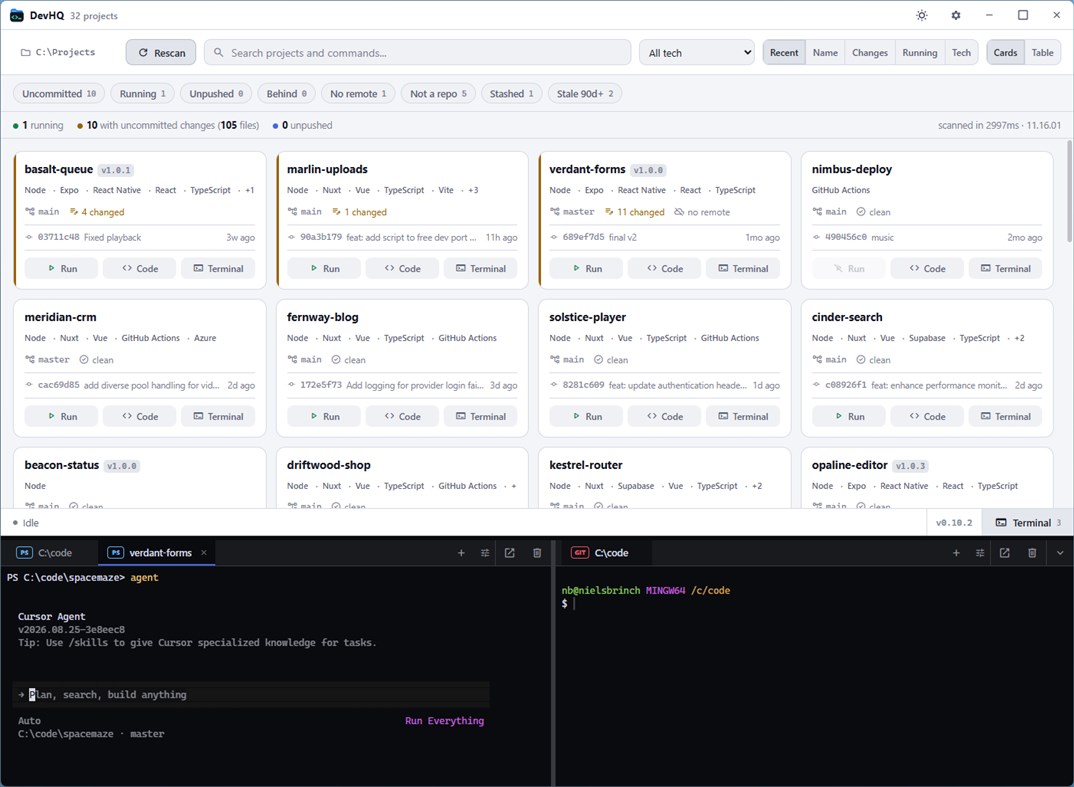
readable overview. Point it at C:\code and it tells you, project by project,
what has uncommitted changes, what is running right now, and what each project
is built with.
AT A GLANCE
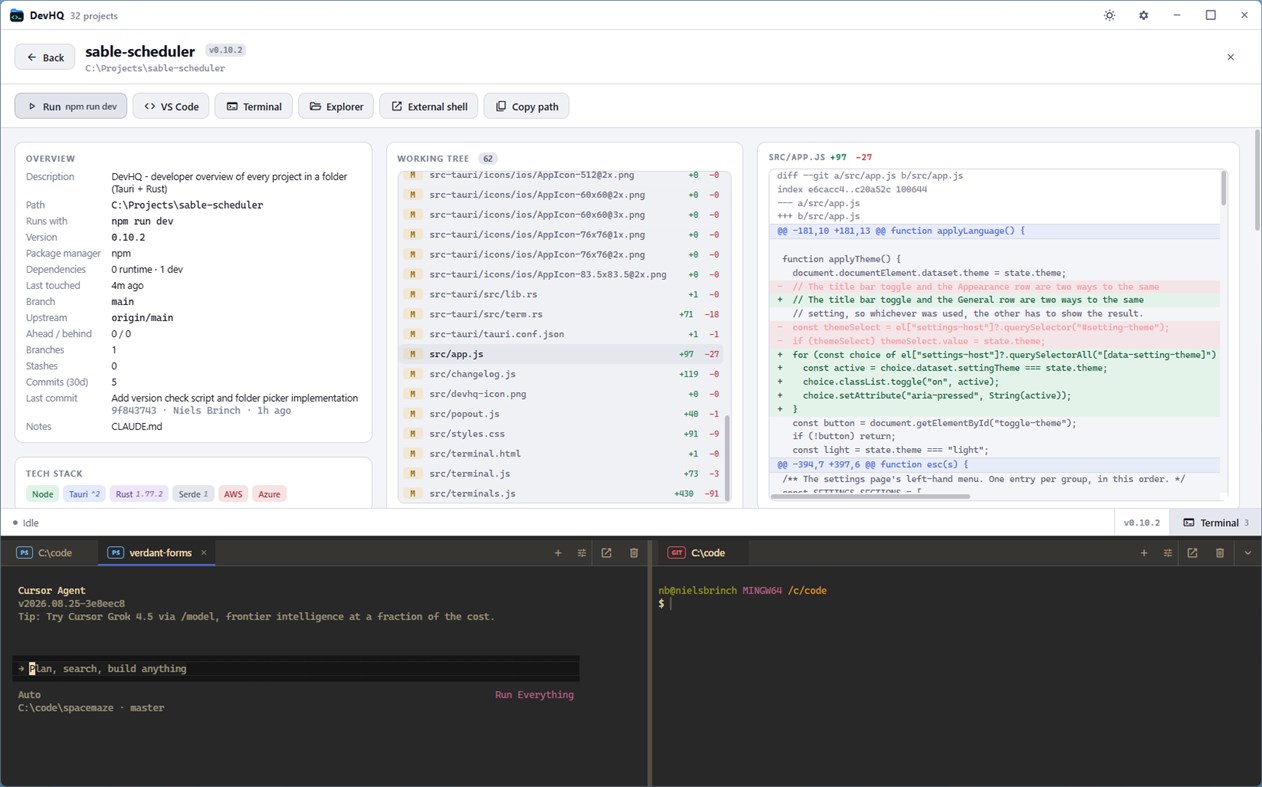
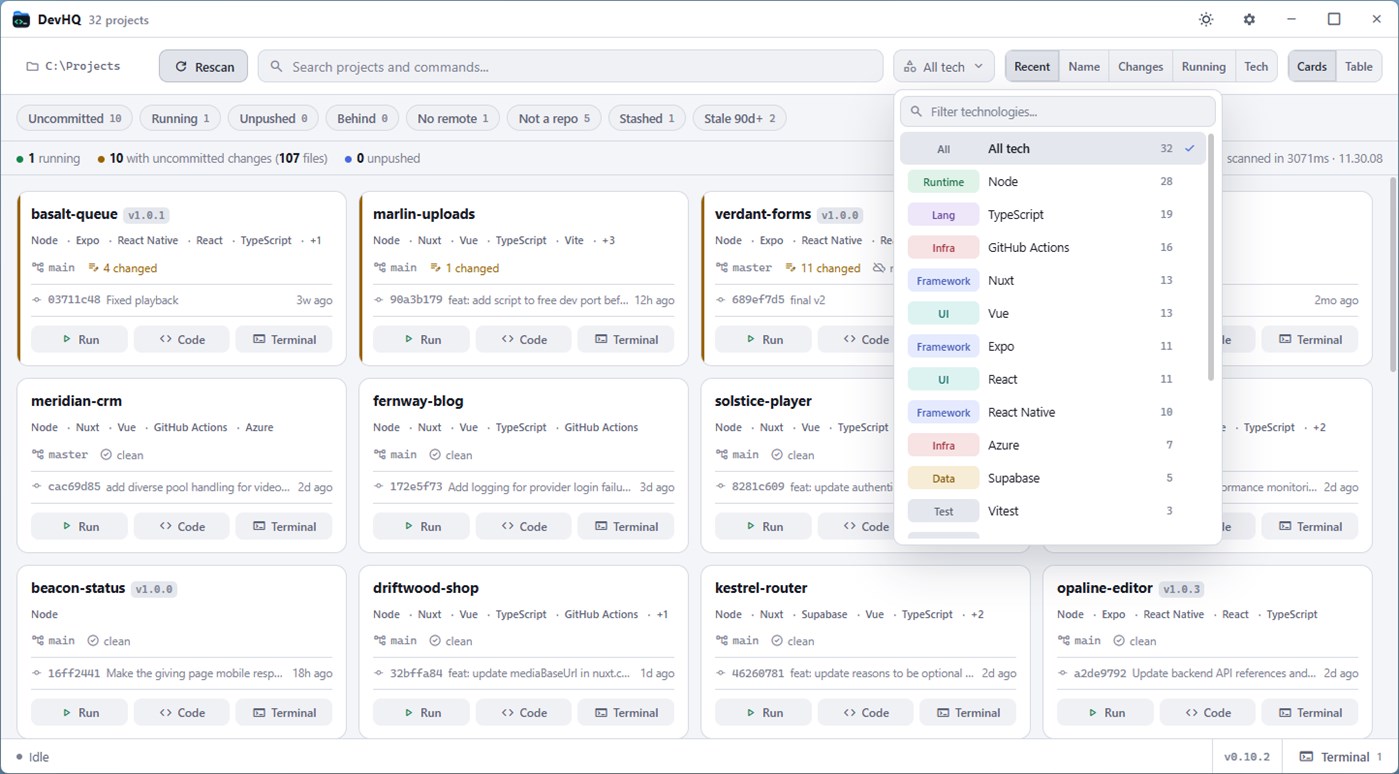
Every project shows its branch and upstream, staged, modified and untracked
counts, ahead and behind, merge conflicts, stashes, and the last commit with
its author and age. Folders that are not repositories are labelled as such
rather than left blank.
WHAT IS ACTUALLY RUNNING
A command line cannot tell you which project a dev server belongs to, so WinT
reads each process's real working directory and attributes it to the project
that owns it, along with the TCP ports it is listening on. Editors, shells and
agents are filtered out unless they hold a port, so an open terminal never
reads as "running".
THE TECH, WITH VERSIONS
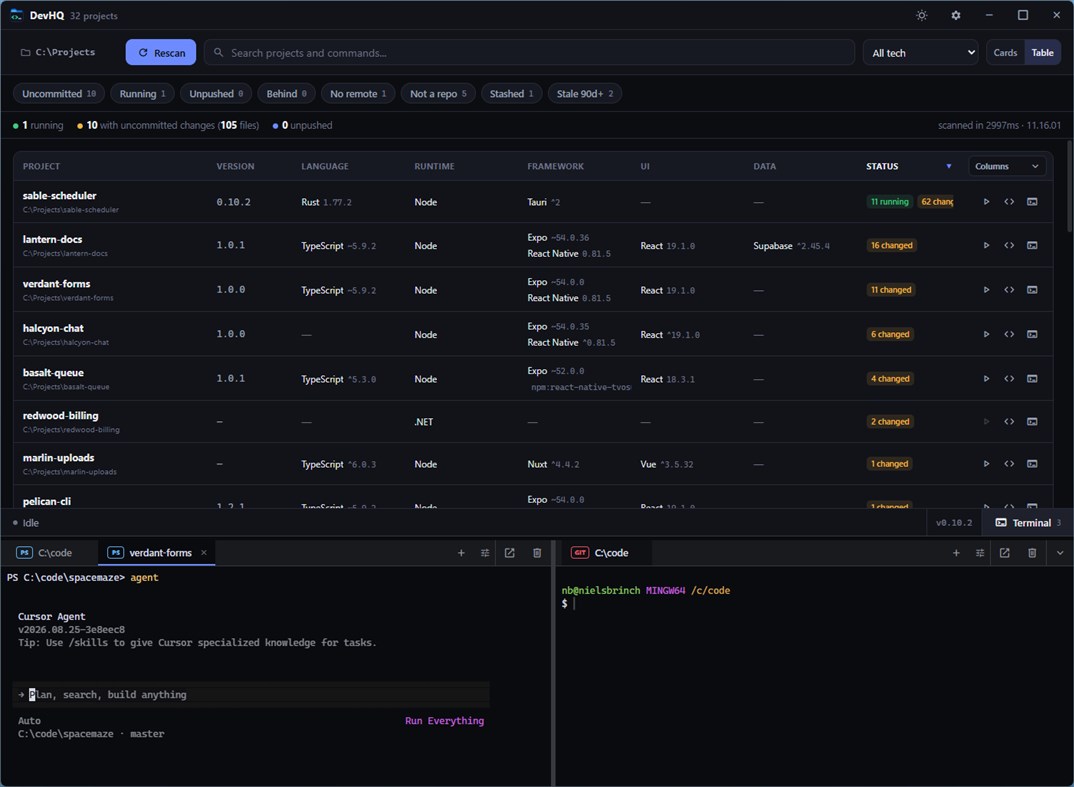
Runtime, language, framework, UI, build, data, test and infrastructure are read
straight from the manifests — package.json, Cargo.toml, pyproject.toml, go.mod,
*.csproj, pom.xml and more — together with the package manager, dependency
counts and the scripts each project defines.
FIND IT FAST
Filter by uncommitted, running, unpushed, behind, no remote, stale or stashed,
each with a live count. Search matches name, path, branch, remote, technology
and port at once, and doubles as a command palette for opening, running or
starting a terminal in any project.
TERMINALS THAT BELONG TO A PROJECT
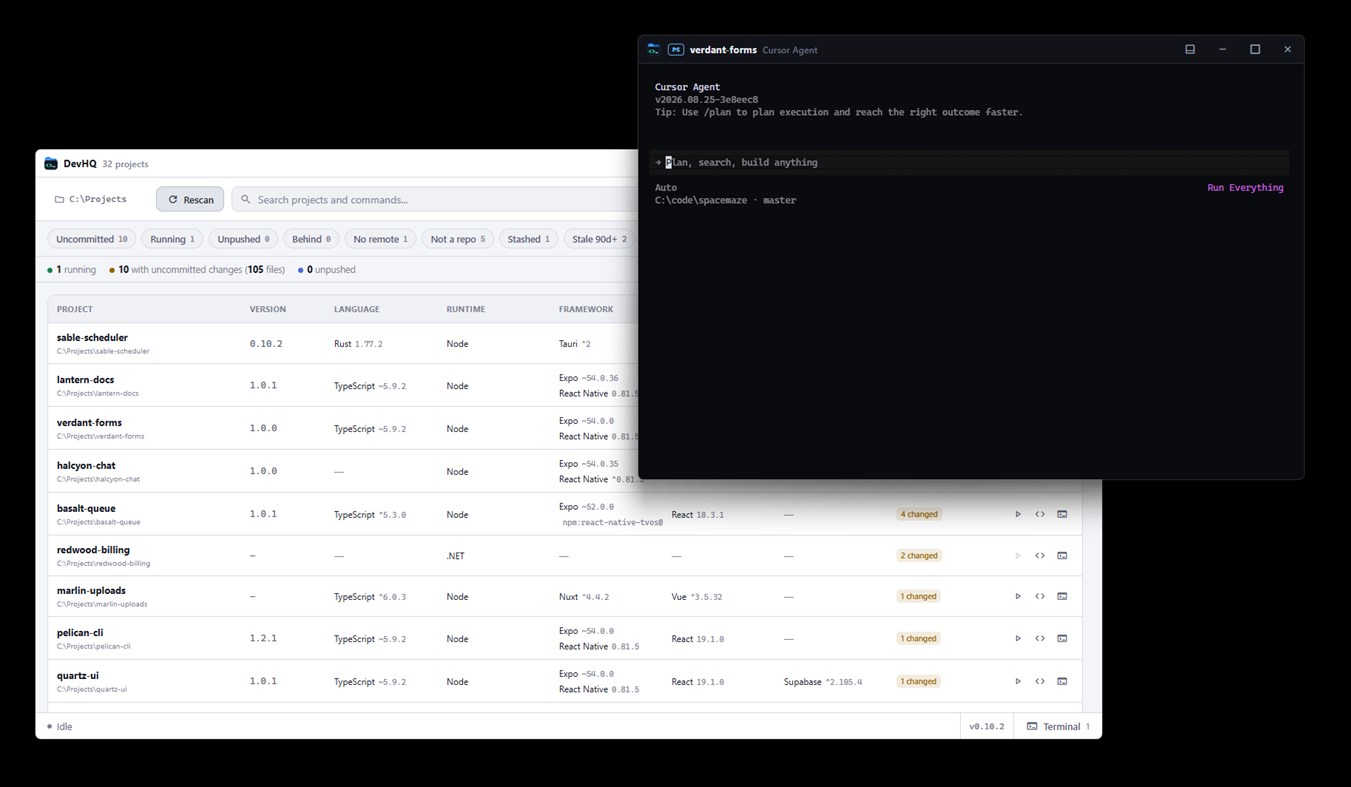
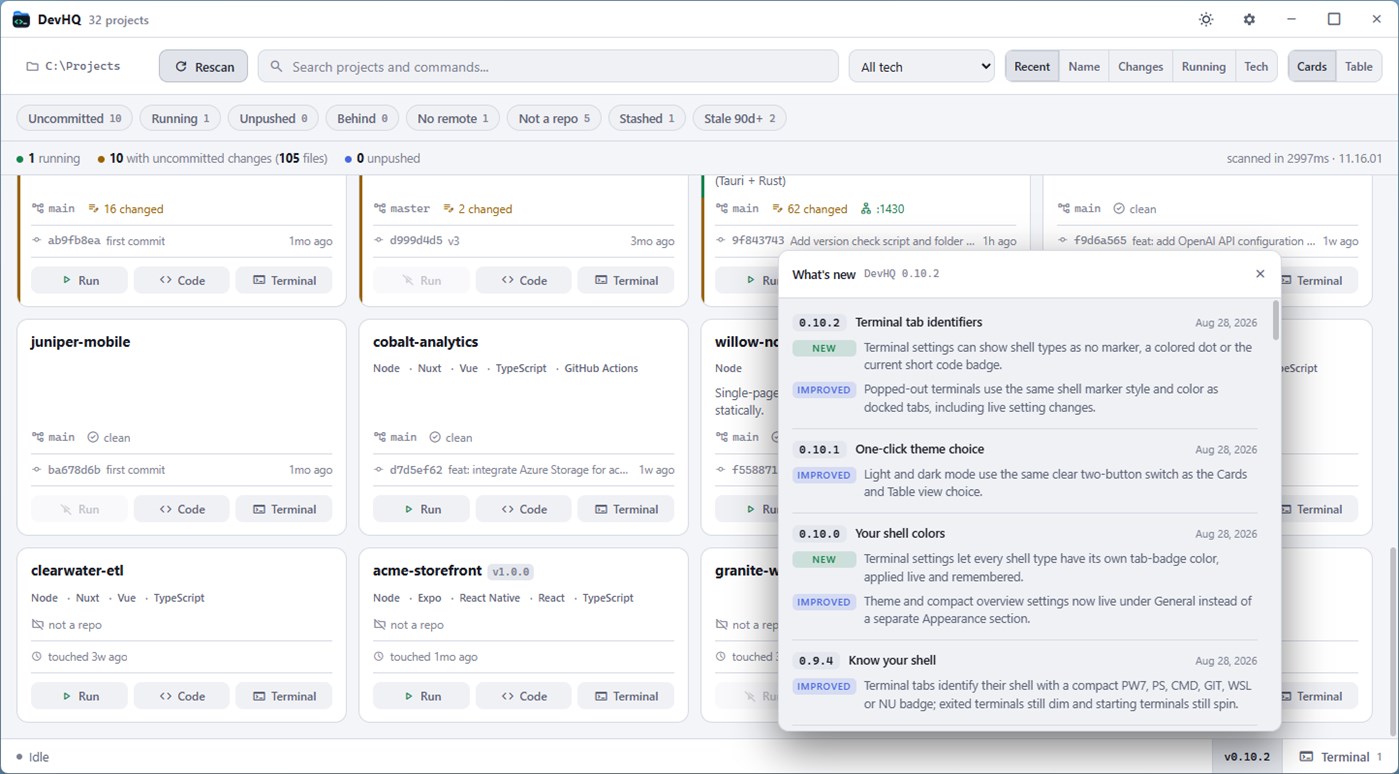
Open a shell already in the right folder, or press Run and let the project's
own manifest decide the command. Sessions live in a dock at the bottom of the
window, can be popped out into their own window and docked back without
restarting — a build running when you pop it out is still running when it
lands.
A BOX OF WINDOWS TOOLS
Process Explorer for ports and resource use, DNS lookups and resolver
comparison, a hosts file editor, live network traffic, disk space by folder,
path ping, event log streaming, registry browsing, PATH and environment
auditing, log tailing, a file lock inspector, clipboard history, keep-awake and
an active-window time tracker. Plus an offline set of everyday converters:
Base64, URL, hex, JSON, YAML, XML, CSV, JWT, UUID, timestamps and hashes.
A HEADLESS CLI
Install the wint command from Settings and run the same scans, git status,
port and DNS queries from any terminal, as JSON you can pipe.
BUILT TO STAY RESPONSIVE
Nothing that touches the disk, git or the process table runs on the thread that
draws the window. Results stream in as they arrive, rows that are still loading
say so, and the status bar always names the work in progress. Everything stays
on your machine.
Ten languages: English, Chinese (Simplified), Hindi, Spanish, French, Arabic,
Bengali, Portuguese, Russian and Indonesian.
광고
스크린샷
가격 내역
- 현재 가격: 무료
- 최소: 무료
- 최대: 무료
AppAgg 평가
790
AppAgg 예상 평가:
WinT
개발자: Gyxi
790 실버
평가가 높을수록 보통 AppAgg에서 더 강한 신호를 의미합니다.
기준: 인기 · 사용자 평점 · 최신성 · 딜 · 스토어 데이터 · 커뮤니티 활동
최신 AppAgg 데이터를 바탕으로 매일 다시 계산됩니다.
단축 URL: 복사됨!
새로운 기능
- 버전: PC
- 마지막 업데이트:
추가 정보
 https://gyxi.com
목록 (0)
0
- WinT
포인트 (0)
0
순위 (0)
0
댓글 (0)
가장 먼저 댓글을 남겨주세요
요약
WinT 단축 URL: 복사됨!- 공유하기
- Windows Store
AppAgg에서 앱 ‘WinT’의 정보를 확인할 수 있습니다. 개발자: Gyxi. 플랫폼: Windows. 카테고리: 개발자 도구. AppAgg 평가: 790 (실버). 이 앱의 AppAgg 포인트: 확인된 포인트 0, 간접 포인트 0. 이 앱이 포함된 공개 목록: 0개. 비공개 목록에 저장한 사용자: 0명. AppAgg 사용자가 아직 이 앱에 별점을 남기지 않았습니다. 확인된 포인트는 로그인한 AppAgg 사용자가 스토어로 이동한 기록을 반영합니다. 간접 포인트는 스토어 데이터를 바탕으로 합니다. 두 숫자는 공개 목록 수와 비공개 목록에 저장한 사용자 수를 나타냅니다. 이 앱의 최초 출시일은 입니다. 이 앱의 마지막 업데이트 날짜는 입니다. 이 앱은 현재 무료로 이용할 수 있습니다. 이 앱은 다음 언어를 지원합니다: English. 가격 기록을 확인하거나 앱을 목록에 추가하고 개발자를 팔로우할 수 있습니다. 이 앱의 향후 할인과 업데이트는 RSS 피드에서 확인할 수 있습니다. AppAgg는 이 앱을 호스팅하거나 배포하지 않습니다. 이 앱과 관련된 모든 상표, 로고 및 스크린샷은 각 소유자에게 귀속됩니다.

