
Bookmarks
| Developer: | Luke Kubow (1) | ||
| Price: | Free | ||
| Score: | 830 Silver | ||
| Rankings: | 0 | ||
| Comments: | 0 Add a comment | ||
| Lists: | 0 0 | ||
| Points: | 0 | ||
| +1 Point | |||
Summary
Meet Zenborg, an app from Luke Kubow in the Developer tools category.
Released , still pretty fresh.
Free, no ads, no in-app purchases. Just you and the app.
The Microsoft Store is built into Windows, so it installs in a couple of clicks.
Its AppAgg Score is 830. Silver, and that’s not bad at all.
Rated “EVERYONE”, so it’s fine for kids too.
Only one language, and it’s English.
Total silence here so far: no ratings, no comments. Break the silence.
It’s the developer’s only app on AppAgg. For now.
Want to hear about updates and new apps first? Follow the developer or subscribe to the RSS feed. Push alerts come through the AppAgg Alerts app for Android and iOS.
Other platforms 0
Price History 0
- Current price: Free
- Minimum: Free
- Maximum: Free
Your own feed on the home page
Screenshots 5
Description

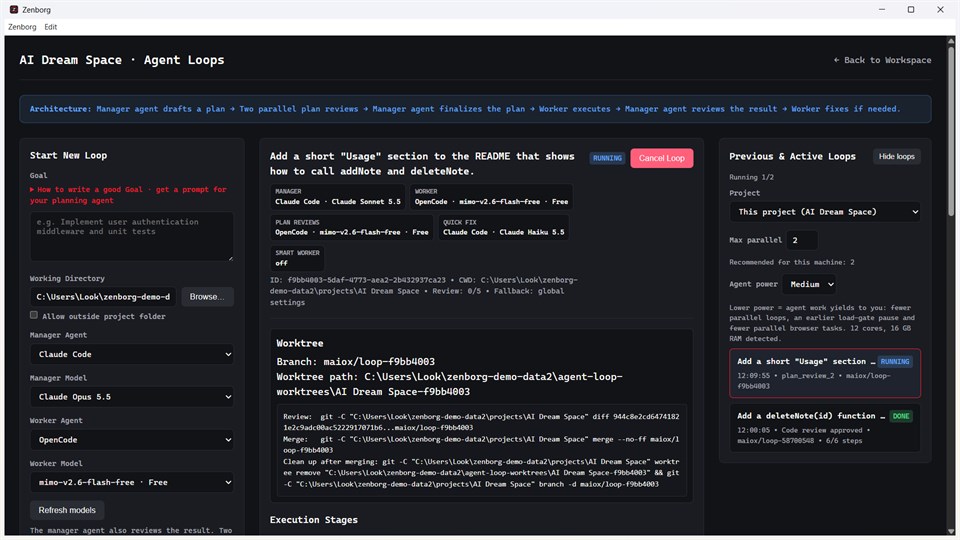
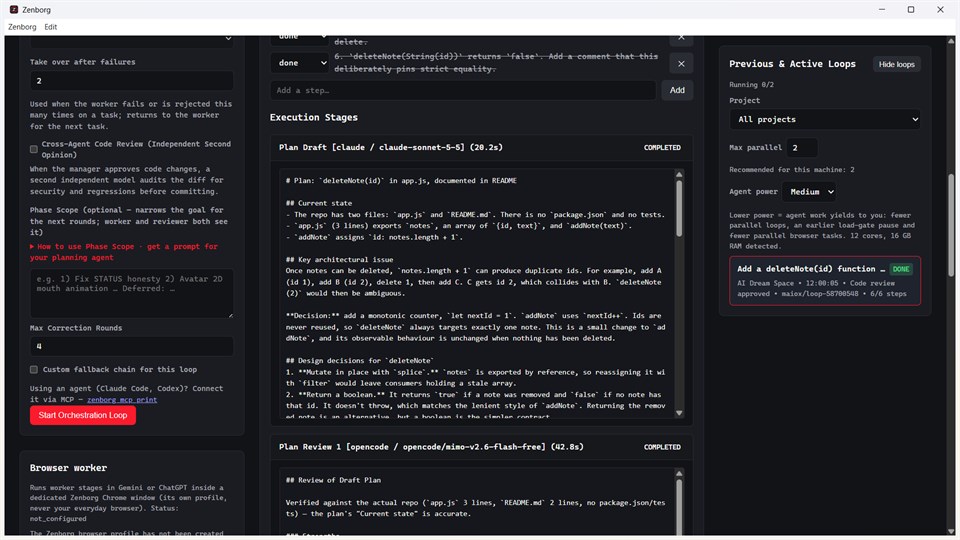
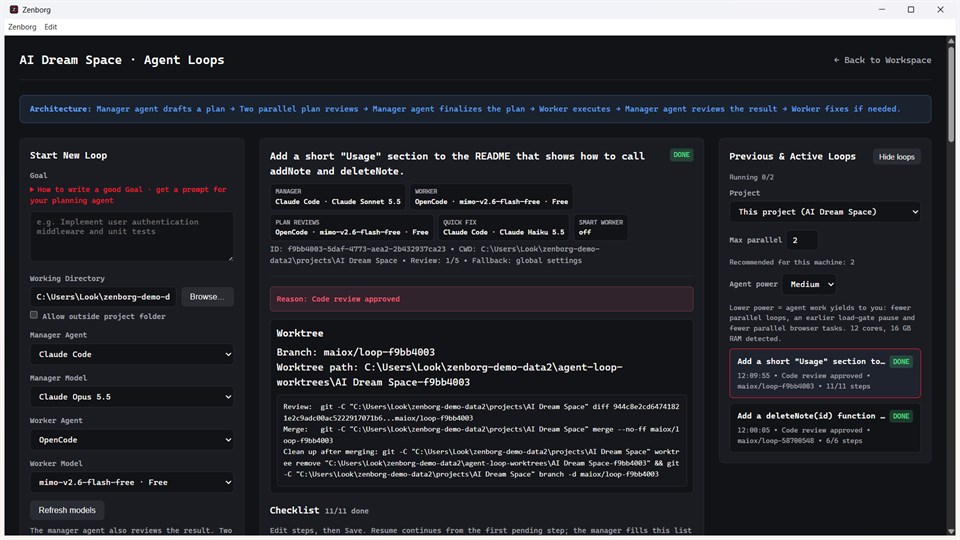
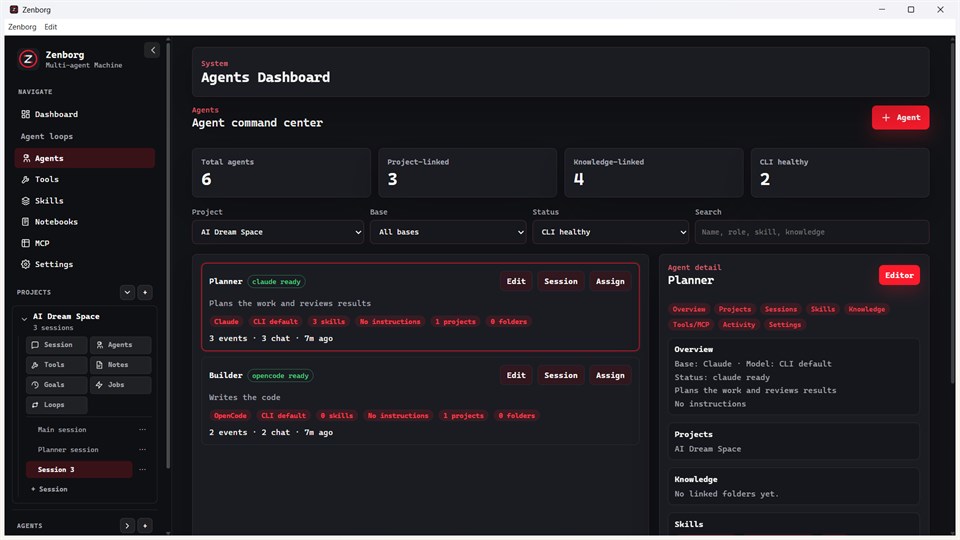
Stop copy-pasting between agents. Give Zenborg a goal and it runs an Agent Loop: a manager agent writes the plan, a worker agent does the job, and a reviewer checks it. It repeats until the work is approved, and every loop runs in its own isolated git worktree, so your main code stays safe.
What you can do:
- Agent Loops. Plan, execute, review and fix, automatically, with fallback models when one provider hits a limit.
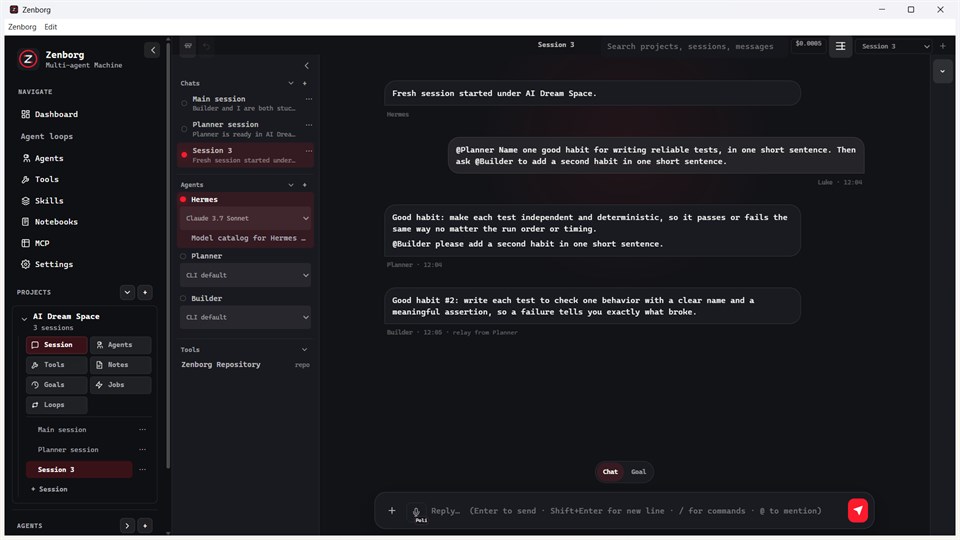
- Multi-agent sessions. Talk to several agents in one chat, @-mention project files, and hand work from one agent to another.
- Projects. Each project keeps its own sessions, loops, goals and scheduled jobs.
- Notebooks. Link your Google NotebookLM notebooks to agents so they answer from your own sources.
- Skills and MCP. Manage skills for every agent from one place. Skills are scanned for risky content before install, and every agent connects to Zenborg's MCP server automatically.
- Isolated computer (optional). Give an agent its own sandboxed browser, files and terminal in Docker.
- Usage dashboard. See tokens, time and cost per agent and per day.
- Restore points. Snapshot your project before big changes and roll back with one click.
Zenborg runs on your computer. Your code, chats and settings stay on your machine. Zenborg itself does not upload them anywhere; your agents talk only to the AI providers you have signed in to.
Requirements: Windows 10/11 (x64). At least one AI agent CLI, e.g. Claude Code, Codex or OpenCode, installed and signed in. Docker Desktop is optional and only needed for the isolated computer.
From the developer
Lists 0
-
 Zenborg
Points 0
-

- +1 Point

Rankings 0
-
- Your rating
Developer 1
- Luke Kubow
- Followers: 0
- Platforms: Windows Apps (1)
- Deals: 0
- Lists: 0 0
- Points: 0
- Rankings: 0
- Comments: 0
- Videos: 0
- RSS: Subscribe
What's new
- Version: PC
- Last Updated:
- Fixes browser agents (Gemini/ChatGPT) failing at the implementation step. Includes all 1.0.7 improvements: window reopens after closing, Antigravity CLI detection and one-click install, browser worker setup in Settings, clearer sign-in messages, security updates.
- First public beta.
Additional Information
- Release Date:
- Category:
Windows Apps›Developer tools - OS:
PC - Size:
204 Mb - Supported Languages:
English - Content Rating:
EVERYONE - Windows Store Rating: ¡
0 - Website:
 https://zenborg.com
AppAgg Score
Estimated AppAgg Score for
Zenborg
Developer: Luke Kubow
Higher scores usually reflect better results across AppAgg’s indicators.
Based on: popularity · ratings · freshness · deals · store data · community signals
Recalculated daily using fresh AppAgg data.
Comments 0 ¡
Share
Zenborg Short URL: Copied!- Windows Store
You may also like
Recent discussionsMore →
 AppGame4Class Game4Class makes lesson review fun and interactive. I like how easily students can join from their o...
 Mehdi Gateway62
 AppAniMate Waifu - AI Anime Desktop Pet This is the best anime desktop pets I have ever had, The dancing feature is amazing.
 shaw chaney34
 AppSpark Motion Create 26 The graphics are amazing! Now I can design my ball layouts and watch then spin in 3D animation.
 Jim Kirker40
 AppLocalDub – Real-Time Game Dubbing Hello Kırtay Interactive, I am using LocalDub - Real-Time Game Dubbing. I would like to know if Hind...
 rashid game53
 AppNauticPlayer This app is absolute cinema. Honestly, it’s one of the best media players I’ve ever tried, and I’m s...
 Manuel92
 AppScreen Beings - Interactive Accessibility Companion This is my app so I’m a little bias but as someone from the ADHD community that teaches ADHD and neu...
 Tarelle Irwin54
 AppAadi vault good it ia a encrypter and good you my work on office
 Aditya Rai50
 AppTyping 365 | Daily Typing Trainer The best typing app ever. With Typing 365 you don’t have to force yourself for couple minutes traini...
 Ahmad Mozaffar50
 AppZefir Calendar — Calendar in the Taskbar excelente app! Superando todas as espectativas!
 Diógenes Magnus50
 AppBlazin IPTV Player This compact IPTV player is amazing. I threw multiple playlists at it and it handles it with no issu...
 Mike Anderson40

