
Закладки
| Разработчик: | Luke Kubow (1) | ||
| Цена: | Бесплатно | ||
| Оценка: | 830 Серебро | ||
| Рейтинги: | 0 | ||
| Комментарии: | 0 Оставить комментарий | ||
| Списки: | 0 0 | ||
| Очки: | 0 | ||
| +1 Очко | |||
Кратко
Знакомьтесь: Zenborg, приложение от Luke Kubow из раздела «Средства разработчика».
Вышло , ещё вполне свежее.
Бесплатно: ни рекламы, ни встроенных покупок. Только вы и приложение.
Microsoft Store встроен в Windows, так что ставится в пару кликов.
Оценка AppAgg: 830. «Серебро», и это уже неплохо.
Возрастной рейтинг «EVERYONE», подходит и детям.
Говорит только на одном языке, и это не русский.
Здесь о нём пока тишина: ни оценок, ни комментариев. Нарушьте молчание.
Это единственное приложение разработчика на AppAgg. Пока что.
Хотите первым узнавать об обновлениях и новых приложениях? Подпишитесь на разработчика или на RSS-канал. Push приходят в приложении AppAgg Alerts для Android и iOS.
Другие платформы 0
История цен 0
- Текущая цена: Бесплатно
- Минимум: Бесплатно
- Максимум: Бесплатно
Своя лента на главной
Скриншоты 5
Описание

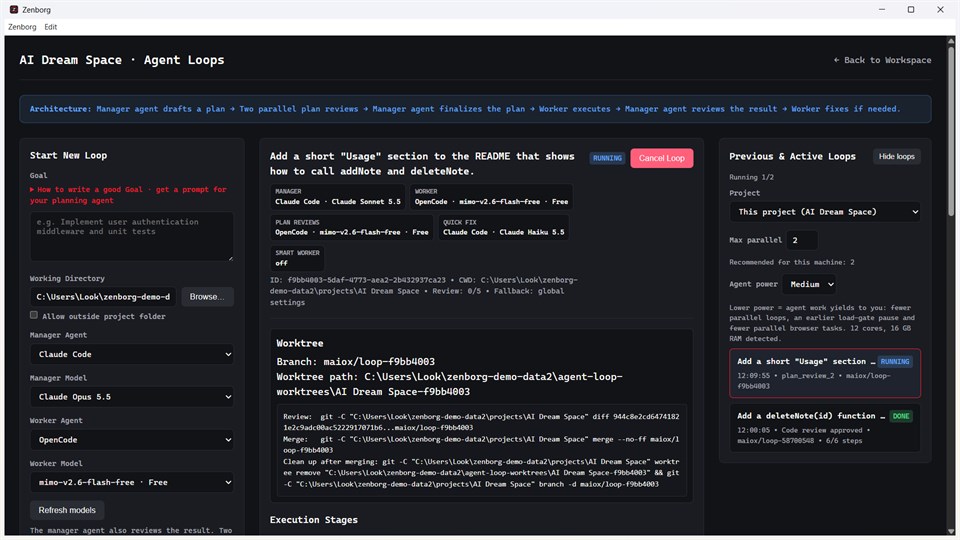
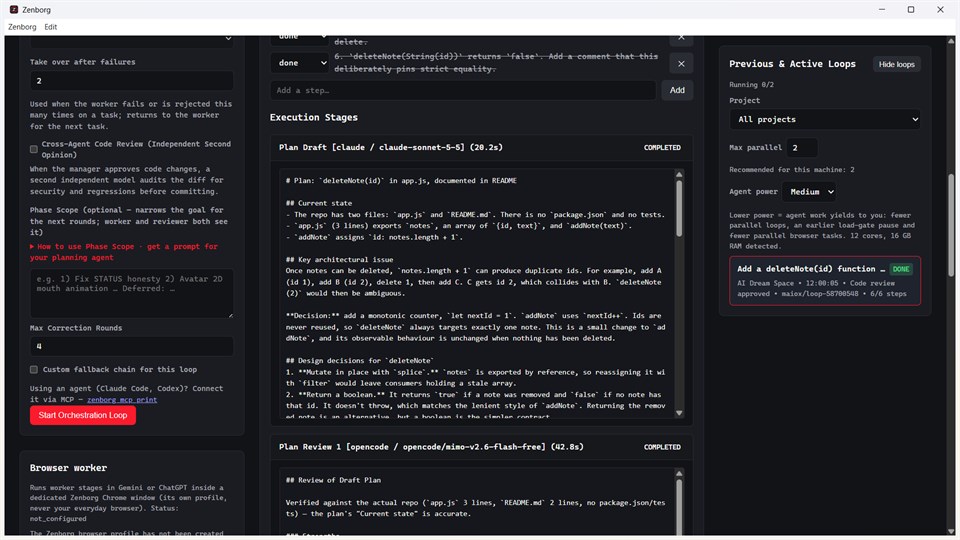
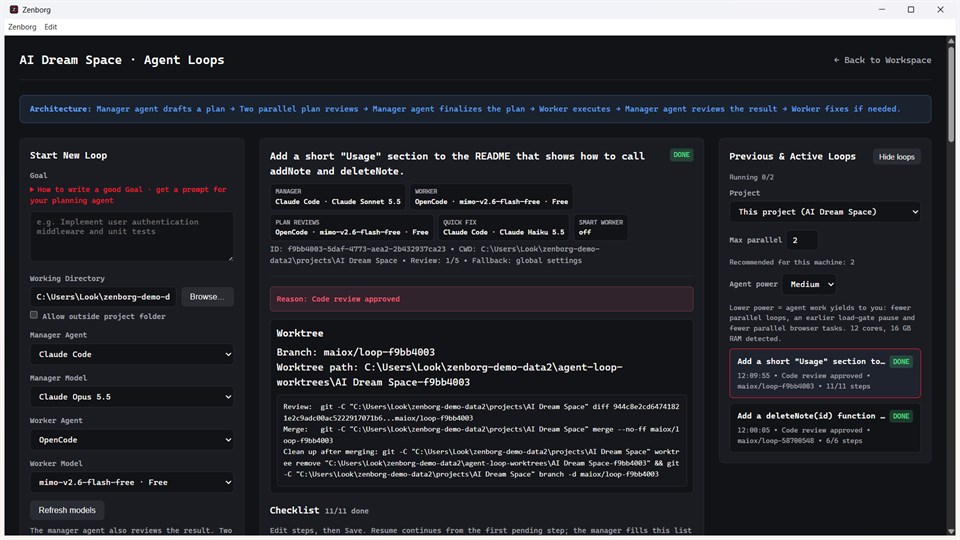
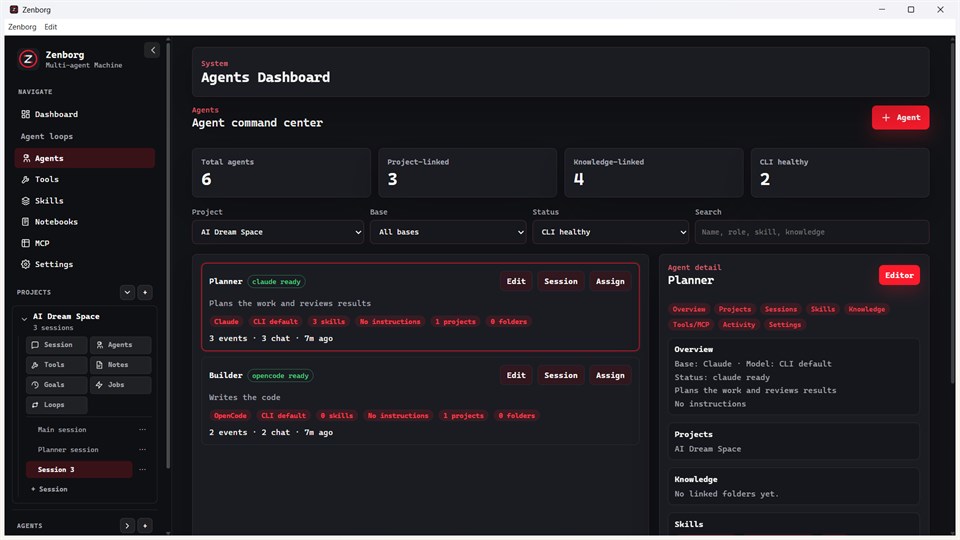
Stop copy-pasting between agents. Give Zenborg a goal and it runs an Agent Loop: a manager agent writes the plan, a worker agent does the job, and a reviewer checks it. It repeats until the work is approved, and every loop runs in its own isolated git worktree, so your main code stays safe.
What you can do:
- Agent Loops. Plan, execute, review and fix, automatically, with fallback models when one provider hits a limit.
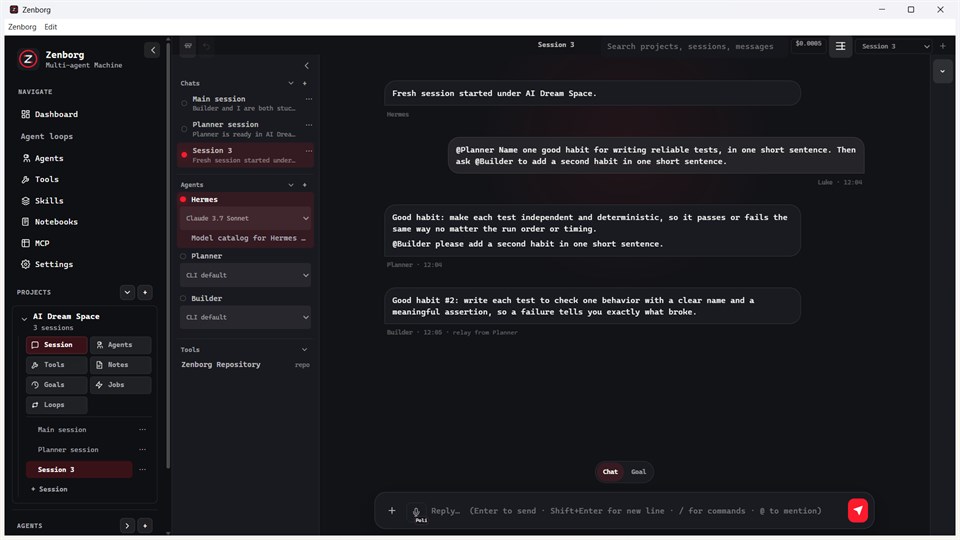
- Multi-agent sessions. Talk to several agents in one chat, @-mention project files, and hand work from one agent to another.
- Projects. Each project keeps its own sessions, loops, goals and scheduled jobs.
- Notebooks. Link your Google NotebookLM notebooks to agents so they answer from your own sources.
- Skills and MCP. Manage skills for every agent from one place. Skills are scanned for risky content before install, and every agent connects to Zenborg's MCP server automatically.
- Isolated computer (optional). Give an agent its own sandboxed browser, files and terminal in Docker.
- Usage dashboard. See tokens, time and cost per agent and per day.
- Restore points. Snapshot your project before big changes and roll back with one click.
Zenborg runs on your computer. Your code, chats and settings stay on your machine. Zenborg itself does not upload them anywhere; your agents talk only to the AI providers you have signed in to.
Requirements: Windows 10/11 (x64). At least one AI agent CLI, e.g. Claude Code, Codex or OpenCode, installed and signed in. Docker Desktop is optional and only needed for the isolated computer.
От разработчика
Списки 0
-
 Zenborg
Очки 0
-

- +1 Очко

Рейтинги 0
-
- Ваша оценка
Разработчик 1
- Luke Kubow
- Подписчики: 0
- Платформы: Windows Приложения (1)
- Скидки: 0
- Списки: 0 0
- Очки: 0
- Рейтинги: 0
- Комментарии: 0
- Видео: 0
- RSS: Подписаться
Что нового
- Версия: PC
- Последнее обновление:
- Fixes browser agents (Gemini/ChatGPT) failing at the implementation step. Includes all 1.0.7 improvements: window reopens after closing, Antigravity CLI detection and one-click install, browser worker setup in Settings, clearer sign-in messages, security updates.
- First public beta.
Дополнительная информация
- Дата выпуска:
- Категория:
Приложения для Windows›Средства разработчика - Операционные системы:
PC - Размер:
204 Mb - Поддерживаемые языки:
Английский - Возрастные ограничения:
EVERYONE - Windows Store Рейтинг: ¡
0 - Сайт:
 https://zenborg.com
Оценка AppAgg
Примерная оценка AppAgg для
Zenborg
Разработчик: Luke Kubow
Более высокая оценка обычно означает лучшие результаты по показателям AppAgg.
На основе: популярности · оценок пользователей · актуальности · скидок · данных магазинов · активности сообщества
Пересчитывается ежедневно на основе актуальных данных AppAgg.
Комментарии 0 ¡
Поделиться
Zenborg Короткий URL: Скопировано!- Windows Store

