
| Sviluppatore: | loftyshaky (1) | ||
| Prezzo: | Gratis | ||
| Classificazioni: | 0 | ||
| Recensioni: | 0 Scrivi una recensione | ||
| Commenti: | 0 Pubblica commento | ||
| Listes: | 0 + 0 | ||
| Punti: | 1 + 15 (2.7) ¡ | ||
| Windows Store | |||
Descrizione

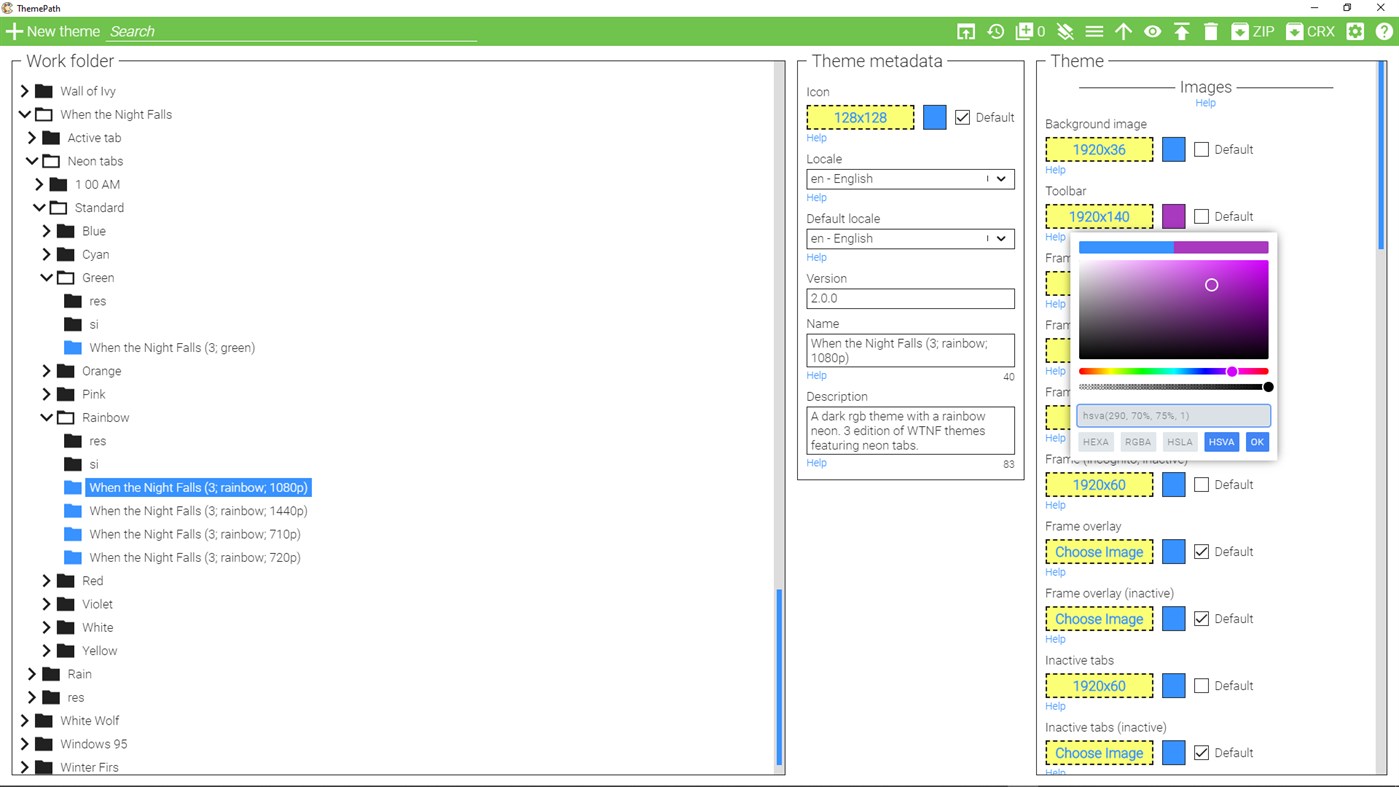
★ Theme library
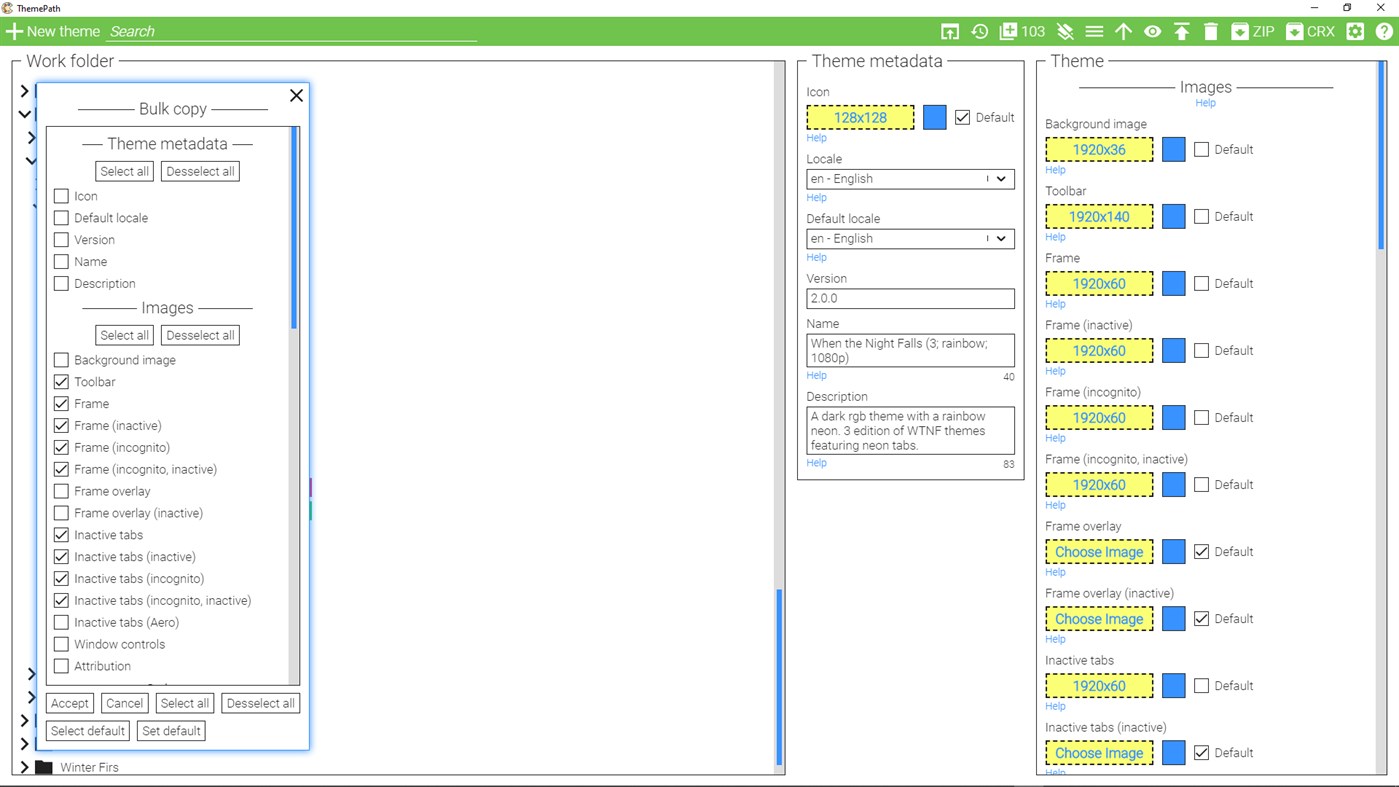
All your themes are stored on your machine and displayed within the app as a directory tree.
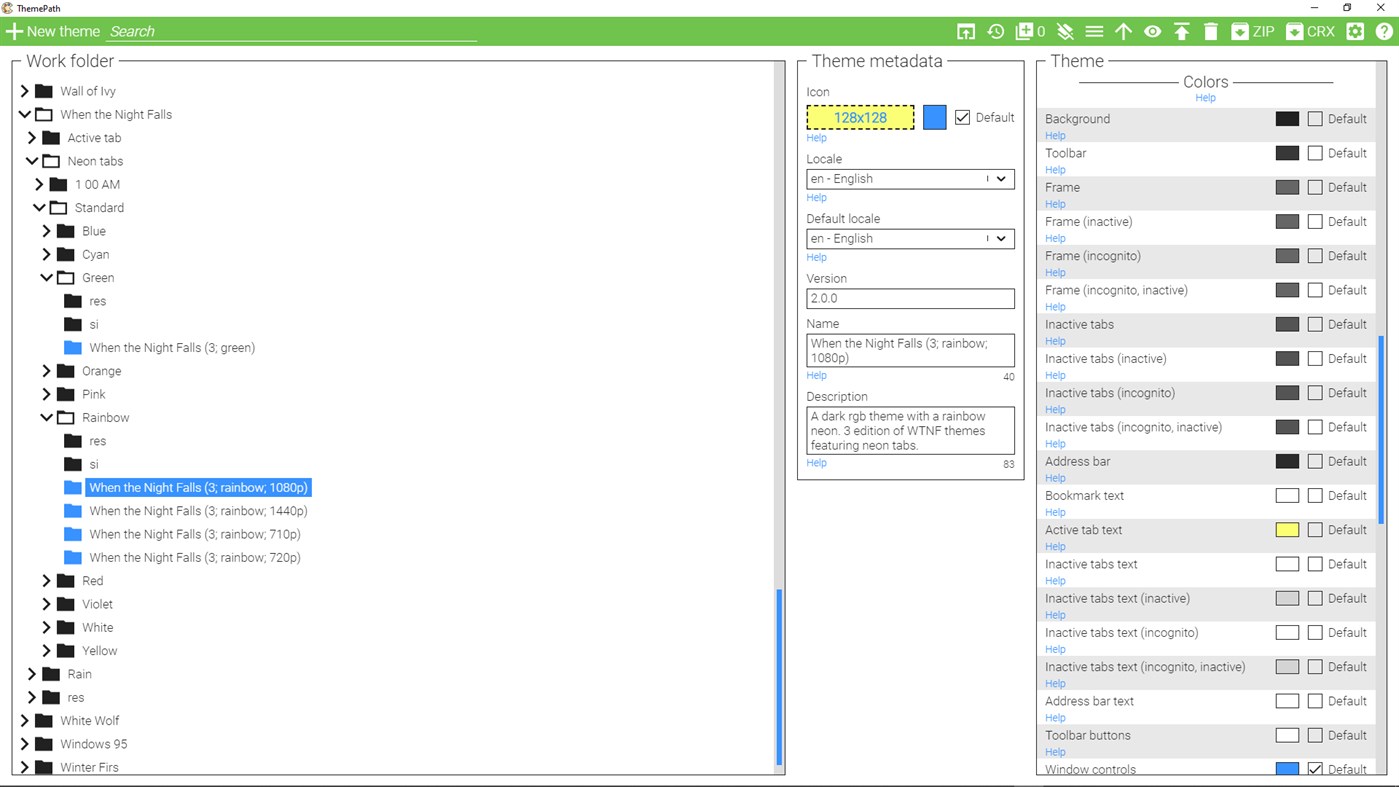
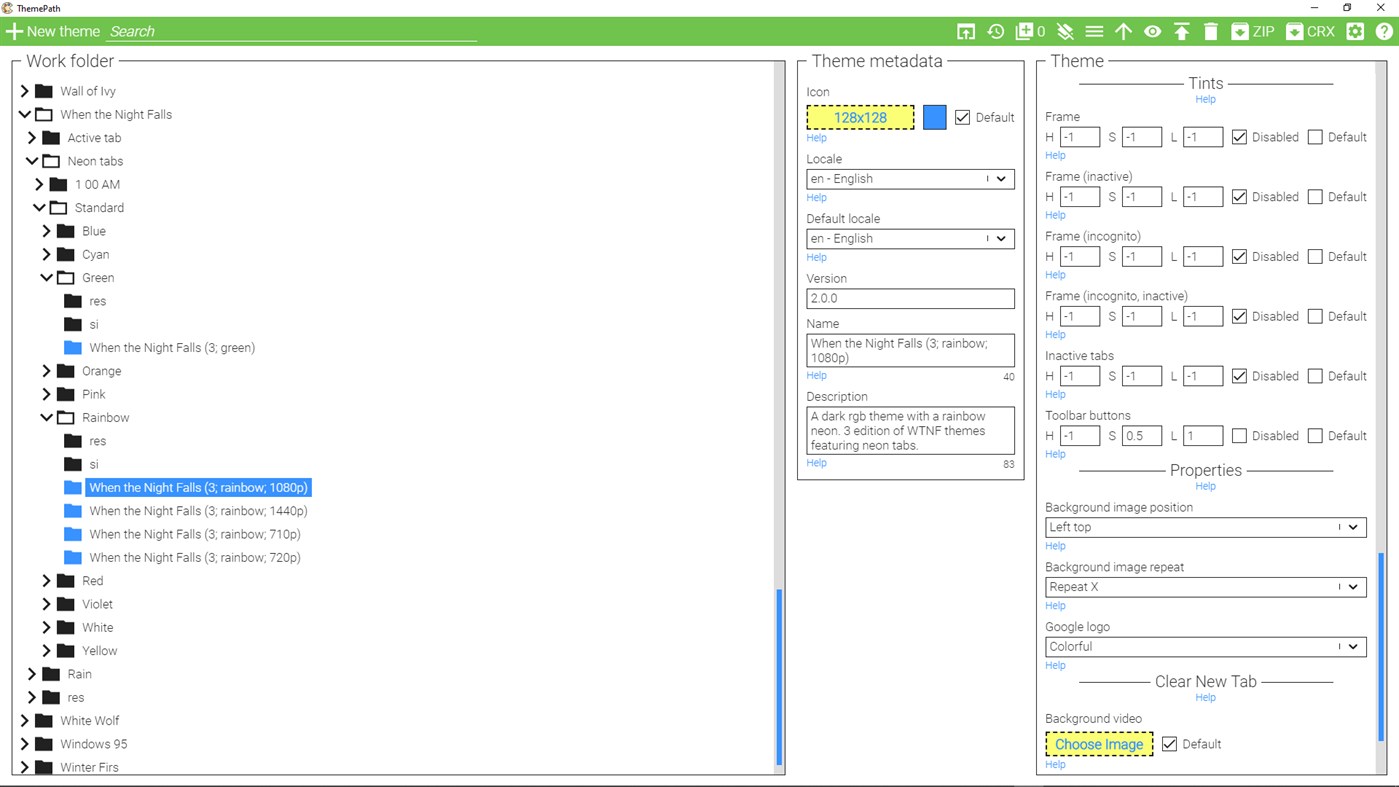
★ Full theme customization capabilities
Change any part of your theme that Chromium theme engine allows you to change. For example, you can set separate styles of a browser frame for active, inactive and incognito states.
★ Theme preview
Open your theme in any Chromium bowser with one click.
★ Pack your theme
You can pack your theme as a zip file by selecting it and clicking on the ZIP button. The resulting package will be put in the same folder where your theme is.
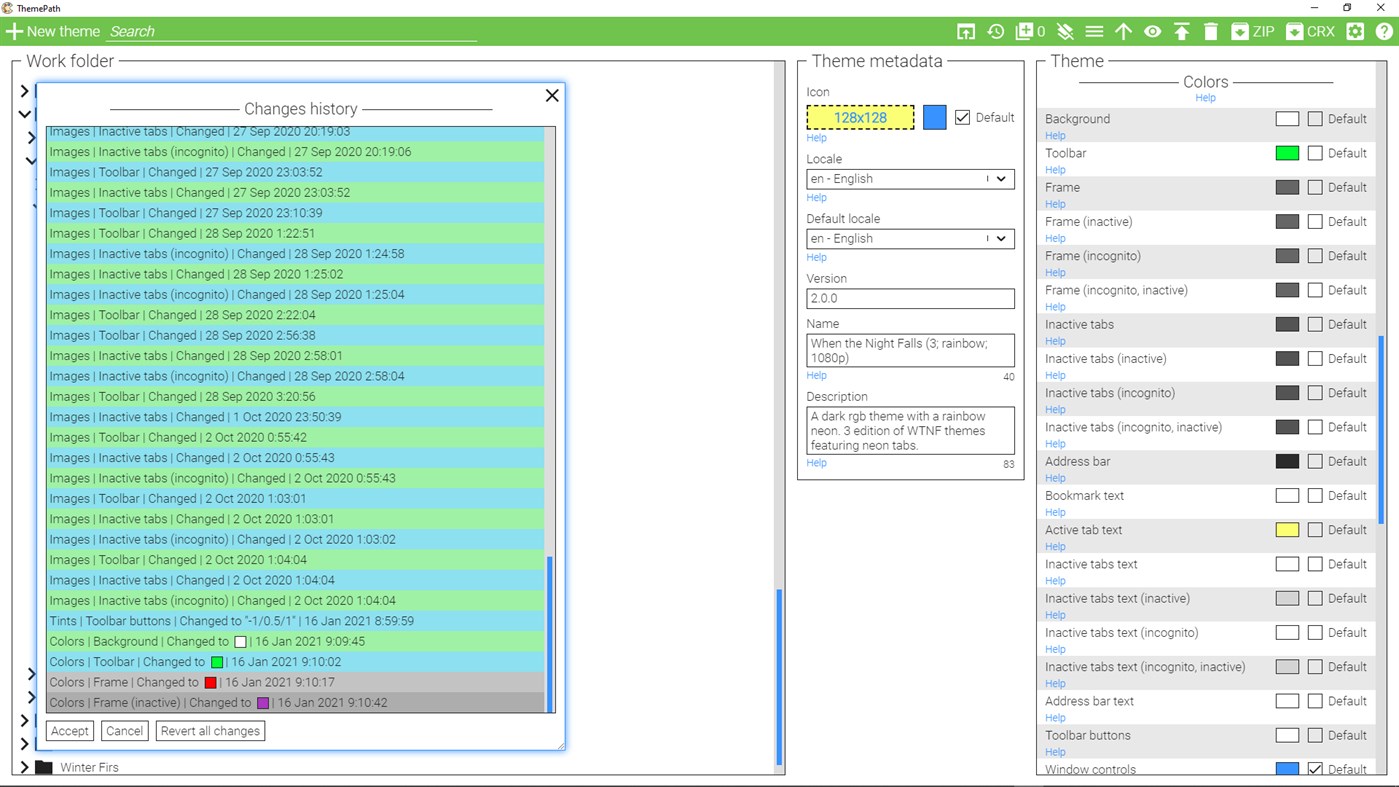
★ Changes history
Undo the changes you made to your theme.
★ Bulk copying
An advanced feature that lets you copy properties of one theme to others.
-------------------------------------------------------
How to install a theme created in ThemePath in the browser?
1. In ThemePath, select your theme and package it as crx by clicking on the "CRX" button.
1. In the browser, go to the chrome://extensions page.
3. Drag and drop the crx package into the "Extensions" page in your browser.
How to preview a theme in a browser other than Chrome?
The default preview button opens a theme in Chrome, but it's possible to preview theme in other Chromium-based browsers. Here's how:
1. Click on the "Options" button (gear icon) in the header.
2. In the opened popup, find the field "Paths to Chrome executables" and paste there a path to exe of the browser you want to preview a theme in. For example, for Edge it will be C:\Program Files (x86)\Microsoft\Edge\Application\msedge.exe.
3. In the same popup, find the field "Paths to Chrome user data folders" and paste there a path to any empty folder on your pc. For example: D:\edge.
4. Close the popup, and you should see the new button called "1" beside the default preview button in the header. Clicking on it will open the selected theme in Edge.
You can find more info on how to use advanced features by clicking on the "?" button within the app.
Ad
Screenshot
Novità
- Versione: PC
- Aggiornata:
Commenti (0)
Sii il primo a commentare 🌟
Prezzo
- Oggi: Gratis
- Minimo: Gratis
- Massimo: Gratis
Monitora prezzi
Ad
Sviluppatore
- loftyshaky
- Piattaforme: Windows App (1)
- Listes: 0 + 0
- Punti: 1 + 15 ¡
- Classificazioni: 0
- Recensioni: 0
- Commenti: 0
- Sconti: 0
- Video: 0
- RSS: Sottoscrivi
Punti (1)

Classificazioni (0)
0 ☹️
Listes (0)
0 ☹️
- ThemePath
Recensioni (0)
Scrivi tu la prima recensione 🌟
Informazioni aggiuntive
- Versione: PC
- Categoria:
Windows App›Personalizzazione - Sistemi operativi:
PC - Dimensioni:
112 Mb - Lingue supportate:
English,Russian - Classificazione contenuti:
EVERYONE - Windows Store Voto:
2.7(15) - Aggiornata:
- Data di uscita:
ThemePath URL breve: Copiato!- 🌟 Condividi
- Windows Store
Ti potrebbero piacere anche
-
- Dynamic Theme
- Windows App: Personalizzazione di: Christophe Lavalle
- * Gratis
- Listes: 2 + 0 Classificazioni: 0 Recensioni: 0
- Punti: 9 + 981 (4.5) Commenti: 0 Versione: PC This application is your ideal companion to personalize your experience with a new beautiful picture for your wallpaper and/or your lock screen each day. The pictures are coming from ... ⥯
-
- Seelen UI
- Windows App: Personalizzazione di: Seelen
- Gratis
- Listes: 1 + 1 Classificazioni: 0 Recensioni: 0
- Punti: 7 + 285 (3.6) Commenti: 0 Versione: PC Seelen UI The First WebView-Based, Fully Customizable Desktop Environment for Windows 10/11 Tired of the same old Windows desktop? Seelen UI reimagines your workspace with a ... ⥯
-
- Forest for the Trees
- Windows App: Personalizzazione di: Microsoft Corporation
- Gratis
- Listes: 0 + 1 Classificazioni: 0 Recensioni: 0
- Punti: 3 + 572 (4.9) Commenti: 0 Versione: PC If your favorite color is green, this is the theme for you. From the eternal emeralds of tropical forests to the explosion of colors that is New England in autumn, this free 20-set ... ⥯
-
- WinDynamicDesktop
- Windows App: Personalizzazione di: Timothy Johnson
- Gratis
- Listes: 1 + 0 Classificazioni: 0 Recensioni: 0
- Punti: 2 + 444 (4.6) Commenti: 0 Versione: PC Experience Dynamic Desktop on Windows 10 and 11! WinDynamicDesktop ports the Dynamic Desktop feature from macOS Mojave to Windows. It uses your location to determine the times of ... ⥯
-
- Desktop Live Wallpaper+
- Windows App: Personalizzazione di: Mobility in Life Applications TEAM
- Gratis
- Listes: 1 + 1 Classificazioni: 0 Recensioni: 0
- Punti: 1 + 939 (3.3) Commenti: 0 Versione: PC Windows 10/11 is a lovely OS. We are sure that your current Desktop Background is very cool. But, if you want to make it EXCITING, and add an AMAZING feature/theme over it, then the ... ⥯
-
- Live Wallpapers - Personalized desktop
- Windows App: Personalizzazione di: Everyday Tools LLC
- * Gratis
- Listes: 0 + 0 Classificazioni: 0 Recensioni: 0
- Punti: 5 + 126 (2.9) Commenti: 0 Versione: PC Make unique AI generated wallpapers for your computer! Live Wallpapers is an adorable decoration for your desktop in Ultra HD 5K quality. It's not just a simple collection of pictures, ⥯
-
- Auto Dark Mode
- Windows App: Personalizzazione di: Armin Osaj
- Gratis
- Listes: 1 + 0 Classificazioni: 0 Recensioni: 0
- Punti: 2 + 342 (4.7) Commenti: 0 Versione: PC Switches between the dark and light theme of Windows at scheduled times. Tired of looking at dark content while the sun is shining brightly? But at night everything is suddenly too ... ⥯
-
- 3d Ocean Wallpaper
- Windows App: Personalizzazione di: Brave little king
- $1.89
- Listes: 0 + 1 Classificazioni: 0 Recensioni: 0
- Punti: 2 + 0 Commenti: 0 Versione: PC 3D Ocean Live Wallpaper, animated background with 3d wave effect, ocean and water. 3d ocean theme on your home screen or lock screen. ⥯
-
- BrightnessSwitch
- Windows App: Personalizzazione di: Tonalio GmbH
- Gratis
- Listes: 0 + 0 Classificazioni: 0 Recensioni: 0
- Punti: 0 + 2 (5.0) Commenti: 0 Versione: PC For those, who love Windows dark theme when working indoors, but prefer the light theme when working in the garden with the sun in one s back, this app provides the perfect solution: ... ⥯
-
- Neon Clock Widget Pro
- Windows App: Personalizzazione di: Husky Estudio Soft
- $0.99
- Listes: 1 + 0 Classificazioni: 0 Recensioni: 0
- Punti: 1 + 7 (2.7) Commenti: 0 Versione: PC Neon Clock Widget Pro is an app that displays the time with neon lighting effects. You can customize it to show only the time or include the date and day, adding a stylish and unique ... ⥯
-
- Beautiful Themes Pack — Aesthetic Wallpapers & Desktop Widgets
- Windows App: Personalizzazione di: Quicken Code LLC
- * Gratis
- Listes: 0 + 0 Classificazioni: 0 Recensioni: 0
- Punti: 2 + 152 (3.7) Commenti: 0 Versione: PC Tired of a dull desktop? Transform your computer experience with our app, designed for complete desktop customization! It's your one-stop solution for a vibrant and personalized ... ⥯
-
- Live Tiles Anywhere
- Windows App: Personalizzazione di: Pasqui industry
- Gratis
- Listes: 0 + 0 Classificazioni: 0 Recensioni: 0
- Punti: 2 + 51 (4.2) Commenti: 0 Versione: PC A new way of thinking and using Windows Live Tiles, this is Live Tiles Anywhere. LTA is the first app that allows you to create not only working custom Live Tiles, but also add Live ... ⥯
-
- 3D Desktop
- Windows App: Personalizzazione di: chengcong
- * $1.99
- Listes: 0 + 0 Classificazioni: 0 Recensioni: 0
- Punti: 1 + 1 (1.0) Commenti: 0 Versione: PC 3D Desktop is a theme software that can set the 3D model as a desktop wallpaper. The software allows you to set the visual angle, size, and animation of the 3D model. Make your desktop ⥯
-
- Halloween Pack for .Clocks
- Windows App: Personalizzazione di: Hereafter2
- $1.99
- Listes: 0 + 0 Classificazioni: 0 Recensioni: 0
- Punti: 0 + 0 Commenti: 0 Versione: PC It s Halloween, everyone s entitled to one good looking clocks. Be afraid... Be very afraid. This is a theme pack for desktop gadget .Clocks, please download it from the store first. ... ⥯