
저장됨
저장됨 메뉴에 표시할 이름을 선택하세요.
완료!
| 개발자: | Ngoc Thanh (52) | ||
| 가격: | $4.99 | ||
| 평가: | 500 브론즈 | ||
| 순위: | 0 | ||
| 댓글: | 0 댓글 게시 | ||
| 목록: | 0 + 0 | ||
| 포인트: | 0 + 0 ¡ | ||
| +1 포인트 | |||
기술

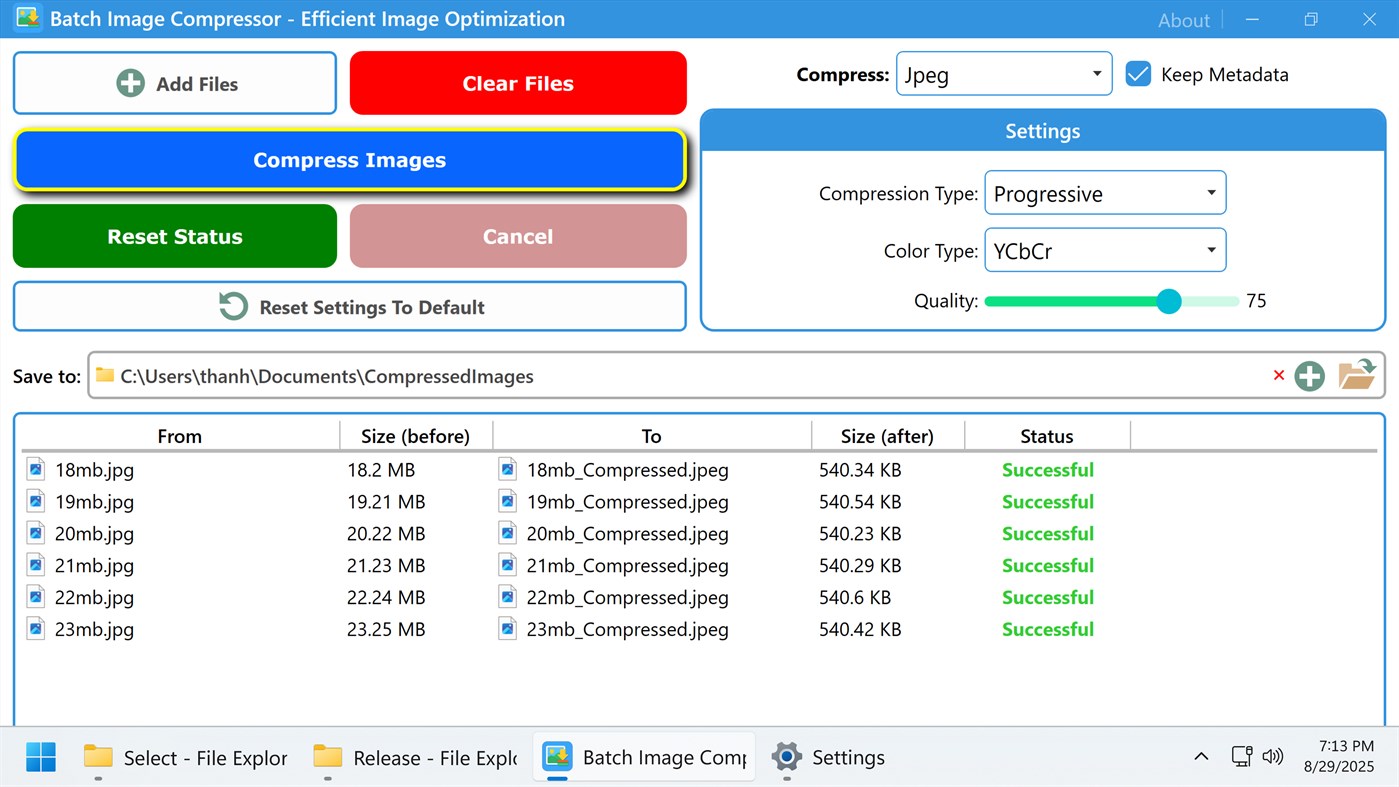
This is where Batch Image Compressor step in as a game-changer. Instead of compressing images one by one—a painfully slow and repetitive process—a batch image compressor allows you to process hundreds or even thousands of images in one go. By reducing image file sizes while maintaining acceptable quality, batch image compressors streamline workflows, save storage space, and improve user experience.
Image compression is the process of reducing the size of an image file without significantly degrading its visual quality. Compression can be achieved by eliminating redundant data, reducing color information, or applying more efficient encoding algorithms.
There are two main types of compression:
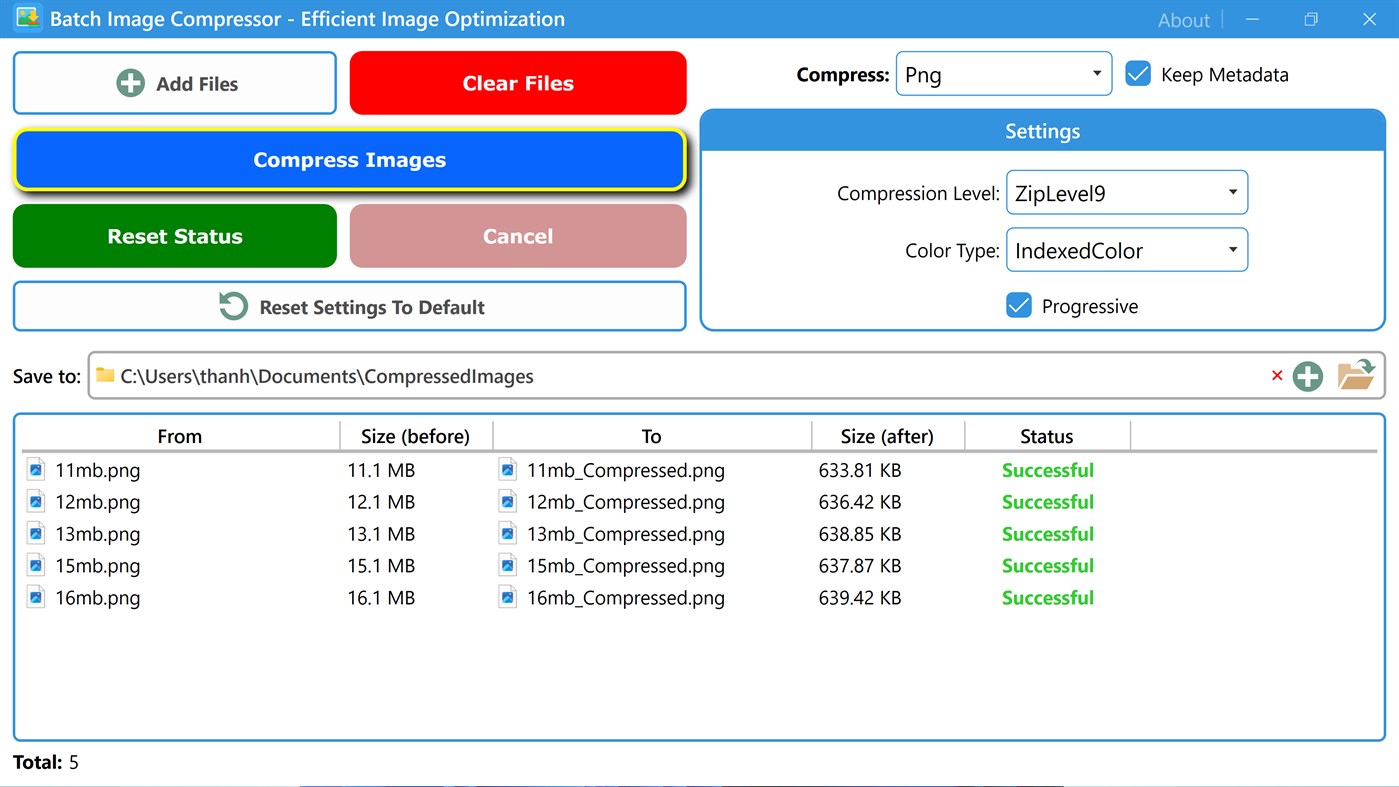
✅ Lossless Compression: Preserves all original data. The image quality remains the same, but the file size reduction is moderate. Examples: PNG, GIF.
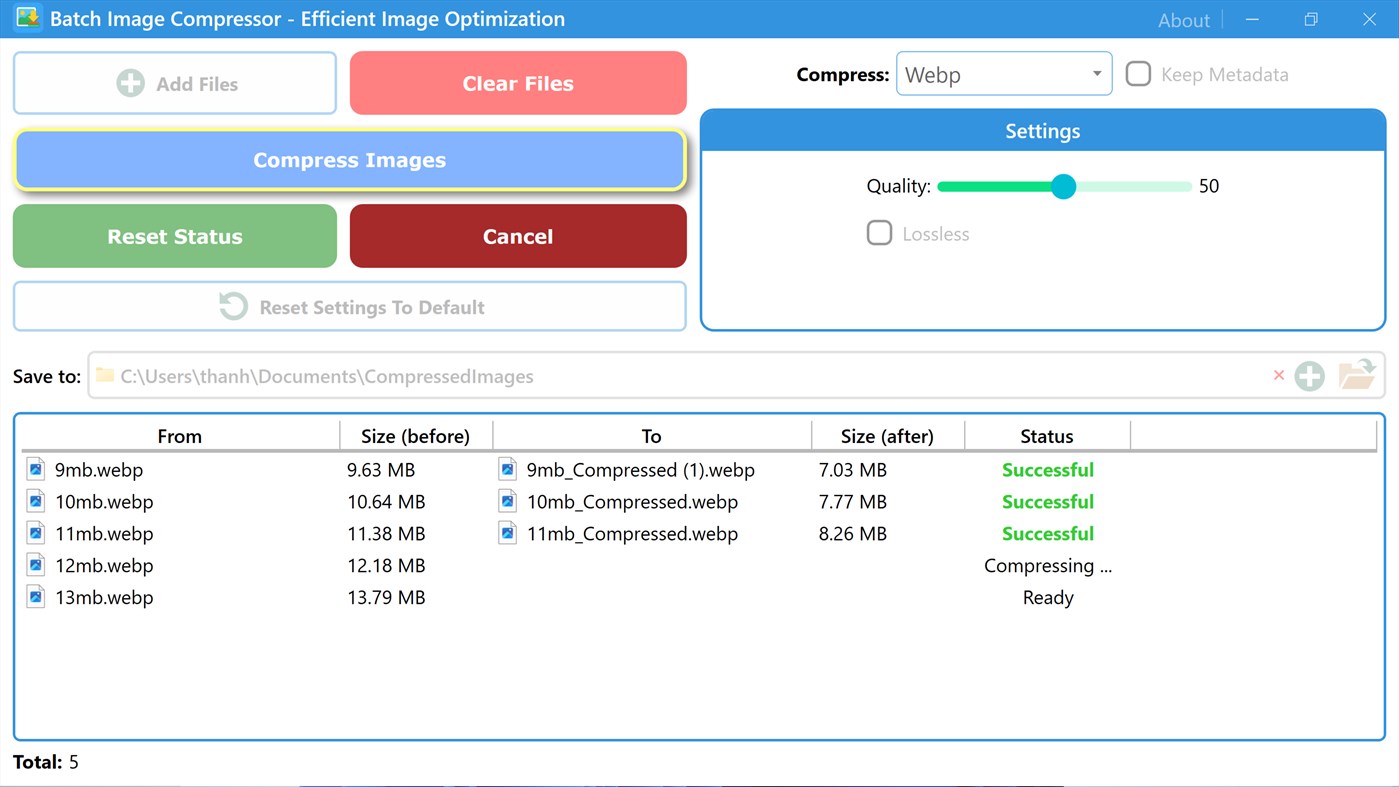
✅ Lossy Compression: Permanently removes some image data to achieve greater file size reduction. Quality may slightly degrade, but file sizes are much smaller. Example: JPEG, WebP.
The compressor can handle different formats, including:
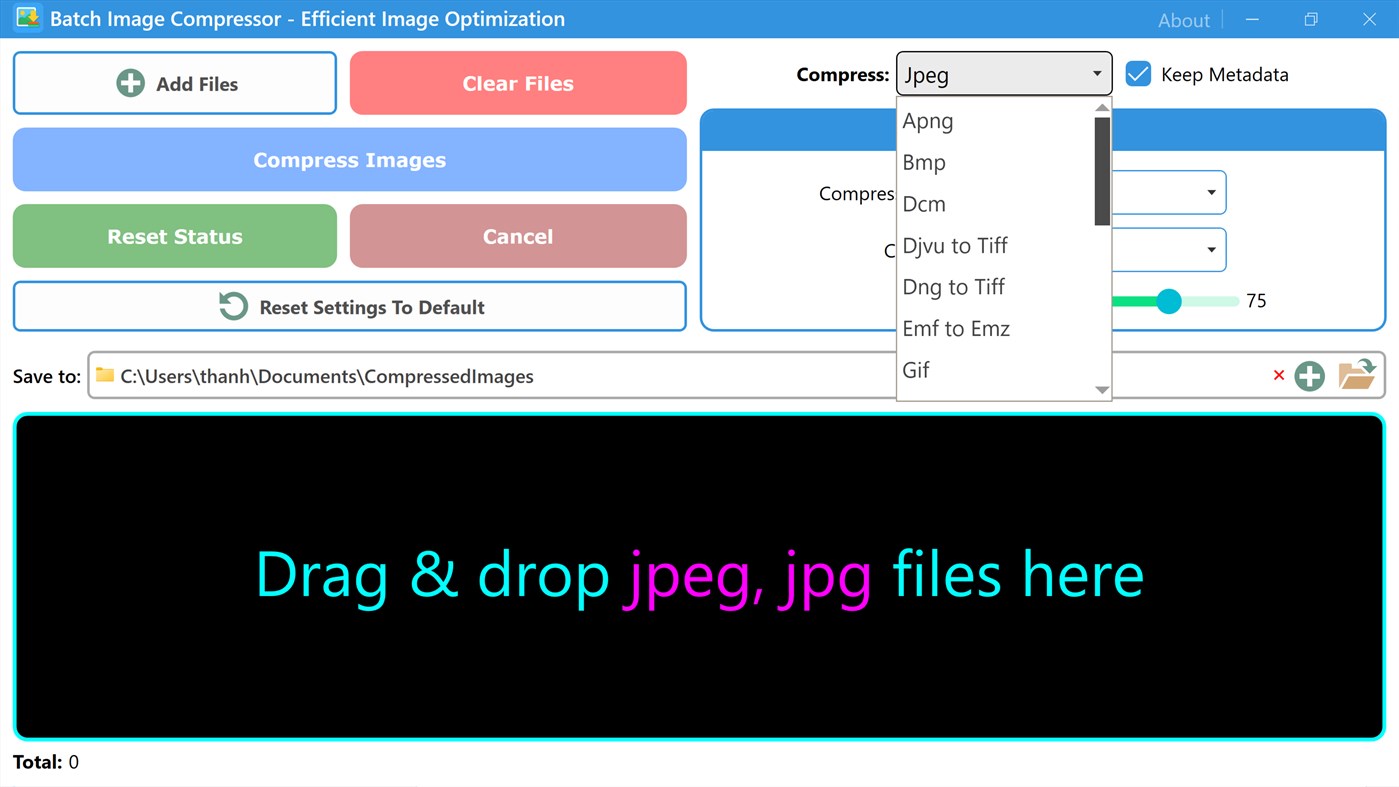
➤ Self-compression: apng, bmp, dcm, gif, ico, jpeg, jpeg 2000 (j2k, jp2), png, tiff, webp
➤ Compress djvu, dng to tiff
➤ Compress emf to emz
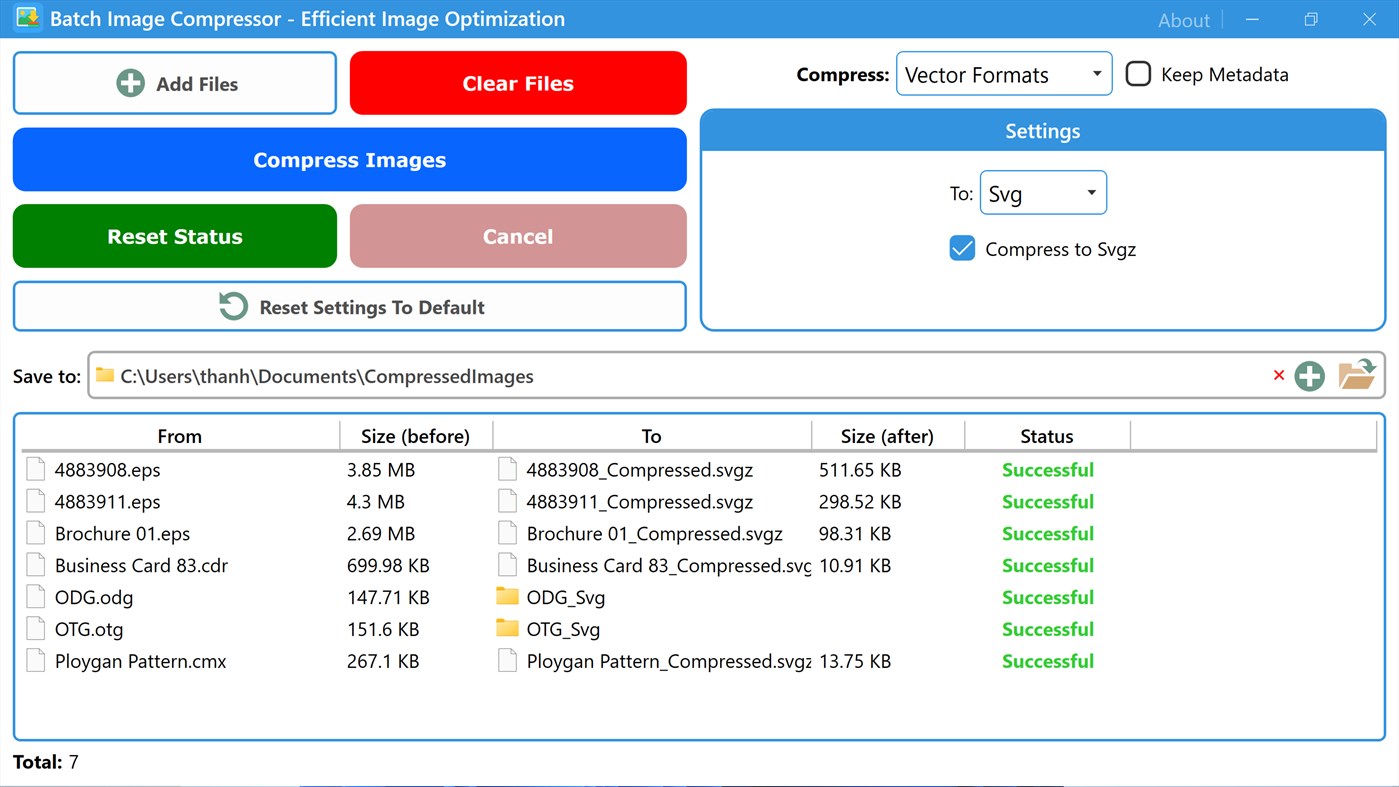
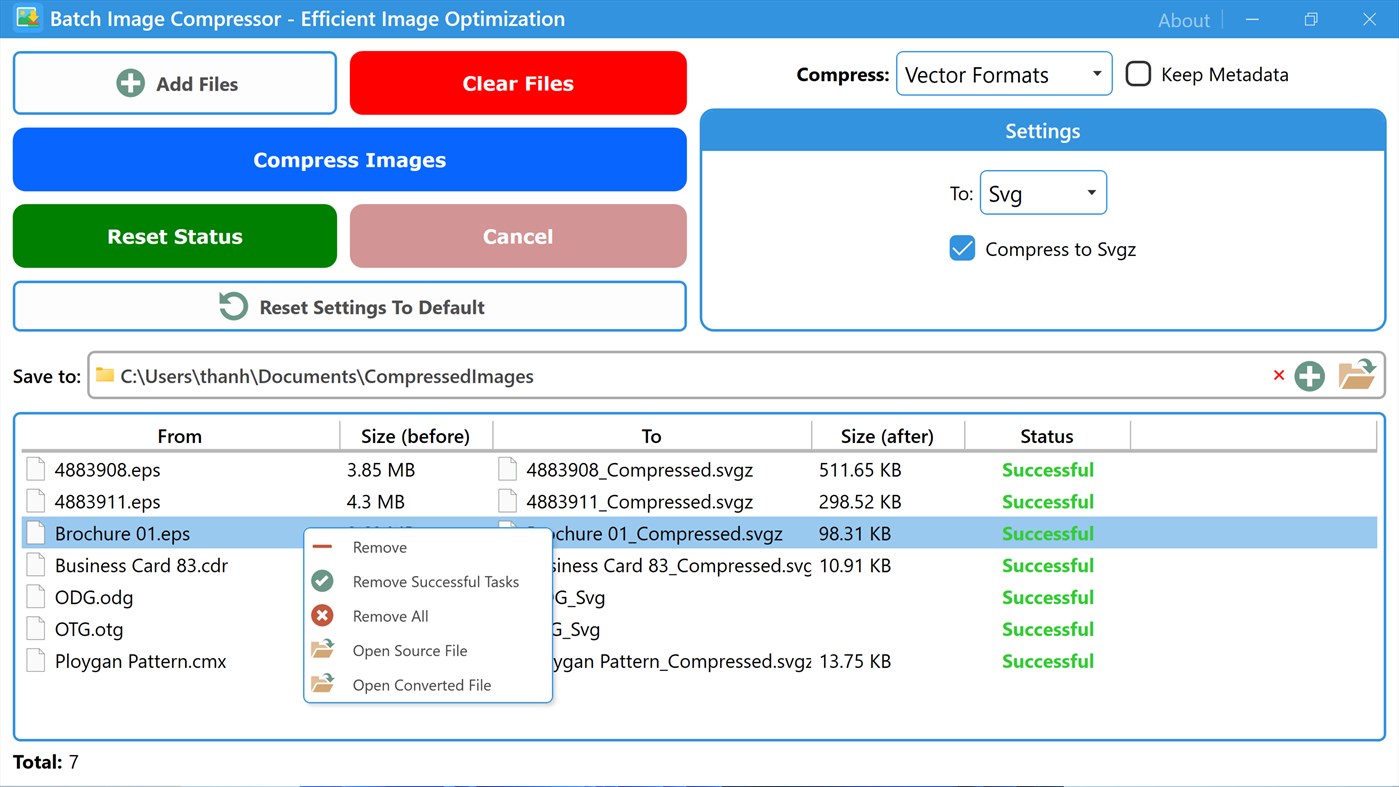
➤ Compress svg to svgz
➤ Compress tga to png
➤ Compress vector formats (cdr, cmx, odg, otg, eps) to emf, svg, wmf
➤ Compress wmf to wmz
One of the most powerful features our compressor offers is the ability to fine-tune custom settings. With custom settings, users can balance quality, file size, format, compression algorithm, metadata handling, and other compression factors to meet their specific needs.
Users can also reset to default settings, the predefined configurations that come with the software. They usually reflect the best balance between compression strength and image quality. These defaults are carefully chosen to serve the majority of users without requiring them to tweak advanced parameters.
스크린샷
Ad
가격 내역
- 현재 가격: $4.99
- 최소: $4.99
- 최대: $4.99
가격 추적
AppAgg 평가
500
AppAgg 예상 평가:
Batch Image Compressor - Efficient Image Optimization
500 브론즈
평가가 높을수록 보통 AppAgg에서 더 강한 신호를 의미합니다.
기준: 인기 · 사용자 평점 · 최신성 · 딜 · 스토어 데이터 · 커뮤니티 활동
최신 AppAgg 데이터를 바탕으로 매일 다시 계산됩니다.
단축 URL: 복사됨!
새로운 기능
- 버전: PC
- 마지막 업데이트:
추가 정보
 https://ngocthanhstore.blogspot.com/2025/08/batch-image-compressor-efficient-image.html
개발자
- Ngoc Thanh
- 플랫폼: Windows 앱 (52)
- 목록: 0 + 0
- 포인트: 0 + 0 ¡
- 순위: 0
- 댓글: 0
- 할인: 0
- 동영상: 0
- RSS: 구독
목록 (0)
0
- Batch Image Compressor - Efficient Image Optimization
포인트 (0)
0
순위 (0)
0
댓글 (0)
가장 먼저 댓글을 남겨주세요
요약
Batch Image Compressor - Efficient Image Optimization 단축 URL: 복사됨!- 공유하기
- Windows Store
«Batch Image Compressor - Efficient Image Optimization». 플랫폼: Windows. 카테고리: 생산성. 개발자: «Ngoc Thanh». 첫 번째 릴리스: . 마지막 업데이트: . 현재 가격: $4.99. 최저 기록 가격: $4.99. 최고 기록 가격: $4.99. 이 타이틀은 아직 AppAgg에서 평가나 리뷰를 받지 못했습니다. 사용 가능한 언어: English. AppAgg는 «Batch Image Compressor - Efficient Image Optimization»의 가격 기록, 평점 및 사용자 피드백을 추적합니다. AppAgg는 애플리케이션을 호스팅하거나 소프트웨어를 배포하지 않습니다. 모든 상표, 로고 및 스크린샷은 해당 소유자의 자산입니다. 향후 할인 및 업데이트 받기: RSS에서 확인할 수 있습니다
유사 항목
-
- Batch Convert PDF Files
- Windows 앱: 생산성 게시자: Ngoc Thanh
- $4.99
- 목록: 0 0 0
- 포인트: 0 + 0 500 버전: PC In the digital age, PDF is the standard for sharing documents reliably across platforms. Its fixed formatting and broad compatibility make it ideal for contracts, reports, eBooks, and ... ⥯
-
- Image Scan OCR
- Windows 앱: 생산성 게시자: ttop324
- 무료
- 목록: 0 + 1 0 0
- 포인트: 0 + 18 1K 버전: PC Image Scan OCR recognize text from image and PDF using OCR. This OCR app convert given text image to editable plain text. User can handle its plain text and can save OCR result text as ⥯
-
- Image Master
- Windows 앱: 생산성 게시자: Rosario Correia
- $1.99
- 목록: 0 0 0
- 포인트: 0 + 0 500 버전: PC Image Master: Transform Your Photos with Ease The ultimate photo editing app that allows you to unleash your creativity and take your photos to the next level, whether you're a ... ⥯
-
- Batch Smart File Renamer
- Windows 앱: 생산성 게시자: EvlarSoft LLC
- $1.99
- 목록: 0 0 0
- 포인트: 0 + 0 500 버전: PC Simplify file organization and naming with Batch Smart File Renamer, a powerful application designed for efficiently renaming multiple files in one go. This user-friendly tool offers ... ⥯
-
- Image to Text - Text Scanner OCR
- Windows 앱: 생산성 게시자: DEV HOUSE
- * 무료
- 목록: 0 0 0
- 포인트: 0 + 8 700 버전: PC Transform your images and documents into editable text with our cutting-edge Image to Text OCR app, designed for seamless and accurate text extraction. Whether you're scanning printed ... ⥯
-
- Image to MR home
- Windows 앱: 생산성 게시자: Far East Geometries
- 무료
- 목록: 0 0 0
- 포인트: 0 + 0 530 버전: PC This app places images in Windows Mixed Reality home using "Share picture" feature of apps such as Microsoft Edge. Supported image file format: .jpg/.png/.gif/.tif/.bmp/.dib Known ... ⥯
-
- Image Viewer & Converter - WEBP, ICO
- Windows 앱: 생산성 게시자: File converter
- $2.99
- 목록: 0 0 0
- 포인트: 0 + 0 600 버전: PC A lightweight tool for converting your images. Amongst many others, we support PNG, JPG, GIF, WEBP and ICO. You can also use the options to change image into grayscale, change image ... ⥯
-
- image to text converter app
- Windows 앱: 생산성 게시자: Techlo9
- 무료
- 목록: 0 0 0
- 포인트: 0 + 0 500 버전: PC Text from scanned documents and photos can be extracted and transformed into editable/copyable information with the help of this image-to-text converter. In only a few seconds, our ... ⥯
-
- Image Splitter
- Windows 앱: 생산성 게시자: BarkingDog
- 무료
- 목록: 0 0 0
- 포인트: 0 + 0 530 버전: PC You can use this program to run OCR (recognize text) on your images and convert them to text files -Process the whole image or just parts of it. -Save selections into separate files. ... ⥯
-
- Image To ASCII Text
- Windows 앱: 생산성 게시자: ManosPlay
- $0.99
- 목록: 0 0 0
- 포인트: 0 + 0 500 버전: PC Convert your image to ASCII text! ⥯
-
- Image search
- Windows 앱: 생산성 게시자: TWyTec
- * 무료
- 목록: 0 + 1 0 0
- 포인트: 0 + 4 630 버전: PC Images search ⥯
-
- Batch Resize Photo
- Windows 앱: 생산성 게시자: y8ngl
- $4.44
- 목록: 0 0 0
- 포인트: 0 + 0 500 버전: PC 1.add photo file to photo list. support to delete / up / down items of photo list, save photo list to ini file and load photo list from ini file. 2.add resize setup to photo list. ... ⥯
-
- Installer - App Manager & Batch Uninstaller
- Windows 앱: 생산성 게시자: IO Lab
- * 무료
- 목록: 0 0 0
- 포인트: 2 + 14 880 버전: PC Batch uninstall, manage Windows startup, and optimize your application workflow with ease. Installer is a high-performance system utility designed to handle multiple applications at ... ⥯
-
- Compare Image
- Windows 앱: 생산성 게시자: 王汪旺
- $7.09
- 목록: 0 + 1 0 0
- 포인트: 2 + 0 560 버전: PC Image comparison tool with batch export and cropping support. No internet connection required Automatic split lines Compare images across multiple folders Move images to the Recycle ... ⥯