
Saved
Choose the name that will be shown in your Saved menu.
Done!
| Developer: | JAGRAJ SINGH (6) | ||
| Price: | * Free | ||
| Score: | 1,040 | ||
| Rankings: | 0 | ||
| Comments: | 0 Add a comment | ||
| Lists: | 1 + 1 | ||
| Points: | 4 + 0 ¡ | ||
| +1 Points | |||
Description

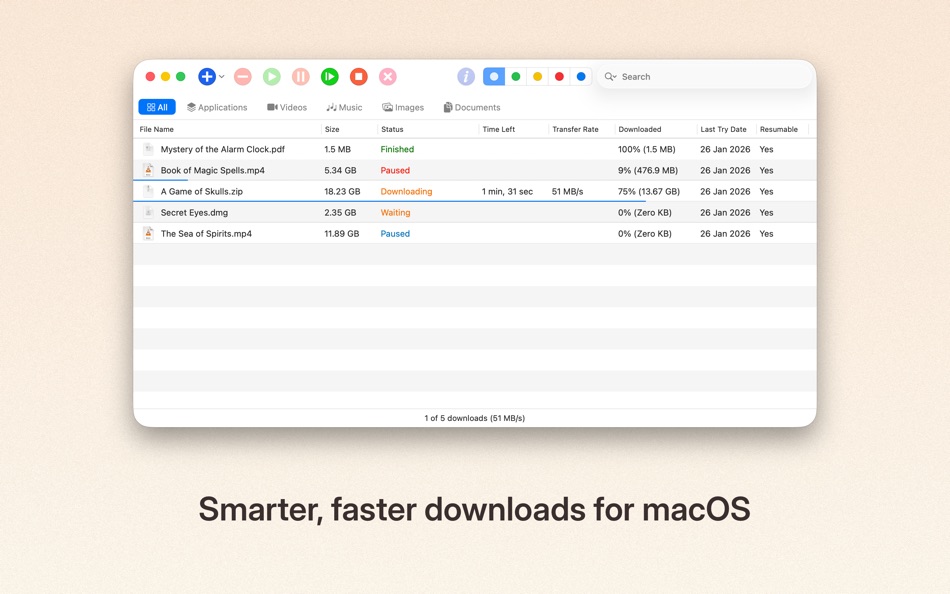
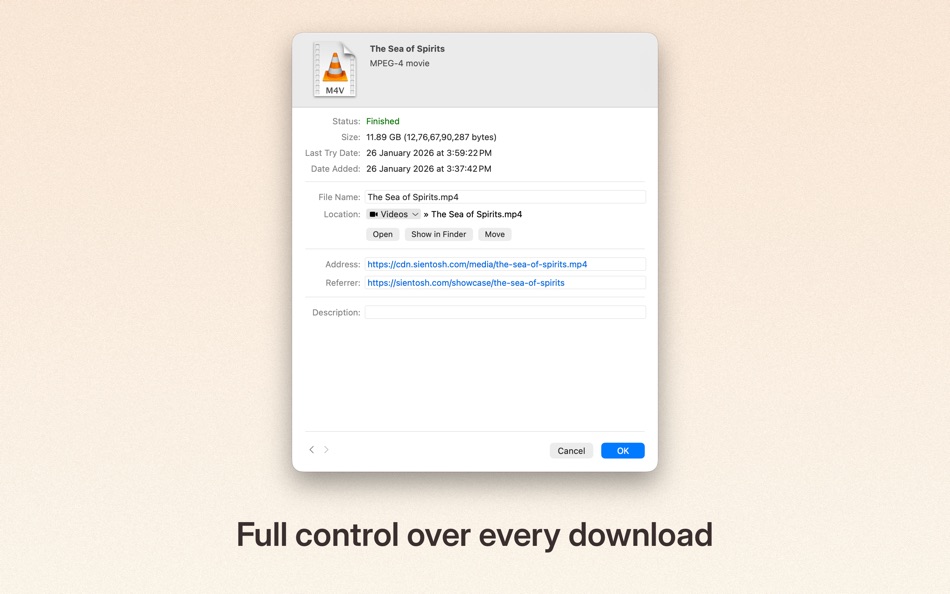
It accelerates downloads, resumes interruptions, and gives you full control over how files are saved — all in a clean, native Mac experience.
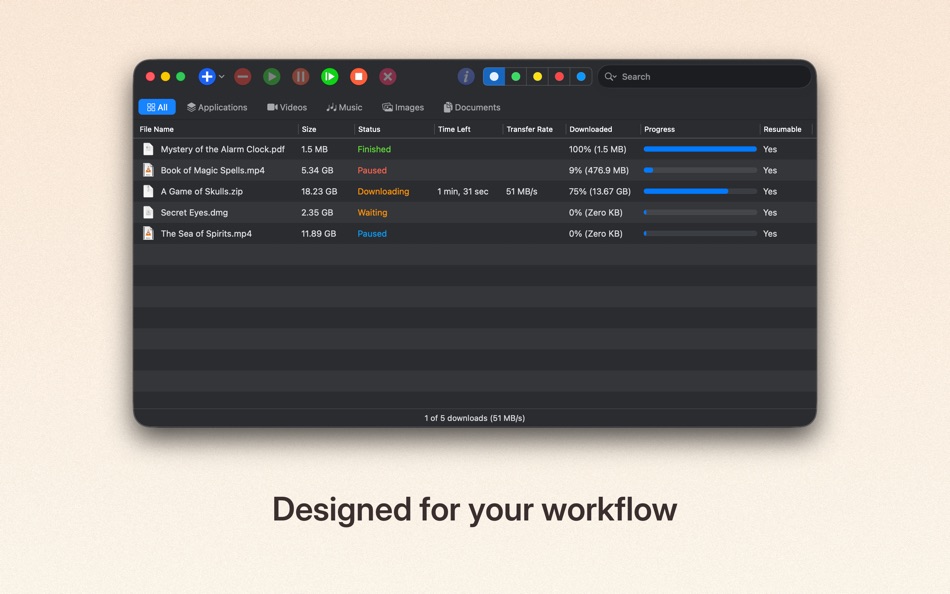
Whether you’re downloading large files, grabbing media from websites, or managing dozens of downloads at once, jDM keeps everything organized and running smoothly.
Faster downloads
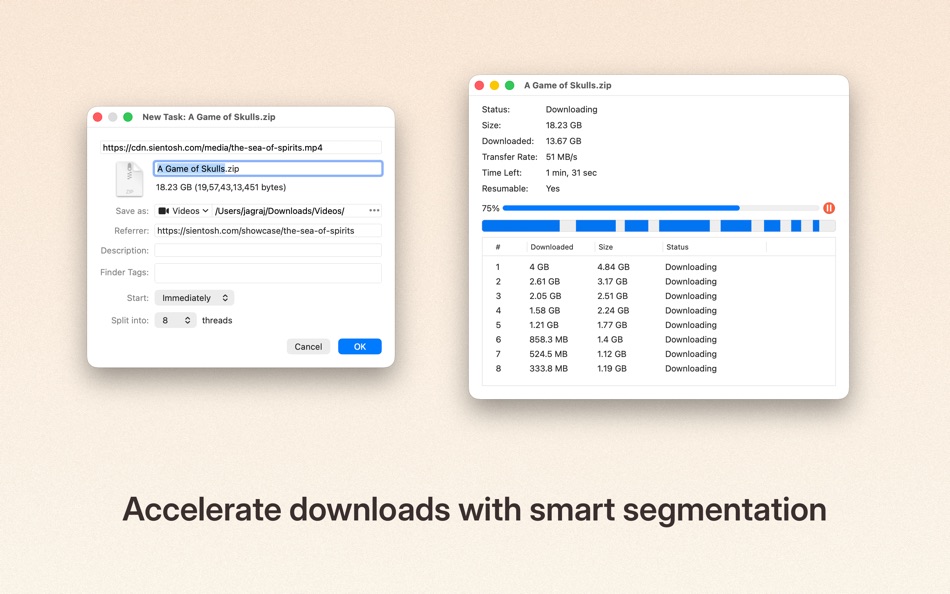
• Split downloads into multiple connections for maximum speed and reliability.
Seamless browser integration
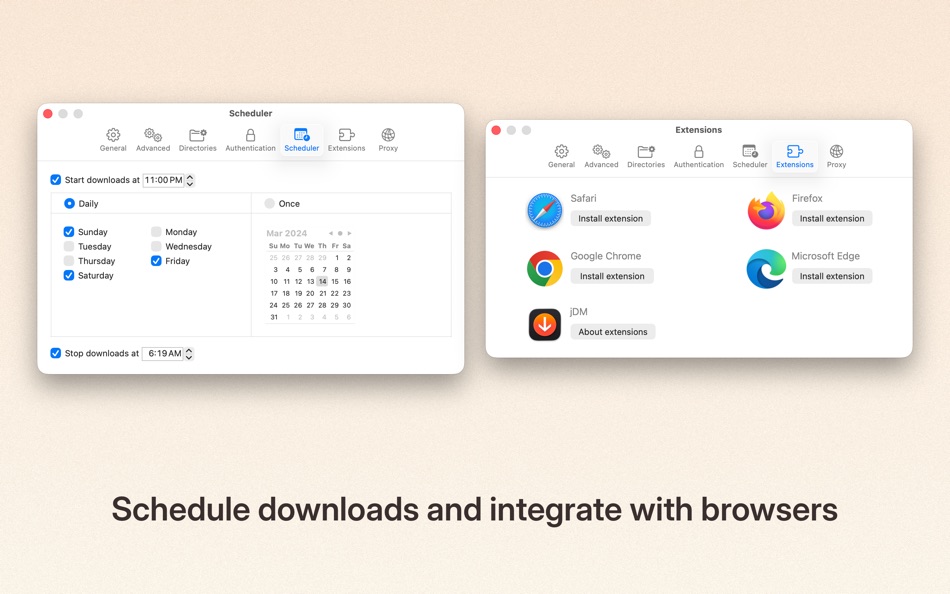
• Send downloads directly from Safari, Chrome, Firefox, and other supported browsers using jDM extensions.
Reliable resume & recovery
• Automatically resume interrupted downloads caused by network issues, system sleep, or shutdowns.
Smart organization
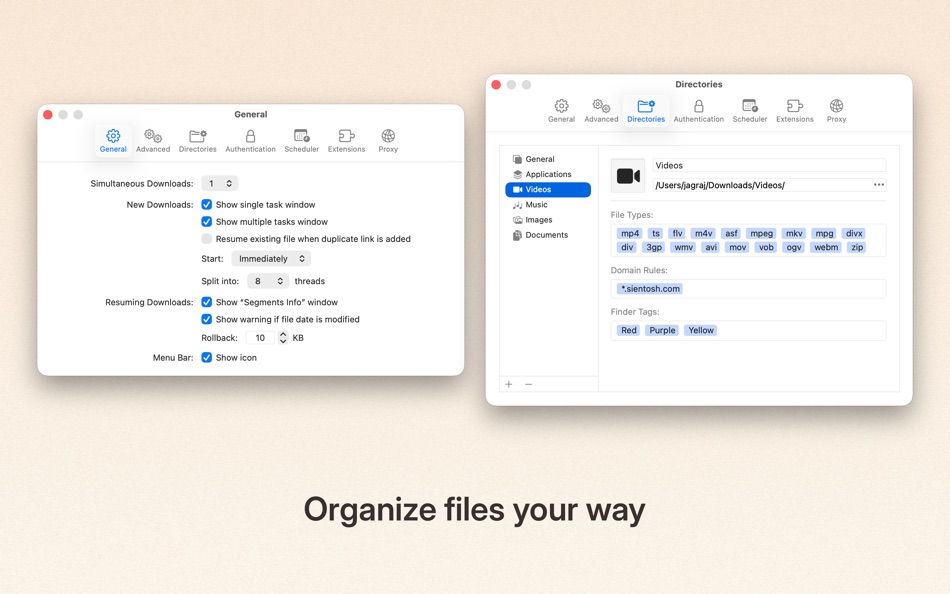
• Create download categories, define file types, domain-based rules, and custom save locations to keep files neatly organized.
Powerful scheduling
• Schedule downloads to start or stop at specific times. Optionally put your Mac to sleep or shut it down when downloads finish.
Website & batch downloads
• Grab files from entire webpages, filter by folders or categories, and download exactly what you need.
macOS-native experience
• Designed to feel right at home on your Mac, with modern UI, menu shortcuts, and system integration.
jDM supports HTTP, HTTPS, and FTP downloads, authentication, cookies, redirects, and more — giving you the flexibility and control you expect from a professional download manager.
Try jDM for free, or unlock Pro features with a subscription or lifetime access.
Terms of Use: https://www.apple.com/legal/internet-services/itunes/dev/stdeula/
Privacy Policy: https://sientosh.com/jdm/privacy-policy
Screenshots

Ad
Price History
-
* In-App Purchases - Current price: Free
- Minimum: Free
- Maximum: $12.99
Track prices
AppAgg Score
1,040
Estimated AppAgg Score for
jDM
1,040 Gold
Higher scores usually mean stronger signals on AppAgg.
Based on: 🔥 popularity · ⭐ ratings · 🕒 freshness · 🏷️ deals · 🏬 store data · 👥 community signals
Recalculated daily using fresh AppAgg data.
Short URL: Copied!
What's new
- Version: 6.0
- Last Updated:
- # Plans & Access
- Introduced a clearer, more transparent system for managing jDM access.
- Added support for subscriptions, trials, lifetime access, and legacy purchases.
- Existing customers who previously purchased jDM continue to receive full access.
- Activation status is now shown directly in the main window when downloads are restricted.
- Core download actions now require an active plan, while non-destructive features remain available.
# Safari Extension
- Migrated to a new Safari Web Extension for better compatibility with modern Safari.
- Improved reliability when sending downloads from Safari.
- “Download All with jDM” now detects a wider range of downloadable content, including images, video, audio, embedded media, and frames from modern websites.
- “Download Selected with jDM” now extracts all relevant resources from selected content.
# Download Categories
- Added domain-based rules to better organize downloads by source and file type.
- Improved category matching logic for more predictable results.
# Downloader
- Improved filename handling to ensure downloaded files are always compatible with macOS.
- Improved reliability through better file handling and consistency checks.
# Settings
- Listed Microsoft Edge extension in extension settings.
- Fixed layout and control sizing issues.
# Main Menu
- Clearer menu grouping and additional shortcuts.
- Added icons to menus on macOS 26+.
- Expanded Help menu with support, feedback, and privacy links.
- Added Group and Progress Display options.
# Onboarding
- Refreshed onboarding experience built with SwiftUI.
- Clearer setup flow with improved layout and visual balance.
- New users can optionally select a plan or start a trial during setup.
# Application
- jDM 6.0 now requires macOS 13 (Ventura) or later.
- Updated app and file icons to match modern macOS design.
- Refined toolbar appearance and sizing on newer macOS versions.
- Improved table layouts and control spacing across multiple windows.
- Updated styling in Inspector, Segments, and New Task windows.
Thank you for using jDM and supporting its continued development.
Additional Information
- Release Date:
- Category:
macOS Apps›Utilities - OS:
macOS,macOS 13.0 and up - Size:
5 Mb - Supported Languages:
Chinese,English,French,German,Japanese,Portuguese,Russian,Spanish - Content Rating:
17+ - Mac App Store Rating:
0 - Website:
 https://sientosh.com/jdm
Developer
- Jagraj Singh
- Platforms: Android Apps (2) iOS Apps (1) macOS Apps (3)
- Lists: 1 + 2
- Points: 4 + 2 ¡
- Rankings: 0
- Comments: 0
- Deals: 0
- Videos: 0
- RSS: Subscribe
Lists (1)

Points (4)
-

- 3,068 Alan
- +1
-
- 11,495 Simon Chan
- +1
-
- 2,250 Lu Chin
- +1
-
- 5,101 Brain_vv
- +1


Rankings (0)
0 ☹️
Comments (0)
Be the first to comment 🌟
Summary
jDM Short URL: Copied!- 🌟 Share
- Mac App Store
«jDM» is a Utilities app for macOS, developed by «JAGRAJ SINGH». It was first released on and last updated on . This app is currently free. This app has not yet received any ratings on AppAgg. It has been added to 1 public lists and 1 private lists created by users. AppAgg has tracked 4 confirmed points plus 0 indirect points for this app. Available languages: Chinese, English, French, German, Japanese, Portuguese, Russian, Spanish. AppAgg continuously tracks the price history, ratings, and user feedback for «jDM». AppAgg does not host applications or distribute software. All trademarks, logos and screenshots belong to their respective owners. Subscribe to this app or follow its RSS feed to get notified about future deals or updates.
Similar
-
- BeOnTimeApp
- macOS Apps: Utilities By: JDM Growth LLC
- * Free
- Lists: 0 0 0
- Points: 0 + 0 500 Version: 1.22 You're deep in focus on a project. A tiny, silent notification banner slides by your screen, completely unnoticed. Suddenly, you realize you're five minutes late for that important ... ⥯
-
- Khigo
- macOS Apps: Productivity By: JAGRAJ SINGH
- $0.99
- Lists: 0 0 0
- Points: 0 + 0 500 Version: 2.1 Khigo brings fast, directional browsing to Safari. Drag, drop, and go open links, images, or search text instantly using simple gestures. No more copying, pasting, or switching tabs. # ⥯