
저장됨
저장됨 메뉴에 표시할 이름을 선택하세요.
완료!
기술

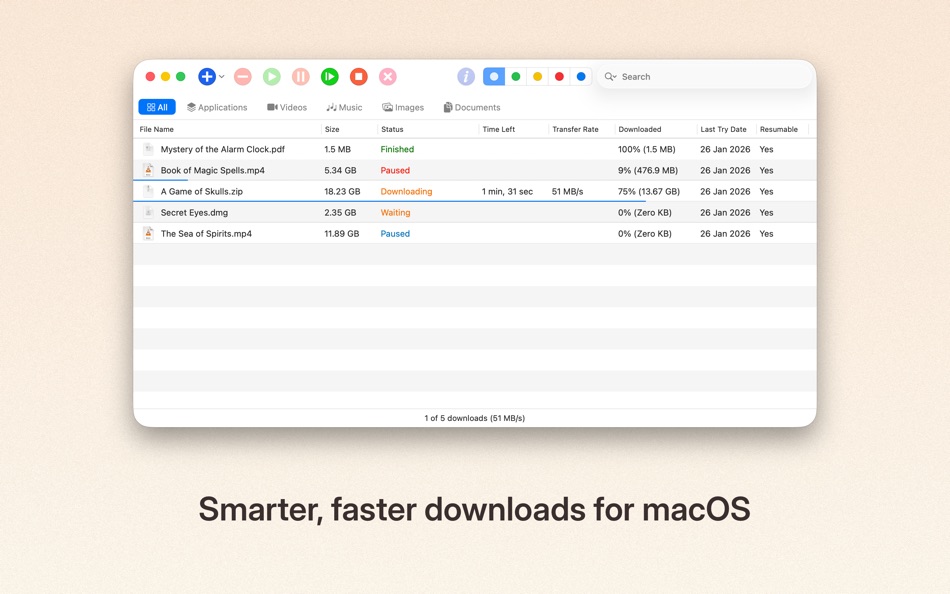
It accelerates downloads, resumes interruptions, and gives you full control over how files are saved — all in a clean, native Mac experience.
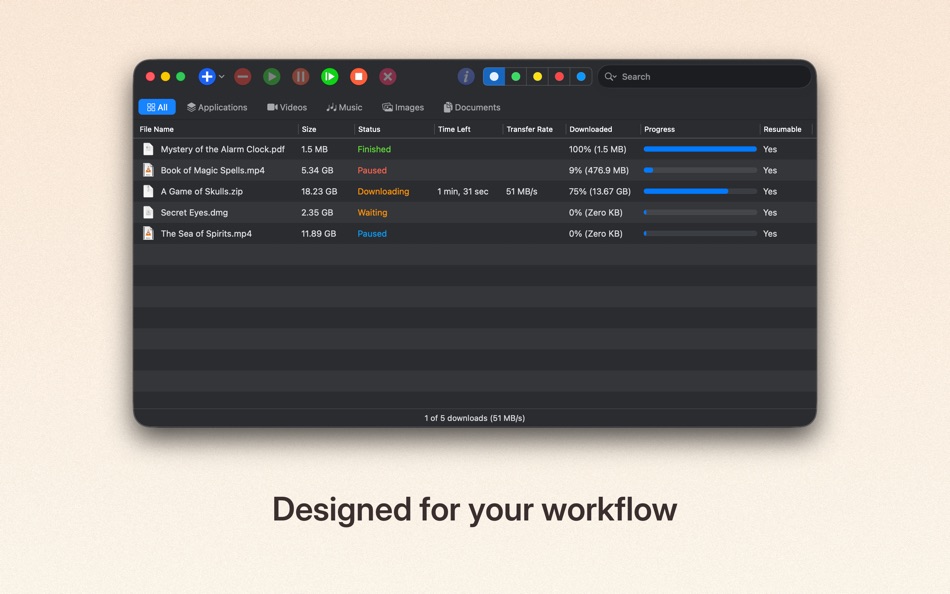
Whether you’re downloading large files, grabbing media from websites, or managing dozens of downloads at once, jDM keeps everything organized and running smoothly.
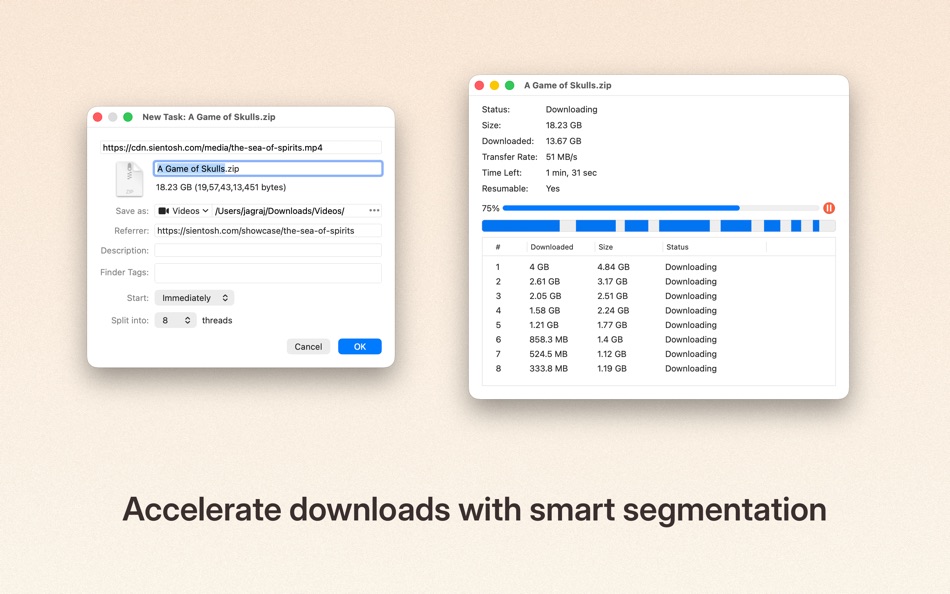
Faster downloads
• Split downloads into multiple connections for maximum speed and reliability.
Seamless browser integration
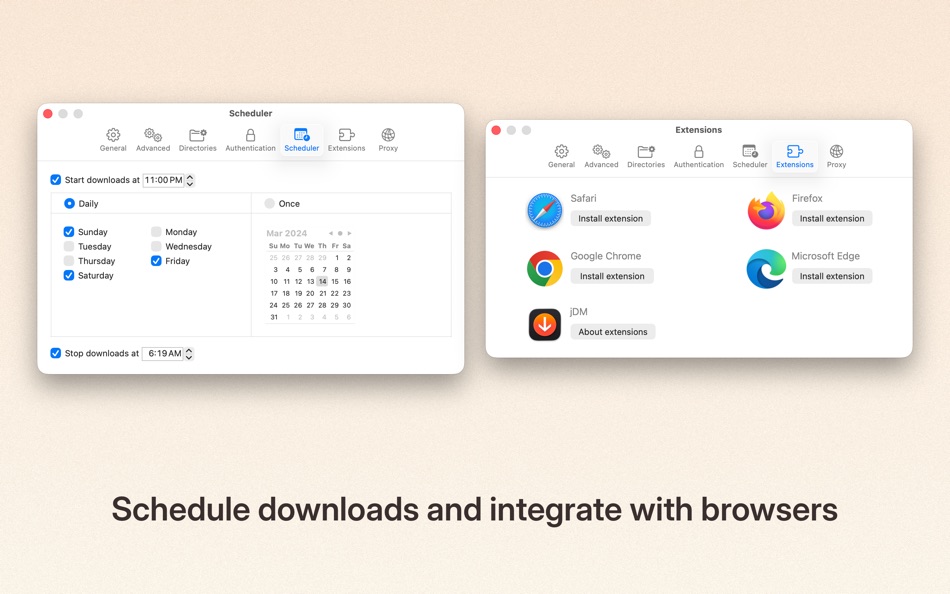
• Send downloads directly from Safari, Chrome, Firefox, and other supported browsers using jDM extensions.
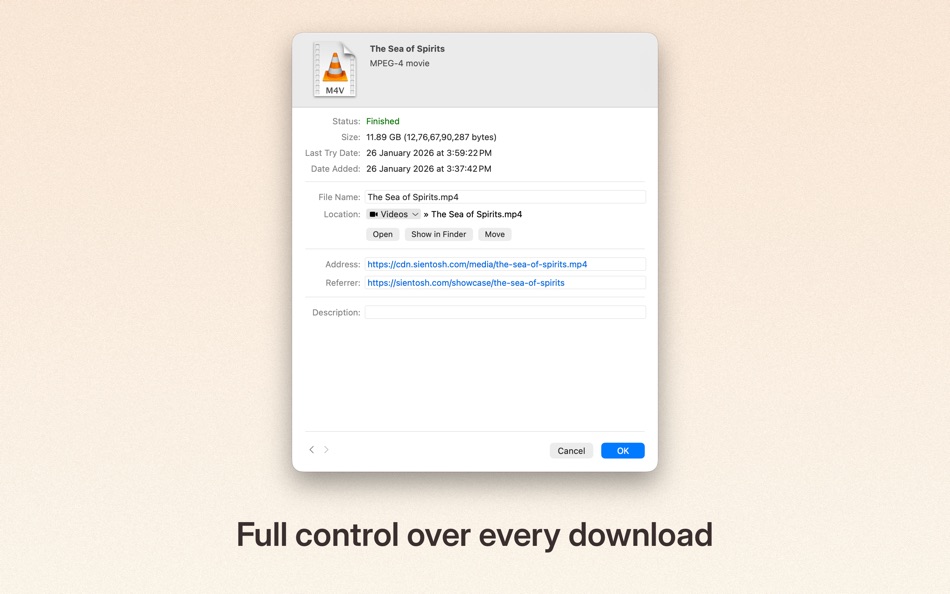
Reliable resume & recovery
• Automatically resume interrupted downloads caused by network issues, system sleep, or shutdowns.
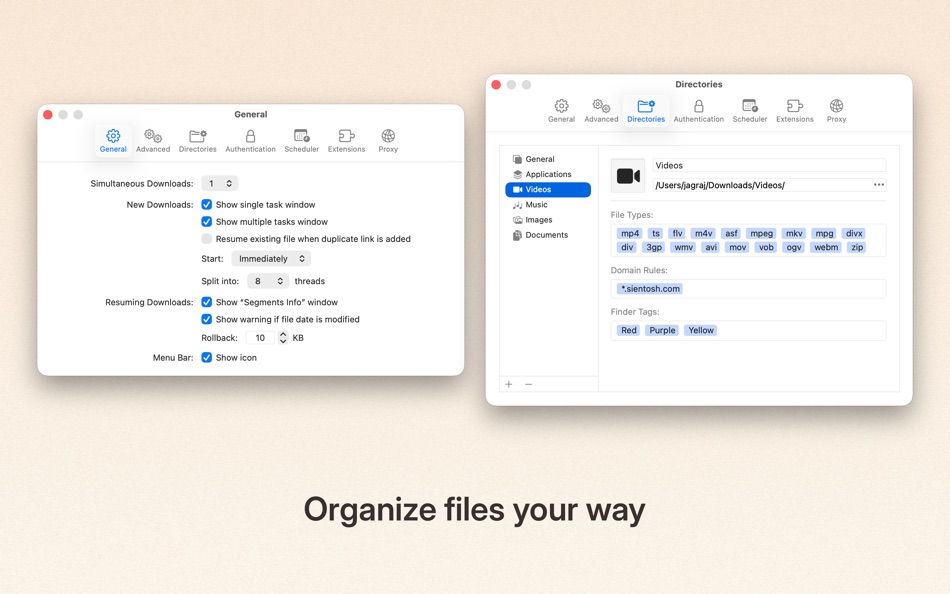
Smart organization
• Create download categories, define file types, domain-based rules, and custom save locations to keep files neatly organized.
Powerful scheduling
• Schedule downloads to start or stop at specific times. Optionally put your Mac to sleep or shut it down when downloads finish.
Website & batch downloads
• Grab files from entire webpages, filter by folders or categories, and download exactly what you need.
macOS-native experience
• Designed to feel right at home on your Mac, with modern UI, menu shortcuts, and system integration.
jDM supports HTTP, HTTPS, and FTP downloads, authentication, cookies, redirects, and more — giving you the flexibility and control you expect from a professional download manager.
Try jDM for free, or unlock Pro features with a subscription or lifetime access.
Terms of Use: https://www.apple.com/legal/internet-services/itunes/dev/stdeula/
Privacy Policy: https://sientosh.com/jdm/privacy-policy
스크린샷

Ad
가격 내역
-
* 인앱 구매 - 현재 가격: 무료
- 최소: 무료
- 최대: $12.99
가격 추적
AppAgg 평가
6,910
AppAgg 예상 평가:
jDM
6,910 골드
평가가 높을수록 보통 AppAgg에서 더 강한 신호를 의미합니다.
기준: 🔥 인기 · ⭐ 사용자 평점 · 🕒 최신성 · 🏷️ 딜 · 🏬 스토어 데이터 · 👥 커뮤니티 활동
최신 AppAgg 데이터를 바탕으로 매일 다시 계산됩니다.
단축 URL: 복사됨!
새로운 기능
- 버전: 6.0
- 마지막 업데이트:
- # Plans & Access
- Introduced a clearer, more transparent system for managing jDM access.
- Added support for subscriptions, trials, lifetime access, and legacy purchases.
- Existing customers who previously purchased jDM continue to receive full access.
- Activation status is now shown directly in the main window when downloads are restricted.
- Core download actions now require an active plan, while non-destructive features remain available.
# Safari Extension
- Migrated to a new Safari Web Extension for better compatibility with modern Safari.
- Improved reliability when sending downloads from Safari.
- “Download All with jDM” now detects a wider range of downloadable content, including images, video, audio, embedded media, and frames from modern websites.
- “Download Selected with jDM” now extracts all relevant resources from selected content.
# Download Categories
- Added domain-based rules to better organize downloads by source and file type.
- Improved category matching logic for more predictable results.
# Downloader
- Improved filename handling to ensure downloaded files are always compatible with macOS.
- Improved reliability through better file handling and consistency checks.
# Settings
- Listed Microsoft Edge extension in extension settings.
- Fixed layout and control sizing issues.
# Main Menu
- Clearer menu grouping and additional shortcuts.
- Added icons to menus on macOS 26+.
- Expanded Help menu with support, feedback, and privacy links.
- Added Group and Progress Display options.
# Onboarding
- Refreshed onboarding experience built with SwiftUI.
- Clearer setup flow with improved layout and visual balance.
- New users can optionally select a plan or start a trial during setup.
# Application
- jDM 6.0 now requires macOS 13 (Ventura) or later.
- Updated app and file icons to match modern macOS design.
- Refined toolbar appearance and sizing on newer macOS versions.
- Improved table layouts and control spacing across multiple windows.
- Updated styling in Inspector, Segments, and New Task windows.
Thank you for using jDM and supporting its continued development.
추가 정보
 https://sientosh.com/jdm
개발자
목록 (1)
- jDM

포인트 (4)
-

- 3,057 Alan
- +1
-
- 11,492 Simon Chan
- +1
-
- 2,248 Lu Chin
- +1
-
- 5,085 Brain_vv
- +1


순위 (0)
0 ☹️
댓글 (0)
가장 먼저 댓글을 남겨주세요 🌟
요약
jDM 단축 URL: 복사됨!- 🌟 공유하기
- Mac App Store
«jDM». 플랫폼: macOS. 카테고리: 유틸리티. 개발자: «JAGRAJ SINGH». 첫 번째 릴리스: . 마지막 업데이트: . 현재 가격: 무료. 이 타이틀은 아직 AppAgg에서 평가나 리뷰를 받지 못했습니다. 목록: 공개: 1, 비공개: 1. 추적된 포인트: 확인됨: 4, 간접: 0. 사용 가능한 언어: Chinese, English, French, German, Japanese, Portuguese, Russian, Spanish. AppAgg는 «jDM»의 가격 기록, 평점 및 사용자 피드백을 추적합니다. AppAgg는 애플리케이션을 호스팅하거나 소프트웨어를 배포하지 않습니다. 모든 상표, 로고 및 스크린샷은 해당 소유자의 자산입니다. 향후 할인 및 업데이트 받기: RSS에서 확인할 수 있습니다
유사 항목
-
- BeOnTimeApp
- macOS 앱: 유틸리티 게시자: JDM Growth LLC
- * 무료
- 목록: 0 0 0
- 포인트: 0 + 0 3K 버전: 1.22 You're deep in focus on a project. A tiny, silent notification banner slides by your screen, completely unnoticed. Suddenly, you realize you're five minutes late for that important ... ⥯
-
- Khigo
- macOS 앱: 생산성 게시자: JAGRAJ SINGH
- $0.99
- 목록: 0 0 0
- 포인트: 0 + 0 3K 버전: 2.1 Khigo brings fast, directional browsing to Safari. Drag, drop, and go open links, images, or search text instantly using simple gestures. No more copying, pasting, or switching tabs. # ⥯