
| Vývojář: | ACD Systems International Inc. (15) | ||
| Cena: | $5.99 | ||
| Hodnocení: | 0 | ||
| Komentáře: | 0 Přidat komentář | ||
| Seznamy: | 6 + 4 | ||
| Body: | 37 + 1,119 (4.8) ¡ | ||
| App Store | |||
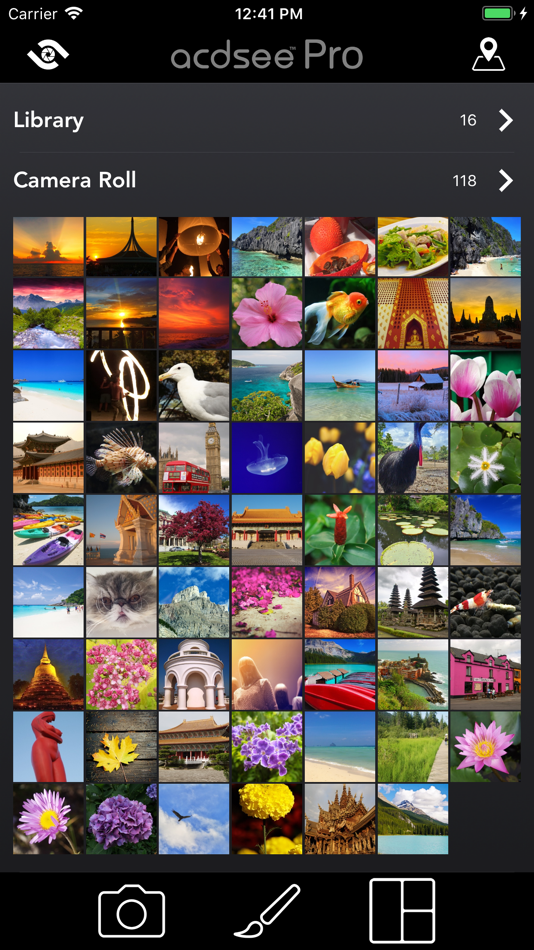
Popis

Camera
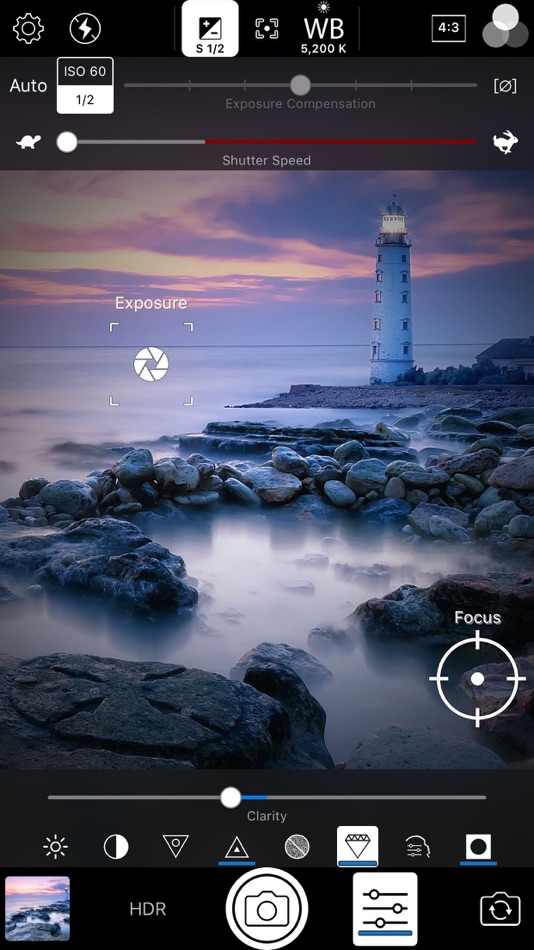
Harness the full power of your device's camera with specialized shooting modes, lossless RAW, TIFF and PNG support, manual controls for exposure/focus/white balance, real-time effects and adjustments, HDR & flash fusion, separate exposure and focus points, dual-axis level indicator, and more.
Edit
Perfect your photos with a powerful, nondestructive photo editor with RAW processing. Use gradients and brushing to selectively apply adjustments and special effects including shadows & highlights, contrast, dehaze, white balance, saturation, vibrance, sharpness, split toning and noise removal, and our one-of-a-kind Light EQ, Tone EQ and Colour EQ.
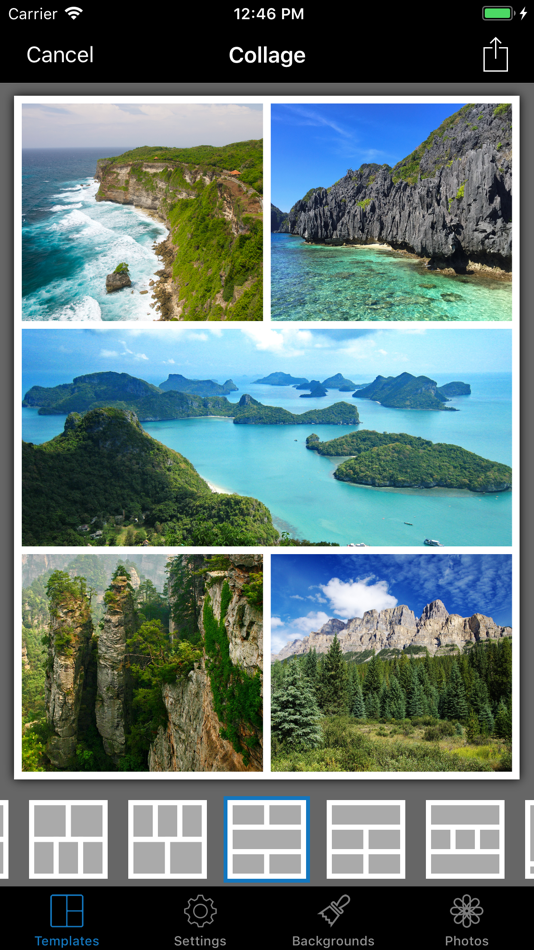
Collage
Convenient collage maker for sharing your memories. Quickly combine multiple photos into a single image for easy sharing. Choose from over 100 layouts.
—
CAMERA FEATURES
RAW Support
Shoot RAW on capable devices and write captured photos in DNG format.
Lossless TIFF/PNG
Write captured photos in lossless TIFF or PNG format, or choose one of three JPEG quality settings.
Manual Controls
Precisely control exposure, focus and white balance, including a custom white balance preset. Real-time overexposure and underexposure visualization.
Shutter Priority Mode
Set the shutter speed and ACDSee Camera Pro automatically chooses the ISO for proper exposure.
Selfie Mode
Look your best with skin smoothing and lightening, plus a front-facing torch/flash for low light situations.
Real-time Effect Filters
Choose from 24 effects including high quality black & white, Orton, film grain, halftone, and various color tone filters.
Real-time Adjustments
See brightness, contrast, vibrance, sharpness, clarity, skin tune and vignette adjustments in real time and add additional noise reduction during capture.
Exposure Bracketing
Capture three exposures at once at different exposure levels.
HDR Fusion
Combine three shots taken at different exposures to create a single image with high dynamic range, with manual override of composition parameters.
Flash Fusion
Combine a naturally-illuminated capture with a flash-illuminated capture.
Video Mode
Capture those special moments with video and apply filters and adjustments in real-time.
Flash Modes
Choose from six flash modes: Off, On, Auto, Torch, Torch & flash, and Flash Fusion. All modes work with either the rear-facing or the front-facing camera.
Focus and Exposure
Touch to select focus and exposure point. For more precise control, independently select focus and exposure points.
Lockable AF, AE and AWB
Independently lock focus, exposure, and white balance.
Cropping modes
Crop before you shoot to square, 4:3, 3:2, and 16:9 aspect ratio. Independent settings for front and rear cameras, still photo and video modes.
Level Indicator
Compose your shots with precise alignment using a dual-axis level indicator.
—
EDITOR FEATURES
Image adjustments including:
- Shadows & Highlights
- Light EQ
- Exposure
- Dehaze
- Contrast
- Tone EQ
- Fill Light
- White Balance
- Saturation & Vibrance
- Color EQ
- Split Toning
- Sharpness
- Clarity
- Softness
- Denoise
- Skin Tune
Effects
Apply a variety of creative effects to your photos including film, light leaks, halftone, and more.
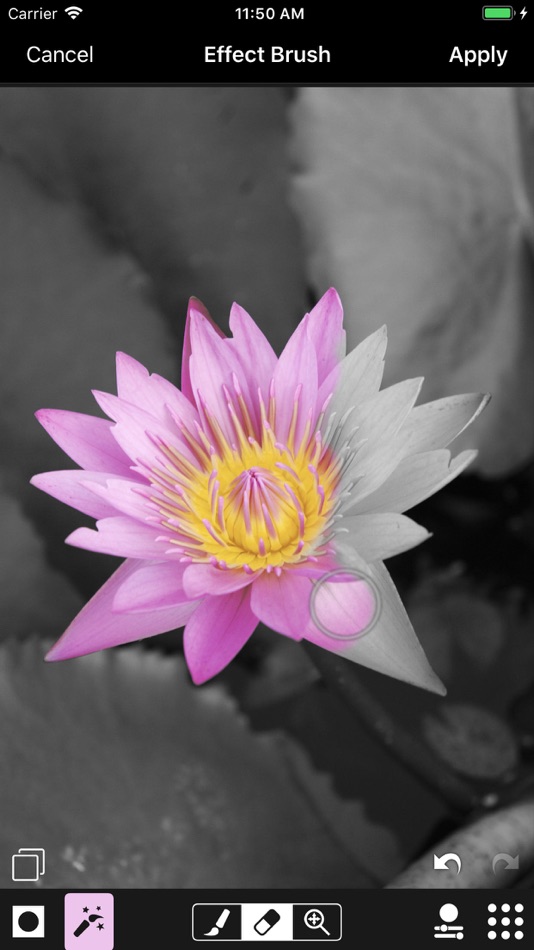
Use gradients and brushes to mask adjustments.
Focus
Bring your subject into focus. Simulate a shallow depth of field by blurring the background.
Vignette
Adds a vignette effect around the edges of your photo.
Geometry
Crop, rotate, straighten, and mirror your photo.
Filter Splash
Creatively splash on effects such as selective coloring to draw attention to your subject.
—
* ACDSee is trademark of ACD Systems International Inc. and may be registered in Canada, the United States, European Union, Japan or certain other jurisdictions.
Ad
Snímky obrazovky

Historie cen
- Dnes: $5.99
- Minimální: Zdarma
- Maximální: $6.99
Sledovat ceny
Další informace
- Datum vydání:
- Kategorie:
iOS Aplikace›Fotografie - OS:
iPad,iPhone,iOS 11.0 a vyšší - Velikost:
91 Mb - Podporovaný jazyk:
Chinese,Dutch,English,French,German,Italian,Japanese,Portuguese,Spanish - Hodnocení obsahu:
4+ - App Store Hodnocení:
4.8(1,119)
 https://www.acdsee.com/en
Vývojář
- ACD Systems International Inc.
- Platformy: Android Aplikace (4) iOS Aplikace (5) macOS Aplikace (2) Windows Aplikace (3) Steam Hry (1)
- Seznamy: 9 + 5
- Body: 44 + 9,728 ¡
- Hodnocení: 0
- Komentáře: 0
- Slevy: 0
- Videa: 3
- RSS: Odebírat
Seznamy (6)


Body (37)
-

- 598 Thanh
- +1
-
- 5,020 Alberto Menendez Prados
- +1
-
- 822 Michael Alco Guerrero
- +1
-
- 6,330 sf
- +1
-
- 513 Vlad P
- +1
-
- 35 Eduard Sh (shef)
- +1





Hodnocení (0)
0 ☹️
Komentáře (0)
Buďte první, kdo okomentuje 🌟
«ACDSee Pro». Platforma: iOS. Kategorie: Fotografie. Vývojář: «ACD Systems International Inc.». První vydání: . Poslední aktualizace: . Aktuální cena: $5.99. Nejnižší zaznamenaná cena: $0.00 (). Nejvyšší zaznamenaná cena: $6.99 (). Tento titul zatím na AppAgg nezískal hodnocení ani recenze. Seznamy: veřejné 6, soukromé 4. Sledované body: potvrzené 37, nepřímé 1,119. Obchod: App Store. Hodnocení obchodu: 4.8. Hlasy: 1,119. Dostupné jazyky: Chinese, Dutch, English, French, German, Italian, Japanese, Portuguese, Spanish. AppAgg sleduje historii cen, hodnocení a zpětnou vazbu od uživatelů «ACDSee Pro». Sledujte budoucí slevy a aktualizace prostřednictvím RSS. AppAgg nehostuje aplikace ani nedistribuuje software. Všechny ochranné známky, loga a snímky obrazovky patří jejich příslušným vlastníkům.
ACDSee Pro Krátká adresa URL: Zkopírováno!- 🌟 Sdílet
- App Store
Podobné
-
- ACDSee
- iOS Aplikace: Fotografie Podle: ACD Systems International Inc.
- $1.99
- Seznamy: 2 + 0 0 0
- Body: 2 + 233 (4.9) Verze: 4.5.4 Capture, perfect, and share your photos with ACDSee. ACDSee combines a professional grade camera and photo editor with all the tools you need to produce stunning photographs. Camera ... ⥯
-
- ACDSee Camera Pro
- iOS Aplikace: Fotografie Podle: ACD Systems International Inc.
- $5.99
- Seznamy: 4 + 2 0 0
- Body: 0 + 21 (4.2) Verze: 2.0.7 ACDSee Camera Pro lets you harness the full power of your device's camera. New! Support for iPhone 7 Plus Dual Camera RAW Support Shoot RAW on capable devices and write captured photos ⥯
-
- ACDSee Mobile Sync
- iOS Aplikace: Fotografie Podle: ACD Systems International Inc.
- Zdarma
- Seznamy: 0 + 0 0 0
- Body: 0 + 631 (4.7) Verze: 2.3 ACDSee Mobile Sync makes it easy for you to send photos and videos directly from your mobile device to ACDSee Photo Studio on your Mac or Windows PC over Wi-Fi. Sending is as Easy as ... ⥯
-
- ACDSee SendPix
- iOS Aplikace: Fotografie Podle: ACD Systems International Inc.
- Zdarma
- Seznamy: 0 + 0 0 0
- Body: 0 + 0 Verze: 2.0.4 Sending media is free and simple with ACDSee SendPix. Open the app and attach the media you want to share, enter the email addresses you want to send to, add an album name and a ... ⥯