
Saved
Choose the name that will be shown in your Saved menu.
Done!
| Developer: | Floor Steeg (1) | ||
| Price: | * Free | ||
| Score: | 7,660 Platinum | ||
| Rankings: | 0 | ||
| Comments: | 0 Add a comment | ||
| Lists: | 1 + 2 | ||
| Points: | 8 + 0 ¡ | ||
| +1 Points | |||
Description

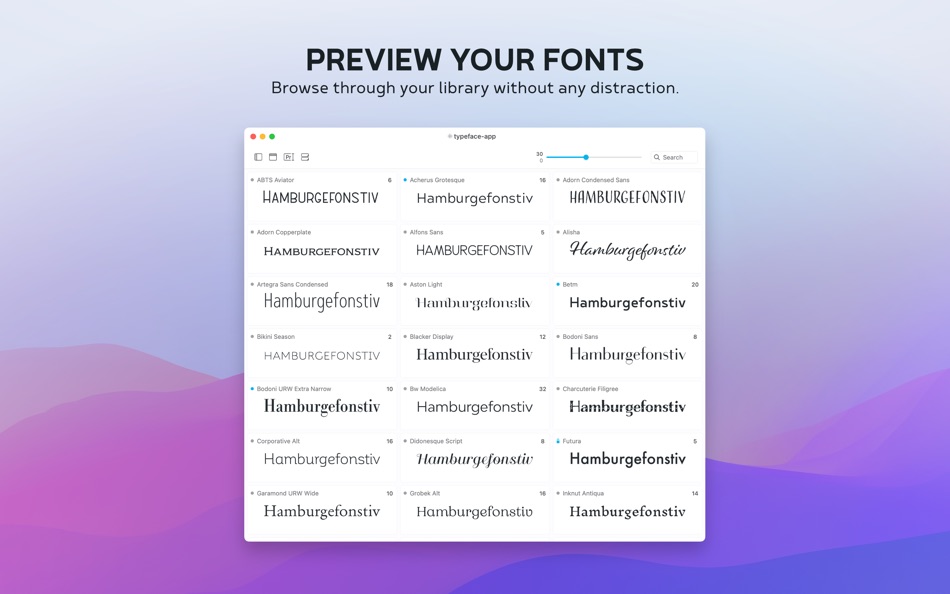
Good typography is one of the most important aspects of design, but finding the font that conveys just the right emotion can be a difficult task — especially if you're not sure yet what you're looking for. With a minimal interface and total focus on your fonts Typeface makes choosing fonts a delightful experience.
——
Free limited trial. One time in-app purchase to unlock all current features + 12 months of PRO updates.
No subscription, yours forever.
——
FOCUS ON YOUR FONTS
• Perfectly rendered previews
• Live customization of preview text, size, colors and more
• Intuitive & minimal UI that doesn't distract
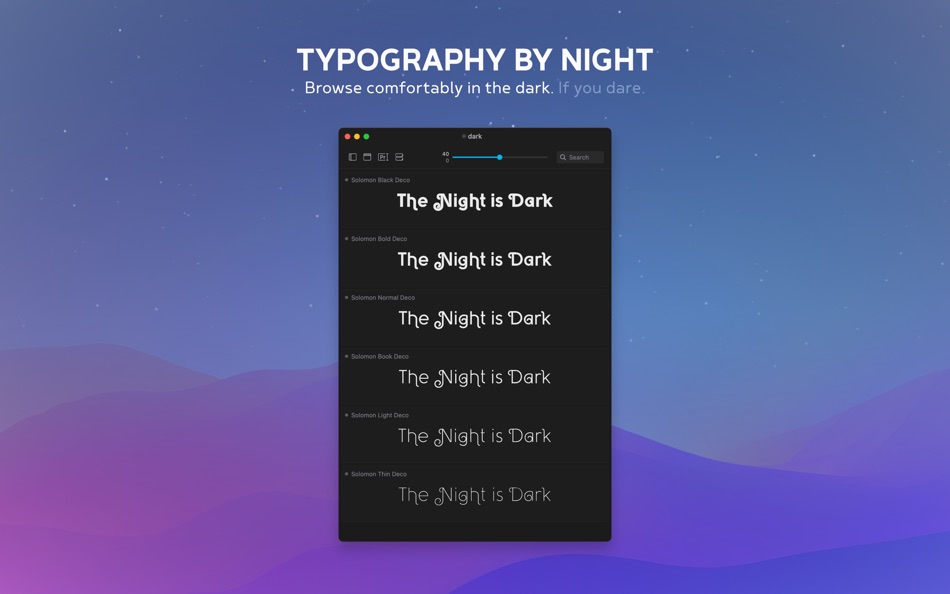
• Light & Dark theme for day and night
IN-DEPTH ORGANIZATION
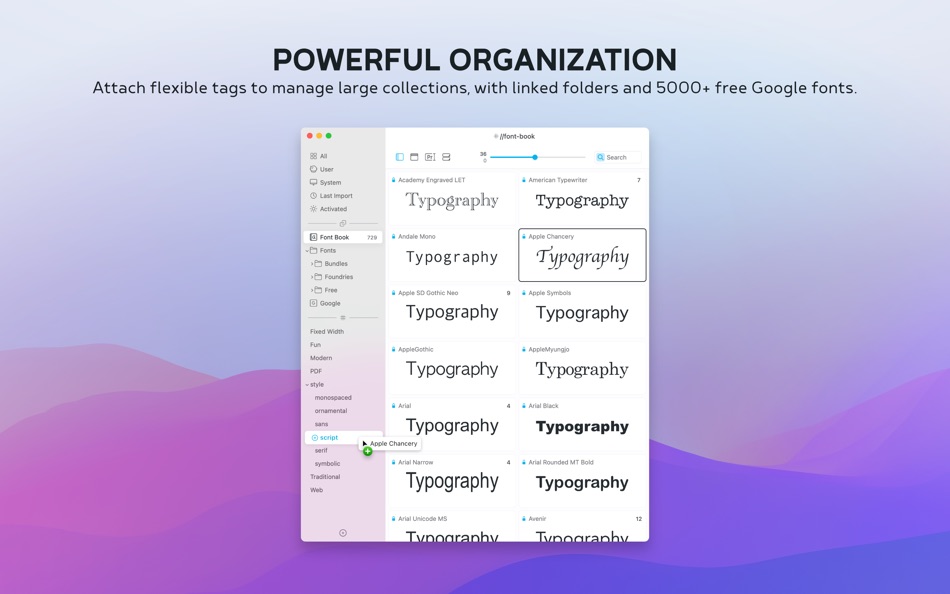
• Easy to use & flexible tagging system
• Powerful search & filters
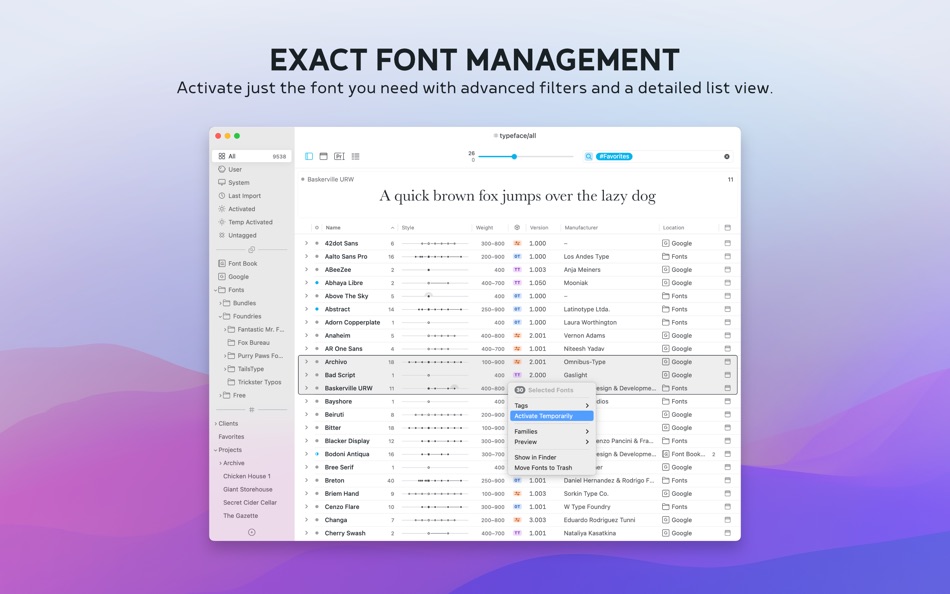
• Detailed metadata list overview [PRO]
• In-place font activation & deactivation [PRO]
IMPROVE YOUR WORKFLOW
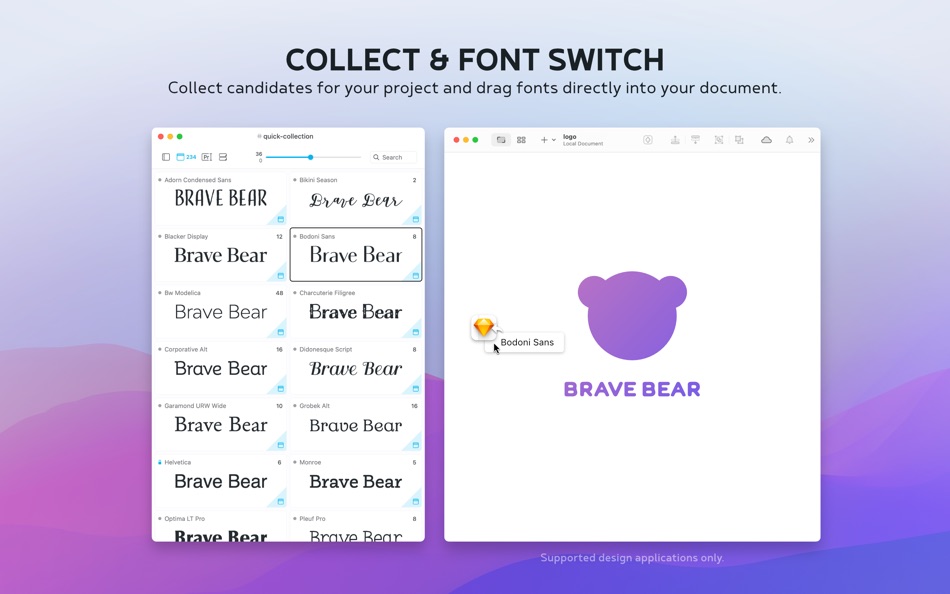
• Collect font candidates using the Quick Collection
• Review & refine your selection
• Switch fonts in leading design apps directly from the app [PRO]
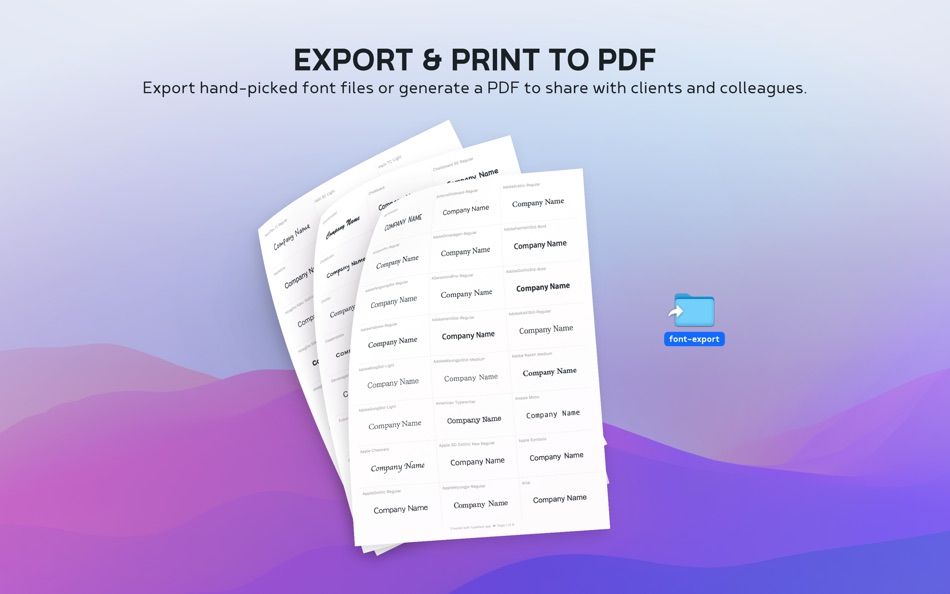
• Export a PDF to share with colleagues and clients
REVEAL EVERY DETAIL
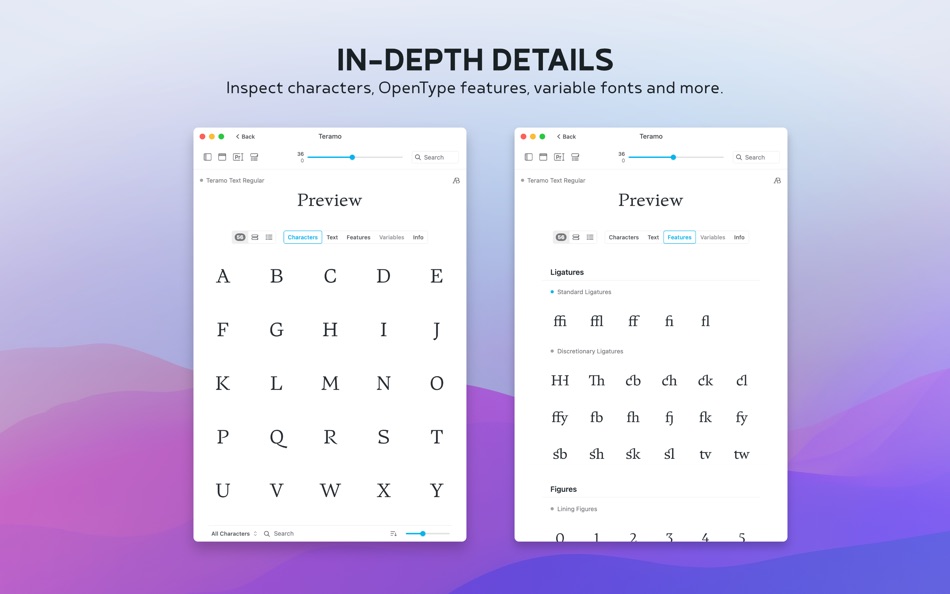
• View & export unicode characters [PRO]
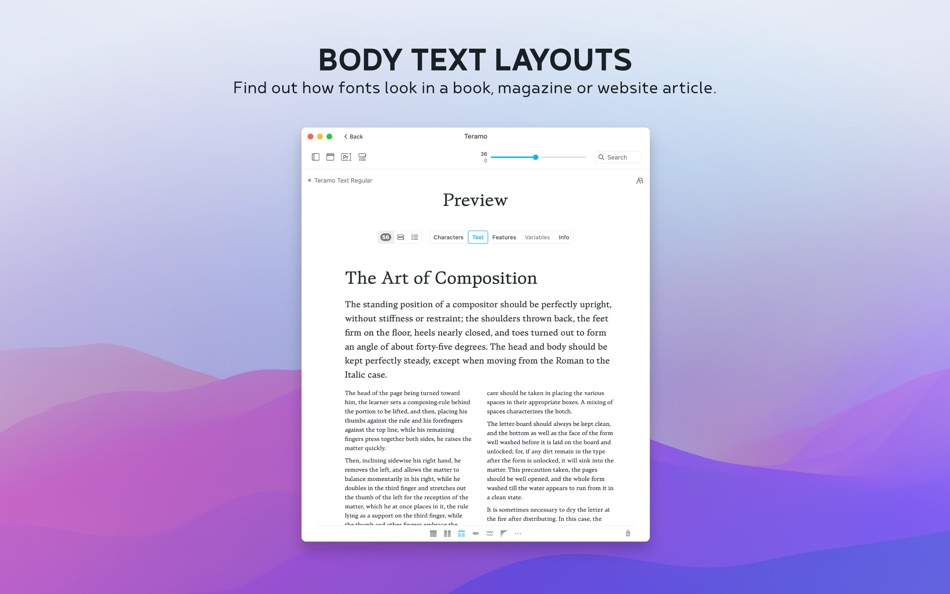
• Preview full body text layouts [PRO]
• Inspect OpenType font features [PRO]
• Fine-tune variable fonts [PRO]
AND MUCH MORE
• Sync imported folders and subfolders [PRO]
• 5000+ free fonts from the Google Fonts catalog, including variable fonts [PRO]
• Support for ttf, otf, dfont, ttc, woff and PostScript Type 1 font suitcase
• Migrate sets and collections from FontExplorer X / Suitcase Fusion / Font Book
• Temporary font activation [PRO]
• Group fonts by family
• Filter fonts by character support
• Auto font style classification
• Adjust letter s p a c i n g
• Left/right/center alignment
• Metrics overlay
• Dynamic previews
• Advanced OpenType support [PRO]
• Export & import tag backups
• Drag and drop font export [PRO]
• Convenient keyboard shortcuts
• Import Adobe fonts
• Auto activation [PRO]
• Tagged and Untagged meta-tags
• Background mode
• Font context info [PRO]
• Quick multi tagging [PRO]
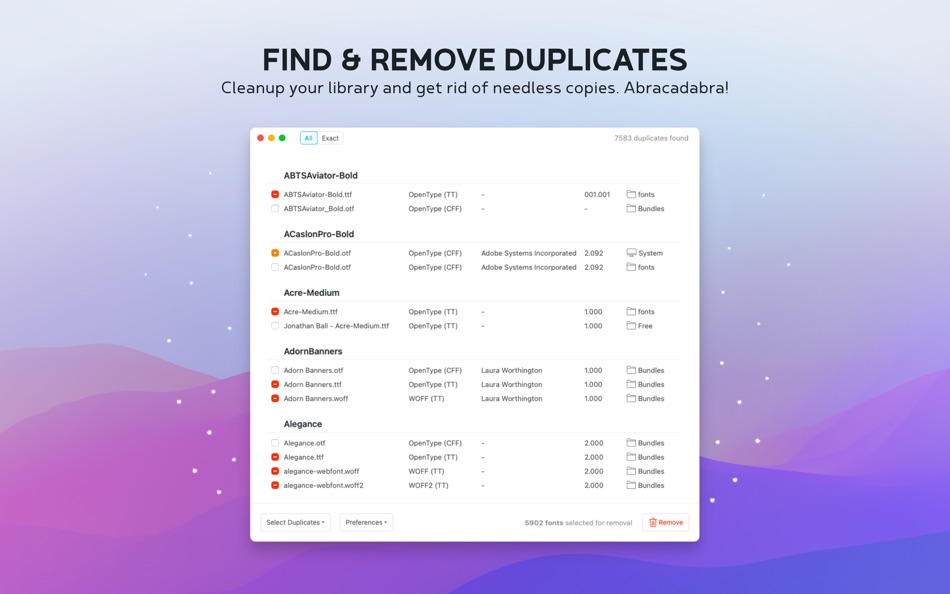
• Find & remove duplicate fonts [PRO]
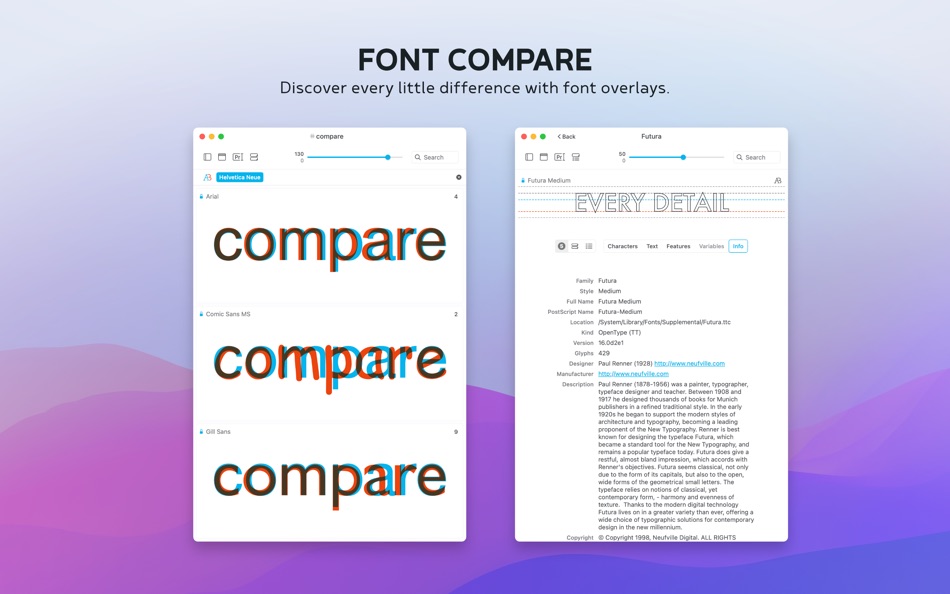
• Compare fonts using A/B font overlays
——
TYPEFACE PRO
The Typeface free download provides limited functionality to try out the app. Get PRO to unlock all these features:
• Import your own fonts and folders
• Persistent & temporary font activation
• Font characters overview
• Body text layout previews
• Detailed metadata list overview
• OpenType feature inspection
• Custom preview colors
• Pairing Studio
• Font Switch
• Family Editor
• Variable fonts tuning
• Find & remove duplicate fonts
• Multi tagging
• Advanced filters
• Variable Google Fonts
• Font context info
+ All PRO features released in upcoming 12 months
Typeface PRO is a one time purchase to unlock all current features.
In addition, you'll get new features released in the upcoming 12 months for free.
After 12 months you can extend your license to receive new updates & functionality.
Extending is optional — you can continue to use the app and all your permanently unlocked features, even after 12 months.
No subscription, no auto renewals.
——
Check out typefaceapp.com for more info, handy tips & support.
Screenshots
Ad
Price History
-
* In-App Purchases - Current price: Free
- Minimum: Free
- Maximum: $19.99
Track prices
AppAgg Score
7,660
Estimated AppAgg Score for
Typeface 4
7,660 Platinum
Higher scores usually mean stronger signals on AppAgg.
Based on: popularity · ratings · freshness · deals · store data · community signals
Recalculated daily using fresh AppAgg data.
Short URL: Copied!
What's new
- Version: 4.3.1
- Last Updated:
- NEW
• Added auto activation for QuarkXPress
IMPROVED
• Support auto activation for Illustrator v30.3 and later
• Adjusted auto activation settings page to enable individual apps
• Support dark, clear and tinted app icon variants on macOS Tahoe
• Detect targeted applications more accurately when using Font Switch to drag through overlay windows (HazeOver/Monocle etc.)
• Convert formatted text to plain text when pasting into search field
• Hide redundant and unknown languages from languages filter
• Clean up language list in font info details tab
• Updated Japanese localization
FIXED
• Dismiss issue report window when sending without additional information
• Allow right click on font candidate style in Pairing Studio when candidate has been removed
• Prevent occasional incorrect preview animation to details from overview
• Prevent crash when printing font without characters
• Disable print menu item when viewing the overview list
Additional Information
- Release Date:
- Category:
macOS Apps›Graphics & Design - OS:
macOS,macOS 12.0 and up - Size:
19 Mb - Supported Languages:
Czech,Dutch,English,French,German,Japanese - Content Rating:
4+ - Mac App Store Rating:
0 - Website:
 https://typefaceapp.com
Developer
- Floor Steeg
- Platforms: macOS Apps (1)
- Lists: 1 + 2
- Points: 8 + 0 ¡
- Rankings: 0
- Comments: 0
- Deals: 0
- Videos: 0
- RSS: Subscribe
Lists (1)
- Typeface 4

Points (8)


Rankings (0)
0
Comments (0)
Be the first to comment
Summary
Typeface 4 Short URL: Copied!- Share
- Mac App Store
«Typeface 4» is a Graphics & Design app for macOS, developed by «Floor Steeg». It was first released on and last updated on . This app is currently free. This app has not yet received any ratings on AppAgg. It has been added to 1 public lists and 2 private lists created by users. AppAgg has tracked 8 confirmed points plus 0 indirect points for this app. Available languages: Czech, Dutch, English, French, German, Japanese. AppAgg continuously tracks the price history, ratings, and user feedback for «Typeface 4». AppAgg does not host applications or distribute software. All trademarks, logos and screenshots belong to their respective owners. Subscribe to this app or follow its RSS feed to get notified about future deals or updates.
Similar
-
- Art Text 4 - AI Graphic Design
- macOS Apps: Graphics & Design By: Belight Software, ltd
- * Free
- Lists: 3 + 3 0 0
- Points: 9 + 0 13K · Legend Version: 4.5.9 Design eye-catching text based graphics, logos, postcards and greetings with Art Text - a graphic design app that powers up typography and lettering in your desktop publishing, social ...
-
- Best Fonts 5
- macOS Apps: Graphics & Design By: Tomoyuki Okawa
- * Free
- Lists: 0 0 0
- Points: 1 + 0 1K · Silver Version: 5.1.5 - Compare One Font Family Over Another For Making Styled Text - - Use Font Files That Aren't Even Installed in the System to Make Styled Text - Formerly known as FontsView, Best Fonts ...
- New
- Fonty Menu Bar
- macOS Apps: Graphics & Design By: Tyler Barnes
- $4.99
- Lists: 0 0 0
- Points: 0 + 0 580 · Bronze Version: 1.1.0 Find and install Google Fonts right from the menu bar. No more tedious clicks through downloading and installing. Just search or browse for a great typeface, and click to install it on
-
- FontPeek
- macOS Apps: Graphics & Design By: Abdelhak Akermi
- $9.99
- Lists: 0 0 0
- Points: 0 + 0 580 · Bronze Version: 1.1.0 FontPeek is a lightweight menubar app for macOS that lets graphic designers, UI designers, and brand specialists quickly preview and explore installed fonts without leaving their ...
-
- Glyphs Mini 2
- macOS Apps: Graphics & Design By: schriftgestaltung.de
- $45.99
- Lists: 1 + 1 0 0
- Points: 0 + 0 1K · Gold Version: 2.1.6 Create your own fonts! Glyphs Mini 2 is a slimmed-down version of the professional font editor Glyphs 2. Digitize your handwriting, draw a fun display typeface, or build an icon ...
-
- Fonts for Adobe Photoshop
- macOS Apps: Graphics & Design By: Syed Sahib Sultan
- * $9.99
- Lists: 0 0 0
- Points: 1 + 0 730 · Silver Version: 1.1.6 Fonts for Adobe Photoshop Unlock creativity with our vast collection of over 1000 premium fonts! Whether you re designing for print, web, or digital media, this font library has ...
-
- WhatFont
- macOS Apps: Graphics & Design By: Chengyin Liu
- Free
- Lists: 0 0 0
- Points: 0 + 0 580 · Bronze Version: 2.1.1 Ever wondered what typeface is used on a web page? WhatFont answers it for you. No need to dig through source codes. Activate WhatFont and you can hover on any text to see what font is
-
- GlyphSmith
- macOS Apps: Graphics & Design By: Bright Light Interstellar
- $29.99
- Lists: 0 0 0
- Points: 0 + 0 590 · Bronze Version: 1.2 Transform your SVG artwork into professional OpenType fonts with GlyphSmith. GlyphSmith is the easiest way to create custom fonts from vector artwork. Simply import your SVG files, ...