
| ผู้พัฒนา: | Thi Hoang (5) | ||
| ราคา: | $5.99 | ||
| การจัดอันดับ: | 0 | ||
| ความเห็น: | 0 เขียนความเห็น | ||
| รายการ: | 3 + 0 | ||
| แต้มแล: | 1 + 41 (4.5) ¡ | ||
| App Store | |||
คำอธิบาย

** Why should you use it? **
- You need a color range but you don't have any idea to make it.
- You need a tool to choose color schemes.
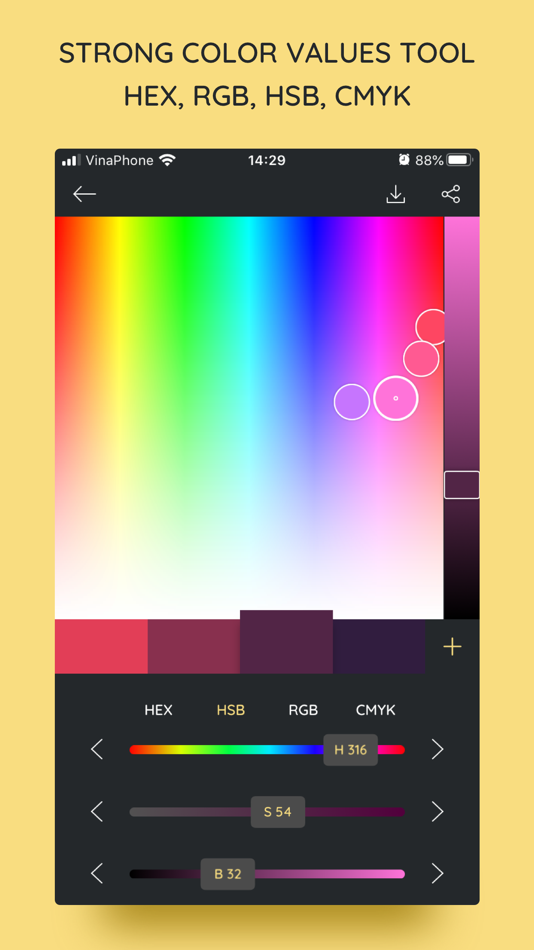
- You need a color converter between HEX, HSB, RGB, CMYK.
So, iPalettes will provide tools and give you ideas to create many beautiful palettes.
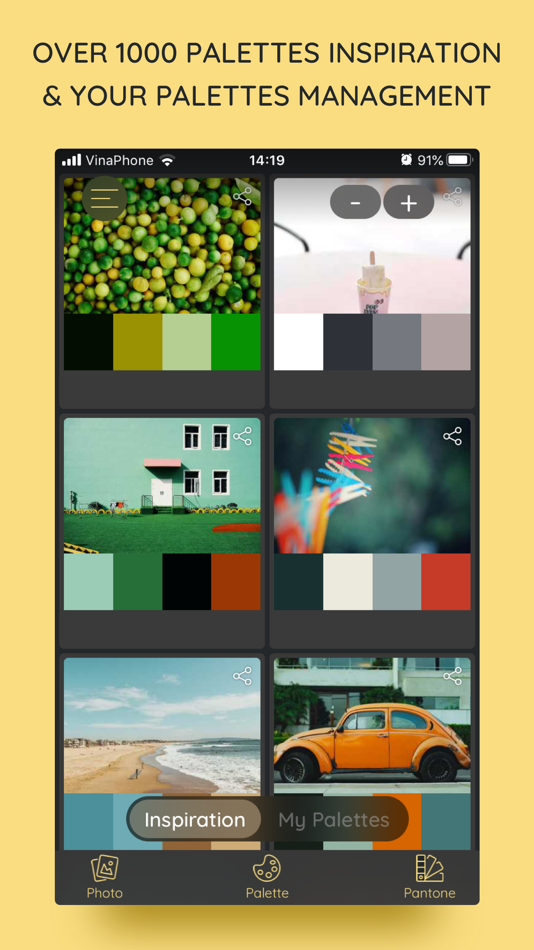
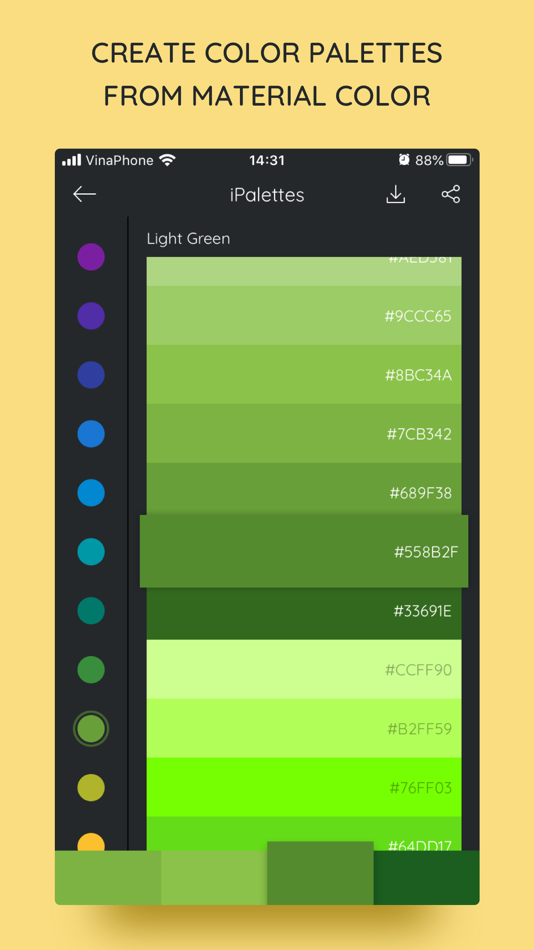
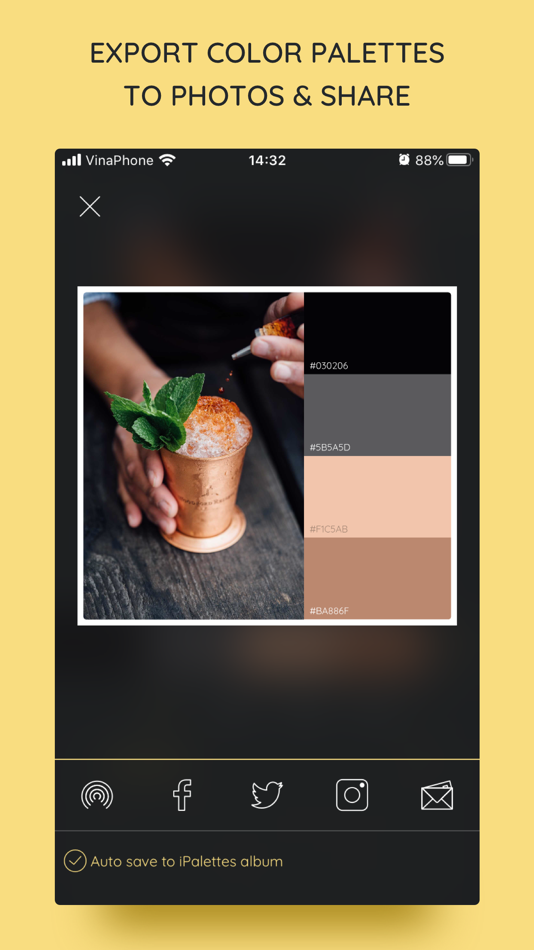
You can choose from 1000+ color palettes in Inspiration tab. In addition, you can edit and save your palette to review it later. At the end, you can save it to Camera Roll and share it to Facebook, Twitter, Instagram, Email or AirDrop as you want.
With iPalettes, there are 3 ways to create a palette:
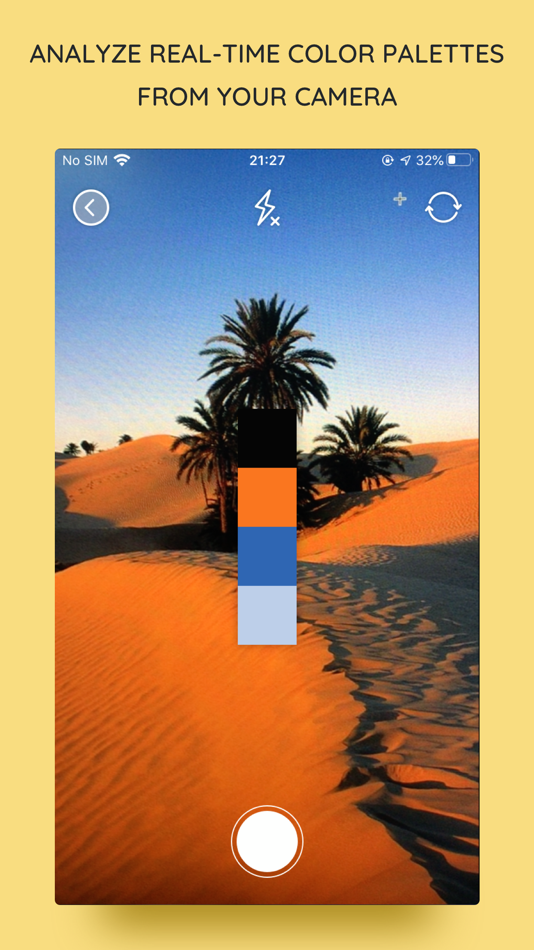
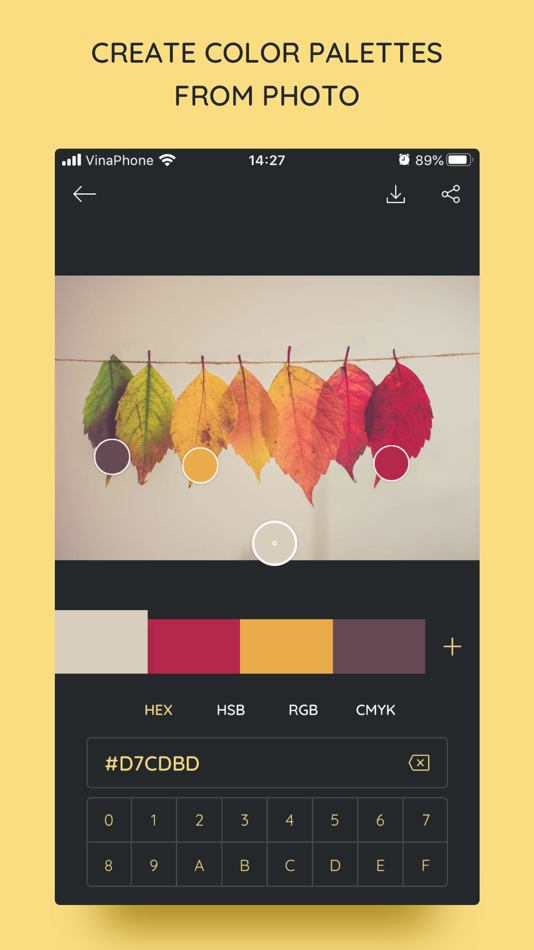
1. From Photo Library or Camera
iPalettes will analyze image colors and create the best palette from it, but you can edit this palette as you like
2. From Color Picker Tool
3. From Pantone
Pantone is a color range to create palettes.
** How to use? **
There are 2 main tabs, Inspiration and My Palettes. Inspiration is a list of suggested palettes. My Palettes is a list of palettes that you saved. Tap and hold item in My Palettes if you want to delete it.
** New updates **
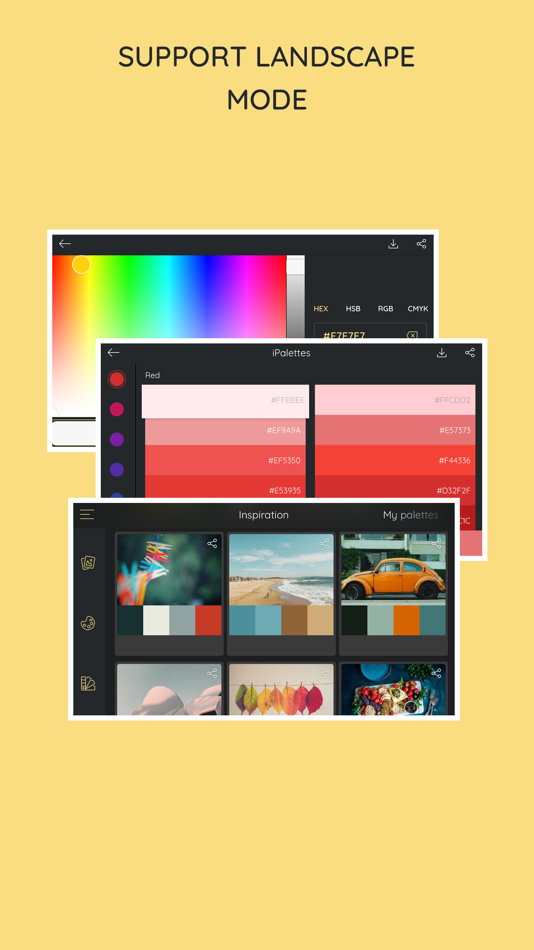
1. Support portrait and landscape orientation for all devices.
2. Feature: Save palette with a name and export with this name.
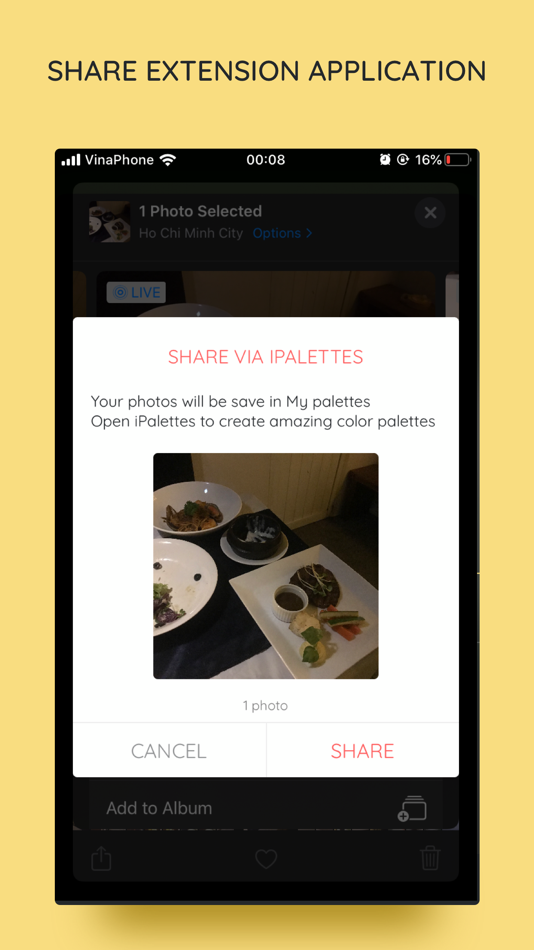
3. Feature: Share extension app
- In this feature, another apps can share images to iPalettes. All shared images will be saved as projects in My palettes tab.
- Example: Go to Photos app, choose an image and share it to iPalettes app. After that, go to iPalettes, this image will auto save to My palettes tab. Please enjoy it!
4. Feature: Add more colors in palette.
- You can add up to 10 colors in palette on iPhone and 15 colors on iPad.
5. Add option for "Auto save to iPalettes album" in exporting screen.
6. Support multitasking on iPad
- With iPadOS, you can use Multitasking to work with two apps at the same time.
- User can use another app with iPalettes at the same time.
7. Support drag and drop for iPad (iOS 11,*).
- With drag and drop, you copy photos from one app to iPalettes and vice versa.
- Drag: In Export screen, after exporting progress is finished, long press on image view and you can move to copy this image to another apps.
8. Hex code screen: support copy and paste color hex value
- Please press and hold the hex code, iPalettes will display 2 options for copy or paste hex code.
9. APPLE WATCH VERSION (watchOS 6, *)
iPalettes is available on Apple watch with some features:
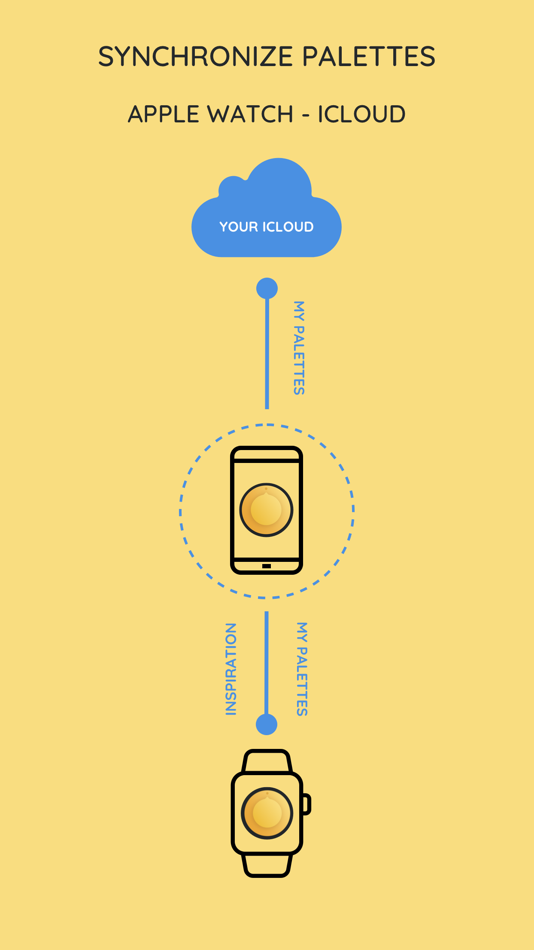
(1) Data of inspiration and my palettes of your iPhone is synced with your watch. Please sure that your apple watch and iPhone are paired.
(2) Tools of conversion will help you switch between hex color code and RGB color code.
10. Support languages: Vietnamese, English, French, Chinese, Japanese.
11. Synchronize palettes via iCloud (iOS 10, *)
Save your palette data to iCloud automatically.
When you create new or update or delete a palette, app will automatically sync all your changes to iCloud. In your other devices which use this iCloud will auto sync.
If you see this feature is helpful, please enable it in Settings screen. Default this feature is disable.
****************************************************
iPalettes is the best assistant for your work!
ภาพหน้าจอ
มีอะไรใหม่
- เวอร์ชัน: 1.10.4
- อัปเดต:
- This is a really exciting update.
* We’ve made some app enhancements and fixed any bugs we found.
Enjoying the iPalettes app? Leave a review to let us know.
ราคา
- วันนี้: $5.99
- ต่ำสุด: $0.99
- มากที่สุด: $5.99
ติดตามราคา
ผู้พัฒนา
แต้มแล
-

- 894 Денис
- +1

การจัดอันดับ
0 ☹️
รายการ


ความเห็น
แสดงรีวิวเป็นคนแรกเลย 🌟
ข้อมูลเพิ่มเติม
- เวอร์ชัน: 1.10.4
- หมวดหมู่:
iOS แอป›ยูทิลิตี้ - ระบบปฏิบัติการ:
Apple Watch,iPad,iPhone,iOS 15.6 และสูงกว่า - ขนาด:
32 Mb - ภาษาที่สนับสนุน:
Chinese,English,French,Japanese,Vietnamese - การจัดประเภทเนื้อหา:
4+ - App Store คะแนนโดย:
4.5(41) - อัปเดต:
- วันที่วางจำหน่าย:
รายชื่อติดต่อ
- เว็บไซท์:
 http://www.ekproapps.com/iPalettes
iPalettes - Color palettes URL แบบสั้น: คัดลอกแล้ว!- 🌟 แชร์
- App Store
คุณอาจชอบ
-
- Color Grab (color detection)
- iOS แอป: ยูทิลิตี้ โดย: Ashvin Kevadiya
- ฟรี
- รายการ: 0 + 0 การจัดอันดับ: 0 ความเห็น: 0
- แต้มแล: 0 + 20 (3.2) เวอร์ชัน: 1.0 Transform your smartphone into a powerful color tool with Color Grab - the essential app for designers, artists, developers, scientists, and anyone who works with color. Instantly ... ⥯
-
- Color Counters
- iOS แอป: ยูทิลิตี้ โดย: MOMOKA TSUNEZUKA
- ฟรี
- รายการ: 0 + 0 การจัดอันดับ: 0 ความเห็น: 0
- แต้มแล: 0 + 0 เวอร์ชัน: 1.0.1 Color Counter is a user-friendly counter app designed to effortlessly track multiple values. Features: - Reset button and minus button - Multiple theme colors - Multiple counter ⥯
-
- Color Grab Detection
- iOS แอป: ยูทิลิตี้ โดย: Sachinbhai Surani
- * ฟรี
- รายการ: 0 + 0 การจัดอันดับ: 0 ความเห็น: 0
- แต้มแล: 0 + 0 เวอร์ชัน: 1.1 Color Grab Detection is a powerful and accurate color analysis tool that helps you detect, identify, and extract colors from your camera or photos. Whether you're a designer, artist, ... ⥯
-
- Color Identification
- iOS แอป: ยูทิลิตี้ โดย: Arvinder Singh
- ฟรี
- รายการ: 0 + 0 การจัดอันดับ: 0 ความเห็น: 0
- แต้มแล: 0 + 0 เวอร์ชัน: 1.1 Color Identifier is a powerful and easy-to-use app that helps you instantly detect any color around you. Just point your camera or select an image, and the app will show the exact ... ⥯
-
- Color Palette: Color Identify
- iOS แอป: ยูทิลิตี้ โดย: ALEXANDRU STAN
- * ฟรี
- รายการ: 0 + 0 การจัดอันดับ: 0 ความเห็น: 0
- แต้มแล: 0 + 1 (5.0) เวอร์ชัน: 1.0.1 Color Identifier at your fingertips. Beautiful Color Palettes for your Projects. COPAL is a Color Identifier and Color Palette app is designed for professionals, creators, and anyone ... ⥯
-
- Color Finder & Color Picker
- iOS แอป: ยูทิลิตี้ โดย: Abdullah Rafiq
- * ฟรี
- รายการ: 0 + 0 การจัดอันดับ: 0 ความเห็น: 0
- แต้มแล: 3 + 0 เวอร์ชัน: 1.0.5 Color Picker is a straightforward and user-friendly color tool for selecting colors from pictures and creating color palettes using the color wheel or pictures. It lets you store your ... ⥯
-
- Color Picker: AI Color Catch
- iOS แอป: ยูทิลิตี้ โดย: Melih FIRAT
- * ฟรี
- รายการ: 0 + 0 การจัดอันดับ: 0 ความเห็น: 0
- แต้มแล: 0 + 0 เวอร์ชัน: 1.0 Color Picker turns your phone into a pocket color studio. Point the live camera at any scene and the app grabs the real shade, names it, and lets you preview how it plays with curated ... ⥯
-
- Color picker and helper
- iOS แอป: ยูทิลิตี้ โดย: Sergey Kolibaba
- ฟรี
- รายการ: 0 + 0 การจัดอันดับ: 0 ความเห็น: 0
- แต้มแล: 0 + 77 (4.7) เวอร์ชัน: 1.2.2 Color Tool is a simple app to show pixel color information. Indispensable color detector assistant when choosing paints, wallpapers, decorative elements. Just import Camera snapshot or ⥯
- ใหม่
- Color Identifier Paint Match
- iOS แอป: ยูทิลิตี้ โดย: Thi Quynh Nhung Cao
- * ฟรี
- รายการ: 0 + 0 การจัดอันดับ: 0 ความเห็น: 0
- แต้มแล: 0 + 0 เวอร์ชัน: 1.0.12 Color Identifier App helps you quickly identify colors from photos and real-world objects using your camera. Simply snap a picture or upload an image to find out what color it is, get ... ⥯
-
- Color Identifier & Finder
- iOS แอป: ยูทิลิตี้ โดย: Utility and useful apps for entertainment and productivity
- * ฟรี
- รายการ: 0 + 0 การจัดอันดับ: 0 ความเห็น: 0
- แต้มแล: 0 + 0 เวอร์ชัน: 1.0.0 Color Identifier & Finder app lets you determine the color of any pixel in a photo or image. Simply upload the image, zoom in, and scroll to the desired color. The app provides color ... ⥯
-
- Color by Number - Coloring Art
- iOS แอป: ยูทิลิตี้ โดย: 毅刚 黄
- ฟรี
- รายการ: 0 + 0 การจัดอันดับ: 0 ความเห็น: 0
- แต้มแล: 0 + 4 (4.0) เวอร์ชัน: 1.3 Color by Numbers is a fun and relaxing coloring app with a huge collection of beautiful templates. Simply follow the numbers to create stunning artworks. Customize your own color ... ⥯
- ใหม่
- Color Identifier: Color Wheel
- iOS แอป: ยูทิลิตี้ โดย: Jeff Cedilla
- * ฟรี
- รายการ: 0 + 0 การจัดอันดับ: 0 ความเห็น: 0
- แต้มแล: 1 + 0 เวอร์ชัน: 1.0 What color is that? Now you'll always know. Color is the fastest way to capture, identify, and organize colors from the world around you. Point your camera at anything, tap to capture, ⥯
-
- Color Picker: Camera & Image
- iOS แอป: ยูทิลิตี้ โดย: CIHAN AKGUL
- ฟรี
- รายการ: 0 + 0 การจัดอันดับ: 0 ความเห็น: 0
- แต้มแล: 0 + 2 (3.0) เวอร์ชัน: 1.0.3 Discover Colors Everywhere with Color Picker: Camera & Image Analysis Transform your world into a vibrant color palette! Our advanced color picker app combines camera color detection ... ⥯
-
- Color Palette App
- iOS แอป: ยูทิลิตี้ โดย: Anjaneykumar Malipatil
- ฟรี
- รายการ: 0 + 0 การจัดอันดับ: 0 ความเห็น: 0
- แต้มแล: 0 + 0 เวอร์ชัน: 1.0 Extract Colors & Create Stunning Palettes Effortlessly Unleash your creativity with this powerful color extraction app. Whether you are a designer, artist, photographer, or someone who ⥯