
Gemte
Vælg det navn, der skal vises i menuen Gemte.
Færdig!
| Udvikler: | Literature & Latte (3) | ||
| Pris: | $59.99 | ||
| Rangeringer: | 0 | ||
| Kommentarer: | 0 Skriv kommentar | ||
| Lister: | 3 + 11 | ||
| Point: | 2 + 0 ¡ | ||
| Mac App Store | |||
Beskrivelse

“The biggest software advance for writers since the word processor.”
- Best-selling novelist Michael Marshall Smith
GROW YOUR MANUSCRIPT YOUR WAY
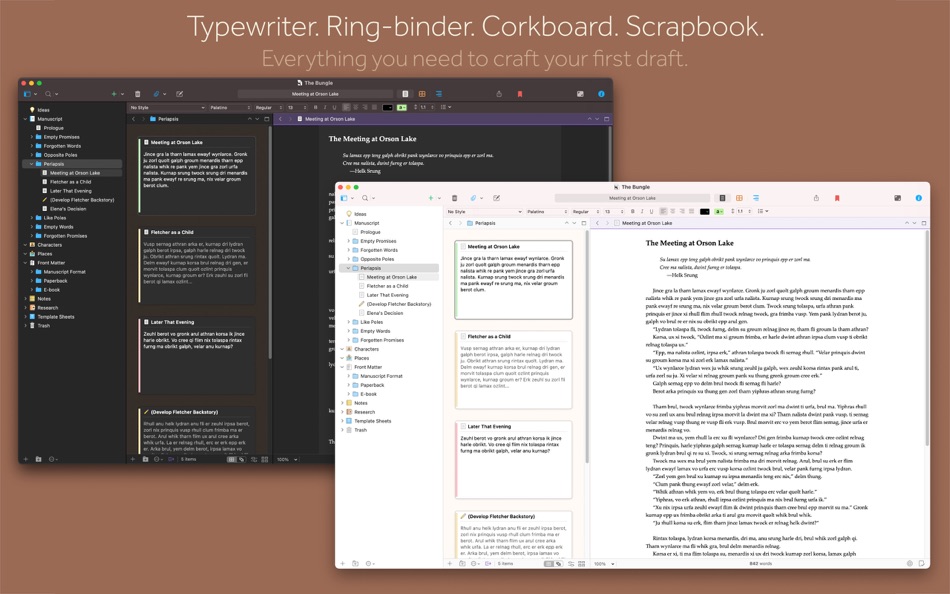
Tailor-made for creating long manuscripts, Scrivener lets you break up your writing into sections as small or large as you like. At its heart is a simple ring-binder metaphor—gather material and switch between writing, notes and research with ease. Got a great idea but don’t know where it fits? Compose your text in any order you want—write when inspiration strikes and find its place later.
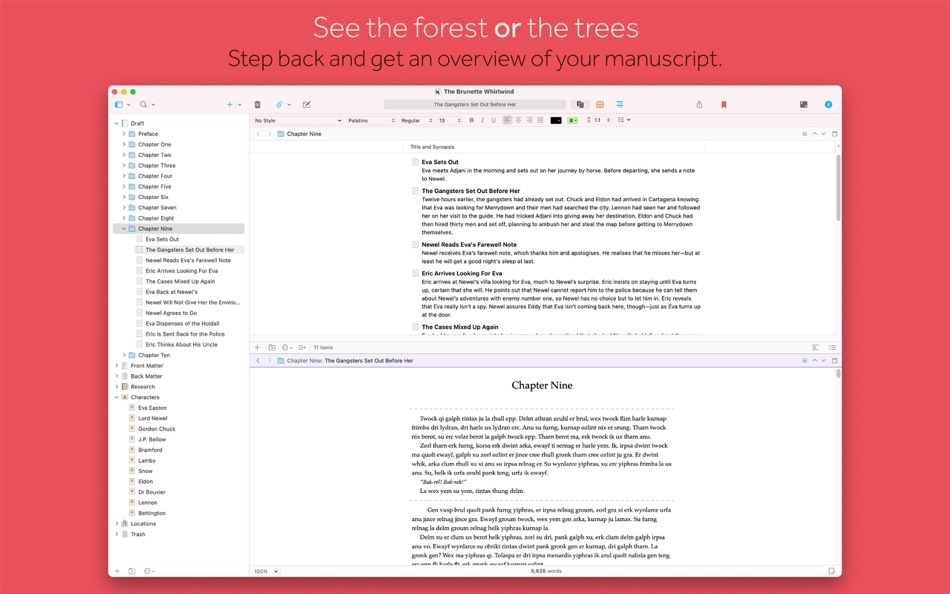
SEE THE FOREST *OR* THE TREES
Whether you plan or plunge, Scrivener works your way: hammer out every last detail before typing a word, or carve out a draft and restructure later. Or do a bit of both. All text sections in Scrivener are integrated with an easy-to-use project outline, so working with an overview of your manuscript is only ever a click away, and turning Chapter Four into Chapter One is as simple as drag and drop.
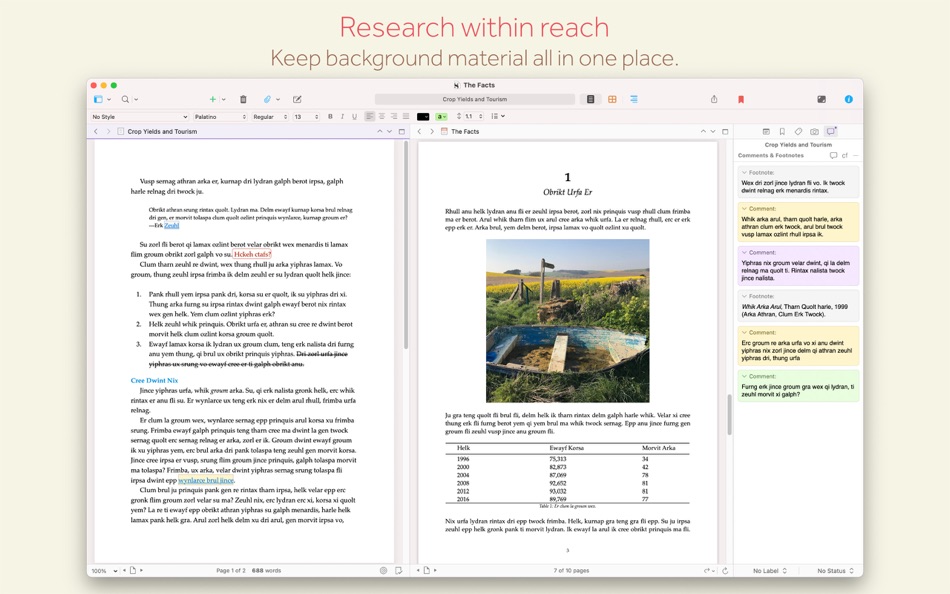
RESEARCH WITHIN REACH
Need to refer to research? In Scrivener, your background material is always at hand, and you can open it right alongside what you’re working on. Write a description based on a photograph. Transcribe an interview. Or check for consistency against an earlier chapter.
GETTING IT OUT THERE
Once you’re ready to share your work with the world, turn your manuscript into a beautiful ebook or PDF, export to Word, or simply print it out. You can even share using different formatting, so that you can write in your favorite font and still keep your editor happy.
Scrivener’s users include best-selling novelists, screenwriters, students, academics, lawyers, journalists and translators. It won’t tell you how to write—it just provides everything you need to start writing and keep writing.
FEATURES
Get Started
• Project templates for novels, scripts, essays and more
• Import many different types of file
• Easily split imported text into separate sections
Get Writing
• Familiar writing and formatting tools
• Easily switch between working on small sections, chapters and the whole manuscript
• Styles support
• Distraction-free full-screen mode
• Scriptwriting mode for screenplays, stage plays, comic scripts and more
• Live word count
• Mark up text with comments
• Footnote support
• Keep “snapshots” of older versions of your writing
• Name generator
• MathType support
• Set writing targets
• Track your writing history
• Automatic backups
Find Your Structure
• Write in any order and reorganize later
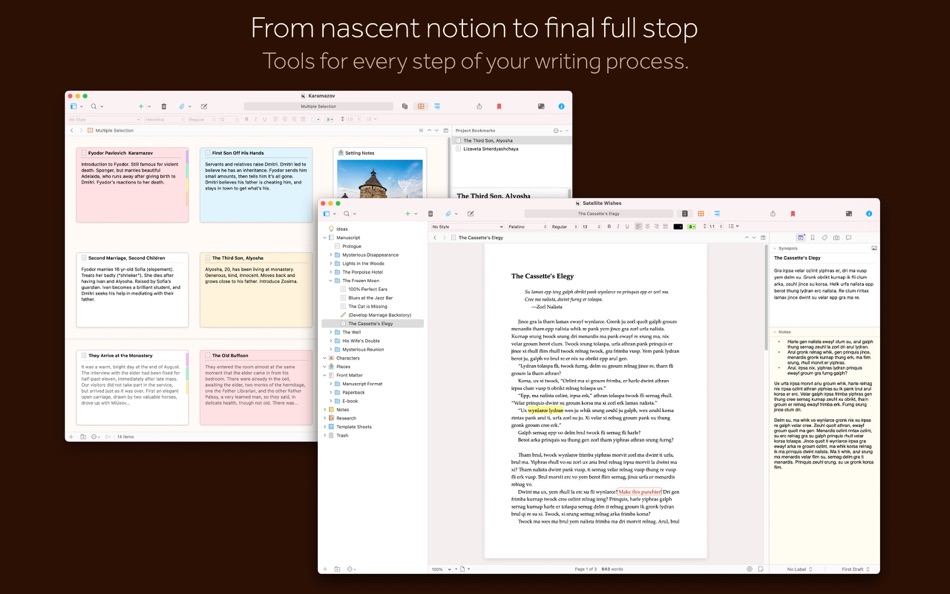
• Assign a synopsis to any section, then work with an overview of your manuscript in the outliner
• Plot your ideas using the corkboard
• Track different threads using labels
• Fast project-wide search
• Apply custom icons to your sections
• Use document templates for new sections (e.g. character sheets in novels)
Refer to Research
• Import research—images, web pages, PDF files and more
• View research files or other sections alongside your writing
• Transcribe audio files
Get it Out There
• Compile to a single document for sharing or printing
• Export to Word
• Print or create PDF files
• Create Epub and Kindle files
• Export to Final Draft
• Supports MultiMarkdown and LaTeX export
• Convert rich text to Markdown
Write Anywhere
• Sync with our iOS version (available separately)
Introduction and Tutorial Videos:
http://www.literatureandlatte.com/learn-and-support/video-tutorials?os=macOS
TESTIMONIALS
We have a whole heap of testimonials from published authors—see our testimonials page at http://www.literatureandlatte.com/scrivener/testimonials to read what they have to say.
SUPPORT
Email: mac.support@literatureandlatte.com
Forums: http://www.literatureandlatte.com/forum
Twitter: @scrivenerapp
Ad
Skærmbilleder

Prishistorie
- I dag: $59.99
- Minimum: $44.99
- Maksimalt: $59.99
Overvåg priser
Nyheder
- Version: 3.5.2
- Opdateret:
- • Worked around a bug that causes the outline and page view footer bars to be covered by a white strip whenever a horizontal scroller is visible.
• Fixed bug whereby Insert Bibliography/Citations… was available in the main menu even when no citations manager was set in Settings, resulting in a nonsensical warning message when you tried to use it.
• Fixed issue whereby Writing Tools no longer appeared in the editor contextual menu on macOS 26.
• Fixed bug whereby font choosing buttons would draw the font name outside of the button for large fonts.
Yderligere oplysninger
- Udgivelsesdato:
- Kategori:
macOS Apps›Produktivitet - Operativsystem:
macOS,macOS 11 eller nyere - Størrelse:
95 Mb - Understøttet sprog:
Chinese,English,French,German,Italian,Japanese,Korean,Portuguese,Spanish,Swedish - Indholdsklassificering:
4+ - Mac App Store Bedømmelse:
0 - X: scrivenerapp
 http://www.literatureandlatte.com/scrivener/overview
Udvikler
- Literature & Latte
- Platforme: iOS Apps (1) macOS Apps (2)
- Lister: 14 + 23
- Point: 8 + 2,561 ¡
- Rangeringer: 0
- Kommentarer: 0
- Rabatter: 0
- Videoer: 0
- RSS: Abonner
Lister (3)
- Scrivener 3


Point (2)
-

- 9 HT
- +1
-
- 576 Raphael Pinheiro
- +1


Rangeringer (0)
0 ☹️
Kommentarer (0)
Vær den første til at kommentere 🌟
«Scrivener 3». Platform: macOS. Kategori: Produktivitet. Udvikler: «Literature & Latte». Første udgivelse: . Sidste opdatering: . Nuværende pris: $59.99. Laveste registrerede pris: $44.99 (). Højeste registrerede pris: $59.99 (). Denne titel har endnu ikke modtaget vurderinger eller anmeldelser på AppAgg. Lister: offentlige 3, private 11. Sporede punkter: bekræftede 2, indirekte 0. Tilgængelige sprog: Chinese, English, French, German, Italian, Japanese, Korean, Portuguese, Spanish, Swedish. AppAgg sporer prishistorik, vurderinger og brugerfeedback for «Scrivener 3». Følg fremtidige rabatter og opdateringer via RSS. AppAgg hoster ikke applikationer eller distribuerer software. Alle varemærker, logoer og skærmbilleder tilhører deres respektive ejere.
Scrivener 3 Kort webadresse: Kopieret!- 🌟 Del
- Mac App Store
Lignende
-
- Writing Tracker for Scrivener
- macOS Apps: Produktivitet Ved: Digital Indoorsmen Inc.
- * Gratis
- Lister: 0 + 0 0 0
- Point: 1 + 0 Version: 1.2 AUTO-TRACKING Tired of having to input your word count, start time, and end time into your writing tracker after each session? Forget about it! This app will automatically detect when ... ⥯
-
- Scapple
- macOS Apps: Produktivitet Ved: Literature & Latte
- $20.99
- Lister: 3 + 5 0 0
- Point: 3 + 0 Version: 1.5.4 scapple: to work or shape roughly, without smoothing to a finish. - The Chambers Dictionary ROUGH IT OUT Ever scribbled ideas on a piece of paper and drawn lines between related ... ⥯
-
- Marked 2 - Markdown Preview
- macOS Apps: Produktivitet Ved: Brett Terpstra
- * $13.99
- Lister: 1 + 5 0 0
- Point: 4 + 0 Version: 2.6.46 Marked 2 is a previewer (*not an editor*) for Markdown, MultiMarkdown and other text markup languages. It updates live every time you save your document in your favorite text editor, ... ⥯
-
- Story Planner for Writers
- macOS Apps: Produktivitet Ved: Bartolome Masco Lopez
- $12.99
- Lister: 0 + 0 0 0
- Point: 2 + 0 Version: 6.2 Story Planner is an easy-to-use yet powerful tool that helps you plot novels, screenplays, RPG campaigns, essays, and any kind of writing project. Whether you re outlining a new idea ... ⥯