
저장됨
저장됨 메뉴에 표시할 이름을 선택하세요.
완료!
기술
If you like it ,please let us know.Your stars will encourage us a lot.Thanks.
PS:If you need to experience the full functionality, please upgrade to windows 10 18362 or above
------------------------------------------
Features
~Pure UWP application - simple and secure
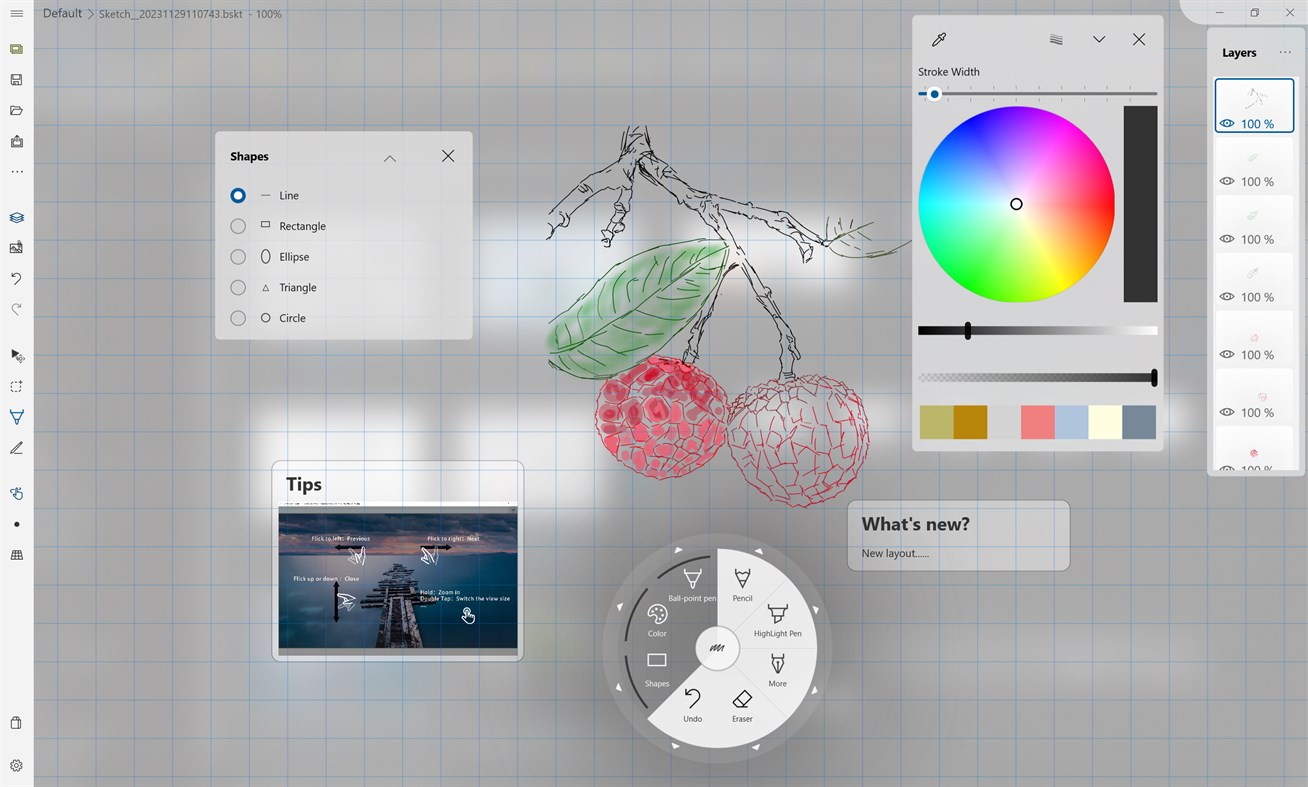
~Vector stroke, infinite canvas, infinite zoom level
~Additional item annotations, supporting images, text, and links
~Writing and painting modes support different application scenarios
Functions:
#Brush
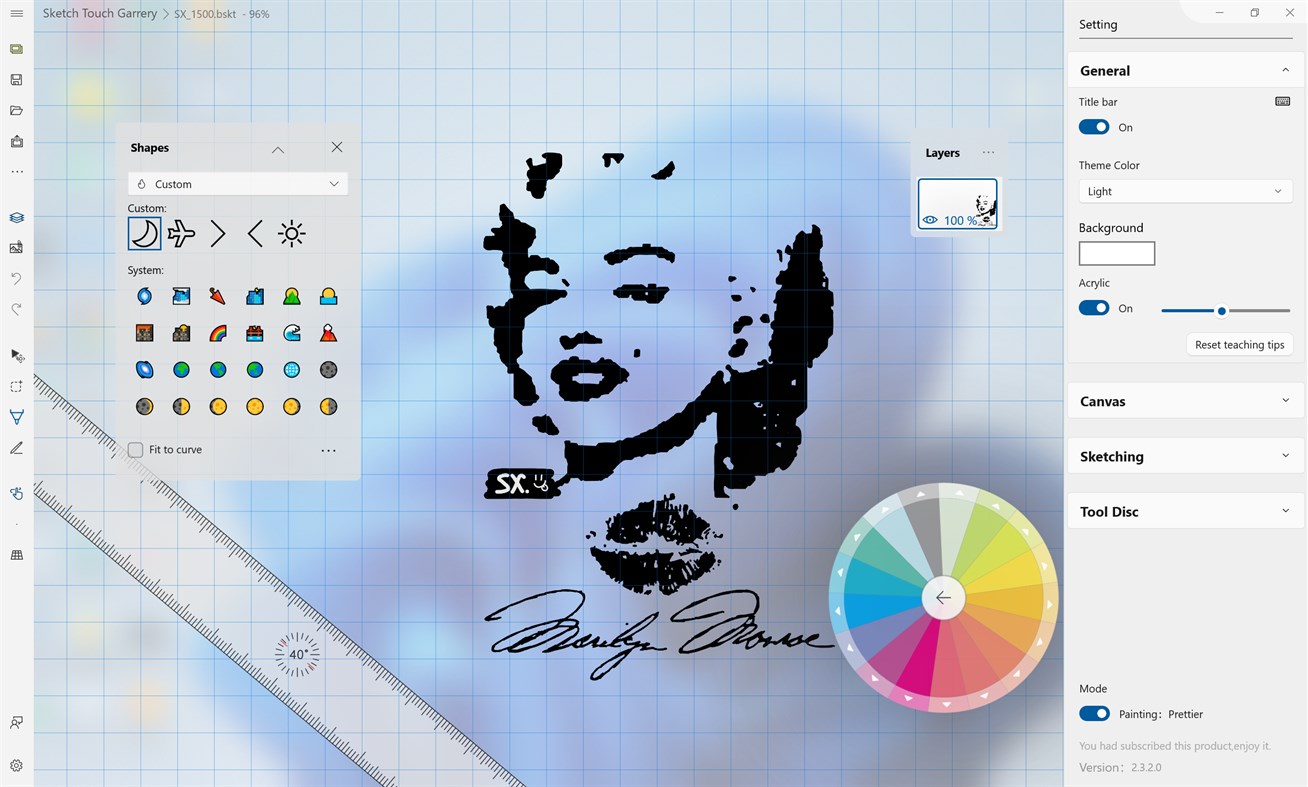
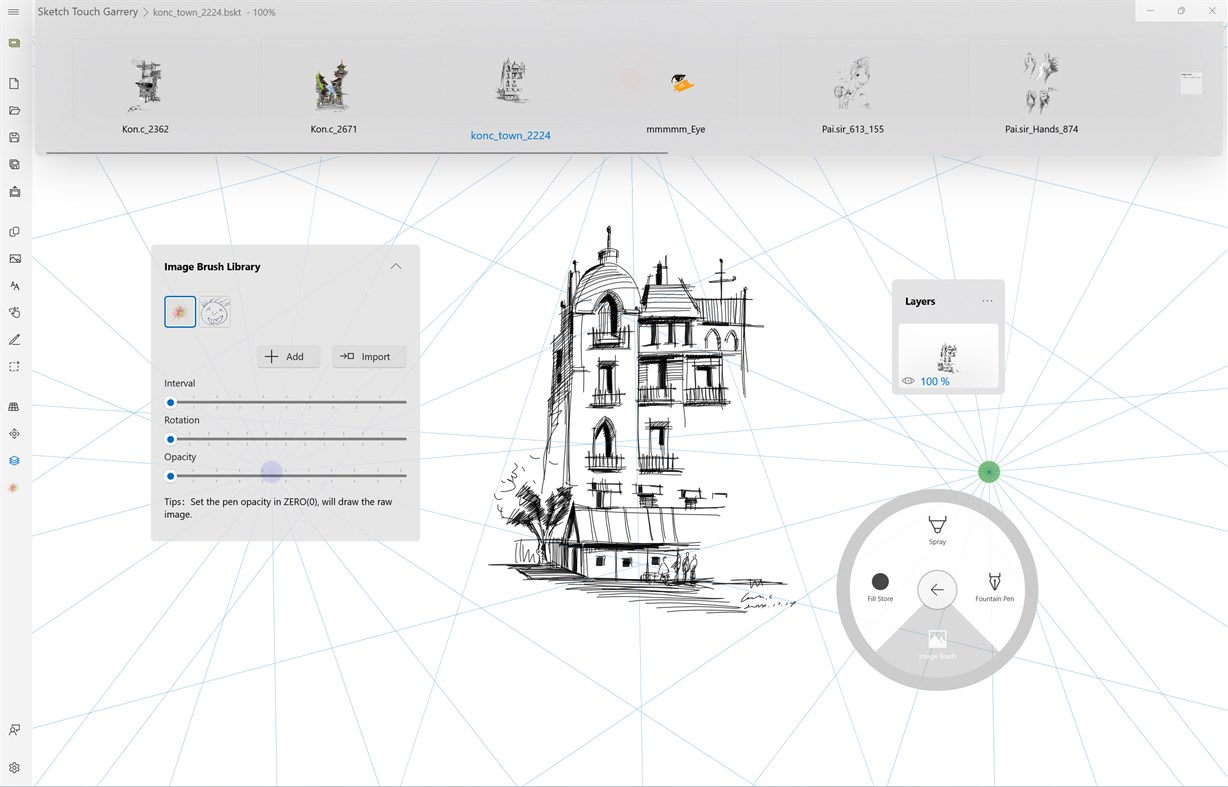
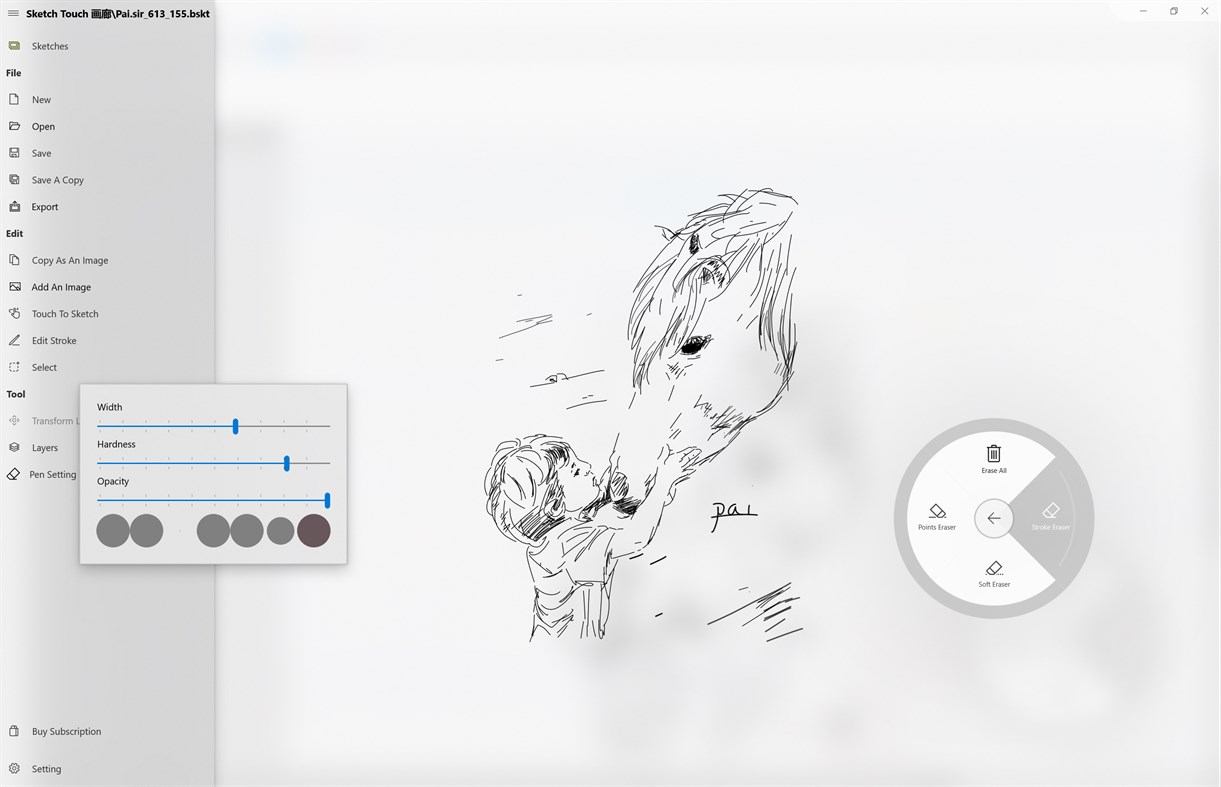
~Various brushes such as ballpoint pens, pencils, airbrushes, highlighters, pens, image brushes, etc
~Image brushes can be unlimited to meet creative needs
~Various brush parameters can be adjusted for pen tip width, height, etc
~Dot eraser,stroke eraser, soft transparent eraser
#Canvas
~Infinite canvas, borderless and can be painted and created from any position
~Infinite scaling, with unlimited scaling levels to grasp the global or focus on details
~Vector scaling, amplifying details without distortion
#Layer
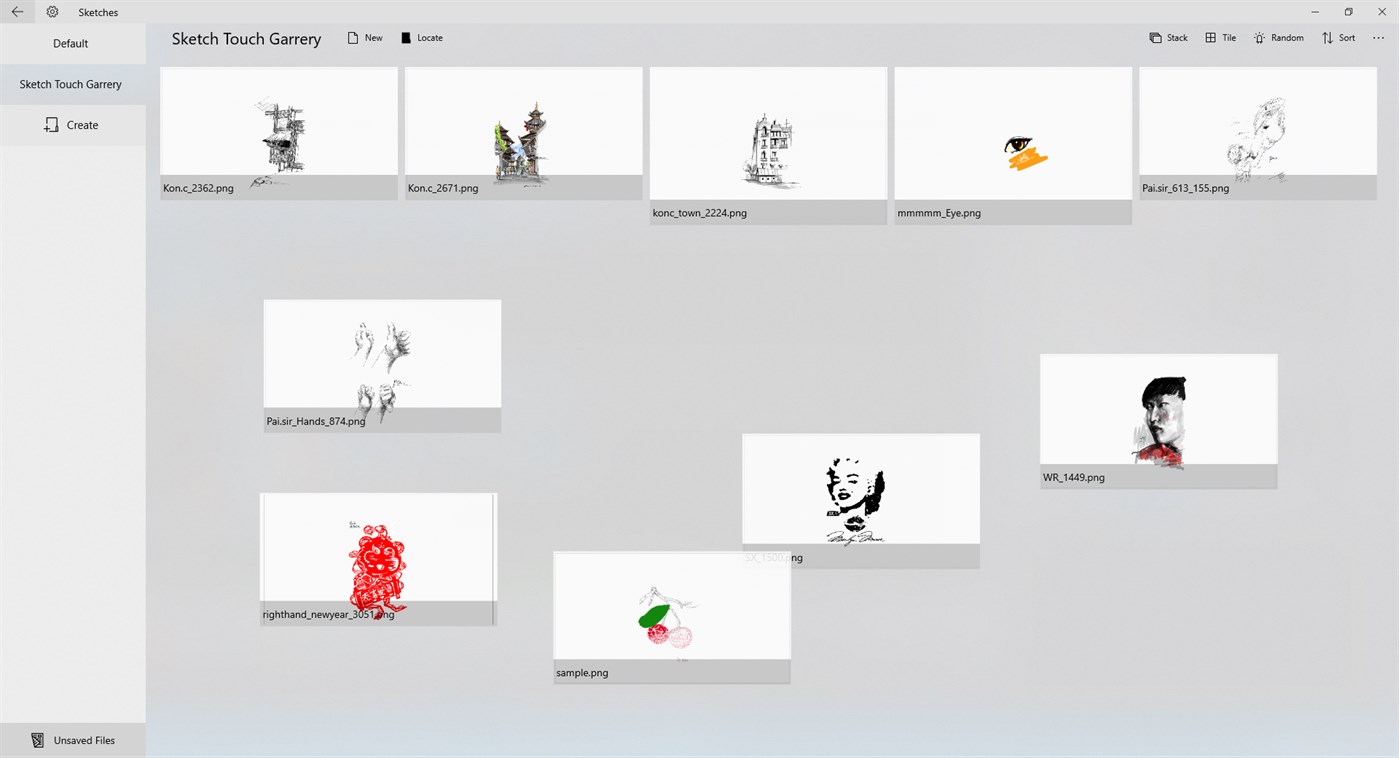
~Infinite adding Canvas Layer
~Layer moving, merging, exporting, importing, etc
~Layer background image and background color support
#Select Tools
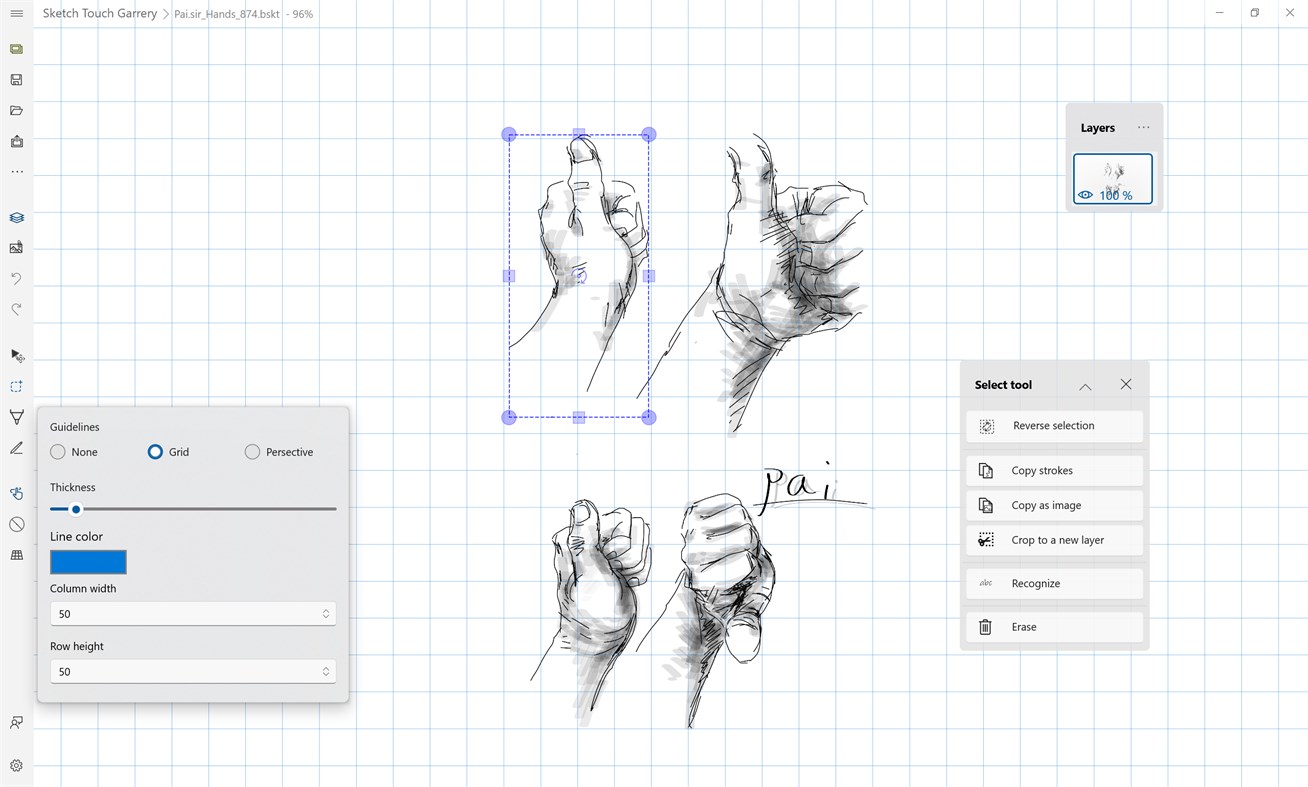
~Forward and reverse selection switching
~Select strokes and erase
~Choose to move or scale strokes
~Choose to copy strokes or copy as image
#Auxiliary lines
~Support grid auxiliary lines with adjustable spacing
~Support for perspective auxiliary lines, allowing for free adjustment of the number and position of poles
#Additional items
~Additional items can be added to the work, such as annotations and other related attachments
~Additional items support image, text, and link transformation for drawing notes
#Other functions or support
~Open PDF file
~Export the atlas as a PDF file
After downloading first time, the application immediately enters trial mode,you can have several times to experiment this app.
Paid subscription function:
1. No advertisements
2. Unlock layer function: unlimited layer support, layer export, layer copying
3. Unlocking soft erasers, spray brushes, image brushes, fill brushes
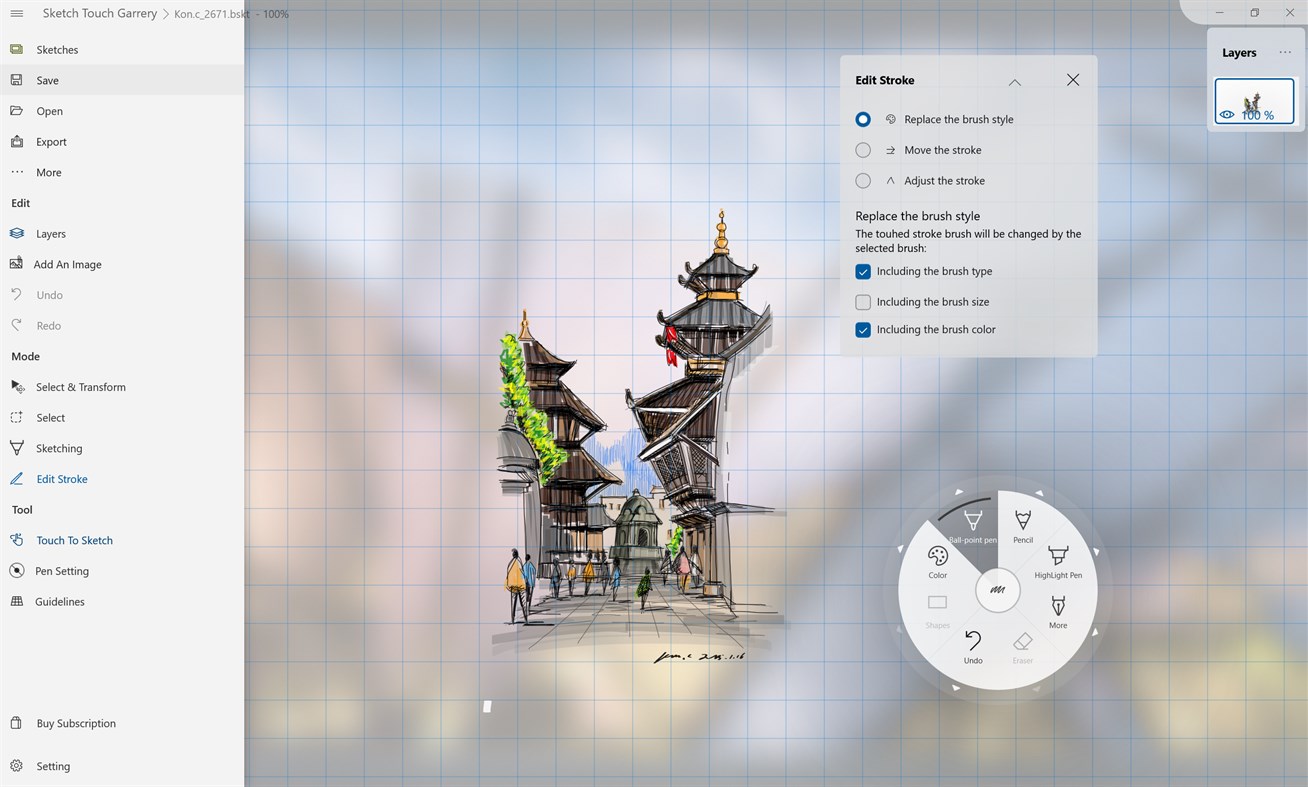
4. Unlocking selection editing tools: handwriting selection, copying strokes, copying images, cropping to new layers, moving, scaling, rotating, erasing
5. Unlock modification tools: replace brush styles, move strokes, adjust strokes
6. Unlock the selecting and transform tool、attachments
7. Unlocking import/export PDF file,Saving folder...
스크린샷


Ad
가격 내역
-
* 인앱 구매 - 현재 가격: 무료
- 최소: 무료
- 최대: 무료
가격 추적
AppAgg 평가
17,640
AppAgg 예상 평가:
Sketch Board
17,640 골드
평가가 높을수록 보통 AppAgg에서 더 강한 신호를 의미합니다.
기준: 인기 · 사용자 평점 · 최신성 · 딜 · 스토어 데이터 · 커뮤니티 활동
최신 AppAgg 데이터를 바탕으로 매일 다시 계산됩니다.
단축 URL: 복사됨!
새로운 기능
- 버전: PC
- 마지막 업데이트:
추가 정보
 https://yu-weiz.github.io/www/Yu-weiz_Privacy-Policy
목록 (1)
- Sketch Board

포인트 (3)
-

- 1,056 Андрей Филатов
- +1
-
- 2 Diego Padilha
- +1
-
- 1 Андрей Тойкка
- +1


순위 (0)
0
댓글 (0)
가장 먼저 댓글을 남겨주세요
요약
Sketch Board 단축 URL: 복사됨!- 공유하기
- Windows Store
«Sketch Board». 플랫폼: Windows. 카테고리: 멀티미디어 디자인. 개발자: «Yu-weiz». 첫 번째 릴리스: . 마지막 업데이트: . 현재 가격: 무료. 이 타이틀은 아직 AppAgg에서 평가나 리뷰를 받지 못했습니다. 목록: 공개: 1, 비공개: 0. 추적된 포인트: 확인됨: 3, 간접: 762. 매장: Windows Store. 매장 평가: 3.2. 투표: 762. 사용 가능한 언어: Chinese, English. AppAgg는 «Sketch Board»의 가격 기록, 평점 및 사용자 피드백을 추적합니다. AppAgg는 애플리케이션을 호스팅하거나 소프트웨어를 배포하지 않습니다. 모든 상표, 로고 및 스크린샷은 해당 소유자의 자산입니다. 향후 할인 및 업데이트 받기: RSS에서 확인할 수 있습니다
유사 항목
-
- Sketch 360
- Windows 앱: 멀티미디어 디자인 게시자: Microsoft Corporation
- 무료
- 목록: 0 + 1 0 0
- 포인트: 1 + 14 12K 버전: PC Sketch 360 is a drawing app that helps you create 360 sketches and videos from a single point looking out in all directions. These sketches and videos can then be viewed in VR ... ⥯
-
- Sketch Touch
- Windows 앱: 멀티미디어 디자인 게시자: Yu-weiz
- * 무료
- 목록: 0 + 1 0 0
- 포인트: 0 + 114 14K 버전: PC Sketch Touch is an inspired sketching and painting tool. Infinite canvas, online interactive painting, vector high-definition scaling, each feature is designed to practice the aim ... ⥯
-
- Summer Sketch
- Windows 앱: 멀티미디어 디자인 게시자: No Mewing
- 무료
- 목록: 0 + 1 0 0
- 포인트: 0 + 0 590 버전: PC Welcome to Summer, where you can splash your ink as much as you want and fully unleash your imagination to draw an amazing masterpiece! Okay, that might be a bit difficult, after all, ... ⥯
-
- Freehand Painter
- Windows 앱: 멀티미디어 디자인 게시자: DeskShare
- 무료
- 목록: 1 0 0
- 포인트: 1 + 22 6K 버전: PC Sketch and Paint your Ideas Digitally. Put your paints, brushes and canvas aside! Freehand Painter helps you create vector-based impressive paintings with brilliant effects on your PC ... ⥯
-
- Lunacy - Graphic Design Tool for UI/UX and Web
- Windows 앱: 멀티미디어 디자인 게시자: Icons8 LLC
- * 무료
- 목록: 2 0 0
- 포인트: 2 + 650 37K 버전: PC Meet Lunacy, your ultimate design tool! Key features include: real-time worldwide collaboration 1 500 000 icons, photos, and illustrations powerful AI tools Figma & Sketch support ... ⥯
-
- Corel Painter Essentials Microsoft Store Edition
- Windows 앱: 멀티미디어 디자인 게시자: Corel Corporation
- * 무료
- 목록: 2 0 0
- 포인트: 3 + 548 5K 버전: PC Sign-up for a subscription and get your FIRST MONTH FREE! Try Painter® Essentials™ - the fun and uncomplicated painting software for beginners. Sketch, draw, and paint on a blank ... ⥯
-
- Seamless3d
- Windows 앱: 멀티미디어 디자인 게시자: Seamless3d
- 무료
- 목록: 0 + 1 0 0
- 포인트: 0 + 6 5K 버전: PC Seamless3d is Free Open-Source 3D Modelling and Animation Software designed to be fun and easy to create animated organic characters, plants, machines and buildings without ... ⥯
- 새로운
- Craft Planner
- Windows 앱: 멀티미디어 디자인 게시자: Eyecraft.Tech
- 무료
- 목록: 0 0 0
- 포인트: 0 + 0 660 버전: PC Craft Planner is a cross-platform 2D design app that makes planning your art hobbies easier. Arrange reference images, sketch directly on your canvas, and define precise shapes, ... ⥯
-
- Expresii Paint
- Windows 앱: 멀티미디어 디자인 게시자: Nelson Chu
- $58.99
- 목록: 1 0 0
- 포인트: 1 + 33 13K 버전: PC Next-gen paint program currently specialized in Eastern ink painting. It features important breakthroughs in recent history of digital painting technology: 1. 3D brushes allowing ... ⥯
-
- Adobe Fresco
- Windows 앱: 멀티미디어 디자인 게시자: ADOBE INC.
- * 무료
- 목록: 0 + 1 0 0
- 포인트: 0 + 298 19K 버전: PC Adobe Fresco is a free drawing and painting app designed for artists at all skill levels. Built specifically to take advantage of touch and stylus on Windows, Fresco offers a wide ... ⥯
-
- Leonardo
- Windows 앱: 멀티미디어 디자인 게시자: Xade Software AB
- $39.99
- 목록: 1 0 0
- 포인트: 0 + 137 12K 버전: PC Our mission is to make the best drawing and painting app for Windows. Leonardo works great on the Surface, Wacom and all other PC-tablets. It supports multi-touch and pen pressure. ... ⥯
-
- DrawPad
- Windows 앱: 멀티미디어 디자인 게시자: NCH Software
- * $49.99
- 목록: 0 0 0
- 포인트: 1 + 0 1K 버전: PC DrawPad is an essential tool for all types of drawing and graphic design projects. You can start with a blank canvas or if you are a beginner, choose from an array of logo, invitation, ⥯
-
- Cartoon Ink
- Windows 앱: 멀티미디어 디자인 게시자: Trogon Studios
- 무료
- 목록: 0 0 0
- 포인트: 1 + 0 590 버전: PC Draw. Sketch. Create. Unleash your creativity with the free Cartoon Ink app using your touch. Use Cartoon Ink to create beautiful cartoons. You can use your pen, touch screen or even ... ⥯
-
- Proportion Grid Maker
- Windows 앱: 멀티미디어 디자인 게시자: Vavatch Software
- * 무료
- 목록: 0 0 0
- 포인트: 0 + 30 570 버전: PC Use Proportion Grid Maker to draw a grid on top of an image which you can then use to guide you when you sketch or paint the image using your favorite art application. ⥯