
저장됨
저장됨 메뉴에 표시할 이름을 선택하세요.
완료!
| 개발자: | GT Office PDF Studio (1) | ||
| 가격: | * 무료 | ||
| 순위: | 0 | ||
| 댓글: | 0 댓글 게시 | ||
| 목록: | 4 + 3 | ||
| 포인트: | 7 + 54,636 (4.4) ¡ | ||
| +1 포인트 | |||
기술

Trio Office can open & edit many kinds of files. For more detail, please refer to the following format list:
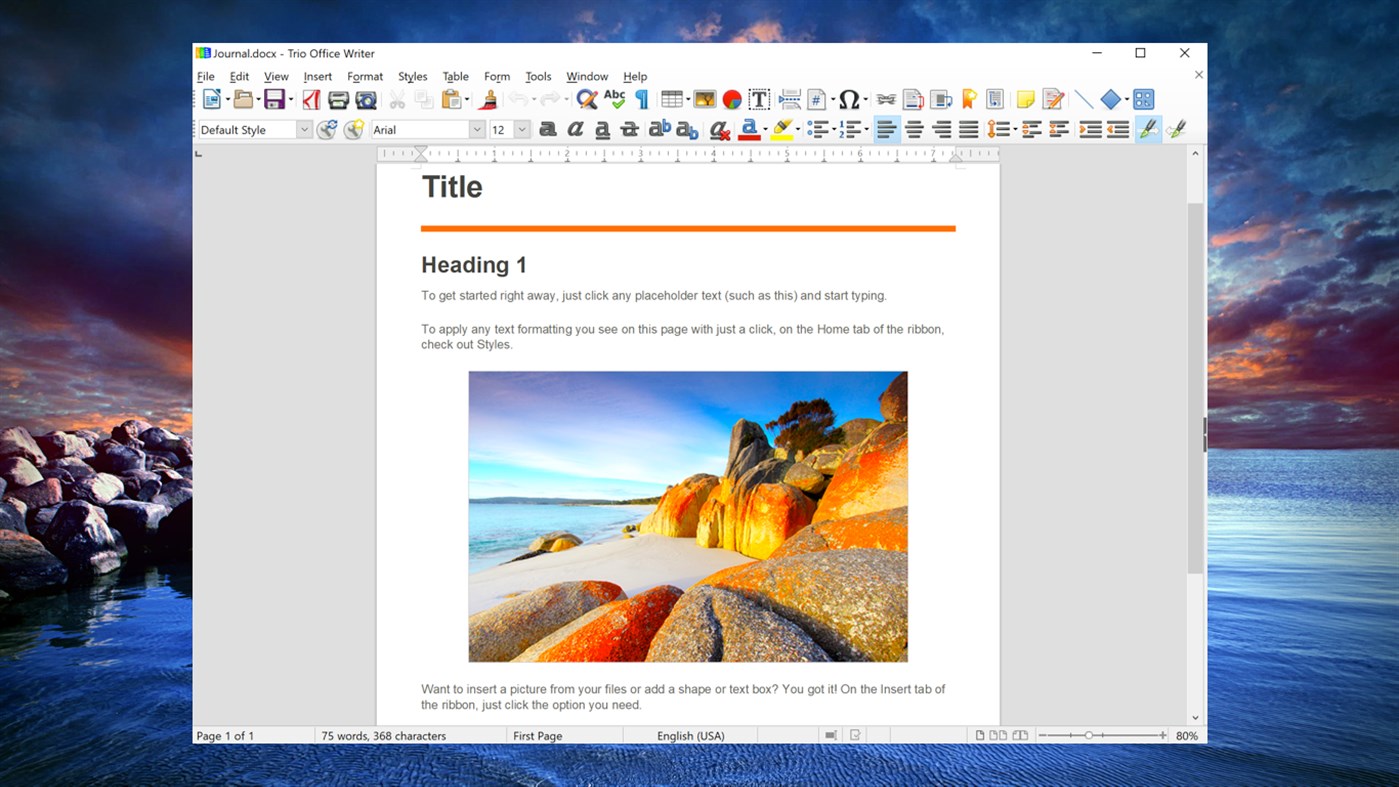
Opening DOC, DOCX documents
In addition to OpenDocument formats (.odt, .ott, .oth, .odm, and .fodt), Word Writer can open the formats used by OpenOffice.org 1.x (.sxw, .stw, and .sxg), the following text document formats, and a variety of legacy formats not listed below:
* Word 2007 - 2019 (.docx)
* Word 6.0/95/97/2000/XP (.doc and .dot)
* Word 2003 XML (.xml)
* Word 2007 XML (.docx, .docm, .dotx, .dotm)
* WinWord 5 (.doc)
* WordPerfect Document (.wpd)
* WPS 2000/Office 1.0 (.wps)
* .rtf, .txt, and .csv
* StarWriter formats (.sdw, .sgl, .vor)
* DocBook (.xml)
* Unified Office Format text (.uot, .uof)
* Ichitaro 8/9/10/11 (.jtd and .jtt)
* Hangul WP 97 (.hwp)
* T602 Document (.602, .txt)
* AportisDoc (Palm) (.pdb)
* Pocket Word (.psw)
* eBook (.pdb)
* Apple Pages 4 (.pages)
* HTML Document (.htm, .html)
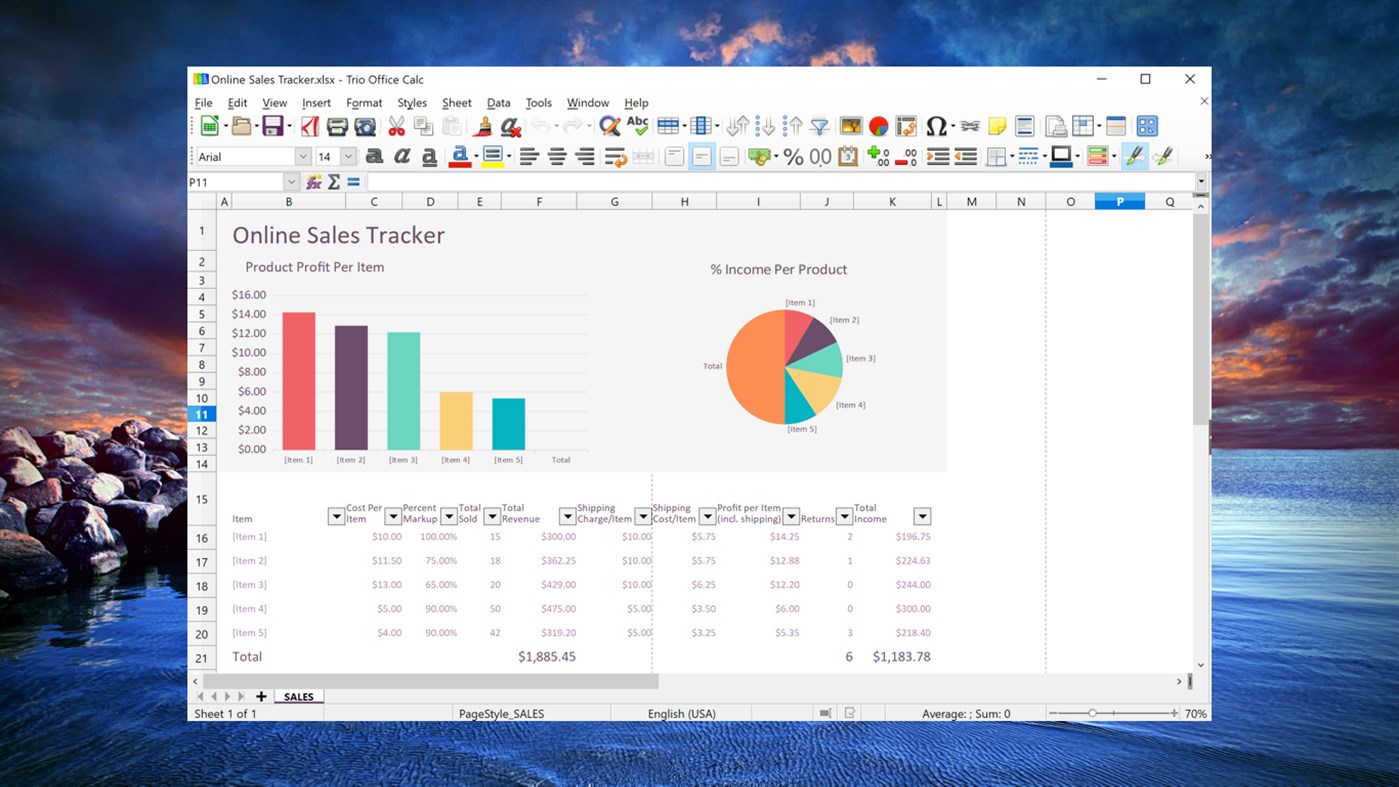
Opening XLS, XLSX spreadsheets
In addition to OpenDocument formats (.ods, .ots, and .fods), Calc can open the formats used by OpenOffice.org 1.x (.sxc and .stc) and the following spreadsheet formats:
* Excel 2007 - 2019 (.xlsx)
* Excel 97/2000/XP (.xls, .xlw, and .xlt)
* Excel 4.x - 5.0/95 (.xls, .xlw, and .xlt)
* Excel 2003 XML (.xml)
* Excel 2007 XML (.xlsx, .xlsm, .xltx, .xltm)
* Excel 2007 binary (.xlsb)
* Lotus 1-2-3 (.wk1, .wks, and .123)
* Data Interchange Format (.dif)
* Rich Text Format (.rtf)
* Text CSV (.csv and .txt)
* StarCalc formats (.sdc and .vor)
* dBASE (.dbf)
* SYLK (.slk)
* Unified Office Format spreadsheet (.uos, .uof)
* .htm and .html files, including Web page queries
* Pocket Excel (pxl)
* Quattro Pro 6.0 (.wb2)
* Apple Numbers 2 (.numbers)
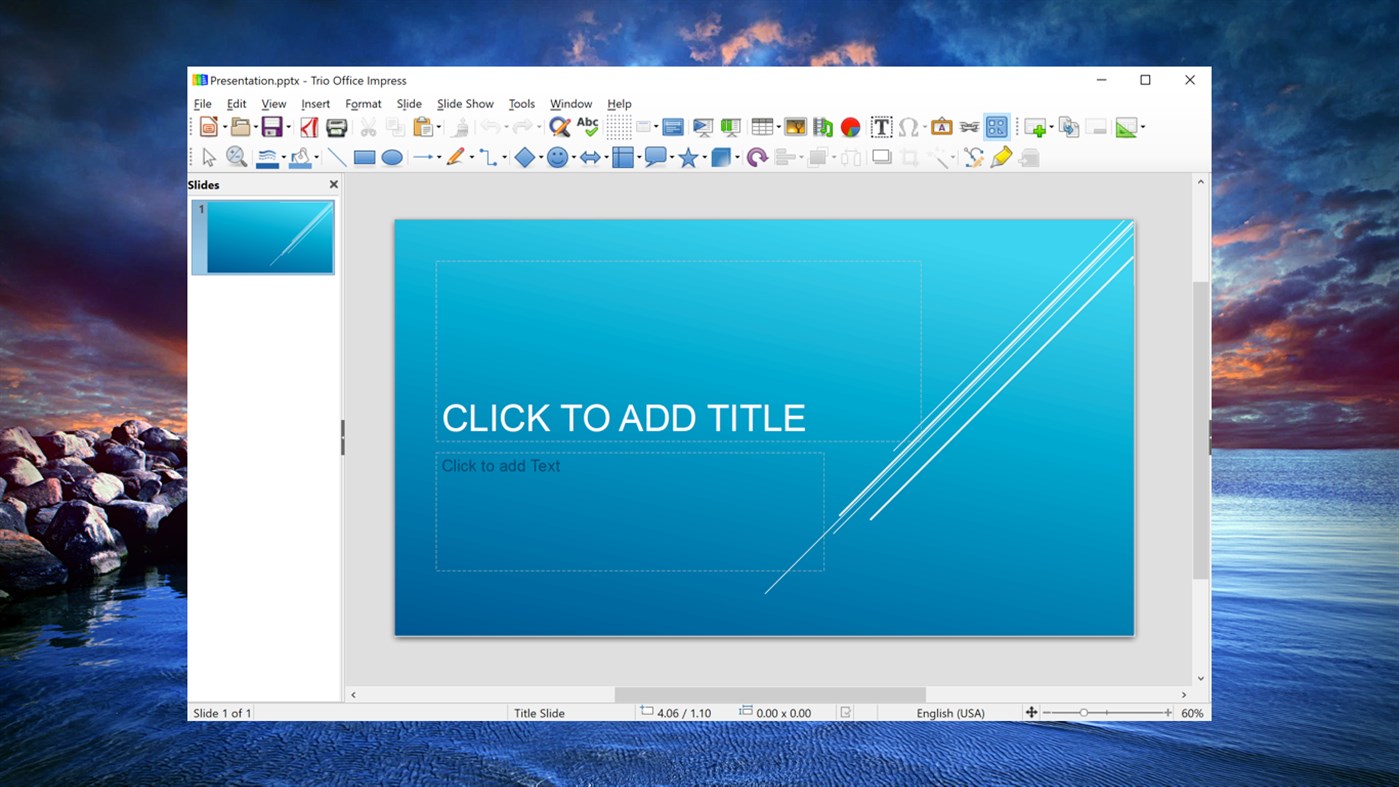
Opening PPT, PPTX presentations
In addition to OpenDocument formats (.odp, .odg, .otp, and .fopd), Impress can open the formats used by OpenOffice.org 1.x (.sxi and .sti) and the following presentation formats:
* PowerPoint 2007 - 2019 (.pptx)
* PowerPoint 97/2000/XP (.ppt, .pps, and .pot)
* PowerPoint 2007 (.pptx, .pptm, .potx, .potm)
* StarDraw and StarImpress (.sda, .sdd, .sdp, and .vor)
* Unified Office Format presentation (.uop, .uof)
* CGM - Computer Graphics Metafile (.cgm)
* Apple Keynote 5 (.key)
Opening PDF
* Portable Document Format (.pdf)
Opening graphic files
In addition to OpenDocument formats (.odg and .otg), Draw can open the formats used by OpenOffice.org 1.x (.sxd and .std) and the following graphic formats:
* Adobe Photoshop (.psd)
* AutoCAD Interchange Format (.dxf)
* BMP JPEG JPG
* Corel Draw (.cdr)
* Corel Presentation Exchange (.cmx)
* DXF MET PGM RAS SVM XBM
* EMF PBM PLT SDA TGA XPM
* EPS PCD PNG SDD TIF
* Publisher 98-2010 (*.pub)
* Visio 2000-2013 (*.vdx; *.vsd; *.vsdm; *.vsdx)
* PCX PSD SGV
* TIFF GIF PCT PPM SGF VOR
* WordPerfect Graphics (*.wpg)
Opening formula files
In addition to OpenDocument Formula (.odf) files, Math can open the format (.sxm), StarMath, (.smf), and MathML (.mml) files.
When opening a Word document that contains an embedded equation editor object, if the option for it is checked in Tools > Options > Load/Save > Office, the object will be automatically converted to a Trio Office Math object.
***File formats Trio Office can save to
Saving DOC, DOCX documents
In addition to OpenDocument formats (.odt and .ott), Word Writer can save in these formats:
* OpenOffice.org 1.x Text Document (.sxw)
* OpenOffice.org 1.x Text Document Template (.stw)
* Word 2007 - 2019 (.docx)
* Word 6.0, 95, and 97/2000/XP (.doc)
* Word 2003 XML (.xml)
* Rich Text Format (.rtf)
* StarWriter 3.0, 4.0, and 5.0 (.sdw)
* StarWriter 3.0, 4.0, and 5.0 Template (.vor)
* Text (.txt)Text Encoded (.txt)
* Unified Office Format text (.uot, .uof)
* HTML Document (OpenOffice.org Writer) (.html and .htm)
* DocBook (.xml)
* AportisDoc (Palm) (.pdb)
* Pocket Word (.psw)
Saving XLS, XLSX spreadsheets
In addition to OpenDocument formats (.ods and .ots), Calc can save in these formats:
* OpenOffice.org 1.x Spreadsheet (.sxc)
* OpenOffice.org 1.x Spreadsheet Template (.stc)
* Excel 2007 - 2019 (.xlsx)
* Excel 97/2000/XP (.xls and .xlw)
* Excel 97/2000/XP Template (.xlt)
* Excel 5.0 and 95 (.xls and .xlw)
* Excel 2003 XML (.xml)
* Data Interchange Format (.dif)
* dBase (.dbf)SYLK (.slk)Text CSV (.csv and .txt)
* StarCalc 3.0, 4.0, and 5.0 formats (.sdc and .vor)
* Unified Office Format spreadsheet (.uos)
* HTML Document (OpenOffice.org Calc) (.html and .htm)
* Pocket Excel (.pxl)
Saving PPT, PPTX presentations
In addition to OpenDocument formats (.odp, .otp, and .odg), Impress can save in these formats:
* OpenOffice.org 1.x Presentation (.sxi)
* OpenOffice.org 1.x Presentation Template (.sti)
* PowerPoint 2007 - 2019 (.pptx)
* PowerPoint 97/2000/XP (.ppt)
* PowerPoint 97/2000/XP Template (.pot)
* StarDraw, StarImpress (.sda, .sdd, and .vor)
* Unified Office Format presentation (.uop)
Impress can also export to MacroMedia Flash (.swf) and any of the graphics formats listed for Draw.
Saving drawings
Draw can only save in the OpenDocument Drawing formats (.odg and .otg), the OpenOffice.org 1.x formats (.sxd and .std) and StarDraw format (.sda, .sdd, and .vor).
However, Draw can also export to BMP, EMF, EPS, GIF, JPEG, MET, PBM, PCT, PGM, PNG, PPM, RAS, SVG, SVM, TIFF, WMF, and XPM.
Saving PDF
* Portable Document Format (.pdf)
Word Editor/Web can save in these formats
* HTML document (.html and .htm), as HTML 4.0 Transitional
* OpenOffice.org 1.0 HTML Template (.stw)
* OpenOffice.org 2.x HTML Template (.oth)
* StarWriter/Web 4.0 and 5.0 (.vor)
* Text (OpenOffice.org Writer/Web) (.txt)
* Text Encoded (OpenOffice.org Writer/Web) (.txt)
Trio Office Full Version: In-app Purchases Features
• Print Documents
• Insert Pictures, Tables and Shapes
• Templates
• Export as PDF and EPUB format
• No Advertisement
• 7*24 Support
Subscription plan: billed annually at $7.99/year
Lifetime license: one-time purchase for $19.99
Trio Office is a 3rd party software that is not associated with, endorsed by or affiliated with Microsoft.
스크린샷
가격 내역
-
* 인앱 구매 - 현재 가격: 무료
- 최소: 무료
- 최대: 무료
가격 추적
Ad
추가 정보
- 출시일:
- 카테고리:
Windows 앱›생산성 - 운영체제:
PC - 크기:
530 Mb - 지원되는 언어:
Catalan,Chinese,Croatian,Czech,Dutch,English,Finnish,French,German,Greek,Hungarian,Indonesian,Italian,Japanese,Korean,Polish,Portuguese,Romanian,Russian,Slovak,Spanish,Swedish,Thai,Turkish,Ukrainian,Vietnamese - 콘텐츠 등급:
EVERYONE - Windows Store 개의 평가:
4.4(54,636)
새로운 기능
- 버전: PC
- 업데이트:
개발자
- GT Office PDF Studio
- 플랫폼: Windows 앱 (1)
- 목록: 4 + 3
- 포인트: 7 + 54,636 ¡
- 순위: 0
- 댓글: 0
- 할인: 0
- 동영상: 0
- RSS: 구독
목록 (4)
- Trio Office: DOCX & XLSX Editor


포인트 (7)
-

- 1 Lap Escuela
- +1
-
- 14 Samson vusi Mthethwa
- +1
-
- 1 Мария Сироткина
- +1
-
- 1 최은미
- +1
-
- 1 Franc Boshe
- +1





순위 (0)
0 ☹️
댓글 (0)
가장 먼저 댓글을 남겨주세요 🌟
«Trio Office: DOCX & XLSX Editor». 플랫폼: Windows. 카테고리: 생산성. 개발자: «GT Office PDF Studio». 첫 번째 릴리스: . 마지막 업데이트: . 현재 가격: 무료. 이 타이틀은 아직 AppAgg에서 평가나 리뷰를 받지 못했습니다. 목록: 공개: 4, 비공개: 3. 추적된 포인트: 확인됨: 7, 간접: 54,636. 매장: Windows Store. 매장 평가: 4.4. 투표: 54,636. 사용 가능한 언어: Catalan, Chinese, Croatian, Czech, Dutch, English, Finnish, French, German, Greek, Hungarian, Indonesian, Italian, Japanese, Korean, Polish, Portuguese, Romanian, Russian, Slovak, Spanish, Swedish, Thai, Turkish, Ukrainian, Vietnamese. AppAgg는 «Trio Office: DOCX & XLSX Editor»의 가격 기록, 평점 및 사용자 피드백을 추적합니다. 향후 할인 및 업데이트 받기: RSS에서 확인할 수 있습니다. AppAgg는 애플리케이션을 호스팅하거나 소프트웨어를 배포하지 않습니다. 모든 상표, 로고 및 스크린샷은 해당 소유자의 자산입니다.
Trio Office: DOCX & XLSX Editor 단축 URL: 복사됨!- 🌟 공유하기
- Windows Store
유사 항목
-
- XLSX Editor PLUS
- Windows 앱: 생산성 게시자: PeroSoftware.com
- * 무료
- 목록: 0 0 0
- 포인트: 0 + 752 (4.3) 버전: PC XLSX Editor PLUS is a modern and powerful spreadsheet program. It supports opening, editing and creating Microsoft Excel (.xlsx, .xls, .csv), Word (.docx, .doc, .rtf) and PowerPoint ... ⥯
-
- PDF to Offices - Docx, xlsx
- Windows 앱: 생산성 게시자: File converter
- $4.99
- 목록: 0 0 0
- 포인트: 0 버전: PC This is a lightweight app to convert PDF file into Word (docx), Excel (xlsx), images, and even a html web. The converting process is really quick along with a good quality of result. ... ⥯
-
- XLSX Spreadsheet
- Windows 앱: 생산성 게시자: File Viewer Pro Inc.
- * 무료
- 목록: 0 0 0
- 포인트: 0 + 191 (3.2) 버전: PC This Spreadsheet app supports more than 400 spreadsheet functions that can be used to create formulas that manipulate data, calculate numbers, and generate strings. Work in data ... ⥯
-
- XLSX Spreadsheet Editor
- Windows 앱: 생산성 게시자: HUXSoft.com
- * 무료
- 목록: 0 0 0
- 포인트: 0 + 127 (4.5) 버전: PC XLSX Spreadsheet Editor is a versatile, user-friendly tool for creating, editing, and managing Excel-compatible spreadsheets. It supports essential features like advanced formulas, ... ⥯
-
- WPS Office Suite
- Windows 앱: 생산성 게시자: Kingsoft Office Software Corporation Limited
- * 무료
- 목록: 5 0 0
- 포인트: 6 + 6,510 (4.3) 버전: PC WPS Office (UWP) - The Lightweight, All-in-One Free Office Suite Trusted by over 600 Million Users Worldwide | Best Free Office Alternative [ ️ IMPORTANT NOTE] This UWP version is ... ⥯
-
- DOCX Editor Express
- Windows 앱: 생산성 게시자: LISAppStudio.com
- * 무료
- 목록: 0 0 0
- 포인트: 0 + 32 (4.3) 버전: PC View, edit, and create Microsoft Word documents with ease. DOCX Editor Express simplifies document creation with its intuitive interface and comprehensive editing tools. Effortlessly ... ⥯
-
- DocX View & Edit
- Windows 앱: 생산성 게시자: YTDApp
- * 무료
- 목록: 0 0 0
- 포인트: 0 + 25 (3.0) 버전: PC Word file Editor is an alternative to conventional Microsoft Word. It's a fast, friendly, and reliable tool to read, edit, and convert word documents (.doc, .docx, ...) . The app ... ⥯
-
- KDAN PDF Pro - Expert PDF Reader & Editor
- Windows 앱: 생산성 게시자: Kdan Mobile Software Ltd.
- * $119.99
- 목록: 0 0 0
- 포인트: 3 + 163 (4.7) 버전: PC Are you in search of versatile and user-friendly PDF software? KDAN PDF, formerly KDAN PDF Reader, is robust software that makes it simple to view, edit, and share PDF files. Its ... ⥯
-
- Cool File Viewer - open rar, docx and more
- Windows 앱: 생산성 게시자: Cool File Viewer
- * 무료
- 목록: 13 + 2 0 5 (1)
- 포인트: 38 + 51,157 (4.5) 버전: PC Cool File Viewer allows you to view any file on your PC. Simply select any file via the program window without first having to decide which application should be used to open a file. ... ⥯
-
- BiSheng Office Reader
- Windows 앱: 생산성 게시자: BiShengOffice
- 무료
- 목록: 0 0 0
- 포인트: 1 버전: PC office reader suite product by BiSheng Office . support all types of office files and support office files to pdf ⥯
-
- OfficeSuite Office Pack & PDF Editor - MobiOffice
- Windows 앱: 생산성 게시자: MobiSystems
- * 무료
- 목록: 0 + 1 0 0
- 포인트: 4 + 6,903 (4.7) 버전: PC Get your work done with OfficeSuite - a complete office solution that lets you work with Documents, Presentations, Speadsheets, PDF, & Mail. Compatible with Microsoft Office, Word, ... ⥯
-
- sFree Office for Docs and PDF
- Windows 앱: 생산성 게시자: CoolLeGet Inc
- 무료
- 목록: 0 + 2 0 0
- 포인트: 1 + 3,686 (4.5) 버전: PC sFree Office for Docs and PDF (Origin Name: Coolle Office Suite Pro) offers an alternative to Word, Excel & PowerPoint. sFree Office Suite uses the binary files of a modified version ... ⥯
-
- Real Office
- Windows 앱: 생산성 게시자: Xiaoya Lab.
- * 무료
- 목록: 0 0 0
- 포인트: 0 + 3,952 (4.6) 버전: PC Real Office is a comprehensive office suite for creating, viewing and editing Microsoft Office, OpenOffice and many other types of documents. It is an economical alternative to the ... ⥯
-
- PDF Converter Pro : PDF To DOCX
- Windows 앱: 생산성 게시자: finetuneapps
- * $2.99
- 목록: 0 + 1 0 0
- 포인트: 6 + 353 (3.9) 버전: PC PDF Converter Pro: PDF to DOCX is a powerful and versatile conversion tool designed exclusively for the Microsoft Windows Store. This easy-to-use application is specifically tailored ... ⥯