
Favoritter
Vælg det navn, der skal vises i din favoritmenu.
Færdig!
| Udvikler: | App ahead GmbH (14) | ||
| Pris: | $14.99 | ||
| Rangeringer: | 0 | ||
| Kommentarer: | 0 Skriv kommentar | ||
| Lister: | 4 + 7 | ||
| Point: | 7 + 0 ¡ | ||
| Mac App Store | |||
Beskrivelse

“A-plus app for students” — App Store Editorial Team
Make your screen presentations more meaningful. Tailored specifically with pros in mind, Cursor Pro enables you to dedicate your focus to the content of your presentation.
Features
• Looks great, intuitively.
• Select shape, size, and colors
• Choose border weight, style, and glow
• Animations. Visually appealing, but also carries semantic meaning — making it clear at first glance which interaction is currently taking place.
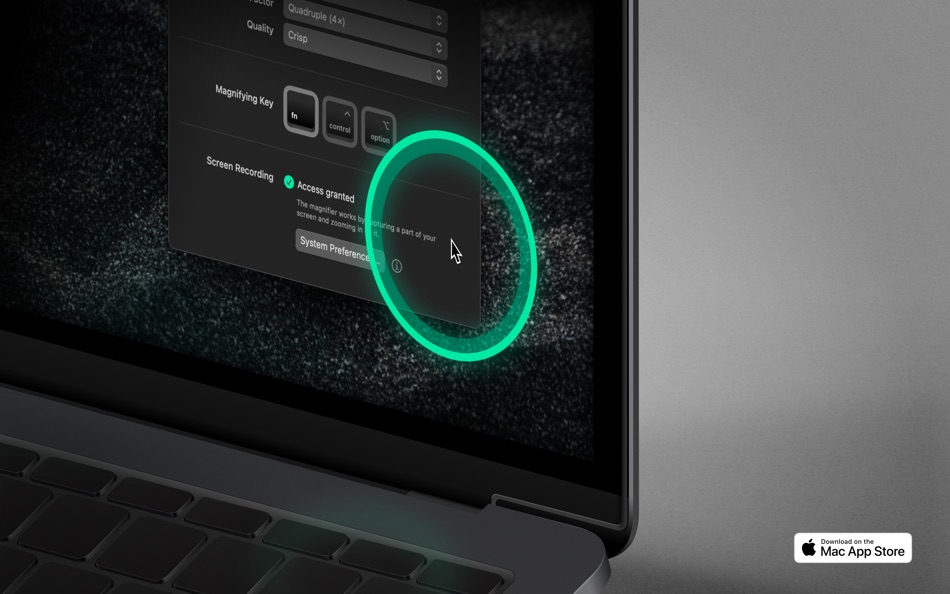
• Magnifier. Set up a magnifying key, choose a zoom factor, define magnifier quality and its size.
• Never gets out of sight on your Apple Studio Display. Cursor Pro can beg for attention, if you want it to.
• Never gets in the way. Optionally, the cursor highlight automatically hides if no movement is detected.
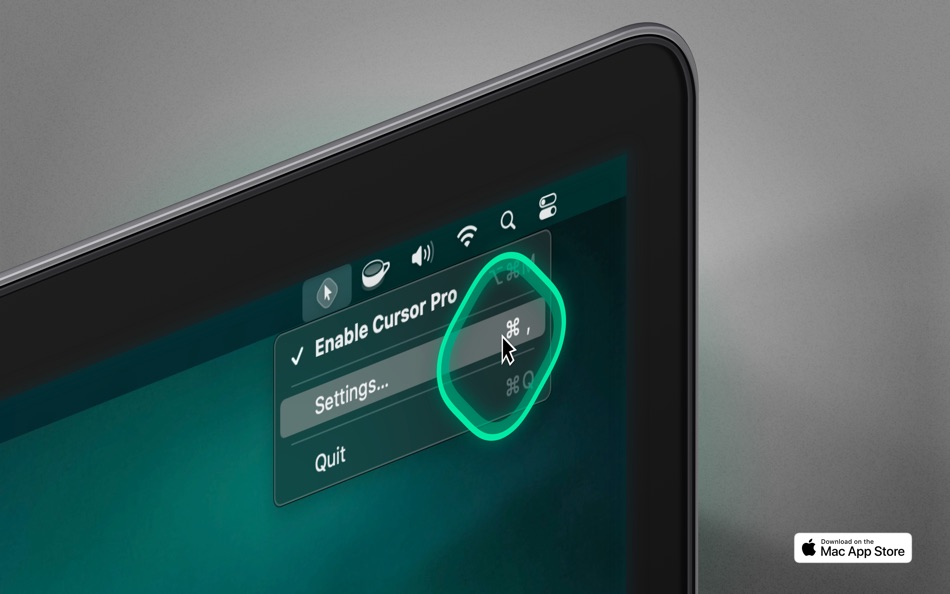
• Lightweight menu bar app
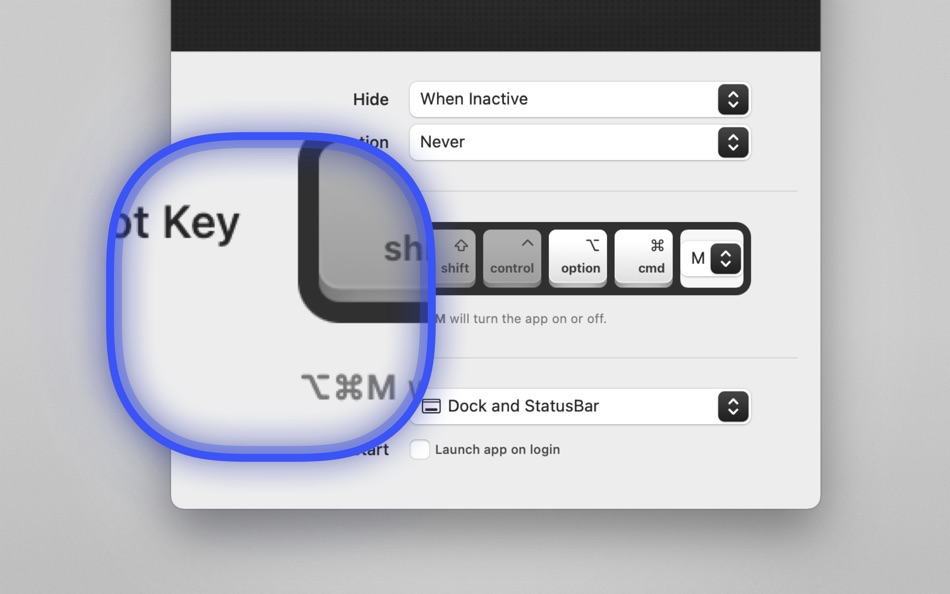
• Autostart. Launch the app automatically on login.
• Customizable keyboard shortcut
• Apple Shortcuts.app support
• Quick-toggle: Option-click on the app icon to enable/disable
• Deliver screen presentations that leave a lasting impression
Use cases
• If you want to make a professional impression. Use your Mac to demonstrate or teach apps, workflows, or anything else. People will see your pointer and the clicks you perform more easily.
• Work remotely and need to share your screen with a colleague without them asking what you’re doing all the time. Your pointer, and the actions your perform with it, will be clearly visible.
• Working with a large screen or even multiple displays. Losing your pointer is something that happens to many of us far too often. Cursor Pro will make sure you always know where your pointer is.
• When capturing or sharing your screen as part of a presentation.
• When creating video tutorials, during lectures, or participating in video calls/meetings.
Privacy
• The magnifier feature requires screen recording permissions to work (because that’s how it works: recording a certain area of your screen and zooming in).
• All of your mouse and screen data remain offline, on your computer, where they belong.
Compatibility
Works great with screen sharing apps like FaceTime, Zoom, Google Meet, Microsoft Teams, Skype, etc. (You have to share your entire screen, not just a single application window!)
⁂
Support
If you need help or want to make a feature suggestion, I’d love hearing from you → martin@appahead.studio
Feedback
If you like Cursor Pro, please take a moment to rate it on the App Store. It’s a great way to support solo developers like yours truly.
About
App ahead GmbH is a German software studio operated by a single individual, Martin Lexow (that’s me!). My company was originally founded in 2015 under the name IXEAU in Berlin. Today, I’m based in the historic old town of Aachen, Germany.
Terms of Use: https://appahead.studio/terms
Privacy Policy: https://appahead.studio/privacy
Ad
Skærmbilleder




Prishistorie
- I dag: $14.99
- Minimum: Gratis
- Maksimalt: $14.99
Overvåg priser
Yderligere oplysninger
- Udgivelsesdato:
- Kategori:
macOS Apps›Produktivitet - Operativsystem:
macOS,macOS 11.5 eller nyere - Størrelse:
14 Mb - Understøttet sprog:
Chinese,English,French,German,Italian,Japanese,Korean,Spanish - Indholdsklassificering:
4+ - Mac App Store Bedømmelse:
0
 https://appahead.studio/apps/cursor-pro/
Udvikler
- App ahead GmbH
- Platforme: iOS Apps (5) macOS Apps (9)
- Lister: 13 + 12
- Point: 67 + 49 ¡
- Rangeringer: 0
- Kommentarer: 0
- Rabatter: 0
- Videoer: 0
- RSS: Abonner
Lister (4)
- Cursor Pro




Point (7)
-

- 534 MichaelTheGeek
- +1
-
- 254 dl
- +1
-
- 65 Kai Lee
- +1
-
- 87 Rob
- +1
-
- 516 박영준
- +1
-
- 5 shengwushi
- +1


Rangeringer (0)
0 ☹️
Kommentarer (0)
Vær den første til at kommentere 🌟
«Cursor Pro». Platform: macOS. Kategori: Produktivitet. Udvikler: «App ahead GmbH». Første udgivelse: . Sidste opdatering: . Nuværende pris: $14.99. Laveste registrerede pris: $0.00 (). Højeste registrerede pris: $14.99 (). Denne titel har endnu ikke modtaget vurderinger eller anmeldelser på AppAgg. Lister: offentlige 4, private 7. Sporede punkter: bekræftede 7, indirekte 0. Tilgængelige sprog: Chinese, English, French, German, Italian, Japanese, Korean, Spanish. AppAgg sporer prishistorik, vurderinger og brugerfeedback for «Cursor Pro». Følg fremtidige rabatter og opdateringer via RSS. AppAgg hoster ikke applikationer eller distribuerer software. Alle varemærker, logoer og skærmbilleder tilhører deres respektive ejere.
Cursor Pro Kort webadresse: Kopieret!- 🌟 Del
- Mac App Store
Lignende
-
- Cursor Pilot
- macOS Apps: Produktivitet Ved: Jinglong Li
- * Gratis
- Lister: 0 + 0 0 0
- Point: 0 + 0 Version: 2.4 Cursor Pilot gives you total control of your cursor. Snap between screens, highlight clicks, add trails, and keep it always visible all with customizable shortcuts and stunning visual ... ⥯
-
- Cursor Ripple
- macOS Apps: Produktivitet Ved: Yang Zhou
- $0.99
- Lister: 0 + 1 0 0
- Point: 4 + 0 Version: 1.2.1 Click ripple effect with adjustable color, size, line width, and duration Magnifier with adjustable zoom Modifier-based magnifier activation or Always On mode Rainbow annotation ... ⥯
-
- Hide Mouse Cursor
- macOS Apps: Produktivitet Ved: 远腾 李
- $0.99
- Lister: 0 + 1 0 0
- Point: 7 + 0 Version: 6.9 This app is a tool designed for users to hide the mouse cursor, which is particularly suitable for full-screen presentations, video playback or games, allowing users to focus on the ... ⥯
-
- Hyper Cursor
- macOS Apps: Produktivitet Ved: Hideaki Tanabe
- Gratis
- Lister: 0 + 0 0 0
- Point: 2 + 0 Version: 2.0.0 Hyper Cursor helps you find your mouse cursor quickly and clearly. Key Features: - Cursor Highlighting: Show a customizable highlight around your cursor. - Style Options: Choose Solid ... ⥯
-
- Smart Cursor
- macOS Apps: Produktivitet Ved: TINAC Inc.
- $1.99
- Lister: 0 + 0 0 0
- Point: 2 + 0 Version: 1.3.0 Smart Cursor transforms your mouse pointer into a powerful and elegant productivity tool. It seamlessly follows your cursor, displaying essential information right at your fingertips ... ⥯
-
- Screen Cursor
- macOS Apps: Produktivitet Ved: 意 田
- Gratis
- Lister: 0 + 0 0 0
- Point: 1 + 0 Version: 1.2 The screen cursor is a tool to highlight the cursor position. Make cursor movement and click clear at a glance. It is suitable for use in conferences, teaching, video tutorial ... ⥯
-
- Mouse Jiggler - Shake Cursor
- macOS Apps: Produktivitet Ved: Clement Rousseau
- $0.79
- Lister: 0 + 0 0 0
- Point: 0 + 0 Version: 1.7 You are using chat apps such as Slack, Teams or Discord and you want to stay active at all times so you won't miss a thing? Then Mouse Jiggler is the app you must have! You are working ⥯
-
- Mouse Pro: Cursor Spotlight
- macOS Apps: Produktivitet Ved: Nanning Naasing Technology Co., Ltd.
- $9.99
- Lister: 0 + 0 0 0
- Point: 0 + 0 Version: 1.7.3 Mouse Pro turns your cursor into a powerful visual communication tool perfect for presentations, online meetings, and video tutorials. With advanced spotlight, magnifier, and click ... ⥯
-
- Presentify - Screen Annotation
- macOS Apps: Produktivitet Ved: Ram Patra
- $14.99
- Lister: 0 + 1 5 (1) 0
- Point: 1 + 0 Version: 7.2.1 A macOS menu bar app that helps you give better presentations, online classes, or video tutorials by letting you annotate any screen, highlight your cursor, and more. You can annotate ... ⥯
-
- FocusCursor: Highlight &Markup
- macOS Apps: Produktivitet Ved: 楚江 王
- * Gratis
- Lister: 0 + 0 0 0
- Point: 1 + 0 Version: 2.2.0 This tool clearly highlights the cursor s position, making its movement and clicks easily visible. It is particularly suitable for use in conferences, teaching, or video tutorial ... ⥯
- -100% Ny
- CursorFX
- macOS Apps: Produktivitet Ved: Anh Dat Truong
- ▼ Gratis
$0.99-100% - Lister: 0 + 1 0 0
- Point: 4 + 0 Version: 1.1.0 CursorFX transforms your Mac experience with beautiful, GPU-accelerated particle effects that follow your cursor across every screen. Choose from six stunning visual effects: Rainbow ... ⥯
-
- Applight – Smart App Switcher
- macOS Apps: Produktivitet Ved: Seungwoo Choe
- * Gratis
- Lister: 0 + 3 0 0
- Point: 13 + 0 Version: 1.1 A smarter, faster way to switch apps. Instead of endless Command-Tabs or Spotlight searches, Applight learns your workflow and predicts what you ll need next so you can jump to the ... ⥯
-
- iShot-ScreenShot Recording OCR
- macOS Apps: Produktivitet Ved: 宁波上官科技有限公司
- * Gratis
- Lister: 0 + 1 0 0
- Point: 8 + 0 Version: 2.6.7 [Native support for Apple M series and Intel chips] Screenshot/Long Screenshot/Shell Screenshot/Texture/Annotation/Color Picking/Screen Recording/Recording/OCR/Screenshot Translation ... ⥯
-
- Annotify
- macOS Apps: Produktivitet Ved: kosuke konuma
- * Gratis
- Lister: 0 + 0 0 0
- Point: 0 + 0 Version: 1.11 Annota - Screen Annotation & Cursor Highlight Tool for Mac Transform your presentations, online meetings, and screen recordings with Annota - the professional annotation tool designed ... ⥯