
Enregistrés
Choisissez le nom qui sera affiché dans votre menu Enregistrés.
Terminé!
| Concepteur: | Alfons Schmid (2) | ||
| Prix: | $43.99 | ||
| Évaluation: | 9,550 Légende | ||
| Classements: | 0 | ||
| Commentaires: | 0 Publier un commentaire | ||
| Listes: | 2 + 3 | ||
| Points: | 10 + 0 ¡ | ||
| +1 Points | |||
Description

Write, plan, organize, and stay focused — all in one place.
Use Notebooks as a personal wiki, Zettelkasten, document archive, task manager, or long-term writing space. Capture quick notes, turn them into actionable tasks, combine text fragments into chapters, organize research, or keep business documents separate from personal journals — without ever switching apps.
Designed to help you stay focused and work at your own pace, Notebooks grows with your needs and is always ready to support you.
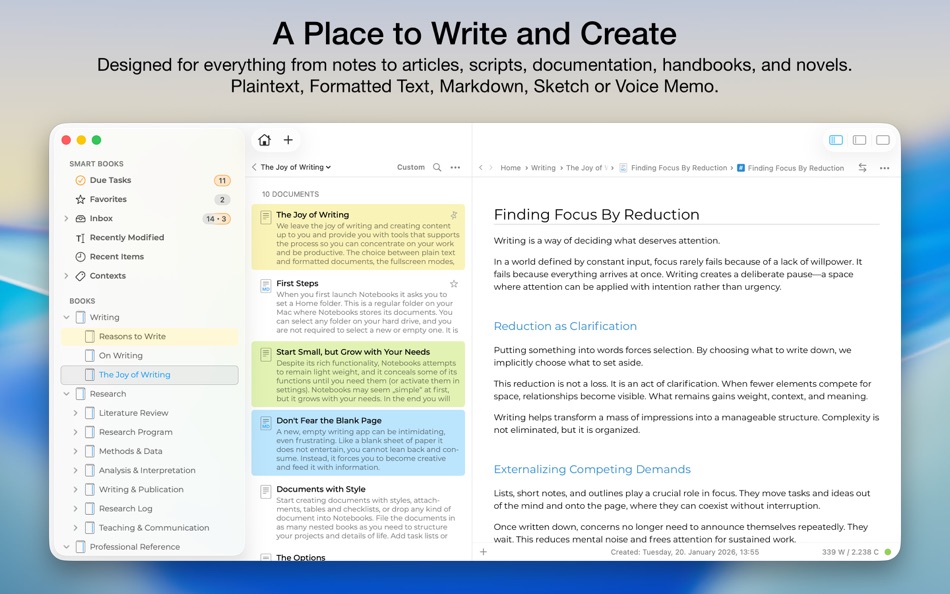
WRITE AND CREATE
Create beautifully formatted documents with styles, attachments, tables, checklists, and optional tables of contents. Choose from ready-made styles or design your own.
Write in different ways:
Formatted text (WYSIWYG)
Plain text, with smart handling of lists, automatic character pairing, and a focused writing view
Markdown, supporting MultiMarkdown and Discount, with syntax highlighting, dedicated keyboard shortcuts, wiki-style links, and interactive checklists
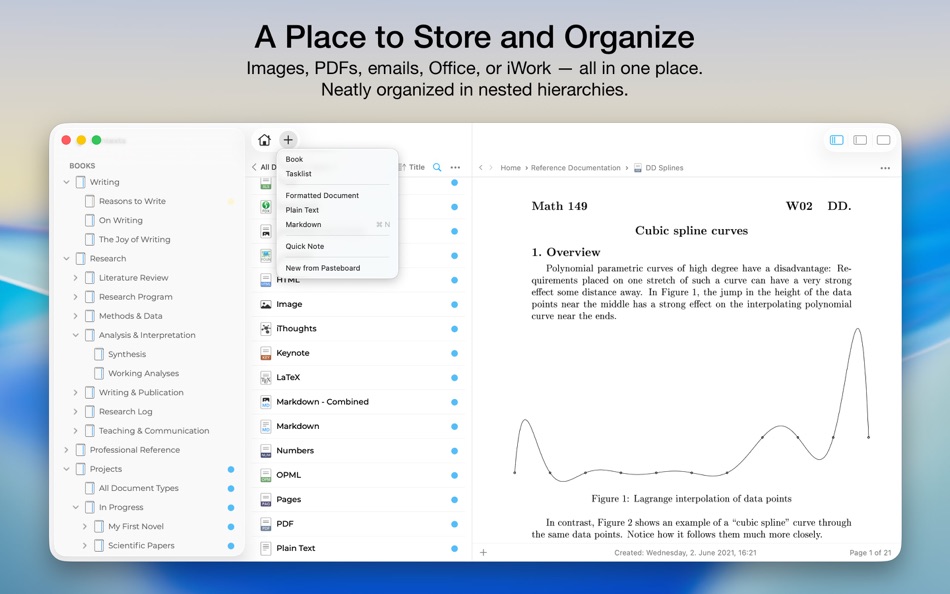
STORE AND ORGANIZE
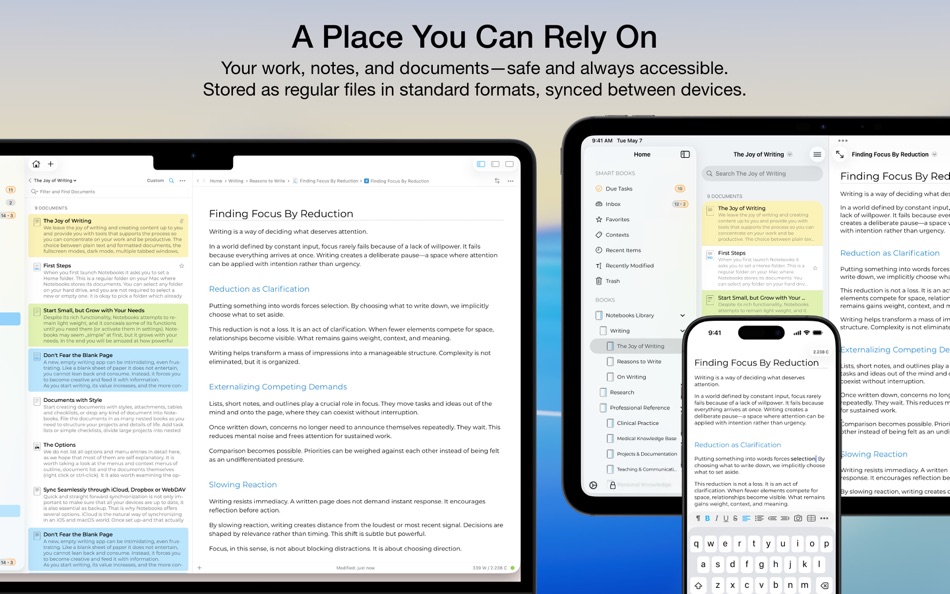
Notebooks stores all documents as regular files in standard formats. You always remain in control — no lock-in, no export worries, fully compatible across devices and over time.
Organize your work in books and nested hierarchies without limits. Import PDFs, emails, web pages, MS Office and iWork documents, images, audio, video, and more. Use full-text search to find even the most deeply nested document.
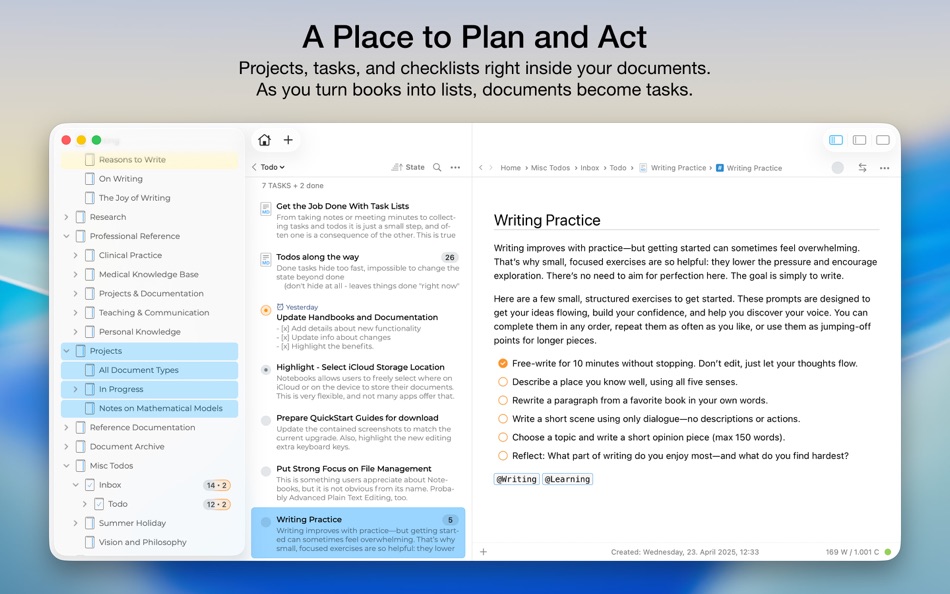
PLAN AND ACT
Turn books into project lists and documents into tasks. Assign due dates and alerts, create nested projects, and track progress naturally — right where your work lives.
Use simple checklists in formatted documents or Markdown for lightweight task tracking.
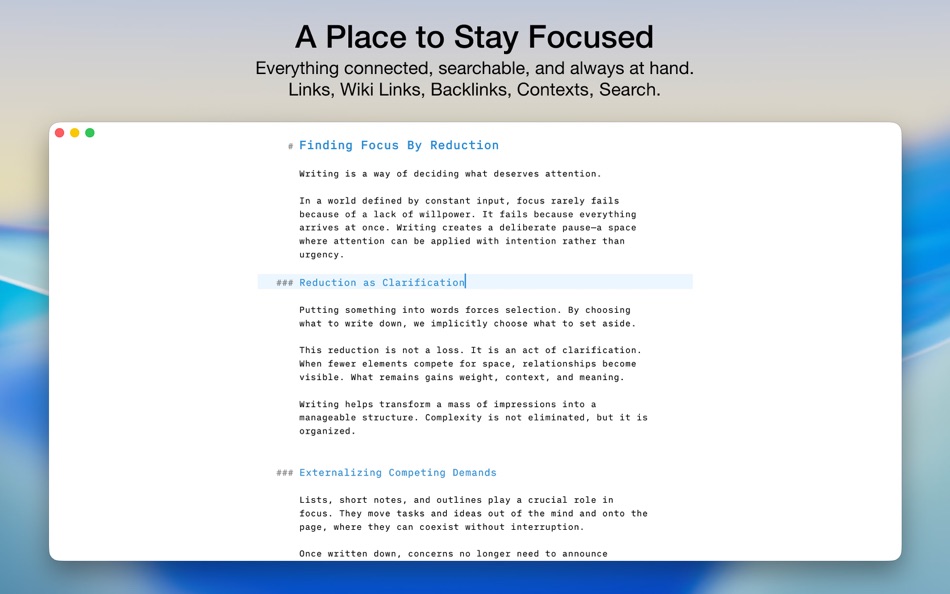
STAY FOCUSED
Link documents together to build knowledge over time. Use wiki-style links, backlinks, contexts, and smart books to keep everything connected and within reach. When you rename or move documents, links stay intact.
A PLACE YOU CAN RELY ON
Sync your documents between iPhone, iPad, Mac, and PC. Work on documents stored in other apps, compile selections into PDFs or eBooks, scan documents and extract text using OCR, and trust that your data stays accessible — now and in the future.
With time, Notebooks often becomes the one place users rely on to keep everything that matters close at hand.
WHAT USERS SAY
“Notebooks is a wonderful app — sophisticated in an unassuming way. I feel more productive without spending time managing the app itself.”
“You are GTD in every way that makes it efficient — and makes me efficient.”
Captures d'écran
Ad
Historique des prix
- Prix actuel : $43.99
- Minimum: $17.99
- Maximum: $43.99
Suivre l'évolution des prix
Évaluation AppAgg
9,550
Évaluation AppAgg estimée pour
Notebooks: Write and Organize
9,550 Légende
Une évaluation plus élevée indique généralement des signaux plus forts sur AppAgg.
Basé sur : popularité · notes des utilisateurs · actualité · promos · données des stores · activité de la communauté
Recalculé chaque jour à partir des données AppAgg les plus récentes.
URL courte: Copié!
Nouveautés
- Version: 4
- Dernière mise à jour:
- This update focuses on refinements, reliability, and visual consistency across the app. Several improvements enhance everyday editing, task extraction works more consistently, typing performance has been improved, the outline and document list have been refined to behave more predictably, working with PDFs is more convenient, and much more.
This update also enhances Liquid Glass support, introduces a new app icons, and resolves interface inconsistencies.
Overall, this release is about making Notebooks feel more solid, more predictable, and more polished.
You find more details on our website.
Informations supplémentaires
- Date de sortie:
- Catégorie:
macOS Applications›Productivité - Systèmes d'exploitation:
macOS,macOS 10.15 ou version ultérieure - Taille:
12 Mb - Langues prises en charge:
English,French,German - Classification du contenu:
4+ - Mac App Store Note:
0 - Site Web:
 https://notebooksapp.com/mac
Concepteur
- Alfons Schmid
- Plateformes: iOS Applications (1) macOS Applications (1)
- Listes: 6 + 7
- Points: 18 + 1,041 ¡
- Classements: 0
- Commentaires: 0
- Remises: 0
- Vidéos: 0
- RSS: S'abonner
Listes (2)
- Notebooks: Write and Organize


Points (10)
-

- 270 Attila Szucs
- +1
-
- 1,957 sam
- +1
-
- 530 MichaelTheGeek
- +1
-
- 72 mano
- +1
-
- 321 pantype
- +1
-
- 2,930 바람처어럼
- +1



Classements (0)
0
Commentaires (0)
Soyez le premier à commenter
Résumé
Notebooks: Write and Organize URL courte: Copié!- Partager
- Mac App Store
«Notebooks: Write and Organize». Plateforme : macOS. Catégorie : Productivité. Développeur : «Alfons Schmid». Première version : . Dernière mise à jour : . Prix actuel : $43.99. Prix le plus bas enregistré : $17.99 (). Prix le plus élevé enregistré : $43.99 (). Ce titre n'a pas encore reçu de notes ou d'avis sur AppAgg. Listes : publiques 2, privées 3. Points suivis : confirmés 10, indirects 0. Langues disponibles : English, French, German. AppAgg suit l'historique des prix, les notes et les commentaires des utilisateurs pour «Notebooks: Write and Organize». AppAgg n'héberge pas d'applications et ne distribue pas de logiciels. Toutes les marques, logos et captures d'écran appartiennent à leurs propriétaires respectifs. Suivez les futures réductions et mises à jour via RSS
Similaires
-
- Write Now - Voice to Text
- macOS Applications: Productivité De: Andre Finetti Cangussu
- * Gratuit
- Listes: 0 0 0
- Points: 0 + 0 500 Version: 1.0.4 Write Now turns your voice into text, fast. Hold the shortcut, speak, then release to paste the transcription exactly where you need it. No app switching, no copy paste dance, just ... ⥯
-
- Organize, Send
- macOS Applications: Productivité De: APG Solutions, LLC
- * Gratuit
- Listes: 0 0 0
- Points: 0 + 0 500 Version: 2.2 Organize, Send is an extremely customizable app that allows you to among many other things, organize then send your tax documents, or quickly forward someone s postal mail, or keep ... ⥯
-
- Flowlist – Write and Organize
- macOS Applications: Productivité De: Sebastian Fichtner
- Gratuit
- Listes: 1 0 0
- Points: 2 + 0 590 Version: 1.7.2 Flowlist is an elegant tool for self-management and creative writing. Unbelievably easy yet infinitely flexible. Organize your brain in flow! The simple concept of hierarchical lists, ... ⥯
-
- Mach Write
- macOS Applications: Productivité De: Mach Software Design
- $3.99
- Listes: 1 0 0
- Points: 2 + 0 590 Version: 1.8.1 **Selected by Apple as one of the best apps of 2014 on the Mac App Store** **Please visit our website to download the iOS version or search for "Mach Write" in the iOS App Store, it's ... ⥯
- Nouvel
- Mint — Organize & Clean
- macOS Applications: Productivité De: DZG STUDIO LLC
- * Gratuit
- Listes: 0 0 0
- Points: 1 + 0 520 Version: 1.0.1 Mint keeps your Mac effortlessly tidy. Set a rule once and watch Mint route files into the right folders, clear regenerable caches, and surface what's actually taking space all running ⥯
-
- Mindown - Take Notes, Write Todos, Create Lists, and Keep it All Organized for Mac OS X
- macOS Applications: Productivité De: Antonio Carvalho
- Gratuit
- Listes: 0 0 0
- Points: 0 + 0 500 Version: 1.2.5 Mindown is the new and best way to write and organize your notes, lists, todos, ideas and more. And to keep them in sync on all your Mac and iOS devices! Your mind is filled with ... ⥯
-
- Tidi - Clean Up and Organize
- macOS Applications: Productivité De: Bradley Zellman
- Gratuit
- Listes: 0 0 0
- Points: 0 + 0 500 Version: 1.1.3 Download folders can become dumping grounds for all the files you get from Slack, email, etc. That's where Tidi comes in. Tidi helps you organize and clean up your mac with reminders, ... ⥯
-
- ZenSlate: Just Write
- macOS Applications: Productivité De: Sachin Kumar
- Gratuit
- Listes: 0 0 0
- Points: 0 + 0 500 Version: 1.0 Introducing ZenSlate, the minimalist note taking app designed for calm, focused productivity on macOS. Whether you're capturing a quick idea, drafting a thought, or organizing insights ⥯
-
- NovelDesk: Write Your Dream
- macOS Applications: Productivité De: Pentarab
- $49.99
- Listes: 0 0 0
- Points: 0 + 0 500 Version: 2.0.0 Many writers struggle to stay in their creative flow switching between Google Docs, Notion, timers, and spreadsheets just to keep a story organized. The constant app-hopping breaks ... ⥯
-
- Align - Organize App Windows
- macOS Applications: Productivité De: 尚辉 李
- * Gratuit
- Listes: 1 0 0
- Points: 5 + 0 800 Version: 2.4.1 Explore Align The Ultimate macOS Window Management Experience Window management has never been this smart and efficient. Align is a tailored innovation for macOS users, an app that ... ⥯
-
- L1 -Simply Write, Simply Right
- macOS Applications: Productivité De: Kiloma Advanced Solutions
- * Gratuit
- Listes: 0 0 0
- Points: 0 + 0 500 Version: 1.26 **Stop Rewriting. Start Flowing.** Tired of typing entire sentences in the wrong language? L1 is the intelligent multilingual typing assistant that instantly recognizes when you're ... ⥯
-
- Evernote
- macOS Applications: Productivité De: Evernote Corporation
- * Gratuit
- Listes: 3 + 1 5 (1) 0
- Points: 3 + 0 12K Version: 11.15.2 Capture ideas when inspiration strikes. Bring your notes, to-dos, and schedule together to tame life s distractions and accomplish more at work, at home, and everywhere in between. ... ⥯
-
- Popnote: Menu bar notes
- macOS Applications: Productivité De: Aliaksei Keda
- $2.99
- Listes: 0 + 1 0 0
- Points: 2 + 0 560 Version: 1.0.6 Popnote Quick Notes, Minimal Design, and Seamless Sync Popnote is built for simplicity, speed, and focus. Instead of overwhelming you with the complexity of full-featured editors, ... ⥯
-
- MultiMarkdown Composer 4
- macOS Applications: Productivité De: MultiMarkdown Software, LLC
- Gratuit
- Listes: 0 0 0
- Points: 0 + 0 500 Version: 4.5.12 # All New Version of MultiMarkdown Composer Is Here! MultiMarkdown Composer was the first text editor specifically designed for writing in MultiMarkdown (or regular Markdown), and now ... ⥯