
说明

* Dummy. you can do all the operation just with mouse
* Intuitive. Just do as you want without learning and help.
【Key Features】
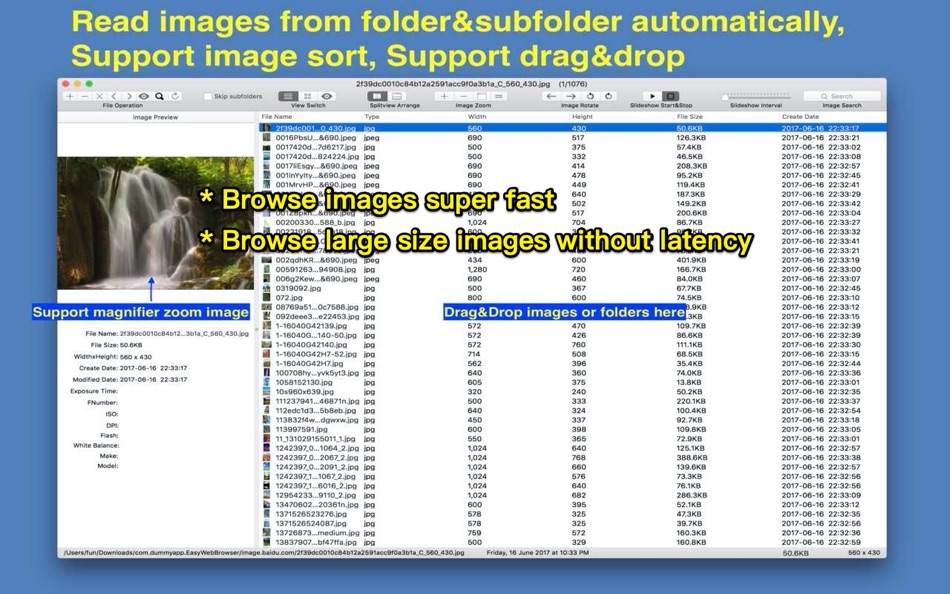
* Support all popular image format, browse large images without lag.
* Batch read all images fast in folders and subfolders automatically, NO need to import like iPhoto.
* live wallpaper&desktop support.
* Unpack Rar&Zip file, remember password automatically.
* Browse images by file list, thumbnail and full image size
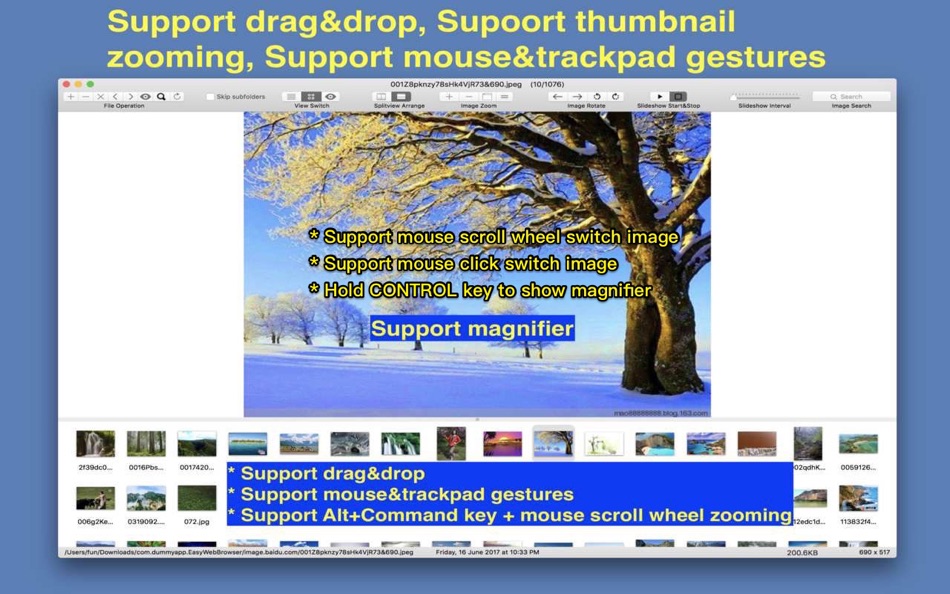
* Rich keyboard&mouse&Trackpad shortcuts, support mouse click and scroll to switch images forward and backward
* Support mark images
【App Shortcuts】
1. Switch to large image view mode: double click image file in file list or double click image thumbnail.
2. Zoom Image: "Alt/Option" key +mouse scroll wheel
3. Returen to previous view: double click full image view
4. Support to zoom in/out image by two finger tap.(require osx 10.8 or above)
5. Image rename: Select image file in image list table and press "enter" key
6. Show/Hide EXIF information: "Command +i"
7. Load all image in current folder of selected images : "Alt/Option+ O"
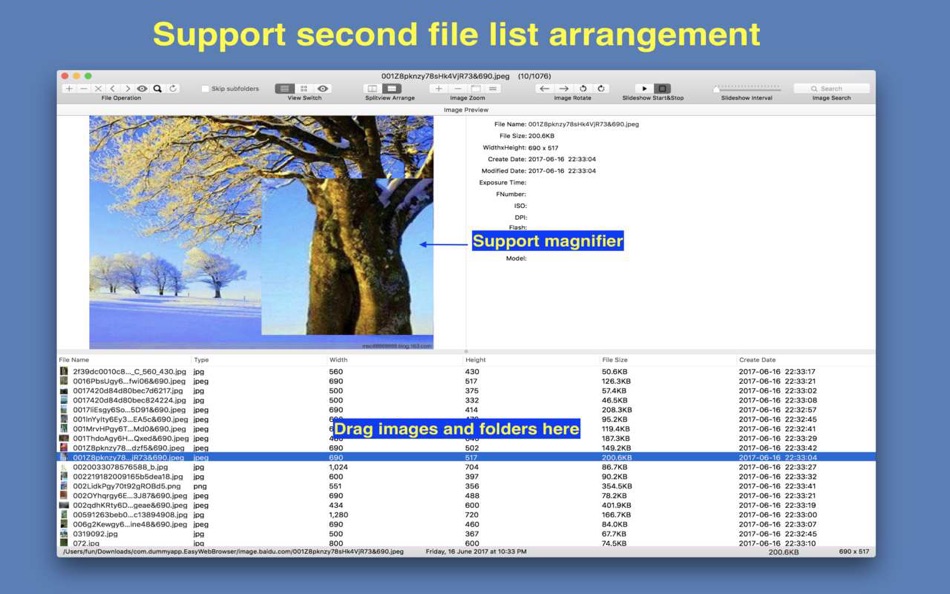
8. Enable/Disable magnifier: Hold/release Control key when scroll mouse/trackpad
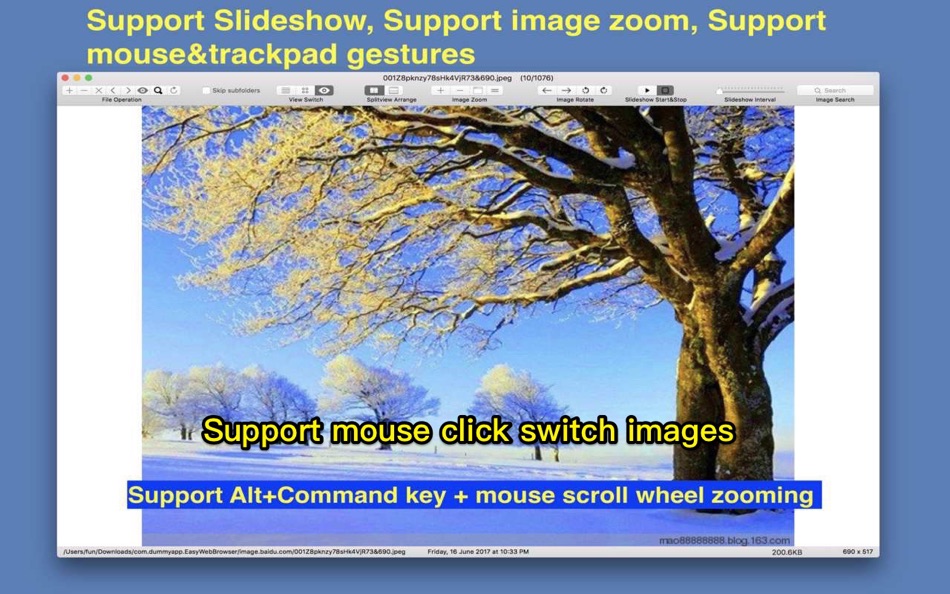
9. Switch image: mouse click left/right part of image view
10. Rotate image: Alt + mouse click left/right part of image view
Please refer to menu for other shortcuts
【Supper handy mouse operation】
[Switch image]
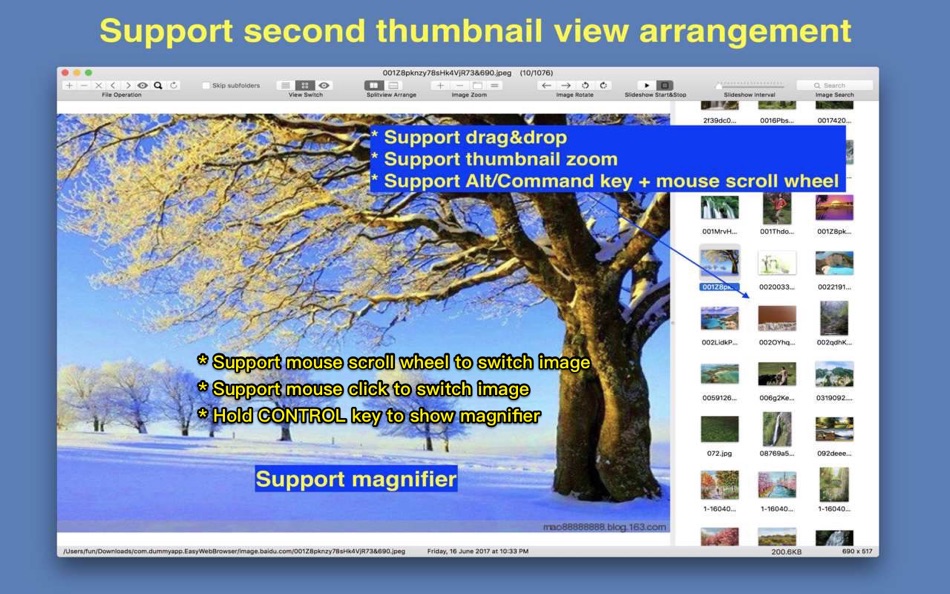
1. Mouse wheel scroll on thumbnail image can switch image fast
2. Mouse click left part of right part of thumbnail image can switch image
[Image Rotation]
1. Hold Alt(Option) or Command key, click left part or right part of thumbnail image
[Image Magnification]
1. Hold Control key, move mouse on the thumbnail image, a magnifier will display, scroll mouse wheel can magnify image
2. In large image view, hold Alt(Option) or Command key, scroll mouse wheel, can enlarge image
【Users FAQs 】
1. How to batch read all images in folders?
A:
1) Drag/Add folders to iSee, it will read all images automatically.
2) open one image in folder and press "Alt/Option + O" will load all image in current folder
3) Enable "Autoload images in the same folder" option, when add one image to app, it will read all images in the same folder automatically.
2. Why iSee sometimes refuse drag&drop when I drag images/folders into it?
A: iSee only accept drag&drop when you drag images/folders to file list table, thumbnail list view and the full image view, otherwise, iSee will refuse the drag&drop.
3. How to save images to specified folder?
A: Select image in image list or thumbnail list, and drag these image to the folder you want to save them. you can also drag selected image to other application.
4.How to sort image?
A: there are 3 methods to sort image:
1) Click image table list header
2) Click "left arrow" and "right arrow" button in the first segment button
3) Drag thumbnail in thumbnail list
5. How to skip prefetching images in sub-folders?
A: Please open preferences setting in "iSee" menu, and check "Skip sub-folders".
6. How to use magnifier?
A: when move mouse/trackpad over image, hode Control key, the magnifier will enable, scroll mouse wheel can zoom in/out image. release Control key will disable magnifier.
7.How to switch images by mouse click in full image view?
A: All image views in App support mouse click and mouse scroll to switch images
1) Enable "Mouse Click Switch Image" option
2) In full image view, click left half part of the window, switch to the previous image, click right half part of the window, switch to the next image
3) mouse wheel scroll can also switch images forward and backward
8. How to become a live wallpaper by single click:
A: please follow the steps below:
1) Load your favorite pics
2) Click "Live WallPaper" menu item from "File" menu or from status bar menu.
iSee will become a live wallpaper on your desktop, you can also enable slideshow to switch images regularly.
Ad
屏幕截图
价格历史
-
* 提供应用内购商品 - 今天: 免费
- 最小值: 免费
- 最大值: 免费
可选
评论 (0)
成为第一个发表评论的人 🌟
积分 (3)
-

- 1 Kenneth I.
- +1
-
- 4 Steven Stryker
- +1
-
- 3,028 바람처어럼
- +1



排名 (0)
0 ☹️
列表 (1)
- iSee Pro - Image Browser
评价 (0)
抢先评价一下吧 🌟
其他信息
 https://www.jianshu.com/p/9b4aea7c775e
 «iSee Pro - Image Browser». 平台: macOS. 类别: 工具. 开发商: «刚刚 孔». 首次发布: . 最后更新: . 目前价格: 免费. 该条目尚未在 AppAgg 上获得评分或评论。 列表: 公开: 1, 私密: 2. 追踪点: 已确认: 3, 间接: 0. 可用语言: Chinese, English. AppAgg 会跟踪 «iSee Pro - Image Browser»的价格历史、评分和用户反馈。 关注未来折扣和更新: RSS. AppAgg 不托管应用程序或分发软件。 所有商标、徽标和屏幕截图均属于其各自所有者。
iSee Pro - Image Browser 短网址: 已复制!- 🌟 分享
- Mac App Store
Ad
类似
-
- Image Browser
- macOS 应用: 工具 来自: Robert Novak
- 免费
- 列表: 0 + 0 排名: 0 评价: 0
- 积分: 0 + 0 0 版本: 0.8.2 The purpose of this program is to provide support for browsing and viewing images on the Apple OS X Operating System. This is currently a Beta release, as there are still several ... ⥯
-
- iSee - Image Browser
- macOS 应用: 工具 来自: 刚刚 孔
- $2.99
- 列表: 0 + 0 排名: 0 评价: 0
- 积分: 0 + 0 0 版本: 11.5 * Fast. preload images automatically, browse images without any lag. * Dummy. you can do all the operation just with mouse * Intuitive. Just do as you want without learning and help. ... ⥯
-
- Long Image Browser
- macOS 应用: 工具 来自: 光泉 尚
- $0.99
- 列表: 0 + 0 排名: 0 评价: 0
- 积分: 0 + 0 0 版本: 1.0 1.长图无缝拼接. 2.多层目录识别. 3.跟据文件名称自动排序. 4.记录查看历史和进度. ⥯
-
- PhotoOne- Image Browser Viewer
- macOS 应用: 工具 来自: 金鹏 王
- 免费
- 列表: 0 + 0 排名: 0 评价: 0
- 积分: 0 + 0 0 版本: 1.6.0 PhotoOne is a photo utility app. It can help you easily find all the images in a folder and all the subfolders. Features: 1. Open a folder or drag a folder into PhotoOne, it will ... ⥯
-
- Image Converter: HEIC WebP PDF
- macOS 应用: 工具 来自: DRISH LABS
- $14.99
- 列表: 0 + 0 排名: 0 评价: 0
- 积分: 0 + 0 0 版本: 2.2 Image Converter: HEIC WebP PDF is the fast, all-in-one image conversion and processing tool built exclusively for Mac. Convert between every major format in seconds HEIC ↔ JPG ↔ PNG ↔ ... ⥯
-
- browser Menu
- macOS 应用: 工具 来自: MAJID ALKALBANI
- 免费
- 列表: 1 + 1 排名: 0 评价: 0
- 积分: 4 + 0 0 版本: 2.0 MBA Web Browser is a modern and efficient browser built for macOS, combining speed, simplicity, and security in one lightweight application. With a clean design and essential features, ⥯
-
- Browser Care
- macOS 应用: 工具 来自: Giovanni Maria Cusaro
- 免费
- 列表: 1 + 0 排名: 0 评价: 0
- 积分: 3 + 0 0 版本: 4.1.8 Hundreds of users have chosen the Pro Version! Thanks to all! The perfect app to take care your browsers and free up space. Browser Care keeps your browsers clean and under control ... ⥯
-
- Browser Jumper
- macOS 应用: 工具 来自: 亦伦 谢
- $0.99
- 列表: 0 + 0 排名: 0 评价: 0
- 积分: 0 + 0 0 版本: 1.1 Add the Browser Jump icon to your Safari toolbar, and with a single click on the icon while browsing any webpage, you can switch that webpage to display in Chrome. ⥯
-
- Image Extractor for Word Docs
- macOS 应用: 工具 来自: App Tyrant Corp
- $2.99
- 列表: 0 + 0 排名: 0 评价: 0
- 积分: 0 + 0 0 版本: 1.2.2 Do you have a Microsoft Word Document (.doc or .docx) filled with images you need to extract quickly? Look no further! Image Extractor for Microsoft Word Documents is your ultimate ... ⥯
-
- Image Guard - Data Blur
- macOS 应用: 工具 来自: Direct Solutions
- 免费
- 列表: 0 + 0 排名: 0 评价: 0
- 积分: 0 + 0 0 版本: 1.0 Introducing Image Guard: Your Ultimate Privacy Protector for Images! Key Features: - Detect Sensitive Information: Image Guard uses advanced AI technology to automatically detect and ... ⥯
-
- Image Optimizer - Compression
- macOS 应用: 工具 来自: 万林 彭
- 免费
- 列表: 0 + 1 排名: 0 评价: 0
- 积分: 7 + 0 0 版本: 3.0 Image Optimizer - Professional Lossless Image Compression Software. Batch Image Compression Tool for PNG, JPG, TIF, GIF, BMP, PSD, HEIC Formats 「Main Features」 Reduce image file size ... ⥯
-
- Image Resizer: Batch Convert
- macOS 应用: 工具 来自: Omer Kose
- * 免费
- 列表: 0 + 1 排名: 0 评价: 0
- 积分: 6 + 0 0 版本: 6 Image Resizer: Batch Convert helps you resize and convert images on your Mac without complicated workflows. Drop a folder or individual files, choose a target resolution, pick an ... ⥯
-
- Image Processor - imageoptim
- macOS 应用: 工具 来自: 凌云 张
- * 免费
- 列表: 1 + 0 排名: 0 评价: 0
- 积分: 2 + 0 0 版本: 1.6.1 Image Processor is a professional tool for compressing images and converting image formats. Without uploading the network, you can compress PNG, JPG and other pictures losslessly, and ... ⥯
-
- Image Converter for PNG, JPEG & GIF for Mac OS X
- macOS 应用: 工具 来自: FIPLAB Ltd
- 免费
- 列表: 0 + 1 排名: 0 评价: 0
- 积分: 1 + 0 0 版本: 1.0 Image Converter is an indispensable and incredibly easy to use utility app for all your crucial image conversion requirements. KEY FEATURES: Quickly resize images to predetermined ... ⥯