
저장됨
저장됨 메뉴에 표시할 이름을 선택하세요.
완료!
기술

Browse and share video
* See all your video clips and photos organized in one place
* Quickly share a clip or a portion of a clip
* Background import lets you begin watching and sharing video instantly
Make Hollywood-style trailers
* Choose from 29 trailer templates with stunning graphics and original scores by some of the world's top film composers
* Customize movie studio logos, cast names, and credits
* Select the best videos and photos for your trailer with the help of animated drop zones
Create beautiful 4K and HD movies
* Edit movies at up to 4K resolution with video from iPhone 6s or later, GoPro, and other Ultra HD cameras on compatible Macs
* Change focus points or the depth effect for video shot in Cinematic mode on iPhone 13 or later (requires macOS Monterey or later)
* Support for 1080p HD video at 60 frames per second for smoother, more life-like action shots
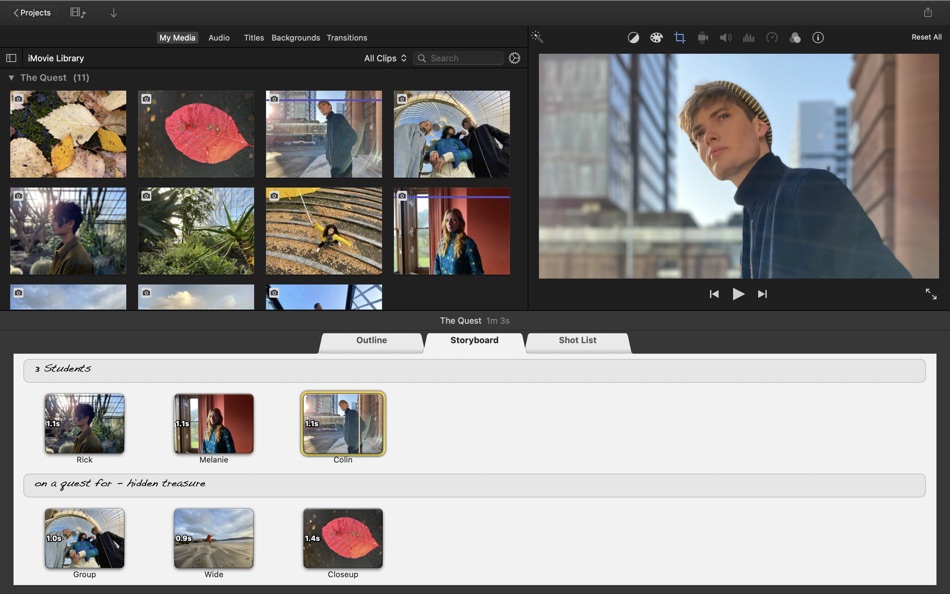
* Import Magic Movie, Storyboard and Movie projects created with iMovie on iPhone or iPad into the timeline
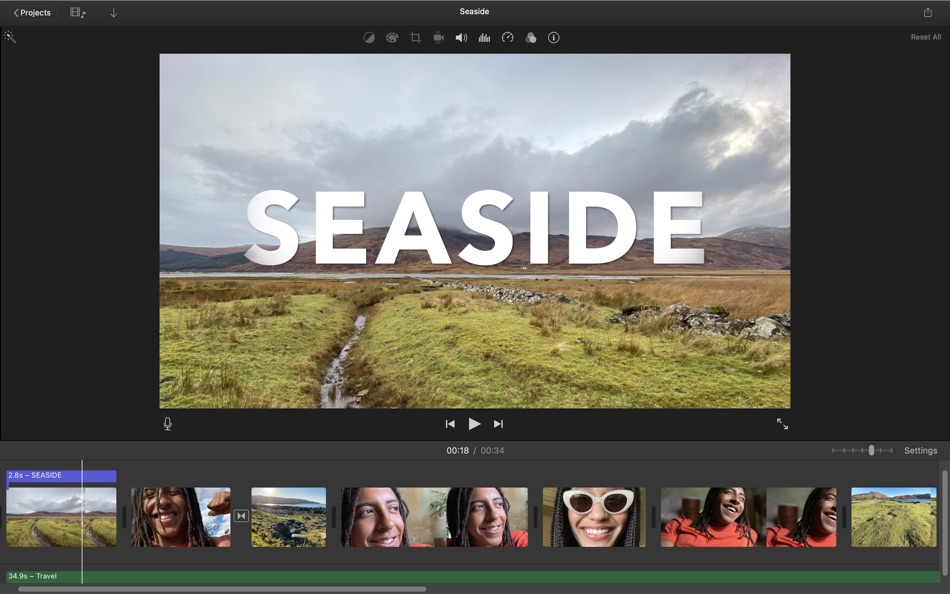
* Enhance your movie by adding titles, transitions, and 3D globes and travel maps
* Speed up and slow down the action with fast-forward and slow-motion effects
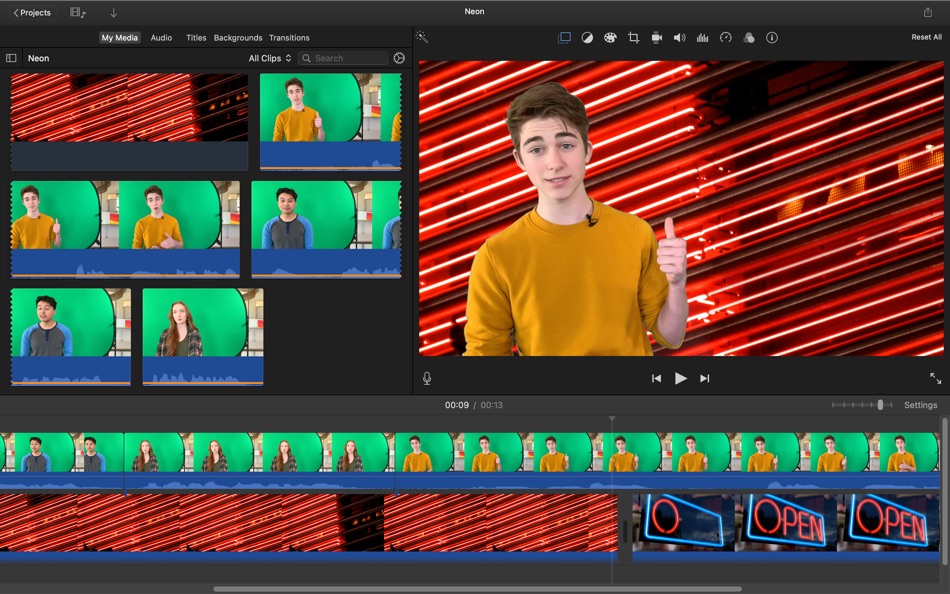
* Create sophisticated picture-in-picture, side-by-side, and green screen effects
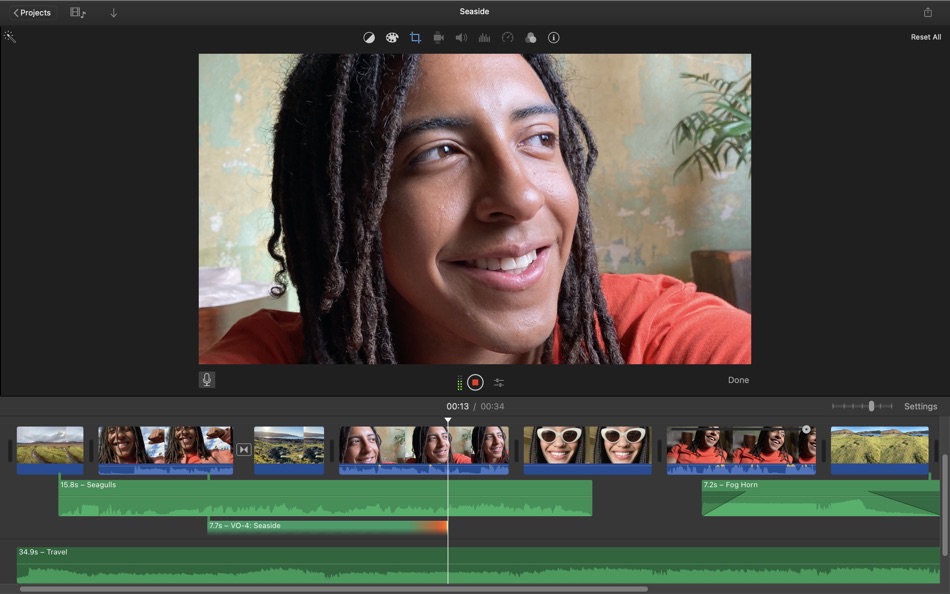
* Create a soundtrack using built-in music and sound effects, songs from your iTunes library, songs you've recorded in GarageBand, and your own narration
Fine-tune every clip
* Instantly improve the look and sound of your video using one-click Enhance
* Give your video a boost with easy-to-use color controls
* Stabilize shaky video for a smoother picture that's easier to watch
* Automatically zoom in on faces and glide across panorama photos with the Ken Burns Effect
* Choose from 48 fun video and audio effects
* Send your project to Final Cut Pro and take advantage of advanced editing tools, professional effects, third-party plug-ins, and more
Share with friends and family
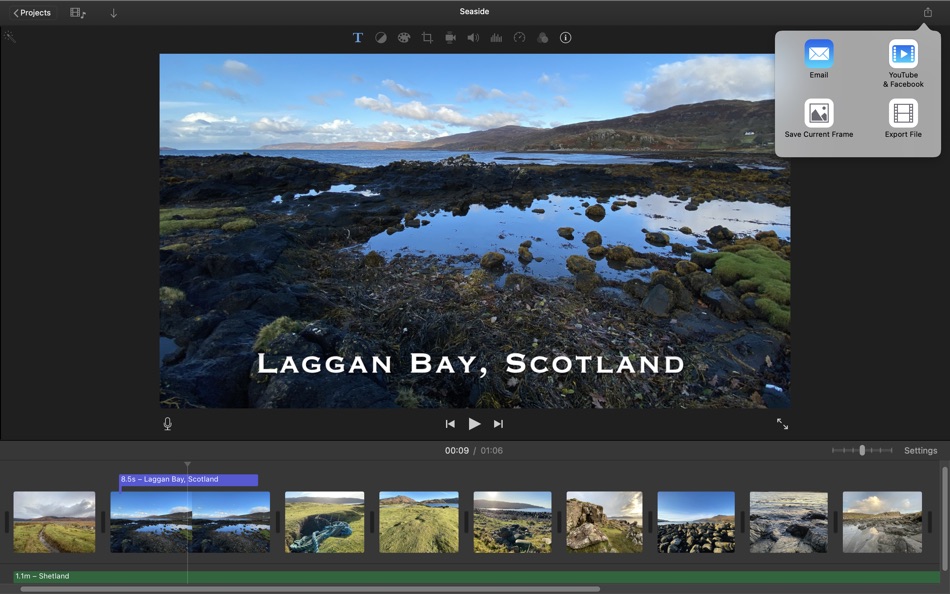
* Email videos with Mail Drop when signed in to iCloud
* Export a video optimized for YouTube, Facebook, and other popular video destinations
* Share any video frame as an image
Create App Previews for the App Store
* Import iPhone and iPad screen recording videos captured with QuickTime Player
* Highlight features with 11 animated titles designed to showcase apps in action
* Export finished videos using the App Preview share option
System Requirements: macOS 15.6 or later, 4GB of memory, 3.5GB of available disk space.
Ad
스크린샷

가격 내역
- 오늘: 무료
- 최소: 무료
- 최대: 무료
가격 추적
추가 정보
- 출시일:
- 카테고리:
macOS 앱›사진 및 비디오 - 운영체제:
macOS,macOS 15.6 이상 - 크기:
3 Gb - 지원되는 언어:
Catalan,Chinese,Croatian,Czech,Danish,Dutch,English,Finnish,French,German,Greek,Hungarian,Indonesian,Italian,Japanese,Korean,Malay,Norwegian,Polish,Portuguese,Romanian,Russian,Slovak,Spanish,Swedish,Thai,Turkish,Ukrainian,Vietnamese - 콘텐츠 등급:
4+ - Mac App Store 개의 평가:
0
 http://www.apple.com/imovie/
개발자
목록 (4)
- iMovie


포인트 (6)
-

- 32 Илья Курбатов
- +1
-
- 25 MaRy
- +1
-
- 1 D F
- +1
-
- 2,979 바람처어럼
- +1
-
- 11,237 Simon Chan
- +1




순위 (1)
-
- 119,190 AppAgg
- 5

댓글 (0)
가장 먼저 댓글을 남겨주세요 🌟
«iMovie». 플랫폼: macOS. 카테고리: 사진 및 비디오. 개발자: «Apple». 첫 번째 릴리스: . 마지막 업데이트: . 현재 가격: 무료. AppAgg 등급: 5 / 5. 투표: 1. 목록: 공개: 4, 비공개: 2. 추적된 포인트: 확인됨: 6, 간접: 0. 사용 가능한 언어: Catalan, Chinese, Croatian, Czech, Danish, Dutch, English, Finnish, French, German, Greek, Hungarian, Indonesian, Italian, Japanese, Korean, Malay, Norwegian, Polish, Portuguese, Romanian, Russian, Slovak, Spanish, Swedish, Thai, Turkish, Ukrainian, Vietnamese. AppAgg는 «iMovie»의 가격 기록, 평점 및 사용자 피드백을 추적합니다. 향후 할인 및 업데이트 받기: RSS에서 확인할 수 있습니다. AppAgg는 애플리케이션을 호스팅하거나 소프트웨어를 배포하지 않습니다. 모든 상표, 로고 및 스크린샷은 해당 소유자의 자산입니다.
iMovie 단축 URL: 복사됨!- 🌟 공유하기
- Mac App Store
유사 항목
-
- Movie Subtitler
- macOS 앱: 사진 및 비디오 게시자: Anand
- 무료
- 목록: 0 + 1 0 0
- 포인트: 1 + 0 버전: 1.0 Automatically find and add subtitles to your entire movie collection at one shot in any language! Watch how to use video here : bit.ly/1yXSlWI (or click Movie Subtitler Support) Steps ... ⥯
-
- Movie Preview Maker Thumbnail
- macOS 앱: 사진 및 비디오 게시자: Tan Nghia La
- * 무료
- 목록: 0 + 0 0 0
- 포인트: 0 + 0 버전: 1.1.2 Movie Preview Maker transforms your videos into eye-catching thumbnails with just a few clicks. * Intuitive drag & drop interface - no technical skills needed * Customize everything - ... ⥯
-
- Movie Edit Pro - Video Editor
- macOS 앱: 사진 및 비디오 게시자: 凤 张
- 무료
- 목록: 1 + 0 0 0
- 포인트: 1 + 0 버전: 3.8.4 Movie Edit Pro is a professional video editing software can made a fantastic family movie from your camcorder videos. It is really easy to use and quite useful for those who like ... ⥯
-
- Movie generator - Generate movies from images
- macOS 앱: 사진 및 비디오 게시자: Keiichi Moriya
- 무료
- 목록: 0 + 0 0 0
- 포인트: 0 + 0 버전: 1.1 Movie generator is a tool application to create a movie by reading multiple images files. Can not uptake sound file. Output possible movie file format: - QuickTime (mov) ⥯
-
- Movie Recorder
- macOS 앱: 사진 및 비디오 게시자: 坤 刘
- $4.99
- 목록: 0 + 1 0 0
- 포인트: 3 + 0 버전: 7.2.8 Movie Recorder is a camera recording application, making it easy to record videos using your camera and convert recorded videos into GIFs. Advantages: Simple operation, one-click ... ⥯
-
- Movie-Converter for Mac OS X
- macOS 앱: 사진 및 비디오 게시자: Dominic Rodemer
- $1.99
- 목록: 0 + 0 0 0
- 포인트: 0 + 0 버전: 1.2 Movie Converter - the simplest and quickest way to convert videos! Watch all your videos and films on your iPhone, iPad or iPod! Movie Converter convert films of all conventional ... ⥯
-
- Movie Clips
- macOS 앱: 사진 및 비디오 게시자: 育平 姚
- $4.99
- 목록: 0 + 0 0 0
- 포인트: 0 + 0 버전: 2.0 Movie Clips is a video edit app. It's easy to use. Video Edit Support trim, crop, rotate the video It can make some video files to be one You can add a new audio to the video You can ... ⥯
-
- Movie Rotate
- macOS 앱: 사진 및 비디오 게시자: Jiulong Zhao
- $14.99
- 목록: 0 + 1 0 0
- 포인트: 2 + 0 버전: v2.36 Yes, Movie Rotate will rotate your video to ANY angle! Unlike all other apps claiming "video rotation", Movie Rotate can do a free-angle rotation at any angle from 0 to 360 degrees! It ⥯
-
- Movie Thumbnails Maker
- macOS 앱: 사진 및 비디오 게시자: 恒卓 刘
- * 무료
- 목록: 0 + 1 0 0
- 포인트: 0 + 0 버전: 5.5 Want to catch the content of the latest movies at the first time? How about creating an amazing overview for all the latest movies? Movie Thumbnail Maker is the all-in-one solution, ... ⥯
-
- Ephnic Movie Maker
- macOS 앱: 사진 및 비디오 게시자: Ephnic
- $29.99
- 목록: 0 + 0 0 0
- 포인트: 0 + 0 버전: 3.0.4 Ephnic Movie Maker is one of the best home movie making software that you could find on Mac. It gives you the easiest way to make movies with as many photos, videos and songs as you ... ⥯
-
- Time Lapse Movie
- macOS 앱: 사진 및 비디오 게시자: Boudewijn Krijger
- $9.99
- 목록: 0 + 0 0 0
- 포인트: 1 + 0 버전: 1.3.9 Time Lapse Movie allows you to make Time Lapse Movies with just a few clicks. You can import JPG or TIF pictures, or Tether your (SLR) camera to have the images automatically taken and ⥯
-
- Cute CUT - Movie Maker
- macOS 앱: 사진 및 비디오 게시자: 波 余
- 무료
- 목록: 0 + 1 0 0
- 포인트: 4 + 0 버전: 2.8 Cute CUT - The 10 Million Downloads Video Editor App on iPhone/iPad Now Available on the Mac App Store. Now, you can DRAW movies, AND you can draw ON movies! Cute CUT s powerful, ... ⥯
-
- Video Plus - Movie Editor
- macOS 앱: 사진 및 비디오 게시자: Day 1 Solutions SRL
- $5.99
- 목록: 0 + 0 0 0
- 포인트: 3 + 0 버전: 1.3 Fine-tune, watermark, scale, rotate and apply artistic effects to your videos using Video Plus. If you have videos on your Mac that need to be adjusted and watermarked then you are in ... ⥯
-
- MakeAMovie AI movie creator
- macOS 앱: 사진 및 비디오 게시자: Abetka Smart
- * 무료
- 목록: 0 + 0 0 0
- 포인트: 0 + 0 버전: 1.0 Turn your stories into movies no film crew required. Ever had a movie idea stuck in your head with no way to bring it to life? MakeAMovie AI transforms your written scenarios into ... ⥯