
Záložky
Zvolte název této záložky.
Záložka uložena
| Vývojář: | Maksym Cherniaiev (5) | ||
| Cena: | $14.99 | ||
| Skóre: | 8,550 Platina | ||
| Žebříčky: | 0 | ||
| Komentáře: | 0 Přidat komentář | ||
| Seznamy: | 3 + 2 | ||
| Body: | 1 + 0 ¡ | ||
| +1 Body | |||
Popis

“Swift, easy to use, thorough, analyzes specific libraries, can search according to various criteria, offers choices in photo handling” - TheNextWeb
"PhotoSweeper packs a powerful punch in de-cluttering any size collection. 9/10" - Mac.AppStorm
"PhotoSweeper is a simple and efficient utility for organizing photos. 4.5/5" - Macworld
“I like PhotoSweeper because you can tweak it to compare with different criteria… not a one-trick-pony.” - MacRumors forum user
"This tool does a great job of finding duplicates, not just exact duplicates, but photos that have been rotated, resized, or are even just very similar. It also has a great set of default rules for figuring out which image to keep automatically, which can save hours." - Mac App Store Review
PhotoSweeper is perfect for you if:
• You often take a series of shots to get the perfect image and want to remove the extras.
• You edit photos in apps like Photoshop or Capture One and create multiple versions or backups.
• You have photos spread across folders, external drives, and libraries like Apple Photos, Lightroom Classic, or Capture One.
• Your photo library feels messy, disorganized, or too full, and you want to reclaim space by removing unnecessary files.
Key Features
• Deep Integration with Popular Photo Libraries
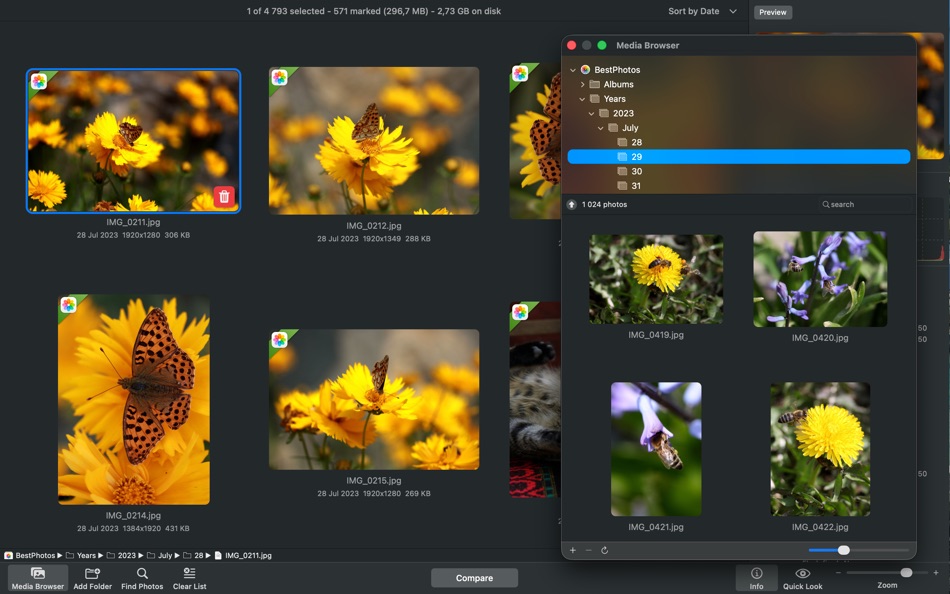
Works seamlessly with Apple Photos, Lightroom Classic, and Capture One. You can also scan any folder or external drive, with no need to move or reorganize your files beforehand.
• Fast and Accurate Comparison Engine
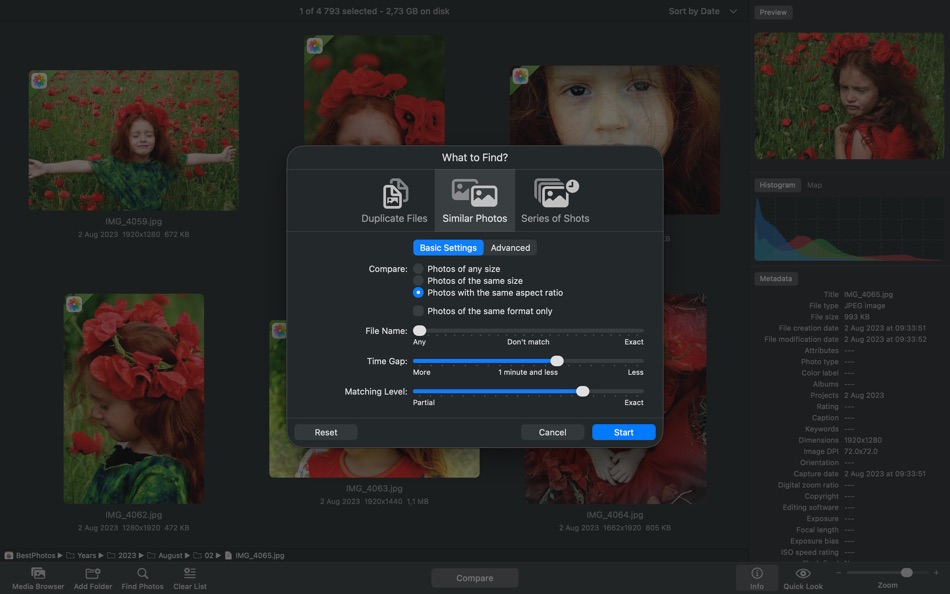
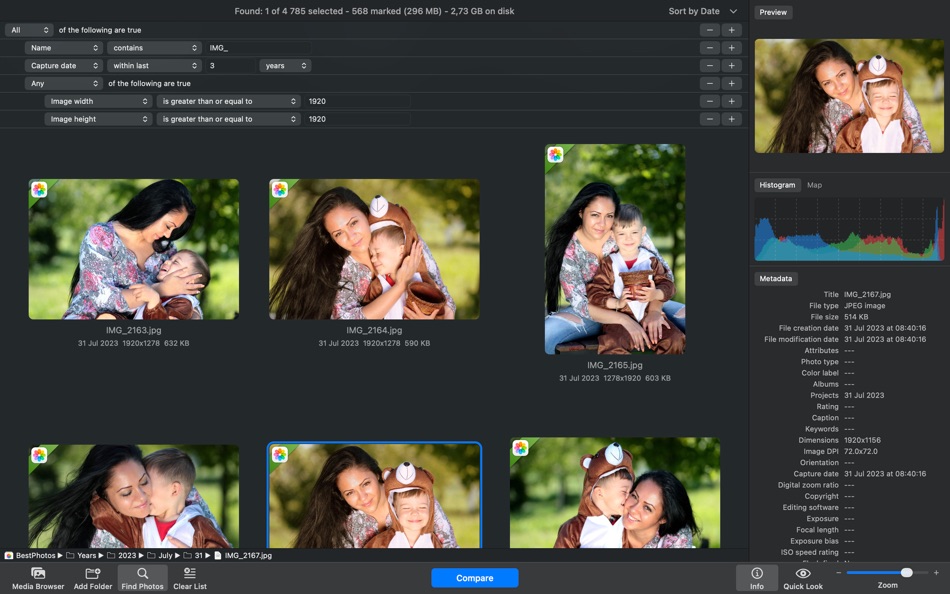
Under the hood is a lightning-fast engine that detects both exact duplicates and visually similar images. It goes beyond filenames by analyzing content, composition, and capture time. You can fine-tune the matching level to catch everything from identical copies to burst shots and edits.
• Flexible, User-Friendly Workflow
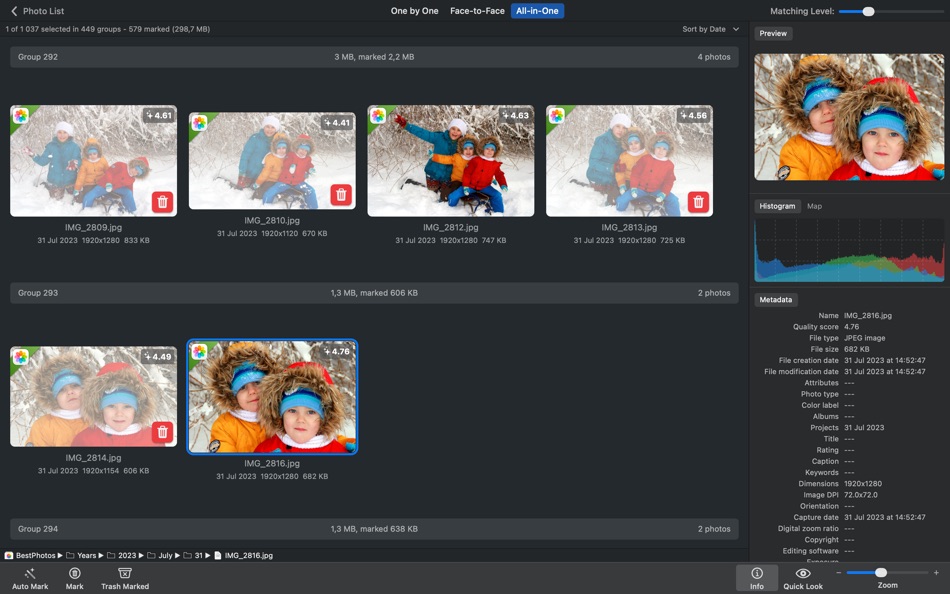
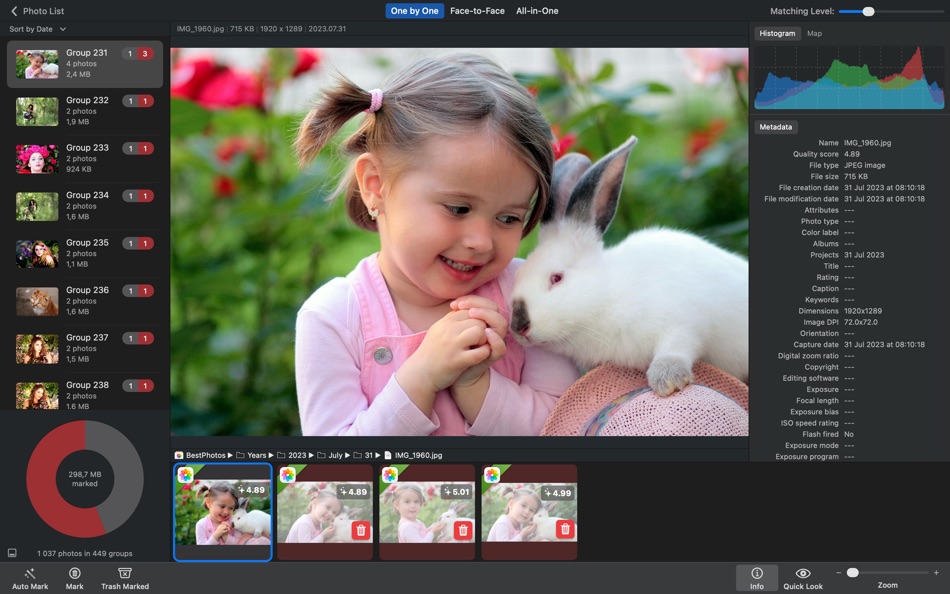
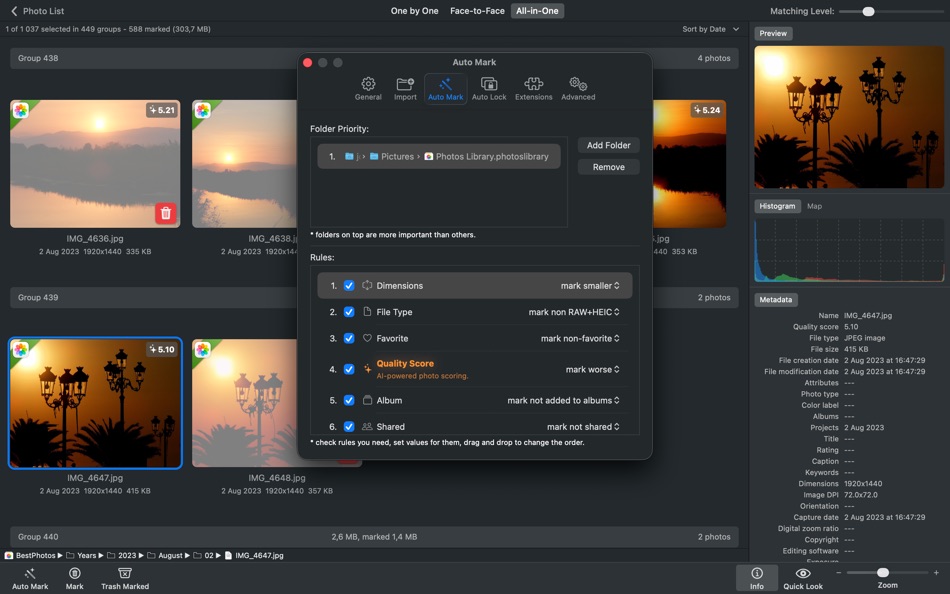
Clean up your library with ease. Similar photos are grouped side by side for quick visual comparison. Use Auto Mark to automatically select the best image in each group, or choose manually. Lock important photos, view EXIF data, preview with Quick Look, and apply customizable marking rules.
• AI-Powered Photo Scoring
Evaluates the visual quality of photos using AI and displays a visual badge on each image. Use the “Quality Score” auto mark rule to automatically keep the best shots.
• Smart Cleanup with Safety in Mind
You're always in control. Review all marked photos before deleting. Nothing is permanently erased. Photos go to the system Trash, are marked “Rejected” in Lightroom, or moved to a special album in Photos so you can recover them later if needed.
• Optimized for Performance / Handles Large Libraries
Whether you have thousands or hundreds of thousands of photos, PhotoSweeper runs fast and smooth. It's optimized for macOS and runs natively on Apple Silicon for top performance on your Mac.
Why Choose PhotoSweeper?
• Works with Photos, Lightroom Classic, Capture One, folders, and more
• Detects both exact duplicates and similar-looking photos
• Lets you compare side-by-side with clear previews and detailed info
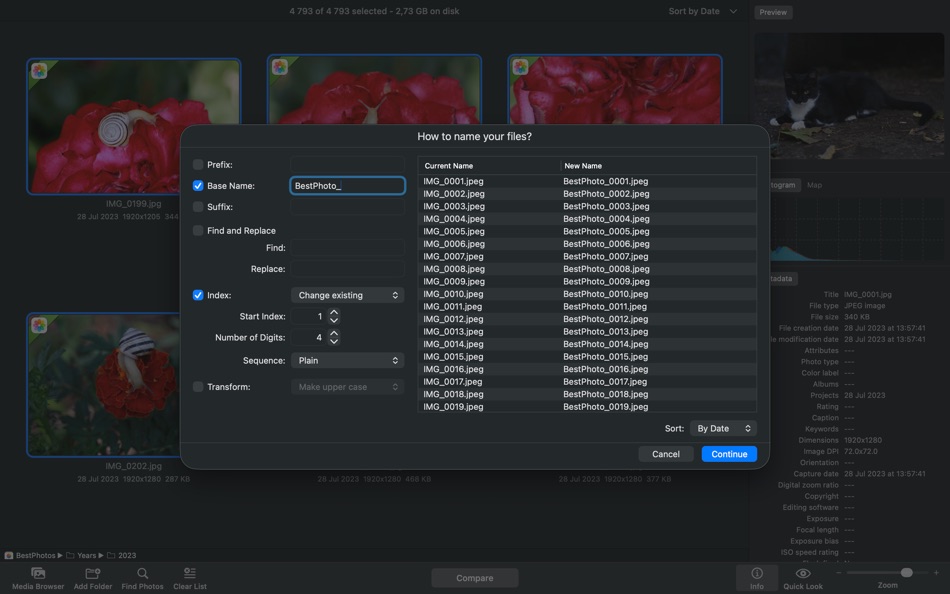
• Features Auto Mark, customizable rules, and flexible cleanup options
• Supports RAW, JPEG, HEIC, PNG, TIFF, and other popular formats
• Designed for both casual users and professionals
• Keeps your photo collection tidy, organized, and free of clutter
Declutter your photo library, free up disk space, and enjoy your best memories without the noise. With PhotoSweeper, cleaning up your Mac has never been so smart and satisfying.
Need help or want to learn more? Check out the full user manual at http://overmacs.com, or drop us a line at support@overmacs.com — we’re happy to help!
Reklama
Snímky obrazovky

Historie cen
- Aktuální cena: $14.99
- Minimální: $5.99
- Maximální: $14.99
Sledovat ceny Přidejte do seznamu a dostávejte upozornění na slevy e-mailem nebo push oznámením
Skóre AppAgg
8,550
Odhadované skóre AppAgg pro
PhotoSweeper
Vývojář: Maksym Cherniaiev
8,550 Platina
Vyšší skóre obvykle odráží lepší výsledky v ukazatelích sledovaných na AppAgg.
Na základě: popularity · uživatelských hodnocení · aktuálnosti · nabídek · dat obchodů · aktivity komunity
Denně se přepočítává z aktuálních dat AppAgg.
Odznak pro váš web:  Zkopírováno!
Novinky
- Verze: 5.5.5
- Poslední aktualizace:
- + XMP sidecar files: support for reading metadata from sidecar files.
+ DNG extension: improved reading of Adobe DNG images.
+ Adobe Lightroom: improved handling of previews.
+ Import: new options to ignore hidden photos in Apple Photos and rejected ones in Adobe + Lightroom.
+ Bug fixes and performance improvements based on user feedback.
Další informace
- Datum vydání:
- Kategorie:
Aplikace pro macOS›Fotografie a video - OS:
macOS,macOS 10.15 a vyšší - Velikost:
42 Mb - Podporované jazyky:
English,French,German,Italian,Russian,Spanish,Ukrainian - Hodnocení obsahu:
4+ - Mac App Store Hodnocení: ¡
0 - Web:
 https://overmacs.com
Vývojář
- Maksym Cherniaiev
- Sledující: 0
- Platformy: iOS Aplikace (1) macOS Aplikace (3) macOS Hry (1)
- Slevy: 0
- Seznamy: 4 + 2
- Body: 3 + 38 ¡
- Žebříčky: 0
- Komentáře: 0
- Videa: 0
- RSS: Odebírat
Seznamy (3)
- PhotoSweeper



Body (1)
-

- 202 Taban Bovin
- +1
Žebříčky (0)
0
Komentáře (0)
Napište první komentář
Stručně
PhotoSweeper Krátká adresa URL: Zkopírováno!- Mac App Store
Na AppAgg můžete sledovat „PhotoSweeper“, aplikaci od Maksym Cherniaiev pro macOS v kategorii Fotografie a video. Skóre AppAgg: 8,550 (Platina). Body AppAgg aplikace — potvrzené: 1; nepřímé: 0. Veřejné seznamy s touto aplikací: 3. Uživatelé, kteří si ji uložili do soukromých seznamů: 2. Uživatelé AppAgg zatím tuto aplikaci nehodnotili. Potvrzené body zaznamenávají přechody přihlášených uživatelů AppAgg do obchodu. Nepřímé body vycházejí z údajů obchodů. Dvě počítadla ukazují počet veřejných seznamů a uživatelů, kteří si aplikaci nebo hru uložili do soukromých seznamů. Aplikace poprvé vyšla . Poslední aktualizace aplikace: . Aplikace nyní stojí $14.99. Nejnižší zaznamenaná cena aplikace byla $5.99 (); nejvyšší $14.99 (). Aplikace podporuje tyto jazyky: English, French, German, Italian, Russian, Spanish, Ukrainian. Prohlédněte si historii cen, přidejte aplikaci do seznamu nebo sledujte vývojáře. Budoucí slevy a aktualizace aplikace můžete sledovat přes RSS kanál. AppAgg tuto aplikaci nehostuje ani nedistribuuje. Všechny ochranné známky, loga a snímky obrazovky související s aplikací patří příslušným vlastníkům.

