
저장됨
저장됨 메뉴에 표시할 이름을 선택하세요.
완료!
| 개발자: | Phase Five Systems (2) | ||
| 가격: | $34.99 | ||
| 평가: | 25,500 전설 | ||
| 순위: | 5 (1) | ||
| 댓글: | 0 댓글 게시 | ||
| 목록: | 17 + 5 | ||
| 포인트: | 9 + 0 ¡ | ||
| +1 포인트 | |||
기술

* Easy setup and reliable:
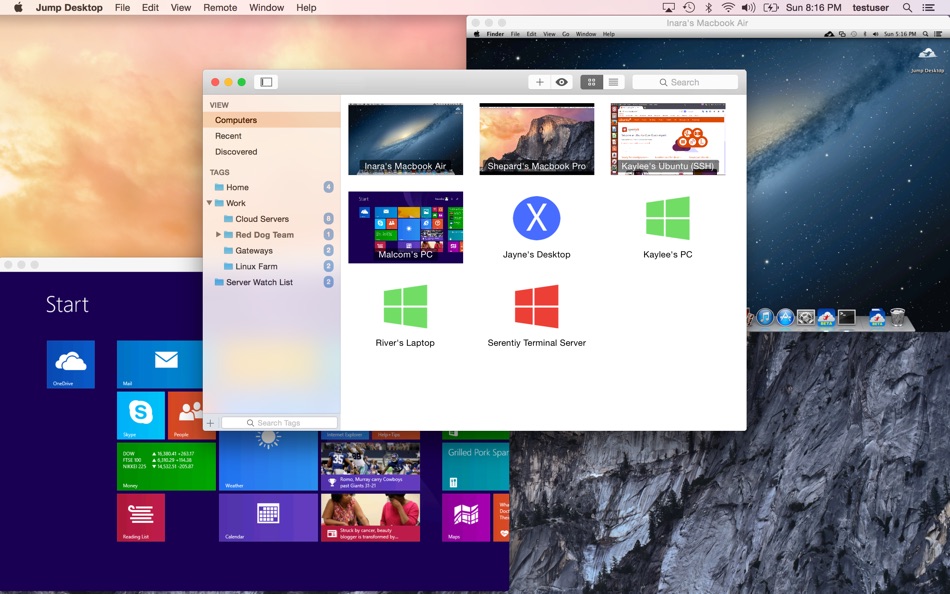
Jump Desktop is very easy to configure; anyone can do it! Just visit: https://www.jumpdesktop.com on your PC or Mac, click the ‘Automatic Setup’ link and follow step-by-step instructions. You’ll be up and running in no time.
* Secure:
Jump encrypts the connection between computers to ensure privacy and security. Automatic connections are always encrypted by default. Supports NLA, TLS/SSL encryption for RDP. SSH Tunnelling and SSL/TLS encryption for VNC. Fluid Remote Desktop uses DTLS for secure connections.
* Supercharged Productivity:
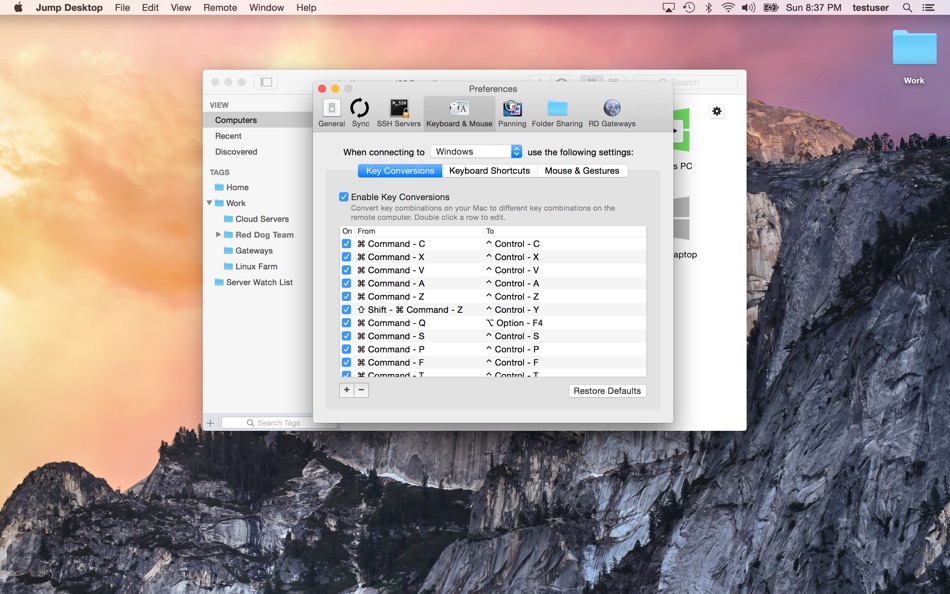
Use Mac keyboard shortcuts in Windows. Seamlessly switch between computers without changing the way you use the keyboard. Vastly improves productivity. Fully customizable: Configure your own shortcuts or use the built-in defaults. No other app comes close.
* Powerful Collaboration Features:
Collaborative screen sharing lets many users connect to the same desktop. Each user gets their own mouse cursor and can click and point without fighting over the same cursor. Great for editing documents with coworkers, tweaking designs with remote team members, creating presentations together, and teaching Grandma how to clean out her email.
* Remote Support
Connect and help anyone by asking them to install the free Jump Desktop Connect app and share a simple URL with you. It's simple, quick and very powerful.
* Integrated into macOS
Quickly search and launch computers directly from Spotlight. Full support for tabbed windows. Tightly integrated into macOS's power saving technology to give you the best battery life on the go.
* Super fast and beautiful:
Our next generation high performance Fluid Remote Desktop is optimized for low latency secure screen sharing. We also have our own in-house implementations of VNC and RDP protocols. Multi-core, hardware accelerated rendering for zippy performance. Optimized for MacBook Pros and iMacs with Retina display.
Features:
* Multi-protocol: supports RDP, VNC and Fluid Remote Desktop
* Collaborative screen sharing
* Remote support
* Full international keyboard support for RDP, VNC and ARD
* Dictation support (Mountain Lion and later)
* Tabs (macOS Sierra and later)
* 3 different ways to zoom and pan the remote screen (really useful when controlling multi-monitor remote systems from laptops)
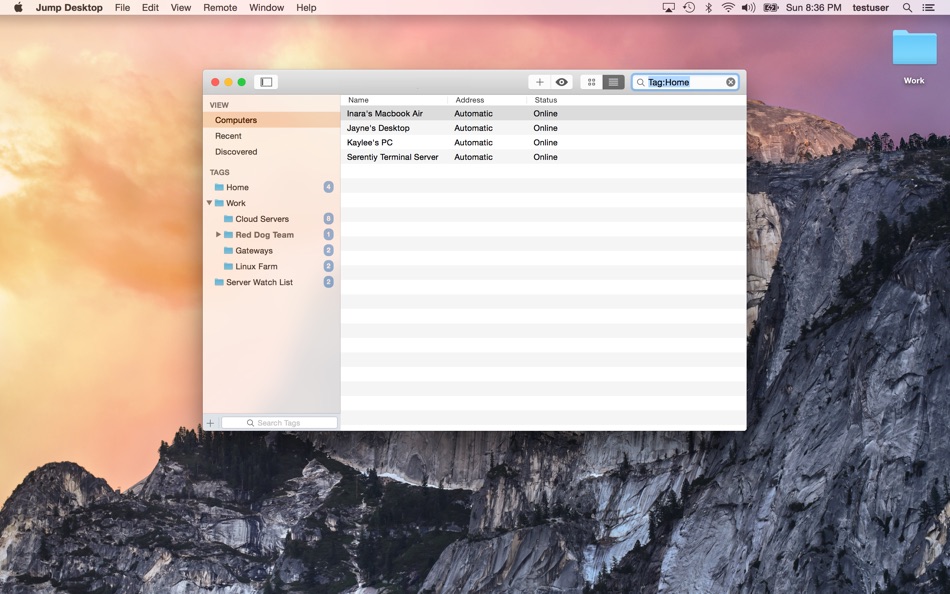
* Easy and secure setup: Automatically configure your PC or Mac for remote access without worrying about your router settings. Set up as many computers as you like and manage them all using your Google account (optional)
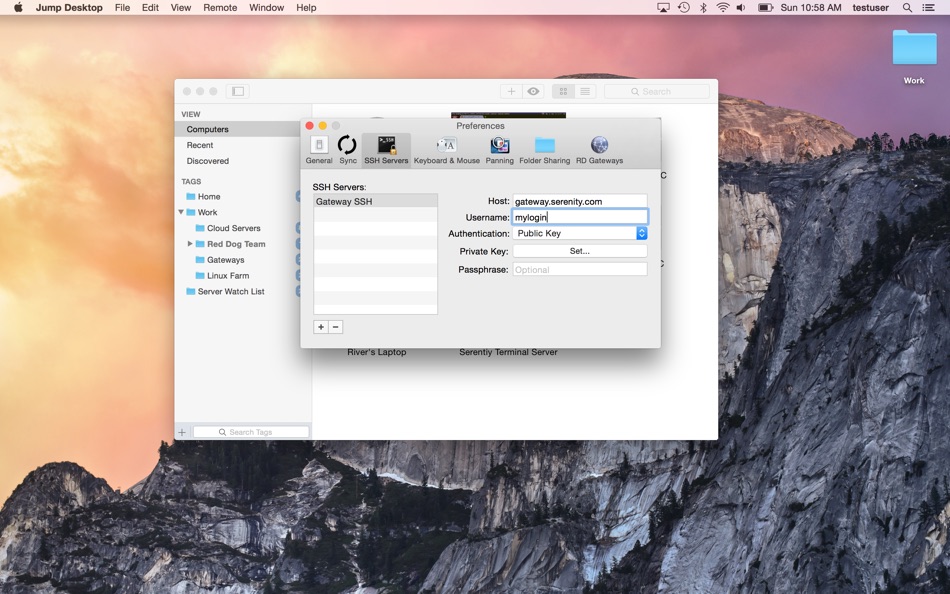
* Built-in SSH tunneling for RDP and VNC connections
RDP features:
* Tested on: Windows 2000, XP, Vista, Windows 7, Windows 8, Server 2003, Server 2008, Server 2008 R2, Server 2012/R2/2016/2019, SBS Server, Windows 10
* RD Broker and Load balancer support
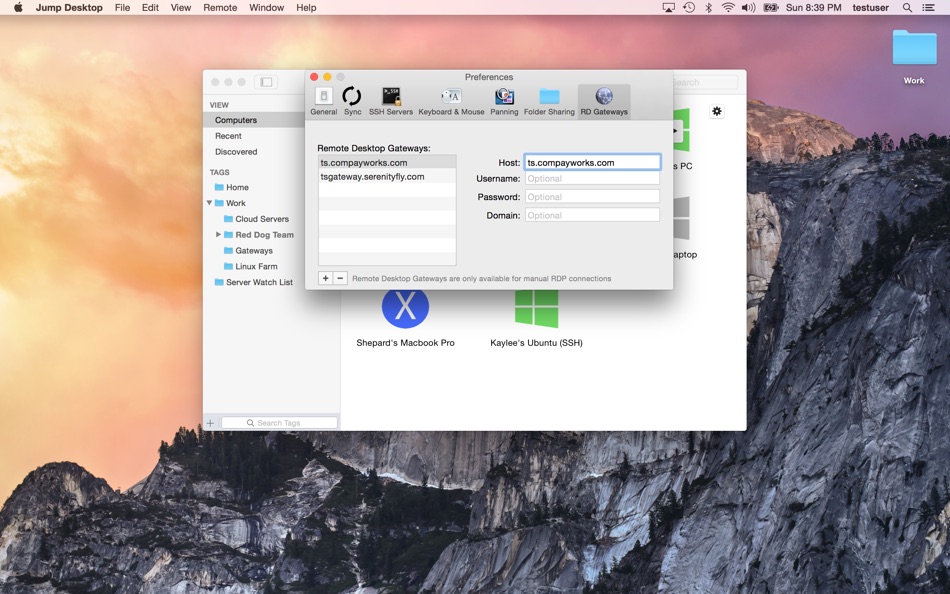
* RD Gateway support
* Dynamic resolution updates (Win 8.1/2012 R2+)
* Desktop Scaling (Win 8.1/2012 R2+)
* Multi monitor support
* Secure: 128-bit RDP, TLS/SSL, FIPS and NLA authentication supported
* Printing redirection support (including a optional , super-fast server side-driver)
* Audio streaming
* Console sessions
* Folder sharing
* International keyboard layouts
VNC features:
* Tested with macOS 10.5+, TightVNC, RealVNC, UltraVNC, Linux (Ubuntu Remote Desktop)
* Secure: Supports SSH tunneling as well as SSL encryption (SSL only available when using automatic setup)
* Black and white, Grayscale, 8-bit and 16-bit color modes to help manage bandwidth
* Clipboard syncing
* Multiple monitor support
광고
스크린샷
가격 내역
- 현재 가격: $34.99
- 최소: $14.99
- 최대: $34.99
AppAgg 점수
25,500
AppAgg 예상 평가:
Jump Desktop (RDP, VNC, Fluid)
개발자: Phase Five Systems
25,500 전설
평가가 높을수록 보통 AppAgg에서 더 강한 신호를 의미합니다.
기준: 인기 · 사용자 평점 · 최신성 · 딜 · 스토어 데이터 · 커뮤니티 활동
최신 AppAgg 데이터를 바탕으로 매일 다시 계산됩니다.
AppAgg 평가 공유
단축 URL: 복사됨! 웹사이트용 배지: 새로운 기능
- 버전: 10.15.28
- 마지막 업데이트:
- Jump Desktop 10 is a major update. Highlights for Mac:
• UP TO 480 FRAMES PER SECOND: games, scrolling and fast motion keep pace with high refresh rate screens. Leave Framerate on Auto to follow your screen.
• HARDWARE ENCODING: sharper detail at the same bandwidth, less CPU on the host and longer battery life on your Mac. Choose Codec > Hardware.
• HIGH-PERFORMANCE VIRTUAL DISPLAYS: save and switch presets, set an exact resolution, scale and refresh rate, and use Keep After Disconnect to leave displays on the host between visits.
• USB DEVICE SUPPORT: redirect the USB devices on your desk to a Windows or Mac host.
• GAME CONTROLLER SUPPORT: play your games from your Mac with the controller in your hands.
• CREATIVE WORK: Input Trail shows your stylus and mouse strokes right away on high-latency connections, and Color Passthrough shows the host's colors unprocessed on calibrated displays.
• EVERYDAY WORK: back and forward mouse buttons, pinch to zoom on a trackpad, and more reliable Chinese, Japanese and Korean text composition.
Full details: https://docs.jumpdesktop.com/whats-new
추가 정보
- 출시일:
- 카테고리:
macOS 앱›비즈니스 - 운영체제:
macOS,macOS 11.0 이상 - 크기:
33 Mb - 지원되는 언어:
English - 콘텐츠 등급:
4+ - Mac App Store 평점: ¡
0 - 웹사이트:
 https://jumpdesktop.com
개발자
목록 (17)




포인트 (9)
-

- 1 Berry Blue
- +1
-
- 69 mano
- +1
-
- 319 pantype
- +1
-
- 609 Leonard Hofstadter
- +1
-
- 2,821 바람처어럼
- +1
-
- 57 조계준
- +1




순위 (1)
-
- 117,250 🥇AppAgg
- 5

댓글 (0)
가장 먼저 댓글을 남겨주세요
요약
Jump Desktop (RDP, VNC, Fluid) 단축 URL: 복사됨!- Mac App Store
AppAgg에서 앱 ‘Jump Desktop (RDP, VNC, Fluid)’의 정보를 확인할 수 있습니다. 개발자: Phase Five Systems. 플랫폼: macOS. 카테고리: 비즈니스. AppAgg 평가: 25,500 (전설). 이 앱의 AppAgg 포인트: 확인된 포인트 9, 간접 포인트 0. 이 앱이 포함된 공개 목록: 17개. 비공개 목록에 저장한 사용자: 5명. AppAgg 사용자가 매긴 이 앱의 평점은 5/5입니다. 투표 수: 1. 확인된 포인트는 로그인한 AppAgg 사용자가 스토어로 이동한 기록을 반영합니다. 간접 포인트는 스토어 데이터를 바탕으로 합니다. 두 숫자는 공개 목록 수와 비공개 목록에 저장한 사용자 수를 나타냅니다. 이 앱의 최초 출시일은 입니다. 이 앱의 마지막 업데이트 날짜는 입니다. 이 앱의 현재 가격은 $34.99입니다. 이 앱의 기록된 최저 가격은 $14.99 (), 최고 가격은 $34.99 ()입니다. 이 앱은 다음 언어를 지원합니다: English. 가격 기록을 확인하거나 앱을 목록에 추가하고 개발자를 팔로우할 수 있습니다. 이 앱의 향후 할인과 업데이트는 RSS 피드에서 확인할 수 있습니다. AppAgg는 이 앱을 호스팅하거나 배포하지 않습니다. 이 앱과 관련된 모든 상표, 로고 및 스크린샷은 각 소유자에게 귀속됩니다.

