
ที่บันทึกไว้
เลือกชื่อที่จะแสดงในเมนูที่บันทึกไว้ของคุณ
เสร็จแล้ว
| ผู้พัฒนา: | Due Apps LLP (2) | ||
| ราคา: | * $14.99 | ||
| การประเมิน: | 11,820 ตำนาน | ||
| การจัดอันดับ: | 0 | ||
| ความเห็น: | 0 โพสต์ความคิดเห็น | ||
| รายการ: | 5 + 2 | ||
| แต้ม: | 4 + 0 ¡ | ||
| +1 แต้ม | |||
คำอธิบาย

1. Captures Intelligently
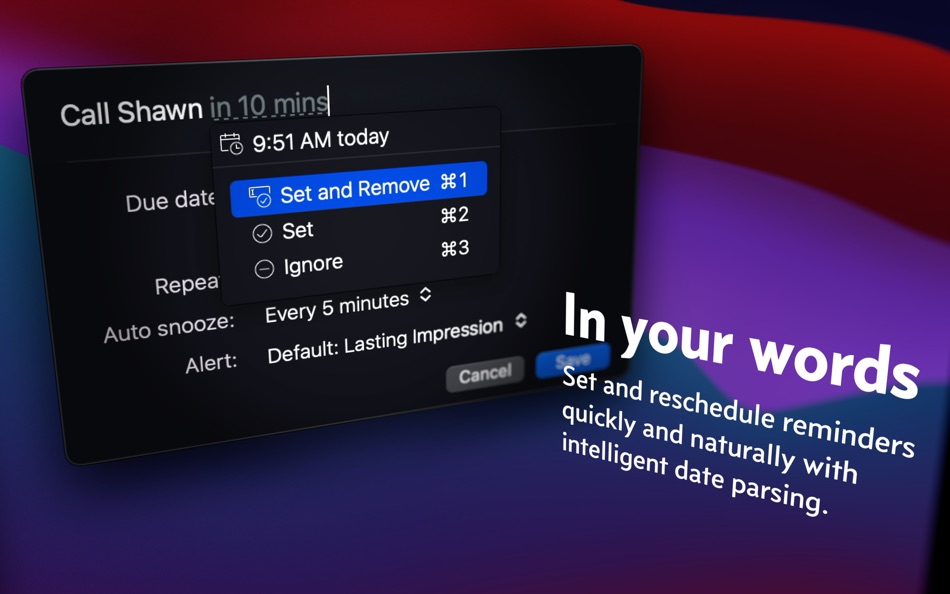
It’s blazingly fast to set reminders with Natural Date Parsing. Type “Make dinner reservation at 9am tomorrow” and your reminder is set for 9 AM tomorrow. There are no awkward date pickers to fight with, nor rigid date and time format to follow. Your reminder is set as soon as you’re done typing.
2. Reminds Persistently
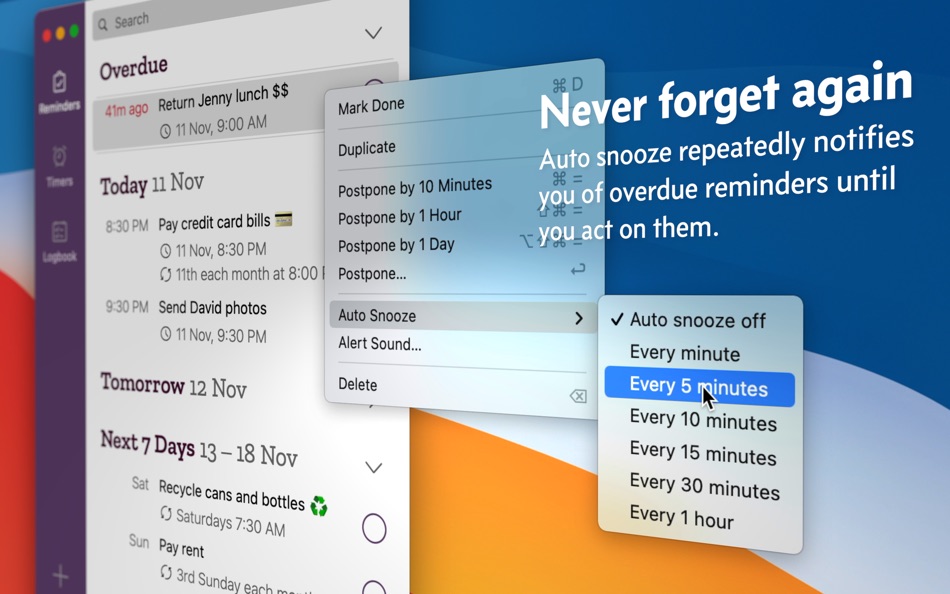
Auto Snooze sends you periodic notifications of reminders that are due until you complete or reschedule them. This way, things actually get done and your todo list never gets stale.
3. Reschedules Quickly
Plans change. Things happen. The same Natural Date Parsing engine that makes setting reminders so easy also makes short work of rescheduling them. And with Bulk Edit, you can reschedule multiple reminders at once.
4. Repeats Flexibly
Vitamins before bed each night? Pay rent every 2 weeks on Monday? Submit a report on the last weekday of the month? Clean aircon filters every 3 months upon completion? Yup, yup, yup and yup.
5. Reuse Effortlessly
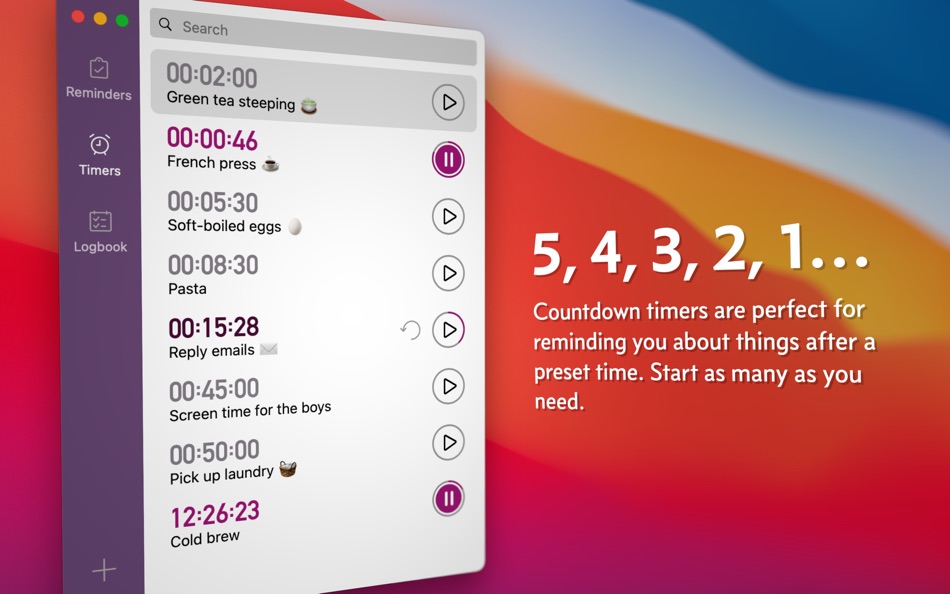
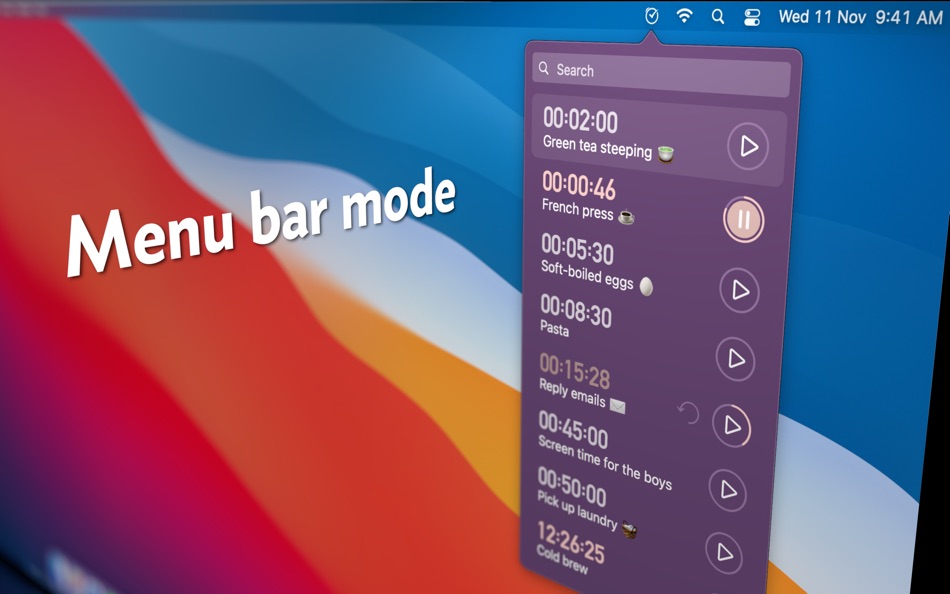
Timers are perfect for reminding you of things after a fixed amount of time. Your 25-minute pomodoro, 1-hour laundry cycle, or a 12-hour overnight bread proofing comes to mind. You set them up once in Due and reuse them forever.
6. Adapts Obligingly
Whether you’d like to have Due show up in your menu bar, hide it from the Dock, or run it completely off the menu bar, Due adapts to your preferences. Notifications are completely customizable too. You can also assign distinctive alert sound for each reminder—louder and longer ones for important reminders, and subtler ones for less critical reminders.
7. Functions Beautifully
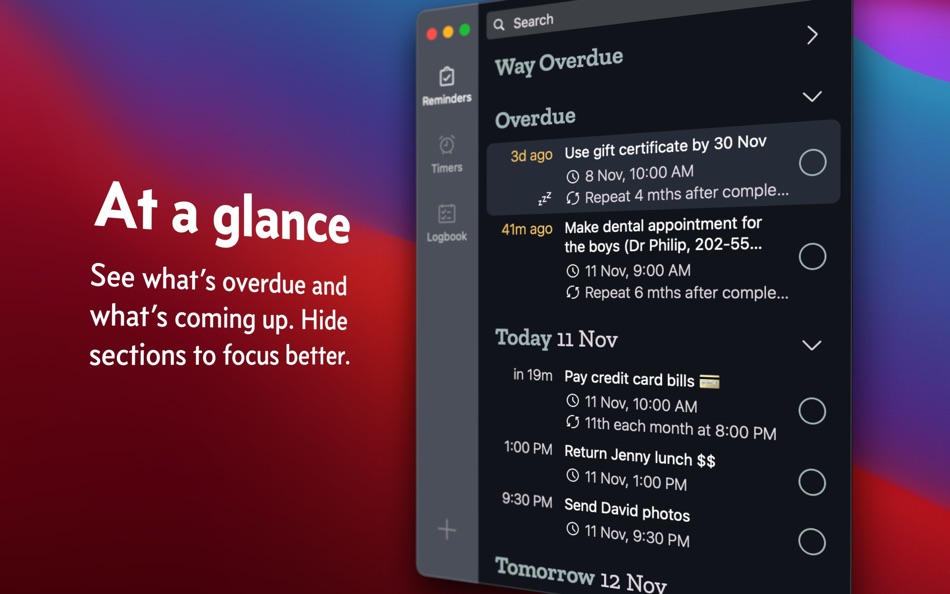
Form and function are delicately balanced with a refined design that makes sure your reminders are always front and centre. And themes—light ones, dark ones, fun ones—we’ve got them all covered.
8. Complements Perfectly
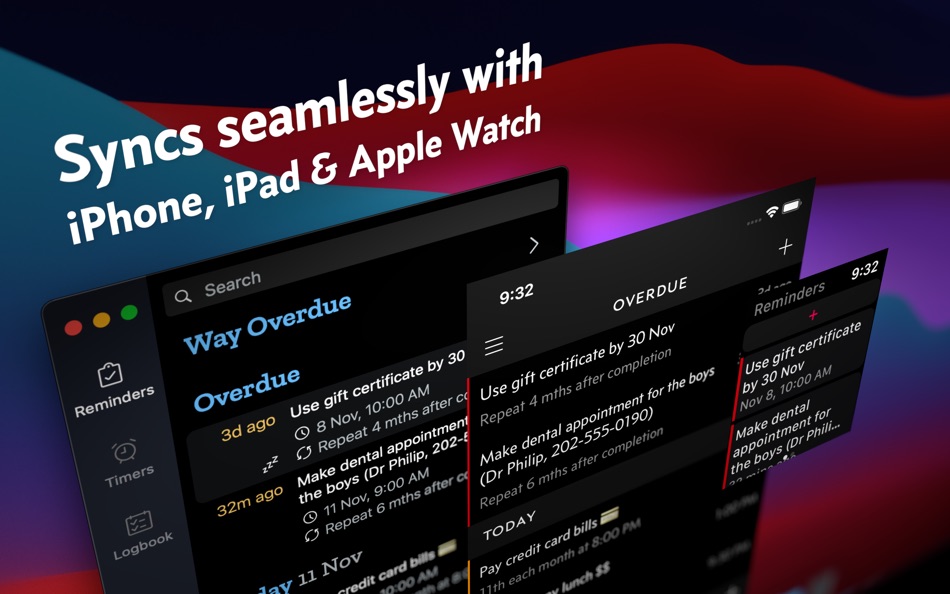
For some of us, the Mac is where we feel most at home with our keyboard and shortcuts. Fully optimized for keyboard operation, Due for macOS makes creating and managing reminders a cinch. The iPhone and Apple Watch, being always with us, make great devices when it comes to reminding us. Together, they make remembering easy, forgetting impossible. It's a perfect partnership.
9. Syncs Seamlessly
Due can sync across your devices using your personal iCloud or Dropbox account. This means you can seamlessly move between devices, all without having to create any accounts with us.
* Due for iPhone, iPad and Apple Watch is a single product sold separately.
---
WHAT’S THAT IN-APP PURCHASE ABOUT?
When you purchase Due today, you will have access to every feature in the app today—no further purchase is required.
You will also get access to all new features released one year from your date of purchase.
The optional Due Upgrade Pass subscription allows you to continue getting access to all new features released one year *after* your date of purchase.
And here’s the deal: Every feature that you have unlocked will remain available to you, forever—even if you stop subscribing.
Even without a subscription, you'll always receive bug-fix and compatibility updates for free. These updates add support for the latest Macs and also help ensure that Due continues to function well on the latest versions of macOS.
TERMS & PRIVACY POLICY
Our terms of use and privacy policy is available here: https://www.dueapp.com/terms.html
COMPATIBILITY
Requires macOS Mojave 10.14 or later.
โฆษณา
ภาพหน้าจอ
ประวัติราคา
-
* การซื้อภายในแอพ - ราคาปัจจุบัน: $14.99
- ต่ำสุด: $9.99
- สูงสุด: $14.99
ติดตามราคา เพิ่มลงในรายการเพื่อรับการแจ้งเตือนส่วนลดทางอีเมลหรือพุช
คะแนน AppAgg
11,820
การประเมิน AppAgg โดยประมาณสำหรับ
Due — Reminders & Timers
ผู้พัฒนา: Due Apps LLP
11,820 ตำนาน
การประเมินที่สูงขึ้นมักหมายถึงสัญญาณบน AppAgg ที่แข็งแกร่งขึ้น
อิงจาก: ความนิยม · คะแนนจากผู้ใช้ · ความสดใหม่ · ดีล · ข้อมูลร้านค้า · กิจกรรมชุมชน
คำนวณใหม่ทุกวันจากข้อมูล AppAgg ล่าสุด.
URL แบบสั้น: คัดลอกแล้ว!
มีอะไรใหม่
- เวอร์ชัน: 26.4.4
- อัปเดตล่าสุด:
- • Automatically cleans up reminders that were accidentally duplicated.
ข้อมูลเพิ่มเติม
- วันที่วางจำหน่าย:
- หมวดหมู่:
แอปสำหรับ macOS›ประสิทธิภาพการผลิต - ระบบปฏิบัติการ:
macOS,macOS 10.14 และสูงกว่า - ขนาด:
24 Mb - ภาษาที่สนับสนุน:
Chinese,English,German,Japanese - การจัดประเภทเนื้อหา:
4+ - Mac App Store คะแนน: ¡
0 - เว็บไซท์:
 https://www.dueapp.com/
ผู้พัฒนา
รายการ (5)
- Due — Reminders & Timers


แต้ม (4)
-

- 22,190 cahiba7911@agenra.com
- +1
-
- 643 IMO FUCASHI
- +1
-
- 2,191 sam
- +1
-
- 259 MichaelTheGeek
- +1


การจัดอันดับ (0)
0
ความเห็น (0)
เป็นคนแรกที่แสดงความเห็น
สรุป
Due — Reminders & Timers URL แบบสั้น: คัดลอกแล้ว!- Mac App Store
ติดตามแอป “Due — Reminders & Timers” โดย Due Apps LLP สำหรับ macOS ในหมวด ประสิทธิภาพการผลิต ได้บน AppAgg การประเมิน AppAgg: 11,820 (ตำนาน) แต้ม AppAgg ของแอปนี้: ยืนยันแล้ว 4 แต้ม และทางอ้อม 0 แต้ม รายการสาธารณะที่มีแอปนี้: 5 รายการ ผู้ใช้ที่บันทึกแอปไว้ในรายการส่วนตัว: 2 คน ผู้ใช้ AppAgg ยังไม่ได้ให้คะแนนแอปนี้ แต้มที่ยืนยันแล้วบันทึกการกดไปยังร้านของผู้ใช้ที่เข้าสู่ระบบ AppAgg ส่วนแต้มทางอ้อมอ้างอิงข้อมูลจากร้านค้า ตัวนับทั้งสองแสดงจำนวนรายการสาธารณะและจำนวนผู้ใช้ที่บันทึกแอปหรือเกมไว้ในรายการส่วนตัว แอปนี้เปิดตัวครั้งแรกเมื่อ แอปนี้อัปเดตล่าสุดเมื่อ ปัจจุบันแอปราคา $14.99 ราคาต่ำสุดที่บันทึกไว้ของแอปคือ $9.99 () และราคาสูงสุดคือ $14.99 () แอปนี้รองรับภาษาต่อไปนี้: Chinese, English, German, Japanese ดูประวัติราคา เพิ่มแอปลงในรายการ หรือติดตามผู้พัฒนา ติดตามส่วนลดและอัปเดตในอนาคตของแอปผ่าน ฟีด RSS AppAgg ไม่ได้โฮสต์หรือแจกจ่ายแอปนี้ เครื่องหมายการค้า โลโก้ และภาพหน้าจอทั้งหมดที่เกี่ยวข้องกับแอปเป็นของเจ้าของแต่ละราย

