
Saved
Choose the name that will be shown in your Saved menu.
Done!
| Developer: | Rizer Creative Ltd (3) | ||
| Price: | $20.00 | ||
| Rankings: | 0 | ||
| Comments: | 0 Add a comment | ||
| Lists: | 6 + 4 | ||
| Points: | 2 + 132 (4.1) ¡ | ||
| +1 Points | |||
Description

DRAWING
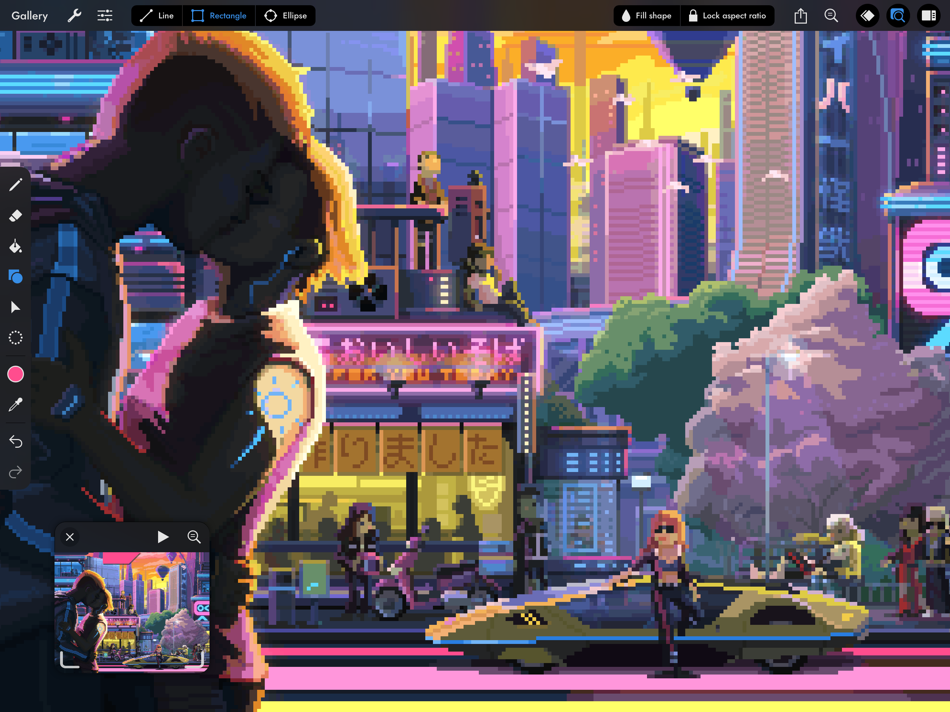
• Pixel perfect painting mode automatically removes double pixels when doing line art.
• Round, square, and matrix dither brushes.
• Line tool, which can be locked to isometric angles.
• Rectangle and ellipse tools.
LAYERS OF ANIMATION
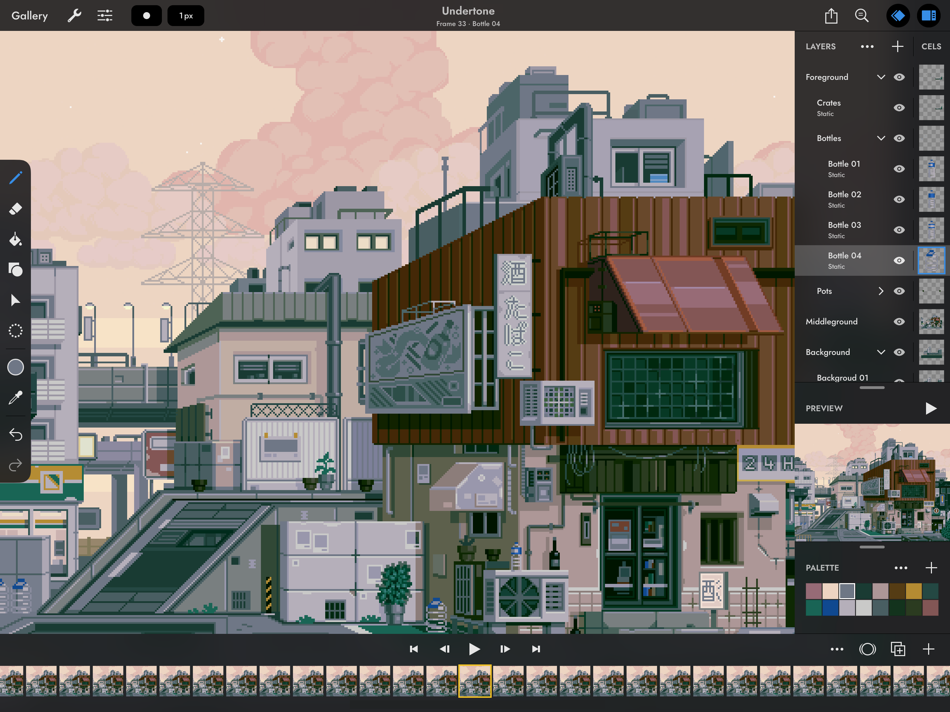
• Layers are shared across the whole project, which means every layer has its own timeline.
• Static image layers for background and foreground elements that are the same on every frame.
• 18 layer blend modes.
• Rename layers.
• Reorder layers and frames by using drag and drop.
• Scrubbable timeline.
• Advanced onion skin options.
• Select multiple layers or frames at once to quickly make bulk adjustments.
• Use high resolution reference layers to pixel over your sketches and photos.
COLOR
• Four color selection modes: a square picker with an infinitely scrolling hue slider, sliders for HSB and RGB, hex code input, and the project palette.
• Eyedropper to sample any color from the canvas.
• Bucket fill, with contiguous or discontiguous options.
• Color replace across the whole project.
SELECTION
• Freehand, rectangular, and color selection.
• Use the active selection as a mask.
• Cut or copy the selected pixels and paste them to any app that supports pasting images.
TRANSFORM
• Move without needing to select. Position the image on or off the canvas without clipping.
• Scale uniformly up and down, or squash and stretch.
• Rotate by any angle.
• Flip horizontally and vertically.
IMPORT & EXPORT
• Import any static image, or a GIF.
• Import and export Aseprite documents (requires iPadOS 13 ore newer).
• Import and export Photoshop documents (PSDs).
• Use magnification when sharing to upscale without the results looking blurry.
• Export as a single image or image sequence as PNG, TIFF, or JPEG-2000.
• Export animated images as GIF or APNG.
• Export QuickTime movies with H264 or HEVC codecs.
• Export as a sprite sheet, with configurable columns.
Screenshot artwork by Genuine Human, waneella, Chelsea Faust, and rachels_ham.
Find out more at pixaki.com.
Ad
Screenshots


Price History
- Current price: $20.00
- Minimum: $20.00
- Maximum: $27.00
Track prices
Additional Information
- Release Date:
- Category:
iOS Apps›Graphics & Design - OS:
iPad,iOS 12.0 and up - Size:
29 Mb - Supported Languages:
English - Content Rating:
4+ - App Store Rating:
4.1(132) - Website:
 https://pixaki.com
What's new
- Version: 4.6
- Updated:
- Pixaki 4.6 adds support for Apple Pencil squeeze gestures. There are also fixes for iCloud Drive issues.
If you’re enjoying Pixaki, please consider leaving a review — it’s a big help when you do.
Thanks!
Luke
Developer
- Rizer Creative Ltd
- Platforms: iOS Apps (3)
- Lists: 8 + 6
- Points: 4 + 256 ¡
- Rankings: 0
- Comments: 0
- Deals: 0
- Videos: 0
- RSS: Subscribe
Lists (6)
- Pixaki 4 Pro





Points (2)
-

- 1 XeonstrcAp
- +1
-
- 1 Navy
- +1

Rankings (0)
0 ☹️
Comments (0)
Be the first to comment 🌟
«Pixaki 4 Pro» is a Graphics & Design app for iOS, developed by «Rizer Creative Ltd». It was first released on and last updated on . The lowest historical price was $20.00 on , and the highest was $27.00 on . This app has not yet received any ratings on AppAgg. It has been added to 6 public lists and 4 private lists created by users. AppAgg has tracked 2 confirmed points plus 132 indirect points for this app. On App Store, the current store rating is 4.1 based on 132 votes. Available languages: English. AppAgg continuously tracks the price history, ratings, and user feedback for «Pixaki 4 Pro». Subscribe to this app or follow its RSS feed to get notified about future deals or updates. AppAgg does not host applications or distribute software. All trademarks, logos and screenshots belong to their respective owners.
Pixaki 4 Pro Short URL: Copied!- 🌟 Share
- App Store
Similar
-
- Pixaki 3 (Legacy)
- iOS Apps: Graphics & Design By: Rizer Creative Ltd
- $24.99
- Lists: 2 + 2 0 0
- Points: 1 + 90 (4.0) Version: 3.7.9 Pixaki is a powerful pixel art creation studio for iPad. It features many of the same features found in desktop apps such as custom canvas sizes, layers, animation, precise color ... ⥯
-
- Pixaki 4 Intro
- iOS Apps: Graphics & Design By: Rizer Creative Ltd
- Free
- Lists: 1 0 0
- Points: 1 + 34 (3.7) Version: 4.6 Pixaki Intro is perfect for anyone getting started with pixel art, and a great way to try out the features found in Pixaki Pro. Pixaki Intro lets you create sprites up to 160 × 160 px, ⥯