
Đã lưu
Chọn tên sẽ hiển thị trong menu Đã lưu của bạn.
Làm xong!
| Nhà phát triển: | Rizer Creative Ltd (3) | ||
| Giá bán: | $20.00 | ||
| Xếp hạng: | 0 | ||
| Bình luận: | 0 Đăng bình luận | ||
| Danh sách: | 6 + 4 | ||
| Điểm: | 2 + 132 (4.1) ¡ | ||
| +1 Điểm | |||
Mô tả

DRAWING
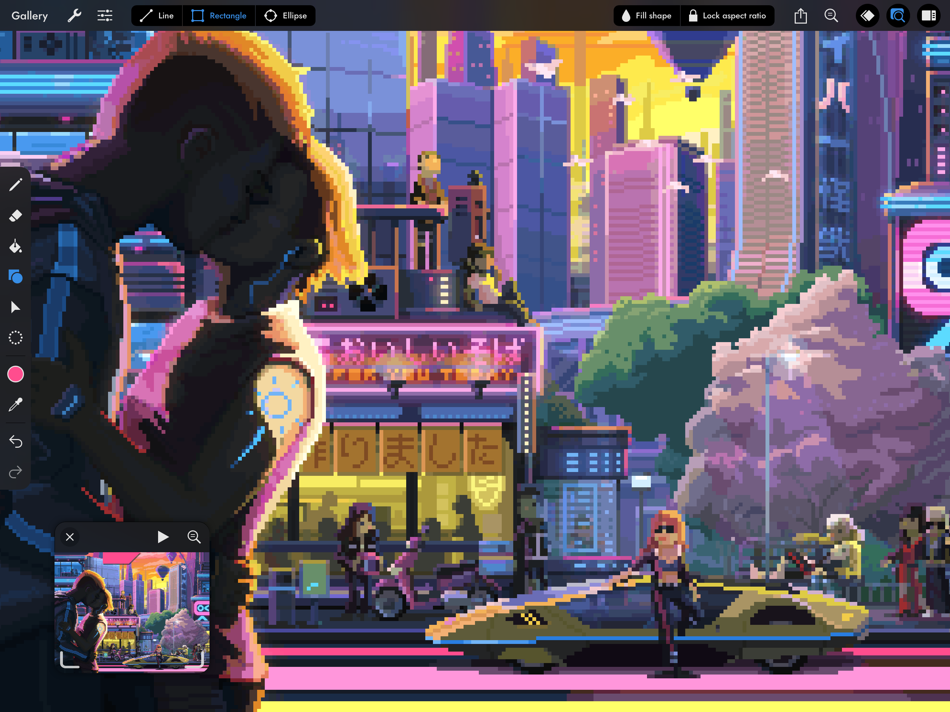
• Pixel perfect painting mode automatically removes double pixels when doing line art.
• Round, square, and matrix dither brushes.
• Line tool, which can be locked to isometric angles.
• Rectangle and ellipse tools.
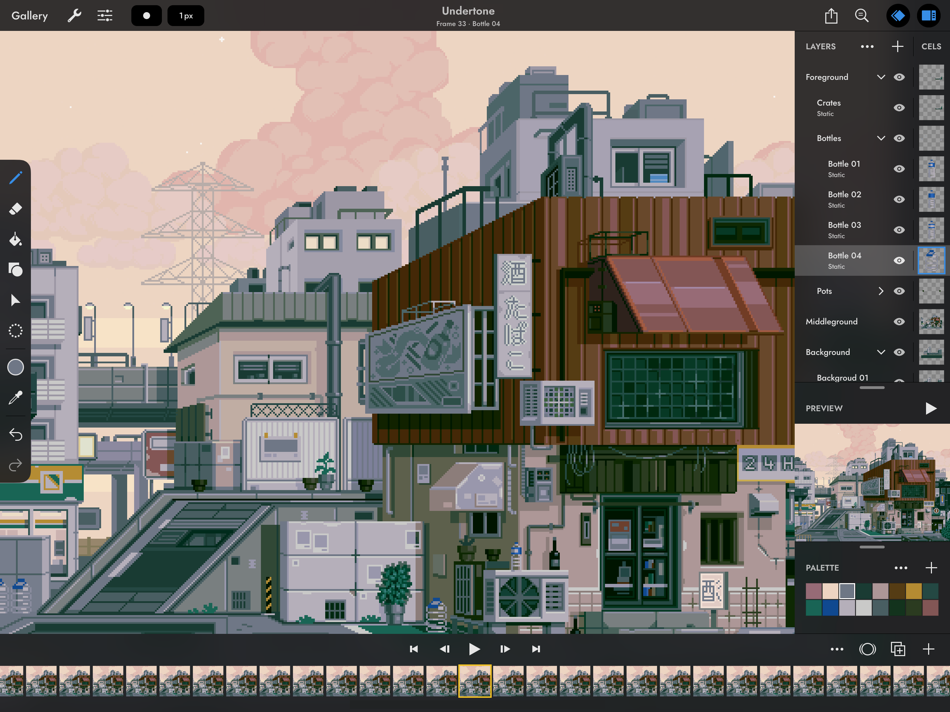
LAYERS OF ANIMATION
• Layers are shared across the whole project, which means every layer has its own timeline.
• Static image layers for background and foreground elements that are the same on every frame.
• 18 layer blend modes.
• Rename layers.
• Reorder layers and frames by using drag and drop.
• Scrubbable timeline.
• Advanced onion skin options.
• Select multiple layers or frames at once to quickly make bulk adjustments.
• Use high resolution reference layers to pixel over your sketches and photos.
COLOR
• Four color selection modes: a square picker with an infinitely scrolling hue slider, sliders for HSB and RGB, hex code input, and the project palette.
• Eyedropper to sample any color from the canvas.
• Bucket fill, with contiguous or discontiguous options.
• Color replace across the whole project.
SELECTION
• Freehand, rectangular, and color selection.
• Use the active selection as a mask.
• Cut or copy the selected pixels and paste them to any app that supports pasting images.
TRANSFORM
• Move without needing to select. Position the image on or off the canvas without clipping.
• Scale uniformly up and down, or squash and stretch.
• Rotate by any angle.
• Flip horizontally and vertically.
IMPORT & EXPORT
• Import any static image, or a GIF.
• Import and export Aseprite documents (requires iPadOS 13 ore newer).
• Import and export Photoshop documents (PSDs).
• Use magnification when sharing to upscale without the results looking blurry.
• Export as a single image or image sequence as PNG, TIFF, or JPEG-2000.
• Export animated images as GIF or APNG.
• Export QuickTime movies with H264 or HEVC codecs.
• Export as a sprite sheet, with configurable columns.
Screenshot artwork by Genuine Human, waneella, Chelsea Faust, and rachels_ham.
Find out more at pixaki.com.
Ad
Ảnh chụp màn hình


Lịch sử giá
- Giá hiện tại: $20.00
- Tối thiểu: $20.00
- Tối đa: $27.00
Theo dõi giá
Thông tin bổ sung
- Ngày phát hành:
- Danh mục:
iOS Ứng dụng›Thiết kế đồ họa - HĐH:
iPad,iOS 12.0 trở lên - Kích thước:
29 Mb - Ngôn ngữ được hỗ trợ:
English - Xếp hạng nội dung:
4+ - App Store Xêp hạng:
4.1(132) - Trang web:
 https://pixaki.com
Tính năng mới
- Phiên bản: 4.6
- Cập nhật:
- Pixaki 4.6 adds support for Apple Pencil squeeze gestures. There are also fixes for iCloud Drive issues.
If you’re enjoying Pixaki, please consider leaving a review — it’s a big help when you do.
Thanks!
Luke
Nhà phát triển
- Rizer Creative Ltd
- Nền tảng: iOS Ứng dụng (3)
- Danh sách: 8 + 6
- Điểm: 4 + 256 ¡
- Xếp hạng: 0
- Bình luận: 0
- Giảm giá: 0
- Video: 0
- RSS: Đăng ký
Danh sách (6)
- Pixaki 4 Pro





Điểm (2)
-

- 1 XeonstrcAp
- +1
-
- 1 Navy
- +1

Xếp hạng (0)
0 ☹️
Bình luận (0)
Hãy là người đầu tiên nhận xét 🌟
«Pixaki 4 Pro». Nền tảng: iOS. Thể loại: Thiết kế đồ họa. Nhà phát triển: «Rizer Creative Ltd». Bản phát hành đầu tiên: . Cập nhật lần cuối: . Giá hiện tại: $20.00. Giá thấp nhất được ghi nhận: $20.00 (). Giá cao nhất được ghi nhận: $27.00 (). Tiêu đề này chưa nhận được xếp hạng hoặc đánh giá trên AppAgg. Danh sách: công khai 6, riêng tư 4. Điểm được theo dõi: xác nhận 2, gián tiếp 132. Cửa hàng: App Store. Đánh giá cửa hàng: 4.1. Phiếu bầu: 132. Ngôn ngữ có sẵn: English. AppAgg theo dõi lịch sử giá, xếp hạng và phản hồi của người dùng cho «Pixaki 4 Pro». Theo dõi ưu đãi và cập nhật trong tương lai qua RSS. AppAgg không lưu trữ ứng dụng hoặc phân phối phần mềm. Tất cả các nhãn hiệu, logo và ảnh chụp màn hình đều thuộc về chủ sở hữu tương ứng.
Pixaki 4 Pro URL ngắn: Đã sao chép!- 🌟 Chia sẻ
- App Store
Tương tự
-
- Pixaki 3 (Legacy)
- iOS Ứng dụng: Thiết kế đồ họa Bởi: Rizer Creative Ltd
- $24.99
- Danh sách: 2 + 2 0 0
- Điểm: 1 + 90 (4.0) Phiên bản: 3.7.9 Pixaki is a powerful pixel art creation studio for iPad. It features many of the same features found in desktop apps such as custom canvas sizes, layers, animation, precise color ... ⥯
-
- Pixaki 4 Intro
- iOS Ứng dụng: Thiết kế đồ họa Bởi: Rizer Creative Ltd
- Miễn phí
- Danh sách: 1 0 0
- Điểm: 1 + 34 (3.7) Phiên bản: 4.6 Pixaki Intro is perfect for anyone getting started with pixel art, and a great way to try out the features found in Pixaki Pro. Pixaki Intro lets you create sprites up to 160 × 160 px, ⥯