
저장됨
저장됨 메뉴에 표시할 이름을 선택하세요.
완료!
| 개발자: | Matthias Gansrigler-Hrad (11) | ||
| 가격: | * $17.99 | ||
| 순위: | 0 | ||
| 댓글: | 0 댓글 게시 | ||
| 목록: | 4 + 4 | ||
| 포인트: | 8 + 0 ¡ | ||
| Mac App Store | |||
기술

From capturing screenshots and recordings over editing, annotating, redacting and running data-detection on them to storing, organizing and syncing them, ScreenFloat is your all-in-one screen capture tool.
“Game-changer for managing screenshots” - Man.Osman
“Outstanding app. Buy this and use it for a week and you will love it” - Chuck's Review
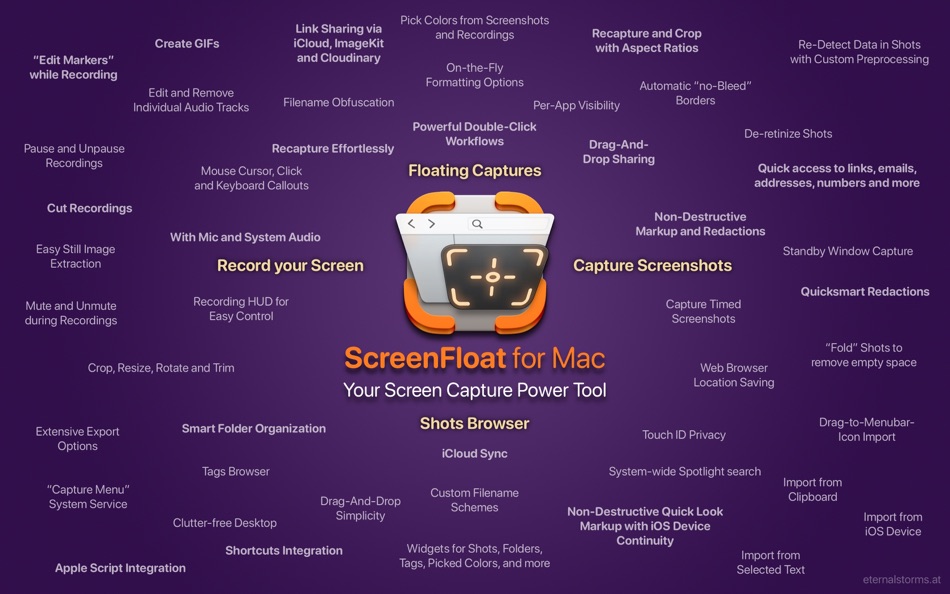
= CAPTURE =
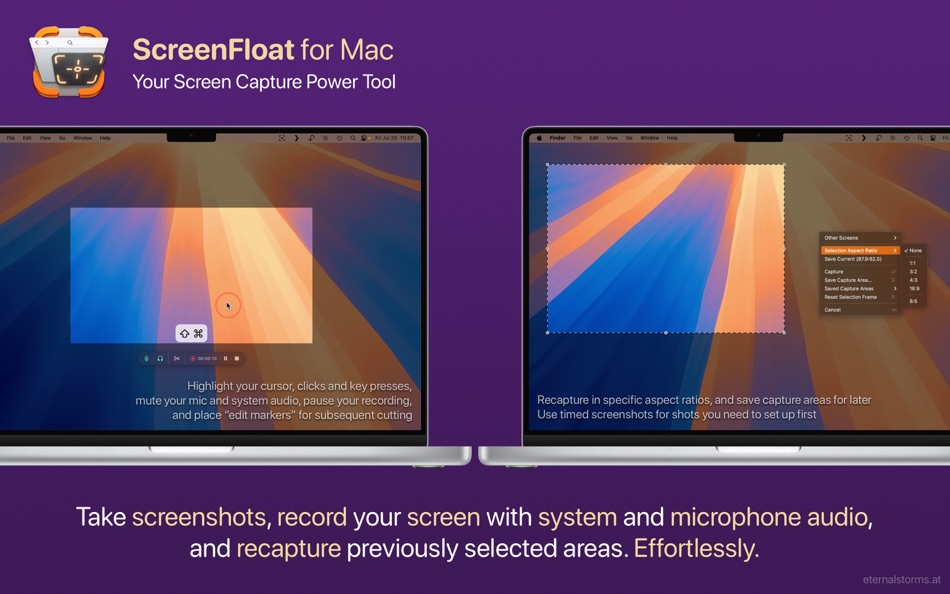
Capture screenshots, timed screenshots and screen recordings with a keyboard shortcut, the menu bar icon, or a widget.
Create Shots from content on your clipboard, or import from your iPhone or iPad.
Effortlessly recapture shots without having to painstakingly reframe the capture area.
“Accountant's Friend! Worth every penny!” - Savyasaci
= FLOAT =
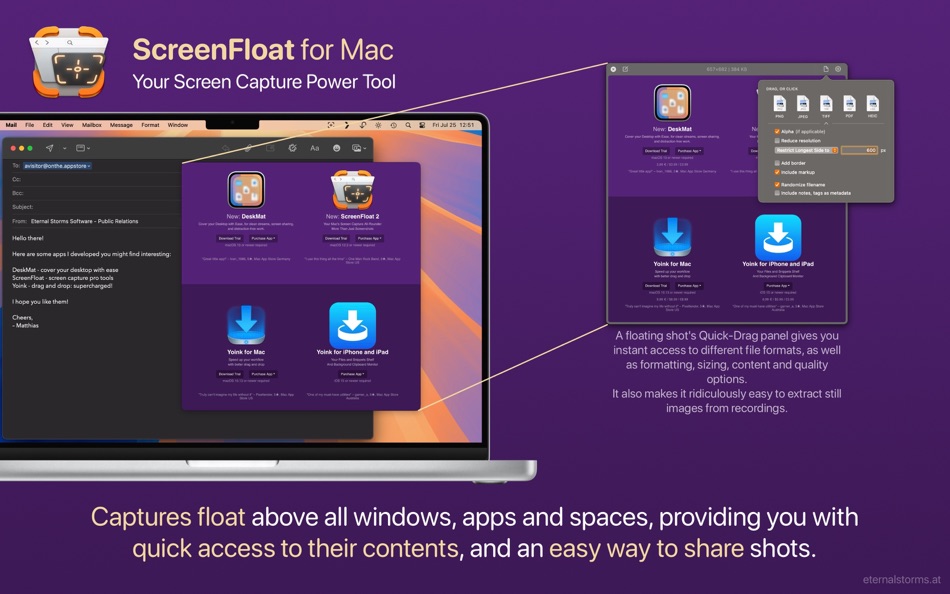
By default, shots you capture float above all apps so you can reference their contents, or use them as a reminder.
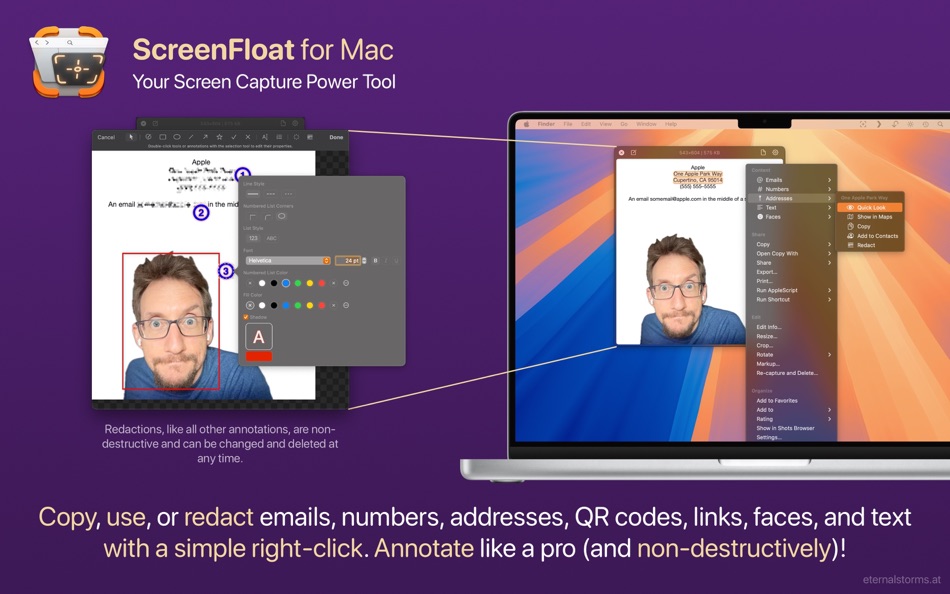
Data-detection allows for quick copying, opening and even quicksmart-redacting of links, emails, phone numbers, addresses and QR codes
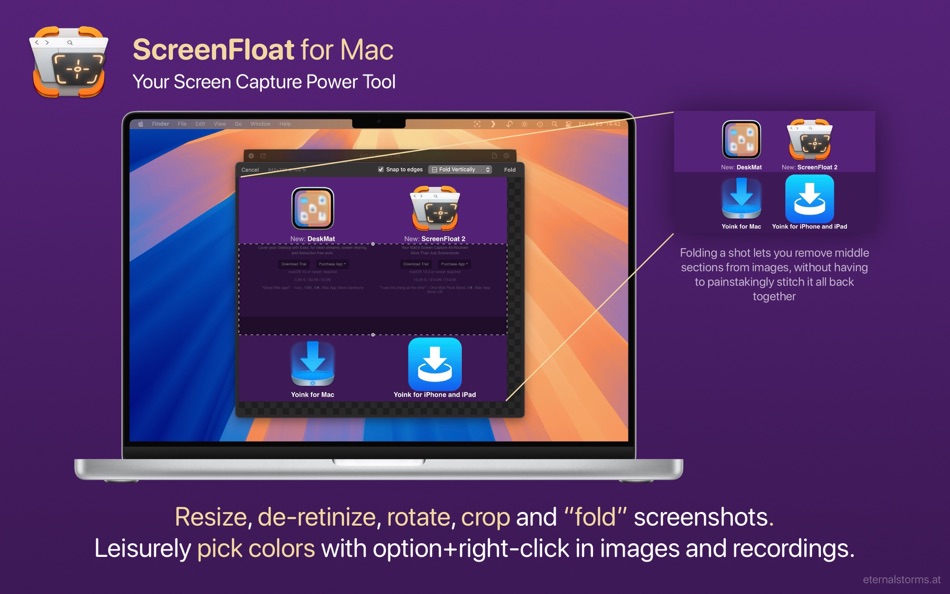
Option-right-click to pick colors
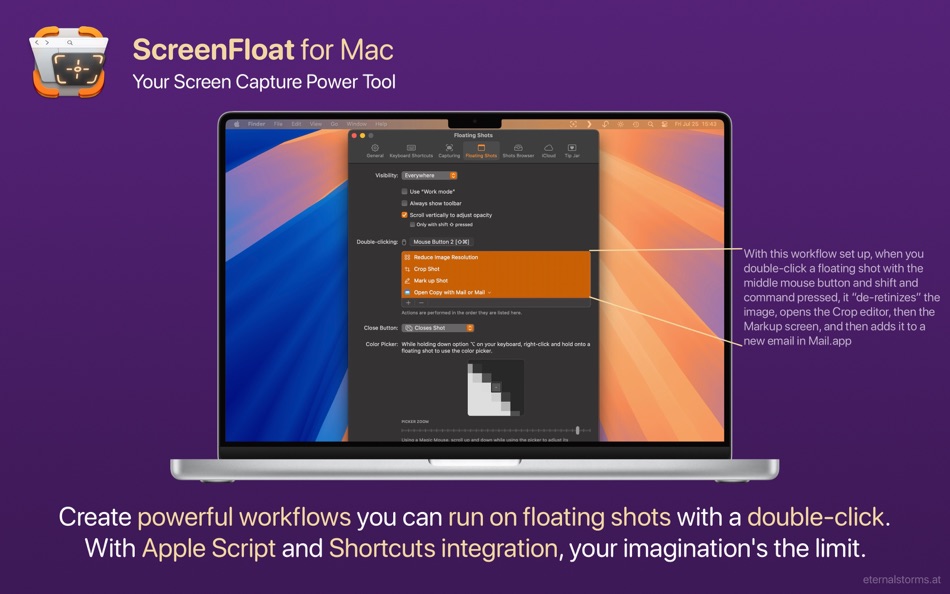
Run powerful, custom workflows with Double-Click Actions
“An animator's best friend!” - rengland77
= EDIT =
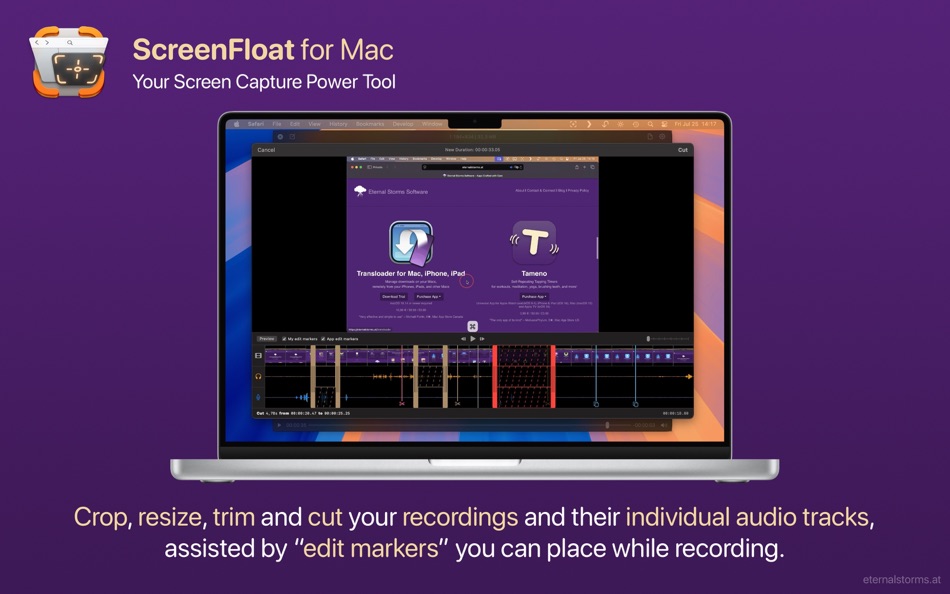
Crop, "fold", rotate, resize, trim and "de-retinize" shots
Annotate screenshots non-destructively
Trim and cut recordings, with microphone and system audio editable separately
“2 Gems: The app itself and User Support” - A Bostonian Visual Thinker
= SHARE =
Easily share shots to other apps via drag and drop, copy-paste or export from floating shots, or the Shots Browser
Share larger shots as a link via iCloud, ImageKit or Cloudinary
When dragging from a floating shot, adjust the format, quality, and other options on-the-fly
“One of my most used Apps” - paradox2222
= STORE =
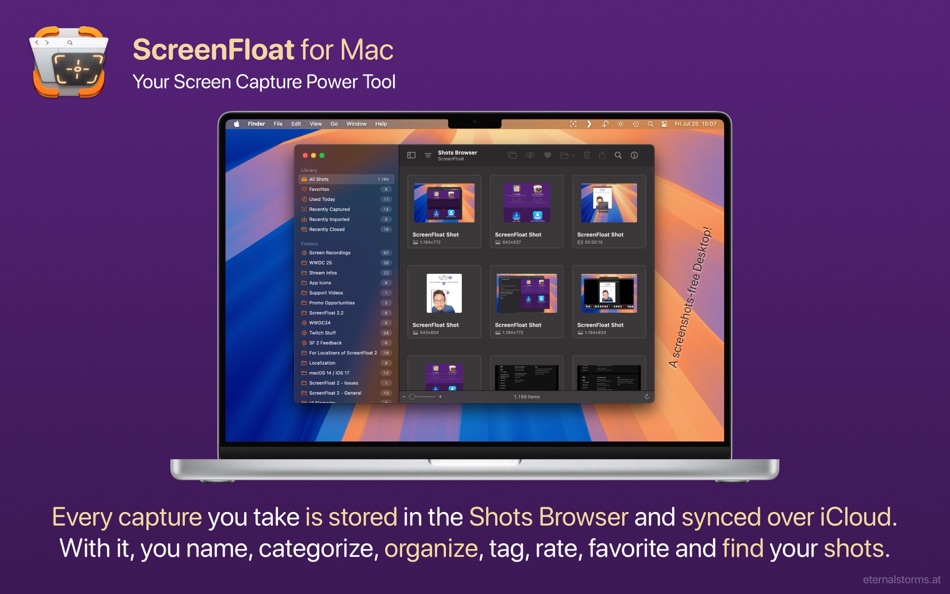
ScreenFloat's Shots Browser keeps a library of your captures, where you can name, tag, rate, favorite and organize them.
Collect Shots in folders
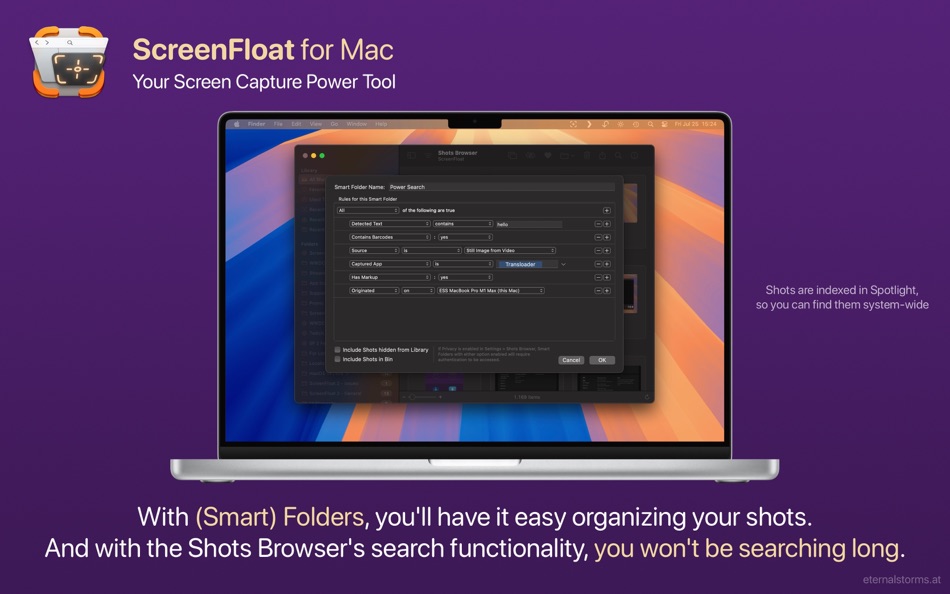
Use Smart Folders to intelligently collect Shots by certain criteria, including whether they contain faces, or certain text, or which device you captured them on
Extensive search functionality (with Spotlight indexing)
Sync everything over iCloud
“Its Essential - what else is there to write” - JR123§123§12
= INTEGRATE =
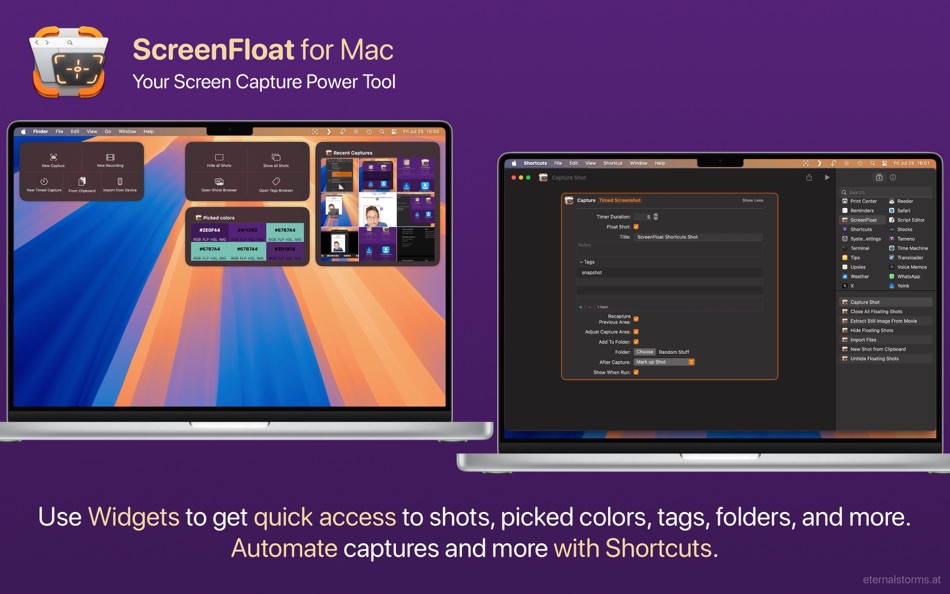
Automate capturing your screen, importing, and managing your floating shots using Siri Shortcuts
Use widgets to get access to ScreenFloat's capture functionality, as well as shots, picked colors, tags, folders, and more
Run your own Siri Shortcuts and Apple Scripts on your shots
“I've used many similar apps over the years, and this is the best” - nodisorder
*** And so much more. ScreenFloat 2: More than just screenshots. ***
= System Requirements =
- macOS 12 Monterey or newer (some features require macOS 13 Ventura or newer)
- An iCloud account if you wish to sync your library over iCloud
= What the Press Says =
“One of the most comprehensive screenshot apps that there are” - Elaine Giles, MacBites After Hours
“Sometimes I'll cover an app that I just have to put in my war-chest of applications that I use every day - ScreenFloat 2 is one such app” - Lee Garrett, ScreenCastsOnline.com
“You may never go back to the Mac's default screenshot system” - MacFormat.com
“I have used numerous screenshot applications. ScreenFloat is the one I use daily” - MacAutomationTips.com
“Trounces most of the competition” - ScottWillsey.com
“Packed with loads of useful, flexible features” - MacStories.net
= What do YOU say? =
All this aside: ultimately, software needs to be tested personally to see if it fits one's needs.
So please download the free, 28-day trial from the website, and feel free to get in touch with me if you have any questions or feedback - I look forward to hearing from you: https://eternalstorms.at/contact
= About In-App Purchases =
The available in-app purchases are completely voluntary tips and do not unlock any additional features.
Your one-time purchase of ScreenFloat gives you its full functionality.
Ad
스크린샷
가격 내역
-
* 인앱 구매 - 오늘: $17.99
- 최소: $5.99
- 최대: $17.99
가격 추적
새로운 기능
- 버전: 2.3.6
- 업데이트:
- ScreenFloat v2.3.6 (2026.03.04) contains the following new features, improvements and bug fixes:
= NEW FEATURES =
- A new double-click action allows you to easily copy detected data like emails, phone numbers and links
- Screenshots and recordings made with macOS' built-in tools can now be automatically imported into ScreenFloat
= IMPROVEMENTS =
- When resizing, rotating or cropping a shot, the floating shot now resizes accordingly
- Improves handling of imported screen recordings
- Share more quickly with the new Share sheet (requires macOS 13 “Ventura” or newer)
= BUG FIXES =
- Fixes a crash that could occur when cropping, rotating or muting video recordings
- Fixes a bug where the About window, when opened in another space, would not appear in the current space when opened
- Fixes a bug where the color panel sometimes refused to appear
- Fixes a bug where images with certain color spaces / profiles could not be edited correctly
- When a Quick Look'ed shot is deleted in the Shots Browser, the Quick Look panel now updates correctly to the next shot
Thank you for using ScreenFloat for Mac. I hope you're enjoying the app!
If you have some time and if it's not too much to ask, please consider leaving a rating or review of ScreenFloat on the Mac App Store - it would help me out a lot!
If you'd like to get in touch or connect with me, please visit https://eternalstorms.at/contact for all options.
Yours truly,
Matthias
추가 정보
 https://eternalstorms.at/ScreenFloat
개발자
목록 (4)
- ScreenFloat—Pro Screen Capture




포인트 (8)
-

- 18,078 cahiba7911@agenra.com
- +1
-
- 2,944 Alan
- +1
-
- 3,703 Dragon
- +1
-
- 534 MichaelTheGeek
- +1
-
- 187 Brendon Cromwell
- +1
-
- 6 Alain croizier
- +1


순위 (0)
0 ☹️
댓글 (0)
가장 먼저 댓글을 남겨주세요 🌟
«ScreenFloat—Pro Screen Capture». 플랫폼: macOS. 카테고리: 사진 및 비디오. 개발자: «Matthias Gansrigler-Hrad». 첫 번째 릴리스: . 마지막 업데이트: . 현재 가격: $17.99. 최저 기록 가격: $5.99 (). 최고 기록 가격: $17.99 (). 이 타이틀은 아직 AppAgg에서 평가나 리뷰를 받지 못했습니다. 목록: 공개: 4, 비공개: 4. 추적된 포인트: 확인됨: 8, 간접: 0. 사용 가능한 언어: Chinese, Dutch, English, German. AppAgg는 «ScreenFloat—Pro Screen Capture»의 가격 기록, 평점 및 사용자 피드백을 추적합니다. 향후 할인 및 업데이트 받기: RSS에서 확인할 수 있습니다. AppAgg는 애플리케이션을 호스팅하거나 소프트웨어를 배포하지 않습니다. 모든 상표, 로고 및 스크린샷은 해당 소유자의 자산입니다.
ScreenFloat—Pro Screen Capture 단축 URL: 복사됨!- 🌟 공유하기
- Mac App Store
유사 항목
-
- Screen Recorder: Record Audio
- macOS 앱: 사진 및 비디오 게시자: Samia Asif
- * 무료
- 목록: 0 + 0 0 0
- 포인트: 1 + 0 버전: 1.8 Screen Recorder Record Your Screen, Audio & Webcam with Ease Easily screen record, capture audio, and record video in HD. This all-in-one screen recording tool lets you screen record ... ⥯
-
- Screen Recorder : Record Go
- macOS 앱: 사진 및 비디오 게시자: Shafia Rana
- * 무료
- 목록: 0 + 0 0 0
- 포인트: 0 + 0 버전: 2.0 Screen Recorder Capture, Create, and Share with Ease Screen Recorder is your all-in-one solution for high-quality screen capture, video recording, and content creation. Whether you're ... ⥯
-
- Screen-Record Lite
- macOS 앱: 사진 및 비디오 게시자: 育平 姚
- 무료
- 목록: 0 + 0 0 0
- 포인트: 0 + 0 버전: 3.1 Screen-Record Free is a powerful screen record app. It can screen record and support edit the video. Select Area Auto-identify windows, menus etc Magnifying glass help you accurate ... ⥯
-
- Screen Recorder - Record Now
- macOS 앱: 사진 및 비디오 게시자: Zain Umer
- * 무료
- 목록: 0 + 0 0 0
- 포인트: 0 + 0 버전: 1.1 Record, Create, Share : All in One Screen Recording Studio Capture your screen, voice, and ideas effortlessly with a powerful toolkit built for creators, educators, and professionals. ... ⥯
-
- Screen Timelapse lite
- macOS 앱: 사진 및 비디오 게시자: 俊 郑
- 무료
- 목록: 0 + 0 0 0
- 포인트: 0 + 0 버전: 2.2 Lightweight Operation: No need to worry about system resource consumption. Screen TimeLapseZ ensures a smooth recording experience while keeping your Mac running seamlessly. Custom ... ⥯
-
- Screen Capture Annotator Pro
- macOS 앱: 사진 및 비디오 게시자: Alessandro Gimenes Ferri
- $1.99
- 목록: 0 + 1 0 0
- 포인트: 9 + 0 버전: 4.42 Capture, Annotate, and Share The Ultimate Snapshot Tool! Take your snapshots to the next level with our all-in-one Capture & Annotate App. Whether you're creating tutorials, ... ⥯
-
- Screen Catcher: Video Recorder
- macOS 앱: 사진 및 비디오 게시자: Appfit Studio
- * 무료
- 목록: 0 + 1 0 0
- 포인트: 6 + 0 버전: 1.4.5 Screen Catcher gives you an opportunity to take a video of your screen workflow. Now it is easy to create a system guide or a demo of your software. You can record the whole screen or ... ⥯
-
- Screen Recorder: SC Recorder
- macOS 앱: 사진 및 비디오 게시자: Cyber Vision Infotech Private Limited
- 무료
- 목록: 0 + 0 0 0
- 포인트: 1 + 0 버전: 1.3 Screen Recorder: SC Recorder is a powerful and user-friendly Mac screen recording tool designed to capture anything on your screen with ease. Whether you need to record tutorials, ... ⥯
-
- Screen Recorder Fluent
- macOS 앱: 사진 및 비디오 게시자: 桂莲 李
- * 무료
- 목록: 0 + 0 0 0
- 포인트: 1 + 0 버전: 1.4.1 Screen Recorder Fluent offers you a light but professional tool to capture screen and voice, or create video tutorials. The tool enables you to capture everything that happens on your ... ⥯
-
- Screen Recorder - EaseUS
- macOS 앱: 사진 및 비디오 게시자: EaseUS Software
- * 무료
- 목록: 0 + 0 0 0
- 포인트: 3 + 0 버전: 3.8.9 Need to record a winning gameplay moment? Capture a flawless online tutorial? Or save an important video meeting? EaseUS RecExperts lets you record your Mac screen, audio, and webcam ... ⥯
- -90%
- Screen Mirroring | Alfacast X
- macOS 앱: 사진 및 비디오 게시자: Roman Shpuntov
- * $0.99
$9.99-90% - 목록: 1 + 1 0 0
- 포인트: 7 + 0 버전: 8.1 Experience brilliant 4K Ultra HD video quality in an extended version of alfacast. Share and split your live video screen stream to many devices simultaneously. App allows you to ... ⥯
-
- Screen Capture HD
- macOS 앱: 사진 및 비디오 게시자: MazyLab Co., Ltd.
- * 무료
- 목록: 0 + 0 0 0
- 포인트: 0 + 0 버전: 1.1.0 Record Anything. You can play the video and audio,cut them and merge them, finally export them to your desktop. But please note that, some functionalities require to buy In App ... ⥯
-
- Screen Captures pro
- macOS 앱: 사진 및 비디오 게시자: 建文 田
- 무료
- 목록: 0 + 1 0 0
- 포인트: 5 + 0 버전: 2.2 The Screen Captures pro is a software toolkit that lets you easily capture your screen or isight actions and workflow on your Mac and record as a movie . The Screen Captures pro allows ⥯
-
- Screen Recorder HD Pro
- macOS 앱: 사진 및 비디오 게시자: 洪 邓
- 무료
- 목록: 0 + 1 0 0
- 포인트: 4 + 0 버전: 3.1.7 Introducing Screen Recorder HD Pro the app that can record anything on your Mac. That s right! Anything! We ve created the world s best screen-capture app. Screen Recorder HD Pro can ... ⥯