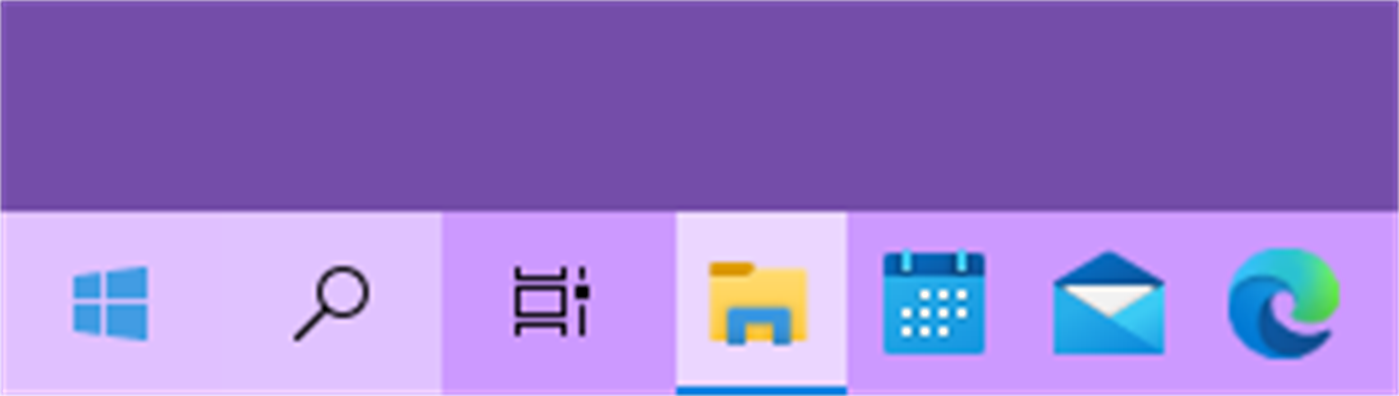
| ผู้พัฒนา: | Axiw Software (1) | ||
| ราคา: | * ฟรี | ||
| การจัดอันดับ: | 0 | ||
| ความเห็น: | 0 เขียนความเห็น | ||
| รายการ: | 1 + 0 | ||
| แต้มแล: | 9 + 426 (3.2) ¡ | ||
| Windows Store | |||
คำอธิบาย
ภาพหน้าจอ


มีอะไรใหม่
- เวอร์ชัน: PC
- อัปเดต:
ราคา
-
* การซื้อภายในแอพ - วันนี้: ฟรี
- ต่ำสุด: ฟรี
- มากที่สุด: ฟรี
ติดตามราคา
ผู้พัฒนา
- Axiw Software
- แพลตฟอร์ม: Windows แอป (1)
- รายการ: 1 + 0
- แต้มแล: 9 + 426 ¡
- การจัดอันดับ: 0
- ความเห็น: 0
- ลดราคา: 0
- วิดีโอ: 0
- RSS: ติดตาม
แต้มแล
-
- 2 Ivan
- +1
-
- 7 Fahad Abdul Rub
- +1
-
- 1 Егор Горбач
- +1
-
- 1 Антон Омельчук
- +1
-
- 1 محمد صلاح
- +1
การจัดอันดับ
0 ☹️
รายการ
ความเห็น
แสดงรีวิวเป็นคนแรกเลย 🌟
ข้อมูลเพิ่มเติม
- เวอร์ชัน: PC
- หมวดหมู่:
Windows แอป›การตั้งค่าส่วนบุคคล - ระบบปฏิบัติการ:
HoloLens,Mobile,PC,Surface Hub - ขนาด:
9 Mb - ภาษาที่สนับสนุน:
Chinese - การจัดประเภทเนื้อหา:
EVERYONE - Windows Store คะแนนโดย:
3.2(426) - อัปเดต:
- วันที่วางจำหน่าย:
- 🌟 แชร์
- Windows Store
คุณอาจชอบ
-
- Taskbar+
- Windows แอป: การตั้งค่าส่วนบุคคล โดย: PeroSoftware.com
- * ฟรี
- รายการ: 0 + 1 การจัดอันดับ: 0 ความเห็น: 0
- แต้มแล: 5 + 1,808 (4.4) เวอร์ชัน: PC Taskbar+ is a lightweight utility that can make the taskbar transparent, translucent or colored on Windows 10 and 11. It provides a more friendly setting interface and more intuitively ⥯
-
- Classic Taskbar
- Windows แอป: การตั้งค่าส่วนบุคคล โดย: Chan Software Solutions
- $0.99
- รายการ: 0 + 1 การจัดอันดับ: 0 ความเห็น: 0
- แต้มแล: 1 + 17 (2.8) เวอร์ชัน: PC Bring back the classic Windows 10 taskbar and start menu to Windows 11. Powerusers who are looking for the feature-rich tools in Windows 10 do not have to look any further! Download ... ⥯
-
- Transparent Taskbar
- Windows แอป: การตั้งค่าส่วนบุคคล โดย: chengcong
- $0.99
- รายการ: 0 + 0 การจัดอันดับ: 0 ความเห็น: 0
- แต้มแล: 1 + 96 (3.0) เวอร์ชัน: PC Transparent Taskbar is an application that sets the computer taskbar to blur glass and fully transparent, as well as transparency (from solid to full transparency). Use your HD ... ⥯
-
- TranslucentTB
- Windows แอป: การตั้งค่าส่วนบุคคล โดย: Charles Milette
- ฟรี
- รายการ: 3 + 1 การจัดอันดับ: 5 (1) ความเห็น: 0
- แต้มแล: 12 + 8,051 (4.4) เวอร์ชัน: PC A lightweight (uses a few MB of RAM and almost no CPU) utility that makes the Windows taskbar translucent/transparent on Windows 10 and Windows 11. Runner up for the Microsoft Store ... ⥯
-
- TaskbarX
- Windows แอป: การตั้งค่าส่วนบุคคล โดย: Chris Andriessen
- $1.99
- รายการ: 2 + 0 การจัดอันดับ: 0 ความเห็น: 0
- แต้มแล: 1 + 316 (3.0) เวอร์ชัน: PC NOTE (for Windows 11 users): TaskbarX is build for Windows 10. On Windows 11 TaskbarX can only be used to change the background style of the taskbar until Windows 11 version number ... ⥯
-
- Custom Cute Cursors - Desktop Customization
- Windows แอป: การตั้งค่าส่วนบุคคล โดย: Vortex Labs Apps LLP
- * ฟรี
- รายการ: 0 + 0 การจัดอันดับ: 0 ความเห็น: 0
- แต้มแล: 4 + 384 (3.4) เวอร์ชัน: PC Personalize your desktop appearance with our tool and dive into the world of cute custom cursors! We re dedicated to providing you with fancy and modern options for desktop ... ⥯
-
- TaskbarEffect
- Windows แอป: การตั้งค่าส่วนบุคคล โดย: Valaut
- $2.49
- รายการ: 0 + 0 การจัดอันดับ: 0 ความเห็น: 0
- แต้มแล: 0 + 4 (3.8) เวอร์ชัน: PC Makes the taskbar in constantly iridescent colors with dynamically changing transparency with the overlay of Aero Glass or Fluent Acrylic effects and the shadow fading into the ... ⥯
-
- RainbowTaskbar.
- Windows แอป: การตั้งค่าส่วนบุคคล โดย: ad2017
- * $1.99
- รายการ: 0 + 0 การจัดอันดับ: 0 ความเห็น: 0
- แต้มแล: 0 + 8 (2.4) เวอร์ชัน: PC RainbowTaskbar allows you to finally properly personalize one of the core aspects of Windows: the taskbar. RainbowTaskbar is a user-friendly tool designed to let you personalize your ... ⥯
-
- Brightness Below Minimum Setter
- Windows แอป: การตั้งค่าส่วนบุคคล โดย: EvlarSoft LLC
- $3.99
- รายการ: 1 + 0 การจัดอันดับ: 0 ความเห็น: 0
- แต้มแล: 0 + 7 (3.6) เวอร์ชัน: PC Brightness Below Minimum Setter is the ultimate tool for achieving ultra-low brightness levels on your display, providing comfort for late-night work, reading, or reducing eye strain ... ⥯
-
- TouchMe Gesture Studio
- Windows แอป: การตั้งค่าส่วนบุคคล โดย: Appsolutely Apps
- * ฟรี
- รายการ: 1 + 0 การจัดอันดับ: 0 ความเห็น: 0
- แต้มแล: 0 + 1,866 (4.6) เวอร์ชัน: PC READ THIS FIRST The sole purpose of TouchMe Gesture Studio is to enable you to create, edit, and export a customized gesture file and that s it! This app does not and never will ... ⥯
-
- Penguin Monitor
- Windows แอป: การตั้งค่าส่วนบุคคล โดย: KingsZNHONE
- $2.99
- รายการ: 0 + 0 การจัดอันดับ: 0 ความเห็น: 0
- แต้มแล: 0 + 1 (1.0) เวอร์ชัน: PC Penguin Monitor is a floating window for monitoring system resources. Monitoring Network Upload&Download Monitoring CPU usage Monitoring RAM usage Double Click on taskbar icon to hide. ⥯
-
- Aurora Wallpaper
- Windows แอป: การตั้งค่าส่วนบุคคล โดย: Michał Łeptuch
- ฟรี
- รายการ: 0 + 1 การจัดอันดับ: 0 ความเห็น: 0
- แต้มแล: 0 + 8 (4.4) เวอร์ชัน: PC Do you know the breathtaking animation called Aurora? It's a beautiful play of colors that makes you feel calm and relaxed. It perfectly blends with taskbar and other elements of your ... ⥯
-
- Mouse Jiggler - Mouse Mover
- Windows แอป: การตั้งค่าส่วนบุคคล โดย: Dekker Information Technologies
- $2.99
- รายการ: 0 + 0 การจัดอันดับ: 0 ความเห็น: 0
- แต้มแล: 0 + 7 (3.3) เวอร์ชัน: PC A mouse jiggler & jiggler mouse, which cycles through your screens when away and keeps your Screens, Microsoft Teams Web & Desktop, Outlook, Skype, Zoom, Cisco Webex, Discord, Chanty, ... ⥯
-
- Achievement Art
- Windows แอป: การตั้งค่าส่วนบุคคล โดย: Matthew Chartier
- * ฟรี
- รายการ: 0 + 0 การจัดอันดับ: 0 ความเห็น: 0
- แต้มแล: 1 + 135 (4.4) เวอร์ชัน: PC Achievement Art enables you to personalize your Windows 10 devices with art from your favorite Xbox games. Browse your games and unlocked achievements and set any piece of game or ... ⥯