
저장됨
저장됨 메뉴에 표시할 이름을 선택하세요.
완료!
| 개발자: | Microsoft Corporation (763) | ||
| 가격: | * 무료 | ||
| 순위: | 0 | ||
| 댓글: | 0 댓글 게시 | ||
| 목록: | 2 + 2 | ||
| 포인트: | 3 + 15,597 (4.0) ¡ | ||
| Windows Store | |||
기술

Easy editing features:
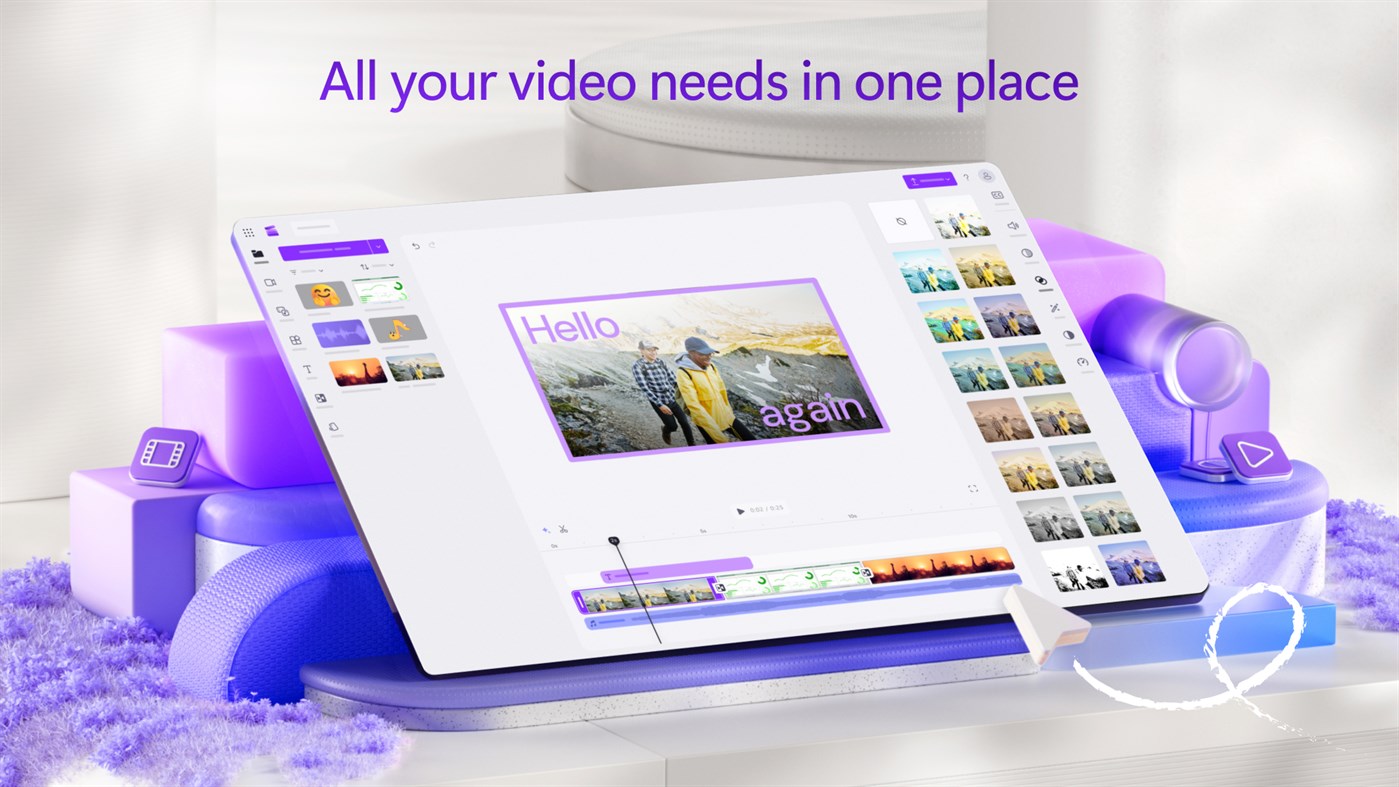
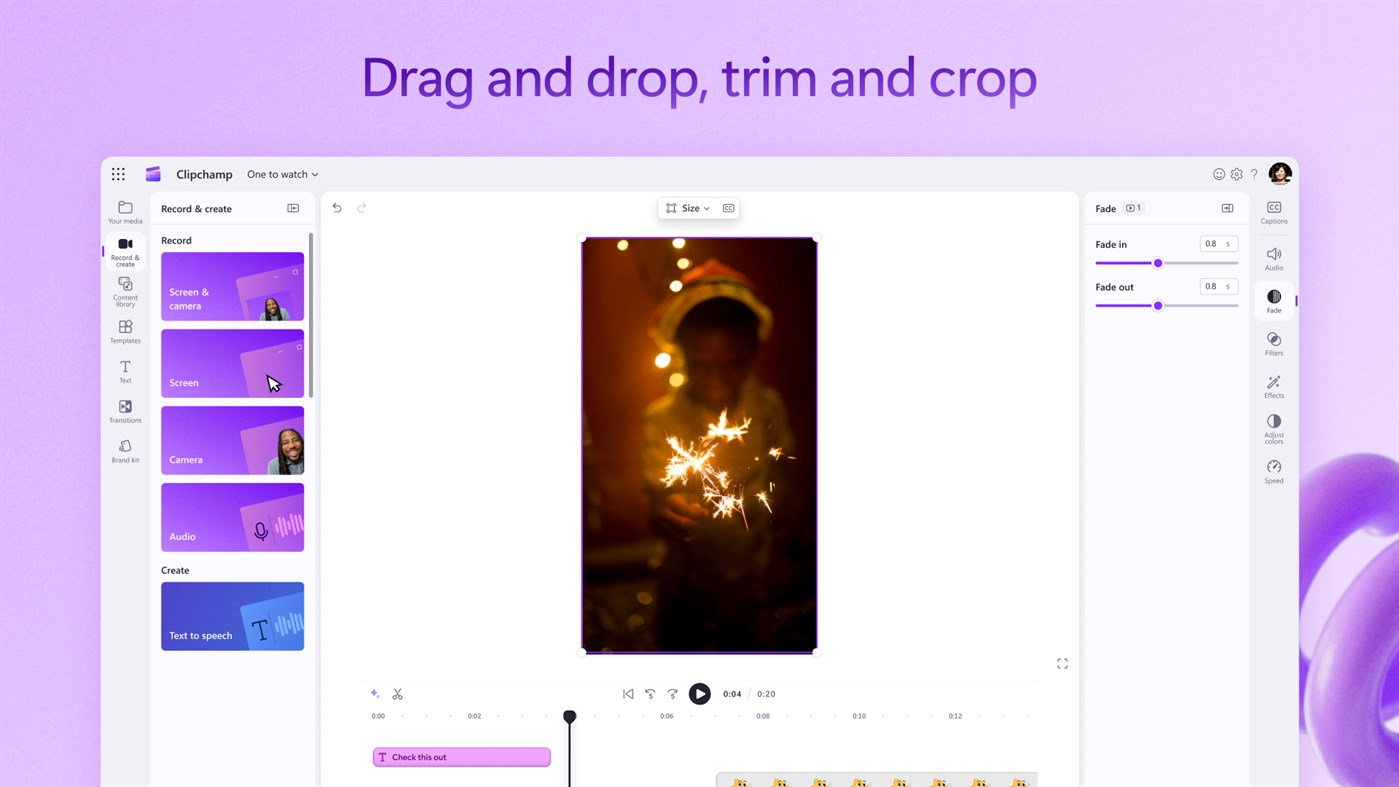
Clipchamp's online video editor equips you with essential editing tools. You can cut, trim, crop, rotate, split, make a GIF, zoom in and out, speed up or slow down, and add or remove audio, filters and transitions. Plus, additional intelligent features can help you build your videos – no experience required.
Elevate your video editing with AI-powered features in Clipchamp:
- Effortlessly craft engaging short videos using auto compose.
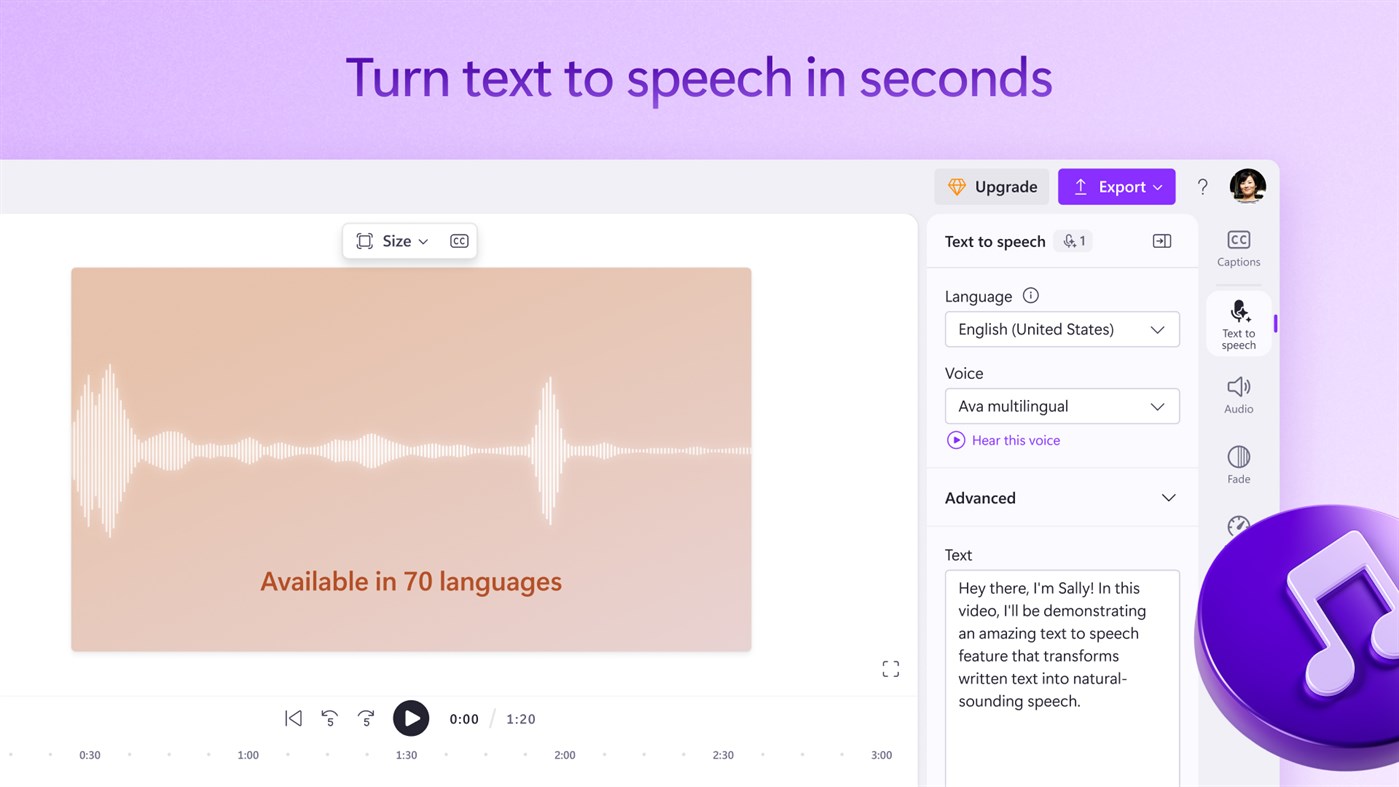
- Discover our text-to-speech feature, offering 170 AI voices for lifelike voiceovers. Select from diverse tones across various accents and 70 languages.
- Explore smart voice detection for autocaptions, swiftly generating captions and downloadable transcripts in 140 languages.
Record your audio, camera and screen:
Easily create screen recordings and edit them into tutorial videos, presentations, and even reaction videos. Enhance your videos’ clarity, professionalism, and accessibility by adding your own voiceover recording.
Captivating stock video and audio:
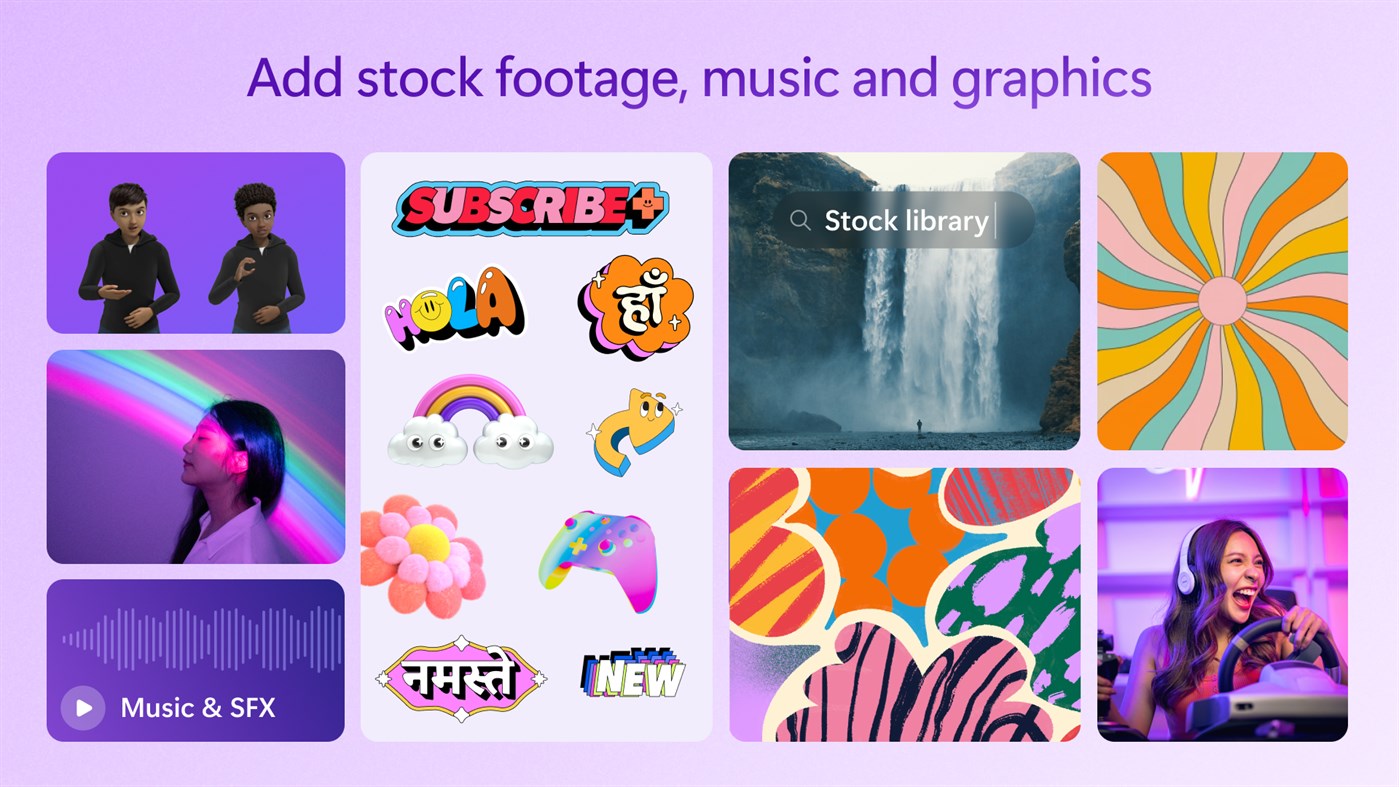
Search our library of curated themed stock collections to select high quality videos, animated backgrounds, stickers, annotations, music and sound effects to complete your creations. Choose from millions of royalty-free and premium stock options by exploring our intuitive content library.
Beginner-friendly templates, made by designers:
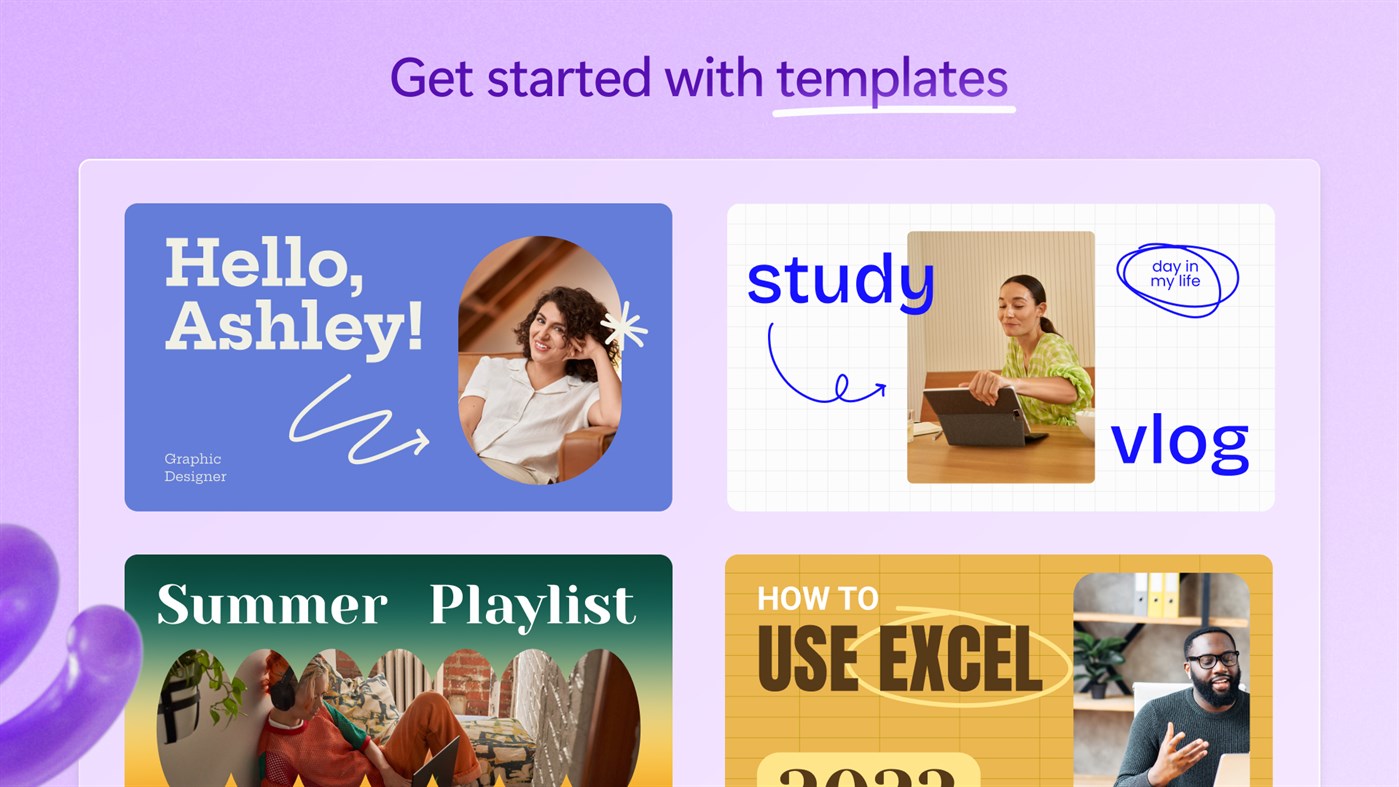
Create professional videos in minutes using free video templates. Customize your template with videos, text, branding, and background music. From YouTube gaming to sales, save time with editable video templates for any industry.
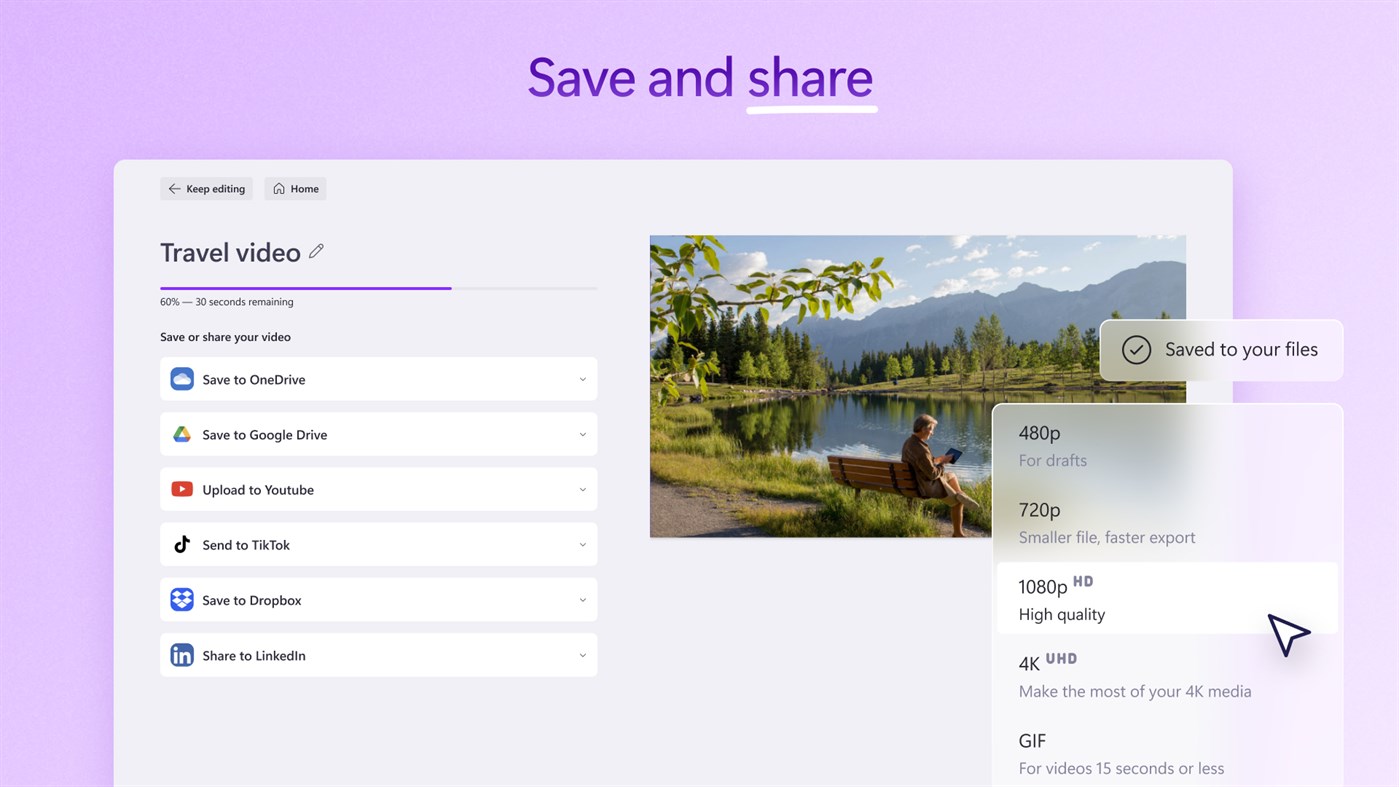
Save and share high-quality videos to your favorite apps:
Save videos directly to your computer for free in 480p, 720p, or 1080p resolution. Directly publish to YouTube, LinkedIn, TikTok, and OneDrive. If you’re low on computer storage, you can even save your videos with secure content backup options.
Special tools for creators:
- Make YouTube intros, gaming highlight videos, video invitations, collage videos, and even use Clipchamp to create video podcasts.
- Directly access Xbox clips with no file transfers necessary using the new Xbox import integration.
- Green screen video editor: Amaze your viewers with the background replace feature. Use chroma key effects to quickly replace parts of a video and add overlays.
- Meme maker: Create and share looped videos and entertaining GIFs.
Special tools for businesses:
- Brand kit: Upload your brand logo, custom font, colors, and watermark, and apply to any video using our brand kit.
- Edit corporate videos: Skip long emails and make videos with the webcam recorder or polish your meeting recordings with ease.
Intuitive shortcuts help you edit faster:
- Resize video to landscape, portrait, square, social, vertical, or cinematic with a single click
- Remove unwanted gaps between multiple video clips to maintain continuity
- Co-ordinate your video layers and easily edit your video groups
- Try accessible editing with keyboard shortcuts
Subscription plan:
Access additional premium features with a Microsoft 365 Personal or Family subscription. Explore high-definition 4K UHD video exports, premium stock assets, access the brand kit tool, and backup videos safely to OneDrive so you can pick up where you left off on any device.
Send us feedback and feature requests:
Leave us a rating and review in the App Store so others can join in on the fun.
Ad
스크린샷

가격 내역
-
* 인앱 구매 - 현재 가격: 무료
- 최소: 무료
- 최대: 무료
가격 추적
추가 정보
- 출시일:
- 카테고리:
Windows 앱›사진 및 동영상 - 운영체제:
PC - 크기:
59 Mb - 지원되는 언어:
Afrikaans,Albanian,Amharic,Arabic,Armenian,Assamese,Azerbaijani,Bangla,Basque,Bosnian,Bulgarian,Catalan,Chinese,Croatian,Czech,Danish,Dutch,English,Estonian,Filipino,Finnish,French,Galician,Georgian,German,Greek,Gujarati,Hebrew,Hindi,Hungarian,Icelandic,Indonesian,Irish,Italian,Japanese,Kannada,Kazakh,Khmer,Konkani,Korean,Lao,Latvian,Lithuanian,Luxembourgish,Macedonian,Malay,Malayalam,Maltese,Maori,Marathi,Nepali,Norwegian,Odia,Persian,Polish,Portuguese,Punjabi,Quechua,Romanian,Russian,Scottish Gaelic,Serbian,Slovak,Slovenian,Spanish,Swedish,Tamil,Tatar,Telugu,Thai,Turkish,Ukrainian,Urdu,Uyghur,Uzbek,Valencian,Vietnamese,Welsh - 콘텐츠 등급:
EVERYONE - Windows Store 개의 평가:
4.0(15,597) - 웹사이트:
 https://clipchamp.com
새로운 기능
- 버전: PC
- 업데이트:
개발자
- Microsoft Corporation
- 플랫폼: Android 앱 (66) Android 게임 (5) iOS 앱 (57) iOS 게임 (5) macOS 앱 (15) Windows 앱 (570) Windows 게임 (2) Steam 게임 (1) PlayStation 게임 (41) Xbox 게임 (1)
- 목록: 244 + 46
- 포인트: 1,082 + 110,382,849 ¡
- 순위: 4.8 (26)
- 댓글: 0
- 할인: 8
- 동영상: 45
- RSS: 구독
목록 (2)
- Microsoft Clipchamp


포인트 (3)
-

- 1 imad
- +1
-
- 1 Nihad Nechikkat
- +1
-
- 11,339 Simon Chan
- +1


순위 (0)
0 ☹️
댓글 (0)
가장 먼저 댓글을 남겨주세요 🌟
«Microsoft Clipchamp». 플랫폼: Windows. 카테고리: 사진 및 동영상. 개발자: «Microsoft Corporation». 첫 번째 릴리스: . 마지막 업데이트: . 현재 가격: 무료. 이 타이틀은 아직 AppAgg에서 평가나 리뷰를 받지 못했습니다. 목록: 공개: 2, 비공개: 2. 추적된 포인트: 확인됨: 3, 간접: 15,597. 매장: Windows Store. 매장 평가: 4.0. 투표: 15,597. 사용 가능한 언어: Afrikaans, Albanian, Amharic, Arabic, Armenian, Assamese, Azerbaijani, Bangla, Basque, Bosnian, Bulgarian, Catalan, Chinese, Croatian, Czech, Danish, Dutch, English, Estonian, Filipino, Finnish, French, Galician, Georgian, German, Greek, Gujarati, Hebrew, Hindi, Hungarian, Icelandic, Indonesian, Irish, Italian, Japanese, Kannada, Kazakh, Khmer, Konkani, Korean, Lao, Latvian, Lithuanian, Luxembourgish, Macedonian, Malay, Malayalam, Maltese, Maori, Marathi, Nepali, Norwegian, Odia, Persian, Polish, Portuguese, Punjabi, Quechua, Romanian, Russian, Scottish Gaelic, Serbian, Slovak, Slovenian, Spanish, Swedish, Tamil, Tatar, Telugu, Thai, Turkish, Ukrainian, Urdu, Uyghur, Uzbek, Valencian, Vietnamese, Welsh. AppAgg는 «Microsoft Clipchamp»의 가격 기록, 평점 및 사용자 피드백을 추적합니다. 향후 할인 및 업데이트 받기: RSS에서 확인할 수 있습니다. AppAgg는 애플리케이션을 호스팅하거나 소프트웨어를 배포하지 않습니다. 모든 상표, 로고 및 스크린샷은 해당 소유자의 자산입니다.
Microsoft Clipchamp 단축 URL: 복사됨!- 🌟 공유하기
- Windows Store
유사 항목
-
- Microsoft Photos
- Windows 앱: 사진 및 동영상 게시자: Microsoft Corporation
- * 무료
- 목록: 16 + 2 0 0
- 포인트: 25 + 288,779 (3.2) 버전: PC Microsoft Photos is a rich media experience that empowers you to do more with your photos and videos. The newly redesigned and reengineered Photos app is intuitive, elegant, and ... ⥯
-
- Xbox Briefing at E3 2015
- Windows 앱: 사진 및 동영상 게시자: Microsoft Studios
- 무료
- 목록: 0 + 2 0 0
- 포인트: 1 + 61 (4.0) 버전: PC Watch the Xbox E3 media briefing live ⥯
-
- BLINK Cliplets
- Windows 앱: 사진 및 동영상 게시자: Microsoft Research
- 무료
- 목록: 0 0 0
- 포인트: 1 + 176 (3.8) 버전: PC BLINK Cliplets lets you exercise your creative talents by layering static and dynamic visual elements. Create fun and surprising results that you can share with friends or the world. ... ⥯
-
- Video Editor Master
- Windows 앱: 사진 및 동영상 게시자: Queenloft
- * 무료
- 목록: 1 + 1 0 0
- 포인트: 3 + 21,170 (3.5) 버전: PC Video Editor Master one of the most popular apps on the Microsoft Store. This all-in-one video editing app is designed for everyone from beginners to casual creators who want to ... ⥯
-
- Movie Maker - Video Editor PRO
- Windows 앱: 사진 및 동영상 게시자: AI Photo Editor Lab
- * 무료
- 목록: 0 + 1 0 0
- 포인트: 5 + 10,023 (4.6) 버전: PC Best-selling video editor & movie maker for PC, trusted by over 15 million Windows users. Create professional videos and stunning slideshows from your photos, video clips, and music ... ⥯
-
- Pictureflect Photo Viewer
- Windows 앱: 사진 및 동영상 게시자: Pictureflect
- * 무료
- 목록: 2 + 1 0 0
- 포인트: 1 + 508 (4.5) 버전: PC Pictureflect Photo Viewer is a folder-based image viewing app with minimalist feel designed to: - easily show your photos in fullscreen with a manual or timed slideshow - review your ... ⥯
-
- Adobe Photoshop
- Windows 앱: 사진 및 동영상 게시자: Adobe Inc.
- * 무료
- 목록: 1 0 0
- 포인트: 10 + 1,446 (3.9) 버전: PC *A qualifying Adobe Photoshop subscription is required. Non-subscribers may try the product free for 7 days before incurring the monthly Photoshop subscription fee.* Adobe Photoshop is ⥯
-
- Camo Studio
- Windows 앱: 사진 및 동영상 게시자: Reincubate
- * 무료
- 목록: 1 + 1 0 0
- 포인트: 1 + 3,197 (4.7) 버전: PC Camo uses the incredible cameras you already own to produce pro-quality video, whether you re meeting, streaming, or recording. Its intuitive interface is right at home on your PC, and ⥯
-
- Screen Saver Gallery
- Windows 앱: 사진 및 동영상 게시자: Ivan Bliskavka
- * 무료
- 목록: 0 + 1 0 0
- 포인트: 1 + 3,546 (4.8) 버전: PC Transform your screen with a constant stream of stunning, high-resolution photos from around the world. Screen Saver Gallery delivers a premium visual experience with smooth ... ⥯
-
- Screenshot - Screen Capture & Video Recorder
- Windows 앱: 사진 및 동영상 게시자: Wuhan Net Power Technology Co., Ltd
- * 무료
- 목록: 0 + 1 0 0
- 포인트: 0 + 3,708 (4.0) 버전: PC This is a modern screenshot and annotation solution tailored for you. We have integrated all the core functions you need: from one-click screenshots to advanced annotations, and even ... ⥯
-
- HEIC to JPEG - Lite Edition
- Windows 앱: 사진 및 동영상 게시자: Duckhead Software
- * 무료
- 목록: 1 0 0
- 포인트: 3 + 2,212 (3.8) 버전: PC Converts HEIC & HEIF files without fuss. Just drop your files or folders and they're instantly converted, automatically for Windows 10 and 11. * Microsoft App Store finalist award for ... ⥯
-
- Polarr Pro Photo Editor
- Windows 앱: 사진 및 동영상 게시자: Polarr
- * 무료
- 목록: 1 0 0
- 포인트: 1 + 2,888 (3.8) 버전: PC Make powerful adjustments to your photos with simple, intuitive tools in Polarr. Whether you are a beginner photographer or an experienced pro, you will find yourself at home from ... ⥯
-
- Paint.NET
- Windows 앱: 사진 및 동영상 게시자: dotPDN LLC
- $14.99
- 목록: 0 + 1 0 0
- 포인트: 0 + 865 (4.6) 버전: PC Paint.NET® is image and photo editing software for PCs that run Windows. It features an intuitive and innovative user interface with support for layers, unlimited undo, special ... ⥯
-
- HEIC Image Converter - JPEG, PNG, BMP, GIF
- Windows 앱: 사진 및 동영상 게시자: SoftPard Tech
- $2.99
- 목록: 0 + 1 0 0
- 포인트: 3 + 1,728 (4.8) 버전: PC The highest-rated HEIC converter on Microsoft Store! Convert your iPhone photos to widely compatible formats offline no uploads, no subscriptions, just one-time purchase for unlimited ... ⥯