
保存済み
保存済みメニューに表示する名前を選択してください。
完了
| デベロッパー: | Andriy Konstantynov (1) | ||
| 価格: | * フリー | ||
| ランキング: | 0 | ||
| コメント: | 0 コメントを投稿する | ||
| リスト: | 3 + 3 | ||
| ポイント: | 14 + 0 ¡ | ||
| Mac App Store | |||
説明

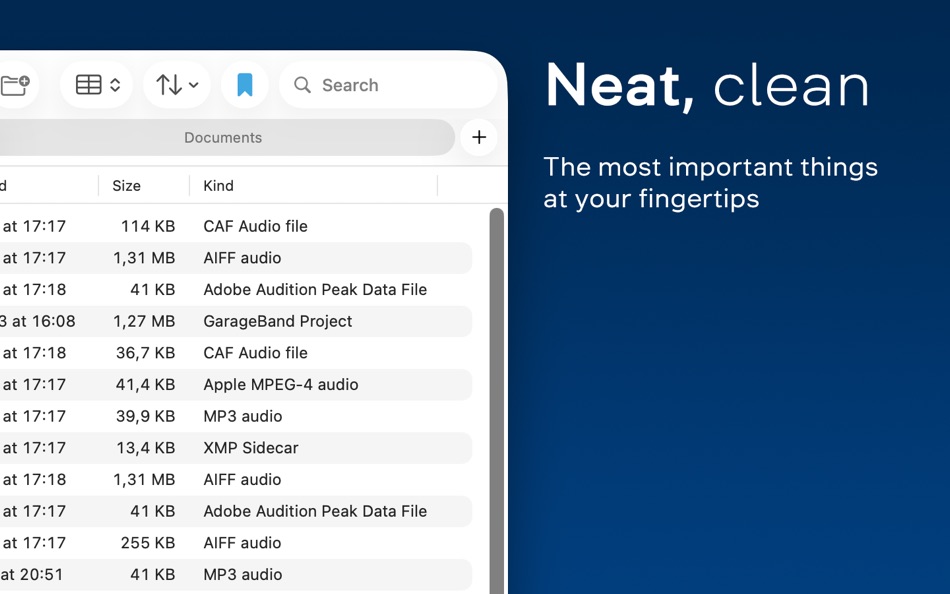
Clean, functional UI:
Get everything you’d expect from a file manager, with the most used functions brought to the top.
Easy navigation:
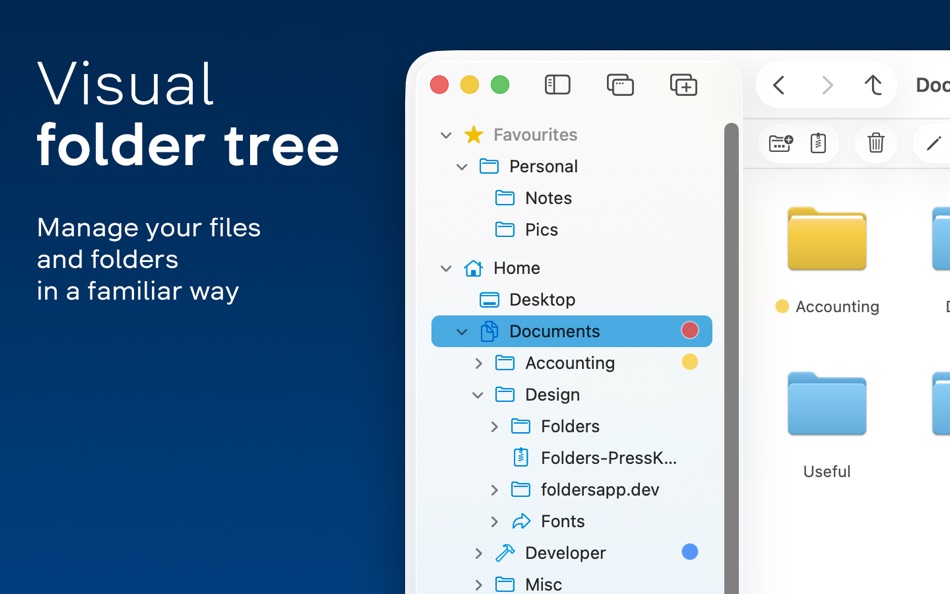
Familiar from other operating systems, the folder tree feels right where it belongs.
• Multiple windows and multiple tabs
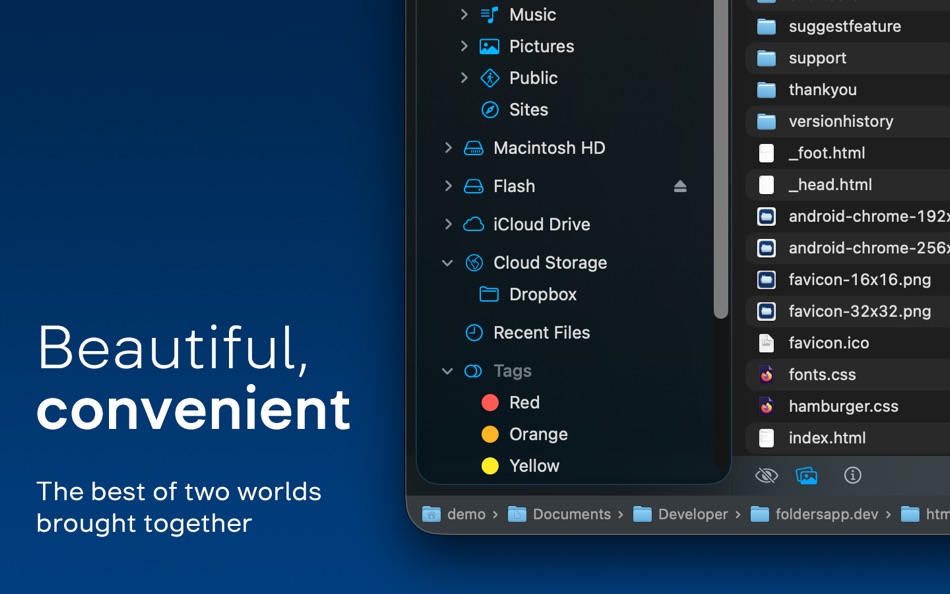
• Convenient access to your Home and iCloud Drive folders
• All your cloud storage in one place
• Expandable, rearrangeable Favorites
• Expandable folder symlinks
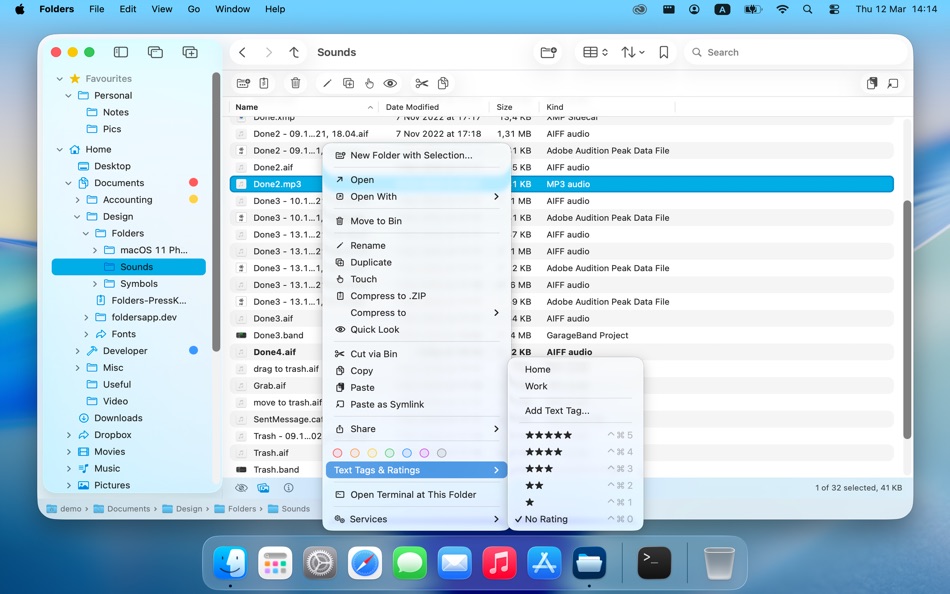
• Recent files, color tags, text tags, and star rating in the tree
Four consistently behaving file views:
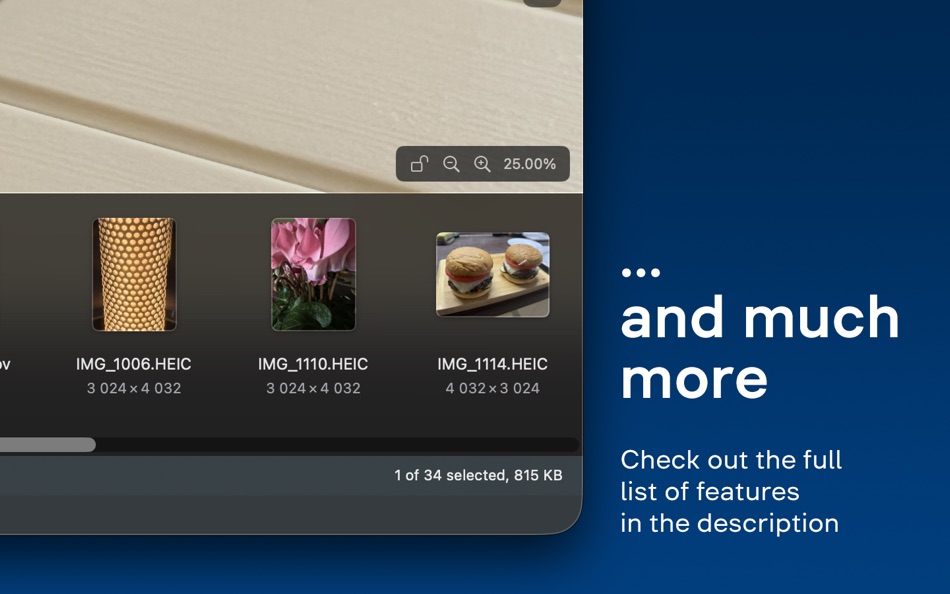
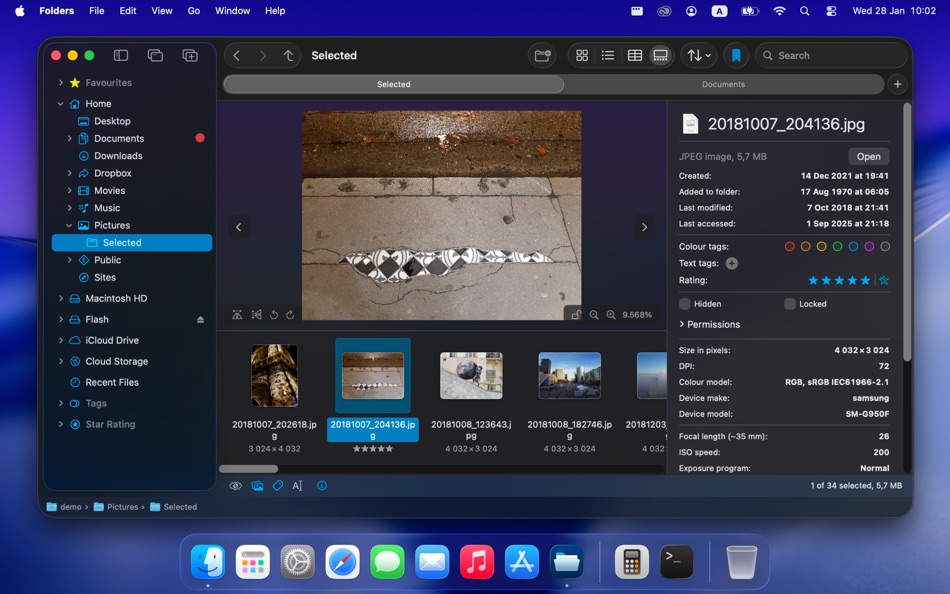
Table, List, Icons, and Gallery view.
• Full control over remembered view settings for individual folders
• “Folders first” or “Folders last” grouping
• File changes shown in bold
• Open files with Return key
• Quick Look preview
• Play audio and video files directly in Gallery view
• Text recognition with Live Text in Gallery view
Separate File Info panel:
• Built-in preview including audio and video files
• File details with EXIF and other metadata
• Set multiple color tags, text tags, star rating
File operations beyond basics:
• Cut / Cut via Trash with ⌘X
• Edit text files and perform basic operations on images
• Create an empty (blank) file or an office document
• Powerful Batch Rename
• Compare file properties on conflicts during copy/move with explicit option to merge folders
• Discover, mount, and re-mount network shares
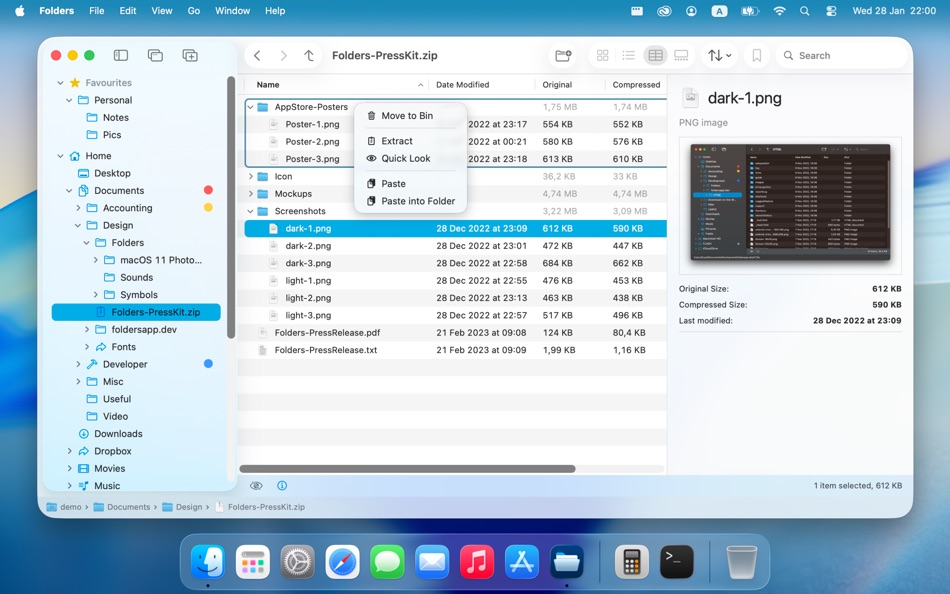
Create, browse, extract, and modify archives:
• Supports zip, 7z, rar (read-only), tar, xz, gz/gzip, zlib, bz2/bzip2, and lz4 formats
• Display archives in the folder tree
• Add, extract, or delete individual entries
• Preview entries without extracting
Comprehensive undo:
Undo any file operation including replacements and folder mergers.
Themes:
Change the main accent color of the app, the color of the top-level nodes or of all folders in the tree belonging to a specific category.
Universal app:
Runs natively on Apple silicon.
Lifetime license:
One-time purchase with no ads or subscriptions.
• Try Folders with a fully functional 14-days trial period + 3 more days with every update
Ad
スクリーンショット
価格履歴
-
* アプリ内購入あり - 現在の価格: フリー
- 最小値: フリー
- 最大: $7.99
料金のチェック
情報
- リリース日:
- カテゴリ:
macOS アプリ›ユーティリティ - オペレーティング システム:
macOS,macOS 13.0 以上 - サイズ:
7 Mb - サポートされる言語:
Arabic,Bulgarian,Catalan,Chinese,Croatian,Czech,Danish,Dutch,English,Finnish,French,German,Greek,Hebrew,Hungarian,Indonesian,Italian,Japanese,Kazakh,Korean,Lithuanian,Norwegian,Polish,Portuguese,Romanian,Slovak,Slovenian,Spanish,Swedish,Thai,Turkish,Ukrainian - コンテンツのレーティング:
4+ - Mac App Store 評価:
0 - ウェブサイト:
 https://foldersapp.dev/
新機能
- バージョン: 2.5.0
- アップデート:
- • Fully redesigned and rearranged Settings
• A new setting to share tree expansion state between tabs of the same window
• A new setting to inherit apply remembered folder view options of the folder to all its children folders
• Path Bar enhancement: now clicking a chevron brings up a menu for quick breadcrumb navigation
• Column settings now properly apply when switching between folders with different remembered settings
• Other improvements and bug fixes
デベロッパー
- Andriy Konstantynov
- プラットフォーム: macOS アプリ (1)
- リスト: 3 + 3
- ポイント: 14 + 0 ¡
- ランキング: 0
- コメント: 0
- 割引: 0
- 動画: 0
- RSS: 購読する
リスト (3)
- Folders File Manager


ポイント (14)


ランキング (0)
0 ☹️
コメント (0)
最初にコメントしてください 🌟
«Folders File Manager». プラットフォーム: macOS. カテゴリ: ユーティリティ. 開発者: «Andriy Konstantynov». 最初のリリース: . 最終更新日: . 現在の価格: 無料. このタイトルはまだ AppAgg で評価やレビューを受けていません。 リスト: 公開: 3, 非公開: 3. 追跡ポイント: 確認済み: 14, 間接: 0. 利用可能な言語: Arabic, Bulgarian, Catalan, Chinese, Croatian, Czech, Danish, Dutch, English, Finnish, French, German, Greek, Hebrew, Hungarian, Indonesian, Italian, Japanese, Kazakh, Korean, Lithuanian, Norwegian, Polish, Portuguese, Romanian, Slovak, Slovenian, Spanish, Swedish, Thai, Turkish, Ukrainian. AppAgg は «Folders File Manager»の価格履歴、評価、ユーザーフィードバックを追跡します。 今後の値下げと更新をフォロー: RSS で確認できます. AppAgg はアプリケーションをホストしたり、ソフトウェアを配布したりしません。 すべての商標、ロゴ、スクリーンショットはそれぞれの所有者に帰属します。
Folders File Manager 短縮 URL: コピーしました!- 🌟 シェア
- Mac App Store
類似
-
- File Manager For Dropbox
- macOS アプリ: ユーティリティ 作者: Haroon Ahmad
- * フリー
- リスト: 0 0 0
- ポイント: 0 バージョン: 1.0 Take full control of your Dropbox storage with an easy-to-use file management app. This app lets you manage all files and folders in your Dropbox account from one convenient place. ... ⥯
-
- File Manager AI
- macOS アプリ: ユーティリティ 作者: Ahmed Mohamed Ali Ibrahim Almansoori
- * フリー
- リスト: 0 0 0
- ポイント: 0 バージョン: 1.1 File Manager AI is a beautifully designed macOS file organizer that helps you clean up space, find large files, and manage your storage effortlessly powered by intelligent on-device ... ⥯
-
- MultipleDir - File manager
- macOS アプリ: ユーティリティ 作者: Tien Thinh Vu
- フリー
- リスト: 1 0 0
- ポイント: 3 バージョン: 1.2 MultipleDir (File manager with multiple tabs, views) makes it easy to manage your files and folders. It provides fast and easy access to your hard disks, USB sticks, and other storage ... ⥯
-
- Advanced File Manager
- macOS アプリ: ユーティリティ 作者: Cnnex Limited Company
- $17.99
- リスト: 0 0 0
- ポイント: 0 バージョン: 1.0.10 Discover the ultimate file management tool with Advanced File Manager. Designed to elevate your productivity, Advanced File Manager empowers you to search for files swiftly, declutter ... ⥯
-
- TSE file manager
- macOS アプリ: ユーティリティ 作者: Delta-A Business Services GmbH
- フリー
- リスト: 0 0 0
- ポイント: 0 バージョン: 1.0.7 TSE File Manager is a dedicated macOS application for managing and exporting fiscal data generated by DeltaX POS systems. It supports the official German TSE (Technische ... ⥯
- -50%
- Beaver - File Manager
- macOS アプリ: ユーティリティ 作者: Ron Yahav
- ▼ $2.99
$5.99-50% - リスト: 0 0 0
- ポイント: 1 バージョン: 2.2 Beaver gives you five essential file operations, available instantly from a keyboard shortcut or the right-click menu. Select files, press Option+Space, or right-click and open the ... ⥯
- 新着
- TidyBox File Manager
- macOS アプリ: ユーティリティ 作者: Naoki Kubo
- フリー
- リスト: 0 0 0
- ポイント: 1 バージョン: 1.0.1 TidyBox is a menu bar file auto-organization app for macOS. When files are added to watched folders, they are automatically organized based on rules. Create rules intuitively with the ... ⥯
-
- Commander One: File Manager
- macOS アプリ: ユーティリティ 作者: Electronic Team, Inc.
- * フリー
- リスト: 2 + 2 0 0
- ポイント: 7 バージョン: 3.17.2 A high level of file management can be reached with the updated version of Commander One v3.0. Commander One is a free file manager created in Swift, has a dual-pane interface that ... ⥯
-
- Helm - Hosts file manager
- macOS アプリ: ユーティリティ 作者: 金标 李
- $9.99
- リスト: 1 + 2 0 5 (1)
- ポイント: 10 バージョン: 3.2.0 Helm is a powerful and intuitive hosts file manager designed for developers, system administrators, and power users on macOS. It simplifies the process of editing, organizing, and ... ⥯
-
- Folder Rack – File Manager
- macOS アプリ: ユーティリティ 作者: Ivo Wessel
- * フリー
- リスト: 0 0 0
- ポイント: 1 バージョン: 1.27 FOLDER RACK Manage your files and folders The Finder was always my most-used tool. However, there were many functions that I missed in my day-to-day work or that I would have done ... ⥯
-
- File Cabinet Pro
- macOS アプリ: ユーティリティ 作者: App Tyrant Corp
- $29.99
- リスト: 0 + 1 0 0
- ポイント: 4 バージョン: 8.8.2 File Cabinet Pro is the file manager for the macOS menu bar. Quickly navigate to files without cluttering your desktop. Open, move, rename, compress, tag, trash, copy and paste files, ... ⥯
-
- File Vortex
- macOS アプリ: ユーティリティ 作者: Walter Tengler
- $3.99
- リスト: 0 0 0
- ポイント: 0 バージョン: 1.3 File Vortex lives in your menu bar and turns file chaos into order. Drag photos, documents, and videos onto the floating vortex window they're instantly organized into date-based ... ⥯
-
- File Rename Pro
- macOS アプリ: ユーティリティ 作者: Gavin Matthews
- * $12.99
- リスト: 1 0 0
- ポイント: 1 バージョン: 2025.3 File Rename Pro lets you rename a number of files quickly and easily, saving you time and effort. Drag and drop one or more files or folders from Finder onto the app and you're ready ... ⥯
-
- File Fairy
- macOS アプリ: ユーティリティ 作者: David Lafortune
- フリー
- リスト: 0 0 0
- ポイント: 1 バージョン: 2.04 File Fairy is an intelligent macOS menu bar app that uses AI to automatically rename your downloads and screenshots. By analyzing file content including OCR for images and metadata for ⥯