
Salvati
Scegli il nome che verrà mostrato nel tuo menu Salvati.
Completato!
| Sviluppatore: | DesignTech SIA (6) | ||
| Prezzo: | * Gratis | ||
| Punteggio AppAgg: | 50,700 | ||
| Classificazioni: | 0 | ||
| Commenti: | 0 Pubblica commento | ||
| Listes: | 3 + 2 | ||
| Punti: | 4 + 98 (4.5) ¡ | ||
| +1 Punti | |||
Descrizione

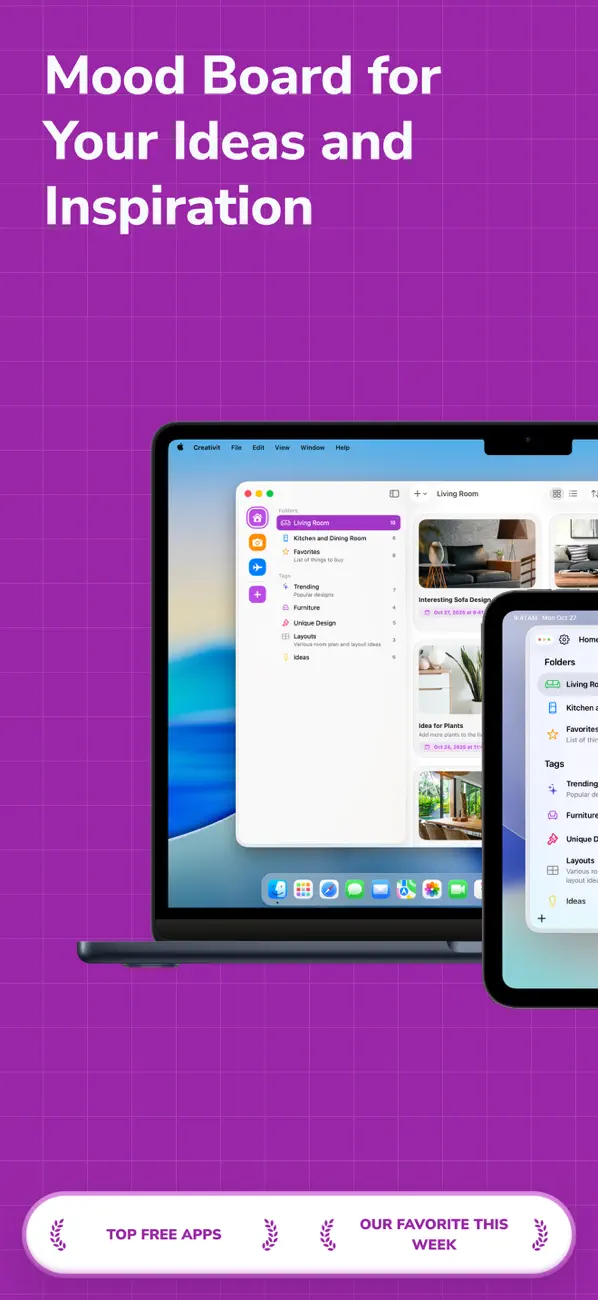
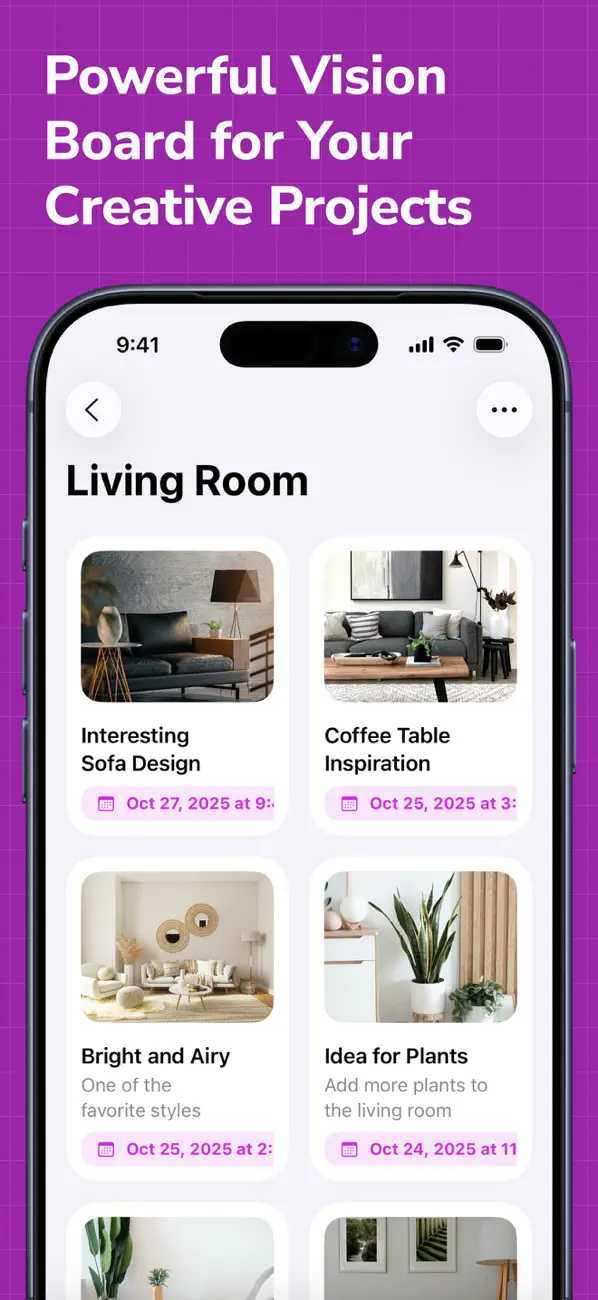
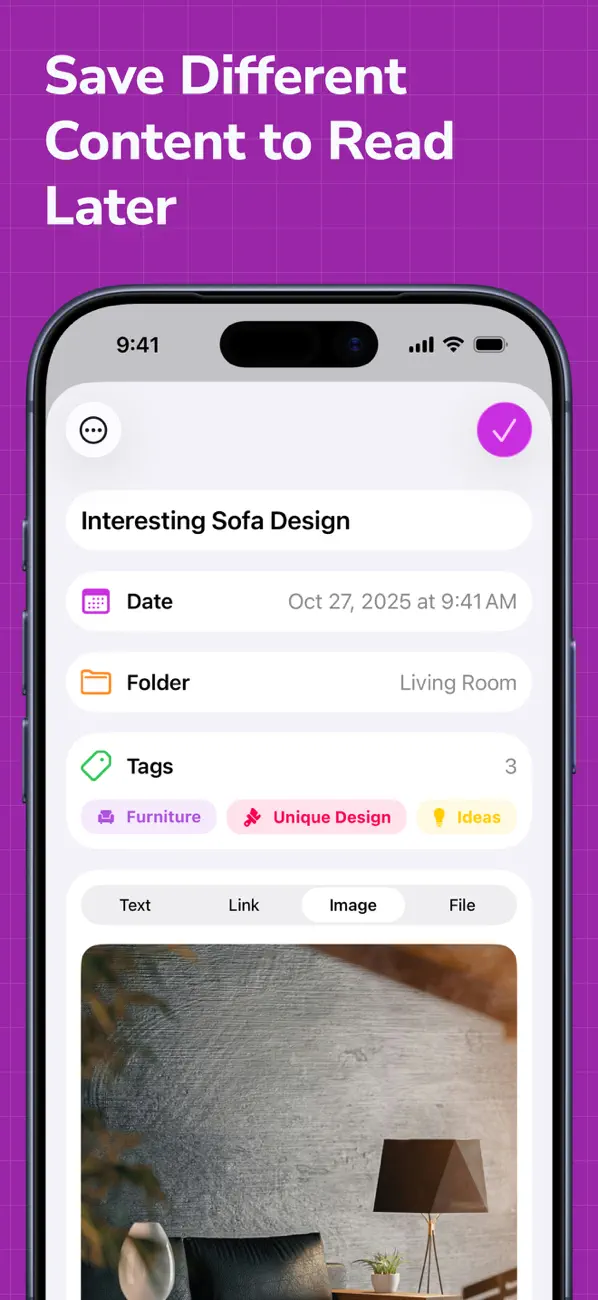
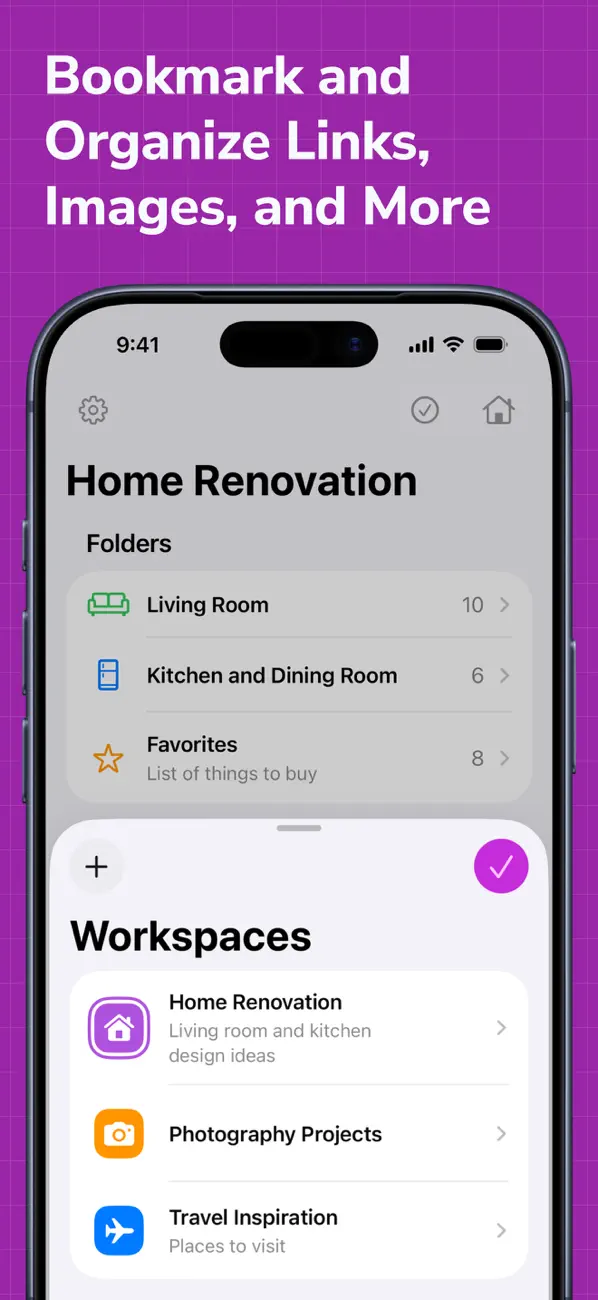
Creativit lets you add an unlimited number of items that can be organized into different folders and tags that you can add and customize yourself. With Creativit, you can add the items of different types, such as text, links, images or any other files you wish. You can also add an unlimited number of workspaces to organize and manage all of your larger projects even more efficiently.
Creativit is built with privacy and security in mind because we truly believe that you shouldn’t even have to worry about what data the app collects because Creativit just doesn’t collect any personal data linked to you at all. All of your data is being stored locally on your device and securely synced via iCloud. We have also designed Creativit to be as intuitive and easy to use as possible, and it will definitely feel right at home on any of your Apple devices, all thanks to its fully native design.
Creativit offers an extensive variety of features that you can use completely for free forever, but if you feel that the free functionality is not enough for your needs, you can always upgrade to Creativit Premium for even better experience. With Creativit Premium, you get an access to an unlimited number of workspaces, folders and tags that you can add and customize.
KEY FEATURES:
- One workspace for your creative projects
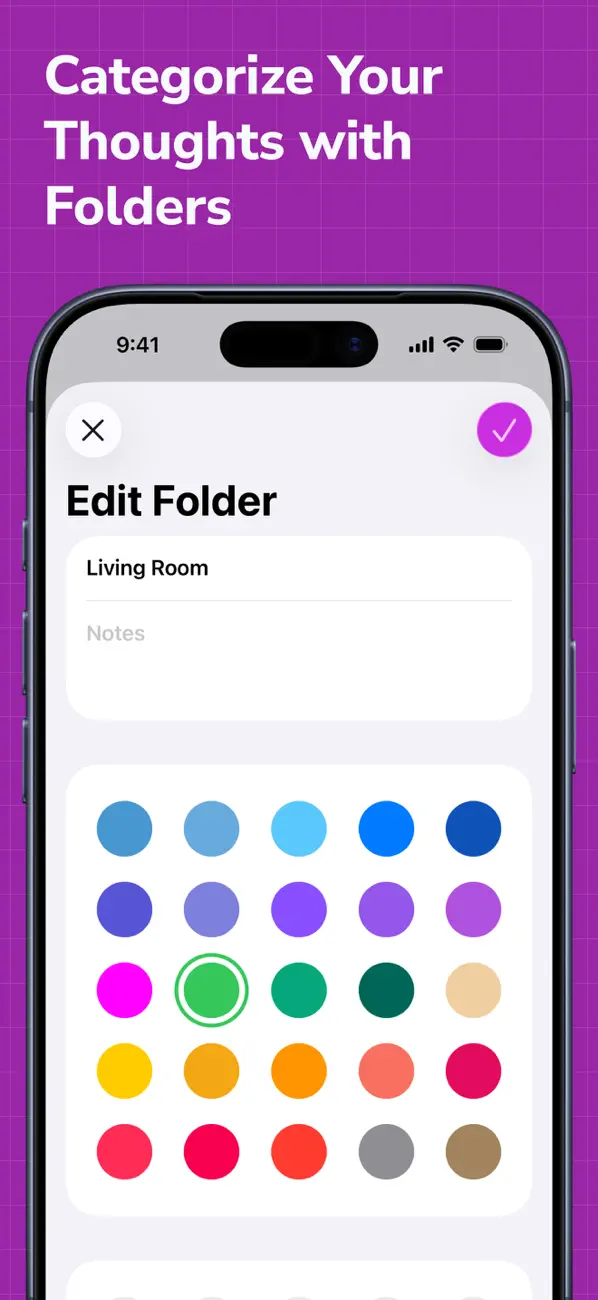
- Up to two folders to help you organize all of your ideas and inspiration
- Unlimited number of items with your ideas and inspiration that you can add
- iCloud sync
- 5 different content types (Text, link, image, file, task)
- Ability to sort your items using a pre-defined or a custom sort order
- Ability to reorder your items however you want
- Ability to filter your items using various filter options
- Ability to duplicate your items
- Ability to archive the unnecessary items that you don't want to delete yet
- Ability to customize the toolbar for your items lists or grids (iPadOS only)
- Gorgeous dark mode
- Fully native design
- Support for focus filters to help you minimize the distractions and focus on what actually matters to you at any given time
- Support for app shortcuts on iOS 18 and iPadOS 18
- Home Screen quick actions
- Beautiful Lock and Home Screens widgets
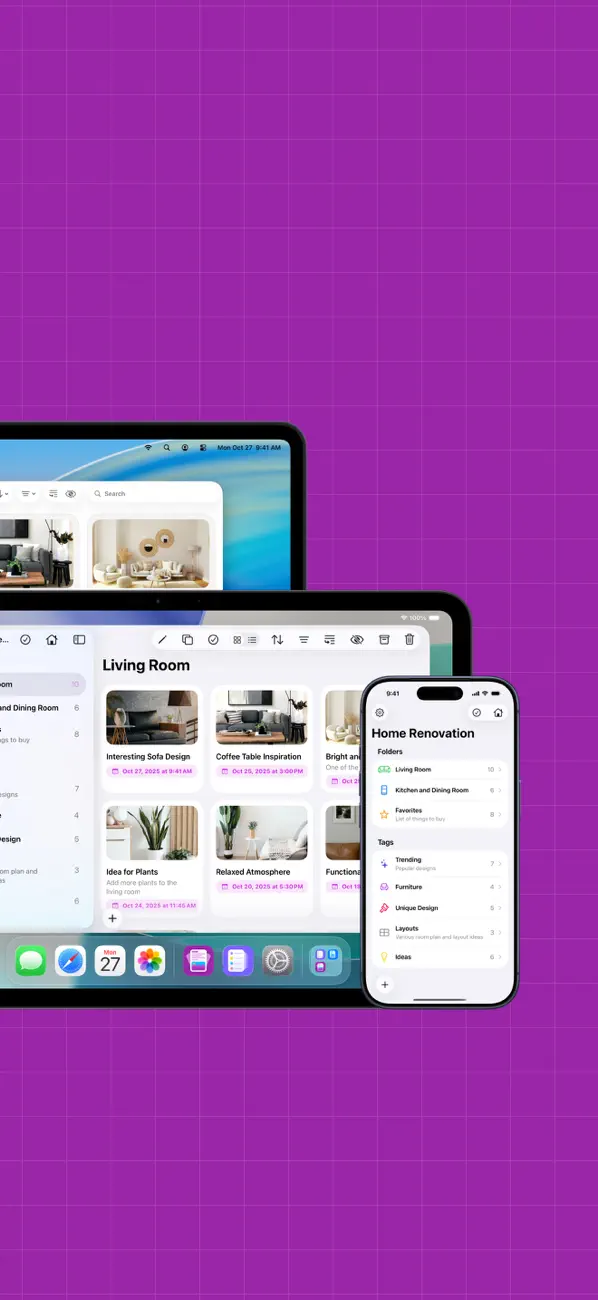
- Available on iOS, iPadOS and macOS
PREMIUM FEATURES:
- Unlimited workspaces that will definitely help you organize and manage all of your larger projects
- Unlimited number of folders that you can add
- Access to tags that you can use to organize all of your ideas and inspiration for your creative projects however you wish
- Bulk editing to help you edit all of your items more efficiently
- 10 different app icons for you to pick the one that fits your Home Screen the most
- 15 different tint colors that you can choose from to make the app feel more unique to you
- Custom appearance (System, light and dark)
If you have any questions or concerns regarding our app, we are always here to help you! Just reach out to us at info@designtech.so.
Terms of service: https://designtech.notion.site/DesignTech-Terms-of-Service-18cc124eba4080c58316f2ed81f84bff.
Privacy policy: https://designtech.notion.site/DesignTech-Privacy-Policy-18bc124eba40809eba48e6af249ebd2c.
Screenshot
Ad
Cronologia dei prezzi
-
* Acquisti in-app - Prezzo attuale: Gratis
- Minimo: Gratis
- Massimo: Gratis
Monitora prezzi
Punteggio AppAgg
Punteggio AppAgg stimato per Mood Board - Creativit
50,700
Punteggi più alti indicano di solito segnali più forti su AppAgg.
Basato su: 🔥 popolarità · ⭐ valutazioni degli utenti · 🕒 freschezza · 🏷️ offerte · 🏬 dati degli store · 👥 attività della community
Ricalcolato ogni giorno con dati AppAgg aggiornati.
URL breve: Copiato!
Novità
- Versione: 2.1.5
- Ultimo aggiornamento:
- Thank you for downloading Creativit! This update brings the support for the latest versions of iOS and iPadOS.
What is New:
- Exporting all of the data from the app now creates a ZIP file with items organized by workspaces and folders
- The app now shows progress indicator when exporting all of the data
- You can now reorder items directly in the list or grid
- Enhanced duplication that now lets you effortlessly duplicate a workspace with its folders, tags, and items, as well as folders and tags with their items
- You can now select a workspace when using shortcuts for adding folders and tags
- We have updated the layout of the settings screen to include links to our other apps, X and Bluesky, as well as terms of service and privacy policy pages
- Improved speed and reliability of the iCloud sync
- Improved performance of bulk editing options
- Improved scroll performance on the Items screen
- Improved overall performance of the app
- Fixed the issue with the background of folders and tags in the sidebar when dragging and dropping items onto them on iPadOS
Creativit 2.1:
- Redesign of the app and updated app icon for the new Liquid Glass design to make Creativit feel right at home on all of your devices
- You can now select a specific date and time for your items in the app
- Improved support for multiple windows on the latest version of iPadOS
If you have a feature request or if you have found any bugs or things that are behaving weirdly, we would highly appreciate it if you could let us know by getting in touch with us at info@designtech.so.
Thank you for using Creativit, we are extremely grateful that you have chosen our app! If you are enjoying it, please consider leaving a positive review since it helps us a lot.
Informazioni aggiuntive
- Data di uscita:
- Categoria:
iOS App›Produttività - Sistemi operativi:
iPad,iPhone,macOS,iOS 17.0 e versioni successive - Dimensioni:
82 Mb - Lingue supportate:
Chinese,English,French,German,Italian,Korean,Norwegian,Portuguese,Russian,Spanish,Ukrainian - Classificazione contenuti:
4+ - App Store Voto:
4.5(98) - Sito web:
 https://www.designtech.so
Sviluppatore
- DesignTech SIA
- Piattaforme: iOS App (5) macOS App (1)
- Listes: 3 + 2
- Punti: 6 + 478 ¡
- Classificazioni: 0
- Commenti: 0
- Sconti: 0
- Video: 0
- RSS: Sottoscrivi
Listes (3)
- Mood Board - Creativit


Punti (4)
-

- 509 expat4i
- +1
-
- 653 holy_braveheart
- +1
-
- 152 Hind Zahem
- +1
-
- 167 Dawn
- +1


Classificazioni (0)
0 ☹️
Commenti (0)
Sii il primo a commentare 🌟
«Mood Board - Creativit». Piattaforma: iOS. Categoria: Produttività. Sviluppatore: «DesignTech SIA». Prima uscita: . Ultimo aggiornamento: . Prezzo attuale: gratuito. Questo titolo non ha ancora ricevuto valutazioni o recensioni su AppAgg. Elenchi: pubblici 3, privati 2. Punti tracciati: confermati 4, indiretti 98. Negozio: App Store. Valutazione del negozio: 4.5. Voti: 98. Lingue disponibili: Chinese, English, French, German, Italian, Korean, Norwegian, Portuguese, Russian, Spanish, Ukrainian. AppAgg tiene traccia della cronologia dei prezzi, delle valutazioni e del feedback degli utenti per «Mood Board - Creativit». Segui futuri sconti e aggiornamenti tramite RSS. AppAgg non ospita applicazioni né distribuisce software. Tutti i marchi, loghi e screenshot appartengono ai rispettivi proprietari.
Mood Board - Creativit URL breve: Copiato!- 🌟 Condividi
- App Store
Simili
-
- Board — Thought Capture
- iOS App: Produttività di: KAZUHIRO SATO
- * Gratis
- Listes: 0 0 0
- Punti: 3 + 0 4k Versione: 1.2.2 Board is a snapshot-of-thought app where you can save ideas just as they are. Write freely, and only add tags when you need to organize things later. There are no folders and no forced ⥯
-
- Mood Calendar - Tracker Diary
- iOS App: Produttività di: Anton Pankrashin
- * Gratis
- Listes: 0 0 0
- Punti: 1 + 0 5k Versione: 1.2.1 Your feelings count - take a minute each day to think about yourself. This easy mood log helps you see how you truly feel and why. Add quick notes in calendar, photos, or even a short ... ⥯
-
- Board Meet+
- iOS App: Produttività di: Sachin Hiriyanna
- Gratis
- Listes: 0 0 0
- Punti: 0 + 3 (5.0) 21k Versione: 1.0.7 STOP FEARING THE OPEN FORUM. Chairing a board meeting is stressful. Between enforcing time limits, remembering parliamentary procedure, and managing conflict, it's easy to lose ... ⥯
-
- Mood & Habit Tracker: Lifedots
- iOS App: Produttività di: Sergio Fernandez Villafanez
- * Gratis
- Listes: 0 0 0
- Punti: 1 + 0 4k Versione: 1.0.8 Lifedots offers you a unique perspective on your time. Based on the concept of "Memento Mori", it visualizes your life in a minimalist dot calendar to remind you of the importance of ... ⥯
-
- Mood Twist AI - Activity Ideas
- iOS App: Produttività di: GPTEK LLC
- Gratis
- Listes: 0 0 0
- Punti: 0 + 5 (5.0) 27k Versione: 1.4 Stop staring at your phone wondering what to do. Mood Twist AI turns I m bored into a real plan instantly. This isn t just random suggestions. Mood Twist uses smart context like your ... ⥯
-
- Board AI
- iOS App: Produttività di: SANTIAGO OSRO DONADIO
- Gratis
- Listes: 0 0 0
- Punti: 0 + 0 3k Versione: 1.0.1 Unlock your potential every day with Board AI. From learning a new language to daily workout motivation, Board AI transforms your goals into a visual reality instantly. Manifest your ... ⥯
-
- Mood Better: Track Mood Stress
- iOS App: Produttività di: luthfi azhari
- * Gratis
- Listes: 0 0 0
- Punti: 0 + 0 3k Versione: 1.0.4 Introducing our revolutionary Mood Feeling Tracker app your personal companion for understanding, managing, and optimizing your emotional well-being. With our user-friendly interface ... ⥯
-
- PrepLog: Exam Routine Board
- iOS App: Produttività di: PrepLog: Exam Routine Board
- Gratis
- Listes: 0 0 0
- Punti: 0 + 0 3k Versione: 1.0.1 Plan weekly study sessions with a clean, structured routine board Break down your exam prep into manageable weekly goals Create a clear flow of tasks using daily and weekly scheduling ... ⥯
-
- Board Assist
- iOS App: Produttività di: Innovative Professional Technology Global Solutions Ltd.
- Gratis
- Listes: 0 0 0
- Punti: 0 + 0 3k Versione: 1.0.7 From governance coordination to collaborative decision-making, Board Assist adapts to the needs of every role involved in board operations. ⥯
-
- Mood Journaling
- iOS App: Produttività di: Ikhwan Noorsetyo
- * Gratis
- Listes: 0 0 0
- Punti: 0 + 0 4k Versione: 1.0 Your daily mood journal a safe, simple space to check in with your feelings. Whether you're feeling joyful, anxious, tired, or overwhelmed this app helps you track your emotions, ... ⥯
-
- Task Management Board
- iOS App: Produttività di: narito hojo
- Gratis
- Listes: 0 0 0
- Punti: 0 + 0 3k Versione: 1.1.6 Let's enjoy your life with Task Management Board. No longer you don't need to keep your tasks in your mind, this app will do that instead of you. - Manage your tasks more effectively. ... ⥯
-
- Year Mood Calendar
- iOS App: Produttività di: Brian Yong
- $1.99
- Listes: 0 0 0
- Punti: 1 + 0 3k Versione: 1.2 One tap. One dot. Your whole year. Year Mood Calendar is a calm, minimal mood tracker built around one idea: tap once a day to tag how you felt. Over time, every day becomes a colored ... ⥯
-
- Taskly Board
- iOS App: Produttività di: Mohamed Tawfik
- * Gratis
- Listes: 0 0 0
- Punti: 0 + 0 4k Versione: 1.0 Taskly Board turns your iPad into a powerful project command center. Drag tasks across your Kanban board, sketch ideas with your pencil, and let AI turn your handwritten notes into ... ⥯
Ti potrebbero piacere anche
Visti di recente
Ultimo aggiornamento:
Operatori di ricerca utilizzabili in AppAgg