
Saved
Choose the name that will be shown in your Saved menu.
Done!
| Developer: | Choung Networks (1) | ||
| Price: | * Free | ||
| Rankings: | 0 | ||
| Comments: | 0 Add a comment | ||
| Lists: | 1 + 0 | ||
| Points: | 0 + 23 (1.9) ¡ | ||
| Windows Store | |||
Description
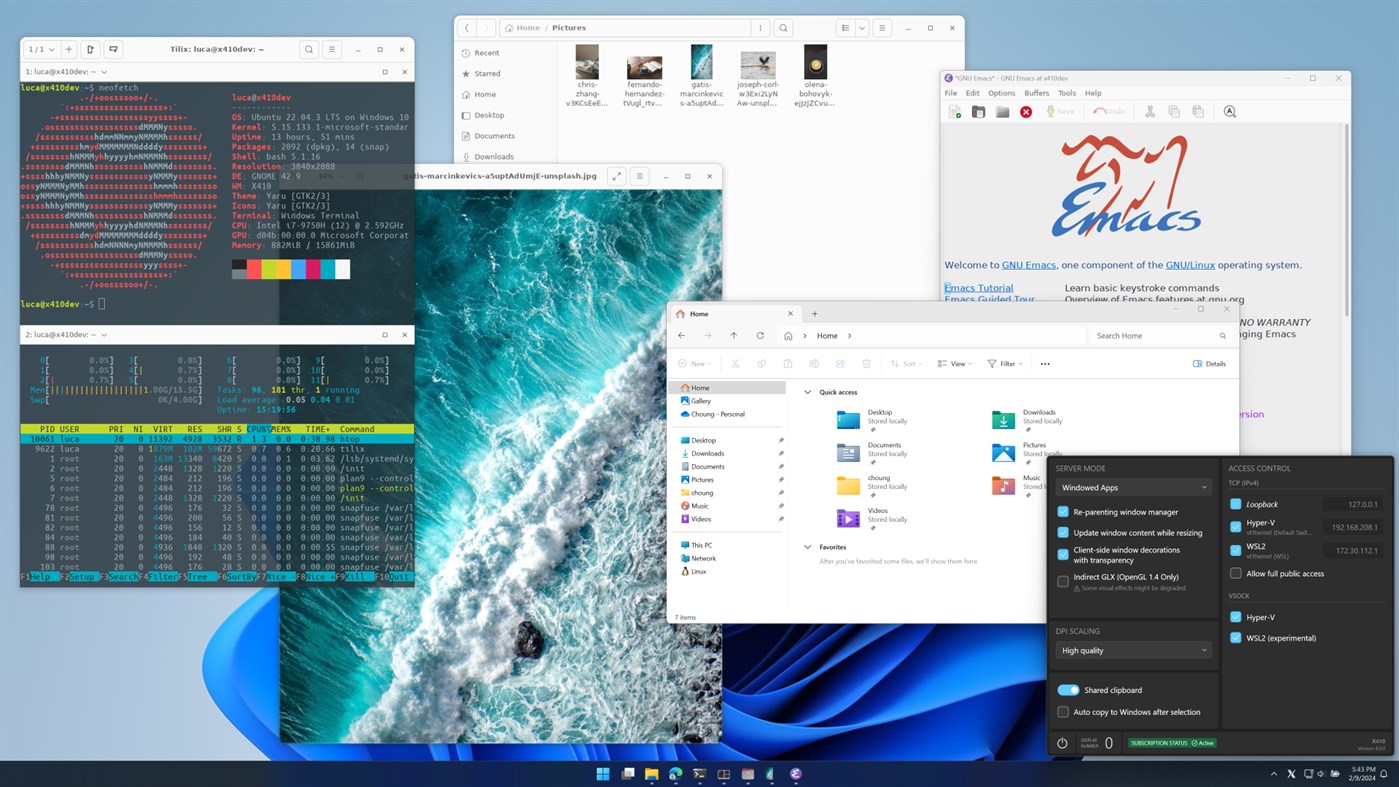
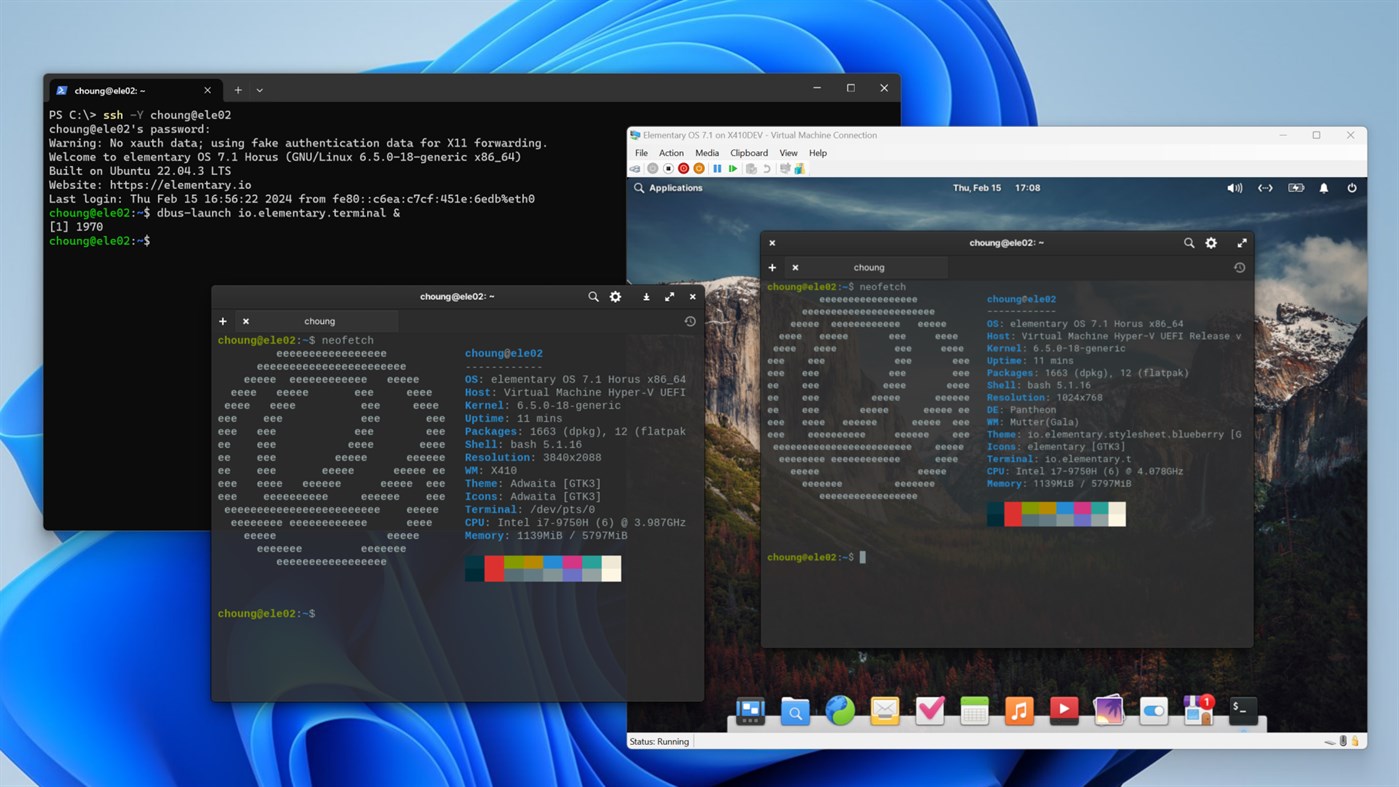
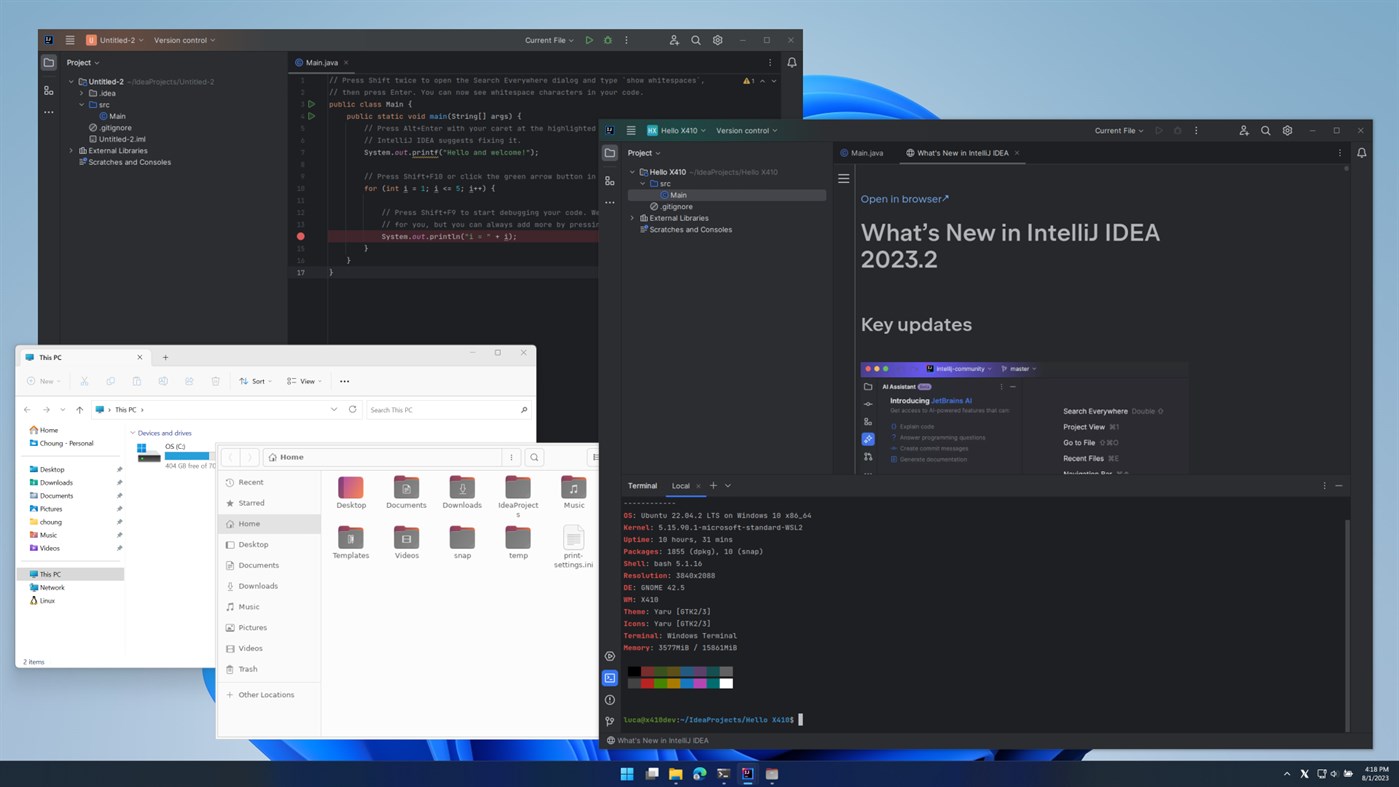
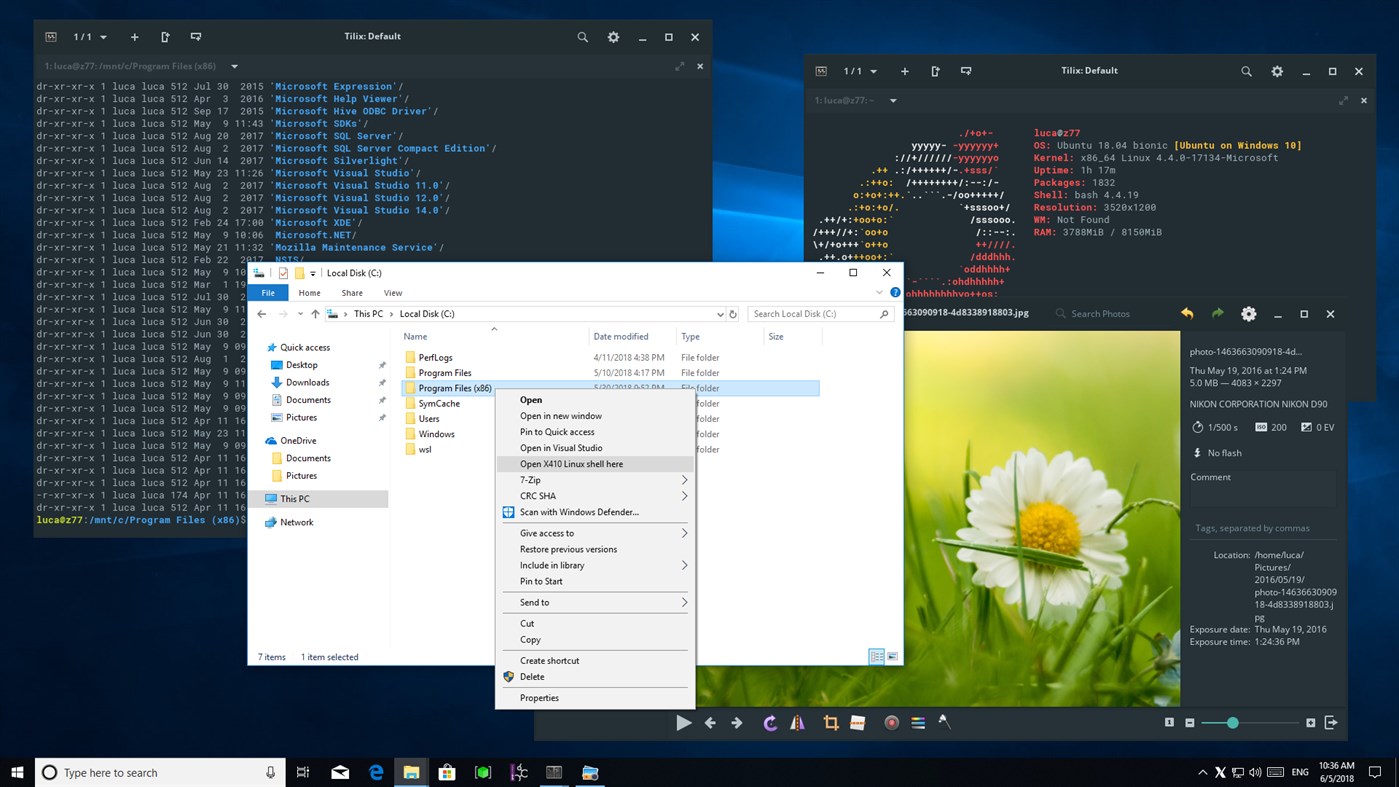
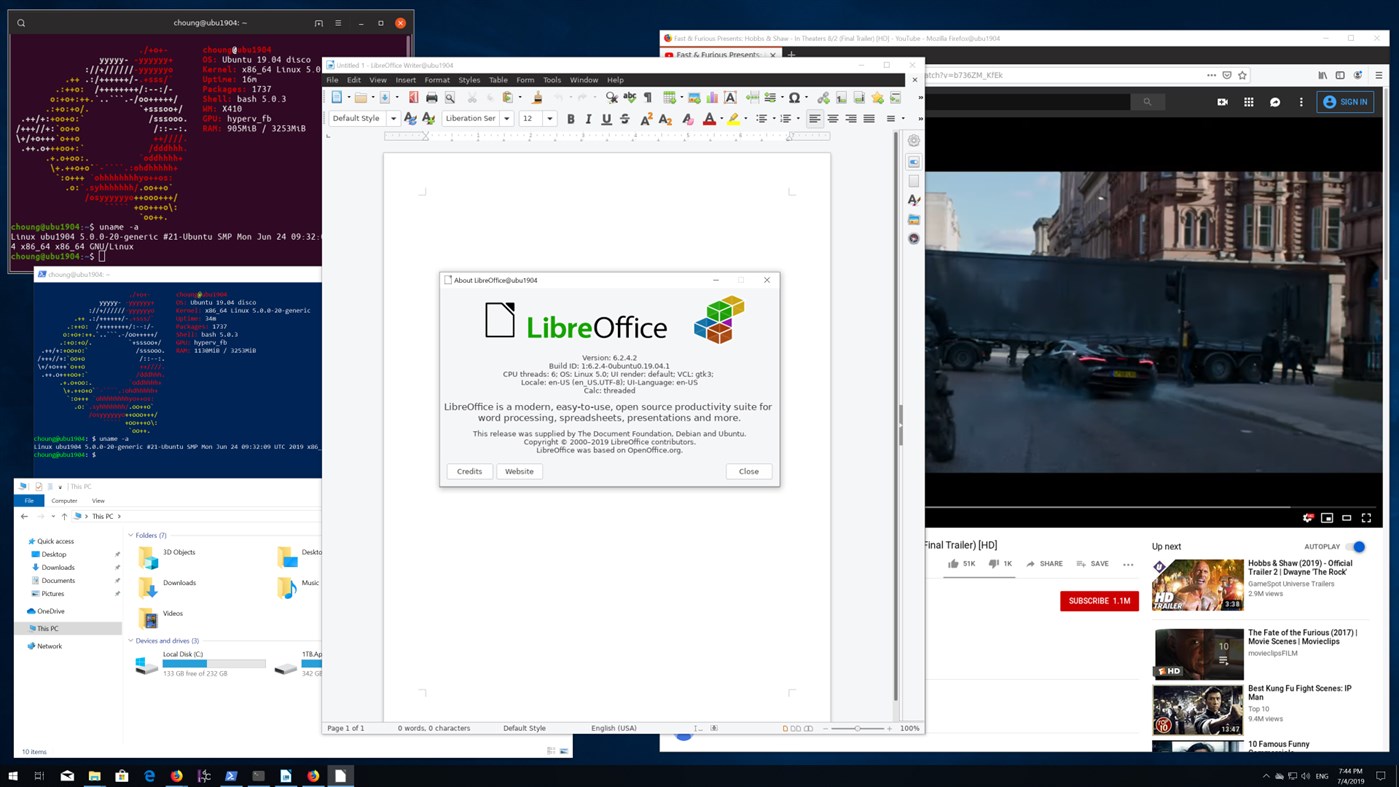
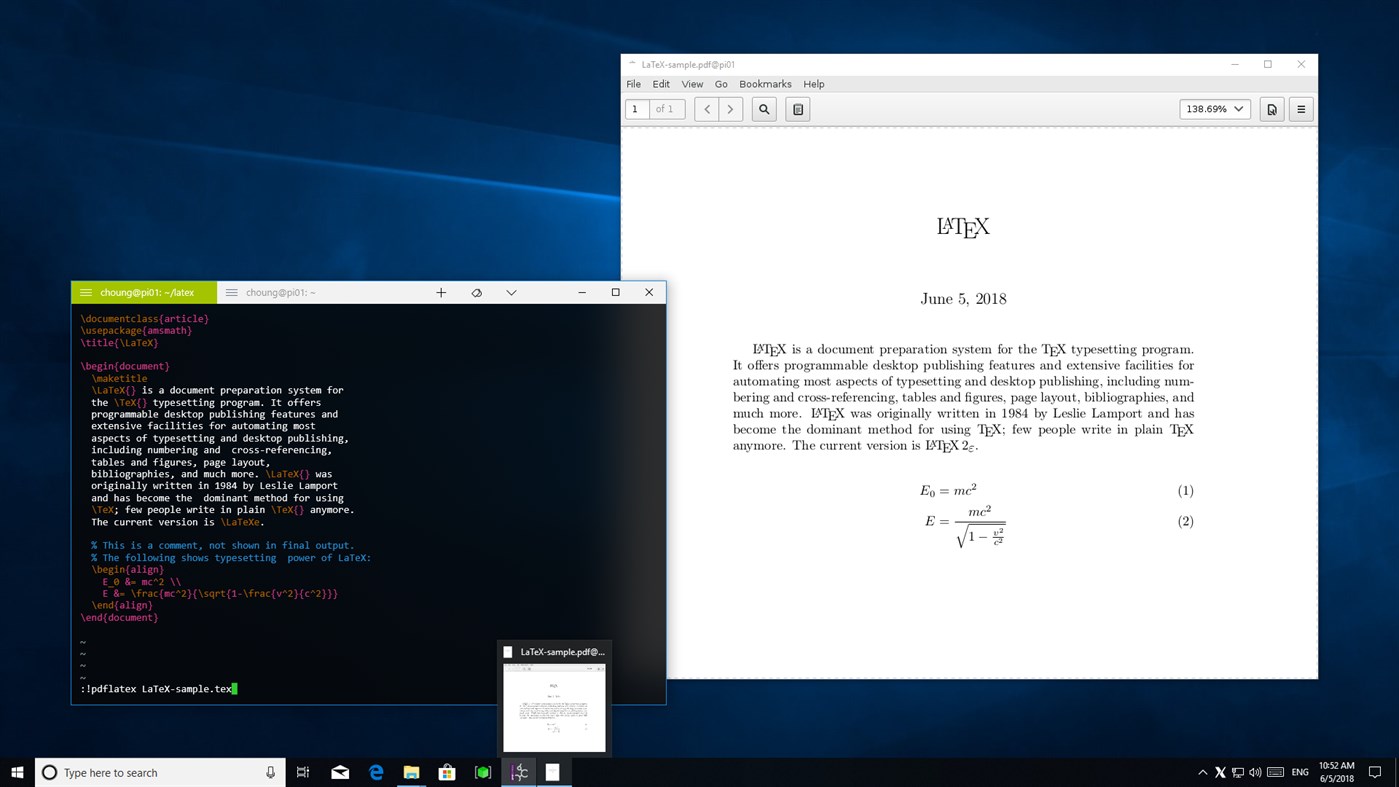
It doesn't matter where your Linux GUI apps are actually running; it can be a full virtual machine, Docker container, WSL (Windows Subsystem for Linux) or whatever. As long as your Linux GUI apps support X-Window client protocols, you can use them in Windows. You can even securely use your Linux GUI apps running in a far remote server via any SSH client that supports X11 forwarding over the Internet.
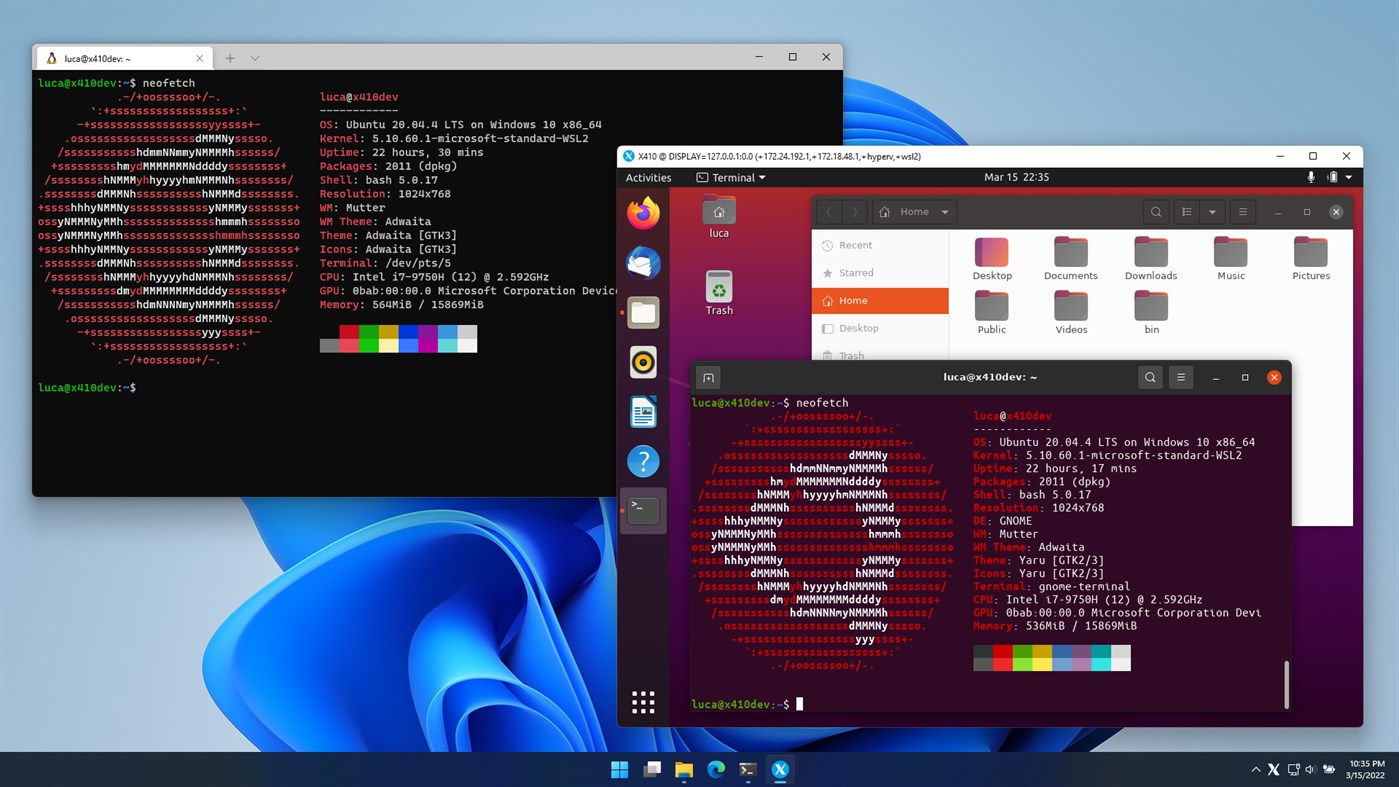
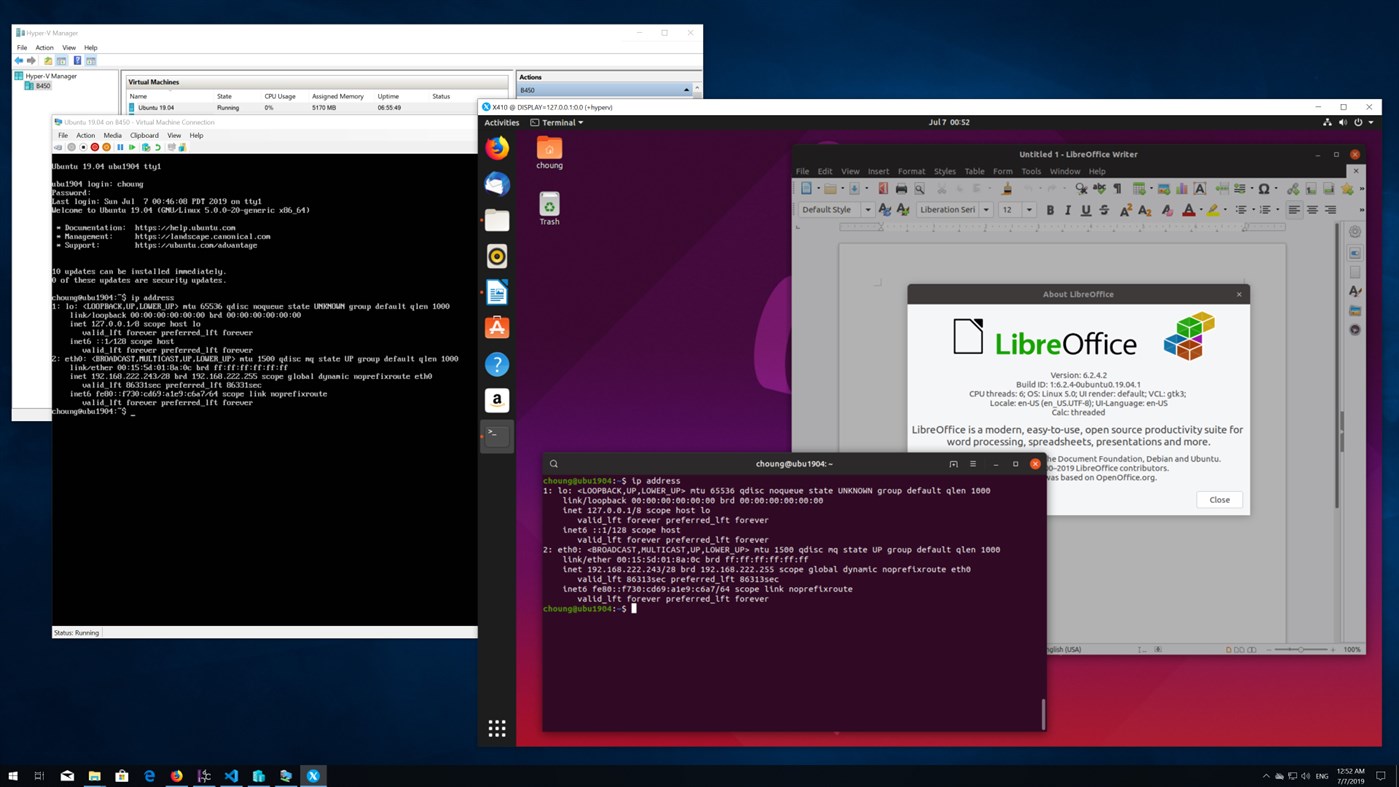
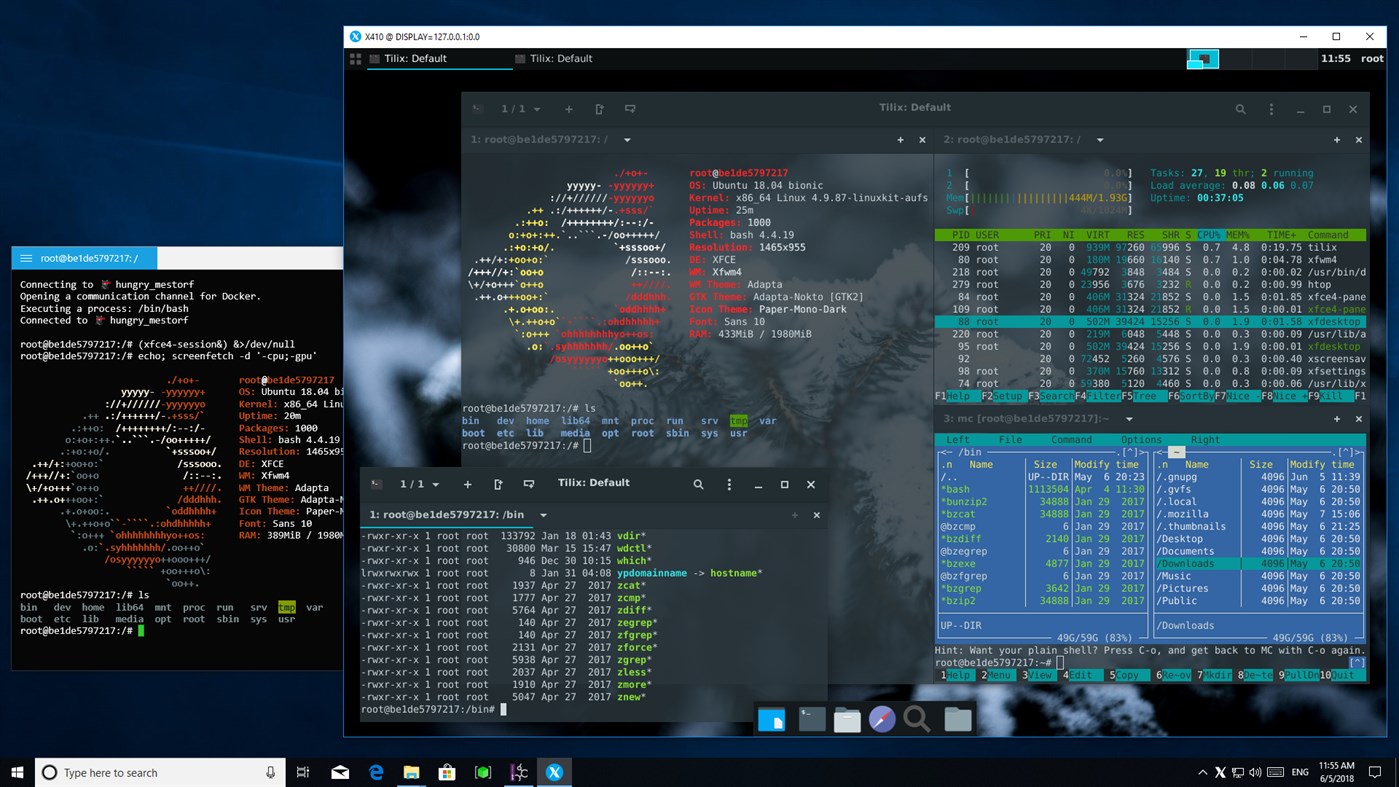
Are you more interested in using a full Linux graphical desktop environment such as Ubuntu or Xfce? No problem! X410 has a desktop mode that turns itself into a freely resizable virtual monitor. Hence you can straightforwardly set up your favorite Linux graphical desktop environment simply by treating X410 as a display screen.
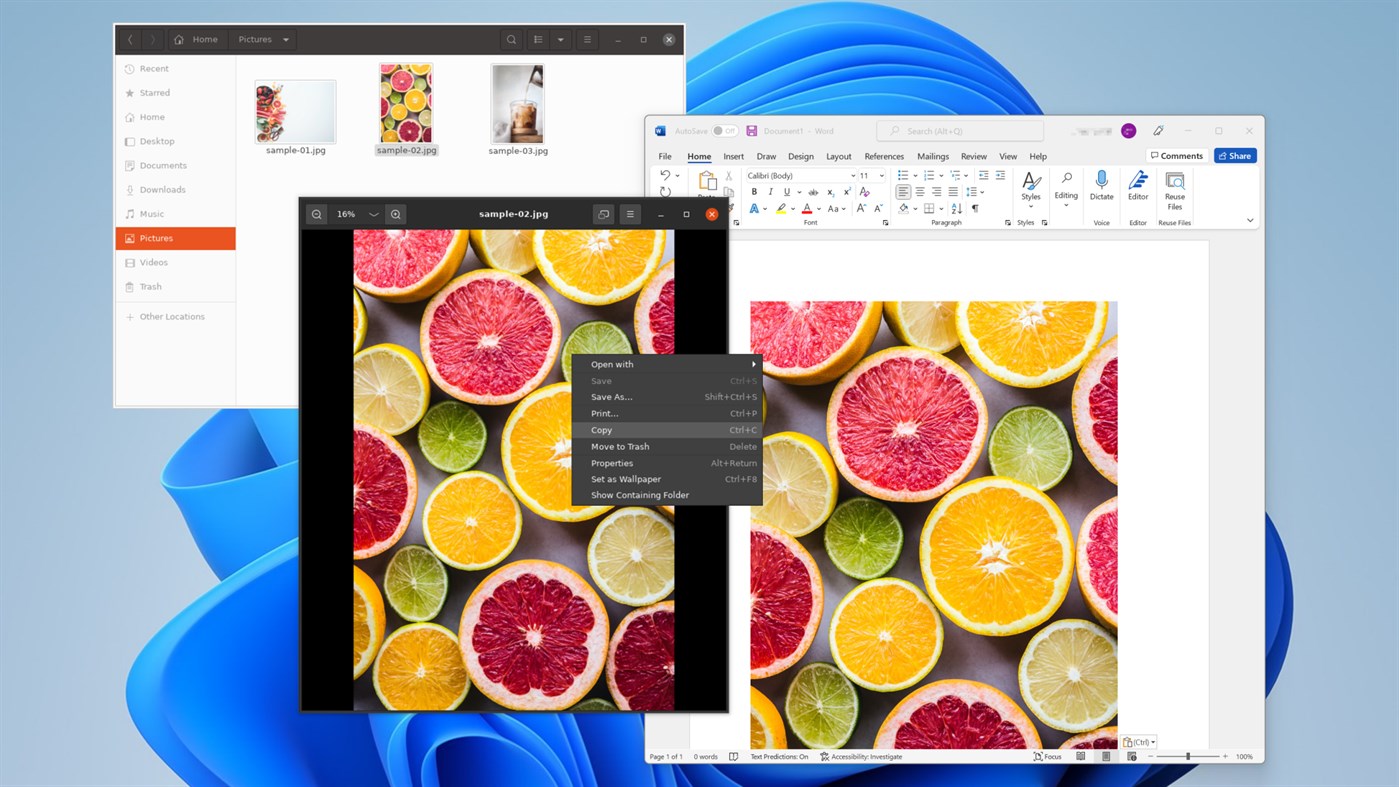
Don't forget to also check out other unique features in X410 that will surely make your Linux GUI app experience in Windows much more enjoyable and seamless! For example, the clipboard sharing feature in X410 not only supports plain text but also HTML encoded text as well as BMP/PNG images. You can also use VSOCK connections for locally running virtual machines and maintain stable connections even when your VPN, Wi-Fi or any TCP/IP settings are changed unexpectedly.
Install X410 and test drive it now!
// USAGE TIPS & NOTES
- Getting started
https://x410.dev/cookbook/
- Running X410 on HiDPI/4K Screens
https://x410.dev/cookbook/running-x410-on-hidpi-screens/
- Enable systemd in WSL2 and have the best Ubuntu GUI desktop experience!
https://x410.dev/cookbook/wsl/enable-systemd-in-wsl2-and-have-the-best-ubuntu-gui-desktop-experience/
- While X410 is in Floating Desktop mode, you can maximize or restore the desktop window by pressing CTRL+ALT+BACKSPACE
For more tips and usage examples, please visit https://x410.dev/.
*** This version of X410 is fully functional for 7 days. If you want to continue using X410 after the trial period, please purchase its subscription using the order menu found in the app. If you want to purchase a non-subscription license for X410, please visit our website at https://x410.dev/store/.
*** Please note that if you're looking for the previously available one-time purchase version of X410, this is not it! That product is no longer searchable in Microsoft Store. This version of X410 is a separate app with different product ID and SKU. If you already purchased that previous version and want to reinstall it, please use the [ Library ] section of the Microsoft Store app found in Windows Start menu. It should be listed as 'X410 (Version 3)'. For more detailed information, please visit our website at https://x410.dev/news/x410-is-now-available-only-as-a-subscription-in-microsoft-store/.
Ad
Screenshots
Price History
-
* In-App Purchases - Current price: Free
- Minimum: Free
- Maximum: Free
Track prices
What's new
- Version: PC
- Updated:
Additional Information
- Release Date:
- Category:
Windows Apps›Developer tools - OS:
HoloLens,PC,Surface Hub - Size:
95 Mb - Supported Languages:
Dutch,English,French,German,Italian,Japanese,Korean,Spanish,Thai,Turkish - Content Rating:
EVERYONE - Windows Store Rating:
1.9(23) - Website:
 https://x410.dev
Developer
- Choung Networks
- Platforms: Windows Apps (1)
- Lists: 1 + 0
- Points: 0 + 23 ¡
- Rankings: 0
- Comments: 0
- Deals: 0
- Videos: 0
- RSS: Subscribe
Lists (1)
- X410 - X Server for Windows

Points (0)
0 ☹️
Rankings (0)
0 ☹️
Comments (0)
Be the first to comment 🌟
«X410 - X Server for Windows» is a Developer tools app for Windows, developed by «Choung Networks». It was first released on and last updated on . This app is currently free. This app has not yet received any ratings on AppAgg. It has been added to 1 public lists and 0 private lists created by users. On Windows Store, the current store rating is 1.9 based on 23 votes. Available languages: Dutch, English, French, German, Italian, Japanese, Korean, Spanish, Thai, Turkish. AppAgg continuously tracks the price history, ratings, and user feedback for «X410 - X Server for Windows». Subscribe to this app or follow its RSS feed to get notified about future deals or updates. AppAgg does not host applications or distribute software. All trademarks, logos and screenshots belong to their respective owners.
X410 - X Server for Windows Short URL: Copied!- 🌟 Share
- Windows Store
Similar
-
- SQL Server Description Editor
- Windows Apps: Developer tools By: Eden Wu
- Free
- Lists: 0 0 0
- Points: 0 + 2 (5.0) Version: PC 1. The "Description" comment on Table or Field in SQL Server. 2. Can be exported into Excel file for easy editing, and import after the updated the Excel file. 3. Native mode app. ... ⥯
-
- Halo 5: Guardians Local Server
- Windows Apps: Developer tools By: Microsoft Studios
- Free
- Lists: 0 + 1 0 0
- Points: 1 + 16 (3.8) Version: PC REQUIRES HALO 5: GUARDIANS ON XBOX ONE. THIS IS A TOOL FOR HOSTING LOCAL MULTIPLAYER MATCHES AND DOES NOT CONTAIN ACTUAL GAME CONTENT Halo 5: Guardians Local Server provides a new way ... ⥯
-
- WebSocket Debug Tools: Client & Server
- Windows Apps: Developer tools By: YH Software
- * Free
- Lists: 1 + 1 0 0
- Points: 1 + 2 (1.0) Version: PC This is a testing and debugging UWP app for WebSocket that helps you debug WebSocket connections! Both client and server debugger are included and you can view and copy detail message ... ⥯
-
- Simple HTTP Server
- Windows Apps: Developer tools By: Firefly
- Free
- Lists: 0 0 0
- Points: 0 + 15 (2.7) Version: PC A simple HTTP server application, it can let your device as a simple HTTP server. ⥯
-
- Easy Web Server
- Windows Apps: Developer tools By: ATGOX
- Free
- Lists: 2 0 0
- Points: 0 + 14 (4.3) Version: PC Build your Web environment quickly A lightweight, fast and efficient tool that can quickly build a Web environment. FEATURES:Easy,Development,Fast,Mini,Light,Temp,Transfer ⥯
-
- Pengwin
- Windows Apps: Developer tools By: Whitewater Foundry
- $19.99
- Lists: 0 0 0
- Points: 0 + 60 (3.9) Version: PC Pengwin is a Debian-based Linux distribution built specifically for Windows Subsystem for Linux (WSL). Developed by Whitewater Foundry, it delivers a production-grade Linux environment ⥯
-
- Bluetooth LE Explorer
- Windows Apps: Developer tools By: Microsoft Corporation
- Free
- Lists: 2 0 0
- Points: 4 + 26 (3.2) Version: PC Bluetooth LE Explorer allows users to find and interrogate nearby Bluetooth LE devices, read their service and characteristics and write to them. It can also be used in server mode to ... ⥯
-
- SQLPro for MSSQL
- Windows Apps: Developer tools By: Hankinsoft Development Inc
- * Free
- Lists: 0 0 0
- Points: 1 Version: PC SQLPro for MSSQL is a lightweight Microsoft SQL Server database client, allowing quick and simple access to MSSQL Servers, including those hosted via cloud services such as SQL Azure ... ⥯
-
- Tempest - Ultimate SSH client
- Windows Apps: Developer tools By: Shompinice
- * Free
- Lists: 0 0 0
- Points: 0 Version: PC Welcome to Tempest, the forefront of SSH clients, designed with privacy and security at its core. Tempest is not just another SSH client; it's your all-encompassing solution for ... ⥯
-
- EasyDebug
- Windows Apps: Developer tools By: x-tools-author
- $1.39
- Lists: 0 0 0
- Points: 0 Version: PC EasyDebug is a multifunctional debugging assistant that supports serial port sending and receiving debugging, UDP client sending and receiving debugging, UDP server sending and ... ⥯
-
- SQL Mimic
- Windows Apps: Developer tools By: 10SouthStudios
- $19.99
- Lists: 0 + 1 0 0
- Points: 1 + 1 (5.0) Version: PC Easily compare the schemas of two SQL Server databases. Supports SQL Server 2012+ ⥯
-
- TestExpert
- Windows Apps: Developer tools By: Jos Huybrighs
- Free
- Lists: 0 + 1 0 0
- Points: 1 Version: PC TestExpert is a test and simulation tool for software developers and testers. It is used in ICT environments where 2 or more entities (a client, a server, etc.) have to exchange ... ⥯
-
- TCP2COM Bridge & Monitor PRO
- Windows Apps: Developer tools By: Audiosdroid
- $4.99
- Lists: 0 0 0
- Points: 0 Version: PC TCP2COM Bridge and Monitor is a specialized software for Windows Desktop that helps connect TCP/IP (Internet) and COM ports (serial communication). It can work as a bridge between ... ⥯