
Salvati
Scegli il nome che verrà mostrato nel tuo menu Salvati.
Completato!
| Sviluppatore: | ibis inc. (8) | ||
| Prezzo: | $15.99 | ||
| Punteggio: | 64,300 Leggenda | ||
| Classifiche: | 0 | ||
| Commenti: | 0 Pubblica commento | ||
| Liste: | 6 + 2 | ||
| Punti: | 4 + 4,082 (4.7) ¡ | ||
| +1 Punti | |||
Descrizione

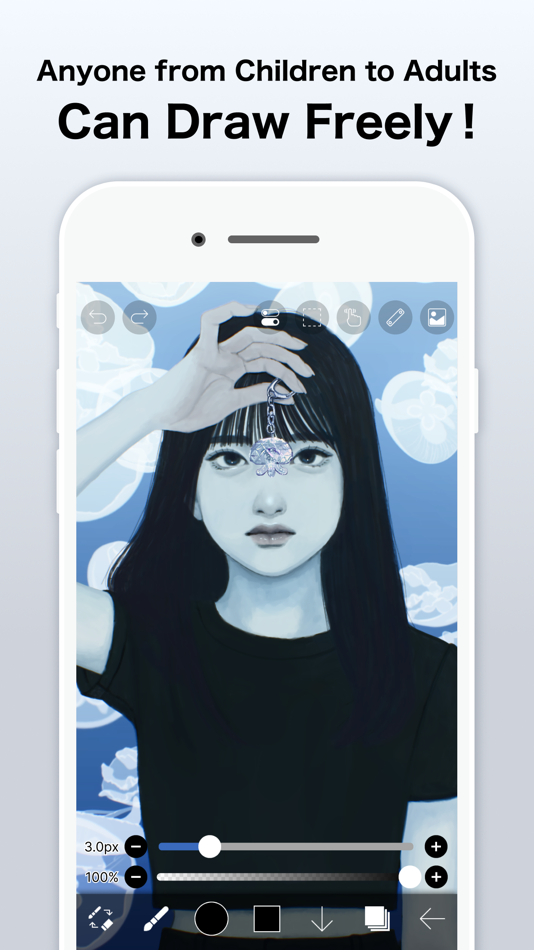
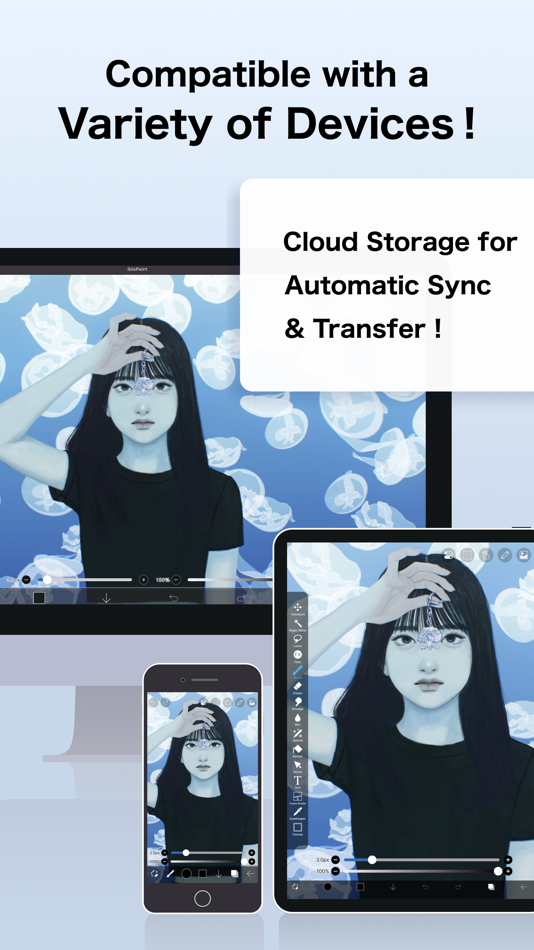
ibisPaint is a full-featured illustration and animation app for smartphones and tablets, with over 500 million cumulative downloads across the series.
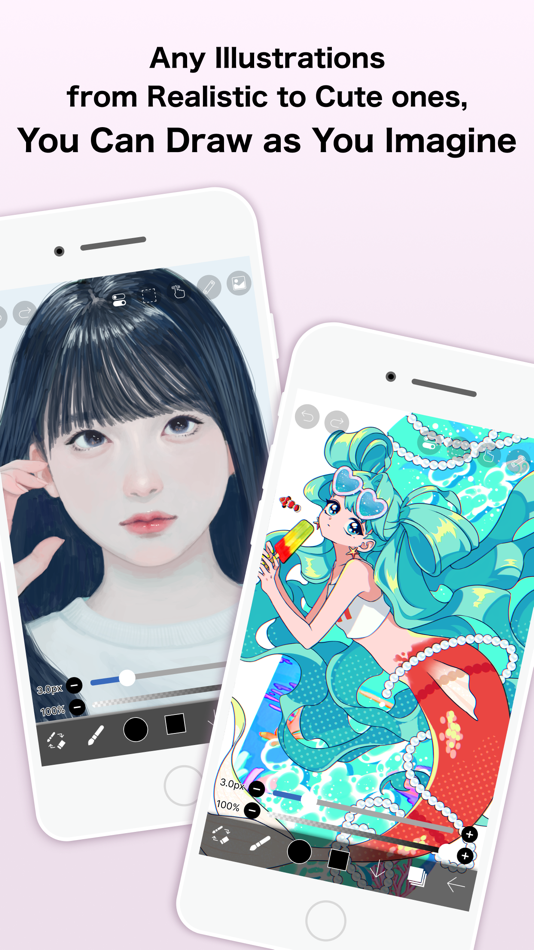
"Drawing looks hard" — this app is made especially for people who think that. A creative experience that doesn't compromise, an interface simple enough to use without hesitation, and a comfortable familiarity that grows the more you use it. ibisPaint keeps serving as an easy entry point for anyone to start "drawing," while continually expanding what's possible — from a single illustration to frame-by-frame animation, and on to videos with background music and audio.
This app is the ad-free version of ibisPaint X. Unlocking all features additionally requires purchasing Premium Membership (an in-app purchase); in that case, downloading ibisPaint X and purchasing Premium Membership there works out cheaper.
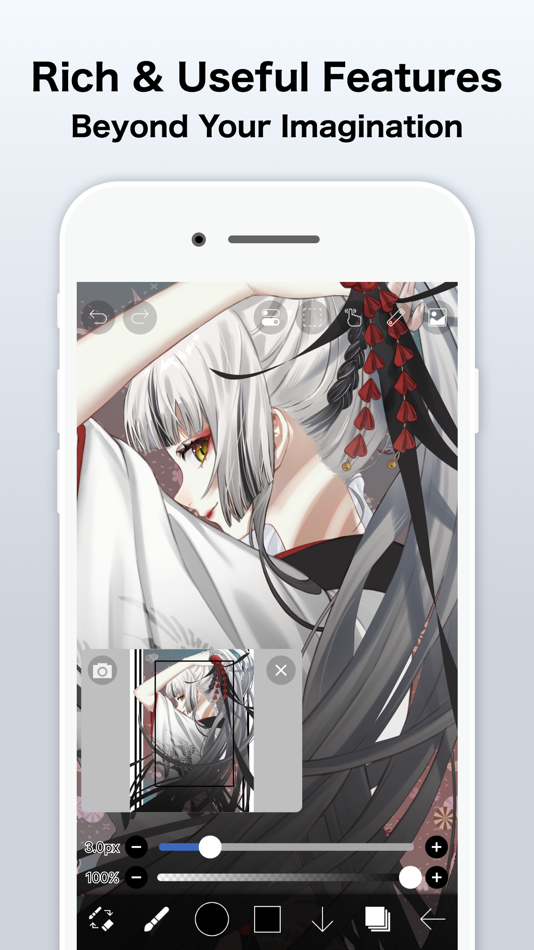
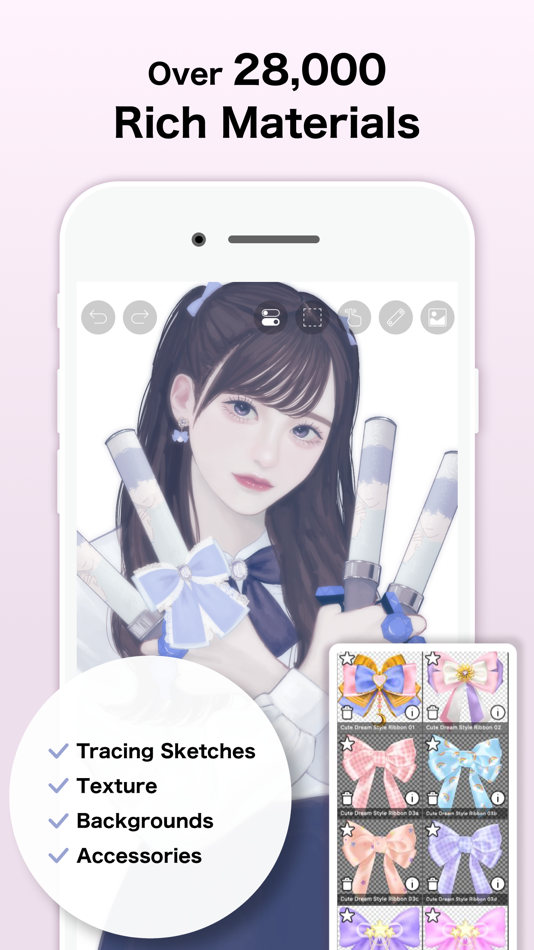
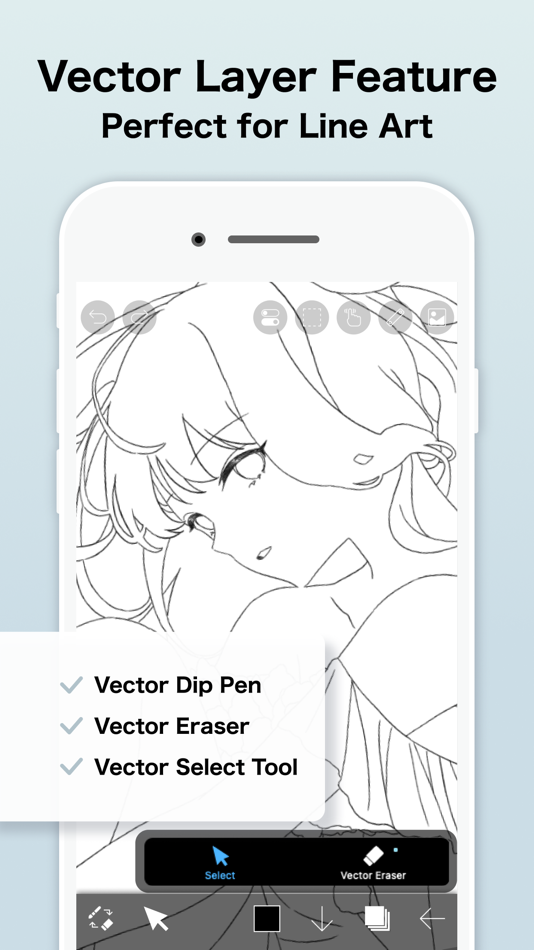
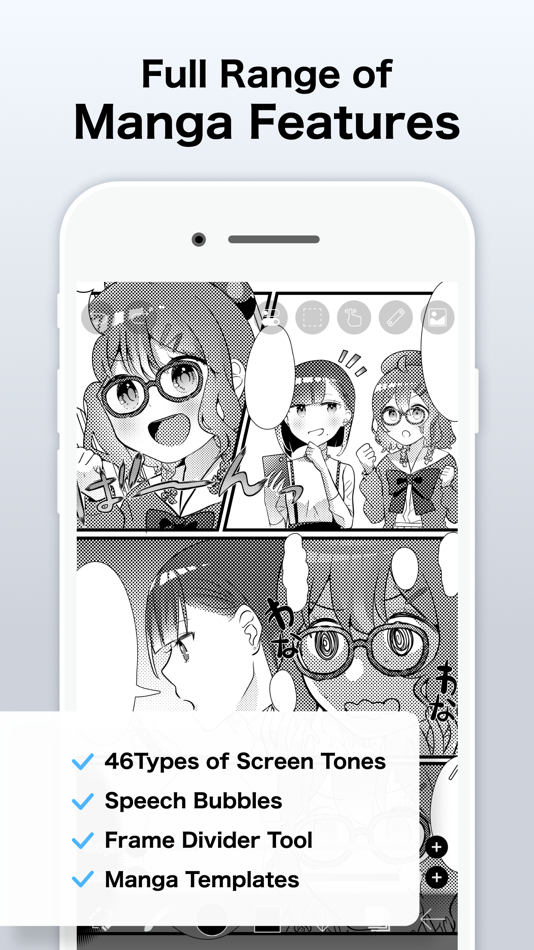
With over 130,000 brushes, 30,000+ materials, 3,000+ fonts, 86 image filters, 46 screentones, 27 layer blending modes, vector tools, a reference window, radial and symmetry rulers, animated filters, and an AI Disturbance feature, ibisPaint packs in serious functionality that rivals PC illustration software. It's a one-stop app that goes beyond drawing illustrations — into animation production, and even recording and sharing your creative process as a time-lapse video. It's chosen by people of all ages, countries, and experience levels around the world.
*Drawing Tutorial YouTube Channel
We post lots of videos on how to make the most of ibisPaint. Please subscribe!
https://youtube.com/ibisPaint
*Supported Digital Styluses
https://ibispaint.com/stylus/supported_digital_stylus.jsp?platformType=1
*About Purchase Plans
https://ibispaint.com/lecture/index.jsp?no=26
* If you do not cancel auto-renewal at least 24 hours before the free trial ends, you will be automatically charged upon renewal.
*About App Access Permissions
This app may access various device features to provide the service and improve usability. No access permission is required to use this app — all of the following are optional. You may decline any of these optional permissions. Even if declined, the app's core features remain available, but some features that require the relevant permission may be limited.
•Photos/videos in your photo library
To import artwork files and images, and to save the artwork files, images, and videos you create
•Microphone audio input
To connect and communicate with supported peripherals such as digital styluses
•Bluetooth communication
To connect and communicate with supported peripherals such as digital styluses
•Push notifications
To deliver notifications related to your artwork, app update information, and important announcements
*Questions & Bug Reports
We're unable to respond to questions or bug reports left in reviews. Please contact our support desk below instead.
https://ssl.ibis.ne.jp/en/support/Entry?svid=25
*ibisPaint Terms of Service
https://ibispaint.com/agreement.jsp
Pubblicità
Screenshot



Cronologia dei prezzi
- Prezzo attuale: $15.99
- Minimo: $5.99
- Massimo: $15.99
Monitora i prezzi Aggiungi a una lista per ricevere avvisi sugli sconti via email o push
Punteggio AppAgg
64,300
Punteggio AppAgg stimato per
ibis Paint
Sviluppatore: ibis inc.
64,300 Leggenda
Un punteggio più alto riflette in genere risultati migliori negli indicatori di AppAgg.
Basato su: popolarità · valutazioni degli utenti · freschezza · offerte · dati degli store · attività della community
Ricalcolato ogni giorno con dati AppAgg aggiornati.
Badge per il tuo sito:  Copiato!
Novità
- Versione: 14.1.2
- Ultimo aggiornamento:
- Thank you for using ibisPaint!
The summary of this update is as follows.
[Improvements, Changes]
- Changed the orientation in which you place the Q6W tablet so that its keys are on the left when the screen is in portrait.
[Fixed Bugs and Problems]
- Fixed an issue where, when there was a Selection Area, a shape drawn with Smart Shape on a Vector Layer could be distorted after being applied.
- Fixed an issue where the app could crash when returning to My Gallery with a keyboard shortcut while a tutorial was displayed.
- Fixed an issue where Text Layers and Frame Layers were not changed correctly when changing the image resolution of an artwork containing them.
- Fixed an issue where the message explaining why a command could not be run was not displayed for certain combinations of layer type and keyboard shortcut.
- Fixed a bug where the app could crash when applying "Translate Scale" in the Transform tool on a vector layer while a selection was active.
- Fixed a bug that could cause a crash when drawing after canceling a stroke with the Shape Tool and then turning the Shape Tool off.
- Fixed an issue where turning on Cloud Sync while logged out did not redirect you to the login screen.
- Fixed an issue where, while logged out, performing an operation on a cloud artwork that had not been downloaded did not redirect you to the login screen.
- Fixed an issue where small kana such as "っ" and "ゃ" appeared too high in vertical text in the Text tool. If you want this applied to an existing text, please re-edit the text or modify the style.
[New Features in ver. 14.1.0]
- Added the ability to customize Stabilizer and Force Fade settings individually for each brush.
- Added two Real time stabilization modes: Constant and Fast Strokes.
- Improved the brush tool’s stroke-tracking responsiveness and made the fade length consistent. You can return to the previous drawing feel from the Settings window via "Brush Prediction" . You can also configure this per brush with the brush parameter “Disable Prediction”.
- Added the brush parameters "Fade Start Time" and "Fade End Time".
- Added the ability to add audio to animation artworks.
- Added keyboard shortcuts for playing/stopping an animation and for adding and deleting clips in animation artworks.
- Added a "3D Layer" feature that lets you place 3D materials.
- Added a “Smart Shapes” feature that automatically corrects freehand drawings into “straight lines,” “Bézier curves,” and other shapes.
- Added "Relief HQ" filter to "Style" filter category.
- Added "Smart Credits" — a points system required to access some of the advanced features in ibisPaint (referred to as "Smart Features"). Credits can be purchased from each Smart feature, and your balance can be viewed in the Settings window.
- Added keyboard shortcuts for actions such as displaying the ruler and adding vector layers.
- Added keyboard shortcuts to switch between custom brushes.
- Added a "Solo Mode" feature that displays only the specified layer.
- Added a Premium feature that moves deleted artworks to “Recently Deleted Artworks” and retains them for 30 days.
- Added "Oil Paint" filter to "Artistic" filter category.
- Enhanced the Trim feature. You can now enter Position, Width, and Height as numerical values, specify a crop area that extends beyond the original canvas, and trim while rotating the canvas.
- You can now undo and redo adjustments while using the Transform Tool.
- The mouse cursor now changes depending on the situation. This setting can be changed in the "Cursor" section of the Settings window.
- When using a stylus with hover functionality, the cursor is now displayed at the hover position. This setting can be changed in the "Cursor" section of the Settings window.
- Improved the design of rulers to be less obtrusive while drawing, and added the ability to change the ruler color.
- Added "Touch History Completion", which captures more touch points (enable from the Settings window).
Informazioni aggiuntive
- Data di uscita:
- Categoria:
App per iOS›Grafica e design - Sistemi operativi:
iPad,iPhone,iOS 15.0 e versioni successive - Dimensioni:
118 Mb - Lingue supportate:
Arabic,Chinese,Dutch,English,French,German,Hebrew,Hindi,Indonesian,Italian,Japanese,Korean,Portuguese,Russian,Spanish,Thai,Turkish,Vietnamese - Classificazione contenuti:
4+ - App Store Valutazione: ¡
4.7(4,082) - Sito web:
 https://ibispaint.com/
Sviluppatore
- ibis inc.
- Follower: 0
- Piattaforme: Android App (3) iOS App (3) macOS App (1) Windows App (1)
- Offerte: 0
- Liste: 15 + 8
- Punti: 48 + 3,332,673 ¡
- Classifiche: 1 (1)
- Commenti: 0
- Video: 2
- RSS: Iscriviti
Liste (6)
- ibis Paint


Punti (4)
-

- 247 Giorgos Nikolaidis
- +1
-
- 1 Yelianys Castillo
- +1
-
- 422 Денис
- +1
-
- 452 Nick F
- +1



Classifiche (0)
0
Commenti (0)
Sii il primo a commentare
In breve
ibis Paint URL breve: Copiato!- App Store
Su AppAgg puoi seguire «ibis Paint», un’app di ibis inc. per iOS nella categoria Grafica e design. Punteggio AppAgg: 64,300 (Leggenda). Punti AppAgg dell’app — confermati: 4; indiretti: 4,082. Liste pubbliche che includono l’app: 6. Utenti che l’hanno salvata in liste private: 2. Gli utenti di AppAgg non hanno ancora valutato questa app. I punti confermati registrano le visite allo store degli utenti che hanno effettuato l’accesso ad AppAgg; quelli indiretti si basano sui dati degli store. I due contatori indicano le liste pubbliche e gli utenti che hanno salvato l’app o il gioco in liste private. L’app è stata pubblicata per la prima volta il . Ultimo aggiornamento dell’app: . L’app costa attualmente $15.99. Il prezzo più basso registrato per l’app è stato $5.99 (); il più alto $15.99 (). Valutazione attuale dell’app su App Store: 4.7. Numero di voti: 4,082. L’app è disponibile nelle seguenti lingue: Arabic, Chinese, Dutch, English, French, German, Hebrew, Hindi, Indonesian, Italian, Japanese, Korean, Portuguese, Russian, Spanish, Thai, Turkish, Vietnamese. Consulta la cronologia dei prezzi, aggiungi l’app a una lista o segui lo sviluppatore. Segui le prossime offerte e gli aggiornamenti dell’app tramite il Feed RSS. AppAgg non ospita né distribuisce questa app. Tutti i marchi, i loghi e gli screenshot relativi all’app appartengono ai rispettivi proprietari.

