
已保存
选择将在你的已保存菜单中显示的名称。
完成!
说明

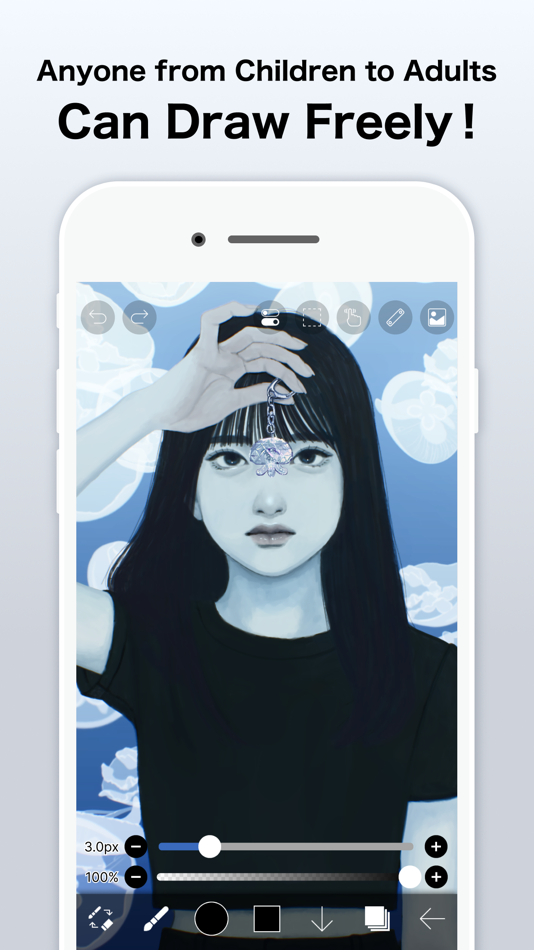
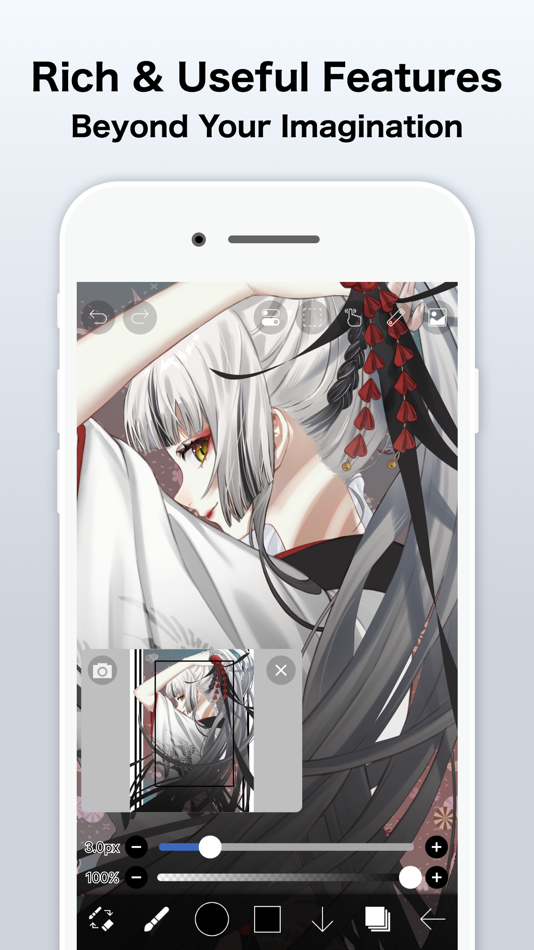
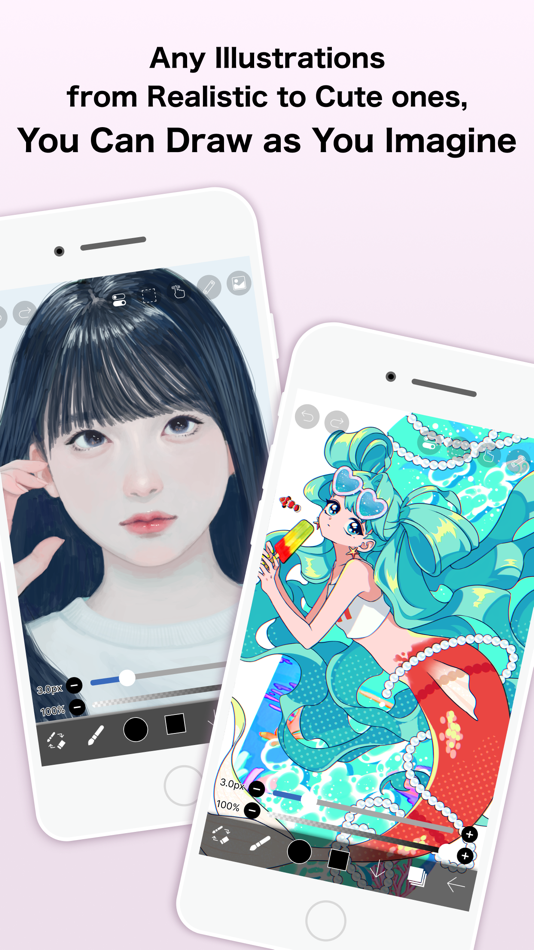
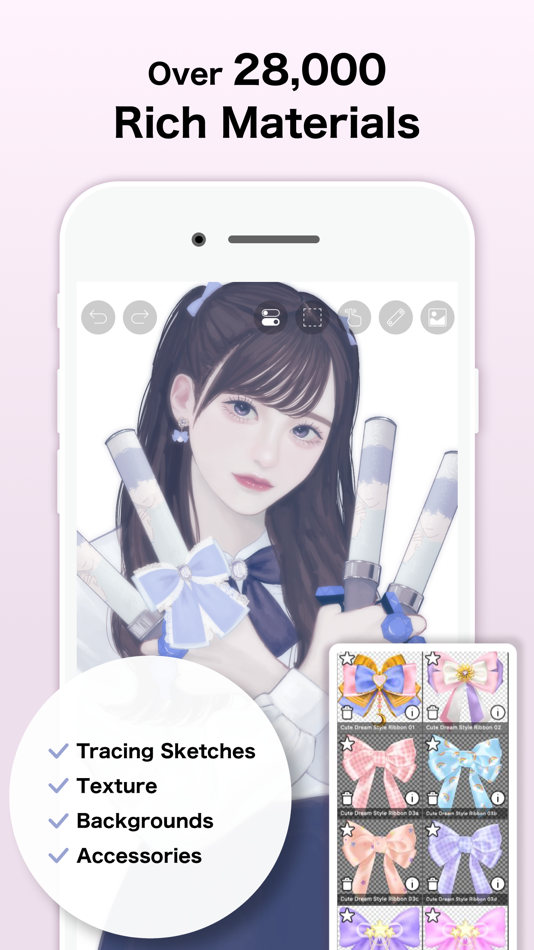
ibis Paint is a popular and versatile drawing app downloaded more than 500 million times in total as a series, which provides over 47000 brushes, over 27000 materials, over 2100 fonts, 84 filters, 46 screentones, 27 blending modes, recording drawing processes, stroke stabilization feature, various ruler features such as radial line rulers or symmetry rulers, clipping mask features.
*YouTube channel
Many tutorial videos on ibis Paint are uploaded to our YouTube channel.
Subscribe it!
https://youtube.com/ibisPaint
*Concept/Features
- A Highly functional and professional features surpassing that of desktop drawing apps.
- Smooth and comfortable drawing experience realized by OpenGL technology.
- Recording your drawing process as a video.
- SNS feature where you can learn drawing techniques from other users' drawing process videos.
*Features
ibis Paint has high functionality as a drawing app along with features of sharing drawing processes with other users.
[Brush Features]
- Smooth drawing at up to 120 fps.
- Over 47000 kinds of brushes including dip pens, felt tip pens, digital pens, air brushes, fan brushes, flat brushes, pencils, oil brushes, charcoal brushes, crayons and stamps.
[Layer Features]
- You can add layers as many as you need with no limit.
- Layer parameters that can be set to each layers individually such as layer opacity, alpha blending, adding, subtracting, and multiplying.
- A handy clipping feature for clipping images, etc.
- Various layer commands such as layer duplication, import from the photo library, horizontal inversion, vertical inversion, layer rotation, layer moving, and zooming in/out.
- A feature for setting layer names to distinguish different layers.
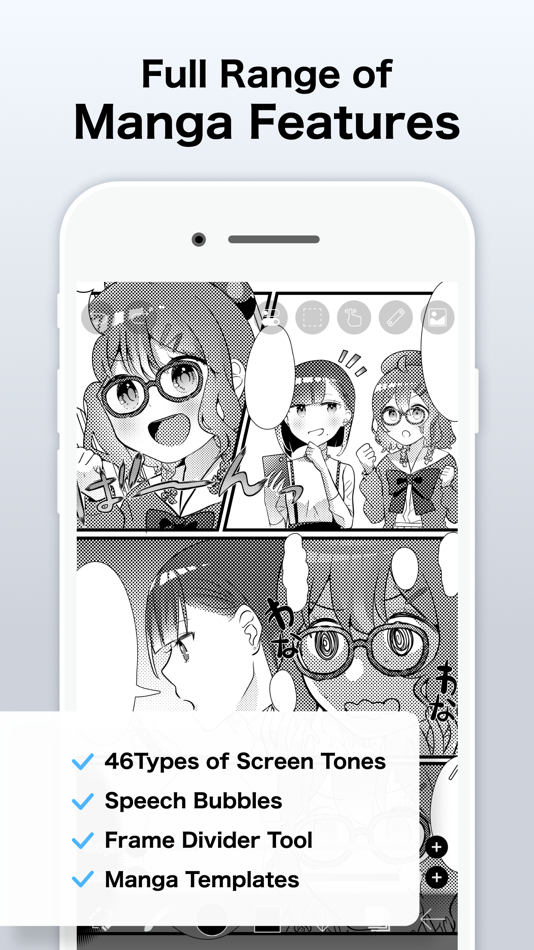
[Manga Features]
- Advanced text tool function featuring Vertical, Horizontal, Stroke, Font select, and Multiple text functions.
*About ibis Paint purchase plan
The following purchase plans are available for ibis Paint:
- ibis Paint X (free version)
- ibis Paint (paid version)
- Ad Removal Upgrade
- Premium Membership (Monthly plan / Yearly plan)
There is no difference in features other than the presence or absence of advertisements for the paid version and the free version.
If you purchase the Ad Removal Upgrade, the ads will not be displayed and there will be no difference from the paid version of ibis Paint.
In order to use more advanced functions, the following Premium Membership (Monthly plan / Yearly plan) contracts are required.
[Premium Membership]
A premium member can use the premium features. Only for the first time, a 7-day or 1-month free trial is available. Premium membership entitles you to the following features.
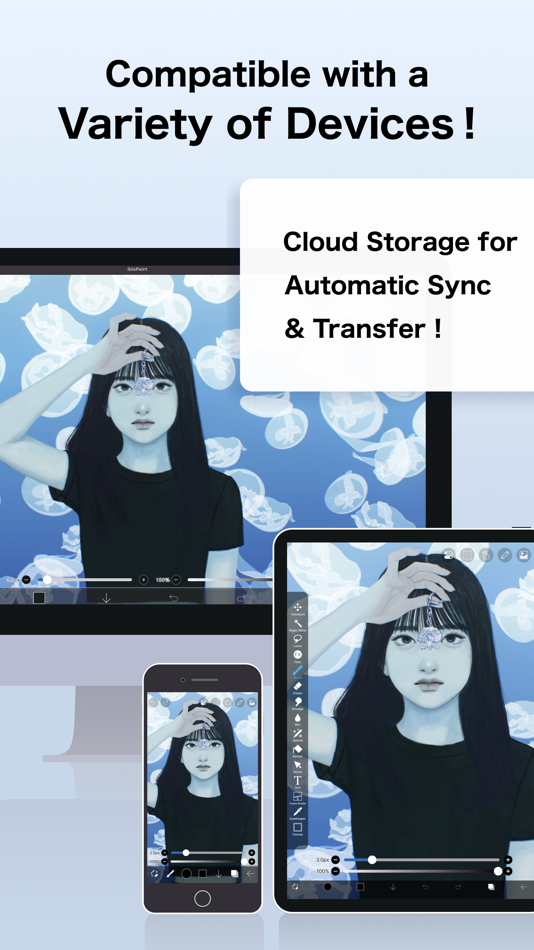
- 20GB of cloud storage capacity
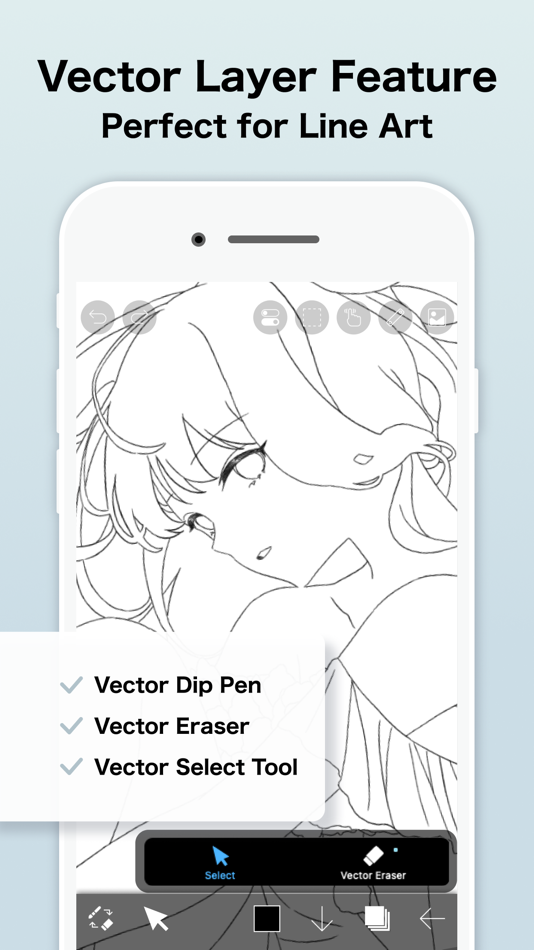
- Vector tool(*1)
- Premium Materials
- Premium Canvas Papers
- Premium Fonts
- Tone Curve filter
- Gradation Map filter
- Levels Adjustment filter
- Premium Adjustment Layers
- Surrounding Fill・Surrounding Eraser
- AI Disturbance
- Artwork folder feature
- Import original brush patterns
- Remove watermark from videos
- Plus many other features exclusive to Premium Membership!
(*1) You can try it for free for up to 1 hour per day.
* After you become a Premium Membership with a free trial, renewal fee will be charged automatically unless you cancel your Premium Membership at least 24 hours before the end of the free trial period.
* We will add premium features in future, please look out for them.
*Questions and support
Questions and bug reports in reviews will not be responded to, so please contact ibis Paint support.
https://ssl.ibis.ne.jp/en/support/Entry?svid=25
*ibisPaint's terms of service
https://ibispaint.com/agreement.jsp
屏幕截图



Ad
价格历史
- 目前价格: $15.99
- 最小值: $5.99
- 最大值: $15.99
可选
AppAgg 评价
89,700
AppAgg 预估评价:
ibis Paint
89,700
评价越高,通常表示在 AppAgg 上的信号越强。
基于:🔥 热度 · ⭐ 用户评分 · 🕒 新鲜度 · 🏷️ 优惠 · 🏬 商店数据 · 👥 社区活跃度
根据最新 AppAgg 数据每日重新计算。
短网址: 已复制!
新版变化
- 版本: 14.0.1
- 最后更新:
- Thank you for using ibisPaint!
The summary of this update is as follows.
[Fixed Bugs and Problems]
- Fixed a crash that could occur when clearing a layer.
- Fixed a crash that occurred when using the "Lasso Selection" feature to the Vector tool, Text tool, and Frame Divider tool while a window close animation was playing.
- Fixed an issue where the app could crash when image saving completed.
- Fixed an issue where the app could crash during color palette merging, renaming, or color palette QR code importing.
- Fixed a bug where the app could crash when deleting an artwork in My Gallery.
- Fixed an issue where the app became unresponsive after closing the paywall at startup.
- Fixed a bug where the app could crash when using the “Parallel Gradation", “Concentric Gradation” or “Radial Line Gradation”.
[New Features in ver. 14.0.0]
- You can now create and name multiple color palettes for easier management.
- Added a feature to share color palettes via QR code.
- Brushes in the "Basic" tab of the Brush window are now organized by category.
- Added support for selecting CMYK colors when saving artwork as a JPEG or flattened layer PSD file.
- Added support for selecting grayscale (8bit) color space when saving artwork as a PNG or JPEG file.
- Added support for selecting binary (1bit) color space when saving artwork as an opaque PNG file.
- Added "Speech Bubble" to the Shape tool.
- Added "Thin Arrow" to the Shape tool.
- You can now adjust the position, shape, and other properties of a shape before finalizing it in the Shape tool.
- Added an "Anti-aliasing" option available when "Fill" is enabled in the Shape Tool. When turned on, it smooths the edges of the filled area.
- Added "Draw Line by Brush" to the Shape tool settings.
- Added new special pens: “Parallel Gradation Pen” and “Concentric Gradation Pen”.
- Added knobs to move the start and end points of the gradation in “Parallel Gradation” and "Concentric Gradation".
- Added "Transparent-Current Color" to preset of gradation slider.
- Added new parameter “Extension Method” to “Parallel Gradation” and "Concentric Gradation”.
- For iPad, added the floating view of the Color window.
- Added a graph to the "Dynamic" tab of each brush setting to customize the response of size and opacity to pen pressure.
- Added a Brush Lock feature. You can access it via the lock icon located in the top-right corner of each brush's settings screen.
- Added the Brush Cursor feature. When using a stylus with hover support, you can now display the brush pattern on the screen while hovering. To enable this, go to the "Stylus" section in the Settings window and select "Brush Pattern" under "Brush Cursor while Hovering."
- Added "Lasso Selection" feature to the Vector tool, Text tool, and Frame Divider tool.
- Some filters in the "Art," "Pixelate," and "Transform" categories can now be used as adjustment layers.
- Significantly expanded keyboard shortcuts. Press "Shift + /" to view the list and customize assignments.
- Added a Layer Lock feature. You can toggle the lock via the menu accessed through the "⋮" button in the Layer window.
其他信息
 https://ibispaint.com/
开发人员
- ibis inc.
- 平台: Android 应用 (3) iOS 应用 (3) macOS 应用 (1) Windows 应用 (1)
- 列表: 15 + 7
- 积分: 44 + 3,228,937 ¡
- 排名: 1 (1)
- 评论: 0
- 折扣: 0
- 视频: 2
- RSS: 订阅
列表 (6)
- ibis Paint


积分 (3)
-

- 1 Yelianys Castillo
- +1
-
- 434 Денис
- +1
-
- 464 Nick F
- +1

排名 (0)
0 ☹️
评论 (0)
成为第一个发表评论的人 🌟
«ibis Paint». 平台: iOS. 类别: 图形和设计. 开发商: «ibis inc.». 首次发布: . 最后更新: . 目前价格: $15.99. 最低记录价格: $5.99 (). 最高记录价格: $15.99 (). 该条目尚未在 AppAgg 上获得评分或评论。 列表: 公开: 6, 私密: 2. 追踪点: 已确认: 3, 间接: 3,912. 商店: App Store. 店铺评价: 4.7. 投票数: 3,912. 可用语言: Arabic, Chinese, Dutch, English, French, German, Hebrew, Hindi, Indonesian, Italian, Japanese, Korean, Portuguese, Russian, Spanish, Thai, Turkish, Vietnamese. AppAgg 会跟踪 «ibis Paint»的价格历史、评分和用户反馈。 关注未来折扣和更新: RSS. AppAgg 不托管应用程序或分发软件。 所有商标、徽标和屏幕截图均属于其各自所有者。
ibis Paint 短网址: 已复制!- 🌟 分享
- App Store
类似
-
- ibis Paint X
- iOS 应用: 图形和设计 来自: ibis inc.
- 免费
- 列表: 4 + 3 0 0
- 积分: 13 + 277,866 353K 版本: 14.0.1 ibis Paint X is a popular and versatile drawing app downloaded more than 500 million times in total as a series, which provides over 47000 brushes, over 27000 materials, over 2100 ... ⥯
-
- Paint AI - Color Visualizer
- iOS 应用: 图形和设计 来自: REIMAGE AI INC.
- 免费
- 列表: 1 0 0
- 积分: 1 + 1,294 43K 版本: 1.5.1 Transform Your Space with Paint AI Discover the easiest and most innovative way to choose the perfect paint colors for your home with Paint AI, the cutting-edge app that brings your ... ⥯
-
- Paint Color Visualizer
- iOS 应用: 图形和设计 来自: Patzer LLC
- 免费
- 列表: 0 0 0
- 积分: 0 + 430 40K 版本: 4.7 Transform your space with Paint Color Visualizer! Discover the easiest way to test colors for your next painting project, using real colors from major paint brands like ... ⥯
-
- AR Drawing: Sketch & Paint
- iOS 应用: 图形和设计 来自: Digital Solutions Technologies Limited
- 免费
- 列表: 4 + 2 0 0
- 积分: 21 + 77,027 140K 版本: 5.1.0 Just trace a projected picture on paper and color it! - Use your phone camera to draw - Lots of templates: Animals, Cars, Nature, Food etc. - Built-in flashlight - Share the result ... ⥯
-
- Adobe Fresco: Draw & Paint App
- iOS 应用: 图形和设计 来自: Adobe Inc.
- 免费
- 列表: 3 + 5 0 0
- 积分: 5 + 57,415 205K 版本: 7.2.0 Adobe Fresco is a free drawing and painting app designed for digital artists. Built for iPad and iPhone with Apple Pencil Pro compatibility, Fresco offers a wide variety of brushes and ⥯
-
- MediBang Paint – Drawing & Art
- iOS 应用: 图形和设计 来自: MediBang inc.
- 免费
- 列表: 4 + 2 0 0
- 积分: 3 + 31,747 146K 版本: 28.21 Draw Anywhere, With Anything. MediBang Paint is an art app with more than 100 million downloads in over 150 countries! 【Key Features】 Everything You Need to Make Art ・180 default ... ⥯
-
- Artstudio Pro: Draw, Paint
- iOS 应用: 图形和设计 来自: Lucky Clan
- 免费
- 列表: 13 + 11 0 0
- 积分: 7 + 3,934 79K 版本: 5.2.9 Introducing Artstudio Pro, the most powerful painting and photo editing app available for both iOS and macOS. The successor to our famous ArtStudio app has been redesigned bringing ... ⥯
-
- Picsart Color: Draw & Paint
- iOS 应用: 图形和设计 来自: PicsArt, Inc.
- 免费
- 列表: 3 + 1 0 0
- 积分: 2 + 22,269 83K 版本: 2.9.1 Picsart Color is a drawing app where you can paint, color, and draw digital illustrations. Drawing and creating digital art has never been easier and more fun! Picsart Color offers a ... ⥯
-
- Clip Studio Paint
- iOS 应用: 图形和设计 来自: CELSYS,Inc.
- 免费
- 列表: 4 + 2 0 0
- 积分: 4 + 12,288 108K 版本: 5.0.4 Start drawing and painting in a free 30-day trial. ・Up to 3 months free with your first plan ・Subscribe for the time you want to use it. Get all the latest features, materials, and ... ⥯
-
- Realistic Paint Studio
- iOS 应用: 图形和设计 来自: Aleksandr Komarov
- $11.99
- 列表: 6 + 7 0 0
- 积分: 5 + 743 51K 版本: 2.12 Realistic Paint Studio is a unique digital art software. The program combines the simplicity of traditional tools and pioneering innovations in digital art. No special education is ... ⥯
-
- HiPaint- Sketch & Paint
- iOS 应用: 图形和设计 来自: 艾戈科技(武汉)有限公司
- 免费
- 列表: 0 0 0
- 积分: 1 + 2,668 52K 版本: 6.1.6 Hi Paint is a professional and versatile drawing apps for pad and phone. You can use it to draw, sketch, illustrate, art design, and create digital art anywhere, and it can also be ... ⥯
-
- Repaint House Paint Visualizer
- iOS 应用: 图形和设计 来自: HPAI Labs, LLC
- 免费
- 列表: 0 0 0
- 积分: 0 + 455 42K 版本: 1.0.13 Easily preview your exact interior and exterior paint colors before making them permanent. Repaint combines ultra-realistic AI generation with manufacturer-accurate colors so you can ... ⥯
-
- Bristles AI: Paint & Design
- iOS 应用: 图形和设计 来自: Bristles, Inc
- 免费
- 列表: 0 0 0
- 积分: 0 + 865 39K 版本: 3.0.0 Bristles AI is a design mock-up app that lets you visualize colors and makeovers on anything. Create realistic mock-ups of before-and-after transformations for furniture, rooms, decor, ⥯
-
- Drawing Desk: Sketch Paint Art
- iOS 应用: 图形和设计 来自: Farida Afrose
- 免费
- 列表: 2 + 2 0 0
- 积分: 2 + 14,737 69K 版本: 7.5.8 Welcome to our painting app, where the canvas is your playground and creativity knows no bounds. With our intuitive interface and comprehensive set of tools, you can unleash your inner ⥯
最近浏览
最后更新:
AppAgg 中可使用的搜索运算符