
| Udvikler: | Maxim Ananov (3) | ||
| Pris: | $4.99 | ||
| Rangeringer: | 0 | ||
| Kommentarer: | 0 Skriv kommentar | ||
| Lister: | 6 + 2 | ||
| Point: | 12 + 0 ¡ | ||
| Mac App Store | |||
Beskrivelse
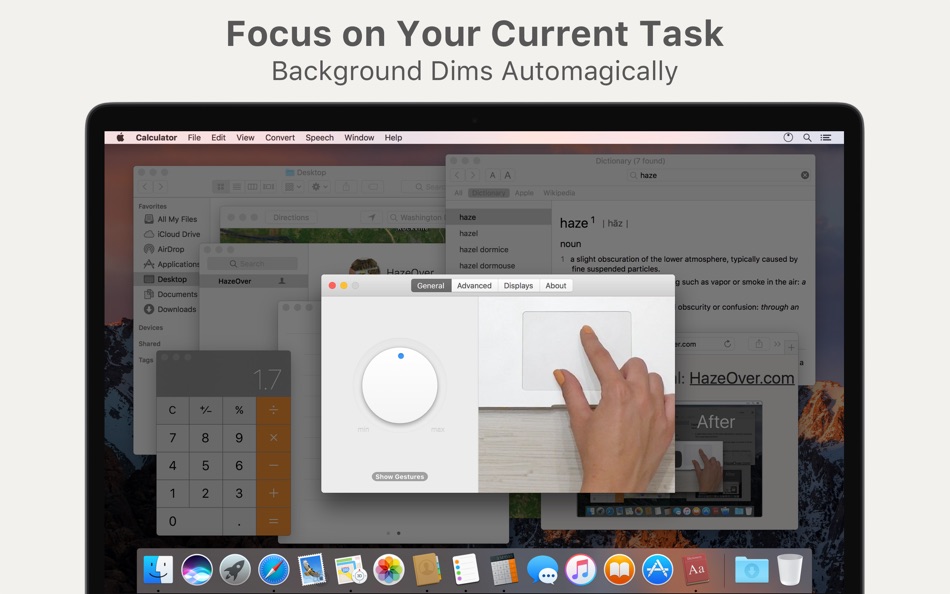
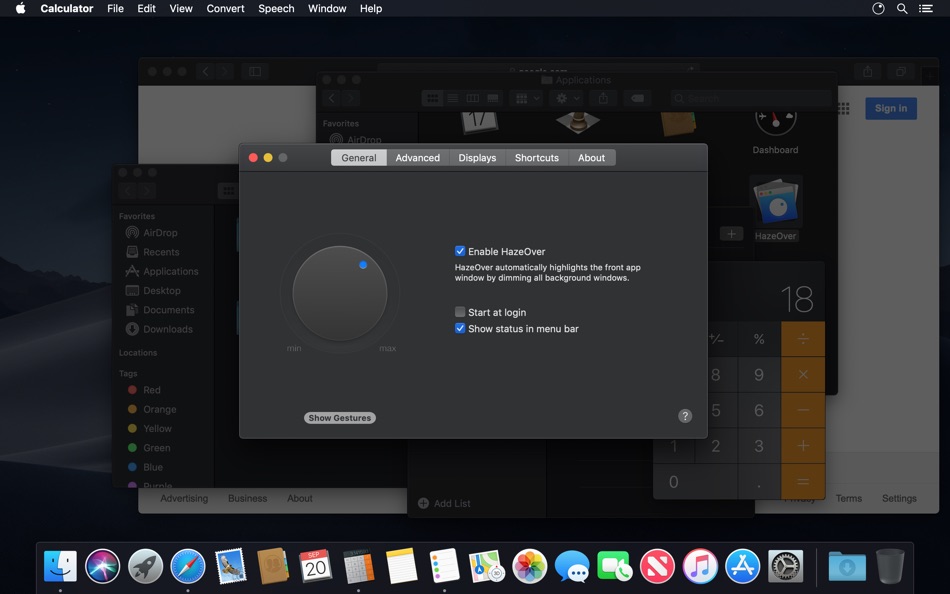
Turn distractions down and focus on your current task. HazeOver automatically highlights the front window by dimming background windows.
• Help yourself focus on one thing at a time. Automagically.
• Spend less time managing windows. The clutter won’t bother you anymore.
No need to minimize, close, or hide windows to keep your workspace neat and tidy.
• Easily see which window has keyboard focus.
No more typing in the wrong window due to low contrast.
• Got a bigger display? Then going full screen might make less sense.
HazeOver helps you avoid feeling overwhelmed by too many windows.
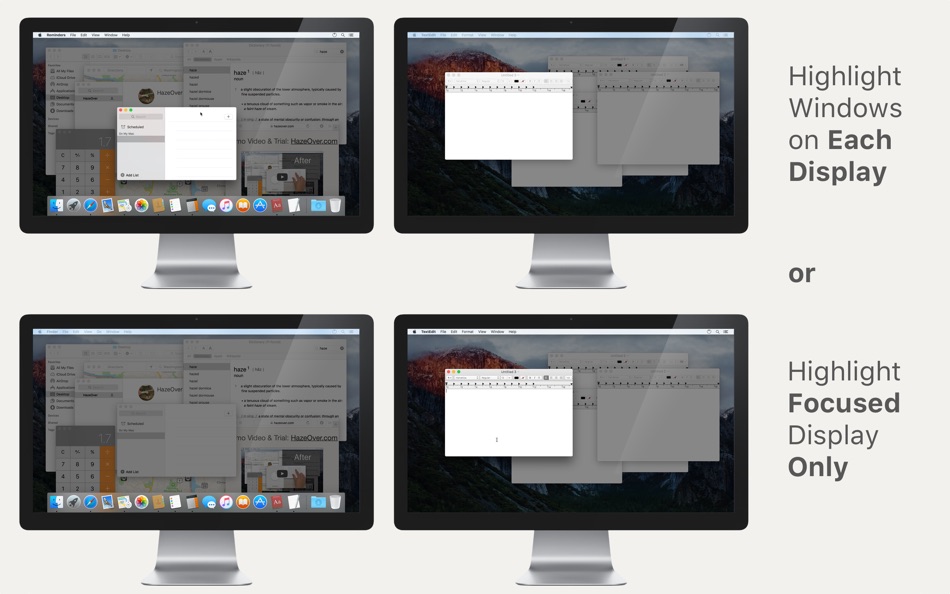
• Multiple monitors? This app shows which screen is focused, or highlights a window on each monitor.
• Power up macOS Dark Mode and reduce background glare.
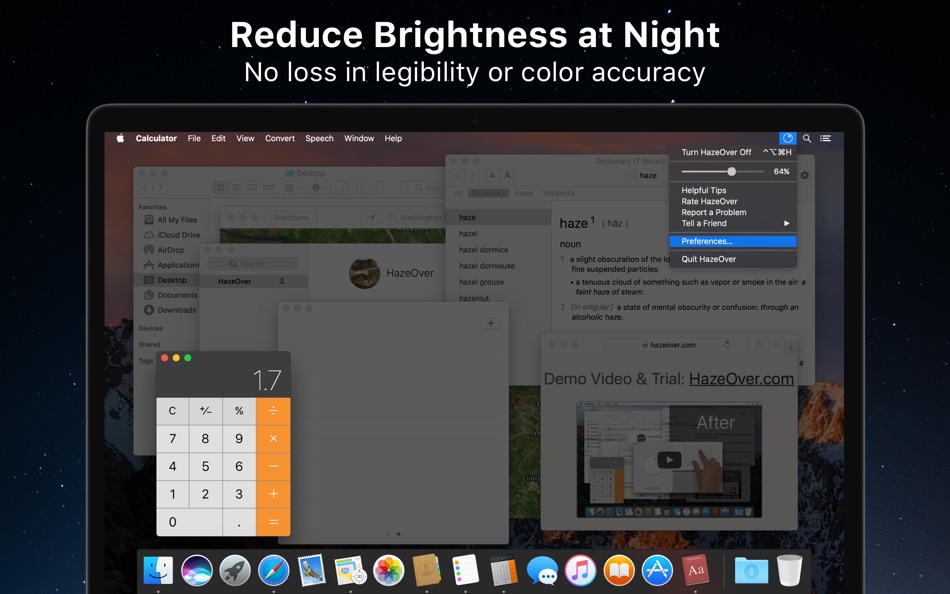
• Working at night? Lower interface brightness without sacrificing the legibility or color accuracy of the front window.
Heavy multitasking kills your concentration. Web pages, emails, chat messages, and lolcats stare at you from the background — all fighting for your attention. And you only have so much of it.
Don’t drown in scores of open windows. Hiding, switching, looking for the right one, more hiding, more switching. Calm down, breathe in, breathe out, launch HazeOver — and finally concentrate on what matters.
HazeOver automatically highlights the active window or app as you switch. Less important things gently fade into the background, helping you stay focused and productive.
Customize dimming intensity and animation speed to your preference — whether it’s a soft shade to guide your attention or a bold dark background for total immersion.
• The desktop is automatically revealed when used.
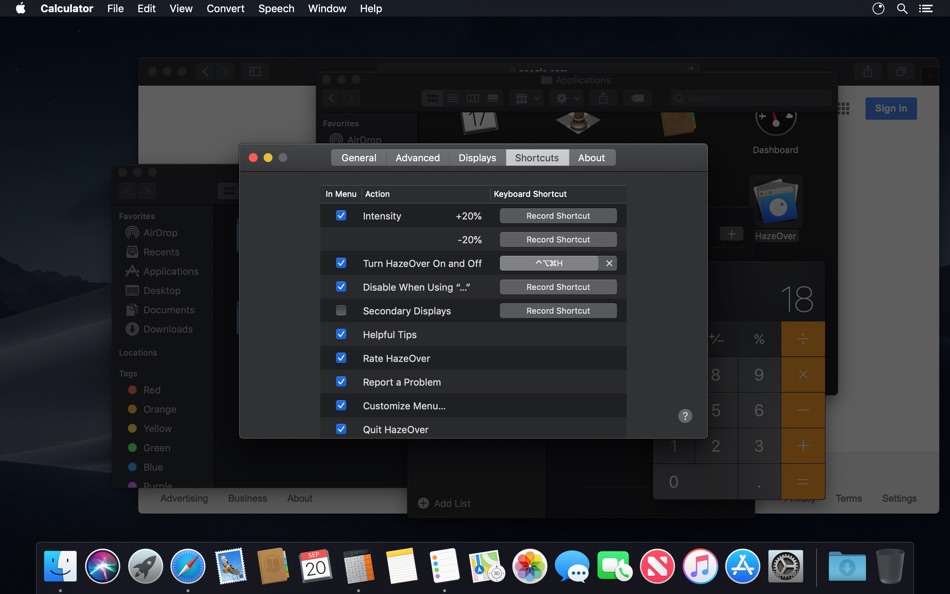
• Toggle shading with a keyboard shortcut or adjust intensity with a gesture.
• Use separate dimming settings for Dark and Light appearance.
• Dragging between apps? Tap the “fn” key, and HazeOver will gracefully fade out.
• Control or schedule HazeOver with the Shortcuts app, Focus Filters, and AppleScript.
Does HazeOver really help? Check on 9to5Mac, CNET, MacWorld, Engadget, LifeHacker, and Product Hunt.
Ready to improve your workflow and eye comfort with HazeOver?
Ad
Skærmbilleder
Prishistorie
- I dag: $4.99
- Minimum: $1.99
- Maksimalt: $9.99
Overvåg priser
Nyheder
- Version: 1.9.7
- Opdateret:
- • Updated for macOS Tahoe and Liquid Glass.
• Fixed: quitting unexpectedly when using a third-party menu bar manager.
• Improved screen reader support and keyboard navigation following Voluntary Product Accessibility Template® audit.
Yderligere oplysninger
- Udgivelsesdato:
- Kategori:
macOS Apps›Produktivitet - Operativsystem:
macOS,macOS 12 eller nyere - Størrelse:
1 Mb - Understøttet sprog:
Arabic,Catalan,Chinese,Croatian,Czech,Danish,Dutch,English,Finnish,French,German,Greek,Hebrew,Hungarian,Indonesian,Italian,Japanese,Korean,Malay,Norwegian,Polish,Portuguese,Romanian,Russian,Slovak,Spanish,Swedish,Thai,Turkish,Ukrainian,Vietnamese - Indholdsklassificering:
4+ - Mac App Store Bedømmelse:
0 - Websted:
 https://hazeover.com
Udvikler
- Maxim Ananov
- Platforme: macOS Apps (3)
- Lister: 8 + 2
- Point: 19 + 0 ¡
- Rangeringer: 0
- Kommentarer: 0
- Rabatter: 0
- Videoer: 0
- RSS: Abonner
Lister (6)
- HazeOver • Distraction Dimmer™


Point (12)
-

- 17,216 cahiba7911@agenra.com
- +1
-
- 551 Atifus
- +1
-
- 20 account5234
- +1
-
- 72 mano
- +1
-
- 3 Petherson
- +1
-
- 309 Shindou
- +1


Rangeringer (0)
0 ☹️
Kommentarer (0)
Vær den første til at kommentere 🌟
«HazeOver • Distraction Dimmer™». Platform: macOS. Kategori: Produktivitet. Udvikler: «Maxim Ananov». Første udgivelse: . Sidste opdatering: . Nuværende pris: $4.99. Laveste registrerede pris: $1.99 (). Højeste registrerede pris: $9.99 (). Denne titel har endnu ikke modtaget vurderinger eller anmeldelser på AppAgg. Lister: offentlige 6, private 2. Sporede punkter: bekræftede 12, indirekte 0. Tilgængelige sprog: Arabic, Catalan, Chinese, Croatian, Czech, Danish, Dutch, English, Finnish, French, German, Greek, Hebrew, Hungarian, Indonesian, Italian, Japanese, Korean, Malay, Norwegian, Polish, Portuguese, Romanian, Russian, Slovak, Spanish, Swedish, Thai, Turkish, Ukrainian, Vietnamese. AppAgg sporer prishistorik, vurderinger og brugerfeedback for «HazeOver • Distraction Dimmer™». Følg fremtidige rabatter og opdateringer via RSS. AppAgg hoster ikke applikationer eller distribuerer software. Alle varemærker, logoer og skærmbilleder tilhører deres respektive ejere.
HazeOver • Distraction Dimmer™ Kort webadresse: Kopieret!- 🌟 Del
- Mac App Store
Lignende
-
- Focusdim - Screen Dimmer
- macOS Apps: Produktivitet Ved: Muhammad Masykur
- * Gratis
- Lister: 0 + 0 0 0
- Point: 2 + 0 Version: 1.4.1 Focusdim dims everything except the window you're working in, so your eyes stay where they belong. Pick how you want to focus: DIM MODE Background windows fade behind a color or blur ... ⥯
-
- Writed - Distraction-free text editor
- macOS Apps: Produktivitet Ved: Stahl Labs
- * Gratis
- Lister: 0 + 0 0 0
- Point: 0 + 0 Version: 0.9.2 Writed is a distraction free text editor that will help you type more in less time. Writed uses markdown* syntax to format your document in real time, keep both your hand on the ... ⥯
-
- Draw Over It
- macOS Apps: Produktivitet Ved: Wrobele sp. z o.o.
- $2.99
- Lister: 0 + 0 0 0
- Point: 0 + 0 Version: 1.4.3 Annotate, explain and create anywhere on your screen. Turn your Mac into a live annotation canvas. Whether you're presenting, pair programming, teaching, or sketching out ideas, this ... ⥯
-
- Active Focus - Low Distraction
- macOS Apps: Produktivitet Ved: Wise Tech Labs Private Limited
- $4.99
- Lister: 0 + 1 0 0
- Point: 14 + 0 Version: 2.1 Active Focus helps you get complete focus on Active working window. When you do daily work on your Mac, you often have several apps and windows open, several browser tabs, and have ... ⥯
-
- Acorn Personal Intelligence
- macOS Apps: Produktivitet Ved: Gabriel Roberts
- $9.99
- Lister: 0 + 0 0 0
- Point: 1 + 0 Version: 1.0 ACORN PERSONAL INTELLIGENCE Your mind, your data, your privacy offline. Acorn is a self-contained, offline personal intelligence that lives entirely on your Mac. No cloud servers. No ... ⥯
-
- Wake Up Time - Alarm Clock
- macOS Apps: Produktivitet Ved: Rocky Sand Studio Ltd.
- Gratis
- Lister: 1 + 1 0 0
- Point: 7 + 0 Version: 1.4 - Over 4 MILLION downloads worldwide - Thanks for your amazing support !!! Wake Up Time is a handcrafted, simple to use alarm clock. It has everything you need for using an alarm clock ⥯
-
- iA Writer
- macOS Apps: Produktivitet Ved: Information Architects AG
- $49.99
- Lister: 11 + 12 0 0
- Point: 5 + 0 Version: 7.3.4 Leaving life s mess for an ideal realm of words. The New Yorker iA Writer is just beautiful. To me, it s the gold standard for Markdown syntax styling... an elegant champagne flute. ... ⥯
-
- PDF Expert – Edit, Sign PDFs
- macOS Apps: Produktivitet Ved: Readdle Technologies Limited
- * $139.99
- Lister: 10 + 13 0 0
- Point: 6 + 0 Version: 3.11.2 It s fast and intuitive while effortlessly letting you complete any PDF task. Over 30 million people globally use PDF Expert apps. All the tools you need, done right. PDF Expert is the ⥯
-
- DayCalc - Note Calculator
- macOS Apps: Produktivitet Ved: 良峰 侯
- * $2.99
- Lister: 1 + 2 0 0
- Point: 32 + 0 Version: 7.8 DayCalc is an easy to use, beautifully packaged calculator, includes both a standard calculator, scientific calculator and unit converter. Based on Apple CloudKit, data is stored in ... ⥯
-
- Fantastical - Calendar
- macOS Apps: Produktivitet Ved: Flexibits Inc.
- * Gratis
- Lister: 5 + 7 0 0
- Point: 9 + 0 Version: 4.1.11 Fantastical is the multiple award-winning calendar app with powerful features including intuitive natural language text parsing, a full calendar window with day, week, month, quarter ... ⥯
-
- TextSniper
- macOS Apps: Produktivitet Ved: Valerijs Boguckis
- $9.99
- Lister: 7 + 2 0 0
- Point: 13 + 0 Version: 1.12.2 Transform any text on your Mac screen into editable, copyable text in seconds. No more manual retyping from sources that won't let you copy text normally. Capture text from any app, ... ⥯
-
- Scrivener 3
- macOS Apps: Produktivitet Ved: Literature & Latte
- $59.99
- Lister: 3 + 11 0 0
- Point: 2 + 0 Version: 3.5.2 Typewriter. Corkboard. Scrapbook. Scrivener combines all the writing tools you need to craft your first draft, from nascent notion to final full stop. The biggest software advance for ... ⥯
-
- 2Do
- macOS Apps: Produktivitet Ved: Beehive Innovations Services
- $49.99
- Lister: 7 + 6 0 0
- Point: 3 + 0 Version: 2.9.76 GTD®, XYZ and everything in between - it can handle it all. Seriously. See and believe: YouTube.com/The2DoApp 2Do lets you take a completely different approach to managing your tasks. ... ⥯
-
- Pages 14.5
- macOS Apps: Produktivitet Ved: Apple
- Gratis
- Lister: 4 + 4 5 (1) 0
- Point: 4 + 0 Version: 14.5 Create gorgeous documents in minutes with the Pages for Mac word processor. Start with an Apple-designed template to instantly create gorgeous reports, digital books, resumes, posters, ⥯