
기술
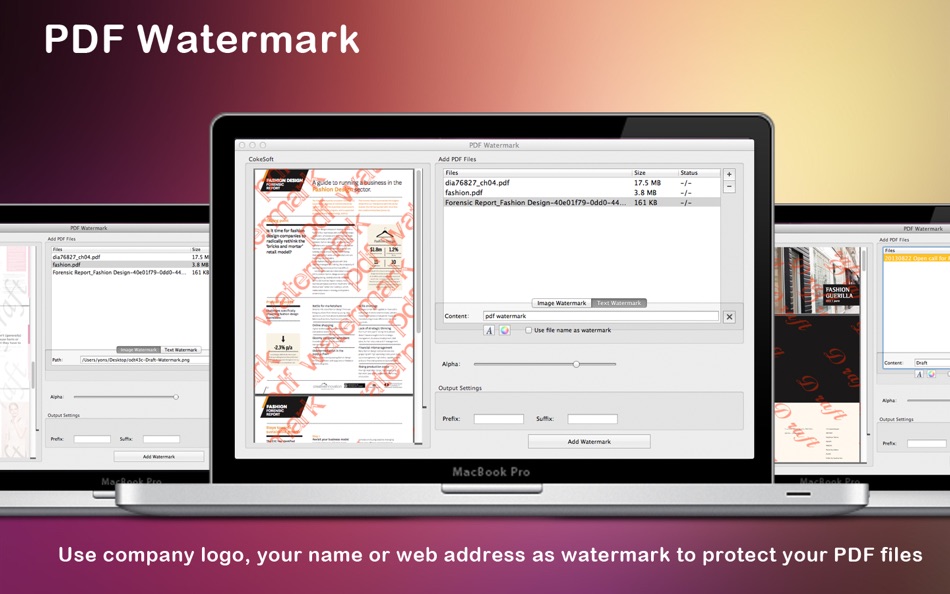
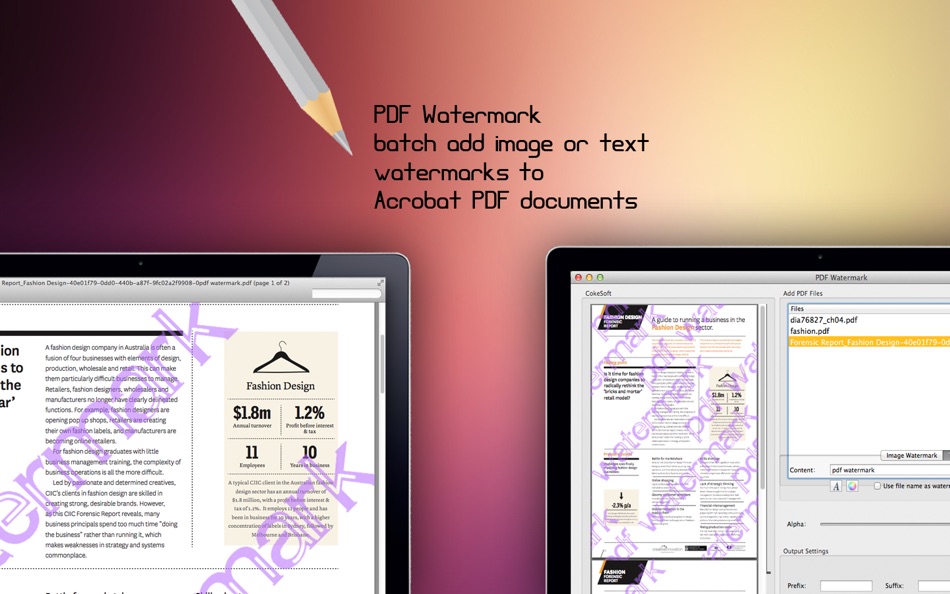
PDF Watermark is a fast and easy-to-use Mac utility that allows you to batch add text or image watermarks to Acrobat PDF documents. You can create watermarks using file names, company logos, signatures, product images, and more.
Why Choose PDF Watermark?
Protect Your Copyright
Use visible watermarks to safeguard your documents from unauthorized use.
Brand Your Documents
Add your company logo, name, or website address as a watermark to protect and identify your PDF files.
Add Stamps to PDFs
Insert useful stamps such as date, time, page numbers, author name, or file name directly onto PDF pages.
Label Document Status
Clearly mark your PDFs with status labels such as Draft, Approved, Final, or Confidential.
Two Types of Watermarks
Text Watermarks
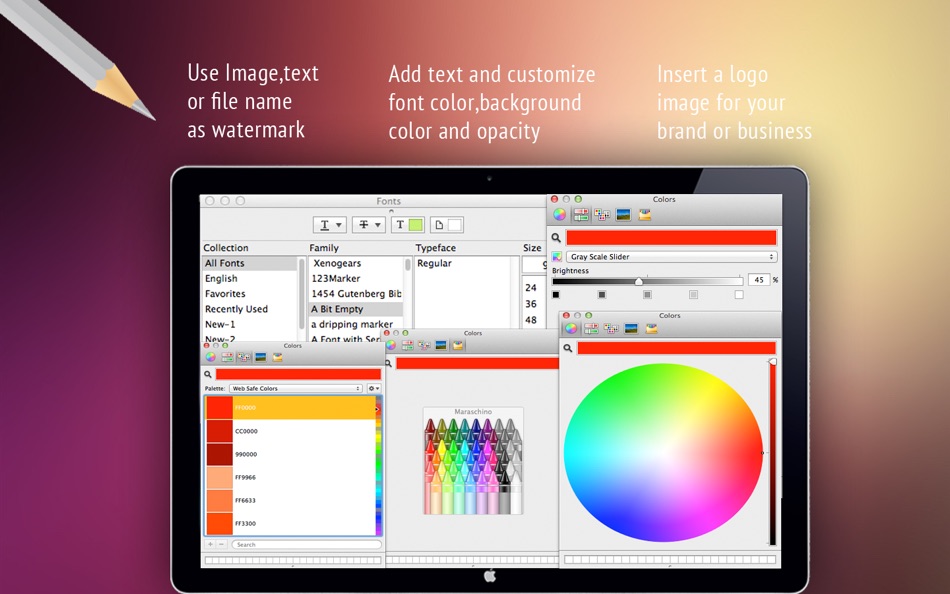
Add customizable text with any content you need.
Image Watermarks
Insert image-based watermarks using a wide range of supported formats.
Powerful Watermark Settings
• Supports text watermarks
• Supports image watermarks in formats such as JPEG, GIF, TIF, TIFF, PCX, PNG, TGA, ICO, BMP, and JP2
• Adjustable opacity for both text and image watermarks
• Supports transparent colors for image watermarks
• Supports standard fonts and TrueType fonts, including font size, color, and style customization
• TrueType fonts can be embedded or used externally
Save Time
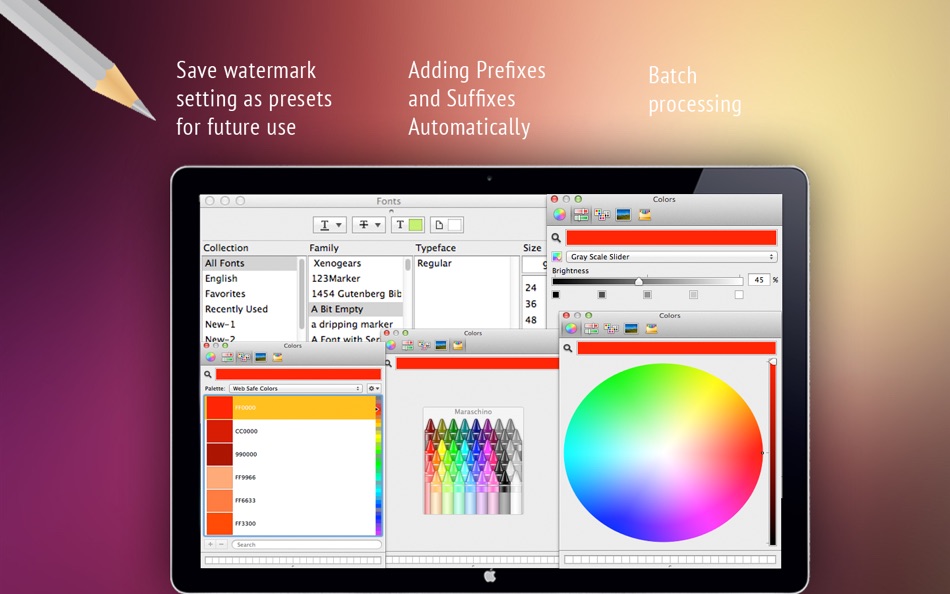
Apply predefined or custom watermarks to multiple PDF files at once with batch processing.
Save Money
PDF Watermark is a standalone application priced at just $9.99. It does not require Adobe Acrobat Pro, which can cost hundreds of dollars.
◆◆◆ Bug Fixes & Feature Requests ◆◆◆
If you encounter any issues, please contact us at support@cokesoft.com.
We will fix bugs and add new features as soon as possible.
Ad
스크린샷
가격 내역
- 오늘: $2.99
- 최소: $2.99
- 최대: $2.99
가격 추적
포인트 (0)
0 ☹️
순위 (0)
0 ☹️
목록 (2)
- PDF Watermark

리뷰 (0)
첫 번째 리뷰를 남겨보세요 🌟
추가 정보
주소록
- 웹사이트:
 http://cokesoft.com
«PDF Watermark». 플랫폼: macOS. 카테고리: 비즈니스. 개발자: «方成 印». 첫 번째 릴리스: . 마지막 업데이트: . 현재 가격: $2.99. 최저 기록 가격: $2.99. 최고 기록 가격: $2.99. 이 타이틀은 아직 AppAgg에서 평가나 리뷰를 받지 못했습니다. 목록: 공개: 2, 비공개: 0. 사용 가능한 언어: Chinese, English, French, German, Italian, Japanese, Korean, Spanish. AppAgg는 «PDF Watermark»의 가격 기록, 평점 및 사용자 피드백을 추적합니다. 향후 할인 및 업데이트 받기: RSS에서 확인할 수 있습니다. AppAgg는 애플리케이션을 호스팅하거나 소프트웨어를 배포하지 않습니다. 모든 상표, 로고 및 스크린샷은 해당 소유자의 자산입니다.
댓글 (0)
가장 먼저 댓글을 남겨주세요 🌟
PDF Watermark 단축 URL: 복사됨!- 🌟 공유하기
- Mac App Store
Ad
유사 항목
-
- PDF Watermark Protector
- macOS 앱: 비즈니스 게시자: 永文 胡
- $7.99
- 목록: 0 + 0 순위: 0 리뷰: 0
- 포인트: 0 + 0 0 버전: 1.2 This native macOS PDF watermarking tool provides comprehensive customized watermark solutions for PDF documents, featuring high-quality watermark rendering that meets most PDF ... ⥯
-
- PDF Reader Pro - Edit&Convert
- macOS 앱: 비즈니스 게시자: PDF Technologies, Inc.
- * $79.99
- 목록: 1 + 1 순위: 0 리뷰: 0
- 포인트: 1 + 0 0 버전: 5.2.1 PDF Reader Pro is an AI-integrated PDF editor that will fulfill all your document needs. Building on solid features such as Annotate PDF, Edit, Create&Fill Form, OCR, Convert PDF, ... ⥯
-
- PDFgear: PDF Editor & Reader
- macOS 앱: 비즈니스 게시자: PDF GEAR TECH PTE. LTD.
- 무료
- 목록: 0 + 1 순위: 0 리뷰: 0
- 포인트: 4 + 0 0 버전: 2.22 PDFgear is a full-featured and free PDF editor, which provides read, edit, annotation, convert, sign, combine, merge, compress, page management, encrypt, and print PDF documents. "It s ⥯
-
- PDF Office Suite - Edit & Sign
- macOS 앱: 비즈니스 게시자: Global Mobile Game Limited
- $25.99
- 목록: 0 + 0 순위: 0 리뷰: 0
- 포인트: 0 + 0 0 버전: 1.0.2 PDF Office Suite is a must-have app for anyone who reads, annotates or edits PDF documents on Mac.PDF Editor Pro is for those who want to go beyond PDF Editor to create interactive ... ⥯
-
- PDF to JPG Pro
- macOS 앱: 비즈니스 게시자: RootRise Technologies Pvt. Ltd.
- $4.99
- 목록: 0 + 0 순위: 0 리뷰: 0
- 포인트: 0 + 0 0 버전: 8.0 PDF to JPG Pro is as simple as effective conversion tool for fastest ways to batch convert PDF documents into best quality images. PDF to JPG Pro has advance feature to set watch ... ⥯
-
- PDF To Word - File Converter '
- macOS 앱: 비즈니스 게시자: Faria Sajjad
- 무료
- 목록: 0 + 1 순위: 0 리뷰: 0
- 포인트: 6 + 0 0 버전: 1.8 PDF To Word Converter is an easy to use Tool. The simplicity of this app makes it an ultimate PDF TO WORD Converter for your device. PDF To Word Converter is a document converter that ... ⥯
-
- PDF Editor - Sign Documents
- macOS 앱: 비즈니스 게시자: TS Technology
- * 무료
- 목록: 0 + 0 순위: 0 리뷰: 0
- 포인트: 0 + 0 0 버전: 1.2 PDF Editor Fast, Simple & Complete PDF Solutions PDF Editor is a powerful all-in-one PDF solution for macOS, designed for students, teachers, professionals, and creative users who need ⥯
-
- PDF to Word: DOC Converter
- macOS 앱: 비즈니스 게시자: Waseem Shezad
- 무료
- 목록: 0 + 0 순위: 0 리뷰: 0
- 포인트: 0 + 0 0 버전: 2.3 PDF to Word converter helps you to quickly convert your PDF document into Word format or Word document into PDF format.The best thing about this application is no internet is required ... ⥯
-
- PDF to Word, File Converter
- macOS 앱: 비즈니스 게시자: Muhammad Younas
- 무료
- 목록: 0 + 0 순위: 0 리뷰: 0
- 포인트: 0 + 0 0 버전: 1.6 PDF To Word Converter & Editor allows you to convert PDF files into word, doc, or Docx and vice versa in a few seconds. A user friendly application that takes less than 1 minute to ... ⥯
-
- pdf Pack
- macOS 앱: 비즈니스 게시자: Francis Wildman
- 무료
- 목록: 0 + 0 순위: 0 리뷰: 0
- 포인트: 0 + 0 0 버전: 1.2.4 You can save the Pack to your Mac, from there you can easily reorder, rename and reorganise as you need. 1. With pdf Pack you can drag in loads of pdf files or Documents with any ... ⥯
-
- PDF Merge: Combiner & Splitter
- macOS 앱: 비즈니스 게시자: Muhammad Azam
- 무료
- 목록: 0 + 0 순위: 0 리뷰: 0
- 포인트: 1 + 0 0 버전: 1.1 "Merge, Split, Remove Lock, and Unlock PDFs Effortlessly with this app." The is a comprehensive solution designed to streamline and enhance the management of PDF documents. It offers a ⥯
-
- PDF to Word Converter Pro.
- macOS 앱: 비즈니스 게시자: 仁超 张
- $1.99
- 목록: 0 + 0 순위: 0 리뷰: 0
- 포인트: 1 + 0 0 버전: 3.5.6 Document Converter is a powerful multi-format document conversion tool that supports conversion between various document formats. Core Functions Supports 12 conversion types: Word ↔ ... ⥯
-
- PDF pages Extractor & Splitter
- macOS 앱: 비즈니스 게시자: Ruchira Ramesh
- $4.99
- 목록: 0 + 0 순위: 0 리뷰: 0
- 포인트: 0 + 0 0 버전: 7.1 Extract pages of choice from a PDF and save as separate PDF file. Pages could be selected by page range or explicit page numbers separated by comma. The application supports batch ... ⥯
-
- PDF Editor - Converter, Reader
- macOS 앱: 비즈니스 게시자: Waseem Rabbani
- * 무료
- 목록: 0 + 0 순위: 0 리뷰: 0
- 포인트: 1 + 0 0 버전: 1.5 Our app is designed to empower you to effortlessly create, edit, and manage your PDF documents on the go. Whether you're a student, professional, or simply someone who values ... ⥯