
Saved
Choose the name that will be shown in your Saved menu.
Done!
| Developer: | Danil Kashin (1) | ||
| Price: | * Free | ||
| Score: | 6,070 Gold | ||
| Rankings: | 0 | ||
| Comments: | 0 Add a comment | ||
| Lists: | 1 + 0 | ||
| Points: | 1 + 0 ¡ | ||
| +1 Points | |||
Description

Please note: Audiobook Player does not include or sell any audiobooks. It's a player for audio files you already own (MP3, M4A, and M4B).
Designed for iOS 26
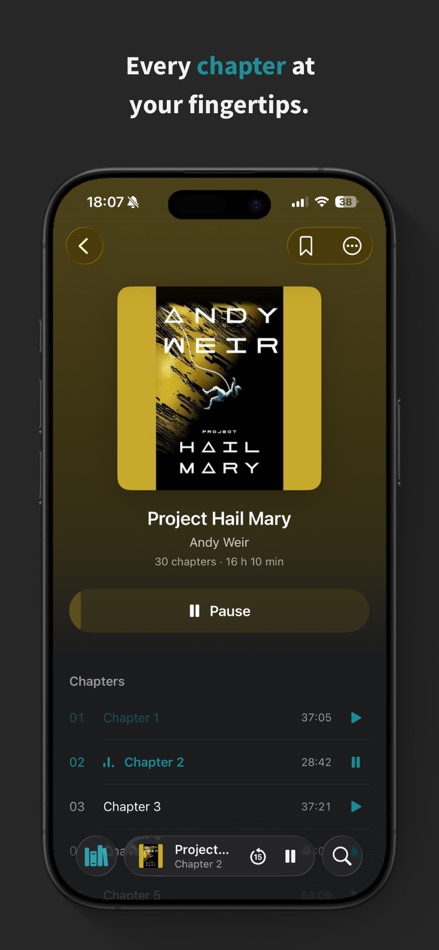
A native interface built on Apple's latest design, with cover-tinted Now Playing surfaces and a floating mini player that follows you across the app. Nothing is faked — every surface uses Apple's own materials, and it looks right in both light and dark.
Bring your own audiobooks
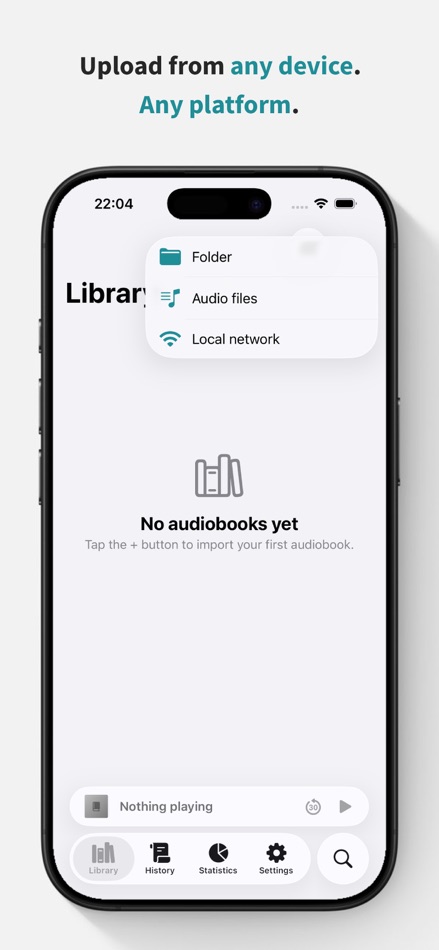
• Import from the Files app, or pick a folder or loose audio files
• Upload wirelessly over Wi-Fi from any device with a web browser — Mac, Windows, or Linux — no cable or extra software needed
• Automatic chapters, cover art, and organization from embedded tags
• Supports MP3, M4A, and M4B
Understand your listening
• Current and best streaks, plus a last-7-days strip
• Time listened by day, week, month, year, or all time
• Books finished, session lengths, and your typical session
• Habits like your peak listening hour and most-active day
• Every metric explains, in plain language, exactly how it's measured
Never lose your place
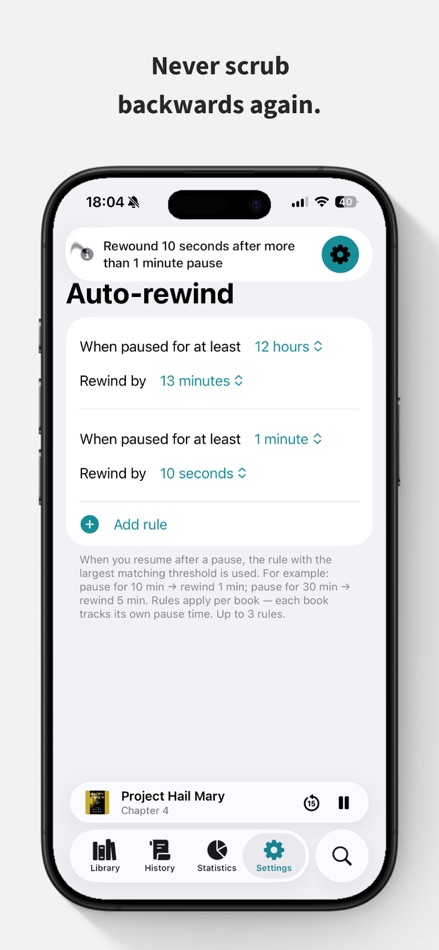
• Auto-Rewind gently steps you back after a break, so you never lose the thread
• Your position is saved continuously and restored the instant you return to a book
Fall asleep without losing your spot
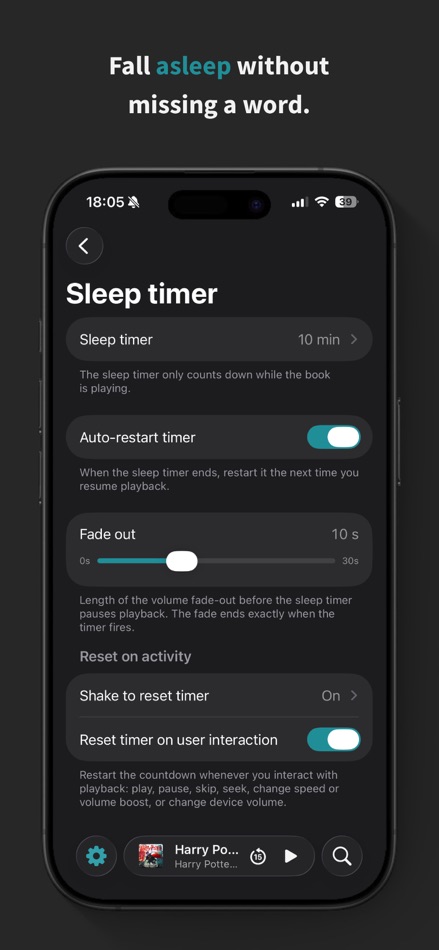
• A sleep timer that fades out smoothly at a set time or the end of the chapter
• Shake your phone to add more time — no need to unlock
Play it your way
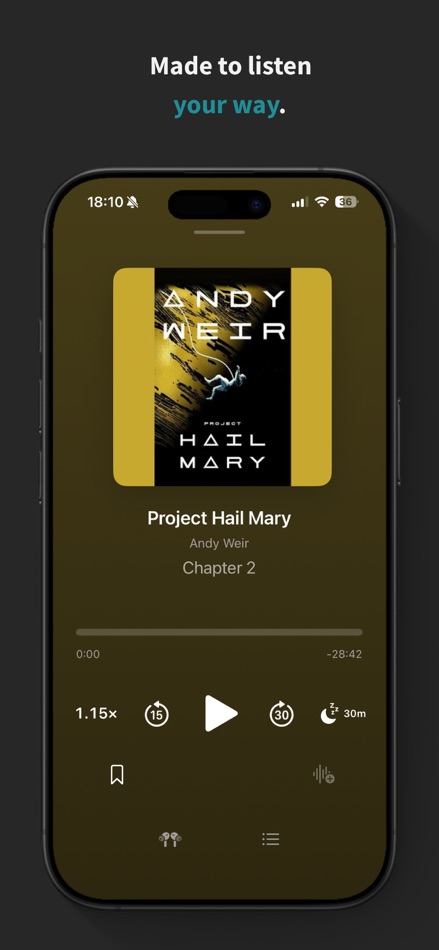
• Adjustable speed from 0.5× to 3×, tuned to keep voices natural
• Volume boost for quiet recordings
• Bookmarks with your own notes
• Chapter navigation and customizable skip buttons
• Full control from the Lock Screen, Control Center, and AirPods
• AirPlay and Bluetooth support
• Background playback that keeps going with the screen locked
Make the app your own
• 12 accent colors that re-tint the whole app — and swap the Home Screen icon to match
• Follow the system appearance, or lock light or dark
• Set your own in-app language
Your history, always actionable
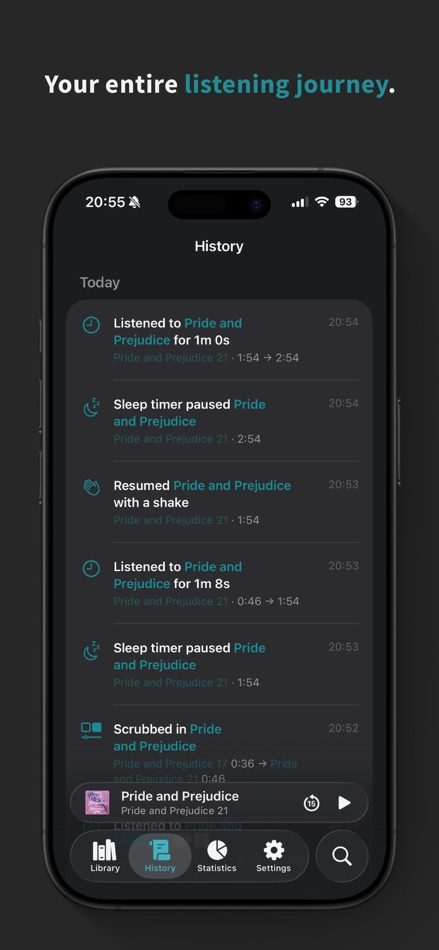
A day-by-day feed of everything you've listened to, where every row is a shortcut back into the audio. Continue where a session ended, start a book over, play from a bookmark, or undo a skip — all in a single tap.
Search every word
As a bonus, you can transcribe your books on-device and search your whole library by what's actually said. Tap any result to jump straight to that moment.
Private by design
Your library never leaves your device. No accounts, no tracking, no servers — playback, statistics, and transcription all happen on-device. The optional Wi-Fi transfer works only on your local network and is protected by a one-time passcode.
Free to start
Play up to 3 books free, forever, with basic playback.
Go Premium
Unlock your full library and every Premium feature — statistics, bookmarks, sleep timer, auto-rewind, volume boost, speed control, and transcription — with a 14-day free trial. Continue with a monthly or yearly subscription, or pay once with Lifetime.
Terms of Use (EULA): https://www.apple.com/legal/internet-services/itunes/dev/stdeula/
Advertisement
Screenshots



Price History
-
* In-App Purchases - Current price: Free
- Minimum: Free
- Maximum: Free
Track prices Add to a list to get discount alerts by email or push
AppAgg Score
6,070
Estimated AppAgg Score for
Vitreo: Audiobook Player
Developer: Danil Kashin
6,070 Gold
Higher scores usually mean stronger signals on AppAgg.
Based on: popularity · ratings · freshness · deals · store data · community signals
Recalculated daily using fresh AppAgg data.
Short URL: Copied!
What's new
- Version: 1.1
- Last Updated:
- New
• Quick-pause bookmarks. Pause and resume within two seconds and Vitreo drops a bookmark right there, ready for a note. Off by default, and you can narrow it to headphone and lock-screen controls only.
• History now logs every jump. Bookmark taps, chapter taps, search hits and the auto-rewind undo all show up in the feed instead of leaving unexplained gaps between sessions.
• Pause on mute is now a setting. Muting for a quick conversation no longer has to cost you your play state.
• "Last Listened" on a book's info card, so you can see when you last picked it up.
Improved
• After an import succeeds, Vitreo offers to delete the originals, instead of doing it in advance.
• History row actions now name where they take you. "Continue from new position" has become "Play from 2:18".
• Book covers fit their square instead of being cropped, so portrait and wide artwork keeps its edges.
• Search results are grouped into Books, Chapters, Bookmarks and Transcripts, each with its own count and a "Show all".
• One tap switches the library between grid and list — the menu is gone, and your sort order is remembered between launches.
• Re-sorting the library springs the books into their new order instead of snapping.
• Bookmarks delete straight from the swipe, and the bookmarks sheet remembers how you sorted it.
• Auto-rewind now also covers a book you left mid-playback to start another one. Tap the toast's button to undo a rewind you didn't want, or open its settings from the same banner.
• Background transcription no longer requires your iPhone to be plugged in.
• Settings screens use compact titles, leaving more room for content.
• More screens are translated across all 21 languages.
Fixed
• "Upload via Wi-Fi" could fail with "Address already in use" when you weren't on Wi-Fi. It now explains the real problem and works on the next try.
• Book Detail no longer reveals mispainted surfaces when you overscroll.
• Player sheets and the volume-boost paywall keep the app's own colours instead of borrowing the cover's.
• Very long book titles no longer push History event text off the row.
The app is now simply called Vitreo on your Home Screen. Same app, shorter name.
Additional Information
- Release Date:
- Category:
iOS Apps›Books - OS:
iPad,iPhone,iOS 26.0 and up - Size:
49 Mb - Supported Languages:
Armenian,Belarusian,Catalan,Chinese,Dutch,English,French,Georgian,German,Hindi,Indonesian,Italian,Japanese,Kazakh,Korean,Polish,Portuguese,Russian,Spanish,Turkish,Ukrainian - Content Rating:
4+ - App Store Rating:
0
Developer
- Danil Kashin
- Followers: 0
- Platforms: iOS Apps (1)
- Deals: 0
- Lists: 1 + 0
- Points: 1 + 0 ¡
- Rankings: 0
- Comments: 0
- Videos: 0
- RSS: Subscribe
Lists (1)
- Vitreo: Audiobook Player

Points (1)
-

- 17 Accounts
- +1
Rankings (0)
0
Comments (0)
Be the first to comment
Summary
Vitreo: Audiobook Player Short URL: Copied!- Share
- App Store
On AppAgg, you can track the iOS app “Vitreo: Audiobook Player” by Danil Kashin, listed under Books. AppAgg Score: 6,070 (Gold). AppAgg Points for the app — confirmed: 1; indirect: 0. Public lists containing the app: 1. Users who have saved it in private lists: 0. AppAgg users have not rated the app yet. Confirmed Points record visits to a store by signed-in AppAgg users; indirect Points are based on store data. AppAgg counts public lists containing an app or game and users who have saved it in private lists. The app was first released on . The app was last updated on . The app is currently available for free. The app is available in these languages: Armenian, Belarusian, Catalan, Chinese, Dutch, English, French, Georgian, German, Hindi, Indonesian, Italian, Japanese, Kazakh, Korean, Polish, Portuguese, Russian, Spanish, Turkish, Ukrainian. Explore the price history, add the app to a list, or follow its developer. Follow future deals and updates for the app via its RSS feed. AppAgg does not host or distribute the app. All trademarks, logos, and screenshots related to the app belong to their respective owners.

