
Salvati
Scegli il nome che verrà mostrato nel tuo menu Salvati.
Completato!
| Sviluppatore: | Sergii Iamkovyi (2) | ||
| Prezzo: | $6.99 | ||
| Classificazioni: | 0 | ||
| Commenti: | 0 Pubblica commento | ||
| Listes: | 1 + 1 | ||
| Punti: | 1 + 0 ¡ | ||
| Mac App Store | |||
Descrizione

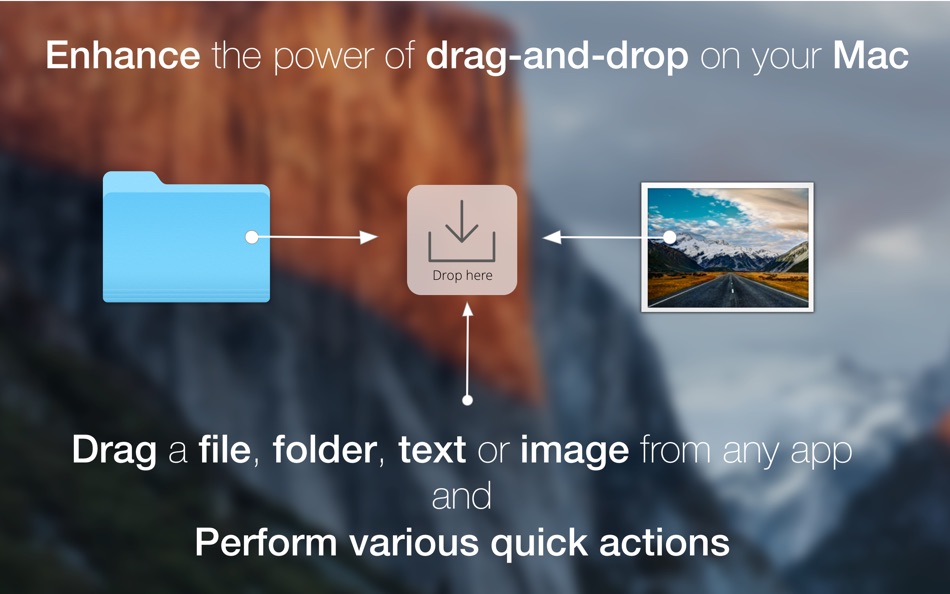
It works with almost any selectable and draggable content from any app on your system and suggests various quick actions, based on the data you give it.
You can easily copy/move/create files and folders, edit/share/convert images and a lot more...
Just start dragging a file or text and drop it into "Drop Here" panel, showing near your cursor.
FilePane detects the file type and offers some quick actions for it.
With FilePane you can easily:
- crop, rotate, resize, convert, compress images on the fly;
- free hand drawing on your images and screenshots;
- share content (e-mail, Twitter, Facebook, Airdrop);
- set, store desktop pictures;
- quickly copy/move files to your custom popular destinations;
- copy file size or path to clipboard;
- see word and glyph count and various other handy options for highlighted text;
- converting Text documents and images to PDF;
- convert PDF into images (PNG, JPEG,TIFF and BMP);
- create new Folders, RTF, TXT, Excel and Word files, where you need them
Every single action is just one-two clicks away!
So FilePane, helps you increase workflow efficiency by adding file editing, sharing and management options to Drag-and-Drop.
The app has a minimalist, intuitive UI, which blends in well with Yosemite and El Capitan.
FilePane is not bound to Finder only, as it may seem at first glance. It works with other apps, too!
For example, in Safari, Chrome or other, you can easily save, edit, share, e-mail any image on the fly.
Or quickly sort/save/share/edit/ organise your e-mail attachments.
For questions or suggestions please contact support@mymixapps.com
Also available on Twitter and Facebook @mymixapps
Cheers from Ukraine!
- FilePane is featured on Product Hunt, MacWorld, Lifehacker, WonderHowTo, CNET and many others -
Ad
Screenshot


Cronologia dei prezzi
- Oggi: $6.99
- Minimo: $6.99
- Massimo: $6.99
Monitora prezzi
Novità
- Versione: 1.10.5
- Aggiornata:
- FilePane is now ready for Mojave.
Please let me know, if it misbehaves in any way!
support@mymixapps.com
Informazioni aggiuntive
- Data di uscita:
- Categoria:
macOS App›Utility - Sistemi operativi:
macOS,macOS 10.10 e versioni successive - Dimensioni:
8 Mb - Lingue supportate:
Chinese,Dutch,English,French,German,Italian - Classificazione contenuti:
4+ - Mac App Store Voto:
0 - Facebook: mymixapps
- Sito web:
 http://mymixapps.com/filepane
Sviluppatore
- Sergii Iamkovyi
- Piattaforme: macOS App (2)
- Listes: 1 + 1
- Punti: 3 + 0 ¡
- Classificazioni: 0
- Commenti: 0
- Sconti: 0
- Video: 0
- RSS: Sottoscrivi
Listes (1)
- FilePane - Drag & Drop Utility

Punti (1)
-

- 727 Erin
- +1

Classificazioni (0)
0 ☹️
Commenti (0)
Sii il primo a commentare 🌟
«FilePane - Drag & Drop Utility». Piattaforma: macOS. Categoria: Utility. Sviluppatore: «Sergii Iamkovyi». Prima uscita: . Ultimo aggiornamento: . Prezzo attuale: $6.99. Prezzo più basso registrato: $6.99. Prezzo più alto registrato: $6.99. Questo titolo non ha ancora ricevuto valutazioni o recensioni su AppAgg. Elenchi: pubblici 1, privati 1. Punti tracciati: confermati 1, indiretti 0. Lingue disponibili: Chinese, Dutch, English, French, German, Italian. AppAgg tiene traccia della cronologia dei prezzi, delle valutazioni e del feedback degli utenti per «FilePane - Drag & Drop Utility». Segui futuri sconti e aggiornamenti tramite RSS. AppAgg non ospita applicazioni né distribuisce software. Tutti i marchi, loghi e screenshot appartengono ai rispettivi proprietari.
FilePane - Drag & Drop Utility URL breve: Copiato!- 🌟 Condividi
- Mac App Store
Simili
-
- File Property Edit
- macOS App: Utility di: Lei Feng
- * Gratis
- Listes: 0 + 0 0 0
- Punti: 0 + 0 Versione: 2.2 FILE PROPERTY EDIT - The Professional Metadata Editor for macOS **Transform Your File Metadata Workflow** File Property Edit is the ultimate tool for professionals who need precise ... ⥯
-
- File Duplicates
- macOS App: Utility di: 2. IGOR KOLESNIK
- $2.99
- Listes: 0 + 0 0 0
- Punti: 0 + 0 Versione: 1.0.1 File Duplicates is a utility designed to quickly find duplicated files on your Mac, and easily eliminate found duplicates. ⥯
-
- File Cabinet Pro
- macOS App: Utility di: App Tyrant Corp
- $29.99
- Listes: 0 + 1 0 0
- Punti: 4 + 0 Versione: 8.8.1 File Cabinet Pro is the file manager for the macOS menu bar. Quickly navigate to files without cluttering your desktop. Open, move, rename, compress, tag, trash, copy and paste files, ... ⥯
-
- File Vortex
- macOS App: Utility di: Walter Tengler
- $3.99
- Listes: 0 + 0 0 0
- Punti: 0 + 0 Versione: 1.3 File Vortex lives in your menu bar and turns file chaos into order. Drag photos, documents, and videos onto the floating vortex window they're instantly organized into date-based ... ⥯
- Ad
-
- File Rename Pro
- macOS App: Utility di: Gavin Matthews
- * $12.99
- Listes: 1 + 0 0 0
- Punti: 1 + 0 Versione: 2025.3 File Rename Pro lets you rename a number of files quickly and easily, saving you time and effort. Drag and drop one or more files or folders from Finder onto the app and you're ready ... ⥯
-
- Drag to Scroll
- macOS App: Utility di: Sargun Vohra
- $4.99
- Listes: 0 + 0 0 0
- Punti: 0 + 0 Versione: 1.1 Drag to Scroll brings middle-click-and-drag scrolling to macOS. Hold your middle mouse button and move the mouse to scroll in any direction. Particularly useful for trackball users who ⥯
- Nuova
- File Fairy
- macOS App: Utility di: David Lafortune
- Gratis
- Listes: 0 + 0 0 0
- Punti: 1 + 0 Versione: 2.04 File Fairy is an intelligent macOS menu bar app that uses AI to automatically rename your downloads and screenshots. By analyzing file content including OCR for images and metadata for ⥯
-
- File Viewer for Dummies
- macOS App: Utility di: 刚刚 孔
- $2.99
- Listes: 0 + 1 0 0
- Punti: 10 + 0 Versione: 5.6 Meet 2 major requirements: * View almost all types of files with waterfall layout just in a SINGLE app, including images, videos, gifs/webp, pdf, Microsoft word/excel, iWorks ... ⥯
-
- File Zip & Encryptor
- macOS App: Utility di: 成浩 吴
- $4.99
- Listes: 1 + 2 0 0
- Punti: 4 + 0 Versione: 1.0.6 If you need convenient encryption for your private files, try FileEncryption. FileEncryption provides you with the following convenient and useful features. - Normal mode: One-click ... ⥯
-
- File Content Finder
- macOS App: Utility di: GEO SYSTEMS DEV PTY LTD
- $12.99
- Listes: 0 + 0 0 0
- Punti: 2 + 0 Versione: 3.0 Highlights: - Searches files by their contents, not just names; - Supports all popular document types (PDF, MS Word, Excel, etc.); - Works in real time without indexing; - Advanced ... ⥯
-
- Pane- window control tool
- macOS App: Utility di: 宁波上官科技有限公司
- Gratis
- Listes: 0 + 0 0 0
- Punti: 3 + 0 Versione: 1.1.0 [Native Support for Apple M Series and Intel Chips] Pane is a window management software that makes moving windows, resizing windows, placing multiple windows side-by-side, or ... ⥯
-
- File Encoder
- macOS App: Utility di: Jarik Okkerman
- Gratis
- Listes: 0 + 0 0 0
- Punti: 0 + 0 Versione: 1.0 Experience seamless file conversion with File Encoder, the ultimate tool for transforming HEIC, PNG, JPEG, and PDF files. Whether you're a professional seeking precision or a casual ... ⥯
-
- File Manager For Dropbox
- macOS App: Utility di: Haroon Ahmad
- * Gratis
- Listes: 0 + 0 0 0
- Punti: 0 + 0 Versione: 1.0 Take full control of your Dropbox storage with an easy-to-use file management app. This app lets you manage all files and folders in your Dropbox account from one convenient place. ... ⥯
-
- Drag and Drop Manager
- macOS App: Utility di: Wise Tech Labs Private Limited
- * Gratis
- Listes: 1 + 1 0 0
- Punti: 14 + 0 Versione: 1.9 Drag and Drop Manager app enables a new drag-and-drop experience on your Mac. Drag and Drop Manager is a useful utility that makes Dragging and Dropping files and folders and other ... ⥯