
| ผู้พัฒนา: | Samuel Whiteman (2) | ||
| ราคา: | ฟรี | ||
| การจัดอันดับ: | 0 | ||
| ความเห็น: | 0 เขียนความเห็น | ||
| ความเห็น: | 0 โพสต์ความคิดเห็น | ||
| รายการ: | 0 + 0 | ||
| แต้มแล: | 0 + 1 (5.0) ¡ | ||
| App Store | |||
คำอธิบาย

No ads, no accounts, no marketing, just fun.
Ad
ภาพหน้าจอ


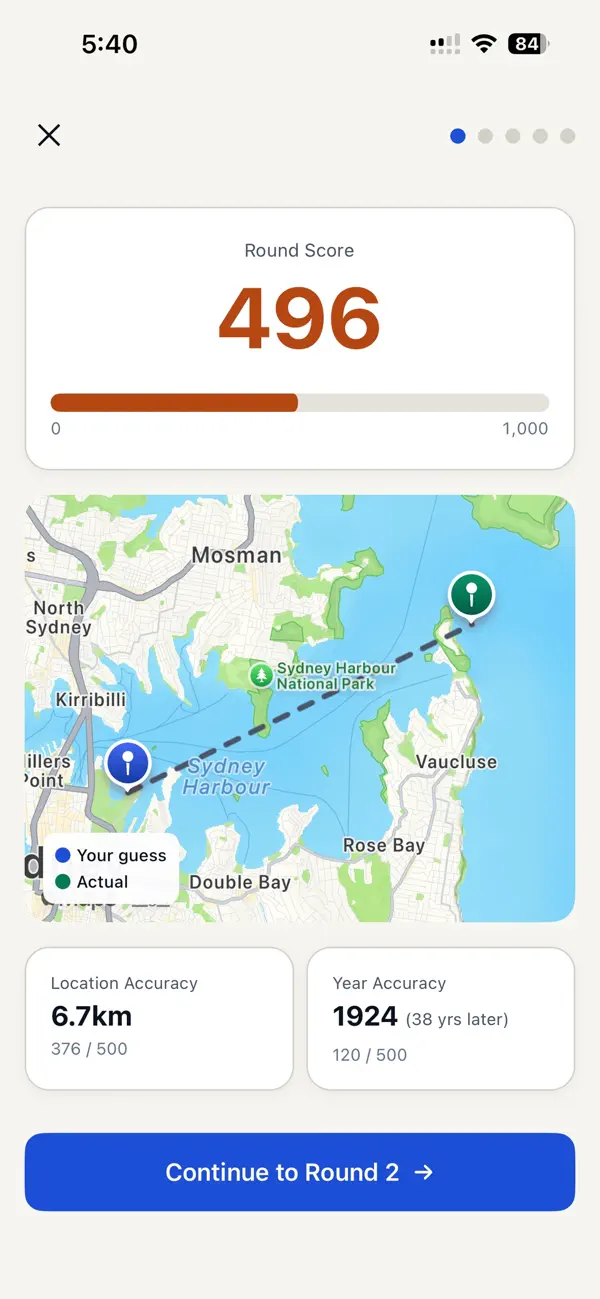

มีอะไรใหม่
- เวอร์ชัน: 1.0.1
- อัปเดต:
- fixed the share results which had a bad URL in them. have more photos in there now too.
ประวัติราคา
- วันนี้: ฟรี
- ต่ำสุด: ฟรี
- มากที่สุด: ฟรี
ติดตามราคา
ผู้พัฒนา
- Samuel Whiteman
- แพลตฟอร์ม: iOS แอป (2)
- รายการ: 0 + 0
- แต้มแล: 0 + 1 ¡
- การจัดอันดับ: 0
- ความเห็น: 0
- ความเห็น: 0
- ลดราคา: 0
- วิดีโอ: 0
- RSS: ติดตาม
Ad
แต้มแล (0)
0 ☹️
การจัดอันดับ (0)
0 ☹️
รายการ (0)
0 ☹️
- Placemark
ความเห็น (0)
แสดงรีวิวเป็นคนแรกเลย 🌟
ข้อมูลเพิ่มเติม
รายชื่อติดต่อ
- เว็บไซท์:
 https://www.placemarkapp.app/
ความเห็น (0)
เป็นคนแรกที่แสดงความเห็น 🌟
«Placemark». แพลตฟอร์ม: iOS. หมวดหมู่: อ้างอิง. ผู้พัฒนา: «Samuel Whiteman». การเปิดตัวครั้งแรก: . อัปเดตล่าสุด: . ราคาปัจจุบัน: ฟรี. ชื่อนี้ยังไม่ได้รับการให้คะแนนหรือบทวิจารณ์บน AppAgg ร้านค้า: App Store. คะแนนร้านค้า: 5.0. โหวต: 1. ภาษาที่ใช้ได้: English. AppAgg ติดตามประวัติราคา การให้คะแนน และคำติชมของผู้ใช้ «Placemark». ส่วนลดและอัปเดตในอนาคต: RSS. AppAgg ไม่ได้โฮสต์แอปพลิเคชันหรือแจกจ่ายซอฟต์แวร์ เครื่องหมายการค้า โลโก้ และภาพหน้าจอทั้งหมดเป็นของเจ้าของที่เกี่ยวข้อง
Placemark URL แบบสั้น: คัดลอกแล้ว!- 🌟 แชร์
- App Store
คุณอาจชอบ
-
- Speed Alarm
- iOS แอป: การเดินทางและท้องถิ่น โดย: Stephen COX
- * ฟรี
- รายการ: 0 + 0 การจัดอันดับ: 0 ความเห็น: 0
- แต้มแล: 0 + 3 (2.3) ความเห็น: 0 เวอร์ชัน: 2.4 Speed has been designed to use Maps and GPS to provide an indication of your current speed and location, with the ability to set an alarm to trigger at a set speed. This app also has a ⥯
-
- listerCompass
- iOS แอป: การศึกษา โดย: Gordon Lister
- $5.99
- รายการ: 0 + 0 การจัดอันดับ: 0 ความเห็น: 0
- แต้มแล: 0 + 1 (1.0) ความเห็น: 0 เวอร์ชัน: 6.1.0 A stereographic compass for use by a structural geologist in the field. The compass readily allows measurement of foliations and lineations, records the information, and allows ... ⥯
-
- MyGIS
- iOS แอป: การนำทาง โดย: 3B Soft srls
- ฟรี
- รายการ: 0 + 0 การจัดอันดับ: 0 ความเห็น: 0
- แต้มแล: 0 + 1 (1.0) ความเห็น: 0 เวอร์ชัน: 2.1 Create your own custom map with annotations and lines and share it via email or twitter. A real GIS, with maps and database. You can drag items from the sliding bar at the top (if it ... ⥯
-
- eMap SML : Smith Mountain Lake
- iOS แอป: การนำทาง โดย: Earman Consulting
- $0.99
- รายการ: 0 + 0 การจัดอันดับ: 0 ความเห็น: 0
- แต้มแล: 0 + 3 (2.3) ความเห็น: 0 เวอร์ชัน: 11.2 The ultimate iPhone/iPad map application for Smith Mountain Lake with hundreds of placemarks arranged in the following categories: - Marina's and Boating Ramps - Beaverdam Creek ... ⥯
-
- Kml Viewer-Kml Converter app
- iOS แอป: การนำทาง โดย: p swagath
- $2.99
- รายการ: 0 + 0 การจัดอันดับ: 0 ความเห็น: 0
- แต้มแล: 0 + 0 ความเห็น: 0 เวอร์ชัน: 2.0.3 Kml Viewer-Kml Converter(Two in one) is an application provides you to load the kml files, convert kml files over the map. KML is a file extension for a placemark file used by Google ... ⥯
-
- FeatureMapper
- iOS แอป: การนำทาง โดย: FTLapps LLC
- $9.99
- รายการ: 0 + 0 การจัดอันดับ: 0 ความเห็น: 0
- แต้มแล: 0 + 1 (5.0) ความเห็น: 0 เวอร์ชัน: 3.4 Collect GPS location-based notes as KML Placemarks (location, name, comment and paddle color). View lat/lon data in decimal, DMS, and UTM formats. Import and export data sets as KML ... ⥯
-
- AR Turkistan
- iOS แอป: การถ่ายภาพ โดย: Big Dream Service
- ฟรี
- รายการ: 0 + 0 การจัดอันดับ: 0 ความเห็น: 0
- แต้มแล: 0 + 0 ความเห็น: 0 เวอร์ชัน: 5.1 What places to visit in the historical and cultural city? How to learn more about the city in a short time? The mobile app with augmented reality AR Turkistan will help you. Download ... ⥯
-
- Mark Where I Left It!
- iOS แอป: การนำทาง โดย: James Quinan
- ฟรี
- รายการ: 0 + 0 การจัดอันดับ: 0 ความเห็น: 0
- แต้มแล: 0 + 1 (5.0) ความเห็น: 0 เวอร์ชัน: 1.2.1 This app allows you to mark and save a location for later return, using your phone s internal GPS. It can then direct you back to the marked location. While in use, the app monitors ... ⥯