
| ผู้พัฒนา: | Daniel Vieira Costa Andrade (2) | ||
| ราคา: | * ฟรี | ||
| การจัดอันดับ: | 0 | ||
| ความเห็น: | 0 เขียนความเห็น | ||
| ความเห็น: | 0 โพสต์ความคิดเห็น | ||
| รายการ: | 0 + 0 | ||
| แต้มแล: | 0 + 0 ¡ | ||
| Mac App Store | |||
คำอธิบาย

FAST AND NATIVE
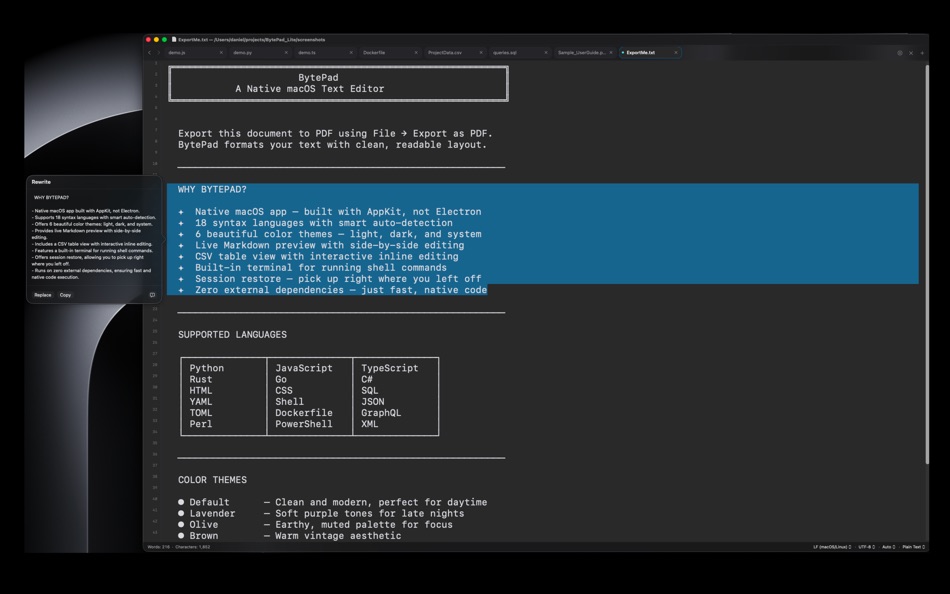
Built entirely with AppKit — no Electron, no web views, no frameworks. BytePad launches instantly, uses minimal memory, and feels like a natural part of your Mac.
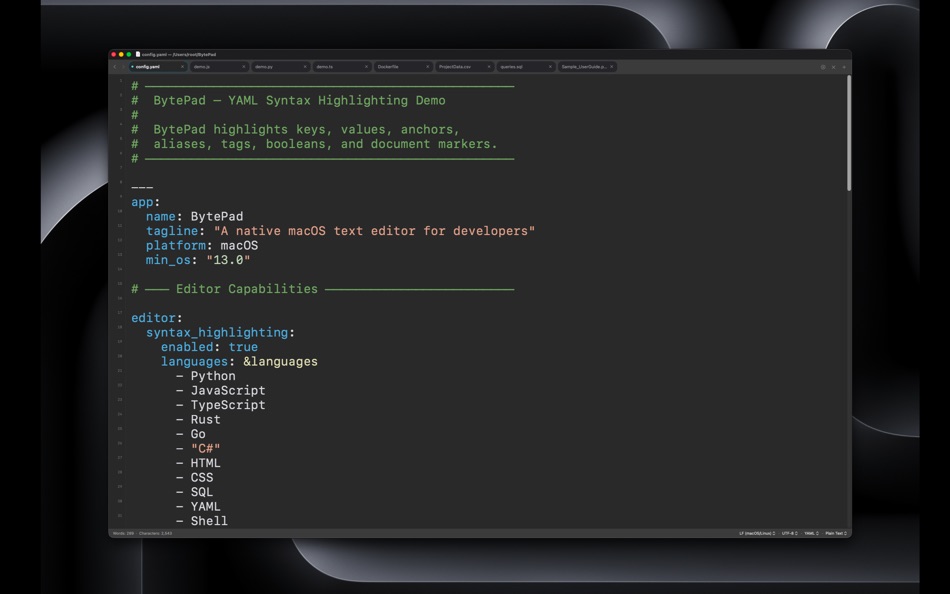
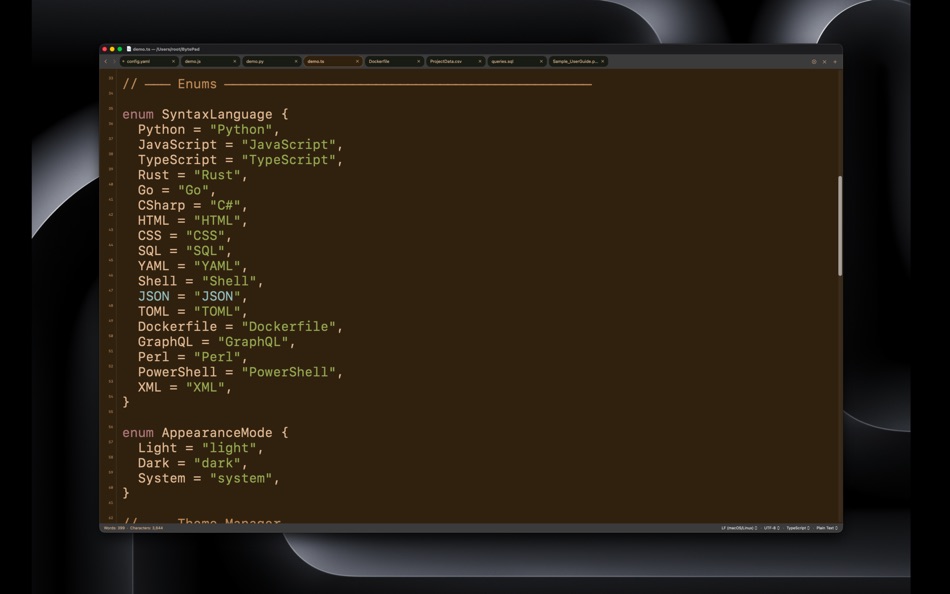
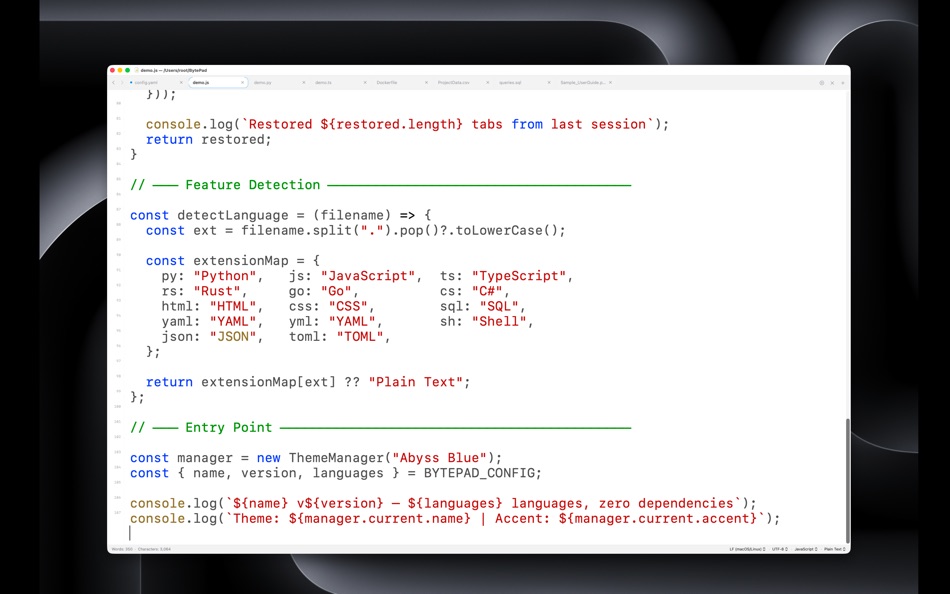
SYNTAX HIGHLIGHTING
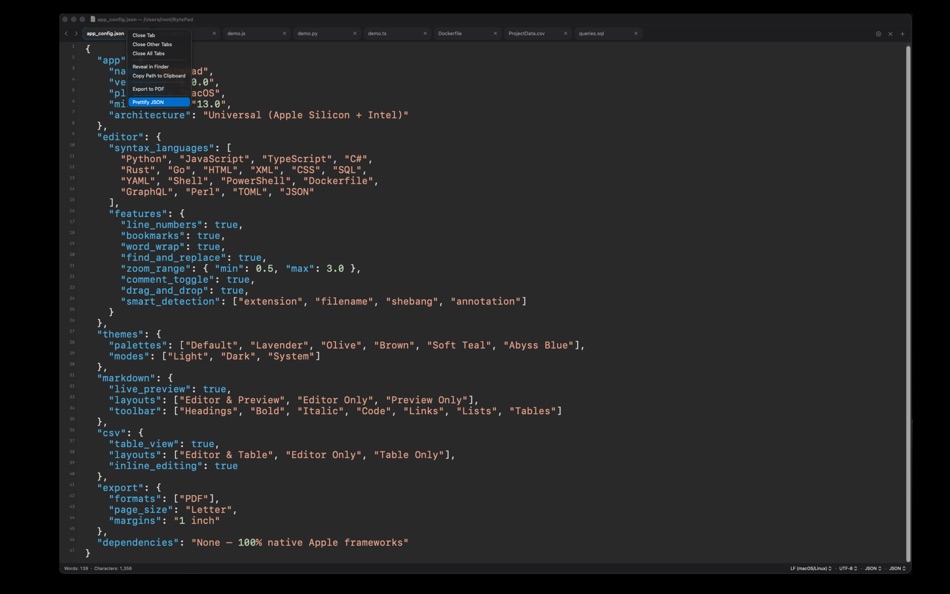
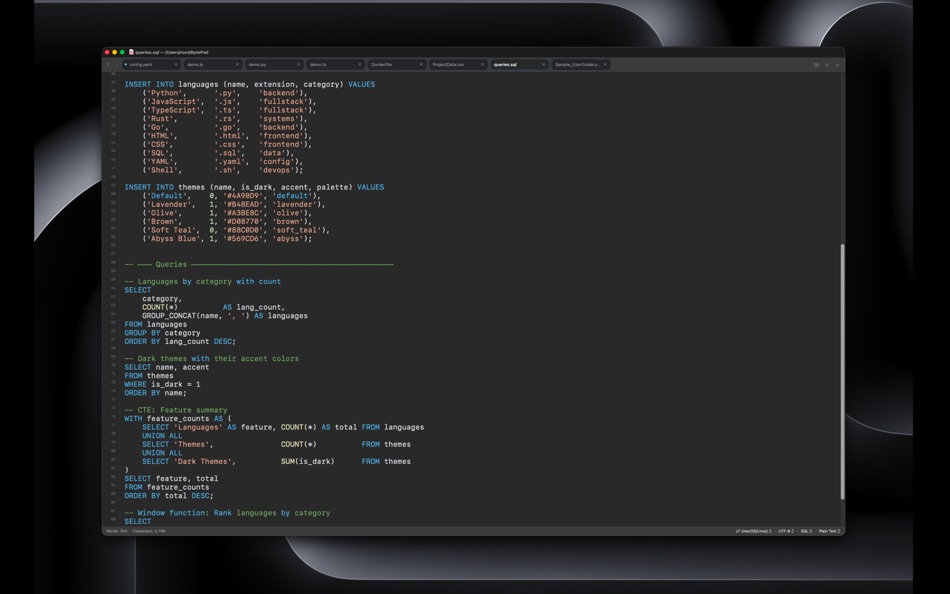
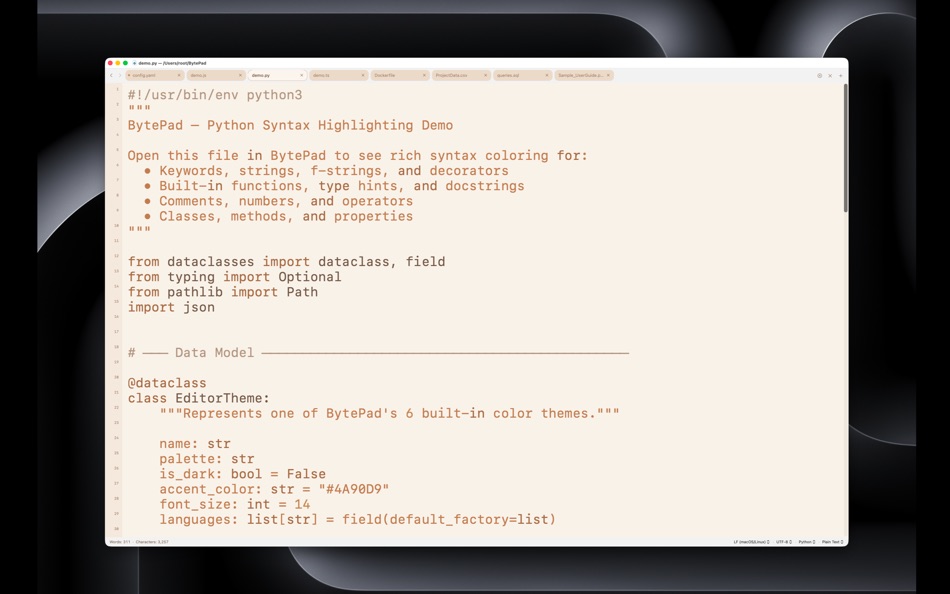
Write code with full syntax highlighting for 18+ languages including Swift, Python, JavaScript, TypeScript, Rust, Go, C#, HTML, CSS, SQL, YAML, JSON, Shell, and more. Languages are detected automatically from file extensions, shebangs, or inline comments.
LIVE MARKDOWN PREVIEW
Write Markdown with a real-time side-by-side preview. Supports headings, lists, code blocks, tables, task lists, images, and links. Switch between split view, editor-only, or preview-only layouts.
CSV TABLE EDITOR
Open CSV files in an interactive table view. View, sort, and edit data in a spreadsheet-like grid, or switch to raw text editing. Split view lets you see both at once.
PDF VIEWER
Open and read PDF files directly in the editor. Search, zoom, and navigate pages without leaving your workspace.
THEMES AND APPEARANCE
Choose from 6 carefully crafted color palettes. Supports light mode, dark mode, and system-matching. Every element — editor, terminal, tabs, status bar — adapts to your theme.
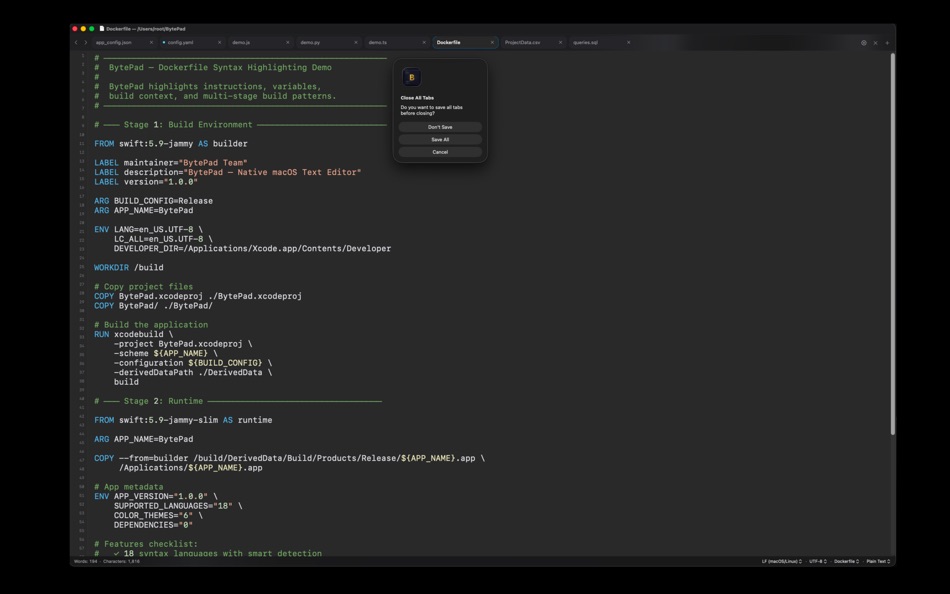
MULTI-TAB EDITING
Work on multiple files in tabs with full session persistence. Relaunch the app and pick up exactly where you left off — all tabs, content, scroll positions, and settings are restored.
POWERFUL TEXT TOOLS
• Find with match highlighting and navigation
• Bookmarks to mark and jump between lines
• Case conversion: UPPER, lower, Title, camelCase, snake_case, kebab-case, and more
• Comment toggle with language-aware syntax
• JSON prettify and formatting
• Word wrap toggle
• Adjustable zoom
THOUGHTFUL DETAILS
• Line numbers with a clean gutter
• Real-time word and character count in the status bar
• 8 text encodings including UTF-8, UTF-16, ASCII, and Latin-1
• LF, CRLF, and CR line ending support
• 4 monospace font choices
• Drag-and-drop file opening
• PDF export
• Full keyboard shortcut support
TRY FREE FOR 14 DAYS
Use every feature with no restrictions during the trial. No credit card, no account required.
Ad
ภาพหน้าจอ

มีอะไรใหม่
- เวอร์ชัน: 1.0
- อัปเดต:
ประวัติราคา
-
* การซื้อภายในแอพ - วันนี้: ฟรี
- ต่ำสุด: ฟรี
- มากที่สุด: ฟรี
ติดตามราคา
ผู้พัฒนา
- Daniel Vieira Costa Andrade
- แพลตฟอร์ม: iOS แอป (1) macOS แอป (1)
- รายการ: 0 + 0
- แต้มแล: 1 + 0 ¡
- การจัดอันดับ: 0
- ความเห็น: 0
- ความเห็น: 0
- ลดราคา: 0
- วิดีโอ: 0
- RSS: ติดตาม
Ad
แต้มแล (0)
0 ☹️
การจัดอันดับ (0)
0 ☹️
รายการ (0)
0 ☹️
- BytePad - Text Editor
ความเห็น (0)
แสดงรีวิวเป็นคนแรกเลย 🌟
ข้อมูลเพิ่มเติม
- เวอร์ชัน: 1.0
- หมวดหมู่:
macOS แอป›เครื่องมือ - ระบบปฏิบัติการ:
macOS,macOS 13.0 และสูงกว่า - ขนาด:
4 Mb - ภาษาที่สนับสนุน:
English - การจัดประเภทเนื้อหา:
4+ - Mac App Store คะแนนโดย:
0 - อัปเดต:
- วันที่วางจำหน่าย:
รายชื่อติดต่อ
- เว็บไซท์:
 https://bytepad.app
ความเห็น (0)
เป็นคนแรกที่แสดงความเห็น 🌟
«BytePad - Text Editor». แพลตฟอร์ม: macOS. หมวดหมู่: เครื่องมือ. ผู้พัฒนา: «Daniel Vieira Costa Andrade». การเปิดตัวครั้งแรก: . อัปเดตล่าสุด: . ราคาปัจจุบัน: ฟรี. ชื่อนี้ยังไม่ได้รับการให้คะแนนหรือบทวิจารณ์บน AppAgg ภาษาที่ใช้ได้: English. AppAgg ติดตามประวัติราคา การให้คะแนน และคำติชมของผู้ใช้ «BytePad - Text Editor». ส่วนลดและอัปเดตในอนาคต: RSS. AppAgg ไม่ได้โฮสต์แอปพลิเคชันหรือแจกจ่ายซอฟต์แวร์ เครื่องหมายการค้า โลโก้ และภาพหน้าจอทั้งหมดเป็นของเจ้าของที่เกี่ยวข้อง
BytePad - Text Editor URL แบบสั้น: คัดลอกแล้ว!- 🌟 แชร์
- Mac App Store
คุณอาจชอบ
-
- OnyxNote - Fast text editor
- macOS แอป: เครื่องมือ โดย: ARTCOAST LLC
- $0.99
- รายการ: 0 + 0 การจัดอันดับ: 0 ความเห็น: 0
- แต้มแล: 1 + 0 ความเห็น: 0 เวอร์ชัน: 1.0 OnyxNote is a fast, minimal text and code editor for macOS built for creators who want a clean, distraction-free writing and coding experience. Whether you re drafting notes, writing ... ⥯
-
- Moped Text Editor
- macOS แอป: เครื่องมือ โดย: Roberto Machorro
- ฟรี
- รายการ: 1 + 1 การจัดอันดับ: 0 ความเห็น: 0
- แต้มแล: 4 + 0 ความเห็น: 0 เวอร์ชัน: v1.9 If you come from the Windows world, you may be missing a small utility: Notepad, a simple but essential tool for editing plain text files. While macOS counts on its own built-in text ... ⥯
-
- Text 2 HTML Converter
- macOS แอป: เครื่องมือ โดย: InSili.co
- $2.99
- รายการ: 0 + 0 การจัดอันดับ: 0 ความเห็น: 0
- แต้มแล: 0 + 0 ความเห็น: 0 เวอร์ชัน: 1.2 Want to create an HTML page fast, from scratch, simply by giving the text you want to show up - without messing with HTML code at all? Then Text 2 HTML Converter is the right tool for ... ⥯
-
- Text Toolset
- macOS แอป: เครื่องมือ โดย: Quantum Quinn
- ฟรี
- รายการ: 1 + 0 การจัดอันดับ: 0 ความเห็น: 0
- แต้มแล: 1 + 0 ความเห็น: 0 เวอร์ชัน: 1.4.1 Text Toolset is a free Xcode source editor extension that adds fast, focused text commands to boost everyday editing. Features added to the editor: Add Carets at Start of Selected ... ⥯
- ใหม่
- Byte Lens
- macOS แอป: เครื่องมือ โดย: MARITIME MASTER LIMITED
- $3.99
- รายการ: 0 + 0 การจัดอันดับ: 0 ความเห็น: 0
- แต้มแล: 0 + 0 ความเห็น: 0 เวอร์ชัน: 1.0 ByteLens is a powerful hex editor and binary file inspector designed for developers, security researchers, and anyone who works with raw data. INSPECT ANY FILE Open any binary file and ⥯
-
- Editor Usage for Cursor AI
- macOS แอป: เครื่องมือ โดย: Inside Internet
- $3.99
- รายการ: 0 + 0 การจัดอันดับ: 0 ความเห็น: 0
- แต้มแล: 0 + 0 ความเห็น: 0 เวอร์ชัน: 1.3.2 Effortlessly track your Cursor AI editor usage with our powerful menubar app, designed to keep you informed and in control of your requests. Whether you re a heavy user or just want to ⥯
-
- PLIST Editor
- macOS แอป: เครื่องมือ โดย: VDT LABS S.R.L.
- * $7.99
- รายการ: 1 + 0 การจัดอันดับ: 0 ความเห็น: 0
- แต้มแล: 3 + 0 ความเห็น: 0 เวอร์ชัน: 1.63 PLIST Editor is a side-by-side tree & text editor for property list (plist) data. In a clean and easy to use interface, it allows you to quickly create, inspect, modify and save your ... ⥯
-
- Power JSON Editor
- macOS แอป: เครื่องมือ โดย: 基伟 徐
- $4.99
- รายการ: 1 + 2 การจัดอันดับ: 0 ความเห็น: 0
- แต้มแล: 2 + 0 ความเห็น: 0 เวอร์ชัน: 2.19.0 Power JSON Editor is a JSON editor for developers with Visual Tree View and multiple plugins like Array Table Editor and jq Processor, also with format converter plugins, it is easy to ⥯
-
- Smart PList Editor for Mac OS X
- macOS แอป: เครื่องมือ โดย: iMakezAppz
- $2.99
- รายการ: 0 + 0 การจัดอันดับ: 0 ความเห็น: 0
- แต้มแล: 1 + 0 ความเห็น: 0 เวอร์ชัน: 1.0.1 Smart PList Editor is an easy to use, lightweight and fast editor for property lists. Instead of manually editing plists in a text editor, or waiting for Xcode to boot up, simply use ... ⥯
- ใหม่
- Quillon Editor
- macOS แอป: เครื่องมือ โดย: Mehmet Tenekeci
- ฟรี
- รายการ: 0 + 0 การจัดอันดับ: 0 ความเห็น: 0
- แต้มแล: 0 + 0 ความเห็น: 0 เวอร์ชัน: 1.0.2 Quillon is a fast, focused text editor built for clarity and simplicity. Whether you're drafting notes, editing configuration files, writing scripts, or working through a codebase, ... ⥯
-
- WYSIWYG HTML Editor
- macOS แอป: เครื่องมือ โดย: Wicher B Donga
- $22.99
- รายการ: 0 + 0 การจัดอันดับ: 5 (1) ความเห็น: 0
- แต้มแล: 0 + 0 ความเห็น: 0 เวอร์ชัน: 26.1 WYSIWYG HTML Editor just got a major upgrade. You can now work seamlessly with: - HTML and CSS - JavaScript - React and JSX - Vue - Alpine - Markdown or any combination of these in a ... ⥯
-
- Xliff Editor
- macOS แอป: เครื่องมือ โดย: SweetP Productions, Inc.
- $19.99
- รายการ: 0 + 2 การจัดอันดับ: 0 ความเห็น: 0
- แต้มแล: 0 + 0 ความเห็น: 0 เวอร์ชัน: 3.3.2 Xliff Editor - its fast to load, easy to use, and has a low memory footprint. Did we forget to mention Inline tag protection, Search & Replace, Regex search, Fuzzy search, intuitive ... ⥯
-
- Py Editor for Python
- macOS แอป: เครื่องมือ โดย: Andromeda Corp LTD
- * ฟรี
- รายการ: 1 + 0 การจัดอันดับ: 0 ความเห็น: 0
- แต้มแล: 2 + 0 ความเห็น: 0 เวอร์ชัน: 26.0.1 Python Editor is a native macOS application that lets you write and run Python code instantly, with no installation or configuration required. Python 3.11 is embedded directly in the ... ⥯
-
- Mermaid Live Editor
- macOS แอป: เครื่องมือ โดย: Omer UCEL
- $4.99
- รายการ: 0 + 0 การจัดอันดับ: 0 ความเห็น: 0
- แต้มแล: 2 + 0 ความเห็น: 0 เวอร์ชัน: 4.1 Transform text into beautiful diagrams with AI-powered assistance. This professional diagram editor supports Mermaid syntax to create flowcharts, timelines, user journey maps, charts, ... ⥯