
Salvate
Alege numele care va fi afișat în meniul Salvate.
Terminat!
| Dezvoltator: | VDT LABS S.R.L. (6) | ||
| Preț: | * $7.99 | ||
| Evaluare: | 7,050 | ||
| Clasificări: | 0 | ||
| Comentarii: | 0 Postează comentariu | ||
| Liste: | 0 + 1 | ||
| Punctele: | 1 + 0 ¡ | ||
| +1 Punctele | |||
Descriere

Along with the included HTTP Client, is a powerful tool to inspect and debug your API endpoints.
JSON Editor has the smarts needed to make the minimum changes when editing a file, even in the tree mode.
This is especially useful when you keep the files in a repository, because only the relevant changes will be shown when diff-ing the edited files.
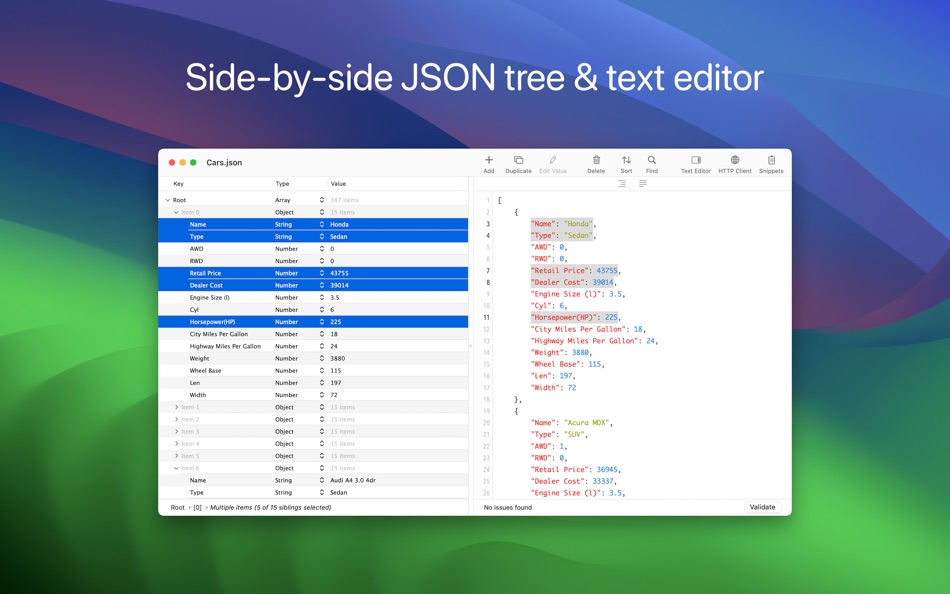
JSON Tree Editor
• Presents the JSON in a "tree" like interface, making easier to understand how the data is structured
• Makes the process of editing JSON data error-free and way more easier than dealing with raw text
• Its selection is automatically reflected in the text editor
JSON Tree Editor - Features
• Select multiple sibling elements
• Cut, copy, paste, duplicate, delete and reorder elements, even when multiple elements are selected
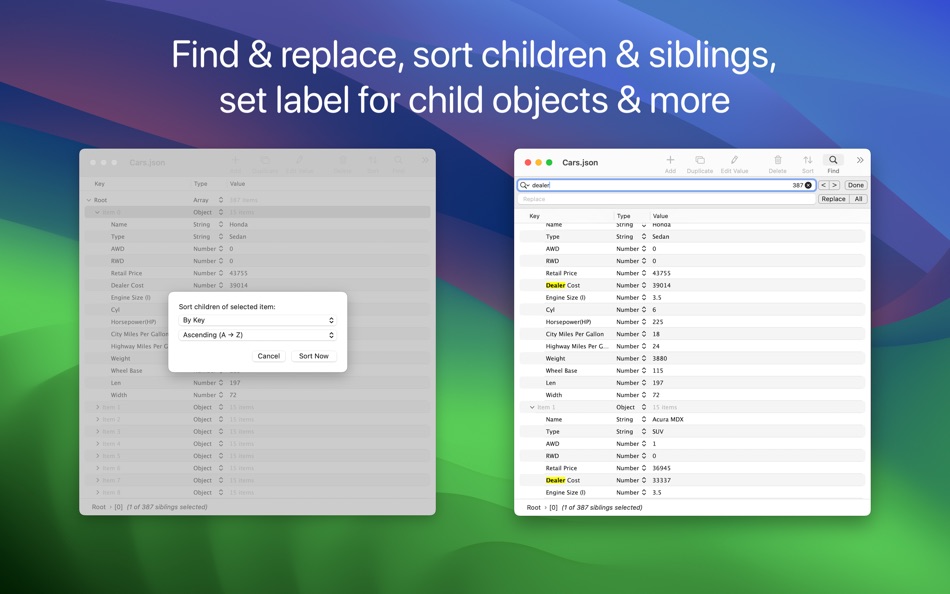
• Find & replace text in the JSON elements. Support for "Regular Expression" is included, too
• Choose where the Find & replace will take place: in "Key" or "Value" column or both
• Sort elements, either by clicking one of the column headers or using the dedicated panel
• Set label for child objects to help you understand what each object represents
• Edit the elements, even when multiple ones are selected (via "Edit -> Edit Value...")
• Copy elements as Swift or Obj-C objects, JSON data or PLIST data
• Paste JSON data
• Embed elements in array or object
• Shift elements left or right
• Move elements up or down
• Row height which accommodates multi-line text
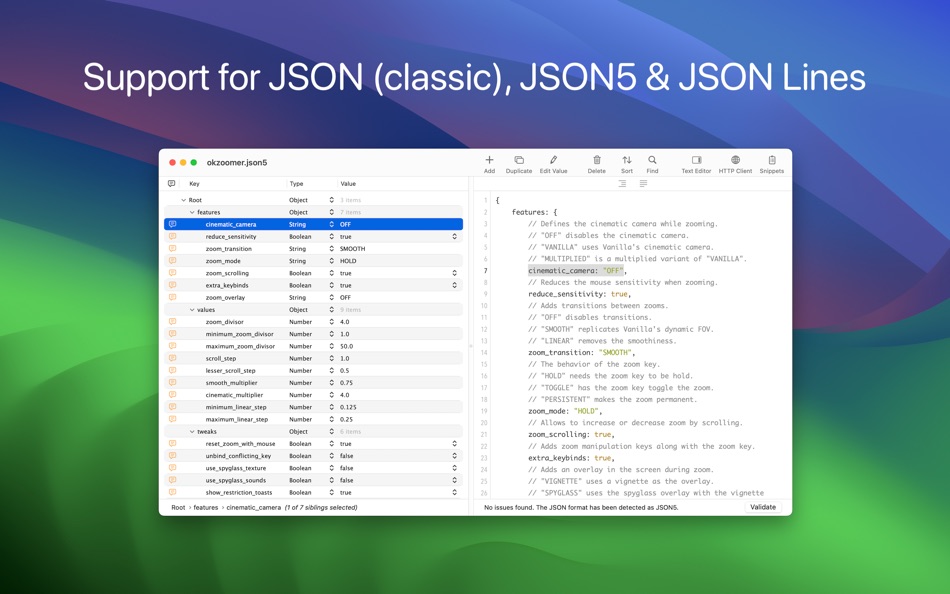
• JSON5 comments can be viewed in the leftmost column by hovering the cursor over the indicator
• Increase and decrease font size for better readability
• Undo & redo
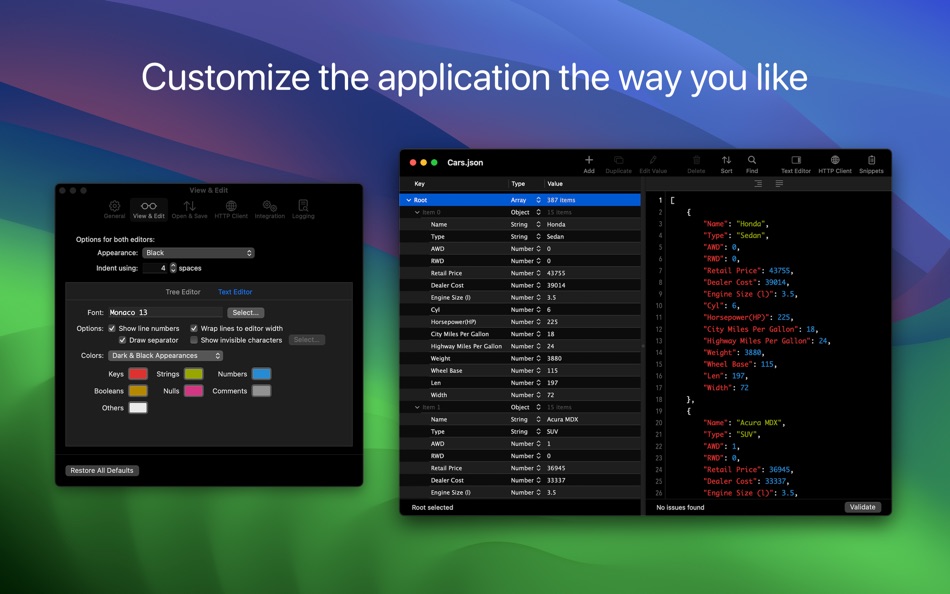
• Customization options available in "Settings -> View & Edit -> Tree Editor"
JSON Text Editor
• Offers a convenient way to interact with the JSON's textual content and to investigate invalid JSONs
• The changes made in the text editor can be synchronized with the tree editor
• Make the JSON document human readable or compact, even if it is not entirely valid
JSON Text Editor - Features
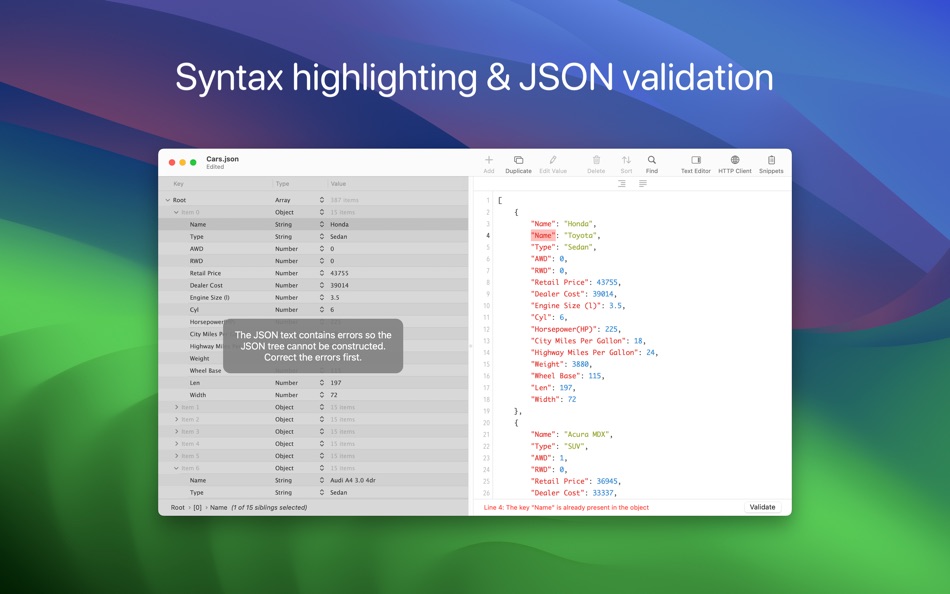
• JSON validation
• Syntax coloring, auto-indentation and line numbers
• Customize the font and its size
• Change editor's location (right or bottom)
• Toggle the visibility of the the text editor
• Show (or hide) invisible characters, like tab or new lines
• Find & replace
• Undo & redo
• Customization options available in "Settings -> View & Edit -> Text Editor"
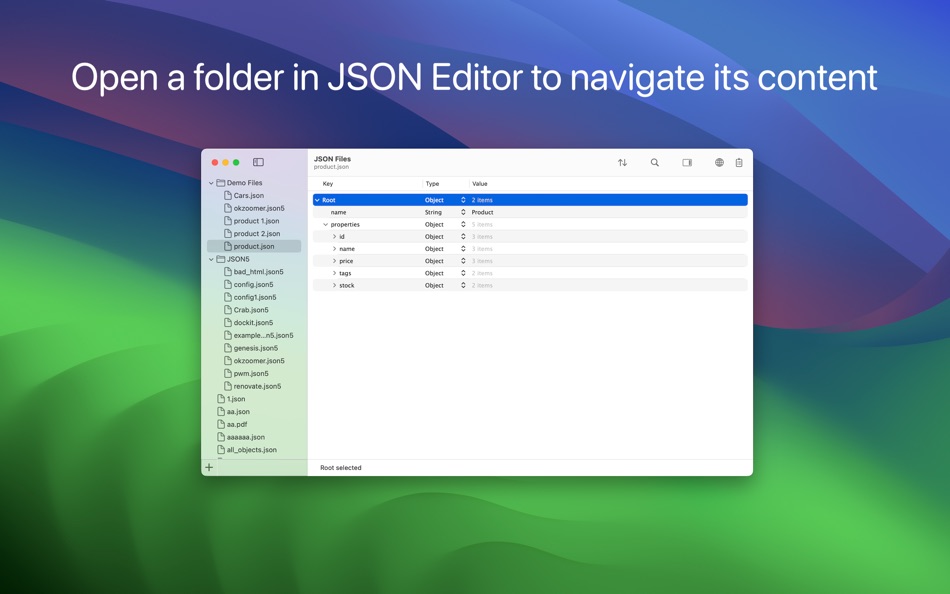
Folder Browser
• Browse folders' content by dragging them on the app's Dock icon or by using "File → Open" panel
• Choose JSON files to make quick edits or to view their content
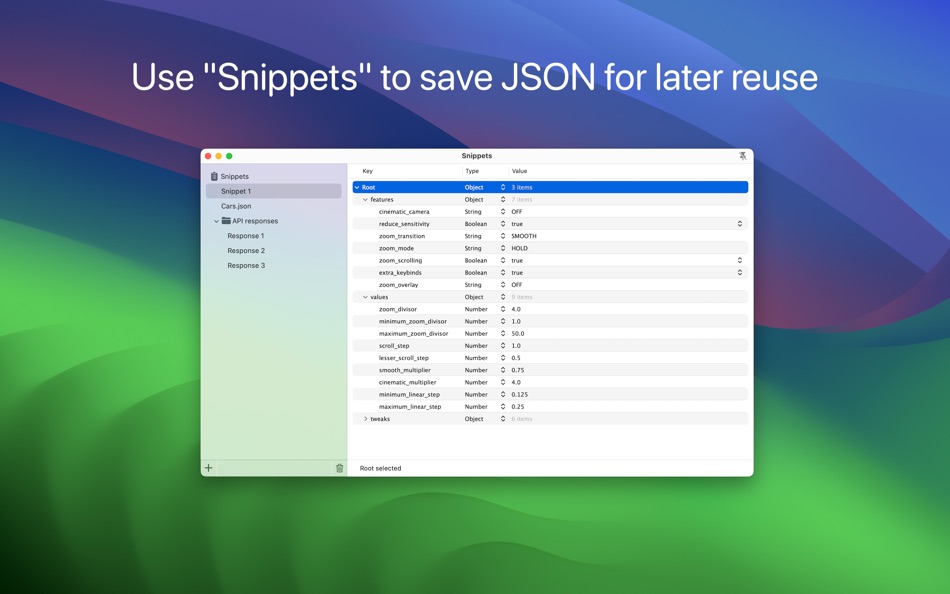
Snippets
• Save JSON elements for later reuse
• Access the Snippets by clicking the corresponding toolbar button
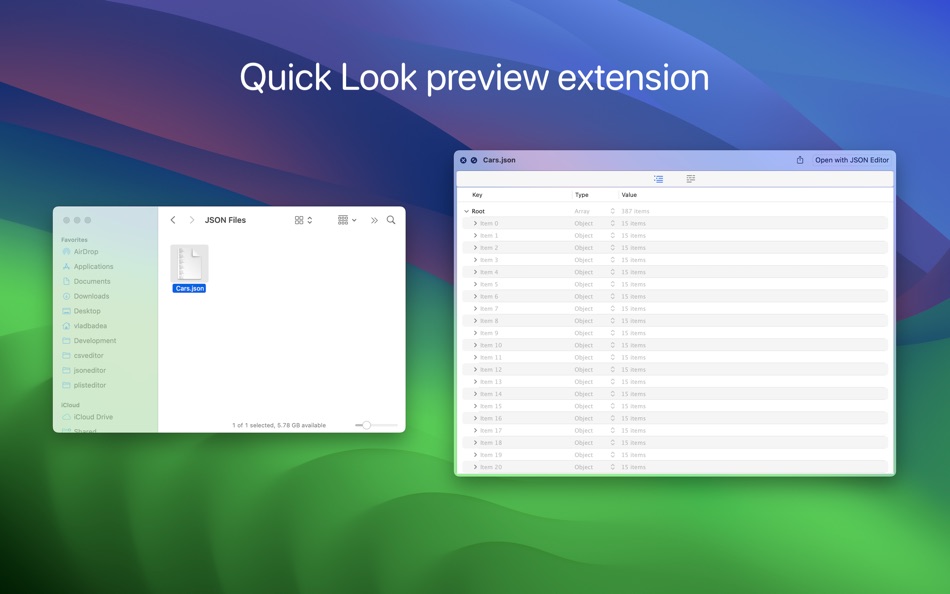
Quick Look Preview Extension
• Preview the JSON files in Finder using the Quick Look extension provided by the app
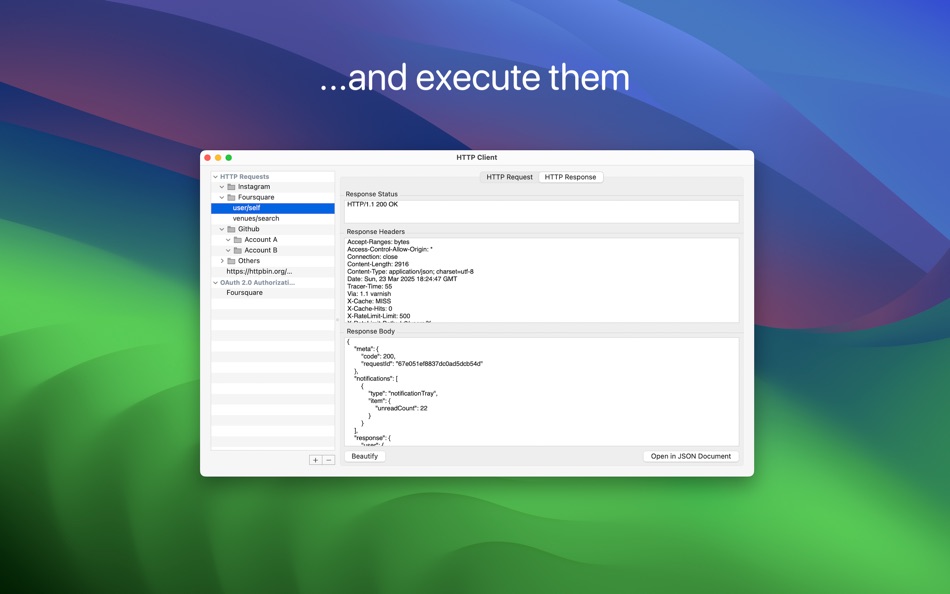
HTTP Client
• Perform HTTP requests (GET, POST, PUT, DELETE, HEAD)
• Create folders to group the requests - very handy to group the projects or APIs you're working with
• Automatically detects if response is text or binary, allowing you to preview or save the binary one
• HTTP authentication (basic, digest) and Proxy authentication, with Keychain integration
• Support for OAuth 2.0 - use the built-in providers or add custom ones
• Once you have added and setup an OAuth 2.0 authorization you can attach it to a HTTP request - JSON Editor will take care of refreshing and attaching access token to the HTTP request
• Export and import HTTP requests and OAuth authorizations
Other Features
• Dark mode, including a beautiful "black" mode
• Auto Save & Versions, including the possibility to disable them
• Detect when the file is changed by another application
• Fullscreen
• Services integration
• Command-line/Terminal integration
Capturi de ecran

Ad
Istoricul prețurilor
-
* Achiziții în aplicație - Prețul actual: $7.99
- Minim: $4.99
- Maxim: $7.99
Urmăriți prețurile
Evaluare AppAgg
7,050
Evaluare AppAgg estimată pentru
JSON Editor
7,050
Evaluările mai mari indică de obicei semnale mai puternice pe AppAgg.
Bazat pe: 🔥 popularitate · ⭐ evaluări ale utilizatorilor · 🕒 actualitate · 🏷️ oferte · 🏬 date din magazine · 👥 activitatea comunității
Recalculat zilnic pe baza datelor AppAgg actualizate.
Adresă URL scurtă: Copiate!
Ce este nou
- Versiune: 2.9
- Ultima actualizare:
- • Bug fixing
―――
If you enjoy JSON Editor and find it useful, please also consider JSON Editor Mobile, the sibling app specifically made for iPhones and iPads.
We constantly want to improve the quality of our apps. For any feedback, questions and ideas please contact us at json.editor.contact@gmail.com
Informații suplimentare
- Data lansării:
- Categorie:
macOS Aplicații›Instrumente - SO:
macOS,macOS 11.0 sau o versiune ulterioară - Mărimea:
6 Mb - Limbă acceptată:
English - Evaluarea conținutului:
4+ - Mac App Store Evaluare:
0 - Website:
 https://vdt-labs.com/json-editor/
Dezvoltator
- VDT LABS S.R.L.
- Platforme: iOS Aplicații (3) macOS Aplicații (3)
- Liste: 2 + 2
- Punctele: 8 + 46 ¡
- Clasificări: 0
- Comentarii: 0
- Reduceri: 0
- Videoclipuri: 0
- RSS: Abonează-te
Liste (0)
0 ☹️
- JSON Editor
Punctele (1)
-

- 1,111 m374
- +1

Clasificări (0)
0 ☹️
Comentarii (0)
Fii primul care comentează 🌟
«JSON Editor». Platforma: macOS. Categorie: Instrumente. Dezvoltator: «VDT LABS S.R.L.». Prima lansare: . Ultima actualizare: . Prețul actual: $7.99. Cel mai mic preț înregistrat: $4.99 (). Cel mai mare preț înregistrat: $7.99 (). Acest titlu nu a primit încă evaluări sau recenzii pe AppAgg. Puncte urmărite: confirmate 1, indirecte 0. Limbi disponibile: English. AppAgg urmărește istoricul prețurilor, evaluările și feedbackul utilizatorilor pentru «JSON Editor». Urmăriți reducerile și actualizările viitoare prin RSS. AppAgg nu găzduiește aplicații și nu distribuie software. Toate mărcile comerciale, siglele și capturile de ecran aparțin proprietarilor respectivi.
JSON Editor Adresă URL scurtă: Copiate!- 🌟 Trimite
- Mac App Store
Similare
-
- JSON Editor for SSEM DEV
- macOS Aplicații: Instrumente De: DongSeop Kim
- Gratuit
- Liste: 0 0 0
- Punctele: 0 + 0 710 Versiune: 1.0 JSON Editor is a web-based tool to view, edit, format, and validate JSON data. Features: Tree view and code view modes Syntax highlighting with Ace Editor JSON validation and ... ⥯
- -100%
- JSON Editor & Diff
- macOS Aplicații: Instrumente De: Phanith Ny
- ▼ Gratuit
$2.99-100% - Liste: 0 + 1 0 0
- Punctele: 4 + 0 1K Versiune: 1.1.0 Edit, validate, repair, and compare JSON faster on macOS. JSON Editor & Diff is a native macOS app for developers who work with API responses, config files, and large JSON documents ... ⥯
-
- Brackets JSON Editor
- macOS Aplicații: Instrumente De: junichi nakamura
- $2.99
- Liste: 0 0 0
- Punctele: 0 + 0 2K Versiune: 1.4 Brackets JSON Editor is simple and easy-to-use JSON editor. You can edit the JSON data displayed in the outline. ⥯
-
- My JSON Editor
- macOS Aplicații: Instrumente De: Richard Wuerflein
- * Gratuit
- Liste: 0 0 0
- Punctele: 3 + 0 3K Versiune: 1.1 A free to use JSON Editor for the MacOS that makes editing data simple and efficient. You can effortlessly modify even complex structures, with smart tools assisting in the ... ⥯
-
- Bonsai JSON Editor
- macOS Aplicații: Instrumente De: Jerry COMBS
- $5.99
- Liste: 0 0 0
- Punctele: 0 + 0 3K Versiune: 2.0 Bonsai is a native macOS JSON viewer, editor, and query tool built for developers who work with JSON every day. Open any JSON file and instantly explore it as an interactive, ... ⥯
-
- Labeler JSON Editor
- macOS Aplicații: Instrumente De: hiroka iwasaki
- $4.99
- Liste: 0 0 0
- Punctele: 0 + 0 4K Versiune: 1.01 Labeler JSON Editor is a next-generation JSON editor designed to make JSON data easier to understand and faster to edit. While many JSON editors offer visual representations of data, ... ⥯
-
- Power JSON Editor
- macOS Aplicații: Instrumente De: 基伟 徐
- $4.99
- Liste: 1 + 2 0 0
- Punctele: 2 + 0 8K Versiune: 2.19.0 Power JSON Editor is a JSON editor for developers with Visual Tree View and multiple plugins like Array Table Editor and jq Processor, also with format converter plugins, it is easy to ⥯
-
- JSON Codable
- macOS Aplicații: Instrumente De: Mo'tasem Assfour
- Gratuit
- Liste: 0 0 0
- Punctele: 0 + 0 780 Versiune: 1.0 Json Codable is a native macOS app that turns JSON into clean, type-safe Swift Codable models. Paste or import JSON, choose your options, and generate Swift code that s ready to drop ... ⥯
- Nou
- JSON Glow: View, Edit & Diff
- macOS Aplicații: Instrumente De: BILINGO COMPANY LIMITED - LEARN ENGLISH 4 SKILLS
- Gratuit
- Liste: 0 0 0
- Punctele: 0 + 0 940 Versiune: 1.0 JSON Editor is a fast and elegant way to view, edit, and compare JSON files on your device. Designed with a clean desktop-style interface, it makes complex JSON structures much easier ... ⥯
-
- JSON-Kit
- macOS Aplicații: Instrumente De: Davit Darsalia
- $0.99
- Liste: 0 0 0
- Punctele: 0 + 0 3K Versiune: 1.0.1 JSON Kit: The Professional macOS JSON Editor JSON Kit is a native macOS tool built for developers who need to navigate, search, and modify complex JSON structures with speed. Move away ⥯
- Nou
- JSON Viewer+
- macOS Aplicații: Instrumente De: KAI WANG
- $4.99
- Liste: 0 0 0
- Punctele: 0 + 0 4K Versiune: 0.19.1 JSON Viewer highlights JSON and JSONP content directly in your browser. When you open a URL that returns JSON, the extension automatically formats and syntax-highlights it. This is a ... ⥯
-
- JSON Thru
- macOS Aplicații: Instrumente De: Celil Cagatay Gedik
- Gratuit
- Liste: 0 0 0
- Punctele: 0 + 0 690 Versiune: 1.1.1 JSON Thru for Safari is a free, open-source Safari extension designed to make working with JSON data effortless and secure. Whether you're a developer, tester, or data enthusiast, JSON ⥯
-
- JSON Assistant
- macOS Aplicații: Instrumente De: CoffeeDevs LLC
- Gratuit
- Liste: 0 0 0
- Punctele: 1 + 0 770 Versiune: 1.6.3 JSON Assistant is a fast, privacy-first JSON viewer and formatter for iOS and macOS. Paste JSON, drop a file, or open from Share Sheet then pretty-print, explore the tree, and save ... ⥯
-
- JSON Power Tools
- macOS Aplicații: Instrumente De: Resetnic Dragos
- $0.99
- Liste: 0 + 1 0 0
- Punctele: 4 + 0 5K Versiune: 1.1 Format, View, and Manage JSON effortlessly in both Xcode and Safari with JSON Power Tools! Stop switching contexts or relying on web tools. This app provides essential JSON ... ⥯
S-ar putea sa-ti placa si
Vizualizate recent
Ultima actualizare:
Operatorii de căutare pe care îi poți folosi cu AppAgg