
Marcaje
| Dezvoltator: | Tuan Truong (4) | ||
| Preț: | * Gratuit | ||
| Scor: | 6.120 Platină | ||
| Clasamente: | 0 | ||
| Comentarii: | 0 Postează comentariu | ||
| Liste: | 0 1 | ||
| Puncte: | 5 | ||
| +1 Punct | |||
Pe scurt
Fă cunoștință cu LineSmith for Xcode, o aplicație de la Tuan Truong din categoria „Instrumente pentru dezvoltatori”.
Lansată , iar actualizările tot vin. Cea mai nouă a sosit . Asta da dedicare.
Se descarcă gratis. Mai departe decizi tu. Există cumpărături în aplicație.
Merge pe macOS 14.0 și versiunile mai noi. Merită să verifici ce versiune ai.
Scorul AppAgg e 6.120. Asta înseamnă „Platină”, și doar „Legendă” e mai sus.
Doar 2 megabyți, încape chiar și pe un disc plin.
Clasificare de vârstă „4+”: merge și pentru copii.
Vorbește o singură limbă, și nu e româna.
5 persoane au mers deja de aici în magazin. Acestea sunt Punctele ei pe AppAgg.
Dezvoltatorul mai are 1 joc și 2 aplicații pe AppAgg. Merită o privire.
Apropo, acest dezvoltator are acum 1 reducere.
Vrei să afli primul de actualizări și aplicații noi? Urmărește dezvoltatorul sau abonează-te la RSS. Notificările push vin prin aplicația AppAgg Alerts pentru Android și iOS.
Alte platforme 0
 | LineSmith for XcodeMac App Store6K PlatinămacOSAchiziții în aplicație $1.99 – $9.99 | Gratuit |
Deocamdată doar în acest magazin.
Istoricul prețurilor 0
- Prețul actual: Gratuit
- Minim: Gratuit
- Maxim: Gratuit
Propriul tău flux pe pagina principală
Capturi de ecran 6

Descriere
Formerly TextPlus. Your existing shortcuts still work.
COMMANDS
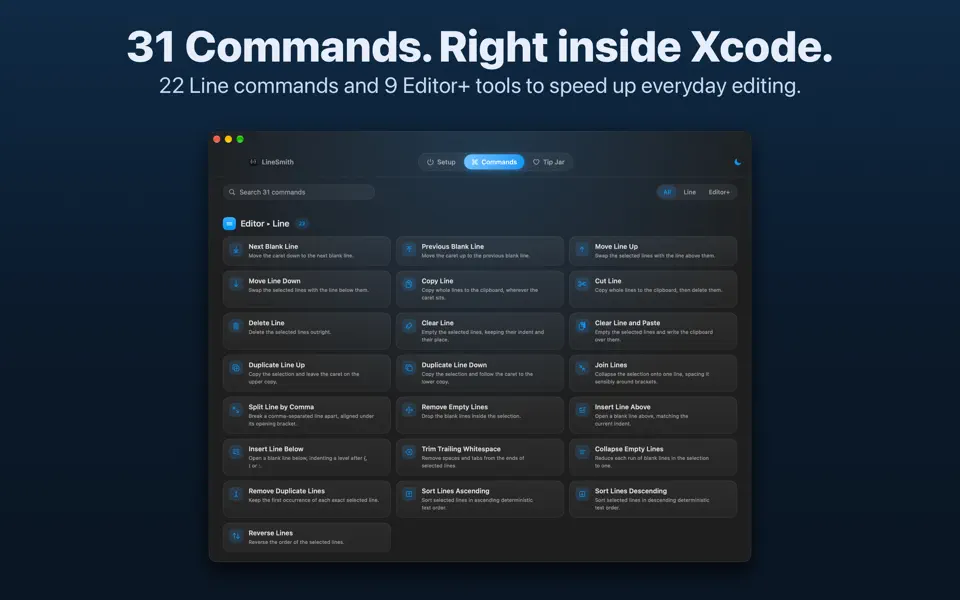
Editor > Line
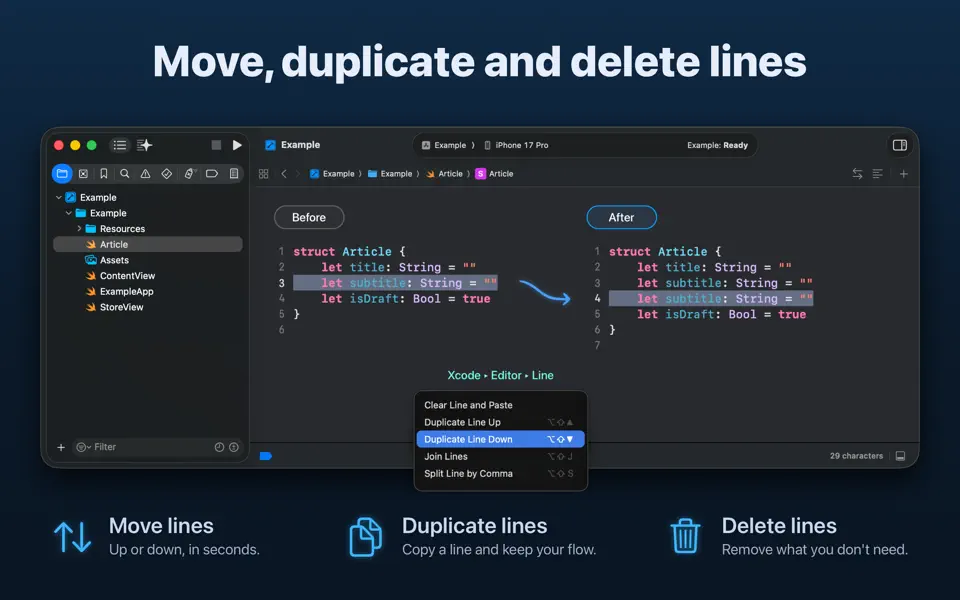
• Move Line Up / Move Line Down — swap the selection with the line above or below
• Duplicate Line Up / Duplicate Line Down — copy the selection and choose which copy keeps the caret
• Delete Line — delete whole lines wherever the caret sits
• Clear Line — empty the lines but keep their indentation and position
• Clear Line and Paste — replace the selected lines with the clipboard
• Copy Line / Cut Line — put whole lines on the clipboard, no selecting first
• Insert Line Above / Insert Line Below — open a blank line at the right indent
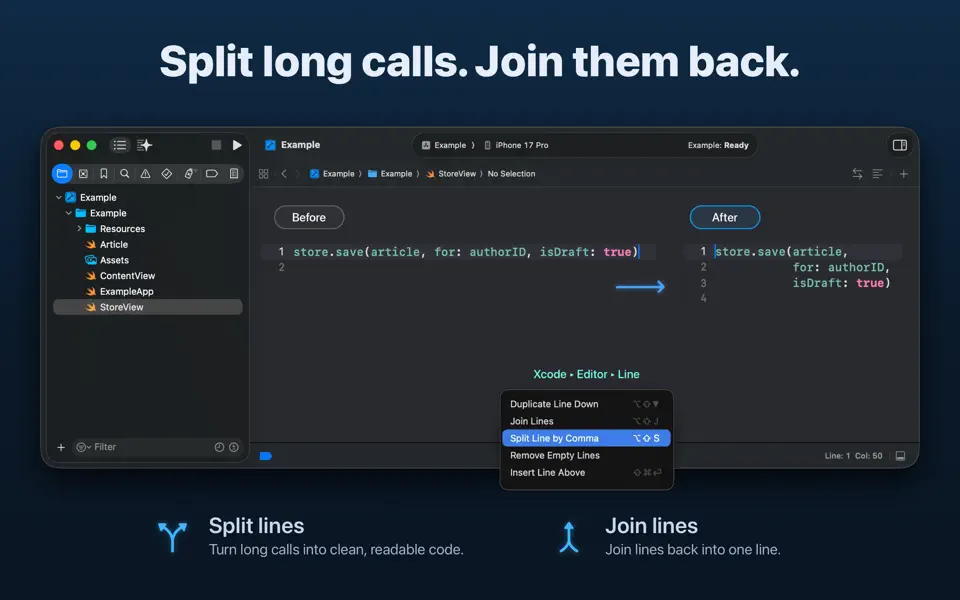
• Join Lines — collapse a selection onto one line, spacing it sensibly around brackets
• Split Line by Comma — break a comma-separated line apart, aligned under its bracket
• Remove Empty Lines — drop the blank lines inside a selection
• Next Blank Line / Previous Blank Line — move the caret between blocks
• Trim Trailing Whitespace — remove spaces and tabs from selected line endings
• Collapse Empty Lines — reduce each run of blank lines to one
• Remove Duplicate Lines — keep the first occurrence of each exact selected line
• Sort Lines Ascending / Sort Lines Descending — sort selected lines deterministically
• Reverse Lines — reverse the order of the selected lines
Editor > Editor+
• Remove Comment — strip // comments, leaving code and string or regex literals alone
• Add Type Extension — write an extension on the first type declared in the file
• Add Type Delegate — write a delegate protocol for it
• Insert MARK Section — insert a // MARK: section placeholder
• Wrap in #if DEBUG — wrap selected lines in a conditional compilation block
• Organize Imports — sort and de-duplicate safe, contiguous Swift import blocks
• Wrap in Task — wrap and indent selected lines in Task { }
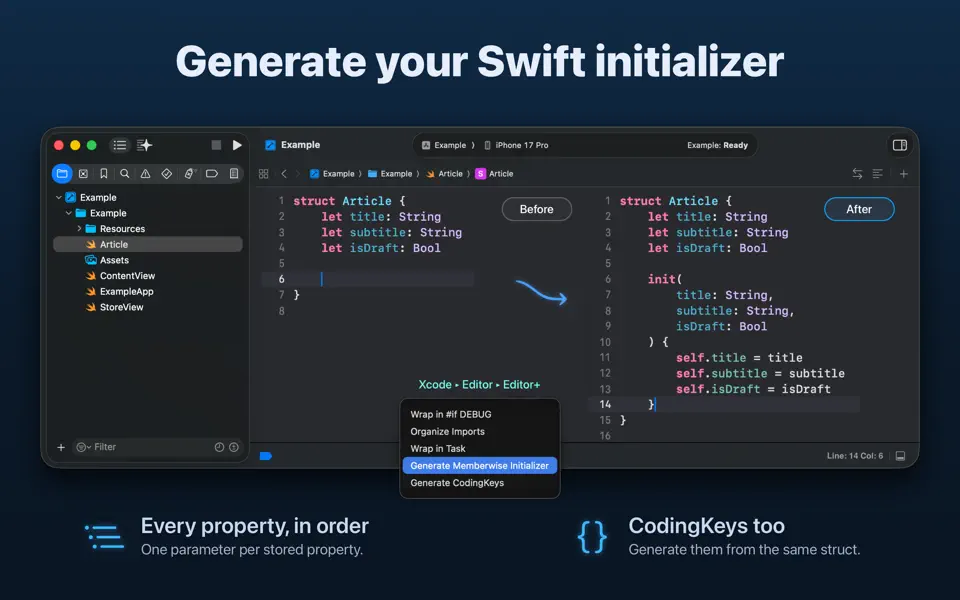
• Generate Memberwise Initializer — create an initializer from a struct's stored properties, and decline rather than guess on syntax it cannot handle
• Generate CodingKeys — create CodingKeys from direct stored properties
FREE, AND STAYING FREE
All 31 commands are free. There is no paid tier, no account, no ads and no tracking. LineSmith collects nothing about you or your code. If LineSmith saves you time, there is a tip jar in the app; a tip unlocks nothing, because there is nothing to unlock.
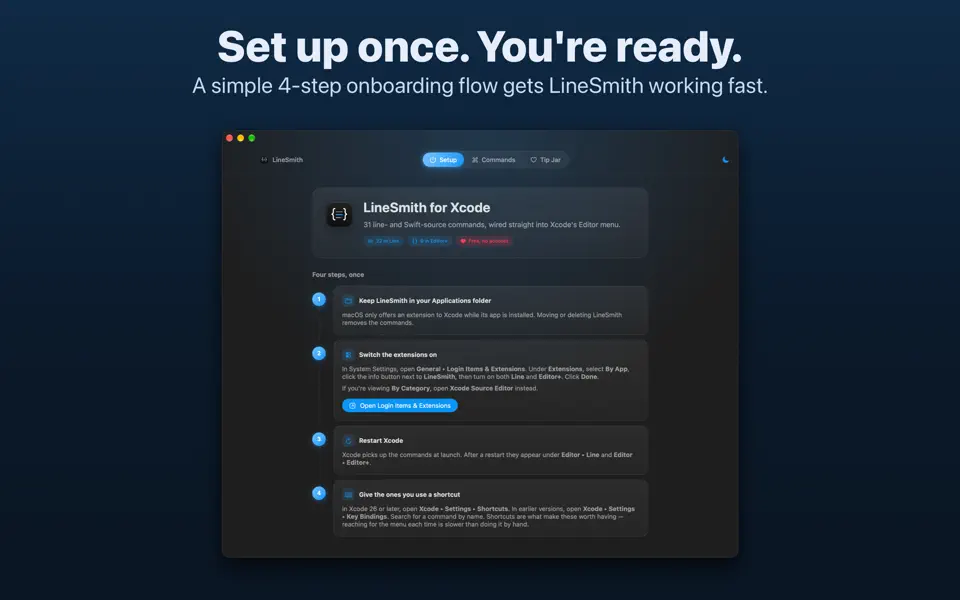
SETTING IT UP
1. Keep LineSmith in your Applications folder.
2. In System Settings, find Xcode Source Editor and enable both Line and Editor+.
3. Restart Xcode.
4. Assign shortcuts in Xcode > Settings > Shortcuts (Key Bindings in earlier Xcode versions).
Requires macOS 14 or later and Xcode.
UPGRADING FROM TEXTPLUS
The 19 command identifiers inherited from TextPlus are unchanged, so existing keyboard shortcuts carry over. Version 2.0 also brings reliability fixes and 12 new commands, for 31 in total.
De la dezvoltator
Liste 0
-
 LineSmith for Xcode
Puncte 5
-

- +1 Punct
-
- 2.002 Dragon
- +1
-
- 17 Kai Lee
- +1
-
- 1.249 바람처어럼
- +1
-
- 18.989 Simon Chan
- +1
-
- 173 upto
- +1






Clasamente 0
-
- Evaluarea ta
Dezvoltator 4
- Tuan Truong
- Urmăritori: 0
- Platforme: iOS Aplicații (2) macOS Aplicații (1) macOS Jocuri (1)
- Reduceri: 1
- Liste: 0 1
- Puncte: 7
- Clasamente: 0
- Comentarii: 0
- Videoclipuri: 0
- RSS: Abonează-te
Ce este nou
- Versiune: 2.0.2
- Ultima actualizare:
- LineSmith 2.0.2
• Undo after a command now restores only the lines that changed, without selecting the whole file or jumping to the top.
• Generate Memberwise Initializer and Generate CodingKeys handle trailing comments, property wrappers, property observers, and class methods correctly, and no longer guess wrong types.
• Join Lines keeps trailing comments intact and handles blank lines better.
• Split Line by Comma aligns under the innermost open bracket.
• Clear Line and Paste keeps indentation when the clipboard is empty.
• Files with mixed LF/CRLF line endings keep the endings of untouched lines.
• All 31 editing commands remain free.
Informații suplimentare
- Data lansării:
- Categorie:
Aplicații pentru macOS›Instrumente pentru dezvoltatori - SO:
macOSmacOS 14.0 sau o versiune ulterioară - Dimensiune:
2 Mb - Limbi disponibile:
Engleză - Evaluarea conținutului:
4+ - Mac App Store Evaluare: ¡
0 - Website:
 https://leafworkstudio.com/linesmith
Scor AppAgg
Scor AppAgg estimat pentru
LineSmith for Xcode
Dezvoltator: Tuan Truong
Un scor mai mare reflectă de obicei rezultate mai bune pentru indicatorii urmăriți de AppAgg.
Bazat pe: popularitate · evaluări ale utilizatorilor · actualitate · oferte · date din magazine · activitatea comunității
Recalculat zilnic pe baza datelor AppAgg actualizate.
Comentarii 0 ¡
Distribuie
LineSmith for Xcode Adresă URL scurtă: Copiat!- Mac App Store

