
ที่บันทึกไว้
เลือกชื่อที่จะแสดงในเมนูที่บันทึกไว้ของคุณ
เสร็จแล้ว
| ผู้พัฒนา: | Damian Pieszczynski (2) | ||
| ราคา: | $4.99 | ||
| คะแนน AppAgg: | 3,180 | ||
| การจัดอันดับ: | 0 | ||
| ความเห็น: | 0 โพสต์ความคิดเห็น | ||
| รายการ: | 0 + 0 | ||
| แต้มแล: | 0 + 0 ¡ | ||
| +1 แต้มแล | |||
คำอธิบาย

Features:
- live preview
- outline
- bookmarks
- markdown docs and interface to add markdown tags
- export to HTML and RTF
ภาพหน้าจอ


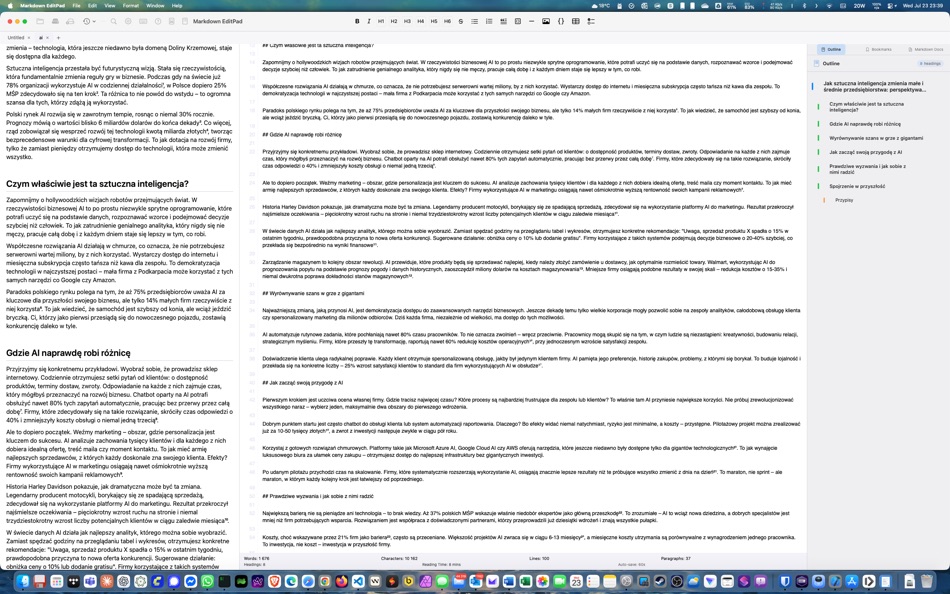
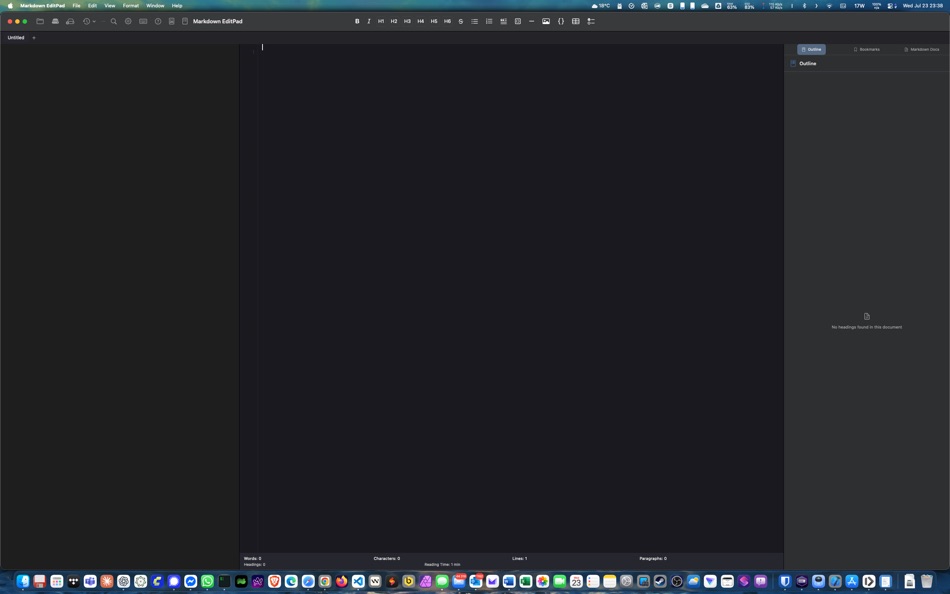
Ad
ประวัติราคา
- ราคาปัจจุบัน: $4.99
- ต่ำสุด: $4.99
- มากที่สุด: $4.99
ติดตามราคา
คะแนน AppAgg
คะแนน AppAgg โดยประมาณสำหรับ Markdown EditPad
3,180
คะแนนที่สูงขึ้นมักหมายถึงสัญญาณบน AppAgg ที่แข็งแกร่งขึ้น
อิงจาก: 🔥 ความนิยม · ⭐ คะแนนจากผู้ใช้ · 🕒 ความสดใหม่ · 🏷️ ดีล · 🏬 ข้อมูลร้านค้า · 👥 กิจกรรมชุมชน
คำนวณใหม่ทุกวันจากข้อมูล AppAgg ล่าสุด.
URL แบบสั้น: คัดลอกแล้ว!
มีอะไรใหม่
- เวอร์ชัน: 1.0
- อัปเดตล่าสุด:
ข้อมูลเพิ่มเติม
- วันที่วางจำหน่าย:
- หมวดหมู่:
macOS แอป›เครื่องมือ - ระบบปฏิบัติการ:
macOS,macOS 14.6 และสูงกว่า - ขนาด:
2 Mb - ภาษาที่สนับสนุน:
Spanish - การจัดประเภทเนื้อหา:
4+ - Mac App Store คะแนนโดย:
0
ผู้พัฒนา
- Damian Pieszczynski
- แพลตฟอร์ม: Android แอป (1) macOS แอป (1)
- รายการ: 0 + 0
- แต้มแล: 0 + 0 ¡
- การจัดอันดับ: 0
- ความเห็น: 0
- ลดราคา: 0
- วิดีโอ: 0
- RSS: ติดตาม
รายการ (0)
0 ☹️
- Markdown EditPad
แต้มแล (0)
0 ☹️
การจัดอันดับ (0)
0 ☹️
ความเห็น (0)
เป็นคนแรกที่แสดงความเห็น 🌟
«Markdown EditPad». แพลตฟอร์ม: macOS. หมวดหมู่: เครื่องมือ. ผู้พัฒนา: «Damian Pieszczynski». การเปิดตัวครั้งแรก: . อัปเดตล่าสุด: . ราคาปัจจุบัน: $4.99. ราคาต่ำสุดที่บันทึกไว้: $4.99. ราคาสูงสุดที่บันทึกไว้: $4.99. ชื่อนี้ยังไม่ได้รับการให้คะแนนหรือบทวิจารณ์บน AppAgg ภาษาที่ใช้ได้: Spanish. AppAgg ติดตามประวัติราคา การให้คะแนน และคำติชมของผู้ใช้ «Markdown EditPad». ส่วนลดและอัปเดตในอนาคต: RSS. AppAgg ไม่ได้โฮสต์แอปพลิเคชันหรือแจกจ่ายซอฟต์แวร์ เครื่องหมายการค้า โลโก้ และภาพหน้าจอทั้งหมดเป็นของเจ้าของที่เกี่ยวข้อง
Markdown EditPad URL แบบสั้น: คัดลอกแล้ว!- 🌟 แชร์
- Mac App Store
คล้ายกัน
-
- Markdown Browser
- macOS แอป: เครื่องมือ โดย: Shaun Hirst
- $1.99
- รายการ: 0 0 0
- แต้มแล: 0 + 0 4k เวอร์ชัน: 1.0.0 Markdown Browser is a powerful yet elegant native Mac application designed for reading, browsing, and navigating Markdown documents with ease. Whether you're reviewing documentation, ... ⥯
-
- Markdown Workbench
- macOS แอป: เครื่องมือ โดย: David Page
- $2.99
- รายการ: 0 + 1 0 0
- แต้มแล: 4 + 0 6k เวอร์ชัน: 1.0.4 Markdown Workbench is a fast, focused document viewer and editor built for people who work with Markdown and code files every day. Open any Markdown file and see it beautifully ... ⥯
-
- Markdown Buddy
- macOS แอป: เครื่องมือ โดย: Jan Tumpach
- $0.99
- รายการ: 0 0 0
- แต้มแล: 0 + 0 3k เวอร์ชัน: 1.1 Markdown Buddy is a native macOS app that lets you preview Markdown files beautifully, right from your code editor or Finder. Source Editor Extension Integrates directly into your ... ⥯
-
- Markdown Export
- macOS แอป: เครื่องมือ โดย: Tanvir N Hasan
- * ฟรี
- รายการ: 0 0 0
- แต้มแล: 0 + 0 4k เวอร์ชัน: 1.3 A Professional Markdown-to-Document Converter Transform your markdown into beautifully formatted PDFs, Word documents, and PNG images with just a click. Markdown Export combines a ... ⥯
-
- Markdown Quick Look
- macOS แอป: เครื่องมือ โดย: Bitfield AB
- $4.99
- รายการ: 0 0 0
- แต้มแล: 0 + 0 3k เวอร์ชัน: 1.0 Stop opening files just to peek. Markdown Quick Look adds instant, beautifully rendered Markdown previews to Finder. Press the spacebar on any .md, .markdown, or .mdown file and see ... ⥯
-
- Ohai Markdown Viewer
- macOS แอป: เครื่องมือ โดย: Verbari LLC
- $14.99
- รายการ: 0 0 0
- แต้มแล: 0 + 0 5k เวอร์ชัน: 1.0 Stop reading raw text in your terminal. Ohai is a native macOS markdown viewer built for the age of AI. It acts as a real-time canvas for tools like Claude Code, Cursor, and Copilot. ... ⥯
-
- Meva - Markdown Viewer
- macOS แอป: เครื่องมือ โดย: Shuchi Muley
- * ฟรี
- รายการ: 0 0 0
- แต้มแล: 0 + 0 4k เวอร์ชัน: 1.3.0 Markdown files deserve a better reader. Meva is a fast, native markdown viewer built specifically for consuming documentation generated by tools like Claude, ChatGPT, Cursor, and ... ⥯
-
- Telescopo: Markdown Viewer
- macOS แอป: เครื่องมือ โดย: Bad Command AI
- * ฟรี
- รายการ: 0 + 1 0 0
- แต้มแล: 6 + 0 5k เวอร์ชัน: 6.1.0 Telescopo: Markdown Viewer is a lightning-fast, native Markdown viewer for macOS featuring an integrated AI Assistant, builtin Mermaid diagrams, LaTeX math, and pro-grade PDF exports. ... ⥯
-
- Pixley Markdown
- macOS แอป: เครื่องมือ โดย: Jose Duarte
- ฟรี
- รายการ: 0 + 1 0 0
- แต้มแล: 1 + 0 1k เวอร์ชัน: 3.1 AI tools generate markdown. Pixley makes it interactive. Open a file or browse a folder of markdown documents in a clean sidebar. Pixley converts plain text into interactive controls ... ⥯
-
- Easy Markdown
- macOS แอป: เครื่องมือ โดย: Roberto Panetta
- $7.99
- รายการ: 0 + 1 0 0
- แต้มแล: 0 + 0 6k เวอร์ชัน: 1.9.3 Easy Markdown lets you create Web pages just writing plain text with Markdown syntax. It's simply and powerful. We are sure you will love it. A text written in Markdown is a plain text ⥯
-
- BetterLocale MarkDown
- macOS แอป: เครื่องมือ โดย: Christian Drapatz
- $3.99
- รายการ: 0 0 0
- แต้มแล: 1 + 0 6k เวอร์ชัน: 1.0 BetterLocale MarkDown is a powerful Markdown editor for macOS. It combines a clear writing interface with a direct HTML live preview. As you write your Markdown text on the left, you ... ⥯
-
- Markdown2PDF: Convert Markdown
- macOS แอป: เครื่องมือ โดย: Haplo, LLC
- $1.99
- รายการ: 0 0 0
- แต้มแล: 0 + 0 3k เวอร์ชัน: 1.2 Easily Convert Markdown to PDF with Markdown2PDF Markdown2PDF is the fastest way to turn your Markdown files into high-quality PDFs. Whether you re writing notes, documentation, or ... ⥯
-
- Markdowny - Markdown Viewer
- macOS แอป: เครื่องมือ โดย: RanduSoft SRL
- $1.99
- รายการ: 0 0 0
- แต้มแล: 0 + 0 4k เวอร์ชัน: 2.0.1 The Perfect Companion for Your Writing Workflow Do you prefer writing in Vim, Emacs, Sublime Text, or a simple text editor? Do you need a crisp, rendered preview of your work without ... ⥯
-
- Doku: Markdown Viewer & Reader
- macOS แอป: เครื่องมือ โดย: Anh Phong
- ฟรี
- รายการ: 0 0 0
- แต้มแล: 1 + 0 1k เวอร์ชัน: 1.1.0 WHAT YOU GET Open any Markdown file and see it rendered with full GitHub Flavored Markdown support. Headings, lists, tables, task lists, footnotes, and horizontal rules all display ... ⥯
คุณอาจชอบ
ดูล่าสุด
อัปเดตล่าสุด:
โอเปอเรเตอร์การค้นหาที่คุณสามารถใช้กับ AppAgg