
รายการโปรด
เลือกชื่อที่จะแสดงในเมนูรายการโปรดของคุณ
เสร็จแล้ว
| ผู้พัฒนา: | Metromedya Digital Ad Agency (17) | ||
| ราคา: | * ฟรี | ||
| การจัดอันดับ: | 0 | ||
| ความเห็น: | 0 โพสต์ความคิดเห็น | ||
| รายการ: | 0 + 0 | ||
| แต้มแล: | 0 + 0 ¡ | ||
| Mac App Store | |||
คำอธิบาย

MultiSim ends this loop.
ONE BUILD, ALL SIMULATORS
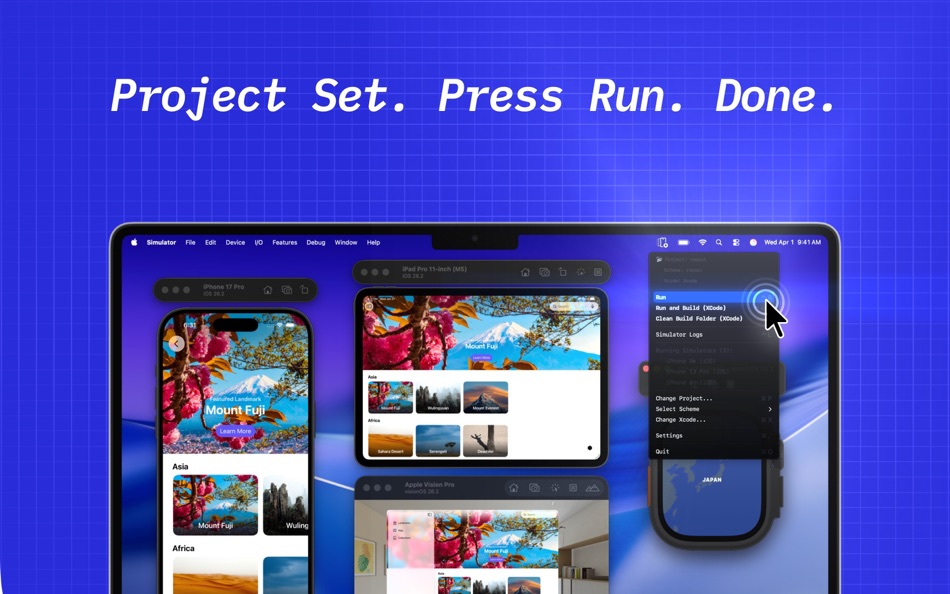
Press Ctrl+Shift+R to build once. MultiSim installs and launches your compiled .app on every booted simulator simultaneously. iPhone SE, iPhone 16 Pro, iPad Air: all updated at once. Up to 20x faster than the traditional approach.
Press Ctrl+R to run across all simulators instantly without rebuilding.
FOCUS STAYS IN YOUR EDITOR
When you press Run in Xcode, the system moves focus to the simulator. You have to click back to return to your code. MultiSim runs entirely via global hotkeys: press Ctrl+R, all simulators update, your editor never loses focus.
If you do pixel-perfect UIKit development, this means hours of saved focus every day.
LIVE LOG VIEWER, PER SIMULATOR
Each simulator's logs appear in a separate live tab. App logs only, or full iOS system output? Switch with one tap on the segment selector.
Logs persist across builds. In Xcode, switching simulators means losing the previous console. In MultiSim, every log stays until the next build. Review history, compare, search, filter.
Fling the dark floating window to any screen corner - it snaps automatically. Font size, opacity, and style are fully customizable.
FEATURES
- Run on all open simulators at once (Ctrl+R)
- Build and run via Xcode integration (Ctrl+Shift+R)
- Global hotkeys, focus stays in editor
- Live per-simulator log tabs
- App / System log toggle
- Logs persist across builds
- Flick-to-snap window positioning
- Font, opacity and style customization
- Xcode project and scheme picker
- Menu bar app, no dock icon
PRIVACY
No user data collected. Zero telemetry, zero analytics.
About Subscriptions:
MultiSim is free to download. A subscription unlocks full access to all features.
Subscriptions are managed by the user. You can cancel anytime in Account Settings. The unused portion of a free trial will be forfeited upon purchase. Payment will be charged to your Apple ID account at purchase confirmation. Subscription automatically renews unless canceled at least 24 hours before the end of the current period.
- Privacy policy: https://multisim.tr/en/privacy/
- Terms of use: https://multisim.tr/en/terms/
Ad
ภาพหน้าจอ



ประวัติราคา
-
* การซื้อภายในแอพ - วันนี้: ฟรี
- ต่ำสุด: ฟรี
- มากที่สุด: ฟรี
ติดตามราคา
มีอะไรใหม่
- เวอร์ชัน: 1.0.2
- อัปเดต:
ข้อมูลเพิ่มเติม
- วันที่วางจำหน่าย:
- หมวดหมู่:
macOS แอป›เครื่องมือ - ระบบปฏิบัติการ:
macOS,macOS 11.0 และสูงกว่า - ขนาด:
10 Mb - ภาษาที่สนับสนุน:
English,Turkish - การจัดประเภทเนื้อหา:
4+ - Mac App Store คะแนนโดย:
0 - เว็บไซท์:
 https://multisim.tr/en/
ผู้พัฒนา
รายการ (0)
0 ☹️
- MultiSim for Xcode Simulator
แต้มแล (0)
0 ☹️
การจัดอันดับ (0)
0 ☹️
ความเห็น (0)
เป็นคนแรกที่แสดงความเห็น 🌟
«MultiSim for Xcode Simulator». แพลตฟอร์ม: macOS. หมวดหมู่: เครื่องมือ. ผู้พัฒนา: «Metromedya Digital Ad Agency». การเปิดตัวครั้งแรก: . อัปเดตล่าสุด: . ราคาปัจจุบัน: ฟรี. ชื่อนี้ยังไม่ได้รับการให้คะแนนหรือบทวิจารณ์บน AppAgg ภาษาที่ใช้ได้: English, Turkish. AppAgg ติดตามประวัติราคา การให้คะแนน และคำติชมของผู้ใช้ «MultiSim for Xcode Simulator». ส่วนลดและอัปเดตในอนาคต: RSS. AppAgg ไม่ได้โฮสต์แอปพลิเคชันหรือแจกจ่ายซอฟต์แวร์ เครื่องหมายการค้า โลโก้ และภาพหน้าจอทั้งหมดเป็นของเจ้าของที่เกี่ยวข้อง
MultiSim for Xcode Simulator URL แบบสั้น: คัดลอกแล้ว!- 🌟 แชร์
- Mac App Store
คล้ายกัน
-
- RocketSim for Xcode Simulator
- macOS แอป: เครื่องมือ โดย: SwiftLee
- * ฟรี
- รายการ: 1 + 3 0 0
- แต้มแล: 9 + 0 เวอร์ชัน: 15.0.2 RocketSim enhances the Xcode Simulator for iOS and iPadOS development: boost productivity and streamline your workflow with capture, networking, build insights, and quick actions ... ⥯
-
- ProSim for Xcode Simulator
- macOS แอป: เครื่องมือ โดย: Lionary LLC
- $9.99
- รายการ: 0 + 0 0 0
- แต้มแล: 0 + 0 เวอร์ชัน: 1.0.1 Build, test and ship apps faster with these essential tools for Xcode Simulator. ProSim is an all-in-one companion app for Xcode, offering more than 27 essential simulator tools you ... ⥯
-
- Mockalign for Xcode simulator
- macOS แอป: เครื่องมือ โดย: Paul BANCAREL
- * ฟรี
- รายการ: 0 + 1 0 0
- แต้มแล: 0 + 0 เวอร์ชัน: 2.0.1 Mockalign - Increase productivity develop design faster No more headache! Unleash the full potential of your iOS app development with Mockalign, the essential toolbox for developers ... ⥯
-
- Sim Toolkit
- macOS แอป: เครื่องมือ โดย: Akash Popat
- $8.99
- รายการ: 0 + 0 0 0
- แต้มแล: 0 + 0 เวอร์ชัน: 1.0.4 Unleash the Full Potential of Your Xcode Simulator Introducing Sim Toolkit, the ultimate companion for iOS developers seeking to turbocharge their Xcode simulator experience. Designed ... ⥯
-
- Sim Folders
- macOS แอป: เครื่องมือ โดย: Yoan Bertouin
- ฟรี
- รายการ: 0 + 0 0 0
- แต้มแล: 0 + 0 เวอร์ชัน: 1.0.0 Sim folders lets you explore the directories of your apps installed in iPhone, iPad, Apple Watch, Apple TV, and Vision Pro simulators. Located in the menu bar and accessible in one ... ⥯
-
- Simulator Recorder
- macOS แอป: เครื่องมือ โดย: Just About Managing
- $4.99
- รายการ: 0 + 1 0 0
- แต้มแล: 0 + 0 เวอร์ชัน: 2.5.2 Grab screenshots and video from the iOS Simulator and Corona SDK Simulator with a single button click. Create professional quality promotional material and demonstration movies and ... ⥯
-
- Xcode app Icons: Icon Crafter
- macOS แอป: เครื่องมือ โดย: Mahmoud Suliman
- * ฟรี
- รายการ: 0 + 0 0 0
- แต้มแล: 0 + 0 เวอร์ชัน: 1.2 IconCrafter Effortless App Icon Generation for Apple Platforms Create beautiful, Xcode-ready app icons for iOS, iPadOS, macOS, visionOS, watchOS, and tvOS in seconds! IconCrafter is ... ⥯
-
- Simulator Recorder for Xcode
- macOS แอป: เครื่องมือ โดย: Daniel Zanchi
- ฟรี
- รายการ: 0 + 0 0 0
- แต้มแล: 0 + 0 เวอร์ชัน: 2.0 Record your iOS simulator and easily add taps, compress the video or save it as a GIF! Share it to the App Store Connect or with friends and colleagues in just a second. Switch from ... ⥯
-
- Simulator Debug: Easy Defaults
- macOS แอป: เครื่องมือ โดย: GREG ANDREW ROSS
- ฟรี
- รายการ: 0 + 0 0 0
- แต้มแล: 0 + 0 เวอร์ชัน: 1.0.3 Easy Defaults is the ultimate tool for developers who want to gain insight into the user defaults of their iOS apps. Whether you're debugging, testing, or fine-tuning your app's ... ⥯
-
- SimCockpit for Xcode
- macOS แอป: เครื่องมือ โดย: Erick Jung
- * ฟรี
- รายการ: 0 + 0 0 0
- แต้มแล: 0 + 0 เวอร์ชัน: 1.0.1 Enhance your Xcode Simulator capabilities with robust utilities built to maximize efficiency, simplify testing, and accelerate your development cycle. Core Benefits Maximize efficiency ⥯
- ใหม่
- SS for Simulator
- macOS แอป: เครื่องมือ โดย: MUNUR OSMAN
- * ฟรี
- รายการ: 0 + 0 0 0
- แต้มแล: 0 + 0 เวอร์ชัน: 1.1 Capture/Record your phone screen through Phone Mirroring app or Xcode Simulator and frame it in beautiful device bezels. This is a minimal marketing tool and is not intended for ... ⥯
-
- Swiftify for Xcode
- macOS แอป: เครื่องมือ โดย: Swiftify, Inc.
- * ฟรี
- รายการ: 0 + 2 1 (1) 0
- แต้มแล: 0 + 0 เวอร์ชัน: 6.2 To install Swiftify for Xcode in Xcode 26 (or Xcode 16) on macOS Sequoia (or Sonoma): Quit Xcode Launch Swiftify for Xcode from your Applications folder and follow the link to get your ⥯
-
- SimCleaner for Xcode
- macOS แอป: เครื่องมือ โดย: Ivan Stepanok
- * ฟรี
- รายการ: 0 + 0 0 0
- แต้มแล: 0 + 0 เวอร์ชัน: 1.1 SimCleaner for Xcode is your control panel for Xcode simulators. It shows all your devices in one clean window, helps you launch the ones you need, and safely remove those you no ... ⥯