
ที่บันทึกไว้
เลือกชื่อที่จะแสดงในเมนูที่บันทึกไว้ของคุณ
เสร็จแล้ว
| ผู้พัฒนา: | Jeffrey Johnson (8) | ||
| ราคา: | $4.99 | ||
| การจัดอันดับ: | 0 | ||
| ความเห็น: | 0 โพสต์ความคิดเห็น | ||
| รายการ: | 0 + 0 | ||
| แต้มแล: | 0 + 0 ¡ | ||
| +1 แต้มแล | |||
คำอธิบาย

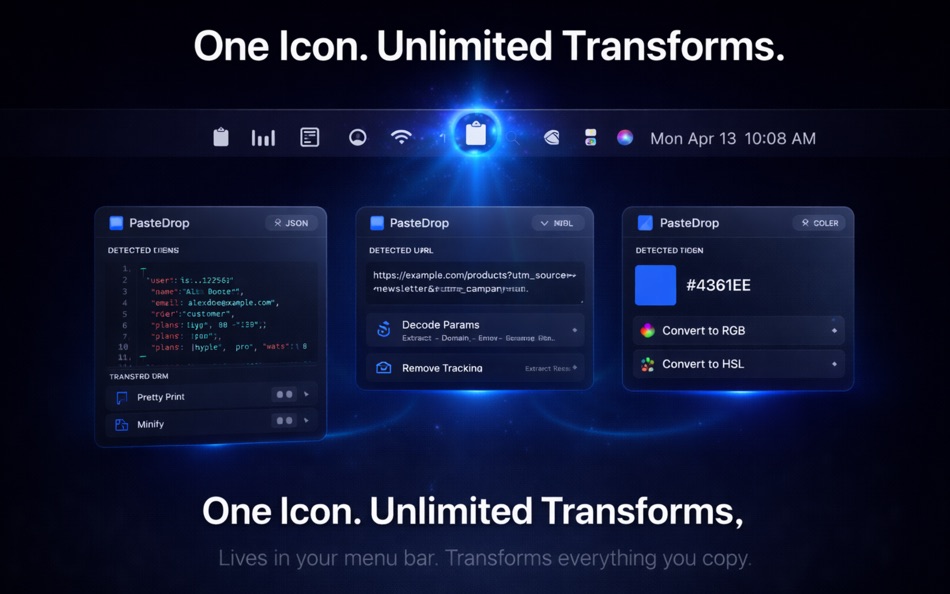
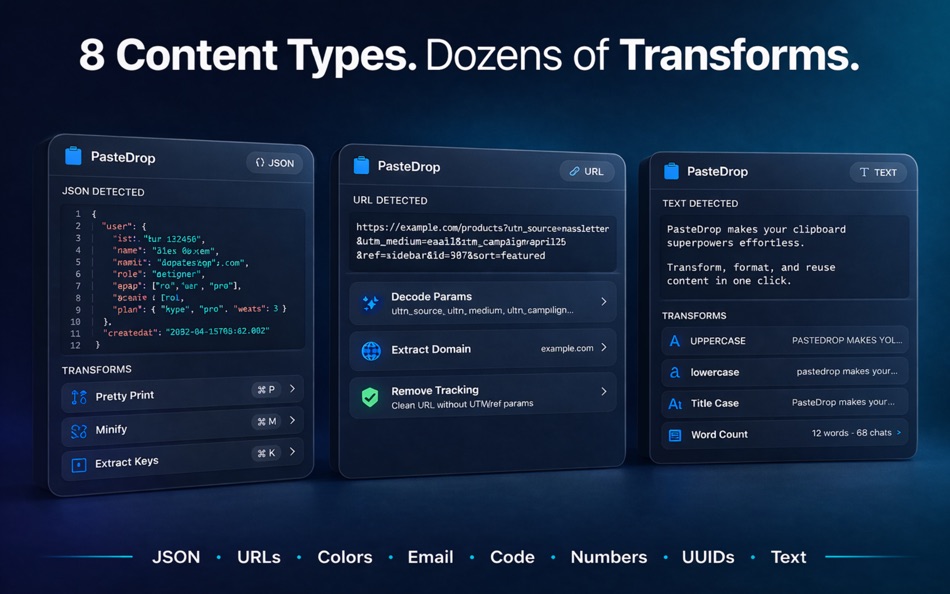
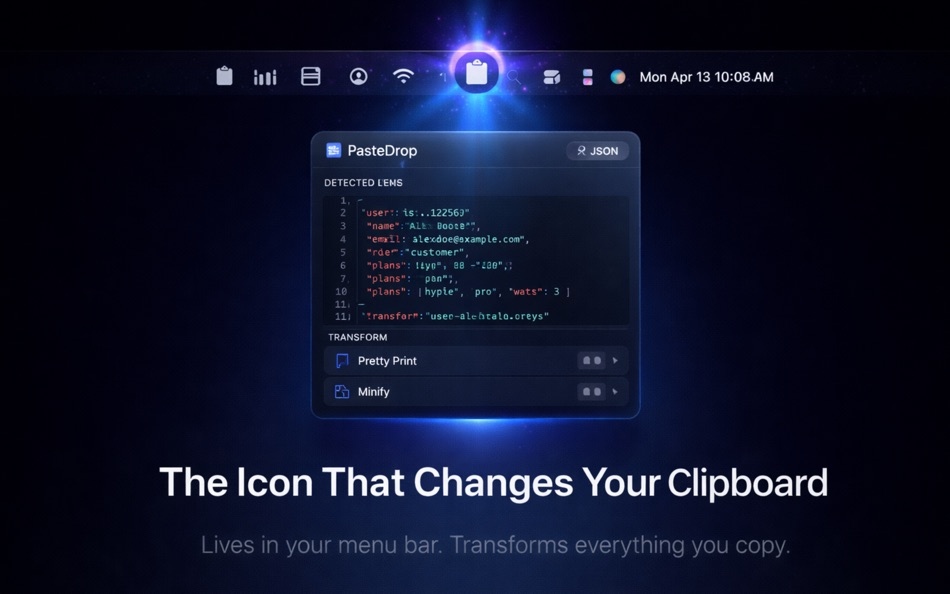
PasteDrop lives in your menu bar and instantly detects what you've copied -- JSON, URLs, hex colors, email addresses, code snippets, numbers, UUIDs, and plain text. Then it offers one-click transformations tailored to that content type.
WHAT IT DOES
Copy something. Click PasteDrop in your menu bar. See what you've got and what you can do with it.
- JSON: Pretty-print, minify, extract keys, convert to YAML or query string
- URLs: Decode parameters, extract domain, remove tracking, convert to markdown link
- Hex Colors: Convert to RGB, HSL, or SwiftUI Color literal. Preview the color.
- Email Addresses: Extract domain, create mailto link, copy username
- Code: Escape/unescape HTML entities, convert between camelCase/snake_case/kebab-case
- Numbers: Convert between decimal, hex, binary, octal. Format with separators.
- UUIDs: Generate new, convert case, strip hyphens, validate format
- Plain Text: Word count, character count, title case, slug, trim whitespace, encode as URL/Base64
WHY YOU'LL LOVE IT
No windows to manage. No complex UI to learn. Copy something, click the menu bar icon, pick a transform. The result goes right back to your clipboard.
PasteDrop replaces dozens of bookmark-bar web tools and terminal one-liners with a single, native macOS experience that works instantly and never phones home.
PRIVACY FIRST
PasteDrop processes everything locally. Your clipboard content never leaves your Mac. No analytics. No accounts. No network connections. Period.
BUILT FOR DEVELOPERS AND POWER USERS
If you spend your day copying and pasting between tools, PasteDrop saves you hundreds of micro-context-switches per week. It's the clipboard utility that should have shipped with macOS.
- Native macOS app (SwiftUI, no Electron)
- Lives in your menu bar, out of your way
- Instant detection and transformation
- Supports macOS 14 Sonoma and later
- Designed to follow Apple Human Interface Guidelines
ภาพหน้าจอ


ประวัติราคา
- ราคาปัจจุบัน: $4.99
- ต่ำสุด: $4.99
- มากที่สุด: $4.99
ติดตามราคา
Ad
ข้อมูลเพิ่มเติม
- วันที่วางจำหน่าย:
- หมวดหมู่:
macOS แอป›เครื่องมือ - ระบบปฏิบัติการ:
macOS,macOS 14.0 และสูงกว่า - ขนาด:
1 Mb - ภาษาที่สนับสนุน:
English - การจัดประเภทเนื้อหา:
4+ - Mac App Store คะแนนโดย:
0 - เว็บไซท์:
 https://87n1.com/apps/pastedrop
มีอะไรใหม่
- เวอร์ชัน: 1.0
- อัปเดต:
ผู้พัฒนา
- Jeffrey Johnson
- แพลตฟอร์ม: Android แอป (2) iOS แอป (4) macOS แอป (2)
- รายการ: 0 + 0
- แต้มแล: 0 + 3 ¡
- การจัดอันดับ: 0
- ความเห็น: 0
- ลดราคา: 0
- วิดีโอ: 0
- RSS: ติดตาม
รายการ (0)
0 ☹️
- PasteDrop
แต้มแล (0)
0 ☹️
การจัดอันดับ (0)
0 ☹️
ความเห็น (0)
เป็นคนแรกที่แสดงความเห็น 🌟
«PasteDrop». แพลตฟอร์ม: macOS. หมวดหมู่: เครื่องมือ. ผู้พัฒนา: «Jeffrey Johnson». การเปิดตัวครั้งแรก: . อัปเดตล่าสุด: . ราคาปัจจุบัน: $4.99. ราคาต่ำสุดที่บันทึกไว้: $4.99. ราคาสูงสุดที่บันทึกไว้: $4.99. ชื่อนี้ยังไม่ได้รับการให้คะแนนหรือบทวิจารณ์บน AppAgg ภาษาที่ใช้ได้: English. AppAgg ติดตามประวัติราคา การให้คะแนน และคำติชมของผู้ใช้ «PasteDrop». ส่วนลดและอัปเดตในอนาคต: RSS. AppAgg ไม่ได้โฮสต์แอปพลิเคชันหรือแจกจ่ายซอฟต์แวร์ เครื่องหมายการค้า โลโก้ และภาพหน้าจอทั้งหมดเป็นของเจ้าของที่เกี่ยวข้อง
PasteDrop URL แบบสั้น: คัดลอกแล้ว!- 🌟 แชร์
- Mac App Store
คล้ายกัน
-
- Color Drop: Menu Bar Picker
- macOS แอป: เครื่องมือ โดย: Maria Hollweck
- $2.99
- รายการ: 0 0 0
- แต้มแล: 0 เวอร์ชัน: 1.0 Color Drop lives in your menu bar and lets you pick any color from anywhere on your screen with a single click. Click the eyedropper icon, sample any pixel on your display, and ... ⥯
-
- Appily-Drag & Drop App Builder
- macOS แอป: เครื่องมือ โดย: Ria De Beer
- ฟรี
- รายการ: 0 0 0
- แต้มแล: 0 เวอร์ชัน: 3.5 Appily combines native cross-platform app development and mobile marketing into a single powerful solution. The simple app builder allows you to quickly create your own customized app ... ⥯
-
- Clipboard Auto Paste Keyboard
- macOS แอป: เครื่องมือ โดย: Provelopers
- ฟรี
- รายการ: 0 0 0
- แต้มแล: 1 เวอร์ชัน: 1.6 Discover Clipboard: your ultimate macOS clipboard manager. Clipboard automatically captures every piece of text or image you copy, building an organized, searchable history of snippets ⥯
-
- JWT Inspector
- macOS แอป: เครื่องมือ โดย: Stephen Lind
- ฟรี
- รายการ: 0 0 0
- แต้มแล: 0 เวอร์ชัน: 1.0.1 Paste in an encoded JWT on the left to see its header and payload decoded on the right. What it doesn't do: - Upload data anywhere (app is sandboxed, client/server connections not ... ⥯
-
- Klipped
- macOS แอป: เครื่องมือ โดย: Andrew Drake
- ฟรี
- รายการ: 0 + 2 0 0
- แต้มแล: 19 เวอร์ชัน: 3.0.2 Beauty in simplicity. Klipped is a minimalist scratch pad that is a buddy for all your other apps. Write ideas down. Paste text and use as a clipboard; delete when you re done. No ... ⥯
-
- RocketSim for Xcode Simulator
- macOS แอป: เครื่องมือ โดย: SwiftLee
- * ฟรี
- รายการ: 1 + 3 0 0
- แต้มแล: 9 เวอร์ชัน: 15.1.0 RocketSim enhances the Xcode Simulator for iOS and iPadOS development: boost productivity and streamline your workflow with capture, networking, build insights, and quick actions ... ⥯
-
- Color Picker - Pikka
- macOS แอป: เครื่องมือ โดย: Ruslan Sayfutdinov
- * ฟรี
- รายการ: 2 + 1 0 0
- แต้มแล: 6 เวอร์ชัน: 4.0.4 ** Apple's pick for Apps And Games We Love Right Now ** Pikka - Color Picker is an easy-to-use color picker and palette generator for developers and designers that works well with ... ⥯
-
- Transmit 5
- macOS แอป: เครื่องมือ โดย: Panic, Inc.
- * ฟรี
- รายการ: 6 + 2 0 0
- แต้มแล: 6 เวอร์ชัน: 5.11.6 The gold standard of macOS file transfer apps just drove into the future. Transmit 5 is here. Upload, download, and manage files on tons of servers with an easy, familiar, and powerful ⥯
-
- DevUtils.app
- macOS แอป: เครื่องมือ โดย: Dinh Quang Trung
- ฟรี
- รายการ: 2 + 3 0 0
- แต้มแล: 8 เวอร์ชัน: 1.17.0 The free version includes 3 tools: - Unix Time Converter (+ Timezone support) - JSON Format/Validate - Base64 String Encode/Decode List of all current tools: - Unix Time Converter - ... ⥯
-
- RibbonDiff
- macOS แอป: เครื่องมือ โดย: Rei Kitajima
- * ฟรี
- รายการ: 0 + 1 0 0
- แต้มแล: 7 เวอร์ชัน: 4.1.0 Compare two versions of text instantly - ideal for code, config files, logs, and document edits. RibbonDiff for macOS gives you a Mac-native, side-by-side diff view with fully editable ⥯
-
- System Color Picker
- macOS แอป: เครื่องมือ โดย: Sindre Sorhus
- ฟรี
- รายการ: 1 + 3 0 0
- แต้มแล: 6 เวอร์ชัน: 2.2.2 Pick colors from anywhere using the built-in color picker. Note: On macOS 26, a system bug causes the color sampler to sometimes pick the wrong color. The app relies on macOS's color ... ⥯
-
- Base64 Coder
- macOS แอป: เครื่องมือ โดย: Pavel Kosykh
- ฟรี
- รายการ: 0 + 2 0 0
- แต้มแล: 14 เวอร์ชัน: 2.1.0 Base64 Coder is a fast and easy converter files to a Base64 format. Features: Fast work; Automatically string copy; Drag & Drop; MIME prefix support; Save result to file; Result ... ⥯
-
- Localization Assistant
- macOS แอป: เครื่องมือ โดย: 波 宋
- $2.99
- รายการ: 0 + 1 0 0
- แต้มแล: 0 เวอร์ชัน: 3.4 Localization Assistant is a software development tool that helps you edit the Strings Files used for localization of your Xcode projects. Usage Description: 1. There are 3 ways to open ⥯
-
- Shell Assistant
- macOS แอป: เครื่องมือ โดย: Michael Taylor
- ฟรี
- รายการ: 0 0 0
- แต้มแล: 3 เวอร์ชัน: 0.9.6 Great SSH server management tool SSH Client Terminal SFTP File manager View images and pdfs Stream audio and video Edit code on the server Use selections in the terminal Paste history ... ⥯