
| ผู้พัฒนา: | Elena Drozhzhina (9) | ||
| ราคา: | $9.99 | ||
| การจัดอันดับ: | 0 | ||
| ความเห็น: | 0 เขียนความเห็น | ||
| รายการ: | 0 + 1 | ||
| แต้มแล: | 2 + 0 ¡ | ||
| Mac App Store | |||
คำอธิบาย
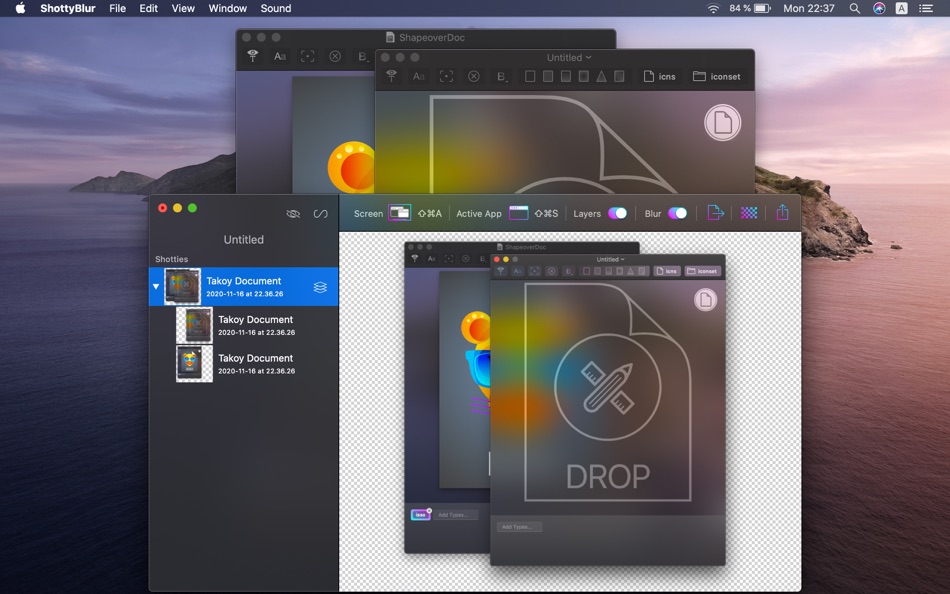
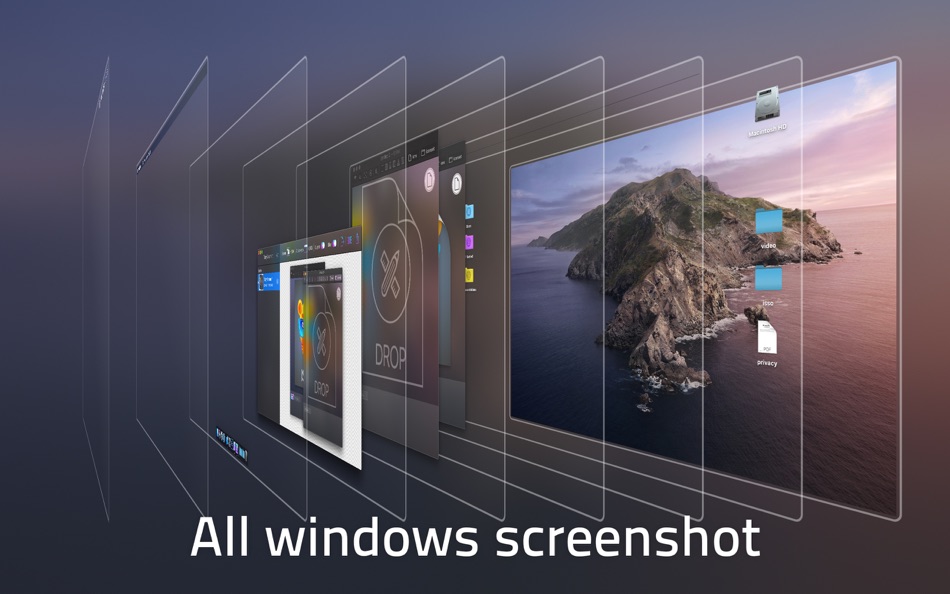
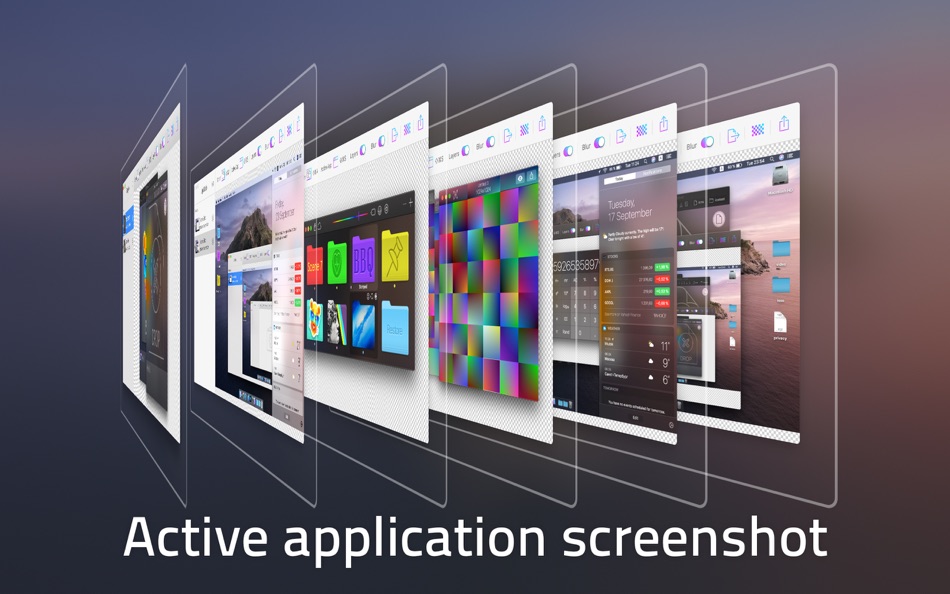
- Grab all windows or just an active app.
- Hide ShottyBlur completely before a new screenshot by pressing Ctrl-H shortcut.
- Every window of a layered screenshot place on a transparent background.
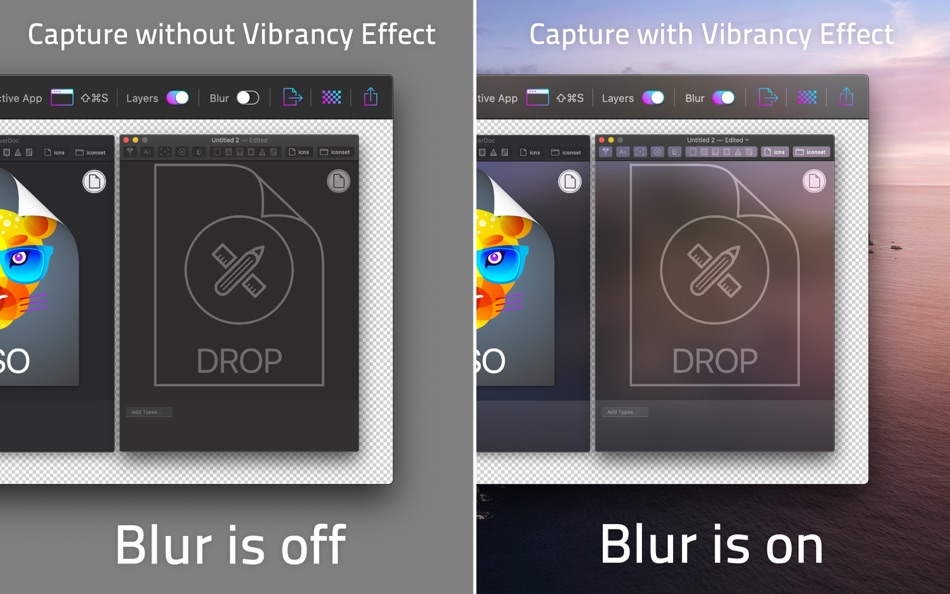
- Capture windows which has a vibrancy effect.
- Direct drag screenshots into graphic app to continue work with them.
- Organise your screenshots - save them as Shotty documents.
- Main shortcuts are customizable.
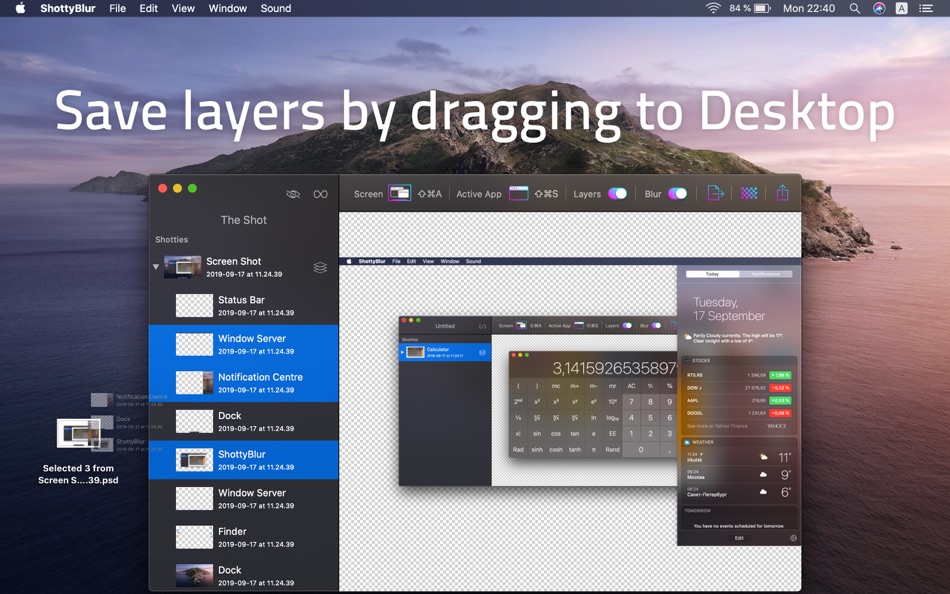
- Save selected layers of multi-layered screenshots by dragging it into Finder.
- Export as Photoshop PSD document with all layers.
- Export as PNG, JPEG or TIFF with a single layer.
- Drag and drop screenshots into Finder to save as PSD or PNG documents.
- You can take layered as well as non-layered screenshots with an appropriate option.
- Use pinch zoom and smart zoom with trackpad. Inspect transparency on a checker or white background.
- Look into captured layers in 3D Viewer by pressing Space key on selected screenshots
- Play Animation in 3D Viewer by pressing Space key
- Merge selected layers inside multi layered screenshots
- Remove selected layers in multi layered screenshots
ภาพหน้าจอ
มีอะไรใหม่
- เวอร์ชัน: 1.4.1
- อัปเดต:
- • Support for macOS Sonoma and Mac computers with Apple silicon
• Merging of selected layers inside multi layered screenshots
• Removing of selected layers in multi layered screenshots
• Removing a layer by two-finger swipe
• Look into captured layers in 3D Viewer by pressing Space key on selected screenshots
• Play Animation feature in 3D Viewer
• Hide Until New Shot - allows you to temporary hide ShottyBlur completely until you make a new screenshot
- Activate it before a new screenshot using crossed out eye icon or by pressing Ctrl-H shortcut
• Stability improvements
ราคา
- วันนี้: $9.99
- ต่ำสุด: $6.99
- มากที่สุด: $14.99
ติดตามราคา
ผู้พัฒนา
แต้มแล
-

- 2,359 Kras-s-savchiK
- +1
-
- 541 MichaelTheGeek
- +1


การจัดอันดับ
0 ☹️
รายการ
0 ☹️
- ShottyBlur
ความเห็น
แสดงรีวิวเป็นคนแรกเลย 🌟
ข้อมูลเพิ่มเติม
- เวอร์ชัน: 1.4.1
- หมวดหมู่:
macOS แอป›เครื่องมือ - ระบบปฏิบัติการ:
macOS,macOS 10.11 และสูงกว่า - ขนาด:
10 Mb - ภาษาที่สนับสนุน:
English - การจัดประเภทเนื้อหา:
4+ - Mac App Store คะแนนโดย:
0 - อัปเดต:
- วันที่วางจำหน่าย:
รายชื่อติดต่อ
- เว็บไซท์:
 http://shottyblur.imagestudiopro.com/
ShottyBlur URL แบบสั้น: คัดลอกแล้ว!- 🌟 แชร์
- Mac App Store
คุณอาจชอบ
-
- Circles - Node Editor
- macOS แอป: เครื่องมือ โดย: Anton Heestand
- ฟรี
- รายการ: 1 + 1 การจัดอันดับ: 0 ความเห็น: 0
- แต้มแล: 2 + 7 (5.0) เวอร์ชัน: 1.6.1 Circles is a node editor for creating live graphics, animations, automations and interfaces. In Circles you can connect nodes that flow in all directions. You can create graphics or ... ⥯
-
- DetailsPro
- macOS แอป: เครื่องมือ โดย: Fun Focus Software LLC
- * ฟรี
- รายการ: 0 + 2 การจัดอันดับ: 0 ความเห็น: 0
- แต้มแล: 3 + 382 (4.8) เวอร์ชัน: 6.5.0 DetailsPro is a design tool made for Apple designers and SwiftUI. Create with SwiftUI views like VStack, Text, Image, and more Make real designs without writing any code Export to ... ⥯
-
- My App Image
- macOS แอป: เครื่องมือ โดย: 镇 黄
- ฟรี
- รายการ: 0 + 0 การจัดอันดับ: 0 ความเห็น: 0
- แต้มแล: 0 + 0 เวอร์ชัน: 1.0 An application designed specifically for Mac to conveniently process images for iOS, iPad, macOS development and deployment needs, meeting various requirements. 1 Adjust image size: ... ⥯
-
- Easy Converter Full Edition
- macOS แอป: เครื่องมือ โดย: John D Gauchat
- ฟรี
- รายการ: 0 + 1 การจัดอันดับ: 0 ความเห็น: 0
- แต้มแล: 1 + 0 เวอร์ชัน: 1.02 Quickly convert and process all your images in the most popular formats, including JPG, PNG, TIFF, BMP, and GIF. Convert images to and from JPG, PNG, TIFF, BMP, and GIF Resize images ... ⥯
-
- Vernissage - Mockup Studio
- macOS แอป: เครื่องมือ โดย: min60 s.r.o.
- ฟรี
- รายการ: 0 + 0 การจัดอันดับ: 0 ความเห็น: 0
- แต้มแล: 0 + 0 เวอร์ชัน: 1.4.0 Vernissage mockup generator, wraps app screenshots in device mockups. share your app designs with clients or colleagues via Email or iMessage create screens for online application ... ⥯
-
- MotionCode
- macOS แอป: เครื่องมือ โดย: Vladyslav Yarmak
- * ฟรี
- รายการ: 0 + 0 การจัดอันดับ: 0 ความเห็น: 0
- แต้มแล: 0 + 0 เวอร์ชัน: 1.0.5 MotionCode is a fast, friendly macOS design tool built for Swift developers. Draw shapes, craft icons, rig paths with a node editor, set keyframes on a clean timeline and export ... ⥯
-
- SimpleML
- macOS แอป: เครื่องมือ โดย: Alireza Eghdamian
- $2.99
- รายการ: 0 + 0 การจัดอันดับ: 0 ความเห็น: 0
- แต้มแล: 0 + 0 เวอร์ชัน: 1.0 EasyML streamlines the most tedious part of machine learning: preparing your training data. Built exclusively for macOS and optimized for Apple Silicon, it's the missing link between ... ⥯
- ใหม่
- Macty
- macOS แอป: เครื่องมือ โดย: Ky Thanh Pham
- $9.99
- รายการ: 0 + 0 การจัดอันดับ: 0 ความเห็น: 0
- แต้มแล: 0 + 0 เวอร์ชัน: 1.1 Macty is a lightweight developer utility that lives in your menu bar, ready to format, decode, and clean your data in seconds. POWERFUL FORMATTING JSON: Beautify, minify, validate, and ⥯