
| ผู้พัฒนา: | DANIEL BERGMANN (3) | ||
| ราคา: | $8.99 | ||
| การจัดอันดับ: | 0 | ||
| ความเห็น: | 0 เขียนความเห็น | ||
| ความเห็น: | 0 โพสต์ความคิดเห็น | ||
| รายการ: | 0 + 0 | ||
| แต้มแล: | 0 + 0 ¡ | ||
| Mac App Store | |||
คำอธิบาย

PERFECT FOR YOUR USE CASES:
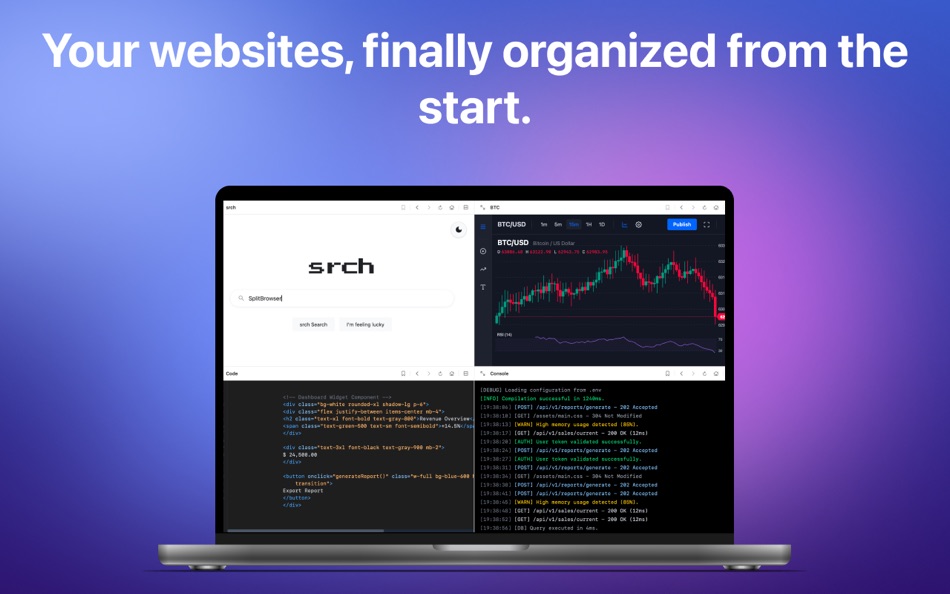
Crypto & Trading Don't miss any more market movements! View multiple crypto exchanges, stock prices, and live charts at once in one window. Perfect for day traders who need to keep track of volatility and trends without constantly switching between tabs.
Web development & programming Your dream setup in one window: on the left the frontend, on the right the API documentation or the dashboard. Use synchronized scrolling to compare code changes and server logs directly side by side, without the need for a second monitor.
Webcams & Live Feeds Monitor multiple live streams, server cams or baby monitor feeds at the same time. In the practical grid layout you have all your cameras at a glance, ideal for smart home setups or security monitoring.
Research & Comparison Comparing products, prices or data has never been easier. Load up to four different web pages in one grid to match information directly.
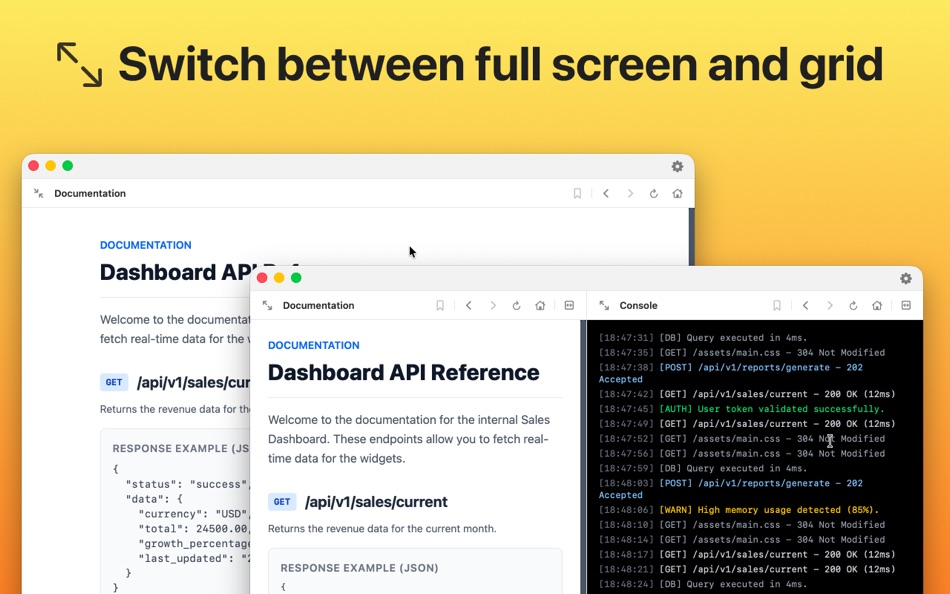
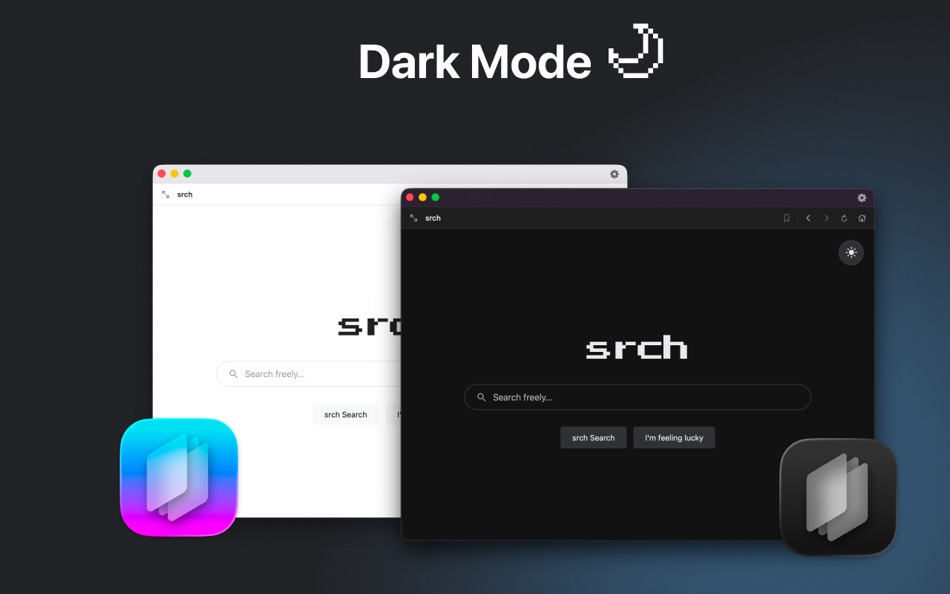
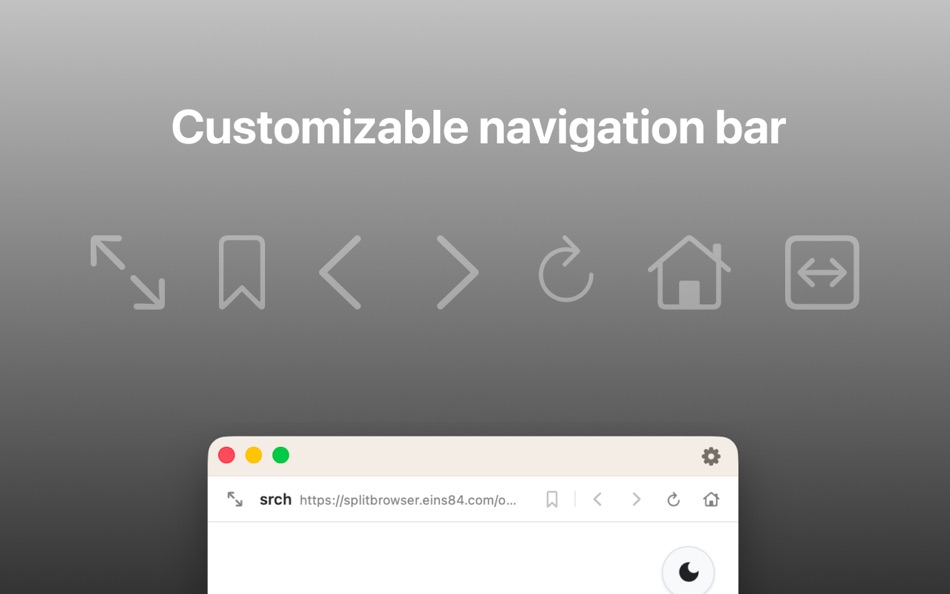
MAIN FUNCTIONS: • Real multitasking: View 1, 2, 3 or 4 web pages completely at the same time. • 10 flexible layouts: Whether in the practical 2x2 grid, all pages side by side, under each other or in asymmetrical split screens - find the layout that best suits your task. • Synchronized scrolling: Scroll in one window, and the other moves automatically and smoothly with it! • Configurable pages: Save your most important dashboards or charts so that they load individually for each window right when you start the app. • Adjustable toolbar: completely unscreass toolbars for maximum screen space. • Fullscreen & Focus: Maximize individual web pages in full screen mode to focus on specific content and seamlessly switch back to the grid layout. • Numerous theme options: natively supports the dark mode of macOS and even lets you customize the app icon.
Stop constantly switching between countless tabs. Download the app and set up your perfect digital workspace!
Ad
ภาพหน้าจอ



มีอะไรใหม่
- เวอร์ชัน: 1.26.57
- อัปเดต:
ประวัติราคา
- วันนี้: $8.99
- ต่ำสุด: $8.99
- มากที่สุด: $8.99
ติดตามราคา
ผู้พัฒนา
- DANIEL BERGMANN
- แพลตฟอร์ม: iOS แอป (2) macOS แอป (1)
- รายการ: 0 + 0
- แต้มแล: 0 + 0 ¡
- การจัดอันดับ: 0
- ความเห็น: 0
- ความเห็น: 0
- ลดราคา: 0
- วิดีโอ: 0
- RSS: ติดตาม
Ad
แต้มแล (0)
0 ☹️
การจัดอันดับ (0)
0 ☹️
รายการ (0)
0 ☹️
- SplitBrowser I Pro Split View
ความเห็น (0)
แสดงรีวิวเป็นคนแรกเลย 🌟
ข้อมูลเพิ่มเติม
ความเห็น (0)
เป็นคนแรกที่แสดงความเห็น 🌟
«SplitBrowser I Pro Split View». แพลตฟอร์ม: macOS. หมวดหมู่: เครื่องมือ. ผู้พัฒนา: «DANIEL BERGMANN». การเปิดตัวครั้งแรก: . อัปเดตล่าสุด: . ราคาปัจจุบัน: $8.99. ราคาต่ำสุดที่บันทึกไว้: $8.99. ราคาสูงสุดที่บันทึกไว้: $8.99. ชื่อนี้ยังไม่ได้รับการให้คะแนนหรือบทวิจารณ์บน AppAgg ภาษาที่ใช้ได้: English, French, German, Italian, Spanish. AppAgg ติดตามประวัติราคา การให้คะแนน และคำติชมของผู้ใช้ «SplitBrowser I Pro Split View». ส่วนลดและอัปเดตในอนาคต: RSS. AppAgg ไม่ได้โฮสต์แอปพลิเคชันหรือแจกจ่ายซอฟต์แวร์ เครื่องหมายการค้า โลโก้ และภาพหน้าจอทั้งหมดเป็นของเจ้าของที่เกี่ยวข้อง
SplitBrowser I Pro Split View URL แบบสั้น: คัดลอกแล้ว!- 🌟 แชร์
- Mac App Store
คุณอาจชอบ
-
- Browser Opener
- macOS แอป: เครื่องมือ โดย: 晓涛 王
- $1.99
- รายการ: 1 + 1 การจัดอันดับ: 0 ความเห็น: 0
- แต้มแล: 0 + 0 ความเห็น: 0 เวอร์ชัน: 2.1.0 Browser Opener allows you to open links with a specified browser. For example, you prefer Safari in daily life, but use Chrome or Firefox for web development. Just add a rule for it, ... ⥯
-
- Browser Ext for OpenTelemetry
- macOS แอป: เครื่องมือ โดย: Theodore Brockman
- ฟรี
- รายการ: 0 + 0 การจัดอันดับ: 0 ความเห็น: 0
- แต้มแล: 0 + 0 ความเห็น: 0 เวอร์ชัน: 1.3 An open-source extension for instrumenting webpages using OpenTelemetry. Generate traces and capture logs to piece together your frontend and backend problems, all without adding any ... ⥯
-
- Easy View (Logs)
- macOS แอป: เครื่องมือ โดย: Hoang Phuc Truong
- $9.99
- รายการ: 0 + 0 การจัดอันดับ: 0 ความเห็น: 0
- แต้มแล: 0 + 0 ความเห็น: 0 เวอร์ชัน: 1.0 Easy View let the developer and system guy easy to analyze their web server access logs. It show logs as chart, statistics remote access location, browser's info ... It support IIS, ... ⥯
-
- Git Browser
- macOS แอป: เครื่องมือ โดย: 兰桂 吴
- $6.99
- รายการ: 0 + 2 การจัดอันดับ: 0 ความเห็น: 0
- แต้มแล: 1 + 0 ความเห็น: 0 เวอร์ชัน: 1.2.13 Git Browser is a lightweight Git client that allows you to manage your Git repositories easily. Git Browser supports the most frequent operations via its concise UI. * Features: Basic ... ⥯
- ใหม่
- Forge: Skip the Browser
- macOS แอป: เครื่องมือ โดย: Baris Bingor
- * ฟรี
- รายการ: 0 + 0 การจัดอันดับ: 0 ความเห็น: 0
- แต้มแล: 0 + 0 ความเห็น: 0 เวอร์ชัน: 1.0.1 Forge is a native macOS app that puts your entire app publishing workflow in one fast, keyboard-friendly interface. No browser tabs. No loading spinners. Just a real Mac app built for ... ⥯
-
- Ridill SQLite Browser
- macOS แอป: เครื่องมือ โดย: Christian Andersen
- ฟรี
- รายการ: 0 + 0 การจัดอันดับ: 0 ความเห็น: 0
- แต้มแล: 0 + 0 ความเห็น: 0 เวอร์ชัน: 1.2.0 Ridill is a simple SQLite Database browser it opens your SQLite databases in readonly mode in order to keep your database safe. you can view the table schema and its data. I use it on ... ⥯
- ใหม่
- Markdown Browser
- macOS แอป: เครื่องมือ โดย: Shaun Hirst
- $1.99
- รายการ: 0 + 0 การจัดอันดับ: 0 ความเห็น: 0
- แต้มแล: 0 + 0 ความเห็น: 0 เวอร์ชัน: 1.0.0 Markdown Browser is a powerful yet elegant native Mac application designed for reading, browsing, and navigating Markdown documents with ease. Whether you're reviewing documentation, ... ⥯
-
- Logarithmic: Log View/AppTrace
- macOS แอป: เครื่องมือ โดย: WILLEM JACOBUS HATTINGH
- $9.99
- รายการ: 0 + 0 การจัดอันดับ: 0 ความเห็น: 0
- แต้มแล: 0 + 0 ความเห็น: 0 เวอร์ชัน: v1.2.9 Tired of juggling ten terminal windows? Frustrated when you undock your laptop and your log viewers disappear? Logarithmic is the ultimate log tailing application built for modern ... ⥯
-
- UiPath Browser Automation
- macOS แอป: เครื่องมือ โดย: UiPath Inc
- ฟรี
- รายการ: 0 + 0 การจัดอันดับ: 0 ความเห็น: 0
- แต้มแล: 1 + 0 ความเห็น: 0 เวอร์ชัน: 25.10.1 It enables native detection of UI elements when designing automations for web applications using UiPath Studio Web. This extension is part of a solution and only works together with ... ⥯
-
- Eraser: Cleaner for Xcode
- macOS แอป: เครื่องมือ โดย: Creator View, L.L.C.
- * ฟรี
- รายการ: 0 + 0 การจัดอันดับ: 0 ความเห็น: 0
- แต้มแล: 0 + 0 ความเห็น: 0 เวอร์ชัน: 1.0.4 Eraser helps iOS developers reclaim disk space from Xcode as a menu bar app. Over time, Xcode quietly piles up gigabytes (sometimes hundreds) of cache files and artifacts. When your ... ⥯
-
- StorkUI
- macOS แอป: เครื่องมือ โดย: Emin Grbo
- ฟรี
- รายการ: 0 + 0 การจัดอันดับ: 0 ความเห็น: 0
- แต้มแล: 1 + 0 ความเห็น: 0 เวอร์ชัน: 1.1 StorkUI is an app that aims to help you streamline your app making game even more. Over time, I will be adding various views designed with precision in mind and with modern styles that ⥯
-
- Mongon | MongoDB Client
- macOS แอป: เครื่องมือ โดย: Enes Genc
- * ฟรี
- รายการ: 0 + 0 การจัดอันดับ: 0 ความเห็น: 0
- แต้มแล: 0 + 0 ความเห็น: 0 เวอร์ชัน: 2.4 Mongon is a lightweight, modern, and beautifully designed MongoDB client built exclusively for macOS. It gives developers and database engineers a fast, intuitive, and native way to ... ⥯
-
- DataScout for SwiftData
- macOS แอป: เครื่องมือ โดย: Oleksii Oliinyk
- * ฟรี
- รายการ: 1 + 1 การจัดอันดับ: 0 ความเห็น: 0
- แต้มแล: 2 + 0 ความเห็น: 0 เวอร์ชัน: 1.7.1 Visualize and debug your SwiftData & CoreData stores in real time with DataScout s live updates, #Predicate filtering, ultra smooth scrolling, and scheme overview. Gain clear ... ⥯
-
- Octotree
- macOS แอป: เครื่องมือ โดย: Buu Nguyen
- ฟรี
- รายการ: 1 + 2 การจัดอันดับ: 0 ความเห็น: 0
- แต้มแล: 1 + 0 ความเห็น: 0 เวอร์ชัน: 7.12.1 Browser extension that enhances GitHub code review and exploration. Features * IDE-like code tree * Folder and file search * Support GitHub themes * Support private repositories * Omni ⥯