
| ผู้พัฒนา: | Levani Kirkitadze (4) | ||
| ราคา: | ฟรี | ||
| การจัดอันดับ: | 0 | ||
| ความเห็น: | 0 เขียนความเห็น | ||
| ความเห็น: | 0 โพสต์ความคิดเห็น | ||
| รายการ: | 0 + 0 | ||
| แต้มแล: | 0 + 0 ¡ | ||
| Mac App Store | |||
คำอธิบาย

Claude AI usage limits — so you never hit a rate limit by surprise.
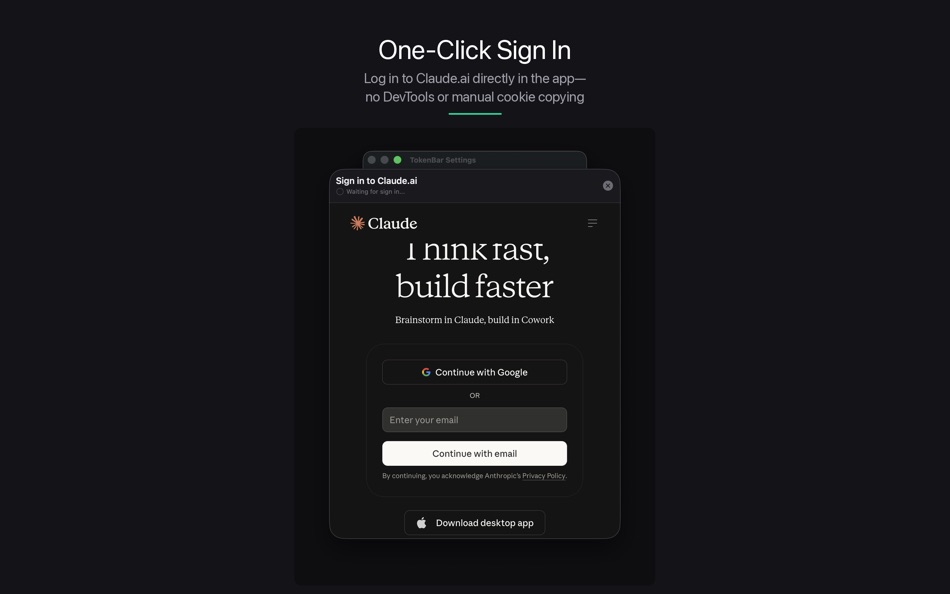
Sign in once with your Claude.ai account directly in the app, and TokenBar
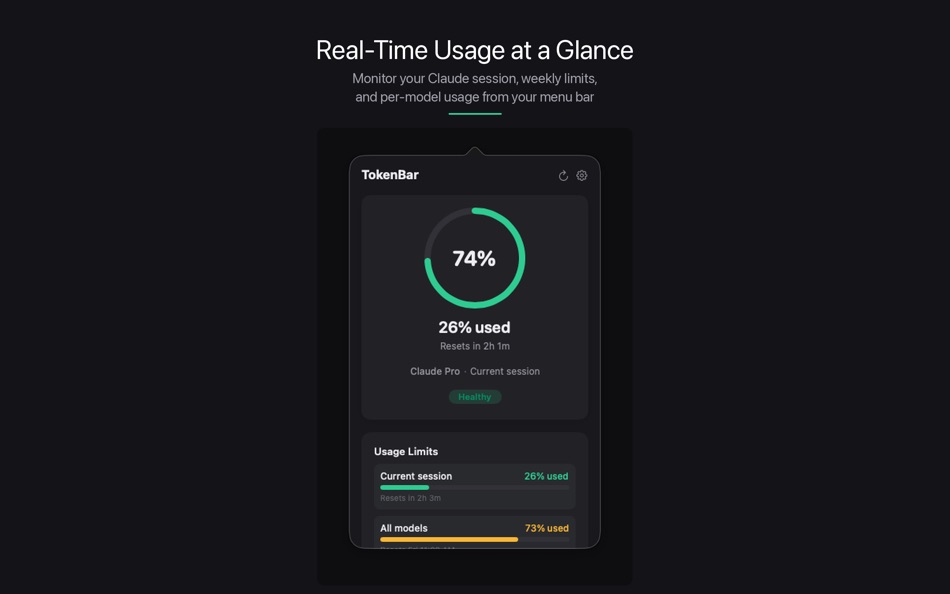
automatically tracks your current session, weekly limits, and per-model usage
in real time. A glanceable progress ring and customizable menu bar display
keep you informed without breaking your workflow.
Key features:
- One-click sign in — no manual cookie copying or developer tools required
- Live session tracking — see your current session usage and time until reset
- All rate limits at a glance — current session, weekly all-models, and
Sonnet-specific limits displayed together
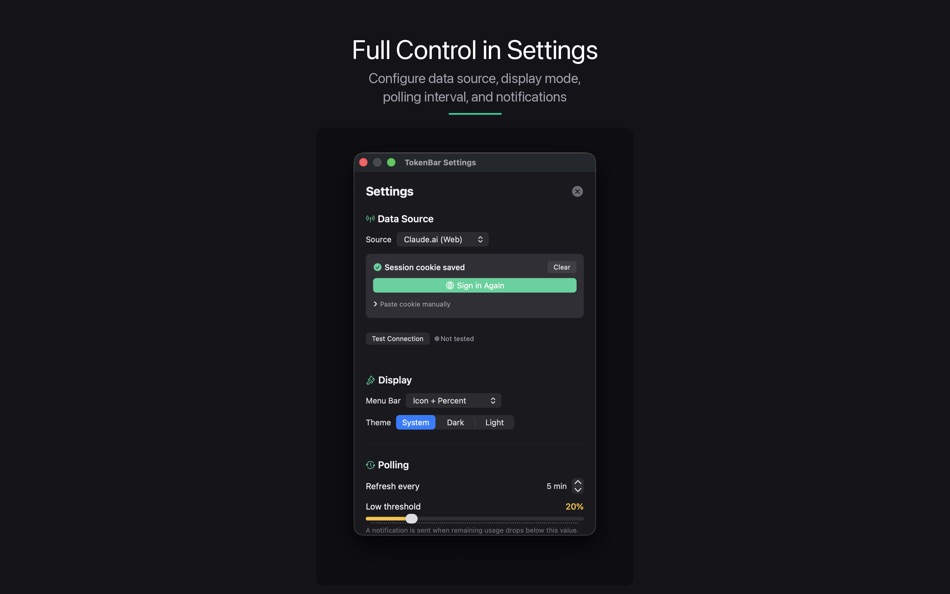
- Customizable menu bar — choose between icon only, percentage, countdown, or
smart display modes
- Auto-refresh — configurable polling interval from 1 to 60 minutes
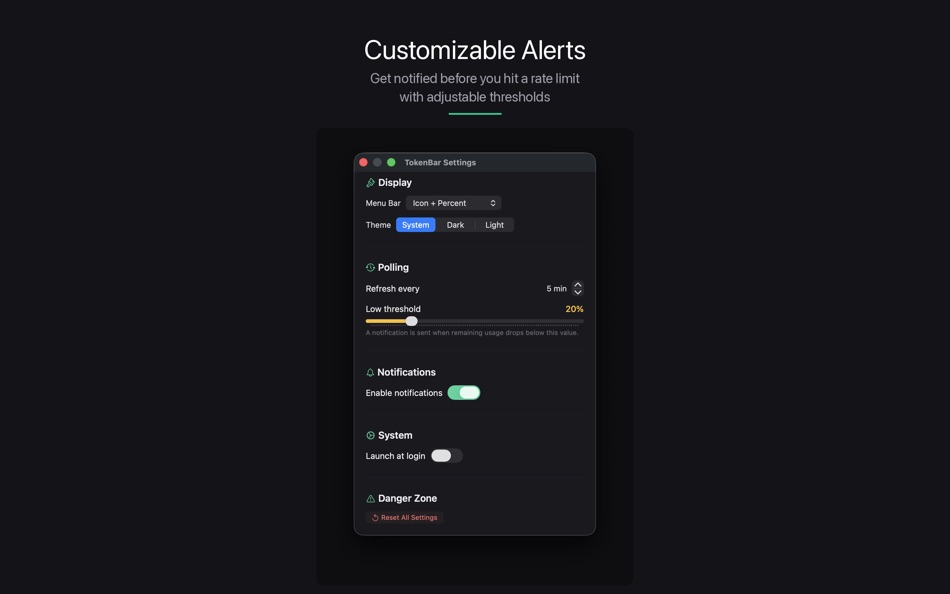
- Low usage alerts — get notified before you hit a limit, with customizable
thresholds
- Secure by design — session credentials stored in the macOS Keychain, never
on disk
- Dark mode native — adapts seamlessly to your system appearance
- Lightweight — pure Swift, no Electron, minimal resource usage
TokenBar is built for developers, writers, and power users who rely on Claude
daily and want to stay ahead of their usage limits.
Ad
ภาพหน้าจอ
ประวัติราคา
- วันนี้: ฟรี
- ต่ำสุด: ฟรี
- มากที่สุด: ฟรี
ติดตามราคา
มีอะไรใหม่
- เวอร์ชัน: 1.0.1
- อัปเดต:
- • Configurable auto-refresh interval (1-5 minutes) for iOS
• Live Activity now updates immediately when you unlock your phone
• Background refresh support for keeping data fresh
• Firebase Analytics integration for app improvements
• Menu bar improvements on macOS: percentage mode, reset time display
• Bug fixes and performance improvements
ผู้พัฒนา
- Levani Kirkitadze
- แพลตฟอร์ม: iOS แอป (3) macOS แอป (1)
- รายการ: 0 + 0
- แต้มแล: 0 + 3 ¡
- การจัดอันดับ: 0
- ความเห็น: 0
- ความเห็น: 0
- ลดราคา: 0
- วิดีโอ: 0
- RSS: ติดตาม
แต้มแล (0)
0 ☹️
การจัดอันดับ (0)
0 ☹️
รายการ (0)
0 ☹️
- TokenBar
ความเห็น (0)
แสดงรีวิวเป็นคนแรกเลย 🌟
ข้อมูลเพิ่มเติม
- เวอร์ชัน: 1.0.1
- หมวดหมู่:
macOS แอป›เครื่องมือ - ระบบปฏิบัติการ:
macOS,macOS 14.0 และสูงกว่า - ขนาด:
2 Mb - ภาษาที่สนับสนุน:
English - การจัดประเภทเนื้อหา:
4+ - Mac App Store คะแนนโดย:
0 - อัปเดต:
- วันที่วางจำหน่าย:
«TokenBar». แพลตฟอร์ม: macOS. หมวดหมู่: เครื่องมือ. ผู้พัฒนา: «Levani Kirkitadze». การเปิดตัวครั้งแรก: . อัปเดตล่าสุด: . ราคาปัจจุบัน: ฟรี. ชื่อนี้ยังไม่ได้รับการให้คะแนนหรือบทวิจารณ์บน AppAgg ภาษาที่ใช้ได้: English. AppAgg ติดตามประวัติราคา การให้คะแนน และคำติชมของผู้ใช้ «TokenBar». ส่วนลดและอัปเดตในอนาคต: RSS. AppAgg ไม่ได้โฮสต์แอปพลิเคชันหรือแจกจ่ายซอฟต์แวร์ เครื่องหมายการค้า โลโก้ และภาพหน้าจอทั้งหมดเป็นของเจ้าของที่เกี่ยวข้อง
ความเห็น (0)
เป็นคนแรกที่แสดงความเห็น 🌟
TokenBar URL แบบสั้น: คัดลอกแล้ว!- 🌟 แชร์
- Mac App Store
Ad
คล้ายกัน
-
- CodeSwissKnife Bar Dev Tools
- macOS แอป: เครื่องมือ โดย: Ottorino Bruni
- * ฟรี
- รายการ: 0 + 0 การจัดอันดับ: 0 ความเห็น: 0
- แต้มแล: 0 + 0 0 เวอร์ชัน: 1.0.4 CodeSwissKnife Bar: The Developer s Menu Bar Sidekick for macOS CodeSwissKnife Bar is a fast, privacy-first developer toolkit that lives in your Mac s menu bar. No more switching ... ⥯
-
- Menu Bar Symbols
- macOS แอป: เครื่องมือ โดย: Gryzle LLC
- $0.99
- รายการ: 0 + 0 การจัดอันดับ: 0 ความเห็น: 0
- แต้มแล: 2 + 0 0 เวอร์ชัน: 1.3.0 Finding symbols for your app has never been easier. Easily access thousands of SF (San Fransisco) Symbols straight from your menu bar. Find exactly what you're looking for with tons of ⥯
-
- Pumpkin Bar
- macOS แอป: เครื่องมือ โดย: David Norman
- ฟรี
- รายการ: 0 + 0 การจัดอันดับ: 0 ความเห็น: 0
- แต้มแล: 0 + 0 0 เวอร์ชัน: 1.0.1 If you're a developer who uses Plists (and we all do) you need PumpkinBar! It's the easiest way to manage and monitor changes to your plist. Why go digging through your project looking ⥯
- ใหม่
- Color Drop: Menu Bar Picker
- macOS แอป: เครื่องมือ โดย: Maria Hollweck
- $2.99
- รายการ: 0 + 0 การจัดอันดับ: 0 ความเห็น: 0
- แต้มแล: 0 + 0 0 เวอร์ชัน: 1.0 Color Drop lives in your menu bar and lets you pick any color from anywhere on your screen with a single click. Click the eyedropper icon, sample any pixel on your display, and ... ⥯
-
- Status of Github Menu Bar App
- macOS แอป: เครื่องมือ โดย: thomas prezioso
- ฟรี
- รายการ: 0 + 0 การจัดอันดับ: 0 ความเห็น: 0
- แต้มแล: 0 + 0 0 เวอร์ชัน: 1.1 A quick an easy way to check the status of GitHub from your Mac's menu bar! ⥯
-
- CPU Usage Monitor - Top Bar
- macOS แอป: เครื่องมือ โดย: Pawel Brewczynski
- $0.99
- รายการ: 0 + 0 การจัดอันดับ: 0 ความเห็น: 0
- แต้มแล: 0 + 0 0 เวอร์ชัน: 1.2 Simple CPU Usage monitor place in the top bar of your system ⥯
-
- UTC Bar
- macOS แอป: เครื่องมือ โดย: Michael Hasak
- $0.99
- รายการ: 0 + 0 การจัดอันดับ: 0 ความเห็น: 0
- แต้มแล: 0 + 0 0 เวอร์ชัน: 1.31 Regular top-100 developer tool for over two years! Puts UTC (GMT, Greenwich Mean) time in your menubar for quick reference. Clicking on UTC Bar shows the current day and date in UTC. ... ⥯
-
- streak-bar
- macOS แอป: เครื่องมือ โดย: Pavel Makhov
- ฟรี
- รายการ: 0 + 2 การจัดอันดับ: 0 ความเห็น: 0
- แต้มแล: 1 + 0 0 เวอร์ชัน: 1.3 A macOS menubar application which shows your github contribution chart right in your menubar! ⥯
-
- DevTools - Smarter coding
- macOS แอป: เครื่องมือ โดย: Anh Nguyen
- * ฟรี
- รายการ: 2 + 3 การจัดอันดับ: 0 ความเห็น: 0
- แต้มแล: 22 + 0 0 เวอร์ชัน: 1.2.3 DevTools is an all-in-one offline application that provides developers with essential tools for daily tasks and ensures data security. The app has been trusted by over 15,000 ... ⥯
-
- Push Express
- macOS แอป: เครื่องมือ โดย: Tomas Srna
- $4.99
- รายการ: 0 + 3 การจัดอันดับ: 0 ความเห็น: 0
- แต้มแล: 10 + 0 0 เวอร์ชัน: 1.3 Supports all of known signing identity configurations: · Newest P8 with JWT token · P12 exported certificate · PEM · Keychain-loaded from your keychain Well-designed device token ... ⥯
-
- XCOrganizer
- macOS แอป: เครื่องมือ โดย: Sergii Kryvoblotskyi
- $1.99
- รายการ: 0 + 5 การจัดอันดับ: 0 ความเห็น: 0
- แต้มแล: 13 + 0 0 เวอร์ชัน: 1.2.4 XCOrganizer is a tool that lets you easily locate any project on a disk. Browse through Xcode Projects, Xcode Workspaces, Swift Playgrounds, and Swift Packages grouped by types. Assign ⥯
-
- Transmit 5
- macOS แอป: เครื่องมือ โดย: Panic, Inc.
- * ฟรี
- รายการ: 6 + 2 การจัดอันดับ: 0 ความเห็น: 0
- แต้มแล: 6 + 0 0 เวอร์ชัน: 5.11.5 The gold standard of macOS file transfer apps just drove into the future. Transmit 5 is here. Upload, download, and manage files on tons of servers with an easy, familiar, and powerful ⥯
-
- DevUtils.app
- macOS แอป: เครื่องมือ โดย: Dinh Quang Trung
- ฟรี
- รายการ: 2 + 3 การจัดอันดับ: 0 ความเห็น: 0
- แต้มแล: 8 + 0 0 เวอร์ชัน: 1.17.0 The free version includes 3 tools: - Unix Time Converter (+ Timezone support) - JSON Format/Validate - Base64 String Encode/Decode List of all current tools: - Unix Time Converter - ... ⥯
-
- System Color Picker
- macOS แอป: เครื่องมือ โดย: Sindre Sorhus
- ฟรี
- รายการ: 1 + 3 การจัดอันดับ: 0 ความเห็น: 0
- แต้มแล: 6 + 0 0 เวอร์ชัน: 2.2.1 Pick colors from anywhere using the built-in color picker. Note: On macOS 26, a system bug causes the color sampler to sometimes pick the wrong color. The app relies on macOS's color ... ⥯