
| Utvecklare: | Studio Mee (14) | ||
| Pris: | $7.99 | ||
| Betyg: | 0 | ||
| Recensioner: | 0 Skriv en recension | ||
| Listor: | 0 + 0 | ||
| Poäng: | 0 + 0 ¡ | ||
| Mac App Store | |||
Beskrivning
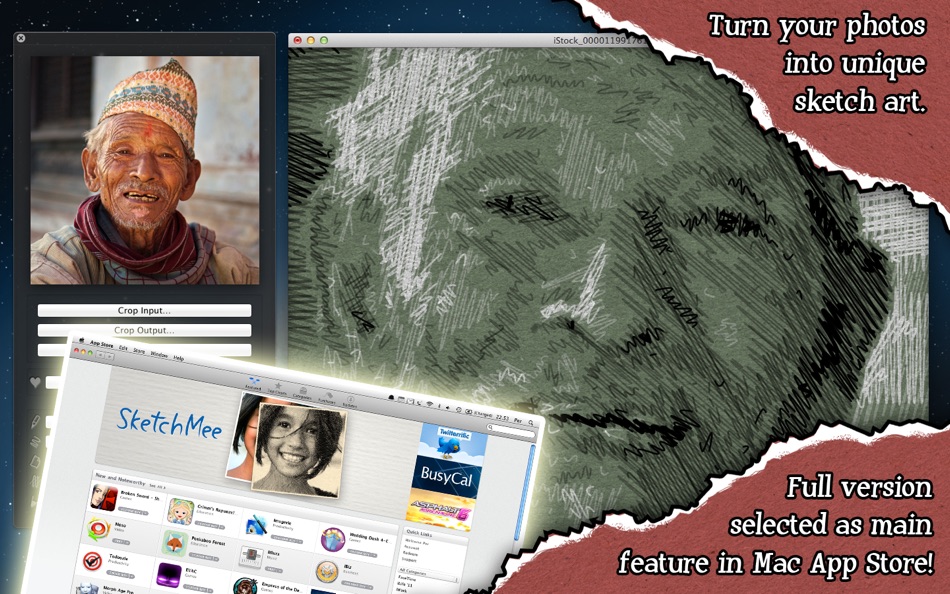
SketchMee was selected by Apple as a main front page feature app in Mac App Store, March 2011.
The successful SketchMee apps for iPhone and iPad have redefined what's possible to achieve in computer generated art with just a few taps, leaving even desktop computer software behind. Until now, that is.
SketchMee on a Mac brings the technology to a whole new level. The processing power enables the algorithms to shift into higher gears and generate new and incredible results. What became possible surprised even ourselves during development!
EASY TO USE
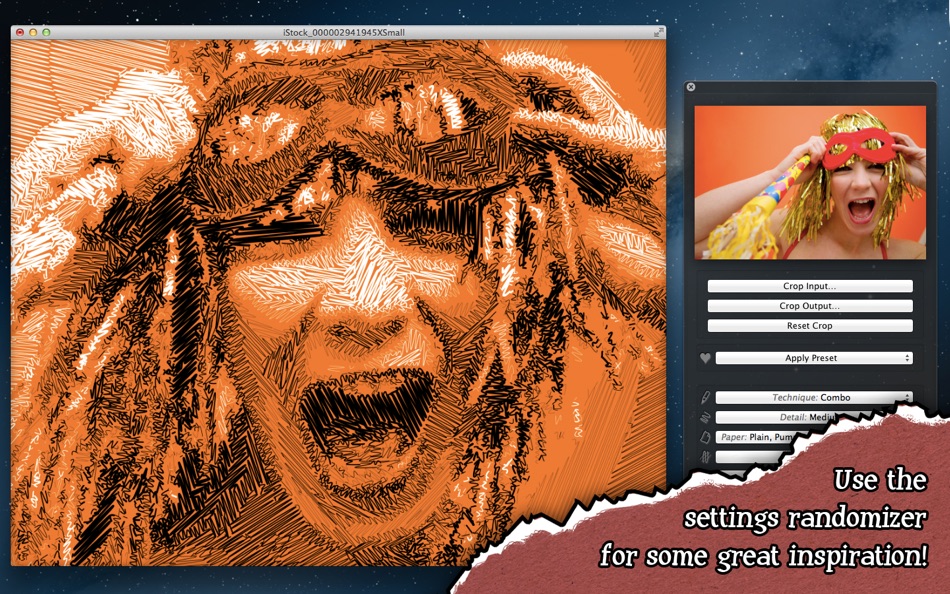
All you need to do is to open an image file. It is then automatically processed with the great default settings. Then just save the result.
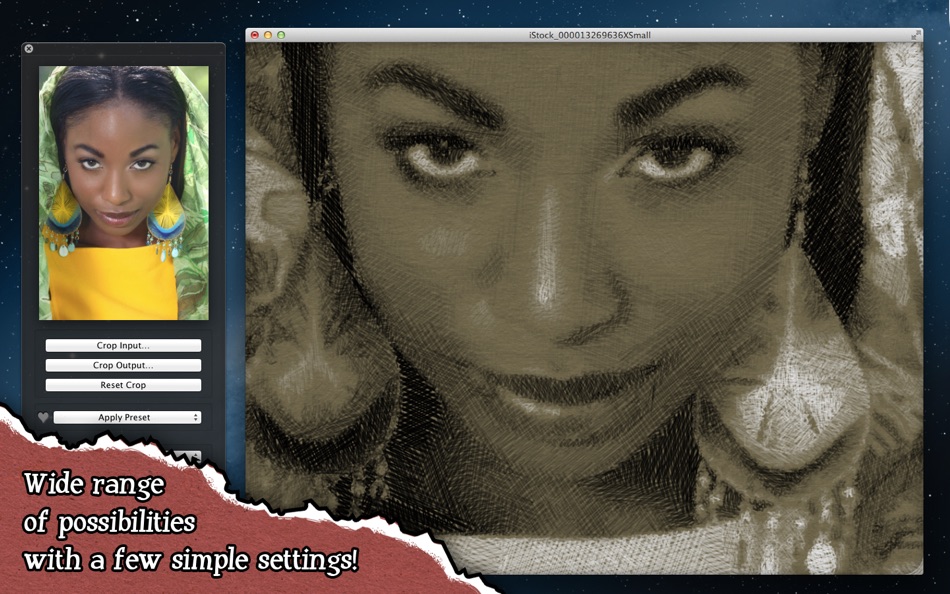
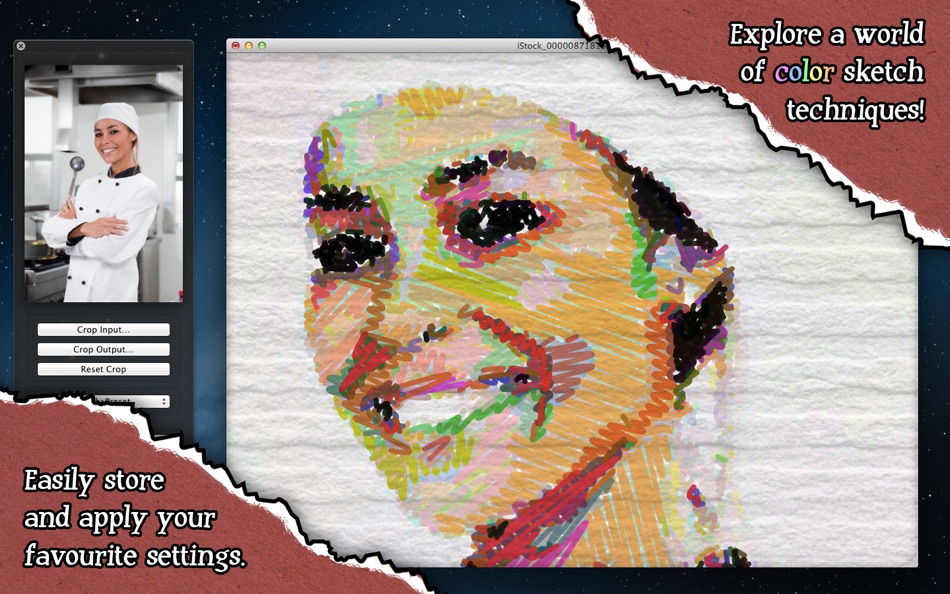
The somewhat more advanced user may want to change some settings in the control panel. A small number of well balanced, very powerful controls are available for you to try out. A good way to start experimenting is to try the 10 built-in presets on your photos by pressing Cmd-1, Cmd-2 etc. And should you find your own favorite settings, store them as new presets.
If you want to use only a part the input image, just click "Crop Input…", select a width-to-height ratio, zoom, pan, and crop. Reset crop at any time to restore the original input image.
UNIQUE FEATURES
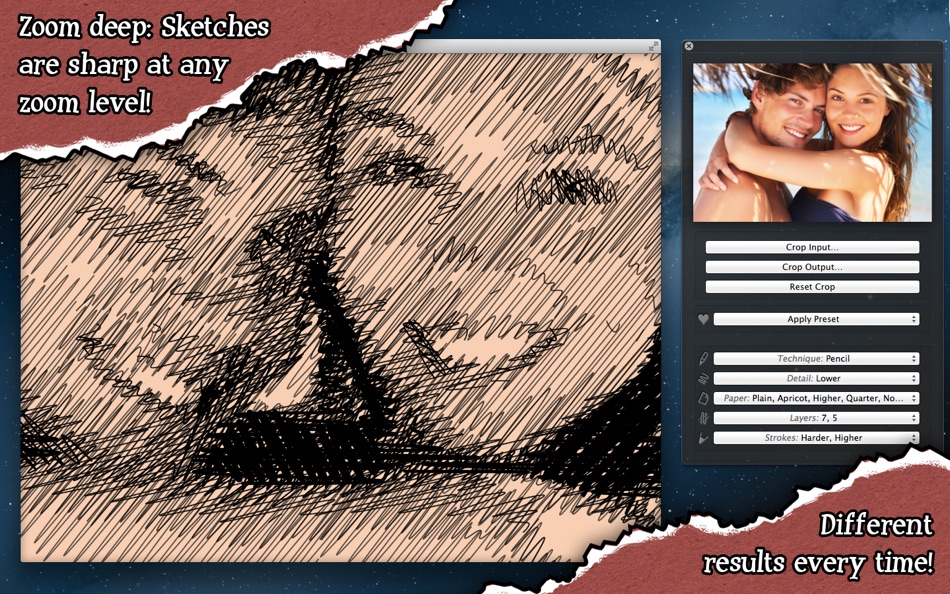
Traditional image filters just produce an image the same size as the input, but not SketchMee: A sketch is made up of thousands of mathematically defined pencil strokes, layered in clever ways to achieve the correct amount of shading in every part of the image. This powerful approach enables some unique features:
• Regardless of the size of your input image, your sketch can be saved as a 16 megapixel, perfectly sharp, high quality JPEG, fit for any use.
• Even if you crop your sketch heavily (click "Crop Output…"), you can save the remaining sketch fragment as a sharp, full resolution, 16 megapixel JPEG.
• Zoom in as deep as you like to inspect the strokes. They appear perfectly crisp at any zoom level.
HIGH SPEED
SketchMee performs the highly complex processing in parallel, making full use of every processor core in your Mac. Both when analyzing the input images and when rendering the finished sketches to screen at any zoom level, all to keep waiting times at a minimum. Processing is often finished in seconds!
GO PRO?
SketchMee Pro is now also available. It enables some very powerful features attractive to professional or advanced users, the main additions being *extremely* high resolution output, layered Photoshop PSD output, and vector PDF output! Also available in the Mac App Store.
Skärmbilder
Pris
- Idag: $7.99
- Minsta: $7.99
- Maximalt: $7.99
Bevaka priser
Utvecklare
- Studio Mee
- Plattformar: iOS Appar (9) macOS Appar (5)
- Listor: 2 + 0
- Poäng: 1 + 328 ¡
- Betyg: 0
- Recensioner: 0
- Rabatter: 0
- Videor: 0
- RSS: Prenumerera
Poäng
0 ☹️
Betyg
0 ☹️
Listor
0 ☹️
Recensioner
Var den första att granska 🌟
Ytterligare information
- Version: 1.6.1
- Kategori:
macOS Appar›Grafik & Design - OS:
macOS,macOS 10.7 och senare - Storlek:
20 Mb - Språk som stöds:
English - Innehållsrankning:
4+ - Mac App Store Betyg:
0 - Uppdaterad:
- Utgivningsdatum:
Kontakter
- Webbplats:
 http://studiomee.com/sketchmee-pro
SketchMee Kort webbadress: Kopierad!- 🌟 Dela
- Mac App Store
Du kanske också gillar
-
- Sketch.IO Sketchpad
- macOS Appar: Grafik & Design Av: Sketch.IO, Inc
- Gratis
- Listor: 0 + 0 Betyg: 0 Recensioner: 0
- Poäng: 0 + 0 Version: 2021.4.25 Whether you re working on a school poster or brainstorming your next comic book character, Sketchpad makes it easy to bring your ideas to life. Easily draw, edit photos, or design your ⥯
-
- Sketch
- macOS Appar: Grafik & Design Av: Sketch B.V.
- * Gratis
- Listor: 0 + 0 Betyg: 0 Recensioner: 0
- Poäng: 2 + 0 Version: 2025.3.1 Sketch is a complete design toolkit. With a native Mac app for design and prototyping, and web-based tools to share, get feedback and handoff. A native macOS app for design and ... ⥯
-
- Sketch Fashion
- macOS Appar: Grafik & Design Av: Splash Colors
- $9.99
- Listor: 2 + 0 Betyg: 0 Recensioner: 0
- Poäng: 12 + 0 Version: 1.3.2 Sketch Fashion gives you all the tools you need to prototype and create good apparel design. It all starts here. Sketch Fashion is a beautiful, easy to use apparel design creator ... ⥯
-
- photo to sketch pencil drawing
- macOS Appar: Grafik & Design Av: Sounak Sarkar
- $0.99
- Listor: 0 + 0 Betyg: 0 Recensioner: 0
- Poäng: 0 + 7 (4.3) Version: 1.4 Transform your cherished memories into timeless art with our Photo to Sketch app. Whether it's a special moment captured with your loved ones or a breathtaking landscape, our app ... ⥯
-
- EnBoard: Sketch & Write
- macOS Appar: Grafik & Design Av: Enid Hadaj
- $1.99
- Listor: 1 + 0 Betyg: 0 Recensioner: 0
- Poäng: 12 + 13 (4.9) Version: 1.03 Do you want to sketch something? Do you want to write some notes? Why not doing both at the same time with EnBoard? EnBoard is here for you, easy to use, practical and very useful for ... ⥯
-
- Mybrushes-Sketch,Paint,Design
- macOS Appar: Grafik & Design Av: effectmatrix
- $7.99
- Listor: 1 + 0 Betyg: 0 Recensioner: 0
- Poäng: 20 + 0 Version: 2.1.6 - On sale. Original $29.99. - Pay one time only. Get FREE regular updates and technical support forever. MyBrushes is an unique, INFINITE canvas drawing tool. Packed with an ultimate ... ⥯
-
- Doodle Joy - Draw, Sketch, Pad
- macOS Appar: Grafik & Design Av: Digital Hole Pvt. Ltd.
- $1.99
- Listor: 1 + 0 Betyg: 0 Recensioner: 0
- Poäng: 8 + 1 (2.0) Version: 1.1 Looking for an app that will unleash your inner artist and allow you to create beautiful doodles, sketches, and drawings? Look no further than Doodlejoy - the ultimate canvas for your ... ⥯
-
- SVG Vector Editor Sketch Maker
- macOS Appar: Grafik & Design Av: Rainbow Factory LTD - Sticky Notes
- Gratis
- Listor: 3 + 0 Betyg: 0 Recensioner: 0
- Poäng: 3 + 28 (4.4) Version: 2.0.5 Introducing SVG Editor: The Ultimate Vector Graphics Design and Editing App for iPhone and iPad Unleash your creativity and transform your ideas into stunning visual masterpieces with ... ⥯
-
- Whiteboard - Sketch, Doodle and Share
- macOS Appar: Grafik & Design Av: Daeo Corp. Software
- $1.99
- Listor: 0 + 0 Betyg: 0 Recensioner: 0
- Poäng: 0 + 0 Version: 1.0 A simple whiteboard app designed to make sketching and drawing quick and easy. - Built in "undo" and "redo" for when mistakes happen. - Draw on the whiteboard in "Marker" mode. - Erase ⥯
-
- Tattoo AI - sketch ideas
- macOS Appar: Grafik & Design Av: Iaroslav Mironov
- * $5.99
- Listor: 0 + 0 Betyg: 0 Recensioner: 0
- Poäng: 0 + 1 (1.0) Version: 1.0 Find the best tattoo idea for yourself or your friends. Tattoo AI is a simple and entertaining way of creating tattoo designs, sketches and character art. Here's how the app works: ... ⥯
-
- SketchMee Pro
- macOS Appar: Grafik & Design Av: Studio Mee
- $39.99
- Listor: 0 + 0 Betyg: 0 Recensioner: 0
- Poäng: 0 + 0 Version: 1.6.1 SketchMee Pro is the most advanced automatic pencil sketch generator in the world, but very easy to use and super fast. Sketches are actually drawn, stroke by stroke, on a blank paper. ⥯
-
- Pixelmator Pro
- macOS Appar: Grafik & Design Av: Apple
- $49.99
- Listor: 28 + 21 Betyg: 0 Recensioner: 0
- Poäng: 22 + 0 Version: 3.7.1 Pixelmator Pro is an incredibly powerful, beautiful, and easy-to-use image editor designed exclusively for Mac. With over 50 image editing tools, Pixelmator Pro has everything you need ⥯
-
- Lithium 2D/3D CAD
- macOS Appar: Grafik & Design Av: Ashlar-Vellum
- * Gratis
- Listor: 0 + 0 Betyg: 0 Recensioner: 0
- Poäng: 0 + 0 Version: 12.1204.207 Sketch ideas with precision faster than ever. Lithium CAD combines the speed of sketching with the accuracy of professional drafting. Create floor plans, technical diagrams, or 3D ... ⥯
-
- Graph Paper
- macOS Appar: Grafik & Design Av: Accidental Fish Ltd.
- Gratis
- Listor: 0 + 0 Betyg: 0 Recensioner: 0
- Poäng: 1 + 8 (2.8) Version: 2.1 Sketch fast. Think clearly. Graph Paper gives you a beautifully simple space to draw ideas with an authentic, hand-drawn feel now with Blueprint Mode and Vector Drawing. Whether you're ⥯