
| ผู้พัฒนา: | Roberto Panetta (48) | ||
| ราคา: | $9.99 | ||
| การจัดอันดับ: | 0 | ||
| ความเห็น: | 0 เขียนความเห็น | ||
| ความเห็น: | 0 โพสต์ความคิดเห็น | ||
| รายการ: | 0 + 0 | ||
| แต้มแล: | 0 + 0 ¡ | ||
| Mac App Store | |||
คำอธิบาย

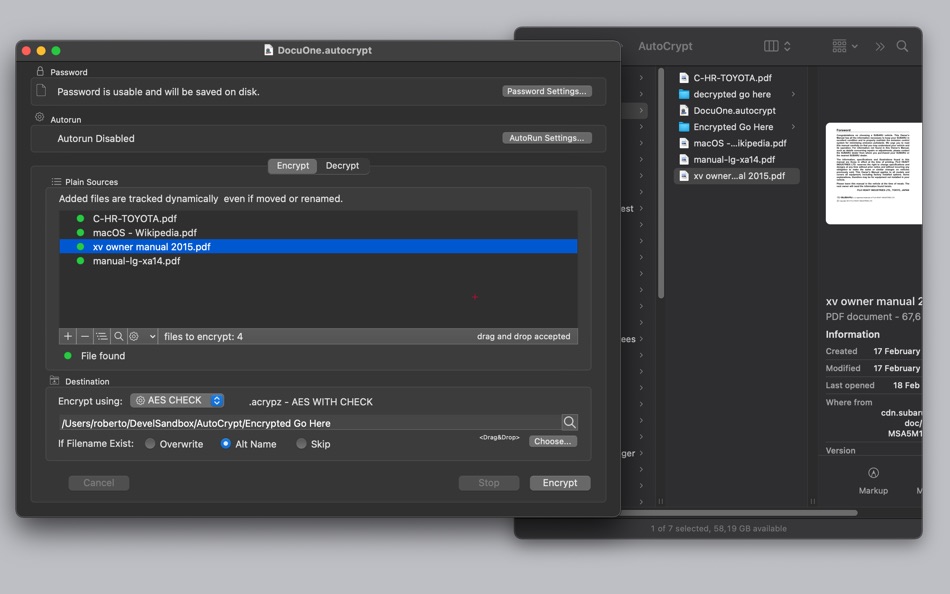
It lets you save in documents all the settings used to encrypt files, including which file to operate on, and reuse it at later time.
It can encrypt decrypt in 1 click
HOW IT WORKS
• In a click can encrypt hundred of files to a destination place.
• Sources file are kept unadulterated and encrypted one are saved in another folder
• Uses a powerful AES-256 CommonCrypt algorithm making all the encrypted files unreadable without the password.
• Obtained encrypted files can be transmitted or stored in unsafe places without security problems
• All settings used to encrypt the original files, are saved inside an AutoCrypt document.
• One click methods to encrypt frequently updated files.
• Password can be saved or not with the settings document depending of the purpose (remote security / local security)
• Encryption can be done at opening time for any setting documents for frequent encryption on a file set
• A setting documents can store an infinite list of files to encrypt
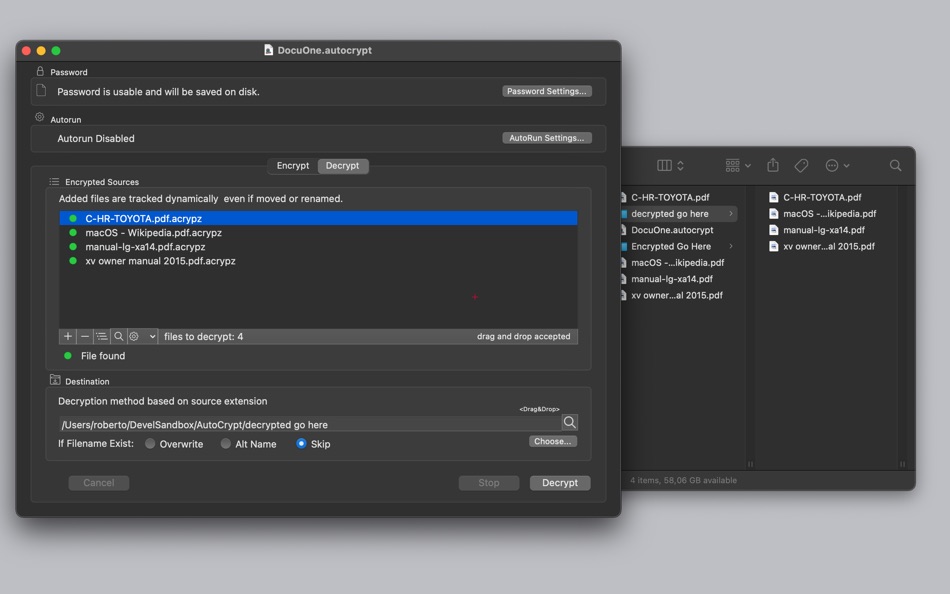
• Also the opposite process of decrypting can be totally automatic
FEATURES
• Can work as a desktop tool or as a batch utility
• Save inside documents all the setting used to encrypt and decrypt group of files
• Encrypt via AES-256 and save in a custom place with one click or even unattended
• Can encrypt and decrypt using the same document
• Encrypt and decrypt on document launch
• Accept input via drag and drops for an immediate and easy input
• Its fast and effective using multithreading technology
• Uses latest technology with asynchronous tasks to perform fast and fluid encryption and decryption
• Can use also Blowfish decryption for previous old archive compatibility
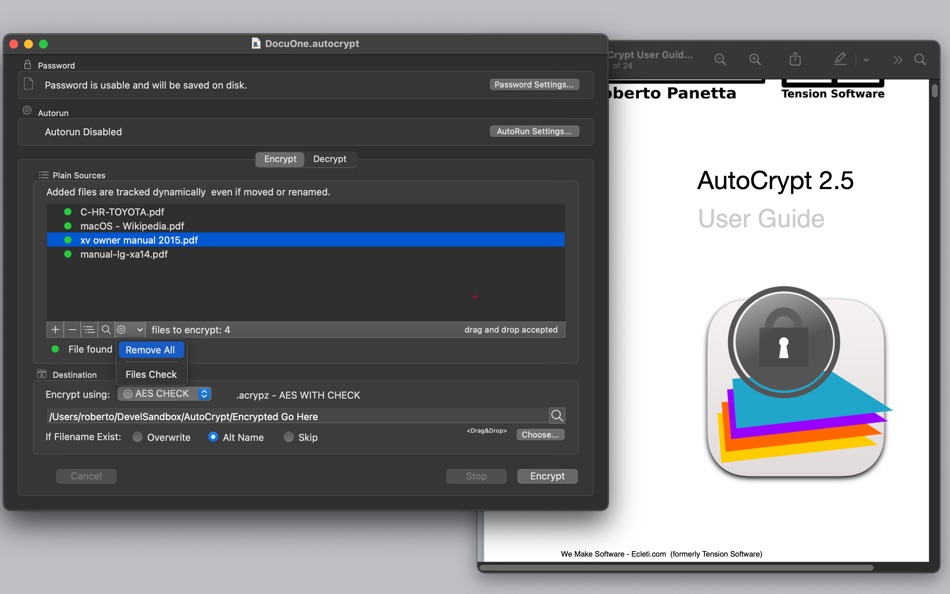
• Provides an embedded PDF manual
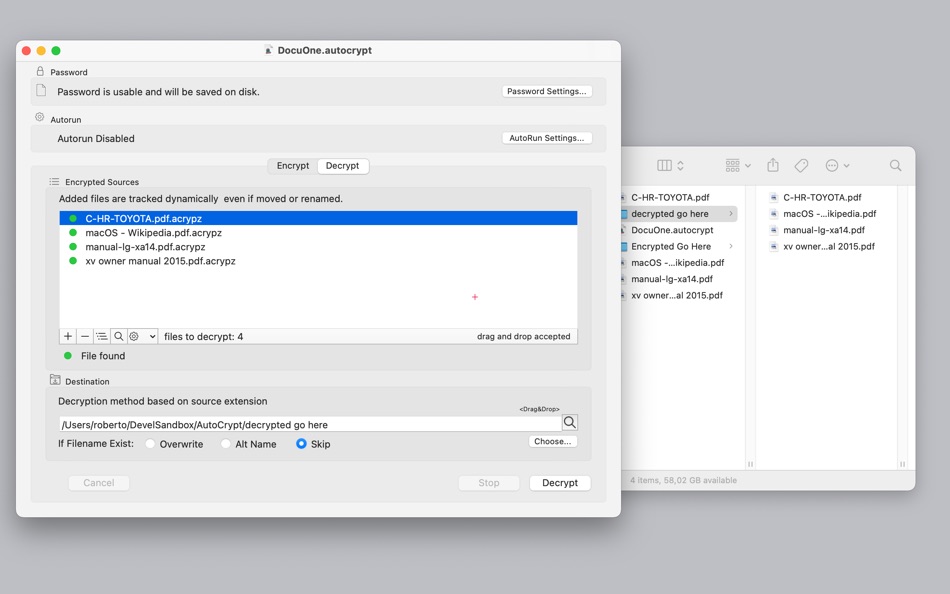
• Optimized to work well in Light and Dark mode appearance
SUPPORTED OS FEATURES
• Tabs for managing many documents in a single window
• Merge all documents in a window
• Full screen
• Autosave
• Resume
• Open default document at startup
• Versions
• Automatic resume
• Tags in finder
• Asynchronous tasks
Ad
ภาพหน้าจอ




ประวัติราคา
- วันนี้: $9.99
- ต่ำสุด: $5.99
- มากที่สุด: $9.99
ติดตามราคา
Ad
ผู้พัฒนา
- Roberto Panetta
- แพลตฟอร์ม: iOS แอป (9) macOS แอป (39)
- รายการ: 0 + 5
- แต้มแล: 10 + 6 ¡
- การจัดอันดับ: 0
- ความเห็น: 0
- ความเห็น: 0
- ลดราคา: 0
- วิดีโอ: 0
- RSS: ติดตาม
แต้มแล (0)
0 ☹️
การจัดอันดับ (0)
0 ☹️
รายการ (0)
0 ☹️
- AutoCrypt
ความเห็น (0)
แสดงรีวิวเป็นคนแรกเลย 🌟
ความเห็น (0)
เป็นคนแรกที่แสดงความเห็น 🌟
ข้อมูลเพิ่มเติม
- เวอร์ชัน: 2.5.4
- หมวดหมู่:
macOS แอป›ประสิทธิภาพการผลิต - ระบบปฏิบัติการ:
macOS,macOS 10.13 และสูงกว่า - ขนาด:
4 Mb - ภาษาที่สนับสนุน:
English - การจัดประเภทเนื้อหา:
4+ - Mac App Store คะแนนโดย:
0 - อัปเดต:
- วันที่วางจำหน่าย:
รายชื่อติดต่อ
 http://www.tensionsoftware.com/osx/autocrypt/
 «AutoCrypt». แพลตฟอร์ม: macOS. หมวดหมู่: ประสิทธิภาพการผลิต. ผู้พัฒนา: «Roberto Panetta». การเปิดตัวครั้งแรก: . อัปเดตล่าสุด: . ราคาปัจจุบัน: $9.99. ราคาต่ำสุดที่บันทึกไว้: $5.99 (). ราคาสูงสุดที่บันทึกไว้: $9.99 (). ชื่อนี้ยังไม่ได้รับการให้คะแนนหรือบทวิจารณ์บน AppAgg ภาษาที่ใช้ได้: English. AppAgg ติดตามประวัติราคา การให้คะแนน และคำติชมของผู้ใช้ «AutoCrypt». ส่วนลดและอัปเดตในอนาคต: RSS. AppAgg ไม่ได้โฮสต์แอปพลิเคชันหรือแจกจ่ายซอฟต์แวร์ เครื่องหมายการค้า โลโก้ และภาพหน้าจอทั้งหมดเป็นของเจ้าของที่เกี่ยวข้อง
AutoCrypt URL แบบสั้น: คัดลอกแล้ว!- 🌟 แชร์
- Mac App Store
คุณอาจชอบ
-
- Auto Refresh Page
- macOS แอป: ประสิทธิภาพการผลิต โดย: Anjey Tsibylskij
- $4.99
- รายการ: 0 + 1 การจัดอันดับ: 0 ความเห็น: 0
- แต้มแล: 6 + 0 ความเห็น: 0 เวอร์ชัน: 1.1 Auto Refresh Page is a browser extension that automatically refreshes and reloads any page or tab after a specified number of seconds. Just enter the number of seconds between page ... ⥯
-
- Auto Folder
- macOS แอป: ประสิทธิภาพการผลิต โดย: Ebey Tech LLC
- * $1.99
- รายการ: 0 + 0 การจัดอันดับ: 0 ความเห็น: 0
- แต้มแล: 1 + 0 ความเห็น: 0 เวอร์ชัน: 1.0 Innovative concept for files and/or folders for individual apps. Add apps into a main list, then attach files/folders to the app. When a chosen app's UI is focused the built-in menubar ⥯
-
- Auto Mouse
- macOS แอป: ประสิทธิภาพการผลิต โดย: Jiulong Zhao
- $9.99
- รายการ: 0 + 1 การจัดอันดับ: 0 ความเห็น: 0
- แต้มแล: 7 + 0 ความเห็น: 0 เวอร์ชัน: v1.36 Auto Mouse simulates mouse clicking automatically, topmost accessing all menus, and works above fullscreen games & apps! Yes, it works with Full Screen Apps & Games. features: v1.20 - ... ⥯
-
- Auto Refresh Web Page
- macOS แอป: ประสิทธิภาพการผลิต โดย: 家贺 万
- $2.99
- รายการ: 0 + 0 การจัดอันดับ: 0 ความเห็น: 0
- แต้มแล: 0 + 0 ความเห็น: 0 เวอร์ชัน: 1.0.0 Auto Refresh Web Page makes it effortless to keep your Safari tabs automatically updated exactly the way you want. Whether you're tracking live dashboards, watching stock prices, or ... ⥯
-
- Auto Bible -Automatically find
- macOS แอป: ประสิทธิภาพการผลิต โดย: Joongseo Dong
- ฟรี
- รายการ: 0 + 1 การจัดอันดับ: 0 ความเห็น: 0
- แต้มแล: 3 + 0 ความเห็น: 0 เวอร์ชัน: 2.2.1 # How to use - essential reading!! * Auto-discovery of phrases - After you copy the phrase you want to copy, go to 'Macbook bible' and the phrase will automatically be found and copied ⥯
-
- Auto copy for Safari
- macOS แอป: ประสิทธิภาพการผลิต โดย: luca calciano
- $0.99
- รายการ: 0 + 0 การจัดอันดับ: 0 ความเห็น: 0
- แต้มแล: 1 + 0 ความเห็น: 0 เวอร์ชัน: 1.2 Automatically copy selected text to the clipboard. When text is selected using the mouse it will automatically be copied to the app. We ve found that just about the only time I select ... ⥯
-
- Liss Auto Scroll
- macOS แอป: ประสิทธิภาพการผลิต โดย: Segev Sherry
- * ฟรี
- รายการ: 0 + 0 การจัดอันดับ: 0 ความเห็น: 0
- แต้มแล: 0 + 0 ความเห็น: 0 เวอร์ชัน: 1.3.4 Meet Liss the ultimate auto-scroll app for Mac. It lets you scroll automatically in any app using your scroll wheel mouse. Whether you're reading PDFs, reviewing code, or browsing long ⥯
-
- Break - Auto Time Manager
- macOS แอป: ประสิทธิภาพการผลิต โดย: INSPIRING-LIFE TECHNOLOGIES PRIVATE LIMITED
- ฟรี
- รายการ: 0 + 0 การจัดอันดับ: 0 ความเห็น: 0
- แต้มแล: 2 + 0 ความเห็น: 0 เวอร์ชัน: 2.2.3 BREAKS | TASKS | PROJECTS, SCHEDULE, AUTO PROMPT, MANAGE TIME, SYNC, PAUSE, RESUME, REPORT AND SHARE Breaks is a handy tool for Mac to schedule your tasks or breaks for a day. You can ... ⥯
-
- AI Auto Prompts
- macOS แอป: ประสิทธิภาพการผลิต โดย: KeoGlobal
- ฟรี
- รายการ: 0 + 0 การจัดอันดับ: 0 ความเห็น: 0
- แต้มแล: 1 + 0 ความเห็น: 0 เวอร์ชัน: 1.2 AI Auto Prompts gives you instant access to your frequently used text prompts from anywhere on your Mac. Simply click the menu bar icon, select your saved prompt, and it instantly ... ⥯
-
- FlowPods: Auto Focus Tracker
- macOS แอป: ประสิทธิภาพการผลิต โดย: MONORIFT s. r. o.
- * ฟรี
- รายการ: 0 + 0 การจัดอันดับ: 0 ความเห็น: 0
- แต้มแล: 1 + 0 ความเห็น: 0 เวอร์ชัน: 1.0.1 FlowPods is a lightweight menu bar app that tracks focus in the background. Using compatible headphones with motion tracking, it automatically detects focus and rest patterns without ... ⥯
-
- SimplePomo - Auto 25/5m Timer
- macOS แอป: ประสิทธิภาพการผลิต โดย: Junbum Lee
- $0.99
- รายการ: 0 + 0 การจัดอันดับ: 0 ความเห็น: 0
- แต้มแล: 0 + 0 ความเห็น: 0 เวอร์ชัน: 1.0.1 I did something... What did I do...? For people who don't keep records, Simple Pomo. - Pomodoro Timer, set to 25min/5min intervals - Add memo and press start = Added to calendar ... ⥯
-
- Writing Tracker for Scrivener
- macOS แอป: ประสิทธิภาพการผลิต โดย: Digital Indoorsmen Inc.
- * ฟรี
- รายการ: 0 + 0 การจัดอันดับ: 0 ความเห็น: 0
- แต้มแล: 0 + 0 ความเห็น: 0 เวอร์ชัน: 1.2 AUTO-TRACKING Tired of having to input your word count, start time, and end time into your writing tracker after each session? Forget about it! This app will automatically detect when ... ⥯
-
- DayCalc - Note Calculator
- macOS แอป: ประสิทธิภาพการผลิต โดย: 良峰 侯
- * $2.99
- รายการ: 1 + 2 การจัดอันดับ: 0 ความเห็น: 0
- แต้มแล: 32 + 0 ความเห็น: 0 เวอร์ชัน: 7.7 DayCalc is an easy to use, beautifully packaged calculator, includes both a standard calculator, scientific calculator and unit converter. Based on Apple CloudKit, data is stored in ... ⥯
-
- Be Focused Pro - Focus Timer
- macOS แอป: ประสิทธิภาพการผลิต โดย: Denys Ievenko
- $12.99
- รายการ: 5 + 4 การจัดอันดับ: 0 ความเห็น: 0
- แต้มแล: 9 + 0 ความเห็น: 0 เวอร์ชัน: 2.5.2 Staying on task seems is a real challenge for our screen-bound generation. The Be Focused lets you get things done by breaking up individual tasks among discrete intervals, separated ... ⥯