
| Developer: | Wrobele sp. z o.o. (2) | ||
| Price: | $2.99 | ||
| Rankings: | 0 | ||
| Reviews: | 0 Write a Review | ||
| Lists: | 0 + 0 | ||
| Points: | 0 + 0 ¡ | ||
| Mac App Store | |||
Description

Whether you’re working in full-screen, juggling multiple apps, or diving into deep focus sessions, Buoyant Timer keeps your time front and center - without ever getting in your way.
Key Features
- Always-on-top - Your timer floats above all windows, even in full-screen.
- Countdowns & Stopwatch - Switch easily between countdown mode and stopwatch mode.
- Pass-through clicks - Let clicks go through to the app beneath, so you can work distraction-free.
- Global hotkeys - Control the timer instantly, no matter which app you’re in.
- Smart auto-start - When a countdown ends, the stopwatch can start automatically, so you don’t lose track.
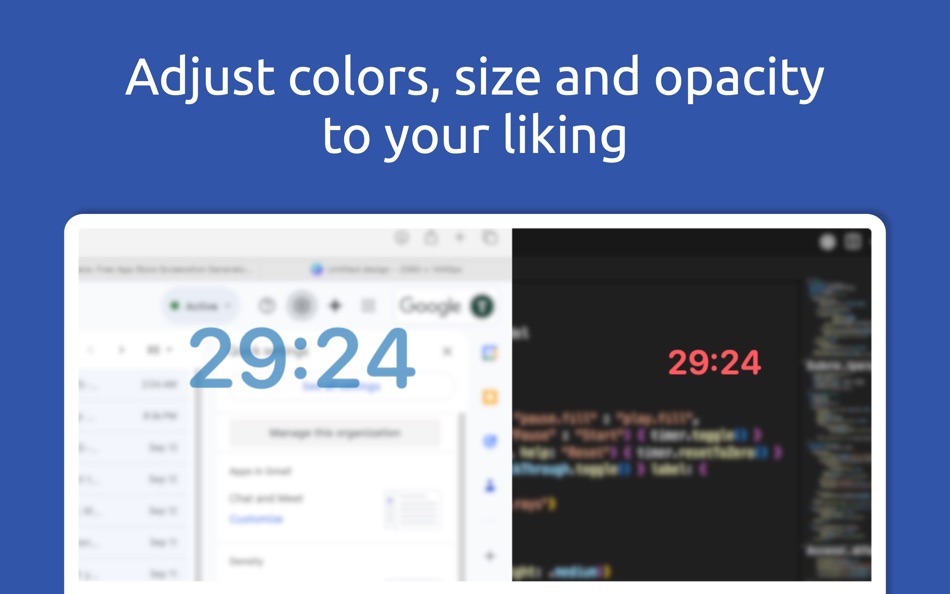
- Customizable appearance - Choose from preset colors, adjust with a custom color slider, and fine-tune the timer’s opacity.
- High contrast mode - Enable extra visibility when you need stronger focus or accessibility support.
- Interactive panel - Toggle between pass-clicks and control mode to adjust time, pause, reset, or start a new session quickly.
Built for Focus & Productivity
Buoyant Timer is designed for students, professionals, gamers, streamers, and anyone who works in full-screen or multitasking environments. Whether you’re practicing Pomodoro cycles, timing a live session, tracking how long a task really takes, or simply keeping an eye on the clock, Buoyant Timer adapts to your workflow.
Why Buoyant Timer?
Unlike traditional timers that hide behind windows or clutter your screen, Buoyant Timer strikes a balance between visibility and minimalism. With pass-through clicks, you won’t lose control of the apps you’re using. With customizable colors and opacity, the timer blends seamlessly with your workspace. And with global hotkeys, you’ll never need to hunt for controls.
Simple. Reliable. Built for macOS.
Time management shouldn’t be complicated - Buoyant Timer keeps it clear, lightweight, and always available.
Screenshots


What's new
- Version: 1.8.1
- Updated:
- You asked, we listened!
Introducing Custom Countdown.
Set your own timer duration from the App Bar or with ⌘⌥⌃ L.
Price History
- Today: $2.99
- Minimum: $2.99
- Maximum: $2.99
Track prices
Developer
- Wrobele sp. z o.o.
- Platforms: macOS Apps (2)
- Lists: 0 + 0
- Points: 0 + 0 ¡
- Rankings: 0
- Reviews: 0
- Discounts: 0
- Videos: 0
- RSS: Subscribe
Points
0 ☹️
Rankings
0 ☹️
Lists
0 ☹️
Reviews
Be the first to review 🌟
Additional Information
- Version: 1.8.1
- Category:
macOS Apps›Productivity - OS:
macOS,macOS 13.5 and up - Size:
728 Kb - Supported Languages:
English - Content Rating:
4+ - Mac App Store Rating:
0 - Updated:
- Release Date:
«Buoyant Timer» is a Productivity app for macOS, developed by «Wrobele sp. z o.o.». It was first released on and last updated on . The lowest historical price was $2.99, and the highest was $2.99. This app has not yet received any ratings or reviews on AppAgg. Available languages: English. AppAgg continuously tracks the price history, ratings, and user feedback for «Buoyant Timer». Subscribe to this app or follow its RSS feed to get notified about future discounts or updates.
Buoyant Timer Short URL: Copied!- 🌟 Share
- Mac App Store
You may also like
-
- Timer Pomodoro
- macOS Apps: Productivity By: Olha Hardash
- $3.99
- Lists: 0 + 0 Rankings: 0 Reviews: 0
- Points: 0 + 0 Version: 1.0 Discover the art of time management with Pomodoro Timer! Our app will help you work efficiently, rest on time, and achieve your goals without stress. Key features: Flexible timer ... ⥯
-
- Timer: Simple Menu Bar Timer
- macOS Apps: Productivity By: Nickolans Griffith
- $0.99
- Lists: 1 + 0 Rankings: 0 Reviews: 0
- Points: 2 + 0 Version: 2.0.0 Timer application designed with a minimalist menu bar interface, ensuring a focused and clutter-free time-tracking experience. Terms of Use: ... ⥯
-
- Timer Boom
- macOS Apps: Productivity By: Marian Raafat
- $1.99
- Lists: 0 + 0 Rankings: 0 Reviews: 0
- Points: 0 + 0 Version: 1.0.1 Timer Boom is a countdown timer can do many tasks Do you want to Sleep while listening to your iTunes music then shutdown automatically after a certain time sleep your mac ... ⥯
-
- Timer RH
- macOS Apps: Productivity By: Pavlo Liashenko
- * Free
- Lists: 0 + 0 Rankings: 0 Reviews: 0
- Points: 1 + 0 Version: 3.3 Capabilities: + Multiple timers + Repeating & Interval timers + Stopwatch + Text and color labels + One-touch timers adding + Status bar and Dock icon widgets + Scenarios (combining ... ⥯
-
- Timer by Ten
- macOS Apps: Productivity By: Ten by Ten
- $1.99
- Lists: 0 + 0 Rankings: 0 Reviews: 0
- Points: 0 + 0 Version: 1.15.0 This small, simple four-button timer application is easy for anyone to use! The time counts down in minutes and seconds; when it expires, a ring sounds, the display flashes, and the ... ⥯
-
- Timer for Conference
- macOS Apps: Productivity By: Kay Rehlich
- $9.99
- Lists: 0 + 0 Rankings: 0 Reviews: 0
- Points: 0 + 0 Version: 4.0 If you are organizing a meeting or conference with several presentations Timer4Conference is the right tool for you. You plan your meeting, conference or broadcast schedule with e.g. ... ⥯
- -100%
- Multi-List Timer
- macOS Apps: Productivity By: Roman Sevastyanov
- ▼ Free
$0.29-100% - Lists: 1 + 1 Rankings: 0 Reviews: 0
- Points: 18 + 12 (4.6) Version: 2.4 Create multiple timer lists for study, work, and workouts. * No Hidden Costs: No ads or subscriptions. * Private: No sign-ups or data collection. * Works Offline: No internet ... ⥯
-
- Progress Bar Timer
- macOS Apps: Productivity By: Ishii Yoshikazu
- $4.99
- Lists: 1 + 1 Rankings: 0 Reviews: 0
- Points: 7 + 0 Version: 2.0.1 Progress Bar Timer is a timer application for work and study. It eliminates as much as possible the display of the time that comes into view while you are working, and allows you to ... ⥯
-
- Nice Timer 3: colorful timers
- macOS Apps: Productivity By: Jędrzej Gronek
- $2.99
- Lists: 1 + 0 Rankings: 0 Reviews: 0
- Points: 0 + 0 Version: 3.4.0 Nice Timer 3 is the next generation of the only app that you really need if you need... a timer! You can use it to add to your desktop as many beautiful timers and stopwatches as you ... ⥯
-
- Pomodoro Timer for ADHD
- macOS Apps: Productivity By: Julien Lacroix
- * Free
- Lists: 0 + 1 Rankings: 0 Reviews: 0
- Points: 1 + 0 Version: 1.28 No sign-up, no notifications, no ads. Just you, your work, your time, and your favorite playlists on YouTube, Spotify or Apple Music. DESCRIPTION Pomodoro Timer is a delightful app for ⥯
-
- Menu Bar Timer
- macOS Apps: Productivity By: Efe Ertugrul
- $0.99
- Lists: 0 + 0 Rankings: 0 Reviews: 0
- Points: 1 + 0 Version: 2.4.5 Menu Bar Timer adds a Stopwatch or a Timer to your menu bar so you can keep track of time whatever you've been working on without an extra app icon on your dock. You can choose ... ⥯
-
- Activity Timer
- macOS Apps: Productivity By: DANIEL BRUEGGE
- Free
- Lists: 0 + 0 Rankings: 0 Reviews: 0
- Points: 1 + 0 Version: 2.1.2 You have a task to accomplish and want to manage your time in a effective way? Then this simple activity timer is the right tool for you. It provides a plain and smoothly integrated ... ⥯
-
- iTimer: Focus & Pomodoro Timer
- macOS Apps: Productivity By: 靖森 郑
- Free
- Lists: 0 + 0 Rankings: 0 Reviews: 0
- Points: 1 + 0 Version: 1.4.2 iTimer could help you to focus on now. You can also use it as tomato clock. - Simple: Only appear in menu bar, no Dock or window needed. - Clever: Remind you to start timer or hurry up ⥯
-
- Deep Timer - Anti Tomato Clock
- macOS Apps: Productivity By: 杰 王
- Free
- Lists: 0 + 0 Rankings: 0 Reviews: 0
- Points: 0 + 0 Version: 1.0 Deep Timer - A personal efficiency tracking tool The Deep Timer records the duration of your focus through a timer and displays the distribution of your focus time through detailed ... ⥯